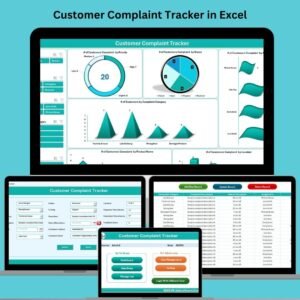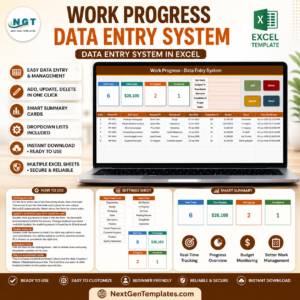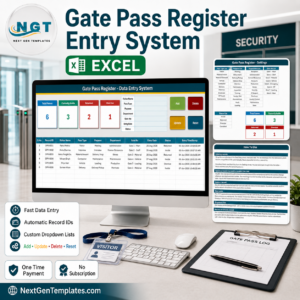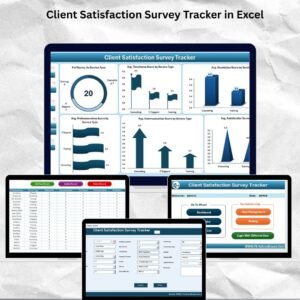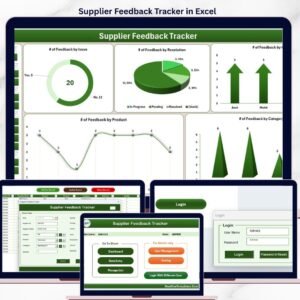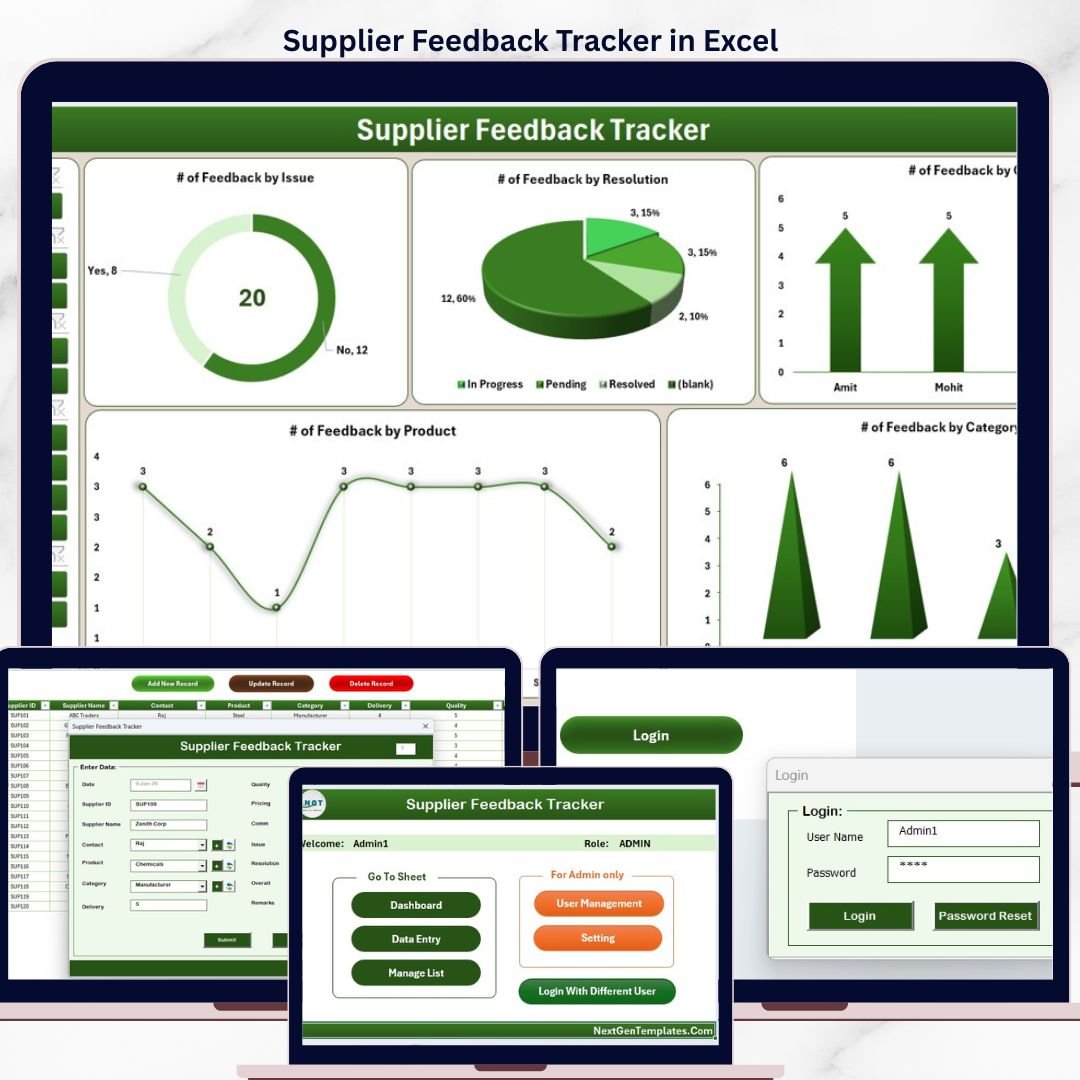
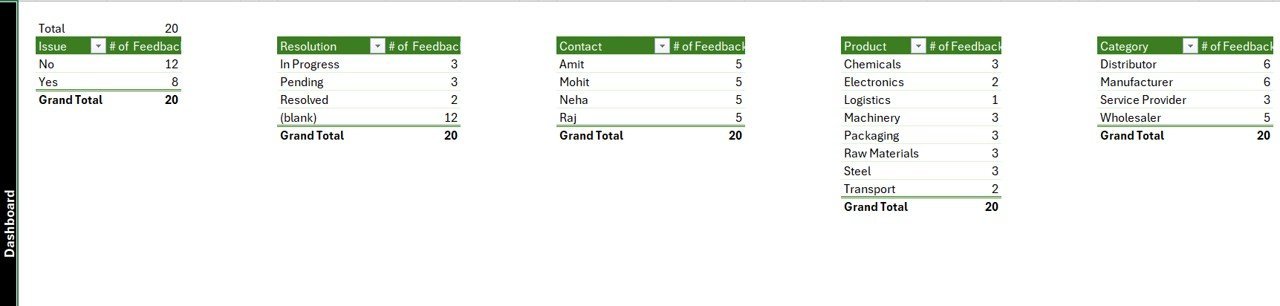
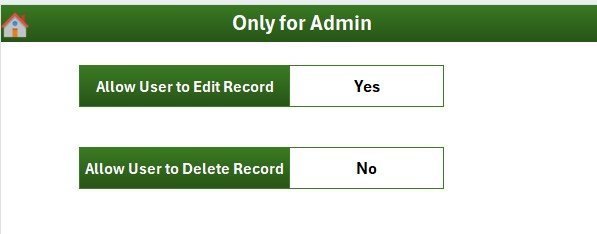
The Supplier Feedback Tracker in Excel is a VBA-powered Excel template that records, scores, and analyzes feedback against every active supplier through a single password-protected workbook. The tool combines a Login form, a Home page, a slicer-driven Dashboard with 4 slicers and 5 charts, a Data sheet with one-click Add, Update and Delete buttons, plus List, Support, Settings and User Management sheets — 8 sheets in total. Setup takes under 10 minutes — open the file, enable macros, log in with the default admin credentials, and start capturing feedback against every supplier.
🌍 Join 8,400+ teams in 40+ countries using NextGenTemplates to replace paid SaaS tools with one-time-purchase Excel, Google Sheets, Power BI, and HTML templates.
✅ Instant download · One-time payment · No subscription · No per-user fees · Lifetime access
According to Gartner research on supplier relationship management, organizations that systematically capture and act on supplier feedback see 15-20% lower supply disruption rates and faster issue resolution than those relying on email and ad-hoc spreadsheets. This Excel Tracker brings that discipline into a clean, role-based workbook your procurement and quality teams can use from day one — without buying a separate SRM platform.
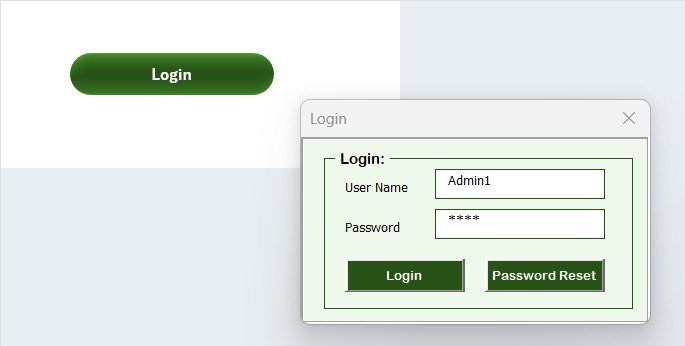
Login Form — Secure Role-Based Access
🔑 Key Features of Supplier Feedback Tracker in Excel
🔐 Password-Protected Login Form — Every user enters a username and password before the workbook unlocks. Admin and standard User roles are supported, so procurement leads can manage records while reviewers can only enter feedback. Credentials are stored in the dedicated User Management sheet for full control.
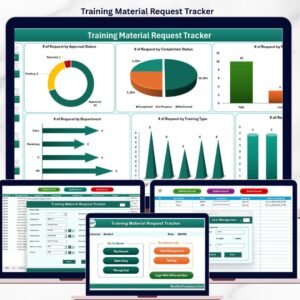
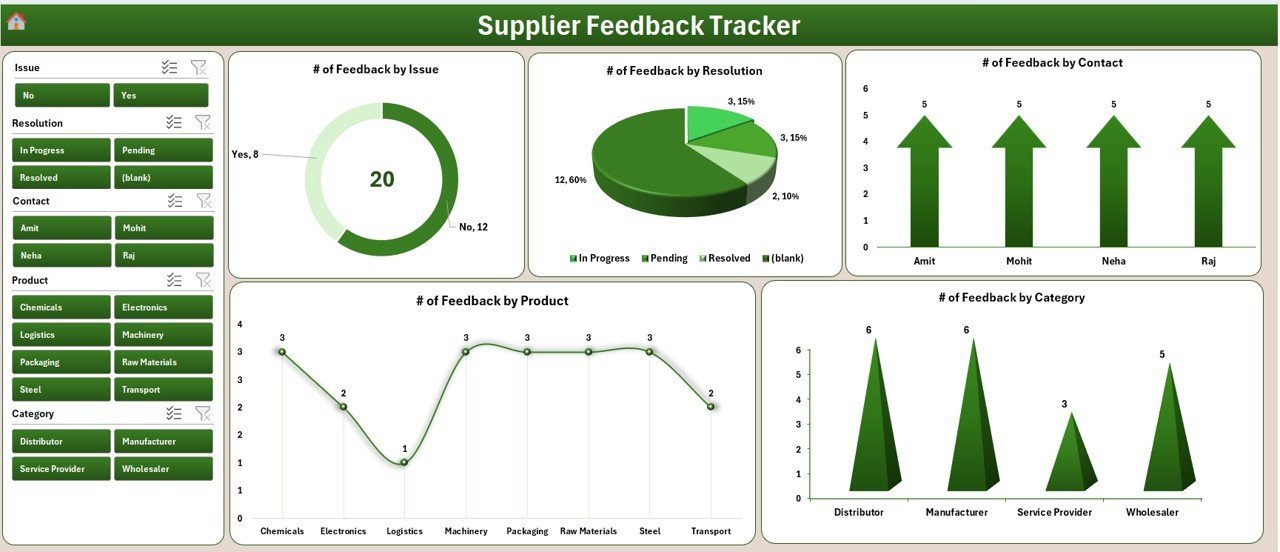
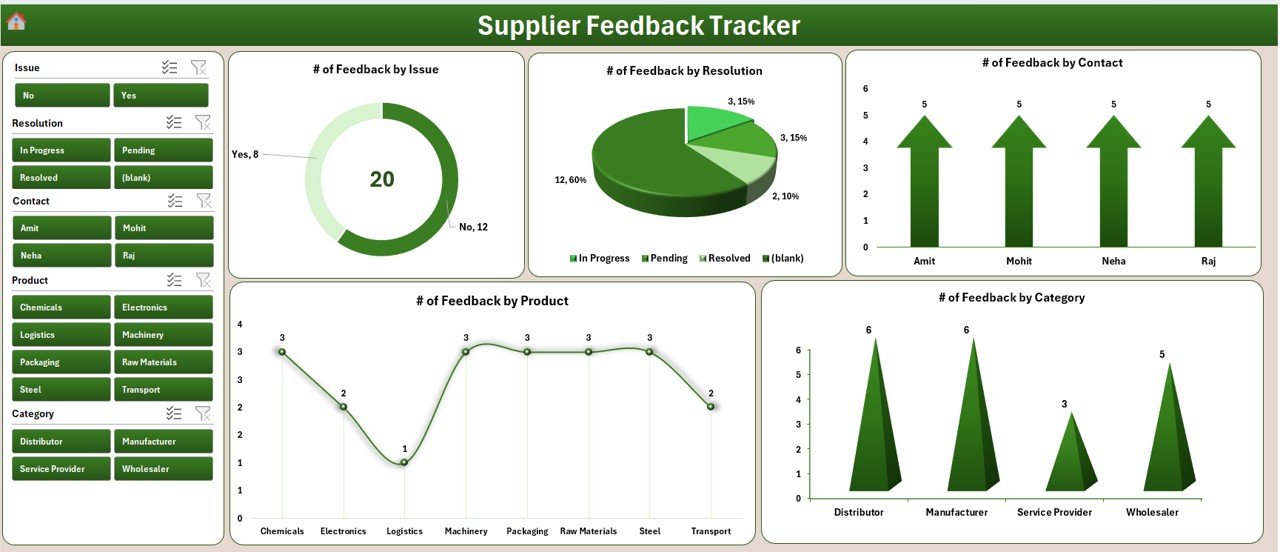
📊 Slicer-Driven Dashboard with 4 Slicers + 5 Charts — The Dashboard sheet displays 5 visualizations of your supplier feedback data — feedback scores by supplier, feedback by category, feedback trend by month, status distribution, and rating breakdown. Four slicers let you filter every chart in one click by supplier, category, rating band, or feedback period.
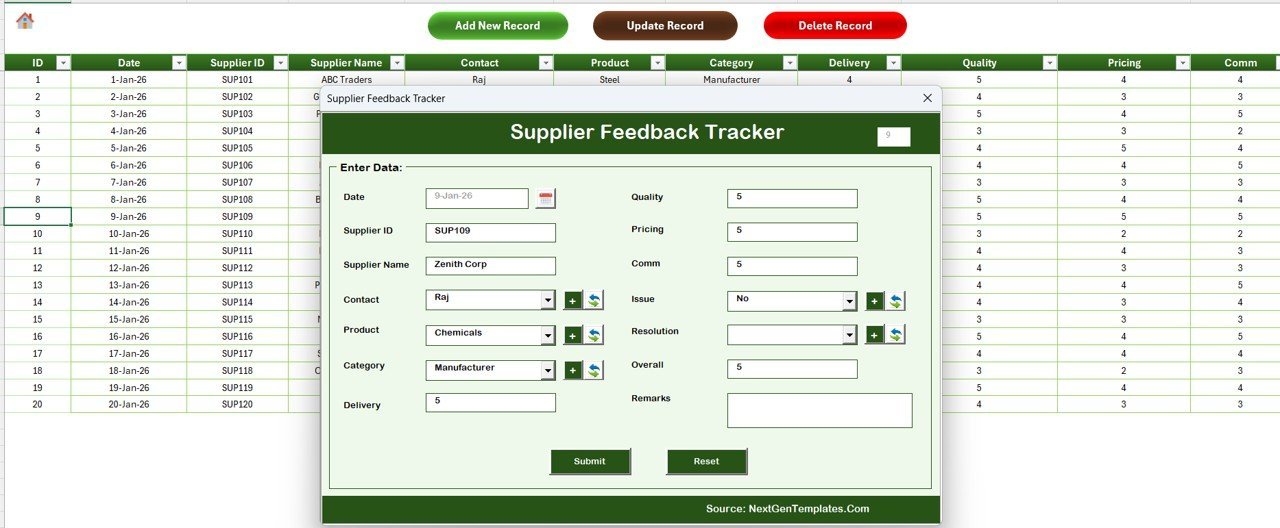
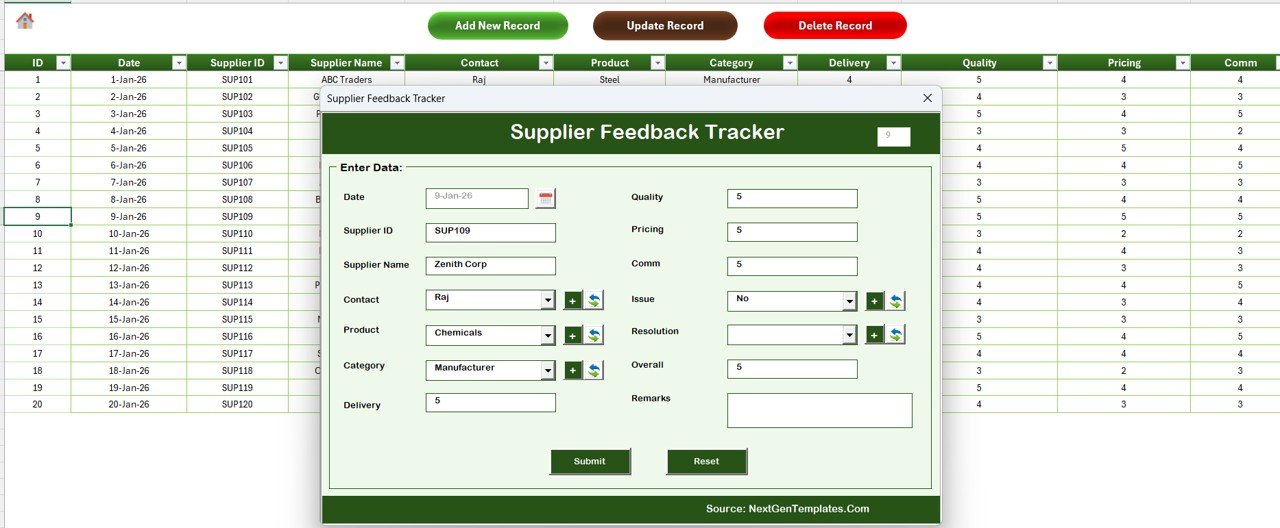
📝 3-Button Data Entry — Add, Update, Delete — The Data sheet has three macro buttons at the top: Add New Record opens a clean UserForm with combo boxes pulled from the List sheet, Update Record loads the selected ID into the same form for edits, and Delete Record removes a row after a confirmation prompt. The Dashboard refreshes automatically after every action.
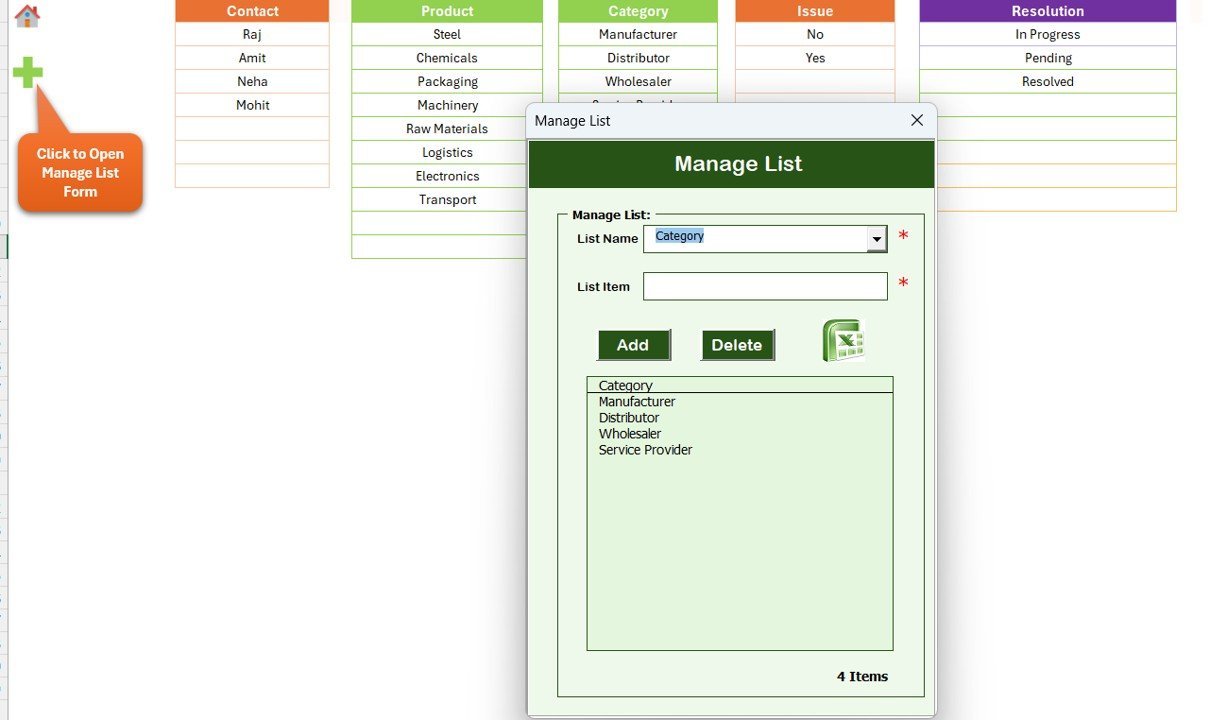
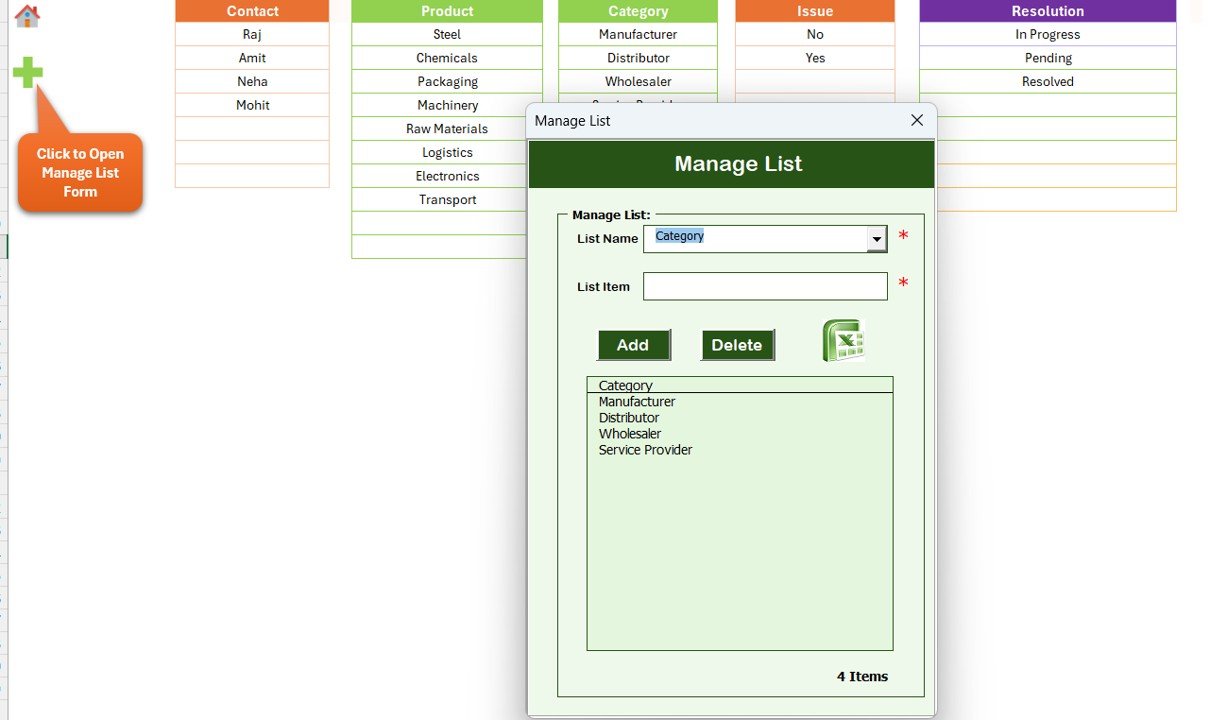
🗂️ List Sheet for Combo Box Master Data — Maintain dropdown values like supplier names, feedback categories, ratings, and statuses on one sheet. Every change instantly updates the data entry UserForm without touching VBA code.
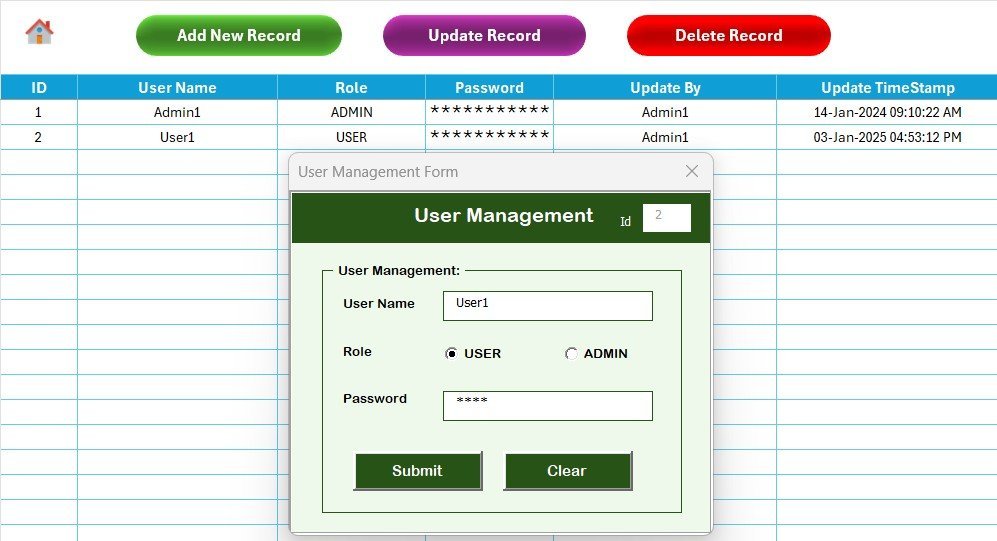
👥 User Management Sheet — Add, edit, or remove users and assign Admin or User roles directly in the workbook. No external user database needed.
⚙️ Settings & Support Sheets — A Settings sheet stores tracker-level configuration. The Support sheet holds the pivot tables that power the Dashboard charts — typically hidden from end users.
If you also evaluate suppliers on contracts, audits, or delivery KPIs, pair this tracker with the Supply Chain Procurement Dashboard in Google Sheets, the Procurement Management Dashboard in Google Sheets, and the Warehouse Efficiency Dashboard in Excel. Browse all available Excel Dashboard Templates and the Trackers in Excel category for related supplier and procurement tools.
📦 What’s Inside the Supplier Feedback Tracker in Excel
📌 1. Login Form — Entry-point UserForm that validates credentials against the User Management sheet and routes Admin and User roles to the correct workspace.
Home Page — Navigation Hub
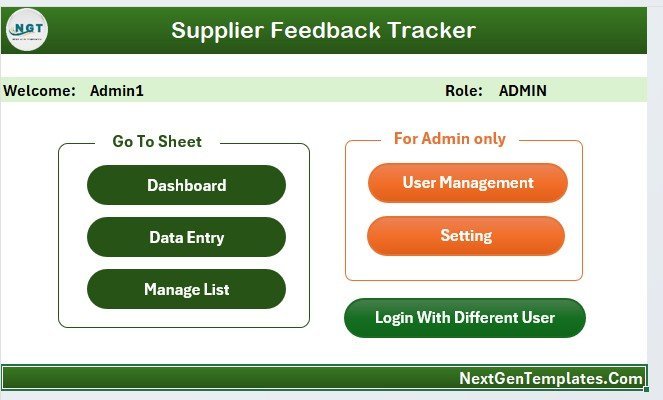
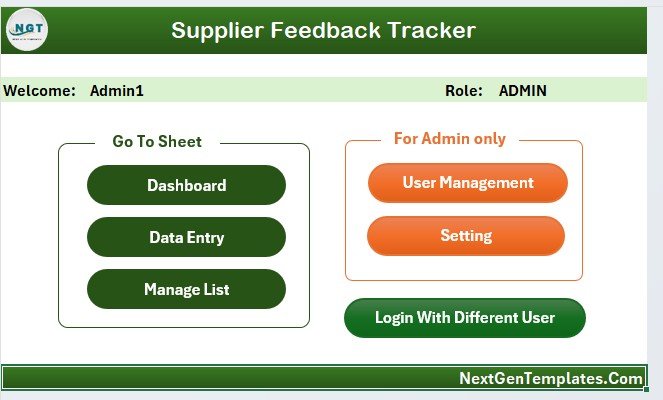
📌 2. Home Page — A clean landing screen with navigation buttons to the Dashboard, Data, List, and User Management sheets. Acts as the central hub once a user logs in.
Dashboard — 4 Slicers and 5 Charts
📌 3. Dashboard Sheet — The visual reporting page with 5 charts (feedback score by supplier, feedback count by category, monthly feedback trend, status mix, and rating distribution) and 4 slicers. All visuals update together when a slicer is clicked, so you can isolate one supplier or one category in seconds.
Data Sheet — Add, Update, Delete Buttons
📌 4. Data Sheet — Stores every feedback record with a unique ID and includes three macro buttons (Add New Record, Update Record, Delete Record) at the top. The data entry UserForm pulls dropdown values from the List sheet and writes new rows directly back to this sheet.
List Sheet — Combo Box Source
📌 5. List Sheet — The master list that feeds combo boxes in the Add and Update form. Edit values here to instantly change the dropdowns shown to reviewers.
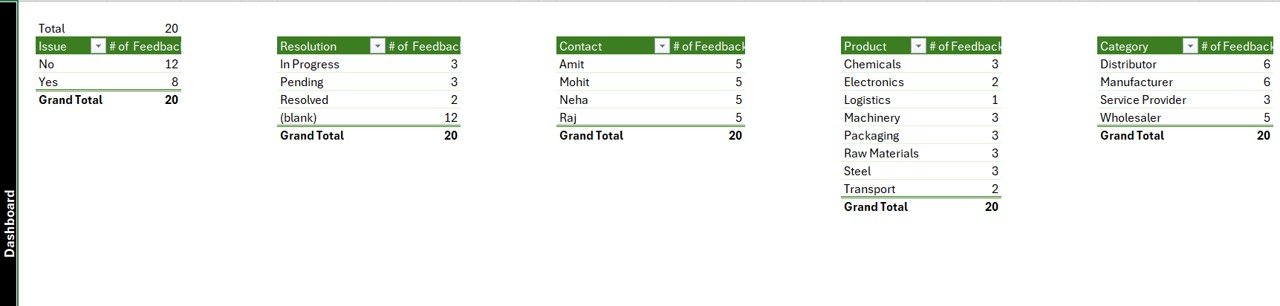
Support Sheet — Pivot Tables Behind the Charts
📌 6. Support Sheet — Hosts the pivot tables that drive the Dashboard charts. You can hide this tab from regular users and only expose the Dashboard.
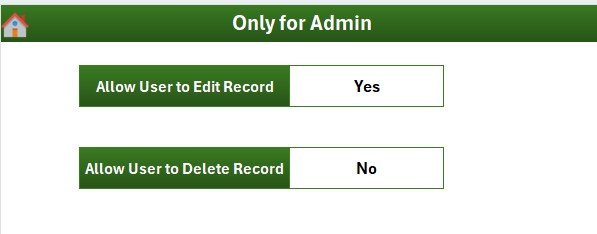
Settings Sheet — Tracker Configuration
📌 7. Settings Sheet — Stores configuration values used by the tracker (titles, default categories, branding fields).
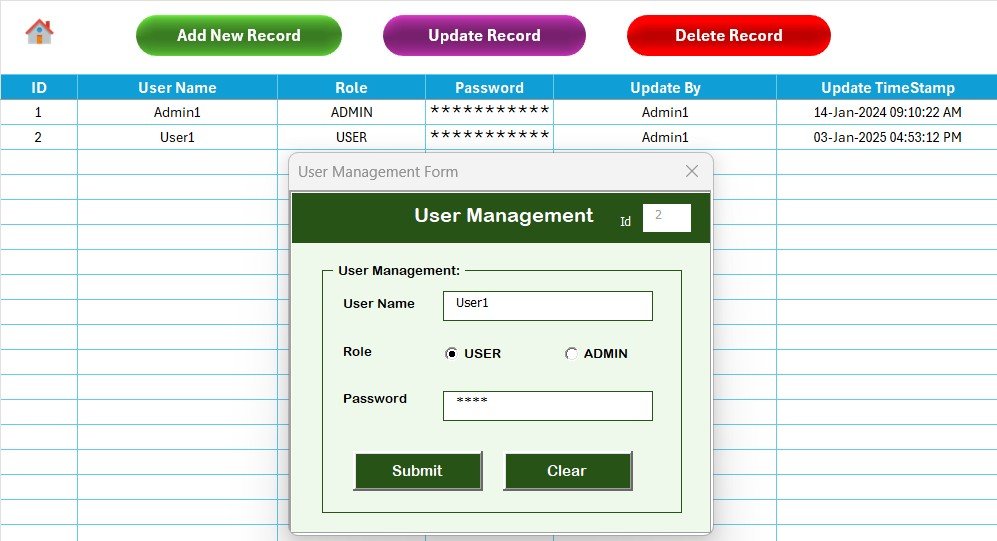
User Management Sheet — Roles & Credentials
📌 8. User Management Sheet — Add or remove usernames, set passwords, and choose Admin or User roles. The Login form reads from this sheet.
📊 Supplier Feedback Tracker in Excel vs. Google Sheets Equivalent vs. Paid SRM SaaS — Where This Fits
| Feature | Supplier Feedback Tracker in Excel | Google Sheets equivalent | SAP Ariba / Coupa SRM |
|---|---|---|---|
| Cost | $6.99 one-time ✅ | $0–$15 / template | $30–$120 / user / month |
| Platform | Microsoft Excel — works offline ✅ | Browser + Google account required | Cloud SaaS only, browser-only |
| Setup time | Under 10 minutes ✅ | 15–30 minutes | 3–6 weeks (vendor onboarding) |
| Login + role-based access | Built-in (Admin / User) ✅ | Manual sheet protection | Yes (enterprise SSO) |
| Add / Update / Delete via UserForm | Yes — VBA UserForm ✅ | Apps Script form, simpler UI | Yes (web form) |
| Slicer-driven dashboard | 4 slicers, 5 charts ✅ | Filters, fewer chart options | Pre-built supplier scorecards |
| Per-user license fees | None ✅ | None | $30–$120 / user / month |
| Year-1 cost at 5 users | $6.99 total ✅ | ~$0 | $1,800–$7,200 |
| Customizable in your tools | Full VBA + Excel control ✅ | Apps Script + Sheets | Limited to vendor config |
For procurement and quality teams that want structured supplier feedback, slicer-driven analysis, and role-based access without paying $30+ per user per month for a full SRM suite, the Supplier Feedback Tracker in Excel sits in the sweet spot.
👥 Who This Template Is For — and Who It’s Not For
✅ This template is built for:
- Procurement managers at small and mid-size businesses (10–500 employees) who want to score suppliers monthly without an SRM contract
- Quality assurance teams logging supplier defects, complaints, and corrective actions in one shared file
- Operations leads who need a Dashboard to brief leadership on supplier performance every quarter
- Sourcing analysts comparing feedback across categories, regions, or contract years
- Consultants who want a ready-to-customize Excel + VBA tool to deploy at multiple client sites
❌ This template is NOT for:
- Enterprise procurement teams that need SOC 2, SSO, audit trails, and integration with SAP or Oracle ERP
- Mac users running Excel for Mac — VBA UserForm controls can behave inconsistently outside Excel for Windows
- Teams that refuse to enable Excel macros, since the entire login, form, and button logic is VBA-driven
- Multi-region organizations that need cloud-native, real-time concurrent editing across continents
⚙️ How to Use the Supplier Feedback Tracker in Excel
1️⃣ Unzip the downloaded file and open it in Microsoft Excel for Windows (Excel 2016 or later, 32-bit or 64-bit).
2️⃣ Click Enable Content when Excel prompts about macros — the Login, Add, Update, and Delete features all need VBA enabled.
3️⃣ Sign in on the Login Form using the default admin credentials supplied in the readme; from the Home page, navigate to User Management to change the password and add your team.
4️⃣ Open the List sheet and replace the sample supplier names, feedback categories, and ratings with your own master values.
5️⃣ Go to the Data sheet and click Add New Record to capture your first piece of supplier feedback through the UserForm.
6️⃣ Switch to the Dashboard sheet, click any of the 4 slicers, and watch the 5 charts refresh to filtered views.
💼 Real-World Use Cases
Priya runs procurement at a 60-person packaging manufacturer. She uses the Supplier Feedback Tracker in Excel to record monthly feedback from production, QA, and warehousing on each of her 22 suppliers. The slicer-driven Dashboard lets her flag the bottom-quartile suppliers in seconds and present a one-page scorecard at the quarterly business review — without paying $7,000 a year for SAP Ariba.
Marcus leads QA at a regional medical device distributor. His team logs every shipment defect through the Add Record UserForm and tags the supplier, category, and severity. When an audit hits, Marcus filters the Dashboard to a single supplier and prints the feedback trend chart as evidence — turning a two-week scramble into a 30-minute task.
Sofia is a freelance procurement consultant. She deploys the Supplier Feedback Tracker at three client sites, each with its own User Management sheet, and customizes the List sheet so every client sees their own categories. One $6.99 license becomes a polished, branded deliverable across her engagements.
❓ Frequently Asked Questions
What is the Supplier Feedback Tracker in Excel?
The Supplier Feedback Tracker in Excel is a VBA-powered workbook with 8 sheets — Login Form, Home, Dashboard, Data, List, Support, Settings, and User Management — that captures supplier feedback through a UserForm and analyzes it on a slicer-driven dashboard with 4 slicers and 5 charts.
Do I need to enable macros to use this Excel supplier feedback tracker?
Yes. The Supplier Feedback Tracker in Excel uses VBA for the Login Form, the Add, Update and Delete buttons, and the User Management sheet. When Excel prompts you, click Enable Content. Without macros, the login and form features will not work.
How does this tracker compare to SAP Ariba or Coupa for supplier feedback?
Enterprise SRM platforms like SAP Ariba and Coupa charge $30–$120 per user per month and take weeks to implement. The Supplier Feedback Tracker in Excel covers the same core supplier feedback workflow — capture, score, dashboard — for a one-time $6.99 payment with under 10-minute setup, ideal for small and mid-size procurement teams.
Can multiple users log in to the supplier feedback tracker?
Yes. The User Management sheet stores usernames, passwords, and Admin or User roles. The Login Form validates credentials against this sheet, so multiple team members can use the same workbook with appropriate access levels.
How long does setup take?
Setup of the Supplier Feedback Tracker in Excel takes under 10 minutes — unzip the file, enable macros, log in with the default admin credentials, change the password, edit the List sheet with your supplier names, and start adding records on the Data sheet.
Can I customize the dashboard and the data entry form?
Yes. Both Excel layouts and the VBA UserForm are fully editable. You can add or remove combo box fields, change chart styles, swap out logos via the Settings sheet, and adjust the slicer fields. All VBA modules are unlocked for inspection and modification.
What is the best Excel template to track supplier feedback?
The Supplier Feedback Tracker in Excel from NextGenTemplates is one of the most complete Excel VBA templates for supplier feedback tracking — it combines a login system, role-based User Management, a UserForm-based data entry workflow, and a slicer-driven dashboard with 4 slicers and 5 charts in one file.
👤 About the Author
Built by PK — Microsoft Certified Professional with 15+ years of Excel, Google Sheets, and Power BI experience. Founder of NextGenTemplates, reaching 300K+ subscribers across YouTube channels (@PK-AnExcelExpert, @NextGenTemplates, @NeoTechNavigators). Every template is hand-built and tested before release.
🔗 Explore Related Templates
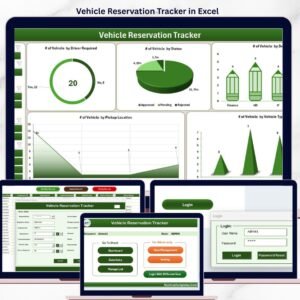
🔹 Vehicle Reservation Tracker in Excel — Manage vehicle bookings with the same VBA login + UserForm pattern.
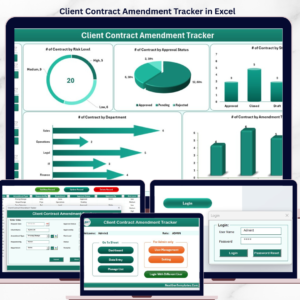
🔹 Client Contract Amendment Tracker in Excel — Track contract changes with role-based access and dashboard charts.
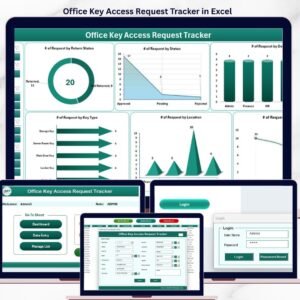
🔹 Office Key Access Request Tracker in Excel — A complementary VBA tracker for facility teams.
🔹 Supply Chain Procurement Dashboard in Google Sheets — Procurement KPI dashboard for cloud teams.
🔹 💎 Inventory & Warehouse Master Kit — Save 36% — 8-template bundle covering inventory, warehouse, and supplier analytics.
📖 Click here to read the Detailed Blog Post about Supplier Feedback Tracker in Excel
🎥 Visit our YouTube channel for step-by-step video tutorials
👉 YouTube.com/@NextGenTemplates
Watch the step-by-step video tutorial: