

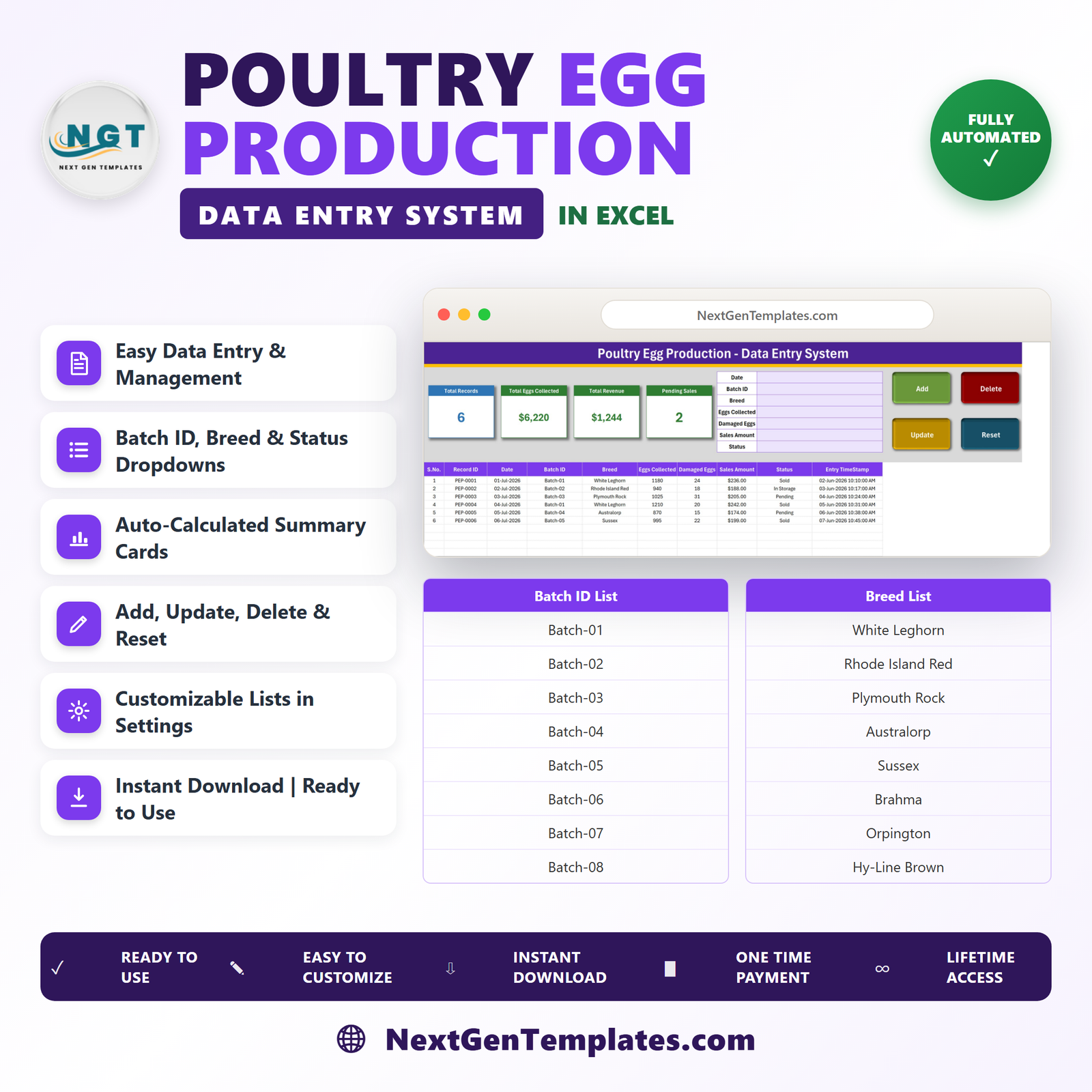
The Poultry Egg Production Data Entry System in Excel captures 7 fields per entry into a 10-column register, refreshes 4 KPI cards as you type, and ships with 3 editable dropdown lists holding 8 batch IDs, 8 breed names and 4 status labels. Setup takes under 10 minutes: delete the 6 sample rows, edit the lists on the Setting sheet, and start logging your own collections.
🌍 Join 8,400+ teams in 40+ countries using NextGenTemplates to replace paid SaaS tools with one-time-purchase Excel, Google Sheets, Power BI and HTML templates.
✅ Instant download · One-time payment · No subscription · No per-user fees · Lifetime access
This workbook is a private record of the numbers you type into it. It does not certify, grade, inspect or verify anything, and it makes no claims about husbandry standards, bird health or food safety.
🔑 Key Features of the Poultry Egg Production Data Entry System
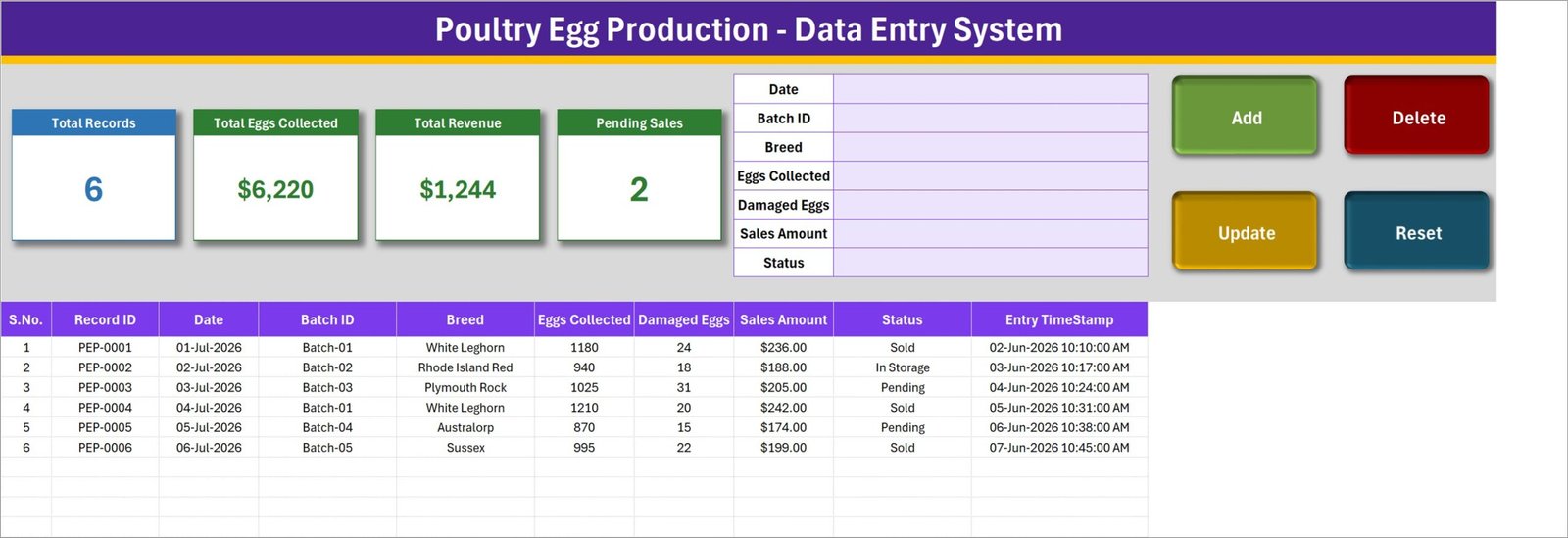
🥚 A 7-field form that fits on one screen. Date, Batch ID, Breed, Eggs Collected, Damaged Eggs, Sales Amount and Status sit in a single block at the top of the Data Entry sheet. Nothing is buried in a second window, so a full day’s collection is logged in seconds.
⚙️ Four real VBA buttons. Add, Update, Delete and Reset are macro-driven. Add writes the row and stamps it with a unique Record ID (PEP-0001, PEP-0002, …) plus an Entry TimeStamp; Reset clears the form for the next entry.
🔁 Update by ID, not by row position. Double-click any record to load it into the form. The workbook remembers its Record ID behind the scenes, so when you click Update it finds and saves that exact record wherever it has moved to after sorting or filtering. You never have to re-select the row first.
🗑️ Delete with a confirmation that names the record. The prompt shows the Record ID before anything is removed, so you can see you are deleting PEP-0004 and not PEP-0005.
📊 Four KPI cards that maintain themselves. Total Records, Total Eggs Collected, Total Revenue and Pending Sales are linked pictures of live cards on the Setting sheet, so they recalculate the moment a record is added, edited or deleted. Restyle a card on the Setting sheet and the picture follows.
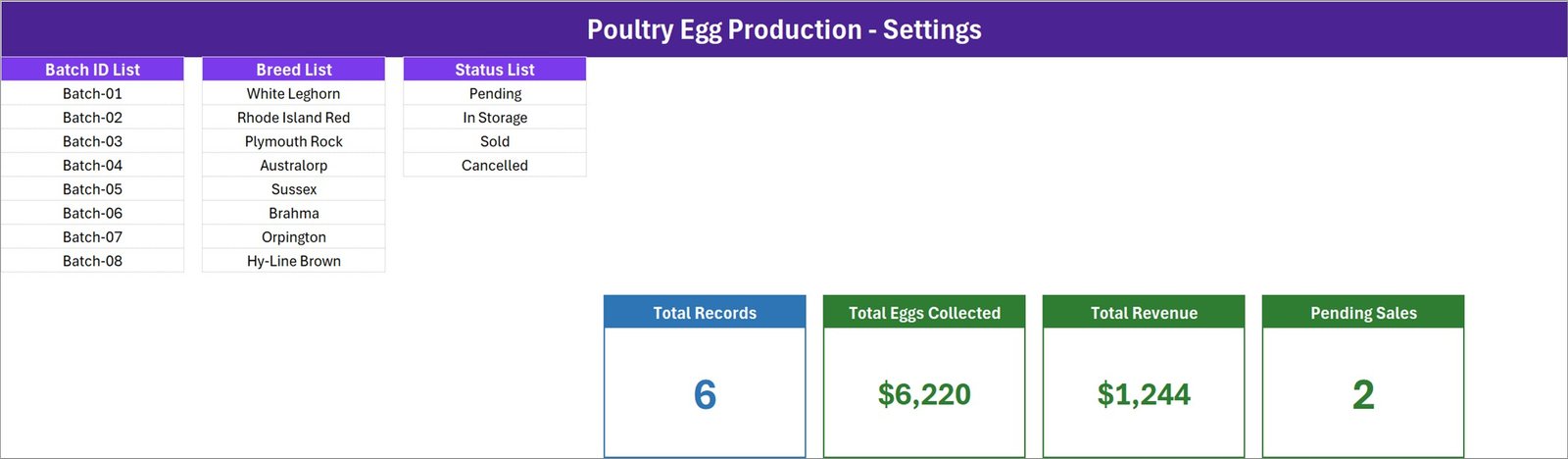
📋 Dropdown lists you own. Batch ID, Breed and Status read their values from the Setting sheet. Add a row, delete a row, rename an entry – every dropdown updates on its own, in the form and in the table columns.
🧾 A 10-column register you can do real work on. S.No., Record ID, Date, Batch ID, Breed, Eggs Collected, Damaged Eggs, Sales Amount, Status and Entry TimeStamp. It is an ordinary Excel table, so sort it, filter it, pivot it, chart it or print it however you like.
📦 What’s Inside the Poultry Egg Production Data Entry System
Four sheets, no add-ins and no external connections. Everything runs in desktop Microsoft Excel.
Sheet 1: Data Entry
The working screen. Four KPI cards on the left – Total Records, Total Eggs Collected, Total Revenue and Pending Sales – sit beside the 7-field entry form and the Add, Update, Delete and Reset buttons. Below them is the 10-column records table, shown here with the 6 demo rows (PEP-0001 to PEP-0006) that ship with the file.
Sheet 2: Setting
Where the dropdowns live. The Batch ID List holds Batch-01 to Batch-08, the Breed List holds White Leghorn, Rhode Island Red, Plymouth Rock, Australorp, Sussex, Brahma, Orpington and Hy-Line Brown, and the Status List holds Pending, In Storage, Sold and Cancelled. Every one of these is a plain text label you can rewrite to match your own naming. The four live KPI cards that feed the Data Entry sheet sit on this sheet too.
Sheet 3: How To Use (Instructions)
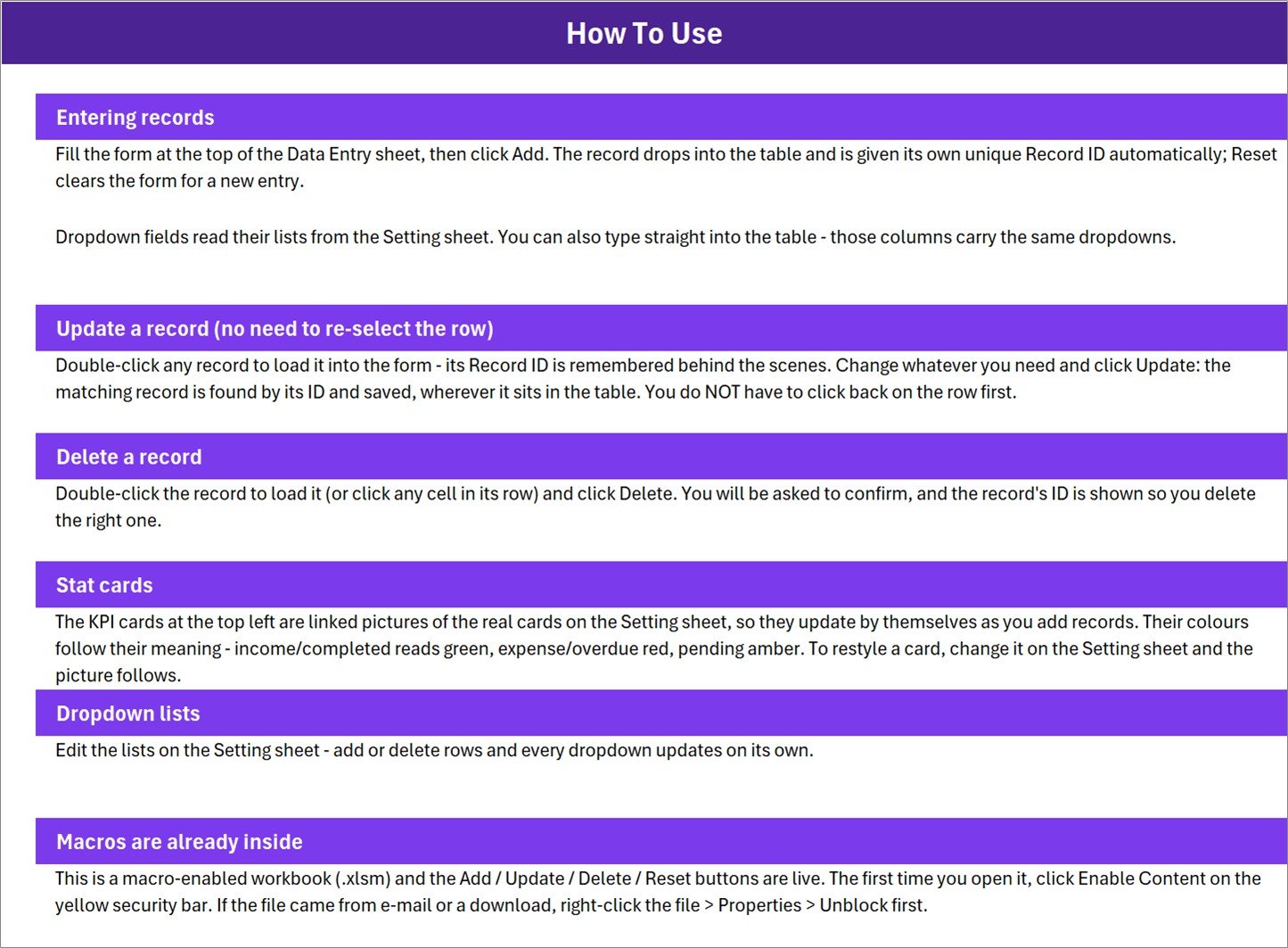
A built-in six-part guide covering Entering records, Update a record, Delete a record, Stat cards, Dropdown lists and Macros are already inside – including how to click Enable Content and how to Unblock the file if it arrived by e-mail. It travels with the workbook, so whoever inherits the file still has the instructions.
Sheet 4: Get More Templates
A short in-file index pointing to the wider NextGenTemplates library – our MS Excel templates and tracker templates. There is no screenshot of this sheet in the gallery because it carries links rather than data.
📊 Poultry Egg Production Data Entry System vs. a Google Sheets Form vs. Paid Farm-Management SaaS – Where This Fits
| Feature | Poultry Egg Production Data Entry System in Excel | Google Sheets + Form | Paid farm-management SaaS |
|---|---|---|---|
| Cost | $6.99 one-time ✅ | Free, but you build it | $20-90 / user / month |
| Platform | Desktop Microsoft Excel (.xlsm) | Browser | Browser + vendor app |
| Setup time | Under 10 minutes ✅ | 2-6 hours to build the form and formulas | Days, plus onboarding calls |
| Works fully offline | Yes ✅ | No | No |
| Edit a saved record in place | Yes – double-click, edit, Update ✅ | Awkward; form responses are append-only | Yes |
| Real-time team collaboration | No – it is a single-file workbook | Yes ✅ | Yes ✅ |
| Your data leaves your machine | Never ✅ | Stored in Google Drive | Stored on the vendor’s servers |
| Customisable dropdown lists | Yes – edit the Setting sheet ✅ | Yes, manually | Often locked to vendor presets |
| Year-1 cost at 5 users | $6.99 total ✅ | $0 + your build time | $1,200-5,400 |
For a small flock owner who wants a tidy, private egg-collection register without paying a monthly per-user fee, the Poultry Egg Production Data Entry System sits in the sweet spot.
👥 Who This Template Is For – and Who It’s Not For
✅ This template is built for:
- Backyard and small-flock keepers who want daily collection numbers written down somewhere better than a notebook
- Small commercial layer units running a handful of batches who need a per-batch record with a sales figure attached
- Farm bookkeepers and family members who share one PC and one workbook
- Anyone who already lives in Excel and does not want to learn another web app
❌ This template is NOT for:
- Anyone needing certification, grading, inspection or audit evidence – this is a private spreadsheet, not an accredited record
- Flock health, disease, biosecurity or veterinary management – it records no health data and gives no guidance
- Multi-site operations needing several people entering records at the same time – it is one workbook, one editor
- Mac users without desktop Excel, Excel for the web or Google Sheets users – none of these run the VBA buttons
- Teams who need a full accounting ledger; this records a sales amount per entry, not invoices, tax or payables
⚙️ How to Use the Poultry Egg Production Data Entry System
- Unzip the download and open Poultry_Egg_Production_System.xlsm in desktop Microsoft Excel. Click Enable Content on the yellow bar so the macros can run.
- Open the Setting sheet. Replace the Batch ID, Breed and Status lists with the names you actually use. Rows can be added or removed freely.
- Go back to the Data Entry sheet and delete the 6 sample rows (PEP-0001 to PEP-0006) so the register starts empty.
- Fill the form – Date, Batch ID, Breed, Eggs Collected, Damaged Eggs, Sales Amount, Status – and click Add. The record is written and given its own Record ID and Entry TimeStamp.
- To correct an entry, double-click its row, change what you need and click Update. To remove one, load it and click Delete, then confirm the Record ID shown.
- Watch the four KPI cards. They recalculate on their own, so there is nothing to refresh.
- Sort, filter, pivot or print the register whenever you need a summary. Save a dated copy at month end if you want an archive.
💼 Real-World Use Cases
Marta keeps 200 layers across four batches on a smallholding. Every evening she types the date, the batch, the breed, how many eggs came in and how many were cracked, then clicks Add. At the end of the month she filters the register by Batch-03 to see whether that batch is worth keeping – all from a $6.99 workbook rather than a monthly farm-software subscription.
Dev runs a family layer unit and sells to two local shops. He logs each collection with a Sales Amount and marks the row Pending, In Storage, Sold or Cancelled. The Pending Sales card tells him at a glance how many entries are still unsettled, and the Total Revenue card gives him a running figure to hand to his bookkeeper.
Priya took over her father’s poultry records mid-year. The How To Use sheet inside the workbook meant she did not have to ask anyone how the file works, and the Setting sheet let her rename the batch labels to her own scheme without touching a formula.
❓ Frequently Asked Questions
What does the Poultry Egg Production Data Entry System actually record?
The Poultry Egg Production Data Entry System records 7 fields per entry – Date, Batch ID, Breed, Eggs Collected, Damaged Eggs, Sales Amount and Status – and stores them in a 10-column table with an automatic Record ID and Entry TimeStamp. Everything in it is a number or label you type in yourself.
Does this workbook certify my eggs or prove a grade?
No. The Poultry Egg Production Data Entry System is a private spreadsheet. The Breed and Status values are free-text labels you choose on the Setting sheet, not verified classifications, and the workbook carries no certification, grading, inspection or food-safety authority of any kind.
How long does setup take?
Under 10 minutes. Open the file, click Enable Content, edit the three dropdown lists on the Setting sheet, delete the 6 demo rows, and the Poultry Egg Production Data Entry System is ready for your first real entry.
Do I need to enable macros, and is that safe?
Yes – the Add, Update, Delete and Reset buttons are VBA macros, so you must click Enable Content once. If Excel still blocks it, right-click the downloaded file, choose Properties and tick Unblock. The workbook contains no external links and sends nothing anywhere.
Will it work in Google Sheets, Excel for the web or on a Mac?
The register and the KPI cards will display, but the four buttons will not run. VBA needs desktop Microsoft Excel on Windows. Mac Excel runs most VBA but is not tested for this workbook, so treat desktop Windows Excel as the supported setup.
How does this compare to paid farm-management software?
Paid farm platforms typically cost $20-90 per user per month and add flock, feed and compliance modules. The Poultry Egg Production Data Entry System is a $6.99 one-time file that does one thing – a clean, editable egg-collection and sales register that never leaves your computer.
Can two people use it at once?
Not comfortably. It is a single .xlsm file with macros, so one person should edit it at a time. If several people must enter records simultaneously, a shared-database tool is a better fit than the Poultry Egg Production Data Entry System.
👤 About the Author
Built by PK – Microsoft Certified Professional with 15+ years of Excel, Google Sheets and Power BI experience. Founder of NextGenTemplates, reaching 300K+ subscribers across YouTube channels (@PK-AnExcelExpert, @NextGenTemplates, @NeoTechNavigators). Every template is hand-built and tested before release.
🔗 Explore Related Templates
- Livestock Register Data Entry System in Excel – the same form-and-register build for animals rather than eggs.
- Harvest Record Data Entry System in Excel – the crop-side companion; log harvest quantity, grade label and sale in the same style.
- Poultry Farming KPI Dashboard in Excel – when your register has enough history to chart.
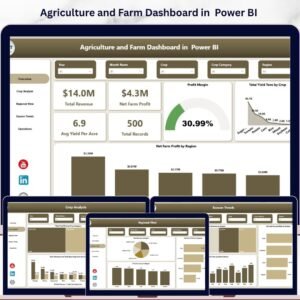
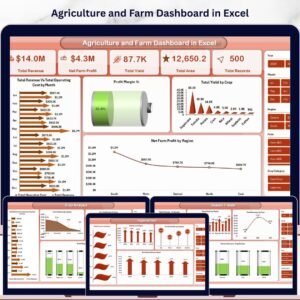
- Agriculture and Farm Dashboard in Excel and the Power BI version – full multi-page farm reporting.
Also available as: the poultry topic also ships as a Poultry Farming KPI Dashboard in Power BI for reporting rather than data capture.
📖 Click here to read the Detailed Blog Post
🎥 Visit our YouTube channel for step-by-step video tutorials
👉 YouTube.com/@NextGenTemplates
📅 Last updated: August 2026



























Reviews
There are no reviews yet.