



Hosting events is easy—measuring their success is where the real challenge lies. Whether it’s a team-building activity, town hall meeting, or training session, knowing what worked and what didn’t can shape your next event for greater success. That’s where the Office Event Feedback Tracker in Google Sheets becomes your secret weapon! 📝📊Office Event Feedback Tracker in Google Sheets
This ready-to-use, cloud-based Google Sheets template is designed to help HR professionals, team leaders, and event organizers effortlessly capture, analyze, and act on employee feedback. Say goodbye to scattered responses and manual reporting—this smart sheet does it all for you in real-time!Office Event Feedback Tracker in Google Sheets
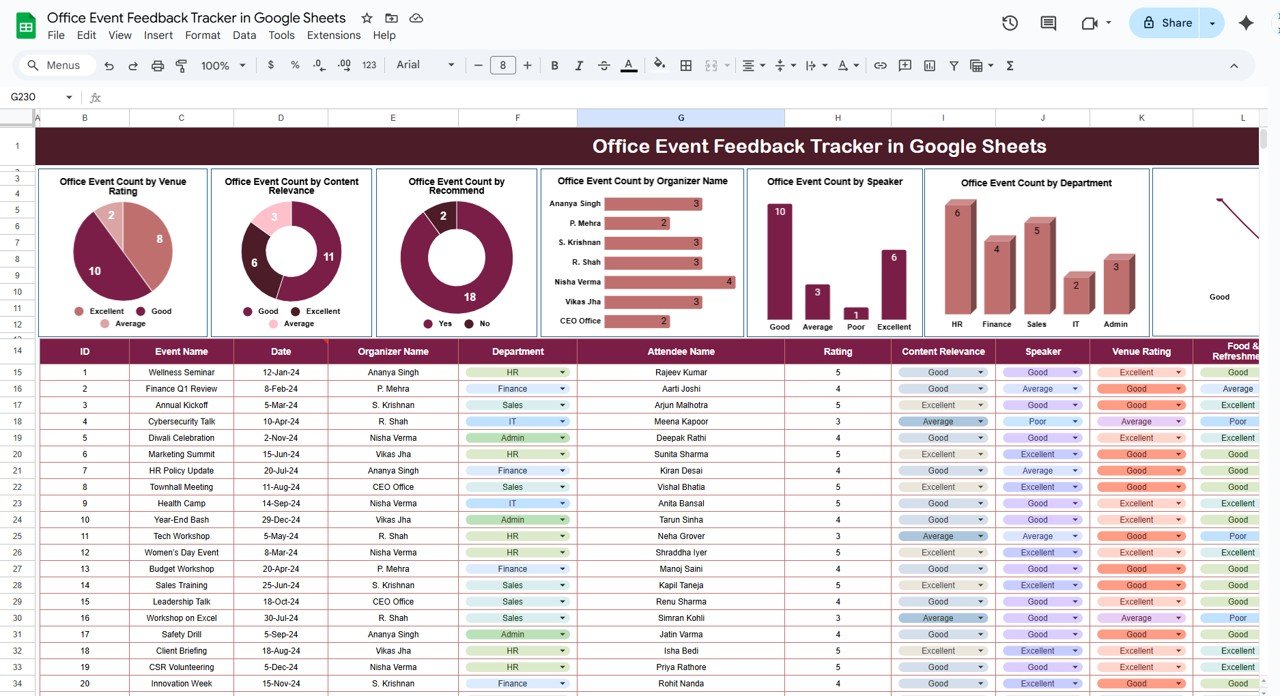
✨ Key Features of Office Event Feedback Tracker in Google Sheets
📈 Interactive Charts for Instant Insights
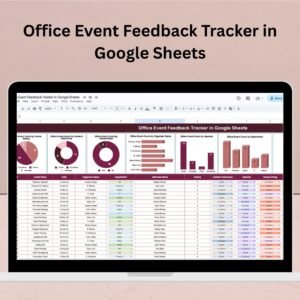
Visual feedback is presented in beautifully formatted charts, including:
⭐ Venue Rating by Count
🎯 Content Relevance
🙋 Recommendation Trends
👤 Organizer Feedback
🎤 Speaker Ratings
🧑💼 Participation by Department
🍕 Food & Refreshments Score
All charts update automatically when new data is entered!
📋 Smart Data Entry Table
Easily track responses with structured columns for:
Event Name & Date
Department
Speaker
Venue
Organizer
Ratings & Comments
Just enter data once and the entire dashboard updates instantly.
🌐 100% Google Sheets-Based
Access and share your tracker from anywhere.
Collaborate with colleagues in real time.
Control permissions and monitor changes.
🔧 No Coding Needed
Pre-built formulas and charts make this template easy to use—even for non-tech teams!
📦 What’s Inside the Office Event Feedback Tracker?
This single-sheet tracker is powerful yet simple. Here’s what you get:
📊 Charts Section (Top Half)
Your event analytics dashboard. Each visual reflects collective feedback using dynamic data ranges and dropdown filters.
🧾 Data Entry Section (Bottom Half)
The form-style table makes feedback entry intuitive and organized. Easily copy-paste responses or link this with Google Forms for automated input.
🛠 How to Use the Office Event Feedback Tracker
Customize the Headers (if needed): You can tailor feedback fields to your specific event type.
Enter Feedback: Either type in manually or sync with Google Forms.
Watch Charts Update: As responses roll in, the dashboard provides a live view of key metrics.
Analyze & Improve: Use insights to refine event planning, boost engagement, and prove ROI.
👥 Who Can Benefit from This Product?
This tracker is ideal for:
🧑💼 HR Departments – Assess the impact of internal programs
🧑🏫 Training Teams – Gauge session effectiveness
🧠 Corporate Trainers – Collect feedback on course content & instructors
🤝 Event Organizers – Measure engagement across activities
📣 Marketing Teams – Evaluate branding or promo events
👨💻 Startup Teams – Capture input on company-wide events or culture days
📌 Why Feedback Tracking Matters
🎯 Drives Data-Backed Decisions
🙌 Empowers Employees by showing their opinions matter
📊 Tracks Departmental Trends
💰 Supports Budget Planning & ROI Measurement
🔁 Improves Future Events with Actionable Insights
🔧 Opportunities to Customize the Tracker
Want to level up your feedback tracker? Here’s what you can add:
📨 Google Forms Integration for automated feedback collection
📅 Calendar Sheet to visualize upcoming and past events
🔔 Email Alerts using Google Apps Script
📊 Summary Tab for score averages and participation counts
📎 Post-Event Links for recordings, resources, or presentation slides
✅ Best Practices for Using the Tracker
Send feedback form right after the event for honest input
Use dropdowns for consistent department and organizer names
Protect critical columns from accidental edits
Review the dashboard weekly to catch recurring issues
Share reports with stakeholders and make continuous improvements
📚 Click here to read the Detailed blog postOffice Event Feedback Tracker in Google Sheets
Watch the step-by-step video Demo:
📺 Visit our YouTube channel to learn step-by-step video tutorials
👉 Youtube.com/@NeotechNavigators
Compatibility and Requirements
- Works in Google Sheets. You need a free Google account and a web browser.
- The tracker uses dropdowns for fields such as department and organizer. Google explains them in Create an in-cell dropdown list.
Frequently Asked Questions
What does the tracker record for each event?
The data entry table has columns for event name and date, department, speaker, venue, organizer, ratings and comments.
Which charts does it include?
Venue Rating by Count, Content Relevance, Recommendation Trends, Organizer Feedback, Speaker Ratings, Participation by Department and Food and Refreshments Score.
Do the charts update when I add feedback?
Yes. The charts update automatically when you enter new data in the table.
Can I collect responses with Google Forms?
Yes. You can type responses in by hand, copy and paste them, or link the sheet to Google Forms to bring answers in automatically.
Is there an Excel version?
Yes. See the Office Event Feedback Tracker in Excel.
Related Office Event and Feedback Templates
- Office Event Feedback Tracker in Excel: the same tracker for Excel
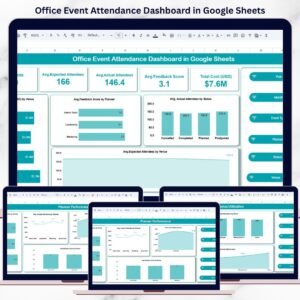
- Office Event Attendance Dashboard in Google Sheets: attendance for the same events
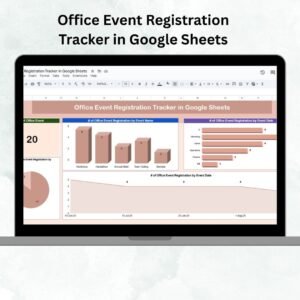
- Office Event Registration Tracker in Google Sheets: track sign-ups before the event
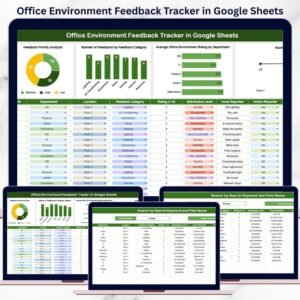
- Office Environment Feedback Tracker in Google Sheets: collect feedback on the workplace itself
- Event Planning Checklist in Google Sheets: plan the event before you collect feedback
Browse all Google Sheets trackers.





Reviews
There are no reviews yet.