


A positive office environment plays a critical role in employee satisfaction, productivity, and long-term retention. Factors such as lighting, cleanliness, noise levels, seating comfort, air quality, and workplace safety directly influence how employees feel and perform every day. However, many organizations struggle to manage office environment feedback effectively because inputs remain scattered across emails, surveys, chats, or informal discussions. As a result, important issues are overlooked, response times increase, and employee morale suffers.
That is exactly why the Office Environment Feedback Tracker in Google Sheets becomes an essential workplace management solution.
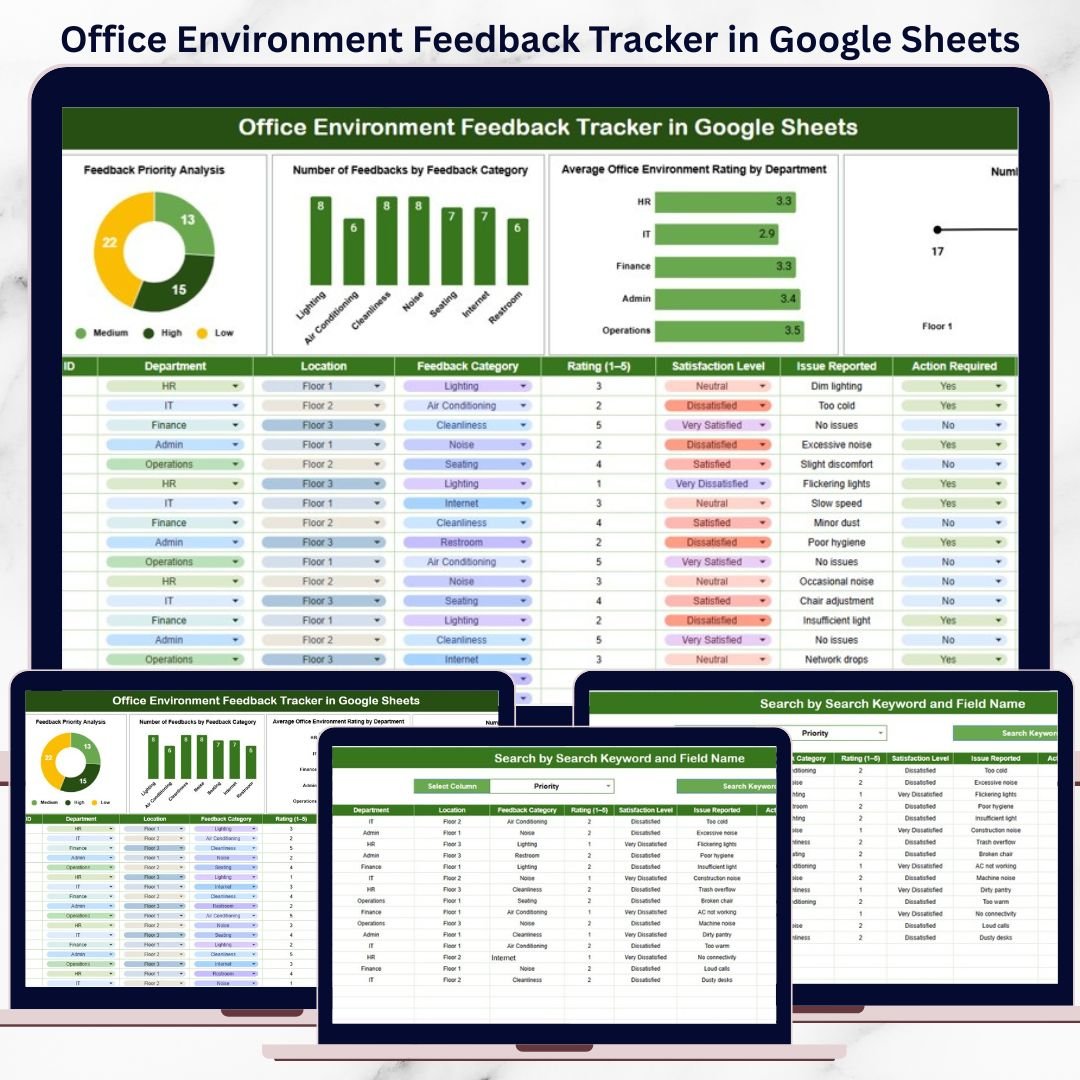
This ready-to-use tracker provides a centralized, structured, and visual system to collect, analyze, and act on employee feedback related to the office environment. Instead of manually reviewing comments or disconnected survey results, HR teams and facility managers gain instant insights through charts, priority analysis, and search functionality. Because it runs entirely in Google Sheets, the tracker remains simple, collaborative, and accessible without additional software costs.
✨ Key Features of the Office Environment Feedback Tracker in Google Sheets
🏢 1. Centralized Feedback Collection
All office environment feedback is stored in one structured tracker, eliminating scattered records and lost insights.
📊 2. Visual Charts for Instant Insights
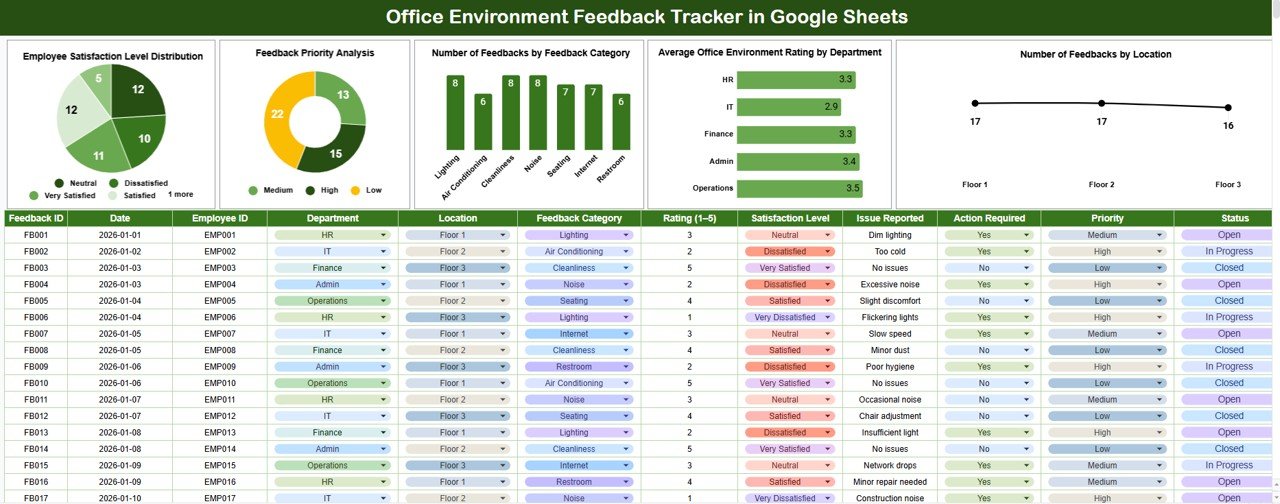
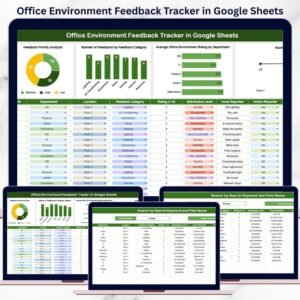
Built-in charts automatically summarize employee sentiment, issue categories, priorities, and department-wise ratings.
🔍 3. Smart Search Functionality
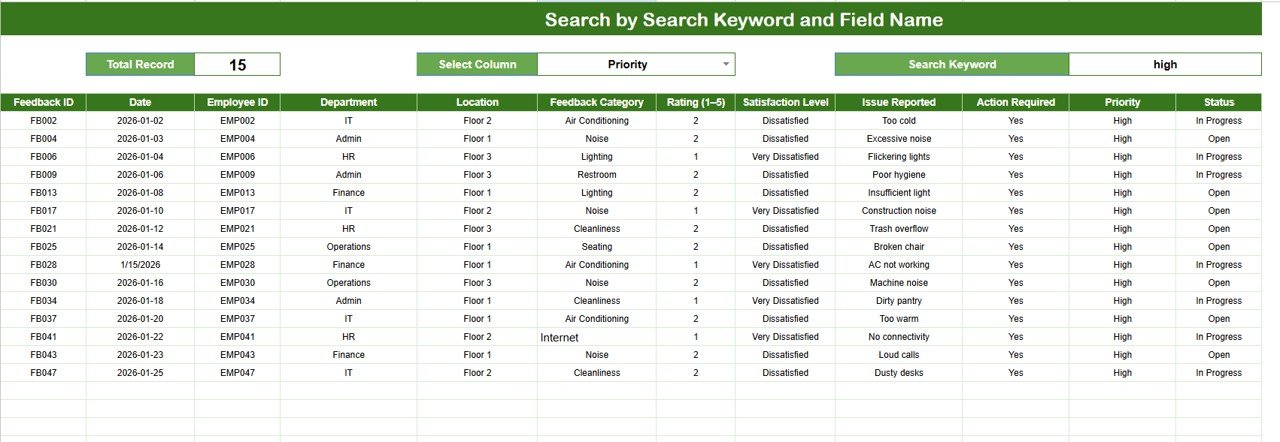
Quickly locate feedback using keywords and field-based filters for faster reviews and responses.
⚡ 4. Real-Time Updates
As soon as feedback is added or updated, all charts refresh automatically.
🤝 5. Easy Collaboration
HR, admin, and facility teams can work together in real time using Google Sheets.
📦 What’s Inside the Office Environment Feedback Tracker in Google Sheets
🗂️ Tracker Sheet Tab (Core Data Sheet)
This is the heart of the tracker where all feedback records are captured in a clean and structured format.
Typical fields include:
Feedback ID
Feedback Date
Employee Name (optional)
Department
Location
Feedback Category (Cleanliness, Lighting, Noise, Seating, Air Quality, Safety, etc.)
Feedback Priority (Low, Medium, High)
Satisfaction Level / Rating
Comments or Suggestions
Whenever data is entered or modified, the dashboard visuals update automatically, ensuring accurate and up-to-date insights.
📈 Dashboard Charts Included
📌 Employee Satisfaction Level Distribution
Displays how employees rate their office environment (Very Satisfied to Very Dissatisfied), giving an instant overview of workplace sentiment.
📌 Feedback Priority Analysis
Categorizes feedback into Low, Medium, and High priority, helping teams focus first on critical issues.
📌 Feedback by Category
Shows the number of feedback items by category such as cleanliness, lighting, noise, seating, temperature, and safety. This highlights recurring problem areas.
📌 Average Environment Rating by Department
Compares satisfaction levels across departments to identify teams that may need targeted improvements.
📌 Feedback by Location
Analyzes feedback volume across office locations or floors, helping organizations prioritize facility upgrades.
🔍 Smart Search Feature – Find Feedback Instantly
The tracker includes a powerful search section that allows users to filter feedback records by:
Keyword (department, location, category, or comment text)
Field Name (Department, Location, Category, Priority, Satisfaction Level)
This feature helps teams:
Respond faster to employee concerns
Track recurring or unresolved issues
Prepare reports for audits or reviews
Avoid manual filtering or scrolling
🎯 Who Can Benefit from This Office Environment Feedback Tracker
👥 HR Teams
Monitor employee satisfaction and workplace comfort trends.
🏗️ Facility & Admin Teams
Identify maintenance priorities and environmental issues quickly.
📊 Leadership & Management
Gain visibility into workplace experience and engagement drivers.
🏢 Multi-Location Organizations
Compare feedback across offices or floors easily.
🤝 Employees
Feel heard through structured and visible feedback management.
🛠️ How to Use the Office Environment Feedback Tracker Effectively
Encourage employees to submit feedback regularly
Review charts weekly or monthly
Act quickly on high-priority issues
Track recurring feedback categories
Communicate improvements back to employees
Consistent use ensures continuous improvement of the workplace environment.
### Click here to read the Detailed blog post
Watch the step-by-step video tutorial:
Visit our YouTube channel to learn step-by-step video tutorials — Youtube.com/@NeotechNavigators
Compatibility and Requirements
- Works in Google Sheets. You need a free Google account and a web browser.
- The tracker includes charts that refresh as you add or change feedback records. Google explains how charts work in Add and edit a chart or graph.
Frequently Asked Questions
What fields does the Tracker sheet have?
Feedback ID, feedback date, employee name (optional), department, location, feedback category, priority, satisfaction level or rating, and comments or suggestions.
Which charts are included?
Five charts: Employee Satisfaction Level Distribution, Feedback Priority Analysis, Feedback by Category, Average Environment Rating by Department and Feedback by Location.
Do the charts update by themselves?
Yes. When you add or change a record on the Tracker sheet, the charts refresh automatically.
How do I find a specific feedback record?
Use the search section. Enter a keyword and pick a field such as Department, Location, Category, Priority or Satisfaction Level.
Is there an Excel version of a similar feedback tracker?
The Office Event Feedback Tracker in Excel is the closest Excel option. It tracks feedback on office events rather than the office environment.
Related Feedback and Office Templates
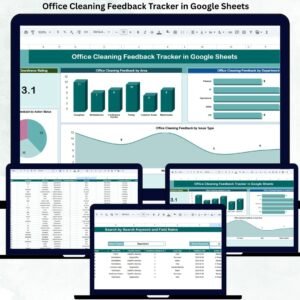
- Office Cleaning Feedback Tracker in Google Sheets: feedback focused on cleaning service
- Office Renovation Feedback Tracker in Google Sheets: feedback during office renovation work
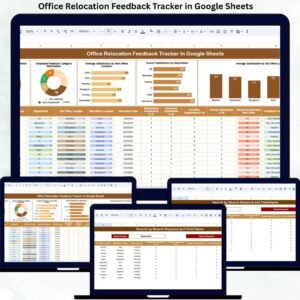
- Office Relocation Feedback Tracker in Google Sheets: feedback around an office move
- Office Event Feedback Tracker in Google Sheets: feedback after office events
- Employee Feedback Form Template in MS Word and Google Docs: a free form for collecting employee feedback
Browse all Google Sheets trackers.








Reviews
There are no reviews yet.