



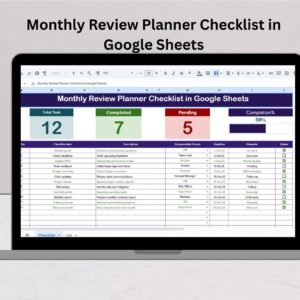
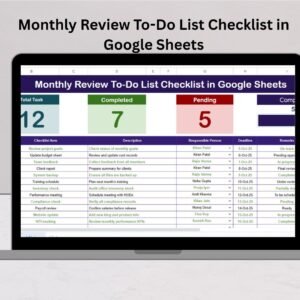
The Monthly Performance Review Checklist in Google Sheets is an essential tool for managers, HR professionals, and team leaders looking to conduct structured and thorough performance reviews for their employees. This checklist streamlines the process of evaluating employee performance on a monthly basis, ensuring that all relevant aspects of performance, growth, and development are covered efficiently.
Whether you are reviewing individual performance, team performance, or tracking progress against specific goals, this checklist provides a clear framework to assess key performance indicators (KPIs), set goals, and identify areas for improvement. The template is customizable to suit the unique needs of your organization, allowing you to track a wide range of performance criteria, from productivity and communication to leadership skills and collaboration.

Key Features of the Monthly Performance Review Checklist in Google Sheets:
📅 Comprehensive Performance Evaluation
Track a variety of performance metrics, including attendance, work quality, goal achievement, teamwork, and more. Ensure every relevant factor is reviewed during the performance evaluation process.
🔄 Real-Time Collaboration
Google Sheets allows multiple team members or managers to collaborate on the checklist simultaneously, making it easier to gather feedback from different stakeholders and ensure a well-rounded review.
📈 Track Employee Progress
Easily monitor individual progress over time, helping you track how employees are meeting their goals and improving in different areas. The checklist provides a clear view of performance trends and growth areas.
📋 Customizable Template
Adjust the checklist to fit your organization’s specific performance criteria, whether you’re focusing on specific departments, teams, or individual goals. Add or remove sections to meet your company’s needs.
🔧 User-Friendly Interface
The easy-to-use Google Sheets interface makes it simple to input data, track progress, and generate performance reports. No complex software or training is required.
Why You’ll Love the Monthly Performance Review Checklist:
✅ Streamlined Review Process – Conduct monthly performance reviews in an organized and efficient way, saving time while ensuring thorough evaluations. ✅ Real-Time Feedback – With Google Sheets, you can quickly collect feedback from multiple people involved in the review process, making it more collaborative. ✅ Customizable for Any Business – The checklist can be tailored to meet the specific needs of your business, whether you’re tracking departmental goals or individual development. ✅ Easily Track Employee Progress – With a clear structure for tracking employee achievements and growth, the checklist helps keep employees on track and focused on their goals. ✅ Improves Communication – Foster open communication between employees and managers by highlighting key areas for improvement and setting clear expectations for future performance.
What’s Inside the Monthly Performance Review Checklist:
- Performance Criteria Sections – Assess multiple factors, such as attendance, quality of work, punctuality, goal achievement, communication, and more.
- Employee Goal Tracking – Track progress on individual and team goals, ensuring alignment with company objectives.
- Feedback Section – Allow managers and team members to provide feedback on each aspect of performance.
- Growth and Development Areas – Identify areas for improvement and development opportunities for employees.
- Action Plan – Set clear objectives for improvement or continued excellence, making it easy to monitor growth.
How to Use the Monthly Performance Review Checklist:
1️⃣ Download the Template – Access your Google Sheets template instantly after purchase. 2️⃣ Input Employee Data – Add employee names, departments, and specific performance criteria. 3️⃣ Complete Reviews – Review each employee’s performance, provide feedback, and set new goals for the upcoming month. 4️⃣ Track Employee Progress – Monitor the ongoing progress of employees and adjust goals as necessary.
Who Can Benefit from the Monthly Performance Review Checklist:
- Managers and Team Leaders
- HR Professionals
- Small and Medium Business Owners
- Corporate Teams
- Department Heads
- Employees seeking structured feedback on performance
Ensure thorough, organized, and efficient performance reviews with this customizable Monthly Performance Review Checklist in Google Sheets. Track progress, provide meaningful feedback, and set goals to improve employee performance.
Click here to read the Detailed blog post
https://neotechnavigators.com/monthly-performance-review-checklist-in-google-sheets/
Visit our YouTube channel to learn step-by-step video tutorials
Watch the step-by-step video Demo:
Compatibility and Requirements
- Works in Google Sheets with a free Google account and a web browser. Nothing to install.
- Several reviewers can work in the same sheet at once. Google’s guide How to use Google Sheets covers sharing and editing.
Frequently Asked Questions
What does the Monthly Performance Review Checklist cover?
Performance criteria such as attendance, quality of work, punctuality, goal achievement and communication, plus goal tracking, feedback, growth areas and an action plan.
Can several managers give feedback?
Yes. Because it runs in Google Sheets, multiple managers or team members can add feedback at the same time.
Can I change the review criteria?
Yes. You can add or remove sections to match your organization’s criteria.
How do I use it each month?
Add employee names and departments, complete each review with feedback, set goals for the next month and track progress over time.
Related Performance Review Templates
- Monthly Performance Review Checklist Template in Excel: the Excel edition.
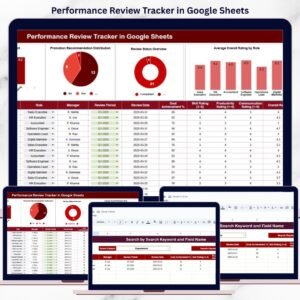
- Performance Review Tracker in Google Sheets: track review dates and results.
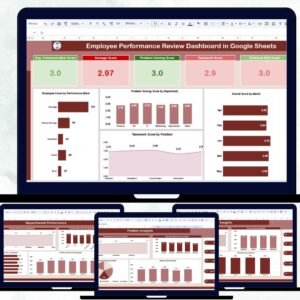
- Employee Performance Review Dashboard in Google Sheets: charts for review results.
- Performance Review Calendar in Google Sheets: schedule reviews for the year.
- Checklist & SOP Pack: 12 Excel and Google Sheets checklists in one bundle.
Browse all Google Sheets checklists or the Google Sheets HR templates.














Reviews
There are no reviews yet.