


Performance reviews are the backbone of employee development, promotion decisions, and long-term organizational success. When done correctly, they drive accountability, motivation, and continuous improvement. However, many organizations still manage performance reviews using emails, documents, or scattered spreadsheets. As a result, review cycles become inconsistent, tracking becomes difficult, and promotion decisions often lack data support.Performance Review Tracker in Google Sheets
That is exactly why the Performance Review Tracker in Google Sheets becomes a powerful and practical HR management solution.Performance Review Tracker in Google Sheets
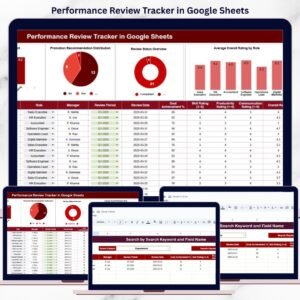
This ready-to-use tracker allows HR teams and managers to record, monitor, and analyze employee performance reviews from one centralized Google Sheets file. Instead of chasing updates and consolidating reports manually, organizations gain real-time visibility into review completion status, ratings, and promotion recommendations.Performance Review Tracker in Google Sheets
Because the tracker is built entirely in Google Sheets, it remains cloud-based, collaborative, and cost-effective—without the need for complex HR software or expensive systems.

⭐ Key Features of Performance Review Tracker
🗂️ Centralized Performance Review Data
All employee performance reviews are stored in one structured tracker. This eliminates data silos and ensures consistent review documentation across departments and roles.
📊 Rating & Promotion Analysis
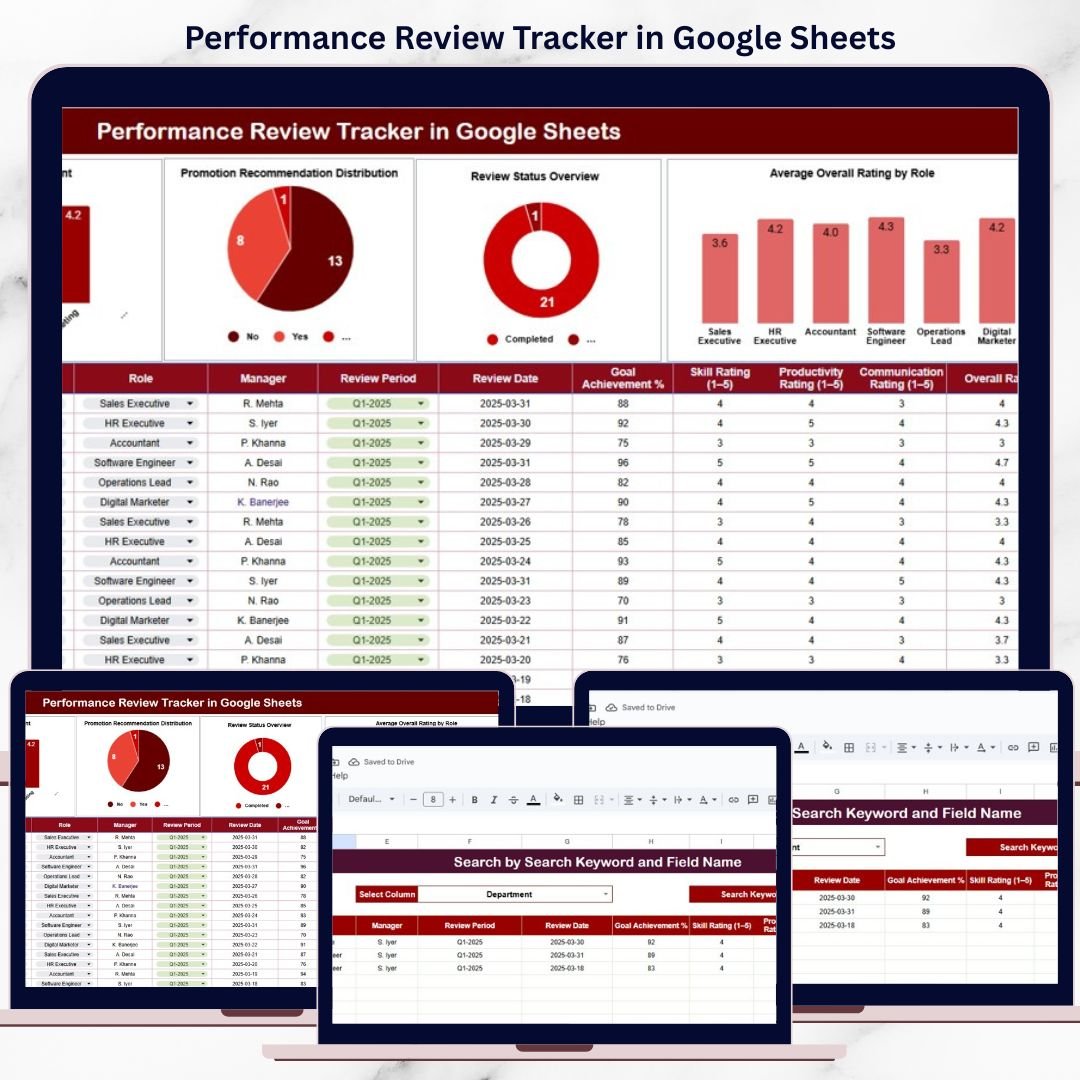
Track overall performance ratings and promotion recommendations clearly. Built-in charts help HR teams validate whether promotion decisions align with performance outcomes.
⏱️ Review Status Tracking
Monitor whether reviews are Completed, Pending, or In Progress. This ensures appraisal cycles stay on schedule and managers remain accountable.
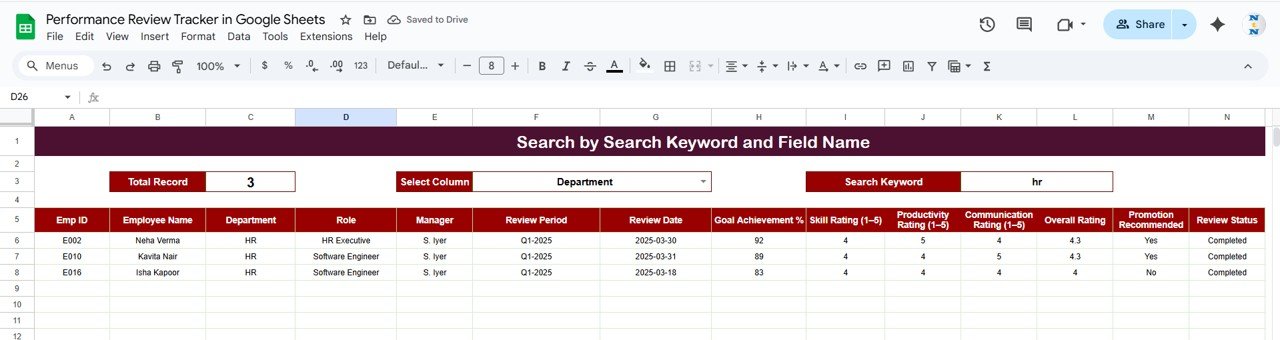
🔍 Smart Search for Instant Access
Quickly locate employee reviews using keyword-based search. No more scrolling through long spreadsheets during meetings or audits.
📦 What’s Inside the Performance Review Tracker
📋 Tracker Sheet – Central Review Repository
This is the core data entry sheet.
HR teams and managers can record:
Employee ID / Name
Department
Role / Designation
Review Period
Overall Performance Rating
Promotion Recommendation (Yes / No)
Review Status
Reviewer Name
Review Date
Comments
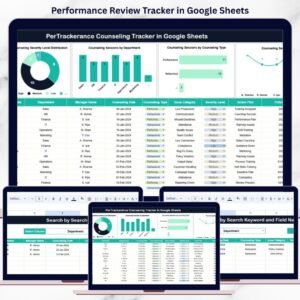
Once data is entered, all charts update automatically, ensuring real-time insights.
📈 Charts Included in the Performance Review Tracker
📊 Average Overall Rating by Department
Compare performance levels across departments to identify top-performing teams and areas needing support.
🚀 Promotion Recommendation Distribution
Visualize how many employees are recommended for promotion and ensure fairness across the organization.
⏳ Review Status Overview
Track review completion progress to prevent delays in appraisal cycles.
🧑💼 Average Overall Rating by Role
Analyze performance expectations role-wise and identify skill gaps.
🎯 Average Rating by Promotion Recommendation
Validate whether promotion recommendations are supported by performance scores.
These visuals transform raw review data into actionable HR insights.
🔍 Search Feature – Search by Keyword and Field Name
The tracker includes a powerful search option.
You can search reviews by:
Employee Name
Department
Role
Review Status
Promotion Recommendation
This feature is extremely useful during:
Performance calibration meetings
Promotion discussions
HR audits
Leadership reviews
👥 Who Can Benefit from This Performance Review Tracker
👩💼 HR & People Operations Teams
🧑💼 Line Managers & Team Leads
🏢 Business Leaders & Executives
📊 Compliance & Audit Teams
🌟 Advantages of Using Performance Review Tracker
Centralized performance data management
Clear visibility into employee ratings
Data-driven promotion decisions
Faster review cycle completion
Easy collaboration in Google Sheets
Fully customizable structure
No expensive HR software required
🚀 Opportunities for Improvement
Organizations can extend this tracker by adding:
Goal-wise performance scoring
Competency-level evaluations
360-degree feedback inputs
Historical performance trends
Automated review reminders
🧠 Best Practices for Using the Tracker
Standardize rating scales
Train managers on fair evaluation
Monitor review completion regularly
Review promotion decisions collectively
Secure sensitive employee data
Archive completed review cycles
### 🔗 Click here to read the Detailed blog post
Watch the step-by-step video tutorial:
▶️ Visit our YouTube channel to learn step-by-step video tutorials
👉 https://www.youtube.com/@NeotechNavigators
Compatibility and Requirements
- Works in Google Sheets with a free Google account and a web browser. Nothing to install.
- HR and managers can work in the same file at once. Google explains charts in Add & edit a chart or graph.
Frequently Asked Questions
What do I record for each review?
Each row has Employee ID or Name, Department, Role, Review Period, Overall Performance Rating, Promotion Recommendation, Review Status, Reviewer Name, Review Date and Comments.
Which charts are included?
Charts show average rating by department and by role, promotion recommendation distribution, review status and average rating by promotion recommendation.
Which review statuses can I track?
Reviews can be marked Completed, Pending or In Progress, so you can see which appraisals are still open.
How do I find one employee’s review?
Use the search feature to look up reviews by employee name, department, role, review status or promotion recommendation.
Do the charts update automatically?
Yes. Once you enter or change data on the Tracker sheet, all charts update.
Related Performance Review Templates
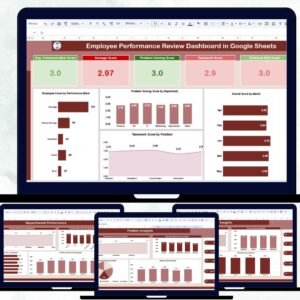
- Employee Performance Review Dashboard in Google Sheets: review results on a dashboard
- Employee Appraisal & Performance Dashboard in Google Sheets: appraisal scores with charts
- Performance Review Calendar in Google Sheets: schedule review dates
- Employee Performance Review Dashboard in Excel: the Excel option
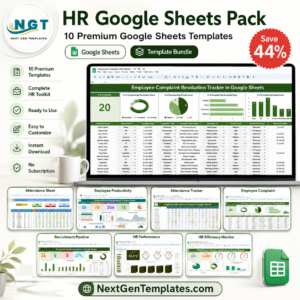
- HR Google Sheets Pack: 10 premium HR templates for Google Sheets
Browse all Google Sheets trackers or the Google Sheets HR and payroll templates.







Reviews
There are no reviews yet.