


Managing your personal or business expenses doesn’t have to be complicated. With the Expense Tracking Checklist in Google Sheets, you can take control of your financial life using a smart, easy-to-use, and fully customizable tool. 📊💡
Designed to help you track spending, assign responsibilities, and meet deadlines, this cloud-powered checklist offers the flexibility of Google Sheets with the accountability of a real-time tracking system. Whether you’re budgeting monthly bills or managing team reimbursements, this tool brings clarity to your cash flow.
✨ Key Features of the Expense Tracking Checklist
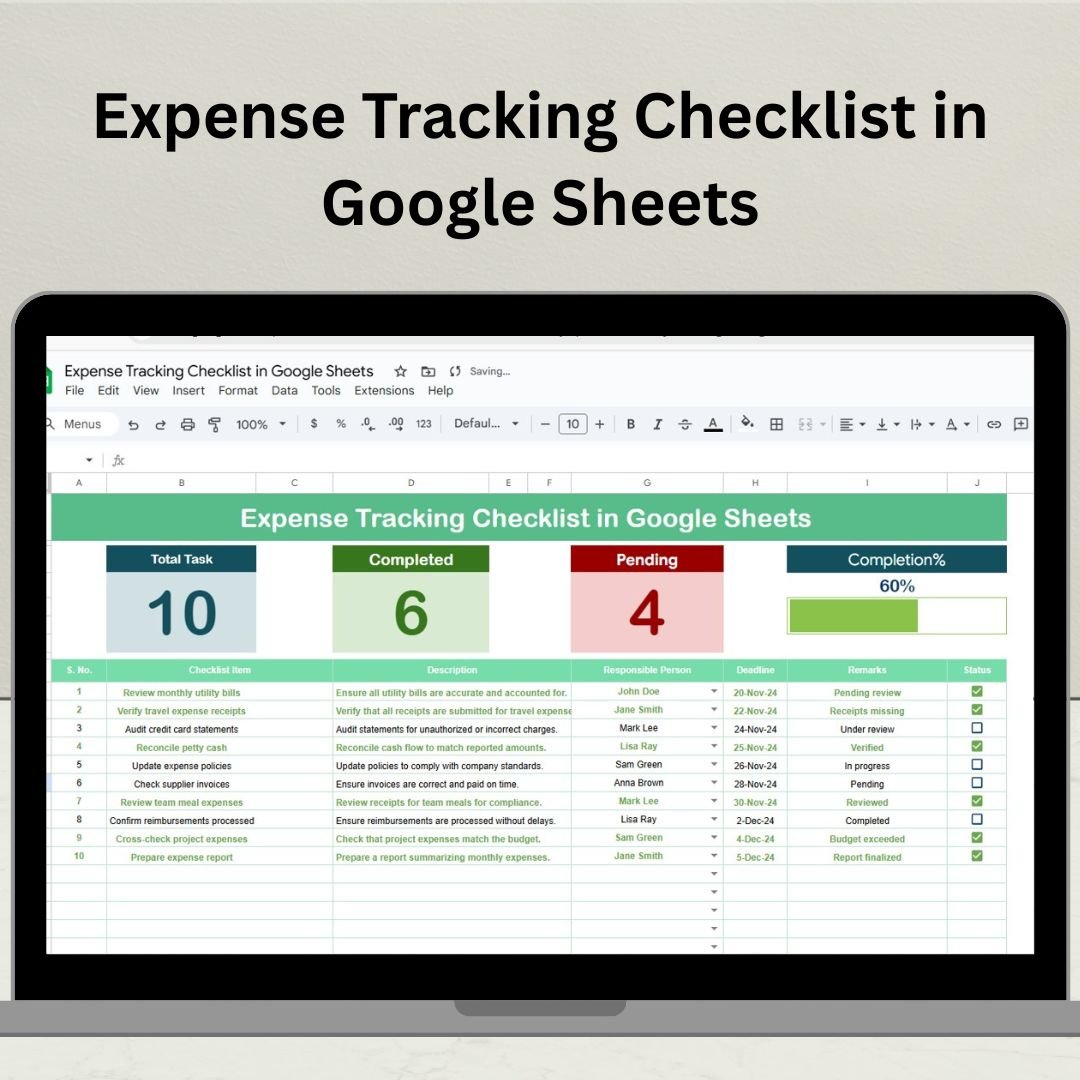
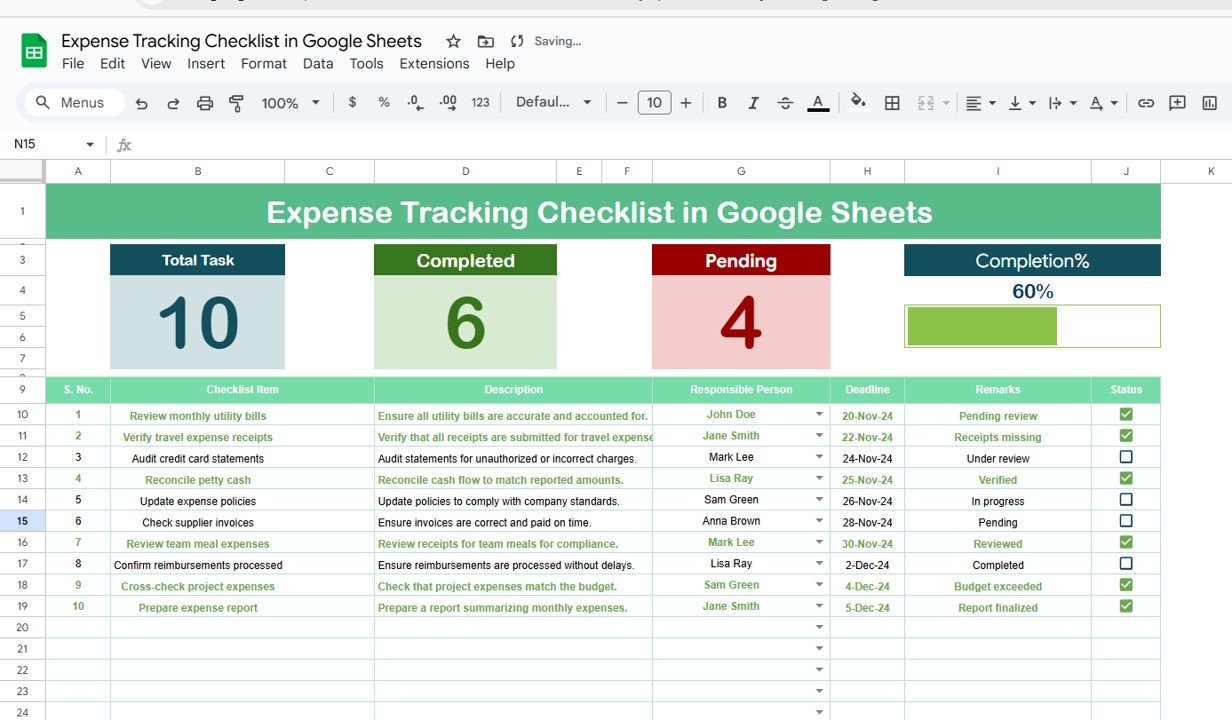
🧾 Organized Expense Table
Track every financial activity in a structured format:
🔢 Serial No. – Auto-numbered for easy reference
📌 Checklist Item & Description – Specify each expense clearly
👤 Responsible Person – Assign owners using a dropdown list
📅 Deadline – Stay on top of expense review timelines
📝 Remarks – Add context or notes
✅ Status – Mark tasks as ✔ or ✘ for completion status
📊 Top Summary Section – Progress at a Glance
See key insights at the top of your sheet:
📈 Total Expense Count
✅ Completed Count
❌ Pending Count
📉 Progress Bar showing percentage completion
Keep yourself or your team motivated with real-time tracking visuals.
📇 List Sheet – Clean Dropdown Integration
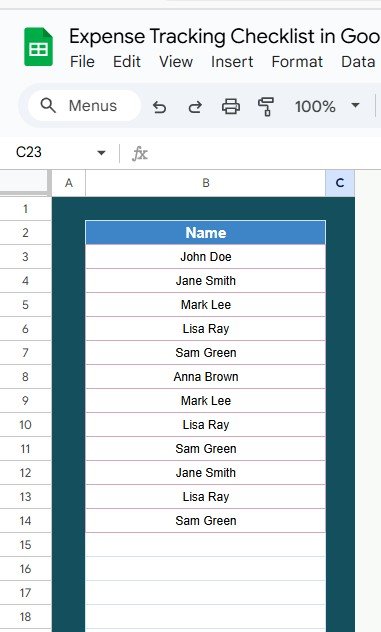
The secondary List Sheet captures a unique list of Responsible Persons, which auto-populates the dropdown in your main checklist. This ensures consistency and simplifies task assignment.
📦 What’s Inside the Template?
📋 Expense Tracking Checklist Tab – Your main workspace
📇 List Sheet Tab – Preloads names for clean dropdowns
✅ Status Icons – Visual indicators for completion
📈 Progress Bar Dashboard – Auto-updates based on your checklist status
🔁 Fully Editable Format – Add rows, change fields, or insert formulas easily
🧠 How to Use the Product
📥 Download and open the Google Sheets file
🧾 Enter your expenses into the checklist
👤 Assign responsibilities using dropdown names from the List Sheet
🗓️ Set deadlines for each expense to track on time
✔️ Mark items as complete with a simple checkbox
📊 Track your progress using the summary dashboard
👥 Who Can Use This Template?
🧑💼 Freelancers – Stay organized with client-related expenses
🏠 Families – Manage monthly household budgets
📊 Small Businesses – Keep track of petty cash, bills, and reimbursements
💼 Finance Teams – Streamline expense tracking across departments
🚀 Startups – Assign accountability for every expense in a shared environment
🔗 Click here to read the Detailed blog post
Watch the step-by-step video Demo:
📺 Visit our YouTube channel to learn step-by-step video tutorials
Compatibility and Requirements
- Works in Google Sheets. You need a free Google account and a web browser.
- The Responsible Person column uses a dropdown filled from the List Sheet. Google explains dropdowns in Create an in-cell dropdown list.
Frequently Asked Questions
Which sheets are included?
Two sheets: the Expense Tracking Checklist tab and the List Sheet tab. The List Sheet holds the unique names used in the Responsible Person dropdown.
What columns does the checklist have?
Serial No., Checklist Item, Description, Responsible Person, Deadline, Remarks and Status. Status is marked with a tick or a cross.
How do I assign an expense to someone?
Add the person’s name to the List Sheet, then pick it from the Responsible Person dropdown in the checklist row.
What does the summary at the top show?
It shows the total expense count, the completed count, the pending count and a progress bar with the percentage complete. These update as you change the Status column.
Is there an Excel version?
Yes. See the Expense Tracking Checklist Template in Excel.
Related Expense Templates
- Expense Tracking Checklist Template in Excel: the same checklist in Excel
- Weekly Expense Tracker Template in Google Sheets: a free weekly spending log
- Expense Report and Tracker in Google Sheets: record and report expenses
- Income and Expense Dashboard in Google Sheets: see income and spending in one dashboard
- Google Sheets Starter Pack: 12 Google Sheets templates in one download
Browse all Google Sheets checklists.




























Reviews
There are no reviews yet.