

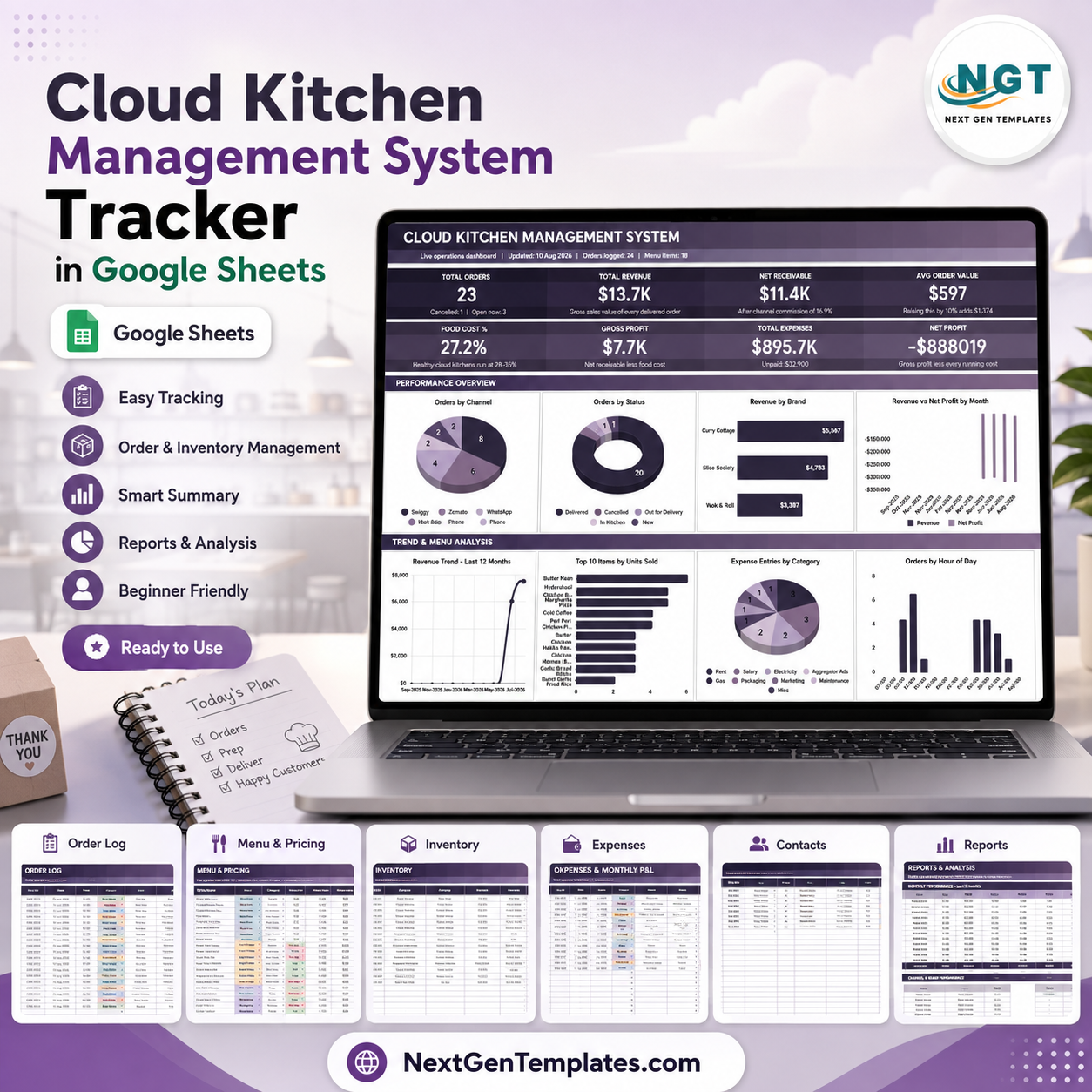
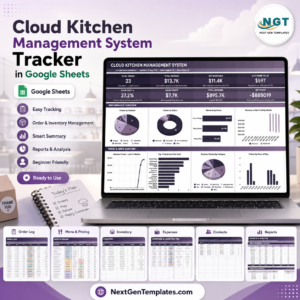
Cloud Kitchen Management System Tracker in Google Sheets gives virtual kitchen owners a seven-tab control workbook for orders, revenue, brand and channel performance, menu margins, inventory, suppliers, expenses, monthly P&L, and reports. The template includes 8 high-level cards and 55 named analysis views across order log, menu pricing, stock, expenses, setup lists, and reports, so a cloud kitchen can review daily operations without paying for another restaurant SaaS seat. Built by PK for a 300K+ analytics training audience, it is a one-time download with lifetime access. Instant download, no subscription, no per-user fees, and the file remains editable in your Google Drive.
Key Features of Cloud Kitchen Management System Tracker in Google Sheets
- Seven connected sheet tabs: Overview, Order Log, Menu and Pricing, Inventory, Expenses and Monthly P&L, Data, and Reports.
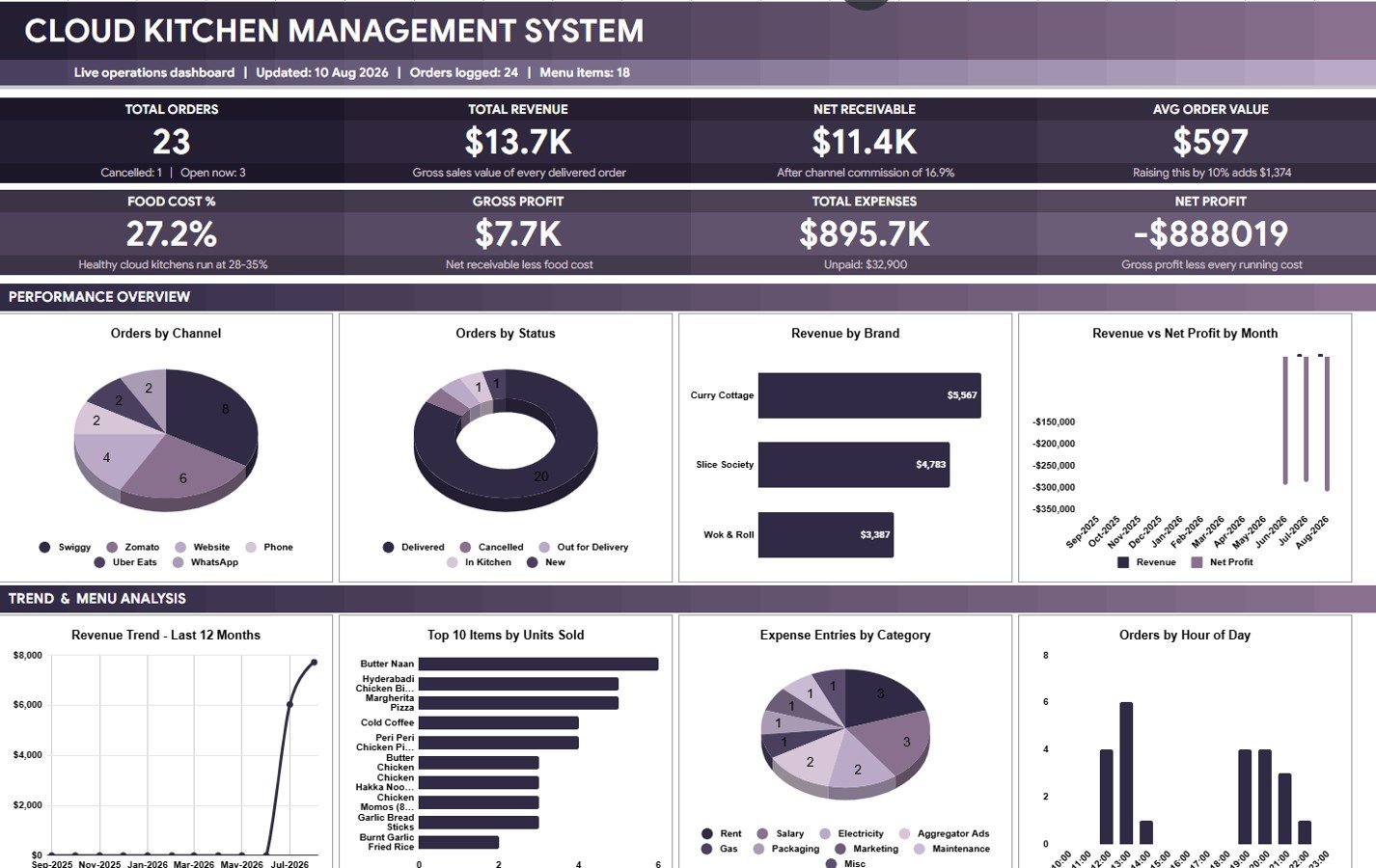
- Eight overview cards: Total Orders, Total Revenue, Net Receivable, Avg Order Value, Food Cost %, Gross Profit, Total Expenses, and Net Profit.
- Channel and brand analysis: Review orders by channel, status, brand, payment mode, and hour of day.
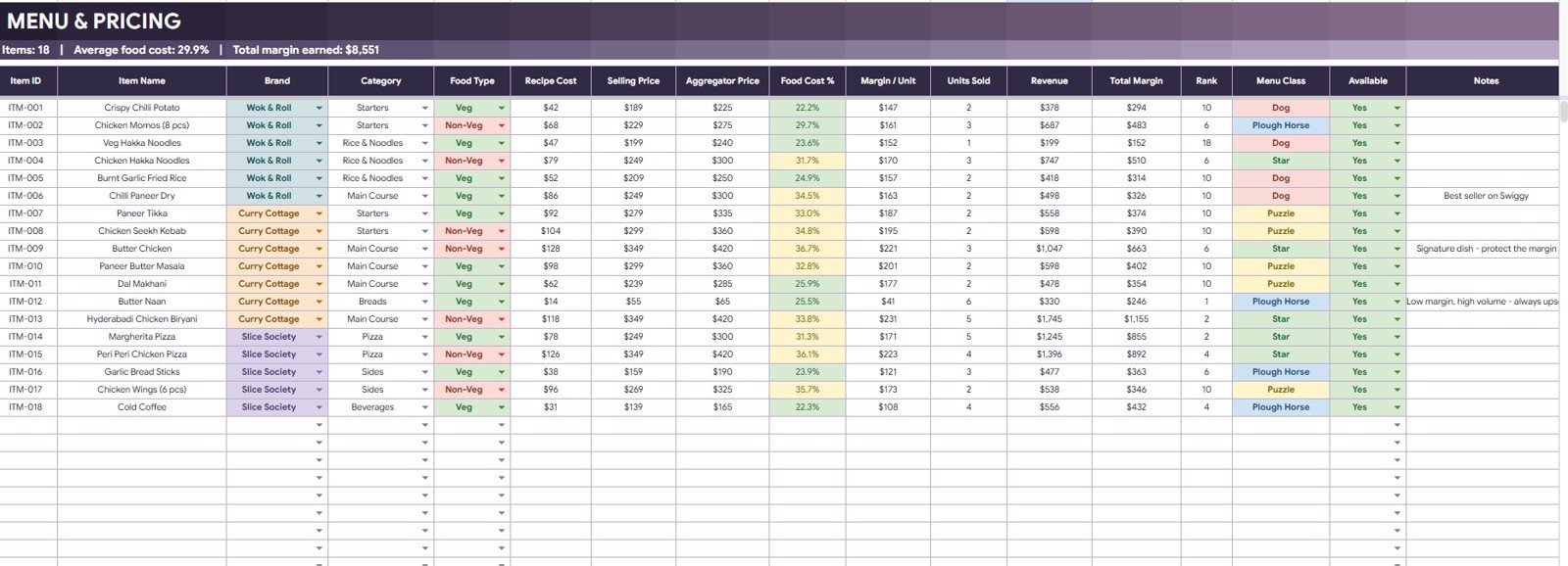
- Menu margin tracking: Compare food cost %, margin per unit, units sold, revenue by brand, and total margin by menu class.
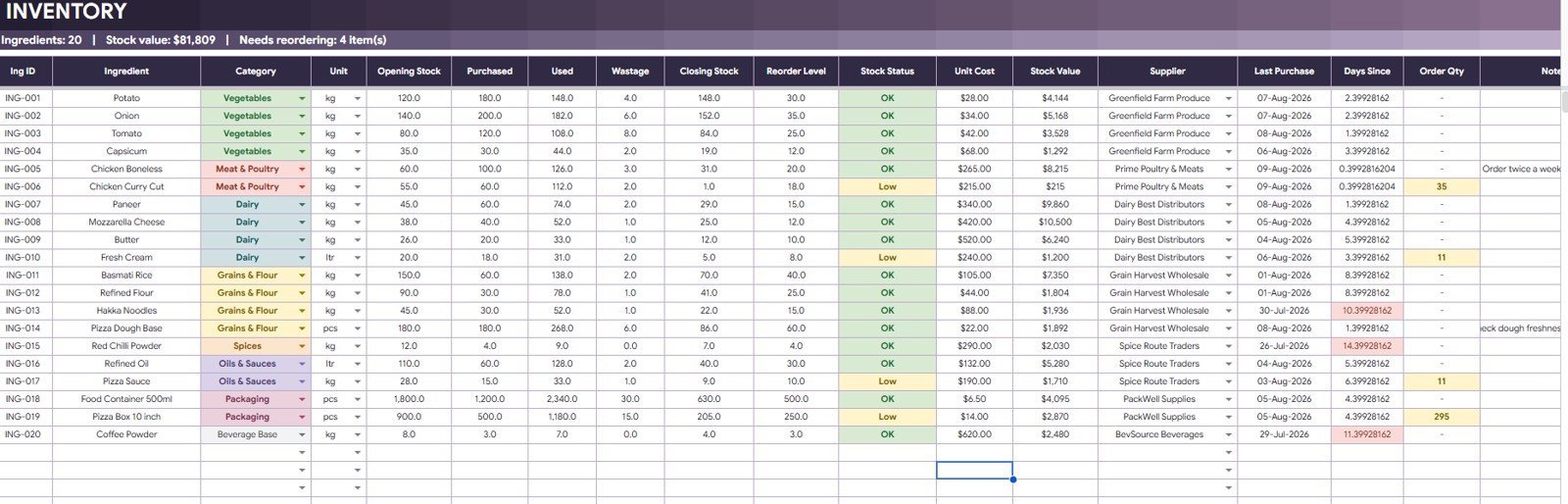
- Inventory control: Track opening stock, purchases, used quantity, wastage, closing stock, stock status, suppliers, and reorder needs.
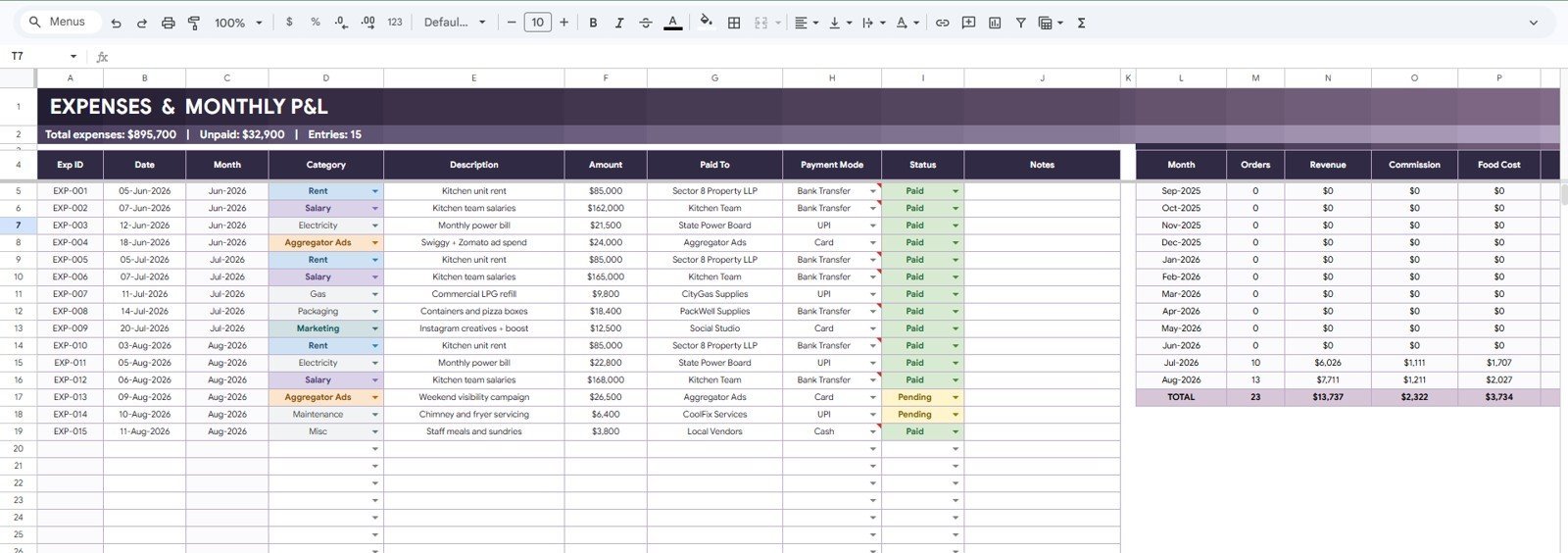
- Expense and P&L review: Connect expense categories, paid status, payment modes, monthly revenue, commission, food cost, and profit.
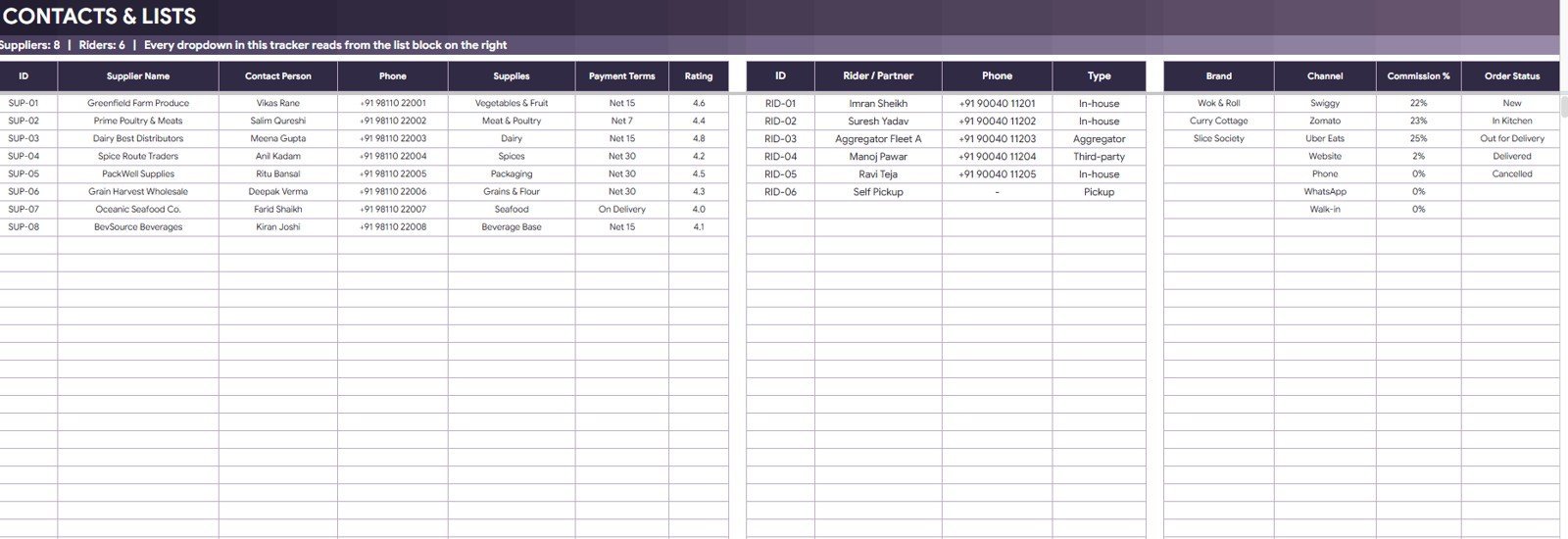
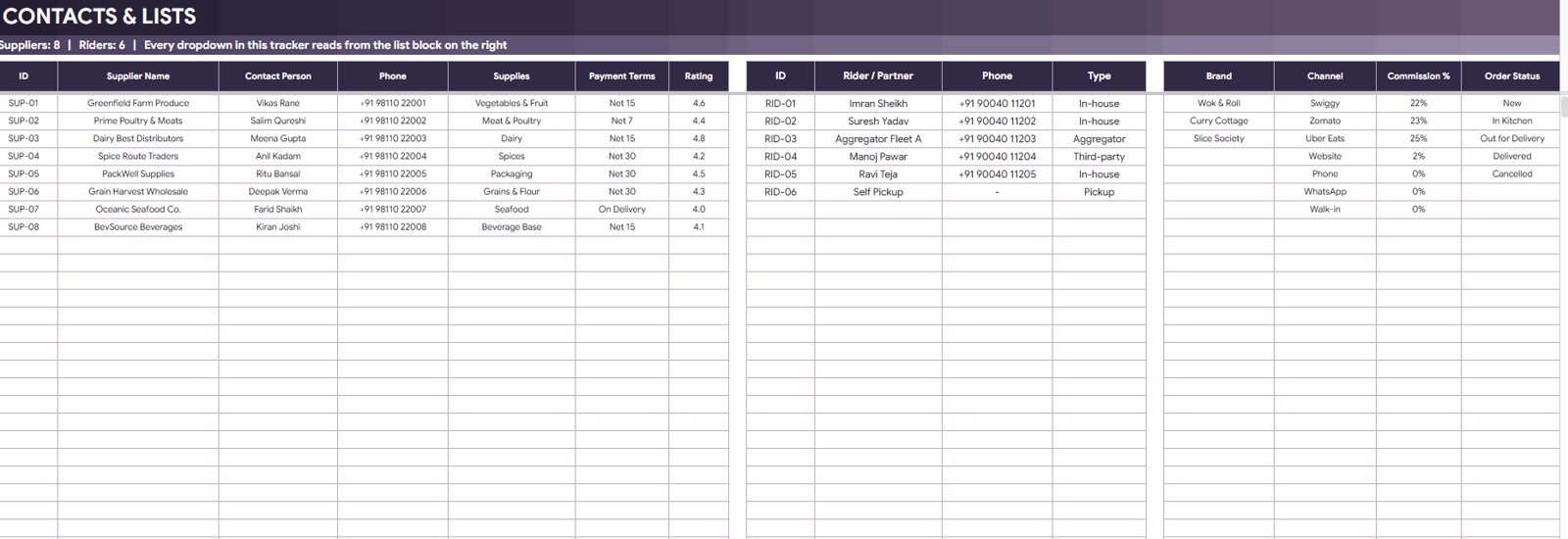
- Editable setup lists: Maintain suppliers, riders, partners, brands, channels, commission percentages, and order status values.
- Google Sheets sharing: Use Drive permissions for owner, operations, kitchen, and accounts review.
What’s Inside the Cloud Kitchen Management System Tracker in Google Sheets
1. Overview Page
The Overview Page gives owners a fast operating snapshot. Cards show Total Orders, Total Revenue, Net Receivable, Avg Order Value, Food Cost %, Gross Profit, Total Expenses, and Net Profit. Charts explain Orders by Channel, Orders by Status, Revenue by Brand, Revenue vs Net Profit by Month, Revenue Trend by Month, Top 10 Items by Units Sold, Expense Entries by Category, and Orders by Hour of Day.
2. Order Log
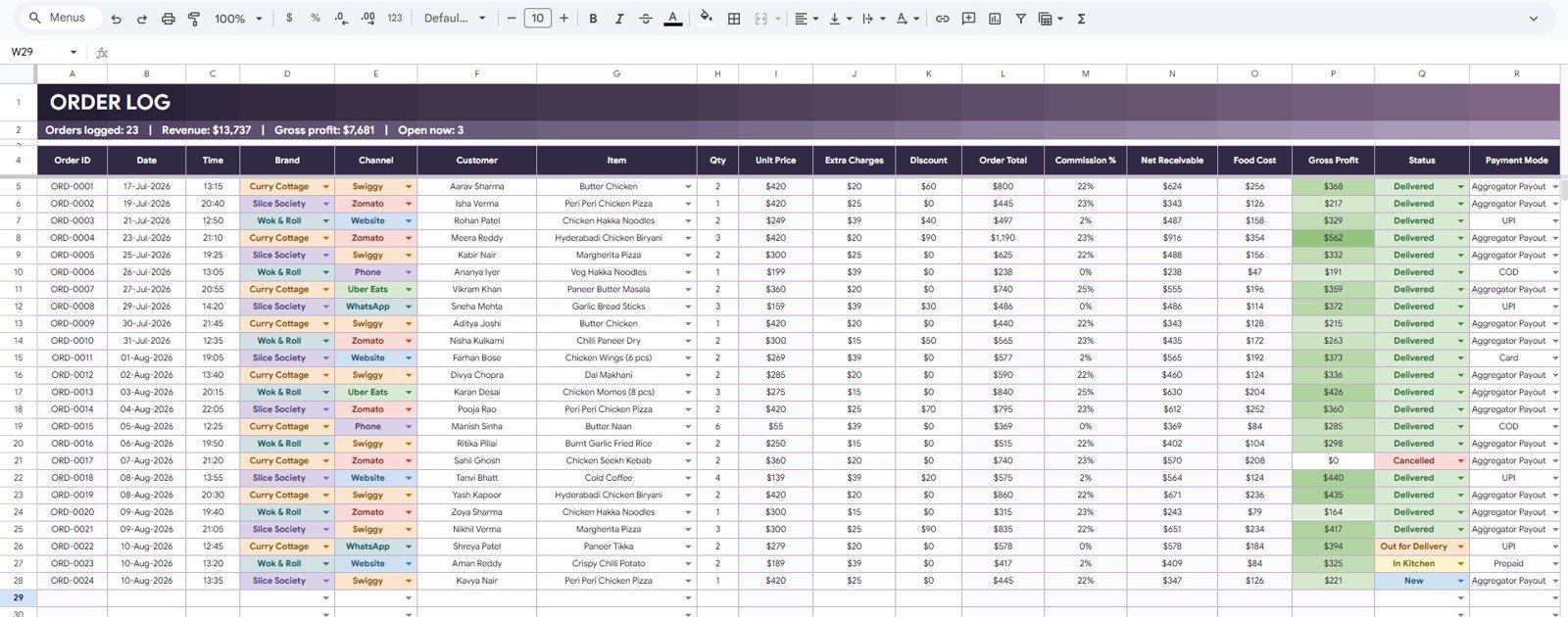
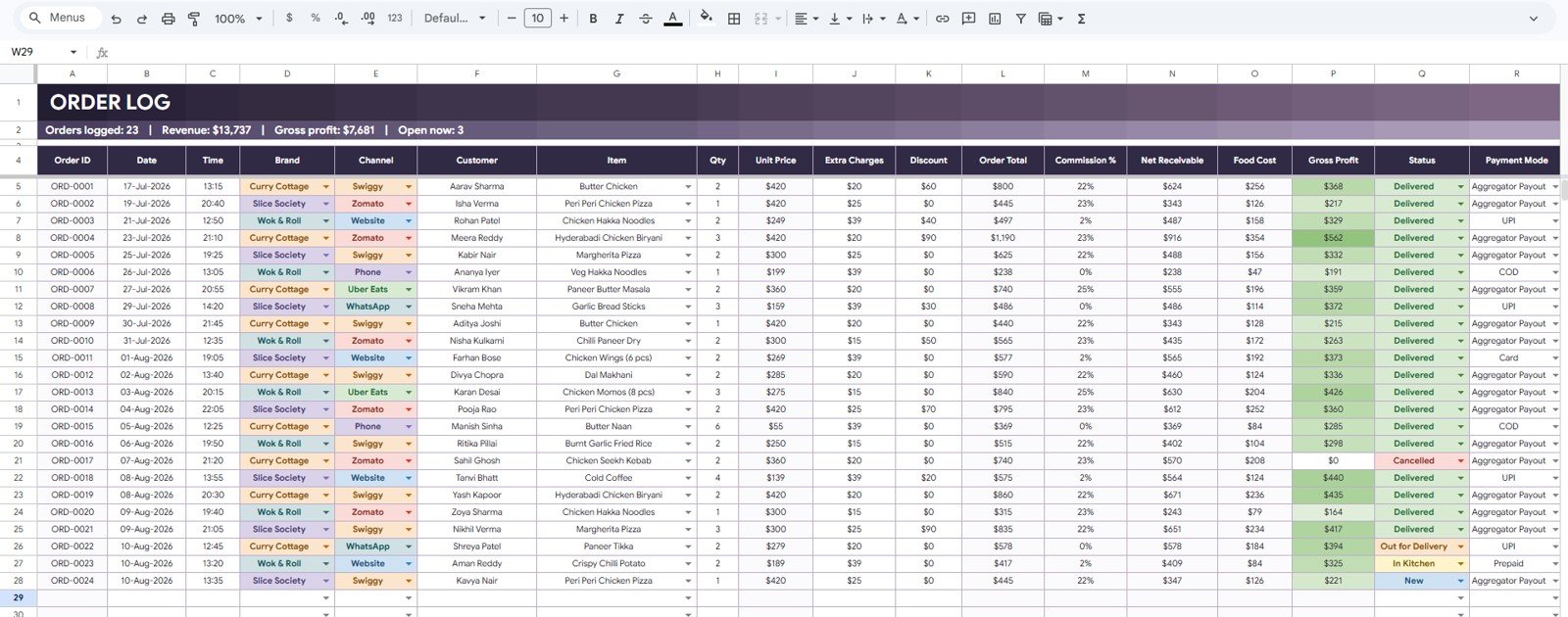
The Order Log analyzes Orders by Date, Orders by Brand, Orders by Channel, Order Total by Customer, Commission by Channel, Net Receivable by Brand, Food Cost by Item, Gross Profit by Item, and Order Status by Payment Mode.
3. Menu and Pricing
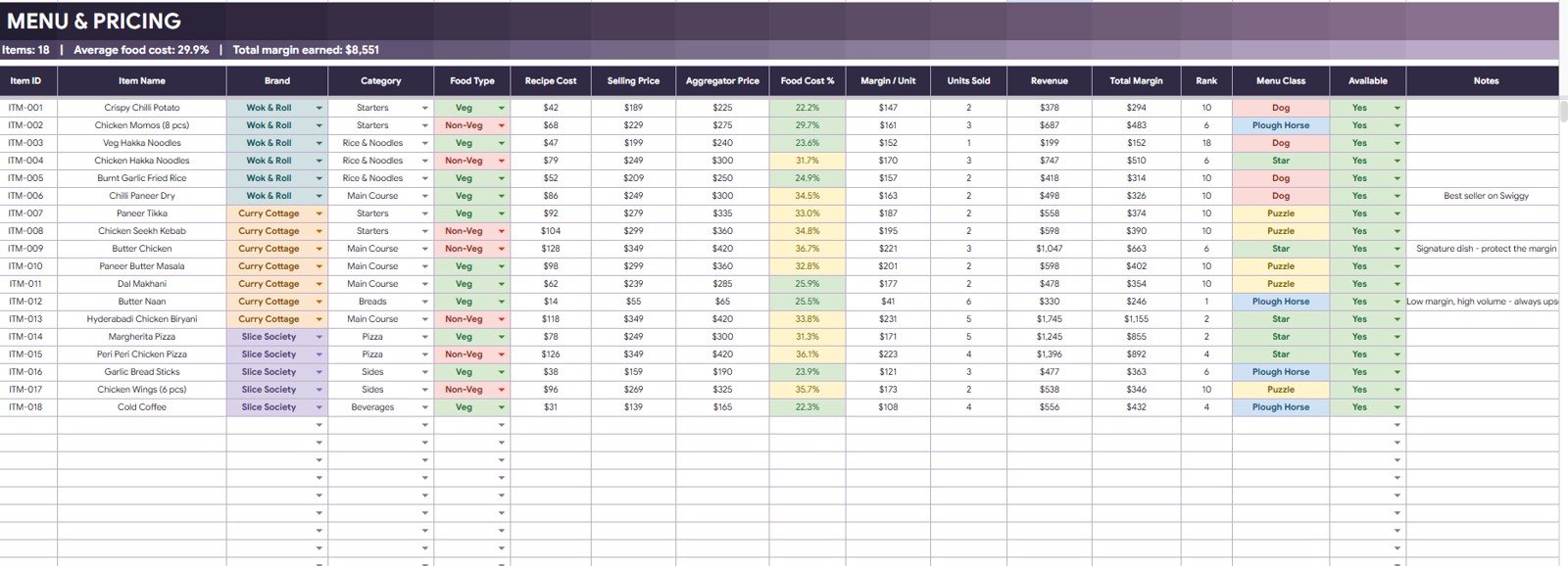
This tab focuses on menu economics: Food Cost % by Item Name, Margin / Unit by Item Name, Units Sold by Item Name, Revenue by Brand, Total Margin by Menu Class, Menu Class by Rank, and Availability by Item Name.
4. Inventory
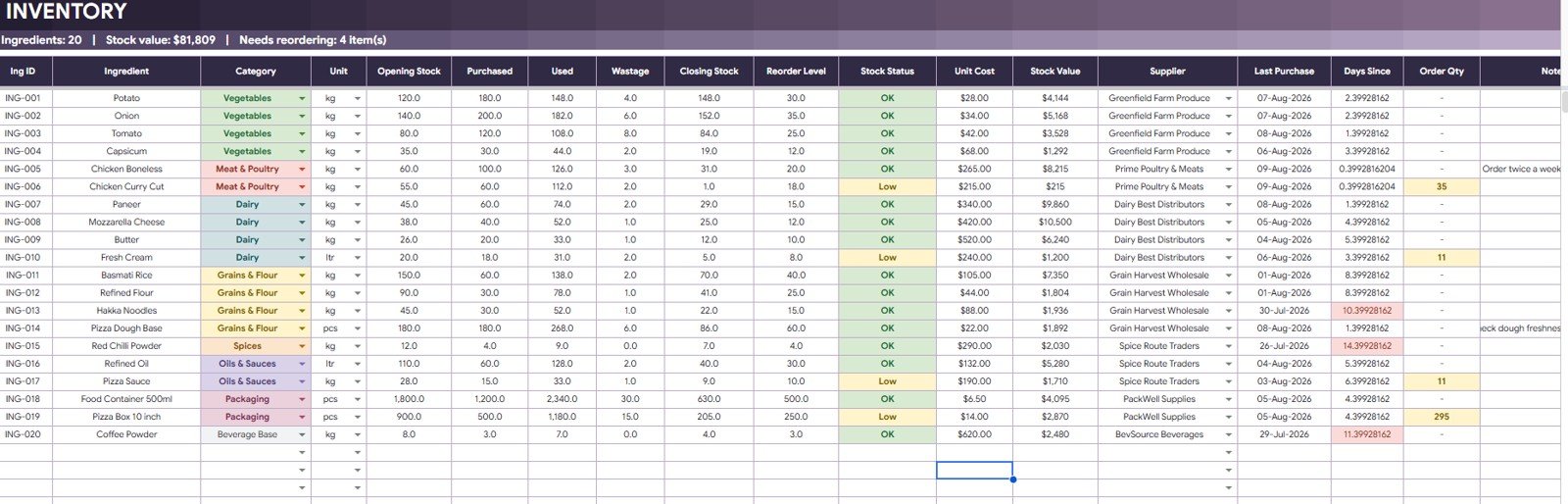
The Inventory tab tracks Opening Stock, Purchased Quantity, Used Quantity, Wastage, Closing Stock, Stock Status, Stock Value by Supplier, and Order Qty by Stock Status, helping teams see where ingredients are overused or near reorder levels.
5. Expenses and Monthly P&L
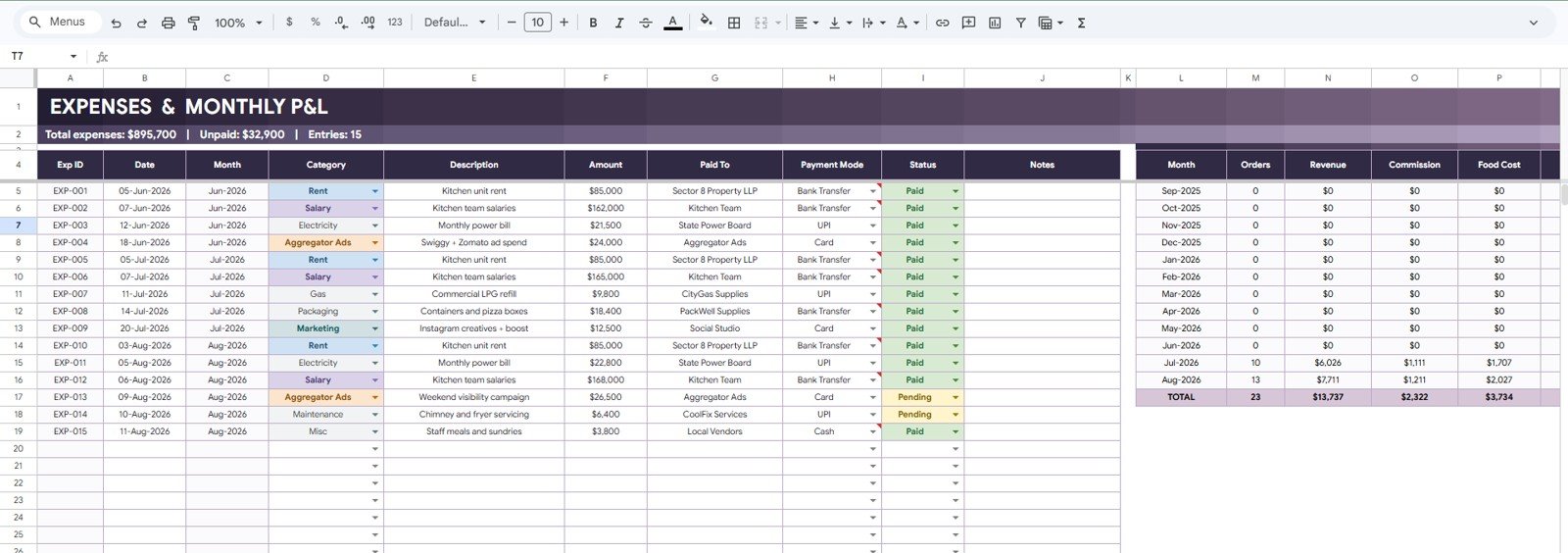
This tab connects Expenses by Category, Amount by Month, Paid Status by Expense Date, Payment Mode by Paid To, Orders by Month, Revenue by Month, Commission by Month, and Food Cost by Month.
6. Data Sheet Tab
The Data Sheet stores suppliers, riders, partners, brands, channels, commission percentages, and order status values in one editable format.
7. Reports Sheet
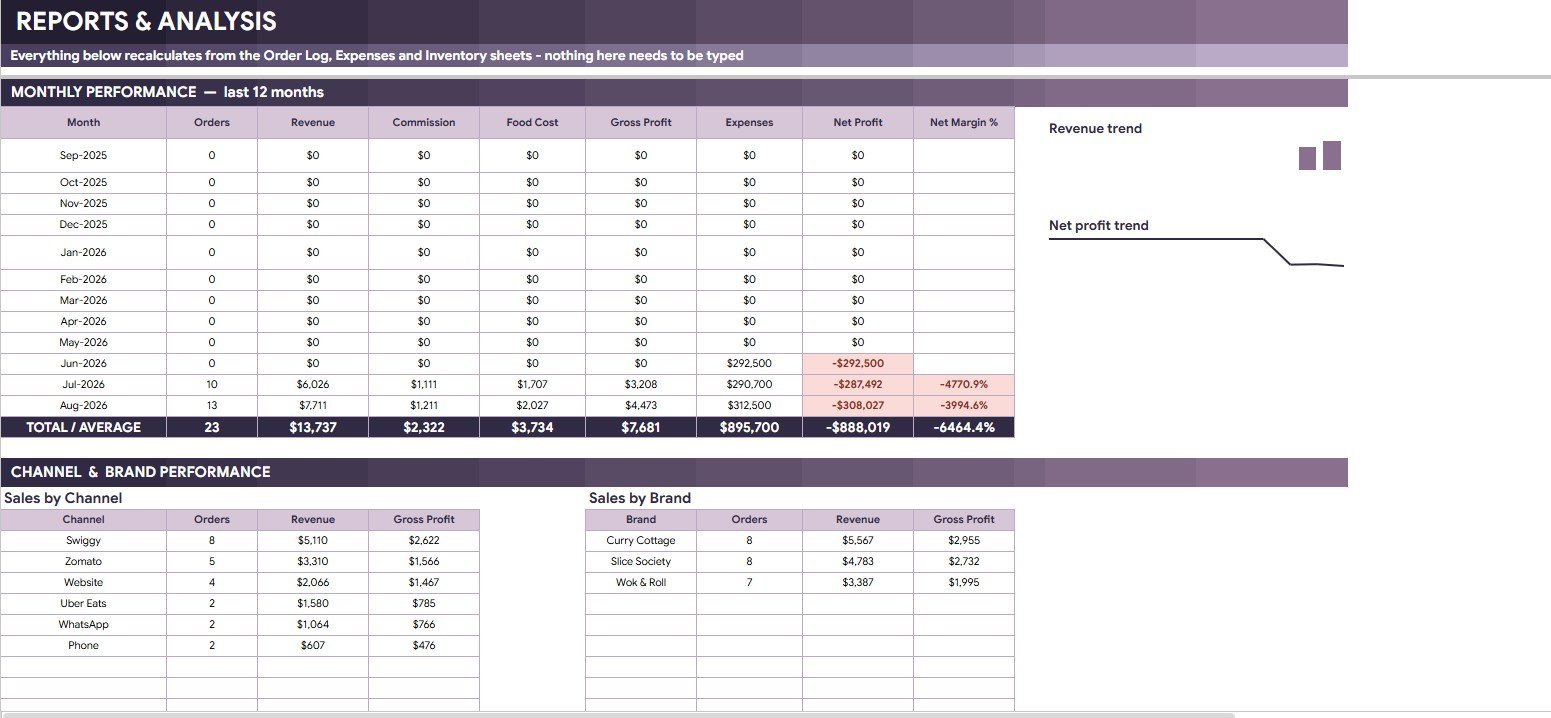
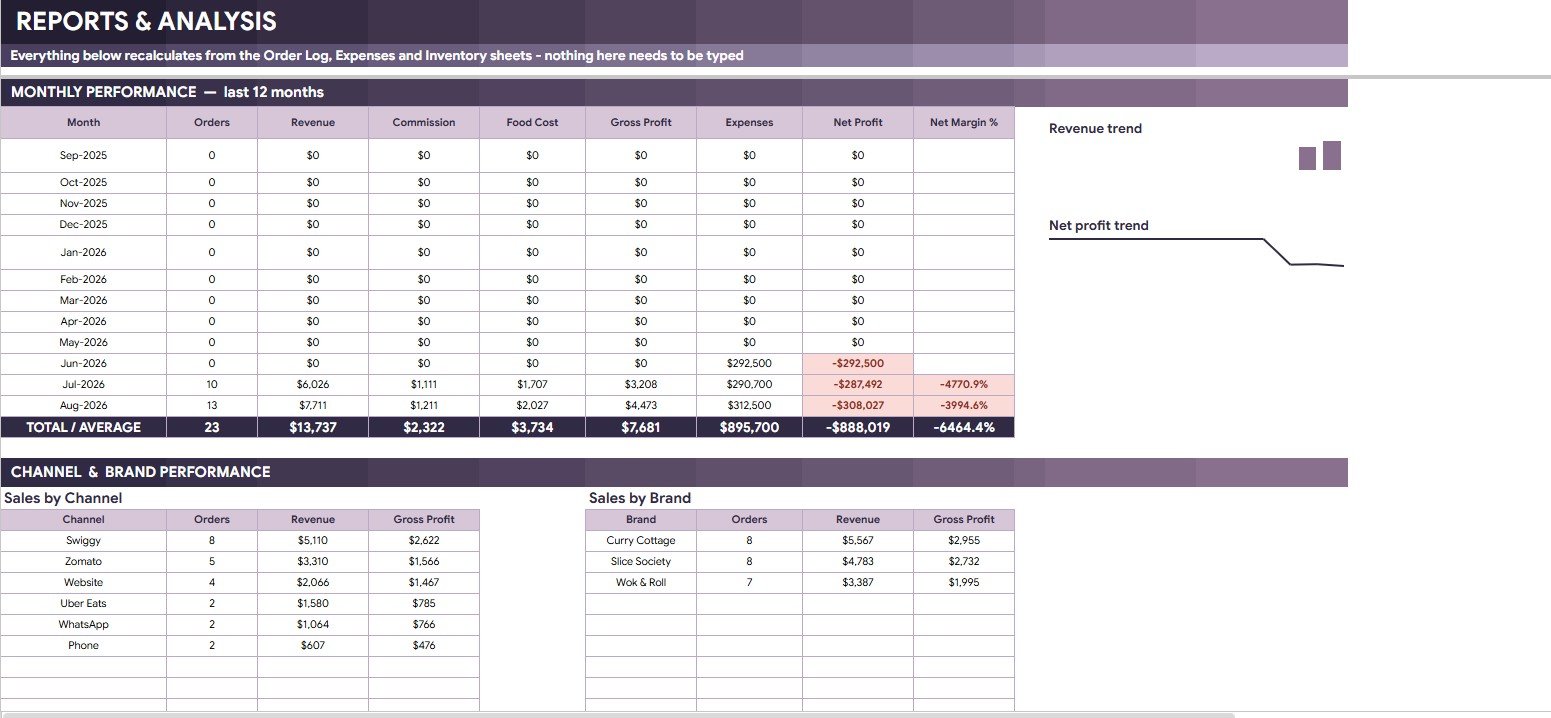
The Reports sheet summarizes monthly performance, revenue trend, net profit trend, sales by channel, sales by brand, gross profit by channel, gross profit by brand, and orders by month as new order, expense, and inventory records are added.
Cloud Kitchen Management System Tracker in Google Sheets vs. Microsoft Excel vs. Paid CRM/SaaS – Where This Fits
| Feature | This Google Sheets tracker | Microsoft Excel tracker | Paid restaurant SaaS |
|---|---|---|---|
| Cost | $9.99 sale price | Template plus Excel access | Monthly or annual subscription |
| Platform | Google Sheets in Drive | Excel desktop or Microsoft 365 | Vendor-hosted app |
| Setup time | Copy file, update lists, start entering records | Open workbook and configure sheets | Account setup, imports, and staff training |
| Real-time team collaboration | Built into Google Drive sharing | Best with OneDrive or SharePoint | Usually included by plan |
| Mobile access | Google Sheets app or browser | Excel mobile app | Usually included |
| Customizable fields | Editable sheets, formulas, labels, lists, and charts | Editable if workbook is unlocked | Limited by vendor settings |
| Share with link | Yes, with Drive permissions | Yes, with Microsoft sharing | Usually account based |
| Year-1 cost at 5 users | $9.99 before optional Google Workspace cost | Template plus license costs | Often much higher |
| Cloud kitchen workflow | Orders, menus, inventory, expenses, commission, P&L, and reports | Requires more manual setup | Deeper operations, less editable |
Who This Template Is For – and Who It’s Not For
This tracker is for cloud kitchen owners, virtual brand operators, restaurant managers, kitchen supervisors, accounts assistants, and consultants who need a shared sheet for orders, channel commission, menu margin, inventory, expenses, and reports.
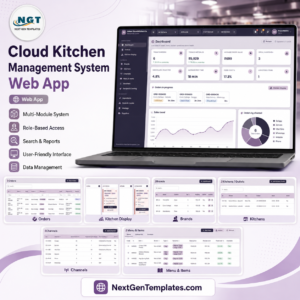
It is not a live POS terminal, payment processor, barcode inventory system, delivery aggregator integration, payroll system, or kitchen display screen. For a broader app-style workflow, compare the Cloud Kitchen Management System Web App.
How to Use the Cloud Kitchen Management System Tracker in Google Sheets
- Open the PDF guide from your download and copy the Google Sheets file to Drive.
- Update suppliers, riders, partners, brands, channels, commission percentages, and order status lists.
- Enter order records with brand, channel, customer, item, payment mode, status, food cost, and commission details.
- Update menu pricing, item availability, inventory purchases, usage, wastage, and expenses.
- Review Overview and Reports before daily close, weekly operations review, and monthly P&L checks.
Real-World Use Cases
Rohan, cloud kitchen owner: checks revenue by brand, orders by channel, food cost %, and net receivable before planning the evening shift.
Meera, kitchen supervisor: reviews stock status, wastage by ingredient, and item availability before prep starts.
Amit, accounts assistant: compares commission by channel, payment mode, expenses, net profit, and monthly P&L before owner review.
Frequently Asked Questions
What is included in this Cloud Kitchen Management System Tracker?
It includes Overview, Order Log, Menu and Pricing, Inventory, Expenses and Monthly P&L, Data Sheet, and Reports tabs.
Can I track multiple brands and delivery channels?
Yes. The tracker includes brand, channel, commission percentage, order status, and payment-mode analysis for multi-brand cloud kitchen reporting.
Does it calculate food cost and gross profit?
Yes. It includes Food Cost %, Gross Profit, Food Cost by Item, Gross Profit by Item, Margin / Unit, and Total Margin by Menu Class views.
Can my team work in the same file?
Yes. Because it runs in Google Sheets, you can share it through Google Drive with view, comment, or edit permissions.
Does it connect directly with delivery apps?
No. You enter or import order data manually. It is a management tracker, not an API connection to Swiggy, Zomato, Uber Eats, DoorDash, or other platforms.
Is this a subscription?
No. This is a one-time digital template purchase.
About the Author
Built by PK – Microsoft Certified Professional with 15+ years of Excel, Google Sheets, and Power BI experience. Founder of NextGenTemplates, reaching 300K+ subscribers across YouTube channels. Every template is hand-built and tested before release.
Explore Related Templates
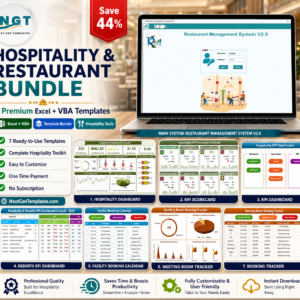
- Hospitality & Restaurant Bundle
- Buffet Restaurant Management System Tracker in Google Sheets
- Catering Business Management System Web App
- Banquet Hall Tracker in Google Sheets
- Browse more Google Sheets templates and Google Sheets tracker templates.
Use the Cloud Kitchen Management System Tracker in Google Sheets to review orders, revenue, food cost, inventory, expenses, and profit in one editable workbook.
Last updated: August 10, 2026.



























Reviews
There are no reviews yet.