

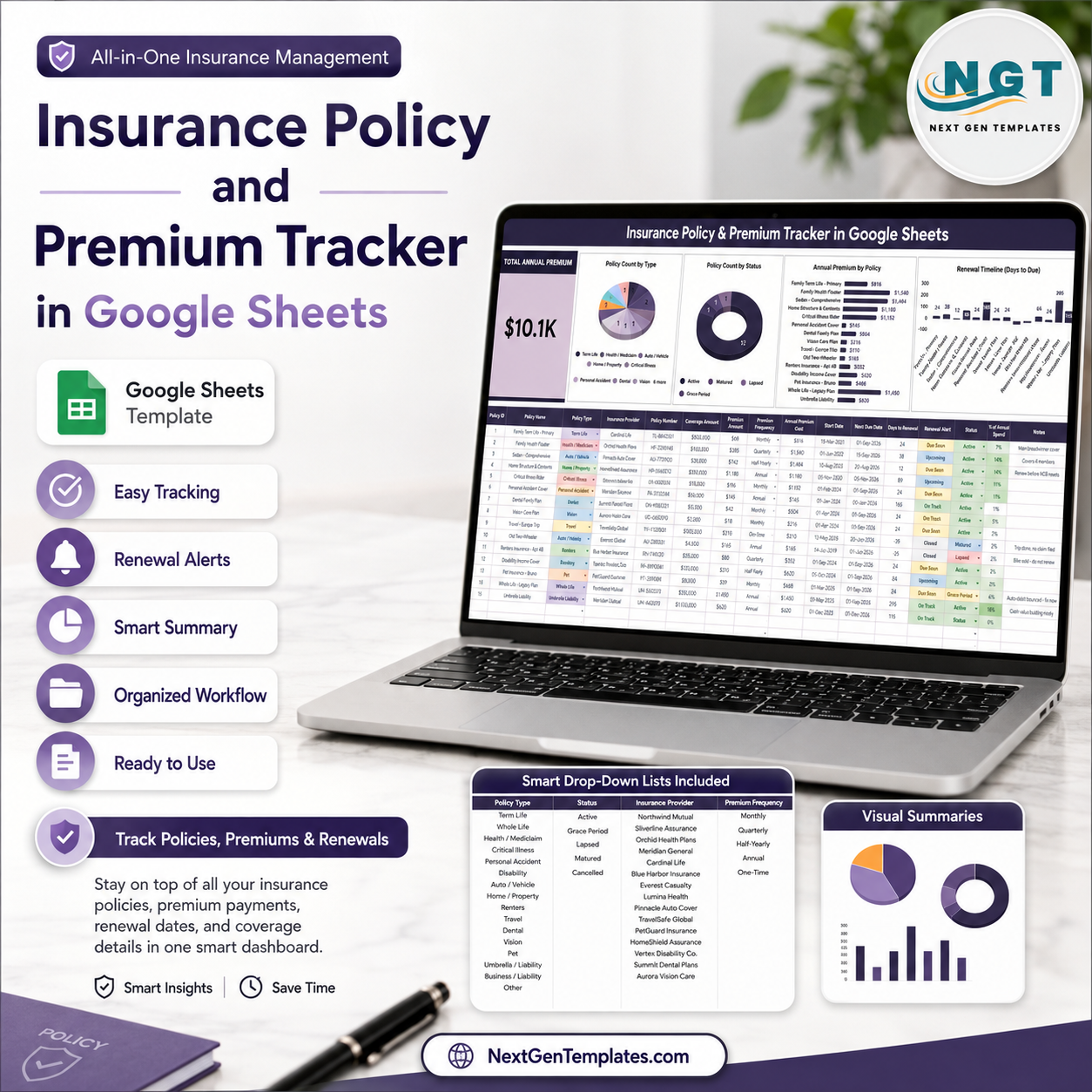

Last updated: August 8, 2026. Insurance premiums are a major recurring cost: the Insurance Information Institute lists U.S. property/casualty net premiums written at $857.8 billion in 2023. The Insurance Policy and Premium Tracker in Google Sheets helps policyholders, insurance agencies, finance admins, and small business owners monitor annual premium, policy type, status, provider, renewal workflow, and payment frequency in one editable spreadsheet. Built by PK for a 300K+ spreadsheet learning audience, this one-time $6.99 tracker gives you a practical renewal and premium view without another monthly insurance app subscription.
Key Features of Insurance Policy and Premium Tracker in Google Sheets
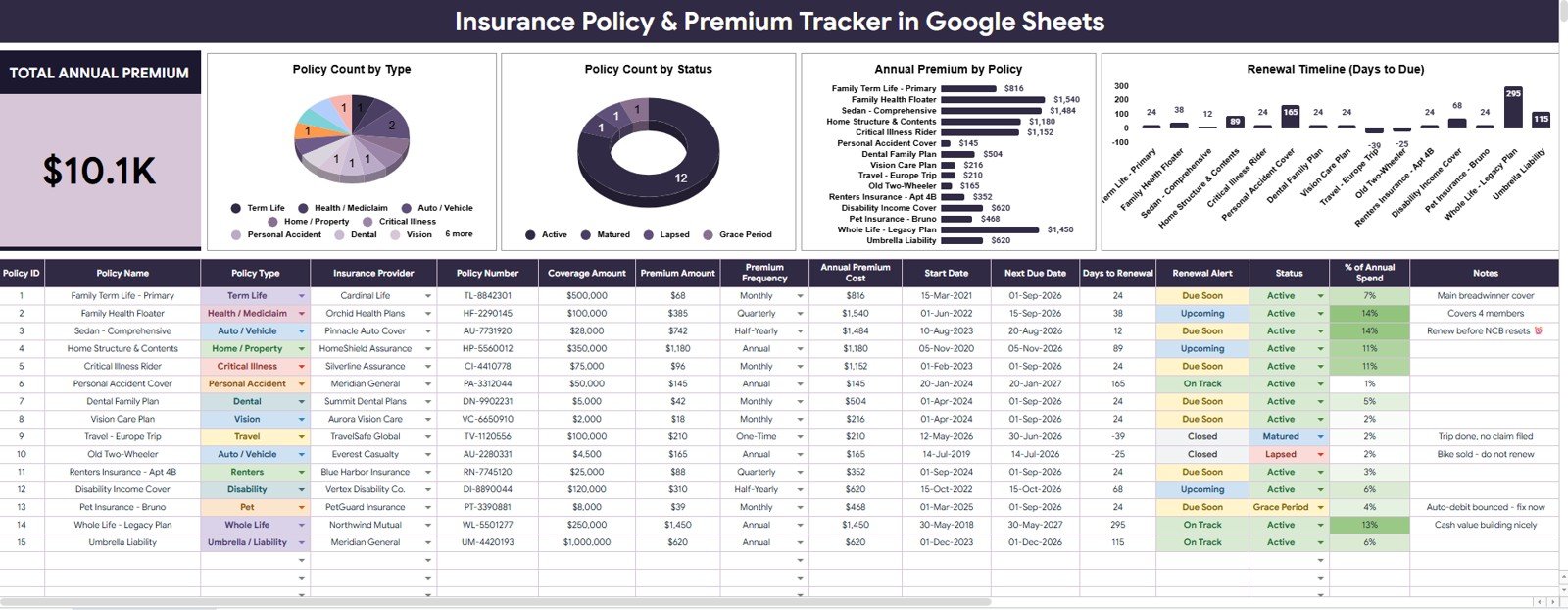
- Total Annual Premium card: See the full annual premium amount at the top before reviewing detailed charts.
- Policy Count by Policy Type: Compare auto, life, health, property, business, travel, or custom policy groups.
- Policy Count by Status: Track active, expired, pending renewal, cancelled, or other policy statuses in one view.
- Annual Premium by Policy: Identify which policies create the largest recurring insurance cost.
- Days to Renewal by Policy: Spot upcoming renewal pressure before a policy quietly expires.
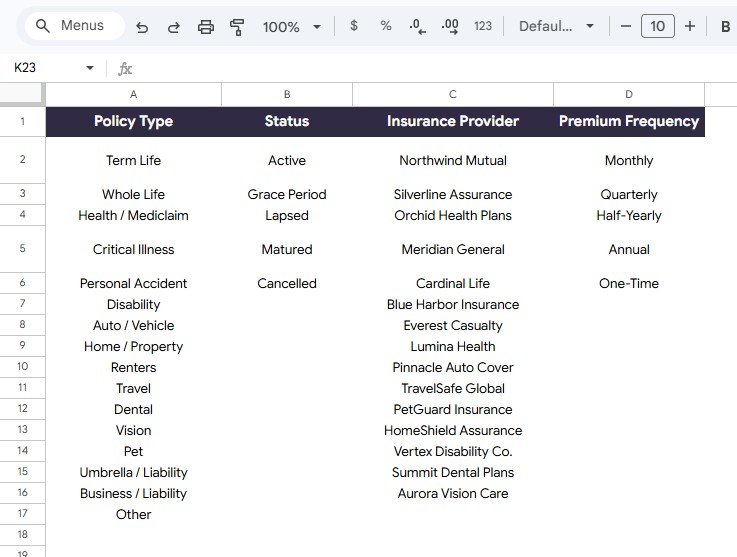
- Menus sheet: Maintain policy type, renewal workflow, provider, and premium frequency options for cleaner dropdowns.
- Google Sheets workflow: Work from your own Drive copy and share it with a spouse, assistant, finance team, or insurance coordinator.
What’s Inside the Insurance Policy and Premium Tracker in Google Sheets
1 – Overview Page
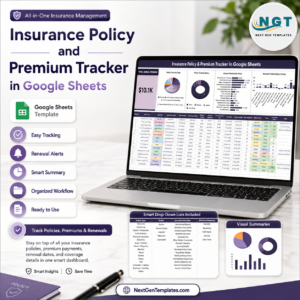
The Overview Page is the main dashboard sheet. At the top, the Total Annual Premium card summarizes the recurring premium amount, so users can quickly understand total yearly insurance commitment before reviewing individual policies.
The page also includes multiple slicers. Users can filter by policy type, status, provider, renewal workflow, premium frequency, or other available fields, then review the filtered cards and charts without rebuilding formulas.
Policy Count by Policy Type: This chart groups policies by type so users can see how their insurance portfolio is distributed. It helps separate health, auto, life, property, business, travel, and custom policy categories.
Policy Count by Status: This chart shows how many policies are active, expired, cancelled, pending renewal, or in another workflow stage. It is useful for finding policy records that need attention before coverage gaps appear.
Annual Premium by Policy: This chart compares yearly premium cost by individual policy. It helps users identify the policies that drive the highest annual spend and prioritize review during renewal season.
Days to Renewal by Policy: This chart highlights the renewal timing for each policy. It helps users see which policies need immediate action and which ones can be reviewed later.
2 – Menus Sheet
The Menus sheet controls the dropdown values used across the tracker. Keeping menu options consistent helps prevent duplicate provider names, inconsistent policy statuses, and unclear renewal workflow labels.
Policy Options by Policy Type: This section stores the allowed policy type values. Clean policy type options make the dashboard easier to filter and compare.
Renewal Workflow Options by Status: This section supports renewal tracking by status. Users can separate active, renewal due, under review, expired, cancelled, or custom statuses.
Insurance Company Options by Insurance Provider: This section stores provider names so policy records use consistent company labels. That makes provider-level review cleaner.
Payment Schedule Options by Premium Frequency: This section controls frequency labels such as monthly, quarterly, semi-annual, annual, or custom schedules. It helps users compare premiums without messy text entries.
Insurance Policy and Premium Tracker in Google Sheets vs. Microsoft Excel Tracker vs. Paid Insurance SaaS – Where This Fits
| Feature | This Google Sheets tracker | Microsoft Excel tracker | Paid insurance SaaS |
|---|---|---|---|
| Cost | $6.99 one-time sale price | Template cost plus possible Microsoft license | Usually monthly or annual subscription |
| Platform | Google Sheets in Drive | Excel desktop, OneDrive, or Excel Online | Vendor-hosted web platform |
| Setup time | Copy the file, update menus, enter policies | Open workbook and adjust lists | Create account, configure fields, import data |
| Real-time collaboration | Native Google sharing | Depends on Microsoft 365 setup | Usually plan based |
| Mobile access | Google Sheets app or browser | Excel app or browser | Usually included |
| Customizable fields | Edit policy types, statuses, providers, and premium frequencies | Editable if workbook is unlocked | Often limited by vendor settings |
| Share with link | Yes, with Drive permissions | Yes, with Microsoft sharing | Usually login based |
| Year-1 cost at 5 users | $6.99 before any Google Workspace cost | Template plus licensing cost | Can increase quickly with subscriptions |
| Renewal visibility | Days to Renewal by Policy chart included | Must be built or customized | Often included in policy platforms |
| Premium review | Total Annual Premium and policy-level premium analysis included | Depends on workbook design | Usually available in paid systems |
Who This Template Is For – and Who It’s Not For
This tracker is for families, small business owners, insurance coordinators, finance admins, agencies, consultants, and spreadsheet users who want a clear policy list, renewal view, annual premium summary, provider list, and controlled status workflow in Google Sheets.
It is not an insurance policy administration system, claims platform, payment processor, compliance filing tool, actuarial model, or replacement for licensed insurance advice. Users should still confirm coverage details with their insurer, broker, or qualified advisor.
How to Use the Insurance Policy and Premium Tracker in Google Sheets
- Open the PDF guide after purchase and create your own editable Google Sheets copy.
- Update the Menus sheet with your policy types, statuses, insurance providers, and premium frequencies.
- Enter each policy record with policy name, type, provider, status, premium, renewal date, and related notes.
- Open the Overview Page to review Total Annual Premium and the four policy charts.
- Use slicers to filter by provider, policy type, status, frequency, or renewal workflow.
- Review the Days to Renewal by Policy chart before renewal season so follow-up does not depend on memory.
Real-World Use Cases
Sarah, a household finance planner, tracks auto, health, life, home, and umbrella policies in one file so annual premiums and renewal dates are visible before budget reviews.
Raj, a small business owner, monitors liability, vehicle, property, cyber, and workers compensation policies so renewal discussions are not scattered across emails.
Meera, an insurance coordinator, maintains provider and premium frequency options on the Menus sheet to keep policy records consistent across multiple policyholders.
Frequently Asked Questions
What does the Total Annual Premium card show?
It shows the total annualized premium amount based on the policy records and filters currently applied in the tracker.
Can I customize policy types and providers?
Yes. The Menus sheet is built for editable policy type, renewal workflow, provider, and premium frequency options.
Does this tracker send renewal reminders automatically?
No. It provides a Days to Renewal by Policy chart so upcoming renewals are easier to see, but it does not send automated emails.
Can I share this file with my team or family?
Yes. After copying it to Google Drive, you can share it using Google Sheets permissions. Google Support explains that Sheets files can support collaborative access for up to 100 people with edit, comment, or view permissions.
Does it replace insurance software?
No. It is a focused policy and premium tracker. It is best for organized spreadsheet tracking, not claims handling, billing, underwriting, or policy issuance.
Is this a subscription?
No. It is a one-time downloadable Google Sheets template sold through NextGenTemplates.
About the Author
Built by PK – Microsoft Certified Professional with 15+ years of Excel, Google Sheets, and Power BI experience. Founder of NextGenTemplates, reaching 300K+ subscribers across YouTube channels. Every template is hand-built and tested before release.
Explore Related Templates
- Insurance Policy Analytics Dashboard in Google Sheets
- Travel Insurance Request Tracker in Google Sheets
- Corporate Policy Exception Request Tracker in Google Sheets
- Google Sheets templates
- Google Sheets tracker templates
Download the Insurance Policy and Premium Tracker in Google Sheets when you want a simple, editable way to track annual premiums, policy statuses, insurance providers, premium frequency, and renewal timing in one organized spreadsheet.
Watch the step-by-step video Demo:
Last updated: August 8, 2026.






















Reviews
There are no reviews yet.