


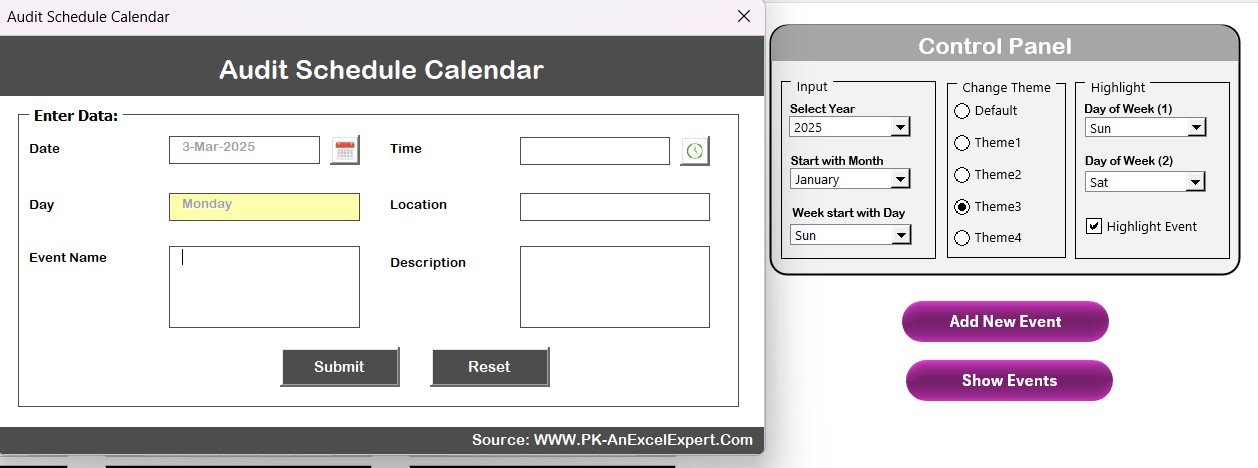



The Audit Schedule Calendar in Excel is a robust, easy-to-use tool designed to help businesses, audit teams, and compliance officers plan, track, and manage their auditing activities effectively. Whether you’re preparing for internal audits, external audits, or regulatory compliance audits, this Excel-based calendar ensures that you stay organized and never miss an important deadline.
This customizable calendar allows you to schedule audit activities, track progress, and set reminders for important dates, ensuring that your organization remains audit-ready at all times. The clean, user-friendly interface allows you to plan audits over various periods, assign responsibilities, and easily access audit-related details, making it an essential tool for streamlining audit management.
Key Features of the Audit Schedule Calendar in Excel
📅 Comprehensive Scheduling
Plan and organize all of your audit activities in one place. Schedule audits based on frequency—whether weekly, monthly, quarterly, or annually—ensuring that all activities are covered.
📝 Audit Tracking
Track the status of each audit. Monitor whether audits are scheduled, in progress, or completed, and ensure that no audit is overlooked or delayed.
⏰ Reminder & Deadline Management
Set up automatic reminders for upcoming audit tasks and deadlines. Stay ahead of your audit schedule with timely notifications, ensuring everything is on track.
📊 Audit Categories & Responsibilities
Assign specific audit categories (e.g., financial, operational, compliance) and link them to responsible teams or individuals. Keep your audit process organized by category and responsibility.
⚙️ Customizable Calendar Layout
Tailor the calendar to fit your organization’s specific audit schedule needs. Customize the audit categories, deadlines, and reminders as per your requirements.
📈 Audit Analytics & Reporting
Generate reports to analyze audit completion rates, compliance progress, and any issues or delays. Use this data to improve your audit process over time.
Why You’ll Love the Audit Schedule Calendar in Excel
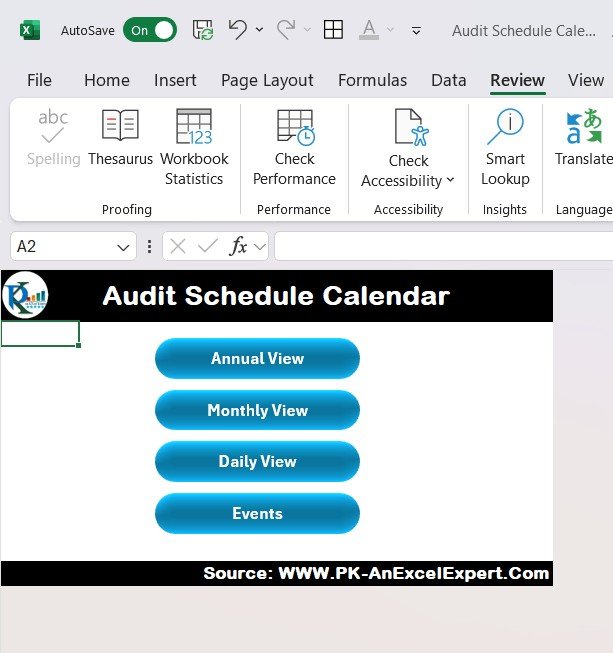
✅ Stay Organized & On Schedule
Track all your audits in one centralized location, ensuring you meet deadlines and stay on top of audit activities.
✅ Improve Audit Efficiency
Easily assign responsibilities, track progress, and set reminders to ensure timely completion of audits and compliance activities.
✅ Enhance Communication Across Teams
Ensure that the relevant teams are aware of their responsibilities and deadlines, improving coordination and reducing confusion during the audit process.
✅ Ensure Compliance
Keep track of important audit tasks and deadlines to maintain regulatory compliance and ensure your business is always audit-ready.
✅ Customizable & Scalable
The calendar is fully customizable to meet your unique needs and can scale from small businesses to large enterprises with complex audit requirements.
What’s Inside the Audit Schedule Calendar in Excel?
Comprehensive Scheduling: Schedule audits for different categories and timeframes.
Audit Tracking: Track the status of each audit, including whether it’s in progress or completed.
Reminder & Deadline Management: Set automatic reminders for audit deadlines.
Assigned Responsibilities: Assign audit tasks to specific teams or individuals.
Customizable Calendar: Tailor the calendar layout and categories to suit your business needs.
Audit Reporting: Generate reports to analyze audit completion and compliance.
How to Use the Audit Schedule Calendar in Excel
1️⃣ Download the Template: Access the Audit Schedule Calendar in Excel instantly.
2️⃣ Schedule Audits: Input audit activities, including frequency, categories, and dates.
3️⃣ Assign Responsibilities: Link audit tasks to specific teams or individuals to ensure accountability.
4️⃣ Track Progress: Monitor the status of each audit to ensure it’s on track and completed on time.
5️⃣ Generate Reports: Use the analytics features to evaluate audit completion rates and identify areas for improvement.
Who Can Benefit from the Audit Schedule Calendar in Excel?
🔹 Compliance Officers & Managers
🔹 Internal Audit Teams
🔹 External Auditors
🔹 Financial Controllers & Accountants
🔹 Risk Management Professionals
🔹 Small & Medium Enterprises (SMBs)
🔹 Large Corporations with Complex Auditing Requirements
Stay organized and compliant with the Audit Schedule Calendar in Excel. Plan your audit activities, track progress, and ensure timely completion, all from one easy-to-use tool.
Click here to read the Detailed blog post
Visit our YouTube channel to learn step-by-step video tutorials
Youtube.com/@PKAnExcelExpert
Compatibility and Requirements
- Works in Microsoft Excel desktop (Excel 2016 or later, or Microsoft 365).
- Audit categories, deadlines and reminders are editable, so you can match the calendar to your own audit cycle.
Frequently Asked Questions
How often can audits be scheduled?
You can schedule audits weekly, monthly, quarterly or annually.
Can I see which audits are overdue or done?
Yes. Each audit carries a status such as scheduled, in progress or completed.
Can I assign audits to teams?
Yes. Link each audit category, such as financial, operational or compliance, to a responsible team or person.
Is there a Google Sheets version?
Yes. The Audit Schedule Calendar in Google Sheets is listed separately.
Related Audit Templates
- Audit Schedule Calendar in Google Sheets: the same audit calendar in Google Sheets
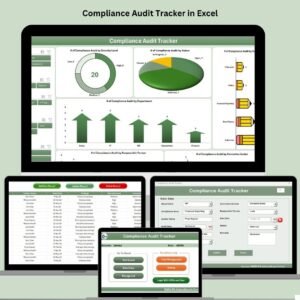
- Compliance Audit Tracker in Excel: tracks compliance audit findings in Excel
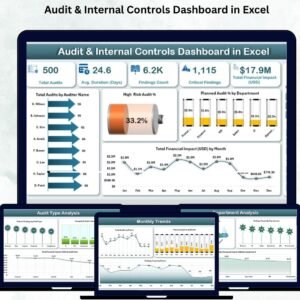
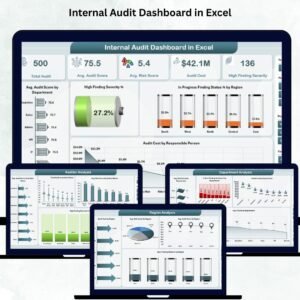
- Internal Audit Dashboard in Excel: an Excel dashboard for internal audit results
- Internal Audit Schedule Checklist in Excel: a checklist for running an internal audit schedule
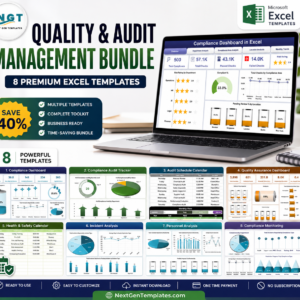
- Quality & Audit Management Bundle: eight quality and audit templates in one bundle
Browse all Excel calendars or the Excel quality control templates.












Reviews
There are no reviews yet.