

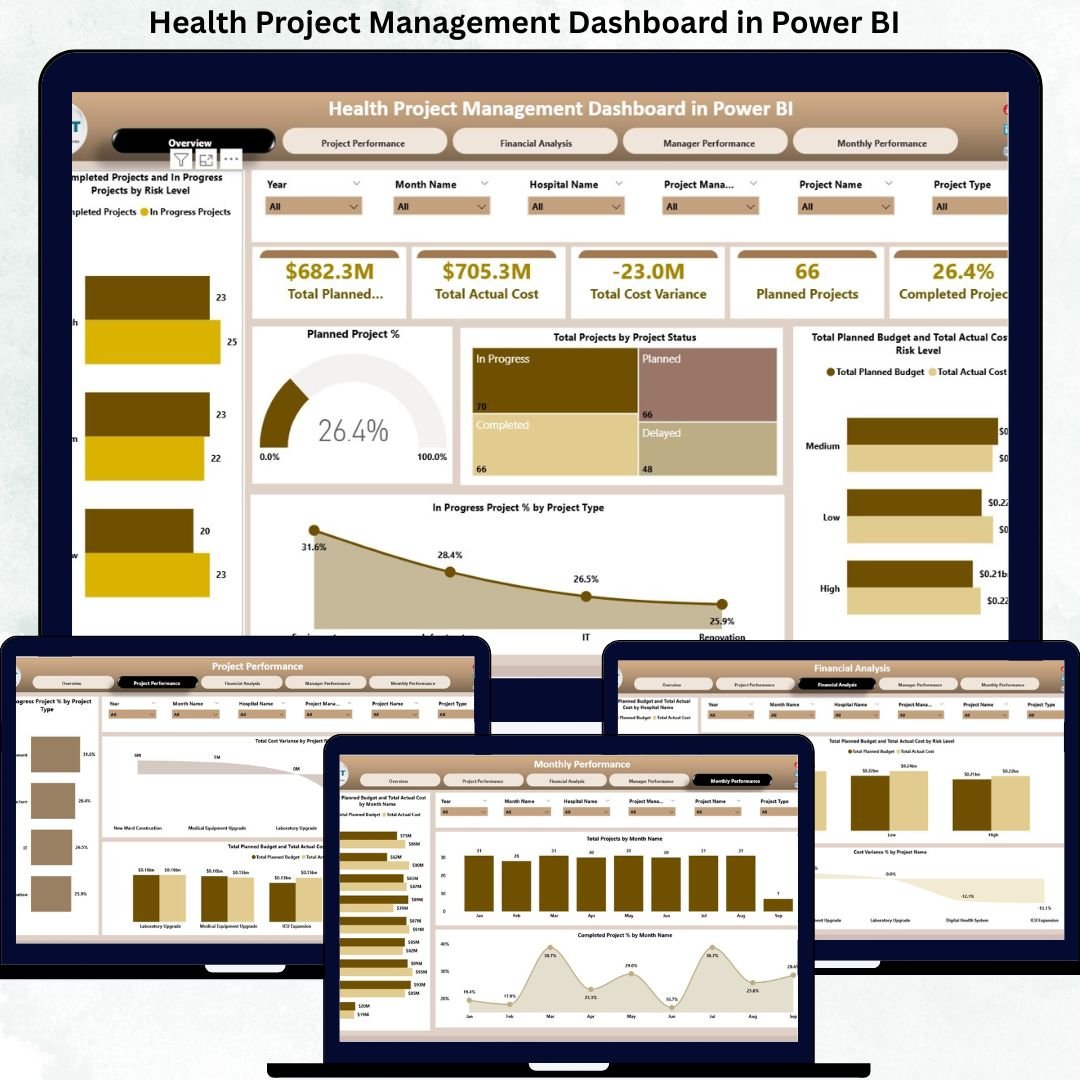
Healthcare organizations manage multiple complex projects simultaneously. These projects range from hospital infrastructure upgrades and IT system implementations to medical equipment installations, compliance initiatives, and patient service improvement programs. Because healthcare budgets are tightly controlled and timelines are mission-critical, even small project delays or cost overruns can create operational and financial risk.
That is exactly why the Health Project Management Dashboard in Power BI becomes an essential analytics solution.
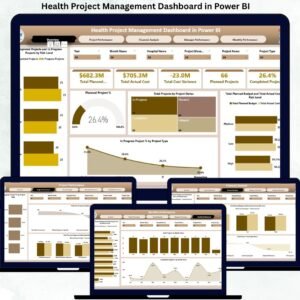
This ready-to-use Power BI dashboard transforms raw healthcare project data into clear, interactive, and actionable insights. Instead of relying on scattered spreadsheets and static reports, hospitals gain a centralized, real-time view of project progress, cost variance, risk exposure, manager performance, and monthly trends—all within one powerful dashboard.
Built on Power BI, this dashboard delivers enterprise-level analytics with interactive filters, drill-downs, and executive-ready visuals. As a result, hospital administrators, project managers, finance teams, and leadership can make faster decisions, reduce cost overruns, and strengthen project governance.
⚙️ Key Features of the Health Project Management Dashboard
📊 Centralized Project Visibility
Track all healthcare projects across hospitals, departments, and project types from one dashboard.
💰 Budget vs Actual Cost Monitoring
Instantly identify overspending and cost variance before issues escalate.
⚠️ Risk-Based Project Analysis
Monitor low, medium, and high-risk projects separately for proactive control.
👩💼 Project Manager Performance Tracking
Measure cost control and delivery efficiency at manager level.
📅 Monthly Trend Analysis
Understand how project costs and completion rates evolve over time.
📦 What’s Inside the Health Project Management Dashboard
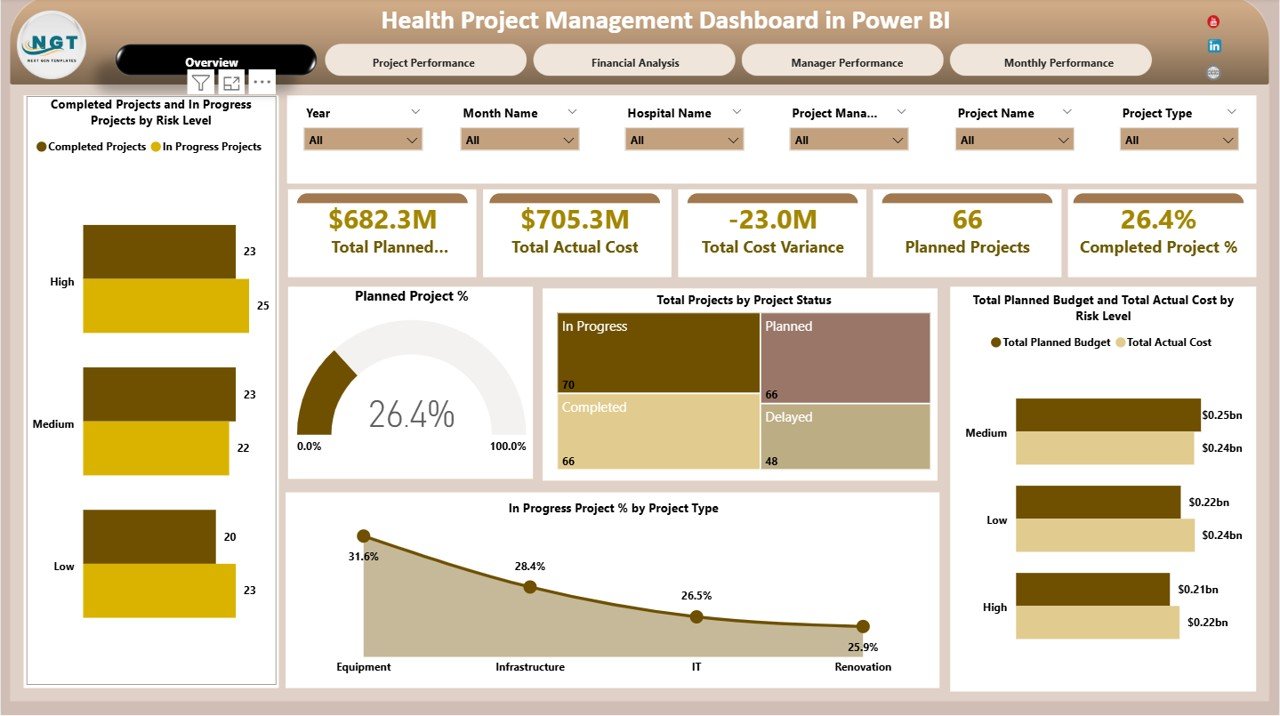
🖥️ Overview Section – Executive Project Summary
The Overview section gives leadership an instant snapshot of overall project health.
KPI Cards Included
Total Planned Budget – Approved budget for all projects
Total Actual Cost – Cost incurred to date
Total Cost Variance – Budget deviation
Planned Projects – Total approved projects
Completed Project % – Delivery progress indicator
Overview Charts
Completed vs In-Progress Projects by Risk Level
Planned Project %
Total Projects by Project Status
Planned Budget vs Actual Cost by Risk Level
In-Progress Project % by Project Type
These visuals help leadership focus immediately on high-risk and high-impact projects.
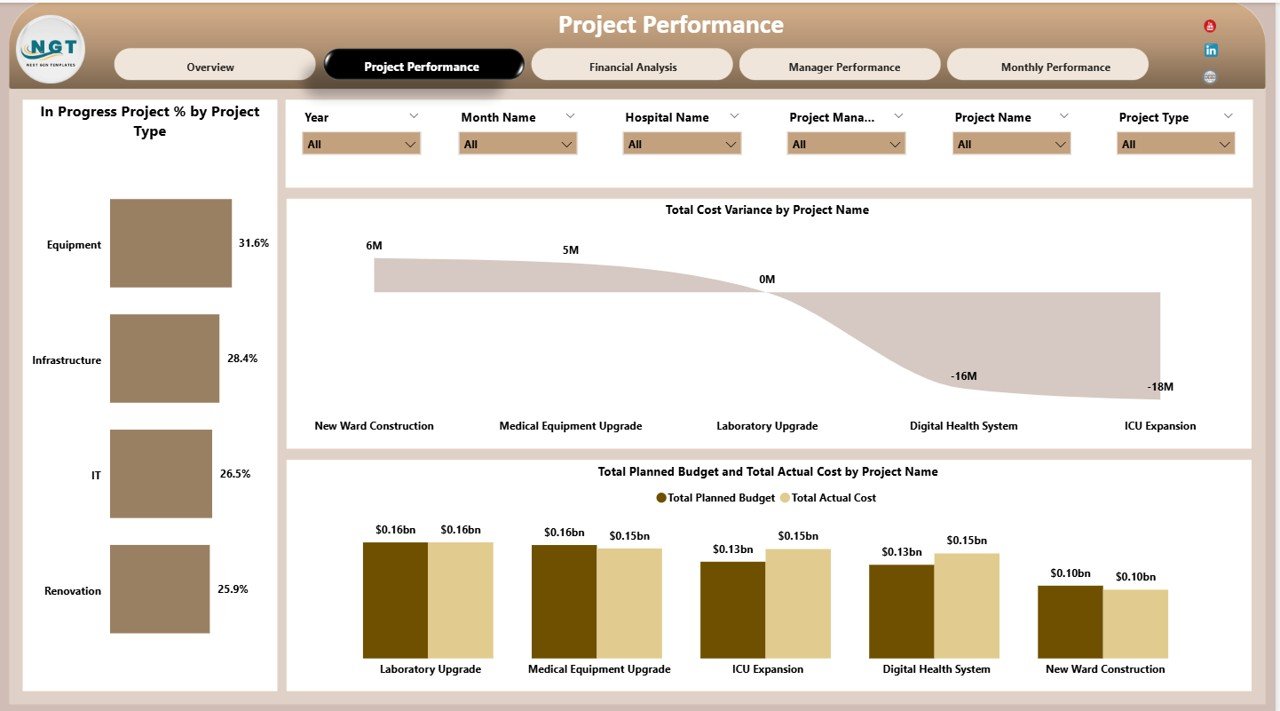
📊 Project Performance Analysis
This section focuses on individual project execution and budget discipline.
Charts Included
In-Progress Project % by Project Type
Total Cost Variance by Project Name
Planned Budget vs Actual Cost by Project Name
Project managers use this view to prioritize corrective actions and control overruns.
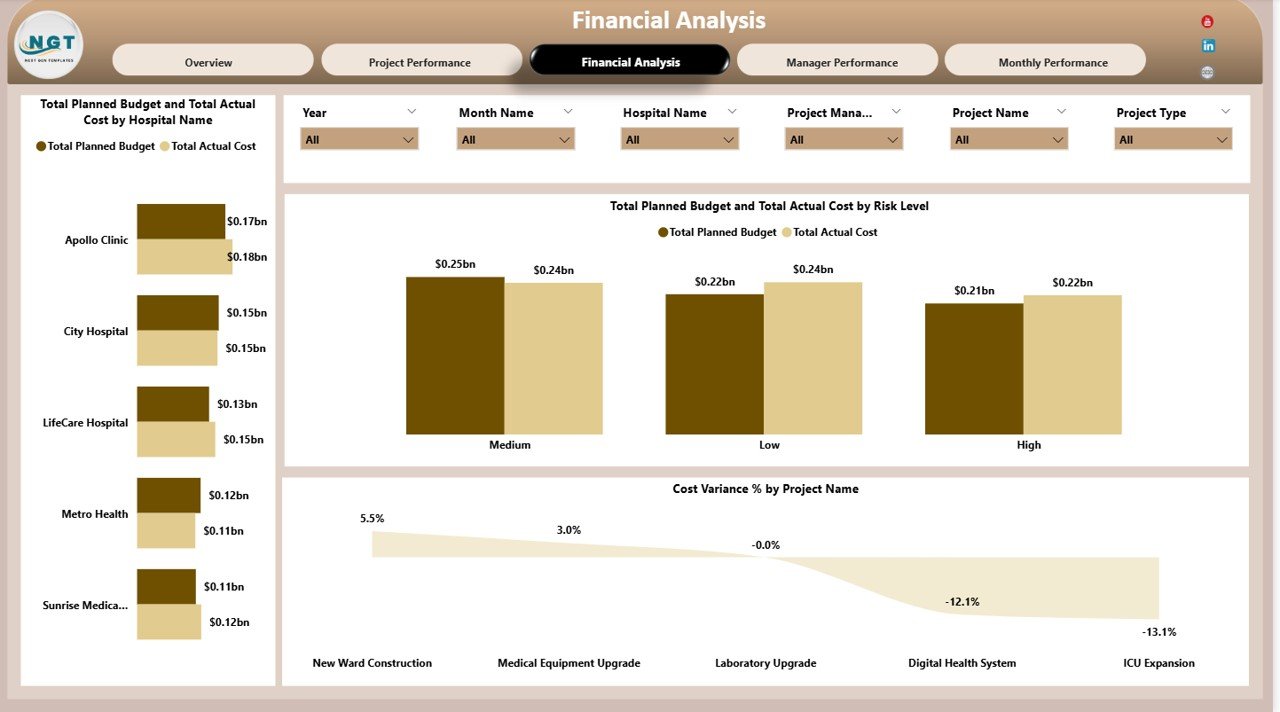
💰 Financial Analysis – Cost Governance
Healthcare projects require strict financial discipline.
Charts Included
Planned Budget vs Actual Cost by Hospital Name
Planned Budget vs Actual Cost by Risk Level
Cost Variance % by Project Name
Finance teams use this section for budget reviews, audits, and financial forecasting.
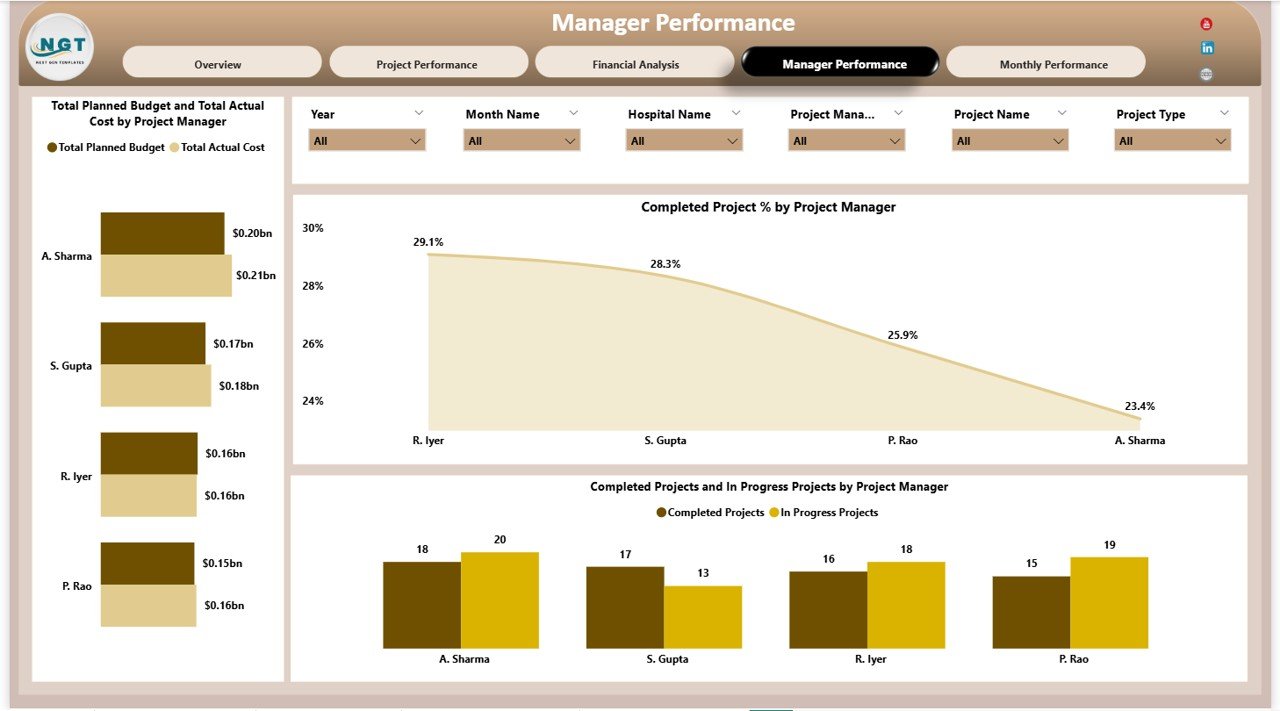
👩💼 Manager Performance Analysis
Strong leadership drives successful project delivery.
Charts Included
Planned Budget vs Actual Cost by Project Manager
Completed Project % by Project Manager
Completed vs In-Progress Projects by Manager
This analysis improves accountability and highlights coaching or support needs.
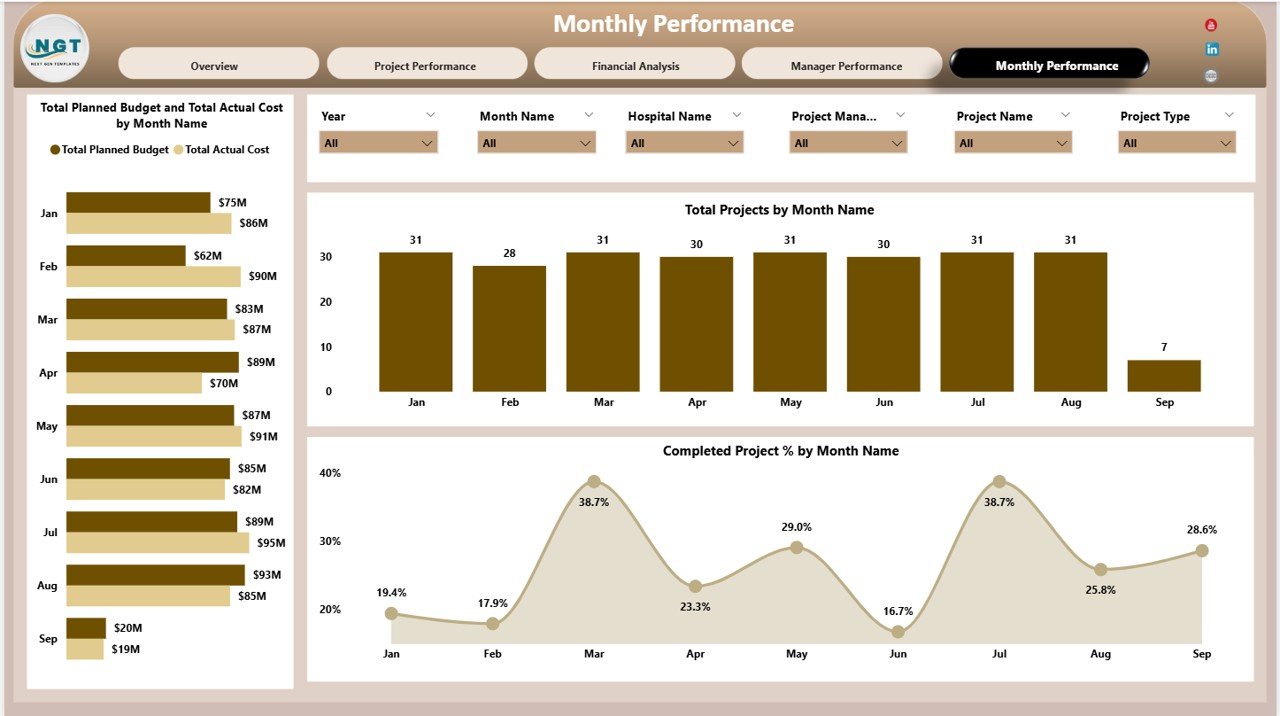
📅 Monthly Performance Trends
Time-based insights support forecasting and planning.
Charts Included
Planned Budget vs Actual Cost by Month
Total Projects by Month
Completed Project % by Month
Monthly trends help identify seasonal spending patterns and execution improvements.
🎯 Who Can Use This Dashboard
🏥 Hospitals & Healthcare Networks
📊 Project Management Offices (PMO)
💼 Finance & Budget Teams
👩⚕️ Hospital Administrators
🧠 Executive Leadership
Click here to Read detailed blog post
Watch the step-by-step video tutorial:
📺 Visit our YouTube channel for step-by-step tutorials
👉 https://youtube.com/@PKAnExcelExpert
Compatibility and Requirements
- Works in Power BI Desktop, which is free to download from Microsoft. Microsoft explains how to get it in Get Power BI Desktop.
- The dashboard has five areas: Overview, Project Performance Analysis, Financial Analysis, Manager Performance Analysis and Monthly Performance Trends.
Frequently Asked Questions
Which KPI cards are included?
The Overview section has five cards: Total Planned Budget, Total Actual Cost, Total Cost Variance, Planned Projects and Completed Project %.
Can I compare budget and actual cost by hospital?
Yes. The Financial Analysis section has a chart of Planned Budget vs Actual Cost by Hospital Name. It also shows the same comparison by Risk Level and Cost Variance % by Project Name.
Can I see how each project manager is performing?
Yes. The Manager Performance Analysis section shows Planned Budget vs Actual Cost, Completed Project % and Completed vs In-Progress Projects for each project manager.
Does it show trends over time?
Yes. The Monthly Performance Trends section charts Planned Budget vs Actual Cost by Month, Total Projects by Month and Completed Project % by Month.
Can I separate projects by risk level?
Yes. The Overview section splits Completed vs In-Progress Projects by Risk Level, and compares Planned Budget vs Actual Cost for low, medium and high-risk projects.
Is there an Excel version?
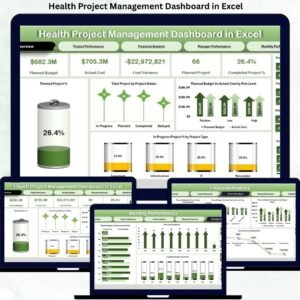
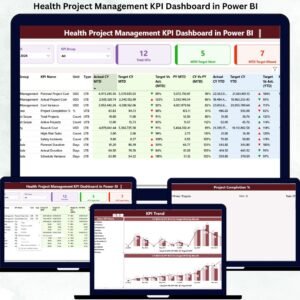
Yes. See the Health Project Management Dashboard in Excel. There is also a lighter Health Project Management KPI Dashboard in Power BI.
Related Healthcare and Project Templates
- Health Project Management Dashboard in Excel: the same dashboard in Excel
- Health Project Management KPI Dashboard in Power BI: a KPI-focused Power BI edition
- Health Project Management KPI Dashboard in Excel: KPI view in Excel
- Healthcare Project Timeline KPI Dashboard in Excel: timeline tracking for healthcare projects
- Healthcare & Hospital Management Bundle: 8 healthcare templates in one download
Browse all Power BI dashboards.








Reviews
There are no reviews yet.