


Managing healthcare projects is complex. Tight deadlines, strict compliance, limited budgets, and multiple stakeholders make project tracking extremely challenging. That’s why healthcare organizations need a smart, structured, and data-driven solution to stay in control.
✅ The Health Project Management KPI Dashboard in Excel is designed to solve this problem.
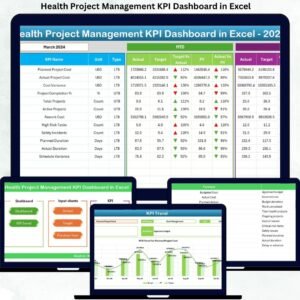
This powerful Excel-based dashboard helps healthcare teams monitor performance, track progress, analyze trends, and make confident decisions — all from one interactive file. Whether you manage hospital projects, system upgrades, or healthcare operations, this dashboard gives you full visibility into your project performance.
🚀 Key Features of Health Project Management KPI Dashboard
✔️ Interactive Excel Dashboard – Track all project KPIs in one place
✔️ Dynamic Month Selection – Instantly update reports using a dropdown
✔️ MTD & YTD Analysis – Monitor monthly and yearly performance
✔️ Target vs Actual Comparison – Identify gaps instantly
✔️ Previous Year Comparison – Measure growth and improvement
✔️ Conditional Formatting – Visual arrows highlight performance trends
✔️ KPI Trend Analysis – Track progress over time
✔️ 100% Excel-Based – No Power BI or coding required
This dashboard turns raw data into meaningful insights within seconds.
📊 What’s Inside the Health Project Management KPI Dashboard?
The dashboard contains 7 professionally designed worksheets, each serving a specific purpose:
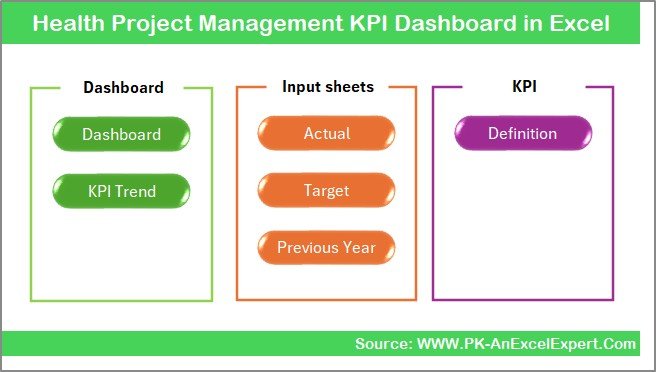
📌 Summary Page
Acts as the navigation hub
Clean layout with 6 clickable buttons
Easy access to all dashboard sections
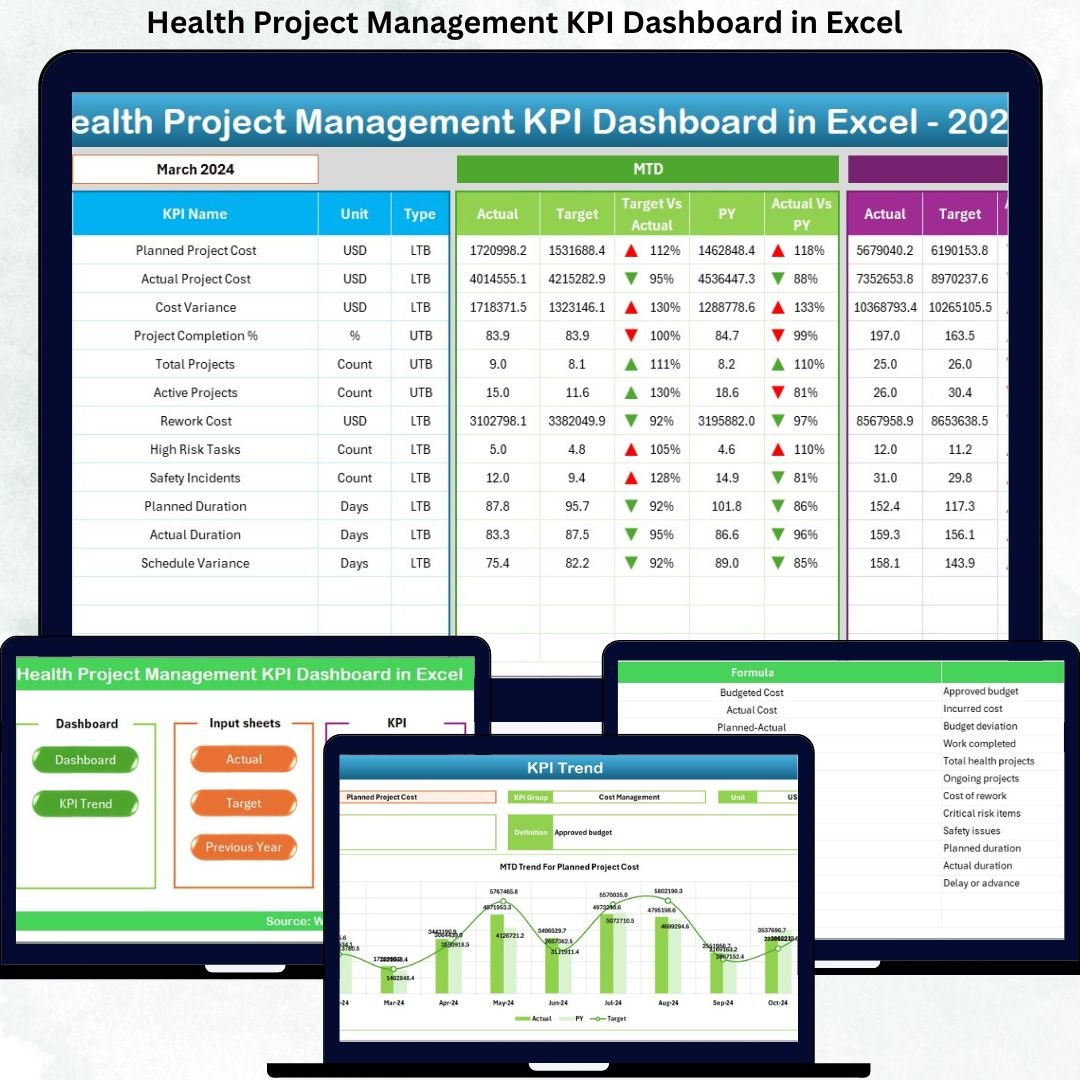
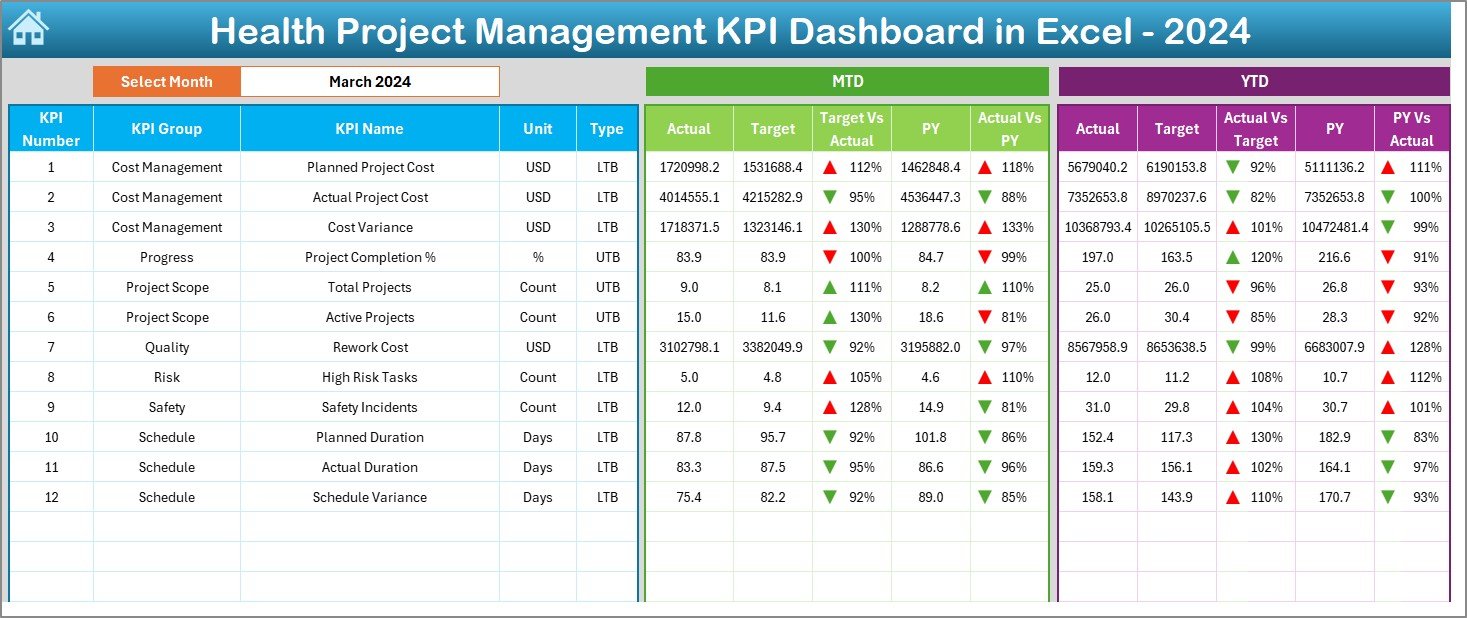
📌 Dashboard Sheet
Main KPI visualization area
Month selector (Cell D3)
Displays:
MTD Actual
MTD Target
Previous Year Data
Target vs Actual
Previous Year vs Actual
Visual arrows and color indicators for quick analysis
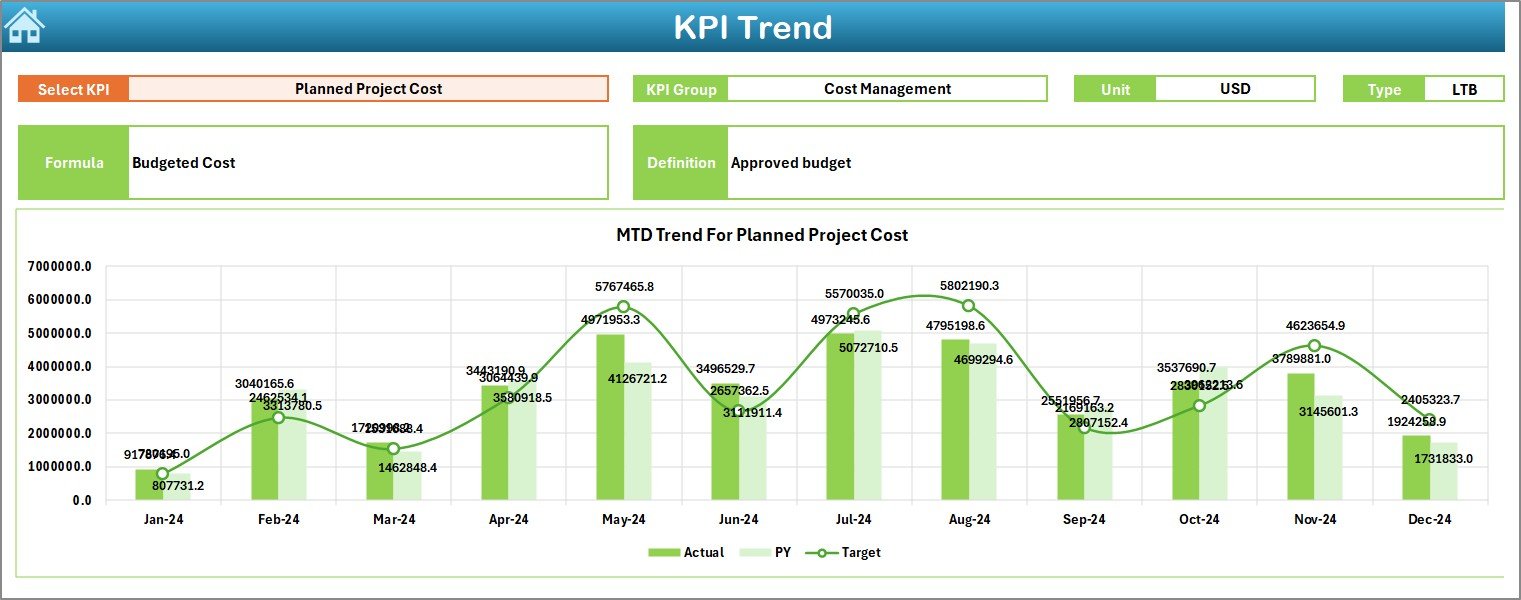
📌 Trend Sheet
Select KPI using dropdown
View KPI Group, Unit, Type, Formula
Analyze:
MTD trend
YTD trend
Performance comparison
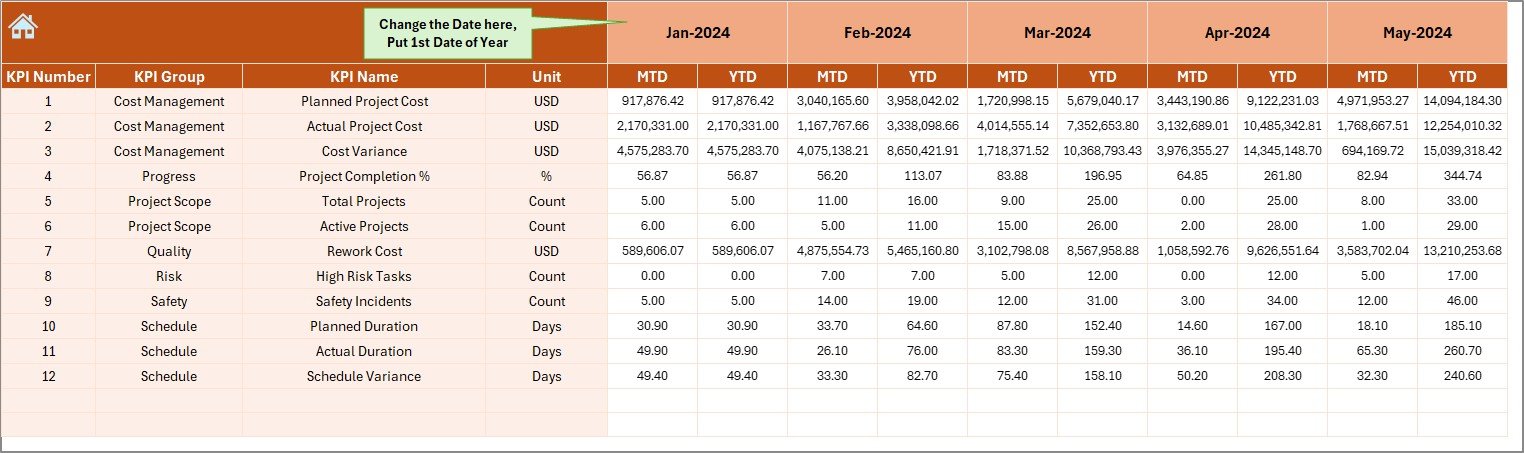
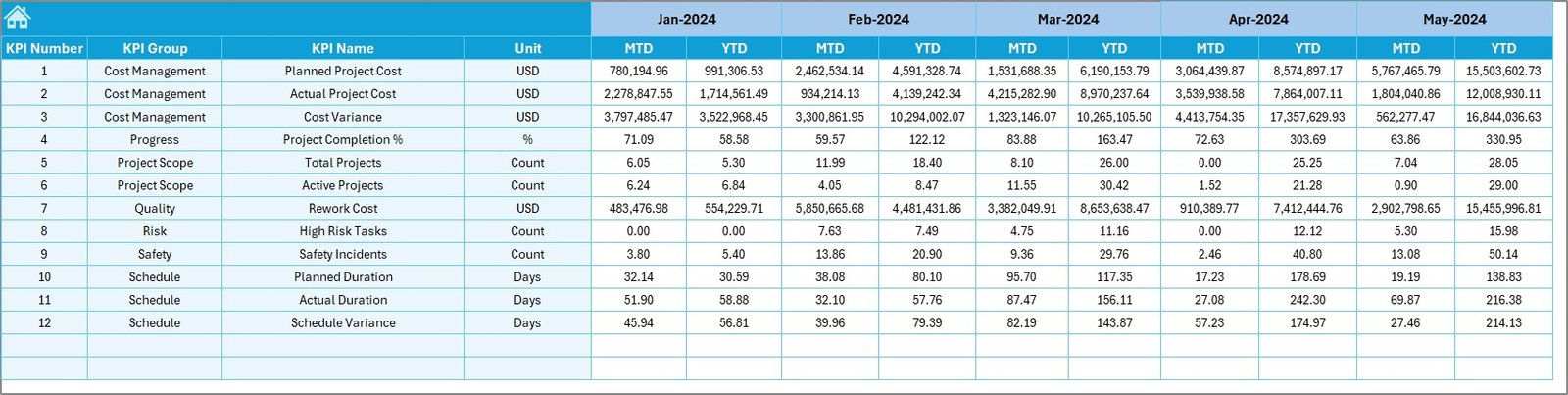
📌 Actual Numbers Sheet
Enter monthly project performance data
Automatic calculations
Supports MTD and YTD tracking
📌 Target Sheet
Define KPI targets
Monthly and yearly planning
Helps align performance with goals
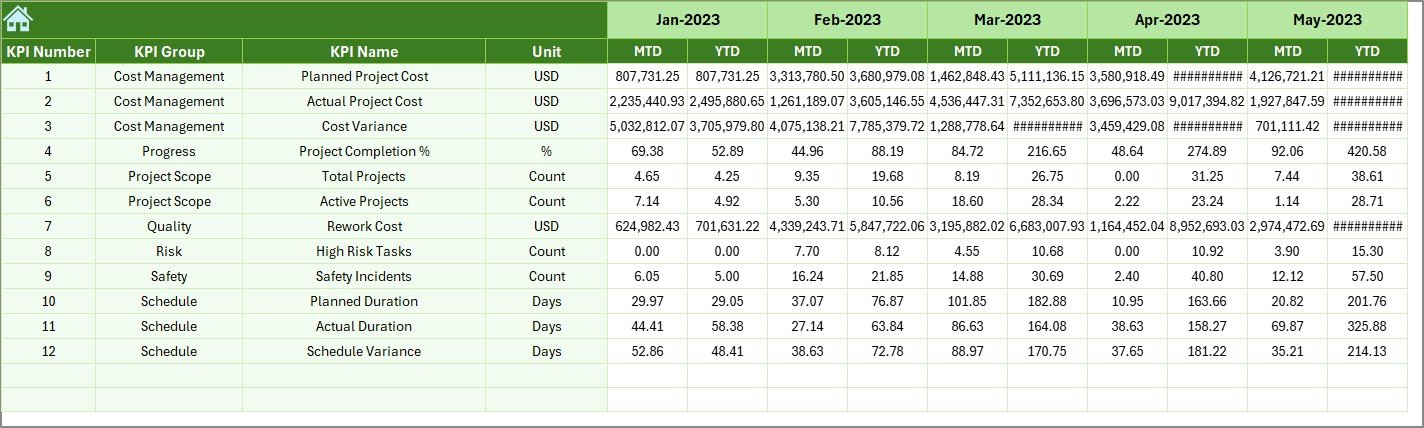
📌 Previous Year Sheet
Stores historical data
Enables year-over-year analysis
Improves forecasting accuracy
📌 KPI Definition Sheet
KPI Name
KPI Group
Unit
Formula
Definition
This ensures clarity, consistency, and easy understanding for all users.
⚙️ How to Use the Health Project Management KPI Dashboard
1️⃣ Enter project data in the Actual Numbers Sheet
2️⃣ Define goals in the Target Sheet
3️⃣ Select the month from the dashboard
4️⃣ Review KPIs, trends, and performance
5️⃣ Analyze gaps and take corrective action
6️⃣ Share insights with stakeholders
No technical skills required — just enter data and analyze results.
👥 Who Can Benefit from This Dashboard?
✔ Healthcare Project Managers
✔ Hospital Administrators
✔ PMO Teams
✔ Healthcare Consultants
✔ Quality & Compliance Teams
✔ Operations Managers
✔ Finance & Planning Teams
Whether you manage a single hospital project or multiple healthcare initiatives, this dashboard fits perfectly.
✅ Why Choose This Dashboard?
✔ Improves decision-making
✔ Saves reporting time
✔ Enhances transparency
✔ Reduces project risks
✔ Supports data-driven management
✔ Works without macros or BI tools
✔ Fully customizable
This dashboard helps you stay in control, meet deadlines, and deliver successful healthcare projects.
















Reviews
There are no reviews yet.