



The Healthcare Project Timeline KPI Dashboard in Excel is a powerful tool designed specifically for healthcare project managers and teams to plan, track, and analyze the progress of healthcare projects. Whether you’re overseeing the construction of a healthcare facility, managing a medical research project, or handling the implementation of new healthcare technologies, this dashboard helps you keep everything on track and aligned with your project goals.
Built in Excel, this dashboard offers a comprehensive view of your project timeline, key milestones, and performance metrics. With real-time updates, you can monitor progress against deadlines, identify bottlenecks, and ensure that your healthcare projects stay on schedule and within budget. The easy-to-use interface allows project managers and teams to make data-driven decisions, ensuring the successful completion of projects.
Key Features of the Healthcare Project Timeline KPI Dashboard in Excel
📅 Project Timeline Tracking
Easily track project timelines and milestones. This feature helps you visualize the entire project from start to finish, ensuring that all tasks are completed on time.
📈 KPI Performance Monitoring
Monitor key performance indicators (KPIs) to track the success of your project. KPIs such as project completion percentage, budget utilization, and time management provide a quick overview of project health.
🔑 Milestone Progress Tracking
Track each project milestone and compare it with your original timeline. This feature highlights if a milestone is ahead, on schedule, or delayed, helping you take necessary actions.
💼 Task Management
Assign tasks to team members and set deadlines. Track the progress of each task to ensure nothing falls behind. This section improves team collaboration and accountability.
📊 Real-Time Updates
The dashboard integrates real-time data updates, allowing you to make informed decisions based on the most current project information.
⚙️ Customizable & Flexible
This dashboard is fully customizable to fit your specific healthcare project needs. Adjust the KPIs, timelines, and data sources to match your project requirements.
Why You’ll Love the Healthcare Project Timeline KPI Dashboard in Excel

✅ Effective Project Monitoring
Stay on top of project timelines, milestones, and KPIs. Easily visualize your project’s progress and make necessary adjustments before delays occur.
✅ Comprehensive KPI Tracking
Track performance with essential KPIs, including budget utilization, task completion, and milestone achievement, ensuring projects stay within scope and objectives.
✅ Real-Time Data for Better Decisions
With real-time data updates, your team can make accurate and timely decisions that improve project outcomes and ensure on-time delivery.
✅ Enhanced Team Collaboration
Assign tasks, set deadlines, and monitor progress easily. This feature improves communication and accountability across the entire project team.
✅ Scalable & Adaptable for All Projects
Whether you are managing a small research project or a large healthcare infrastructure initiative, this dashboard can be scaled to fit any project size and complexity.
What’s Inside the Healthcare Project Timeline KPI Dashboard in Excel?
Project Timeline: Visual representation of the entire project timeline with key milestones.
KPI Performance Monitoring: Track essential KPIs such as budget and time management.
Milestone Progress Tracking: Monitor milestone completion in real time.
Task Management: Assign and track tasks across different project phases.
Real-Time Data Updates: Get real-time project performance data for better decision-making.
Customizable Fields: Tailor the dashboard to suit specific project needs.
How to Use the Healthcare Project Timeline KPI Dashboard in Excel
1️⃣ Download the Template: Get instant access to the Healthcare Project Timeline KPI Dashboard.
2️⃣ Customize the Dashboard: Adapt the dashboard to fit the specific healthcare project you are working on, adjusting milestones, timelines, and KPIs.
3️⃣ Assign Tasks & Set Deadlines: Input tasks and assign them to the team with specific deadlines.
4️⃣ Monitor Progress: Track project milestones, task completion, and overall project performance against the timeline and budget.
5️⃣ Take Action Based on Insights: Use the insights to adjust timelines, reassign tasks, or allocate additional resources to keep the project on track.
Who Can Benefit from the Healthcare Project Timeline KPI Dashboard in Excel?
🔹 Healthcare Project Managers
🔹 Healthcare Facility Planners
🔹 Medical Research Coordinators
🔹 Healthcare IT Managers
🔹 Hospital Administration Teams
🔹 Construction Teams in Healthcare
🔹 Healthcare Consultants
Ensure your healthcare projects are completed on time and within budget with the Healthcare Project Timeline KPI Dashboard in Excel. Track KPIs, milestones, and tasks with ease to make data-driven decisions and achieve project success.
Click here to read the Detailed blog post
Visit our YouTube channel to learn step-by-step video tutorials
Youtube.com/@PKAnExcelExpert
Compatibility and Requirements
- Works in Microsoft Excel desktop (Excel 2016 or later, or Microsoft 365).
- Project timelines, milestones and KPIs are laid out in one workbook. Microsoft explains how to build charts in Create a chart from start to finish.
Frequently Asked Questions
What does the dashboard track?
It tracks the project timeline, milestone progress, task assignments with deadlines, and KPIs such as project completion percentage, budget utilization and time management.
Can I change the milestones and KPIs?
Yes. The milestones, timelines, KPIs and data sources can be adjusted to fit your healthcare project.
How do I know if a milestone is late?
Milestone progress is compared with your original timeline, so each milestone shows as ahead, on schedule or delayed.
Can I assign tasks to team members?
Yes. You enter tasks, assign them to team members and set deadlines, then follow each task’s progress in the workbook.
Is there a Google Sheets or Power BI version?
I don’t have a Google Sheets or Power BI edition of this exact dashboard. For a general Excel option, see the Project Timeline Dashboard in Excel.
Related Project Timeline and Healthcare Templates
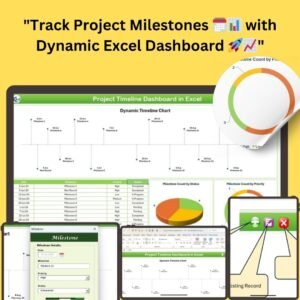
- Project Timeline Dashboard in Excel: a timeline dashboard for any project type
- Healthcare Project Calendar in Excel: a calendar view for healthcare projects
- Healthcare Dashboard in Excel: a wider healthcare performance view
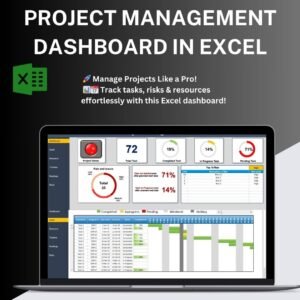
- Project Management Dashboard in Excel: portfolio-level project tracking
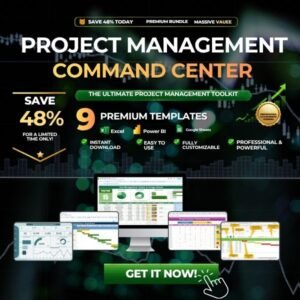
- Project Management Pro Bundle: 9 project templates in one download
Browse all Excel KPI dashboards and Excel project management templates.




















Reviews
There are no reviews yet.