🎉 Black Friday Sale: 40% OFF everything with code BF40 · ends 1 Dec  Shop now →

Finance Operations AI Implementation Calendar in Excel

MS Excel - instant download

Original price was: ₹999.00.Current price is: ₹499.00.
Details, requirements and demo below
Sale!

Finance Operations AI Implementation Calendar in Excel

Original price was: ₹999.00.Current price is: ₹499.00.

Simplify AI adoption in finance with our Finance Operations AI Implementation Calendar in Excel 📊🤖. Plan, track & monitor milestones easily!

✨ Highlights:

  • 📅 5 Structured Worksheets – Annual, Monthly, Daily & Events.

  • ⚡ Interactive Buttons – Add, update & delete records instantly.

  • 🎯 Annual Roadmap – Highlight milestones & compliance deadlines.

  • 🗓️ Monthly Planning – Schedule training, testing & audits.

  • 📋 Daily Tracking – Drill into AI project tasks by date range.

  • 🛠️ Events Database – Central log with ID, time, location & details.

  • 🎨 Customizable Themes – Highlight weekends & important dates.

  • 🚀 Scalable Tool – Manage multiple AI projects in one file.

  • 💼 For Finance Teams – CFOs, managers & project leads.

  • ✅ Easy to Use – Works with standard Excel, no coding required.

Customize this template for your business (optional)

Handled by email: we contact you within 1 business day. One revision round included. What is included

- +

💡 Buy any 2 templates and save 20% automatically at checkout.

Included in All-Access Templates. Get this plus 7,000+ templates for ₹4,999.00 a year. Compare plans →
Pricing country
Prices follow your selected country; checkout uses your billing country.
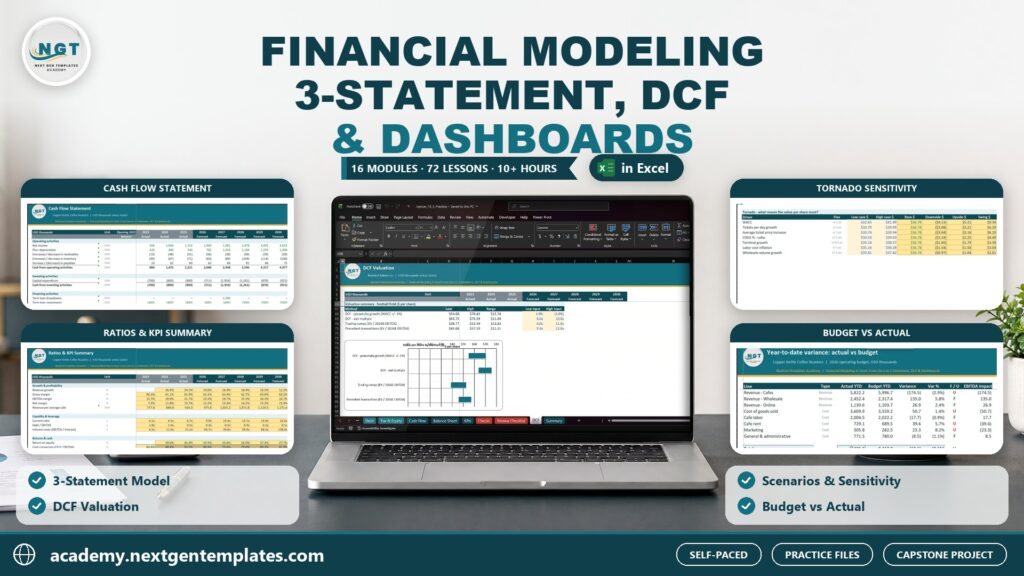
Financial Modeling in Excel: 3-Statement, DCF & Dashboards courseLaunch offer
🎓 NEXTGENTEMPLATES ACADEMY
Want to build financial models like this yourself?
Financial Modeling in Excel: 3-Statement, DCF & Dashboards

Build a linked three-statement model, a DCF valuation, scenarios and budget vs actual, plus a Power BI finance dashboard. 10h 27m of video by PK, with practice and solution files for every lesson.

Finance operations are the backbone of every business. From budgeting and compliance to cash flow management and audits, finance teams manage activities that directly affect stability and growth. But as businesses scale, manual methods of tracking and scheduling become inefficient, error-prone, and overwhelming. That’s where the Finance Operations AI Implementation Calendar in Excel steps in 📊🤖.

This ready-to-use template combines structured scheduling with interactive Excel features to help finance teams plan, monitor, and execute AI-driven initiatives. Whether you’re introducing invoice automation, anomaly detection, or predictive forecasting, this calendar ensures that every milestone is tracked—so nothing slips through the cracks.


✨ Key Features of Finance Operations AI Implementation Calendar
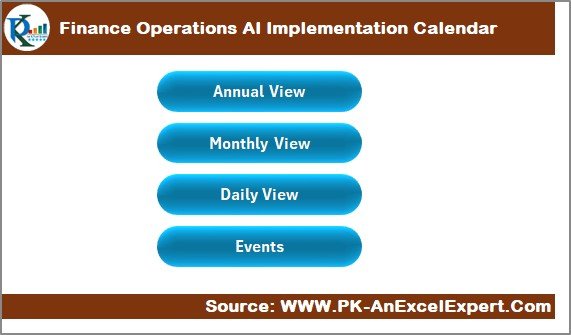
Finance Operations AI Implementation Calendar

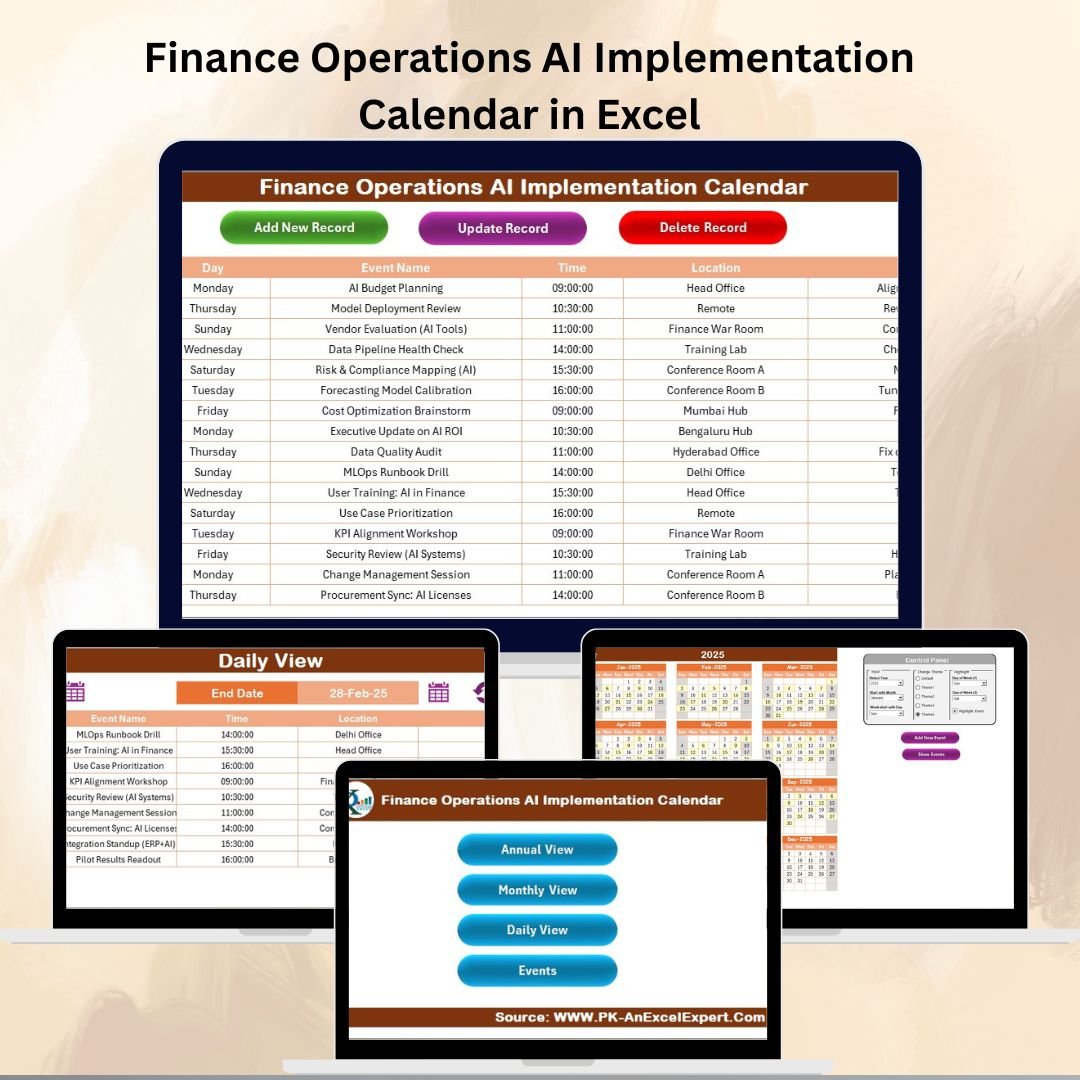
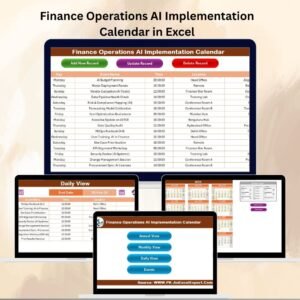
✅ 5 Structured Worksheets – Home, Annual View, Monthly View, Daily View, and Events database.
✅ Home Page Navigation – One-click buttons for seamless movement between sheets.
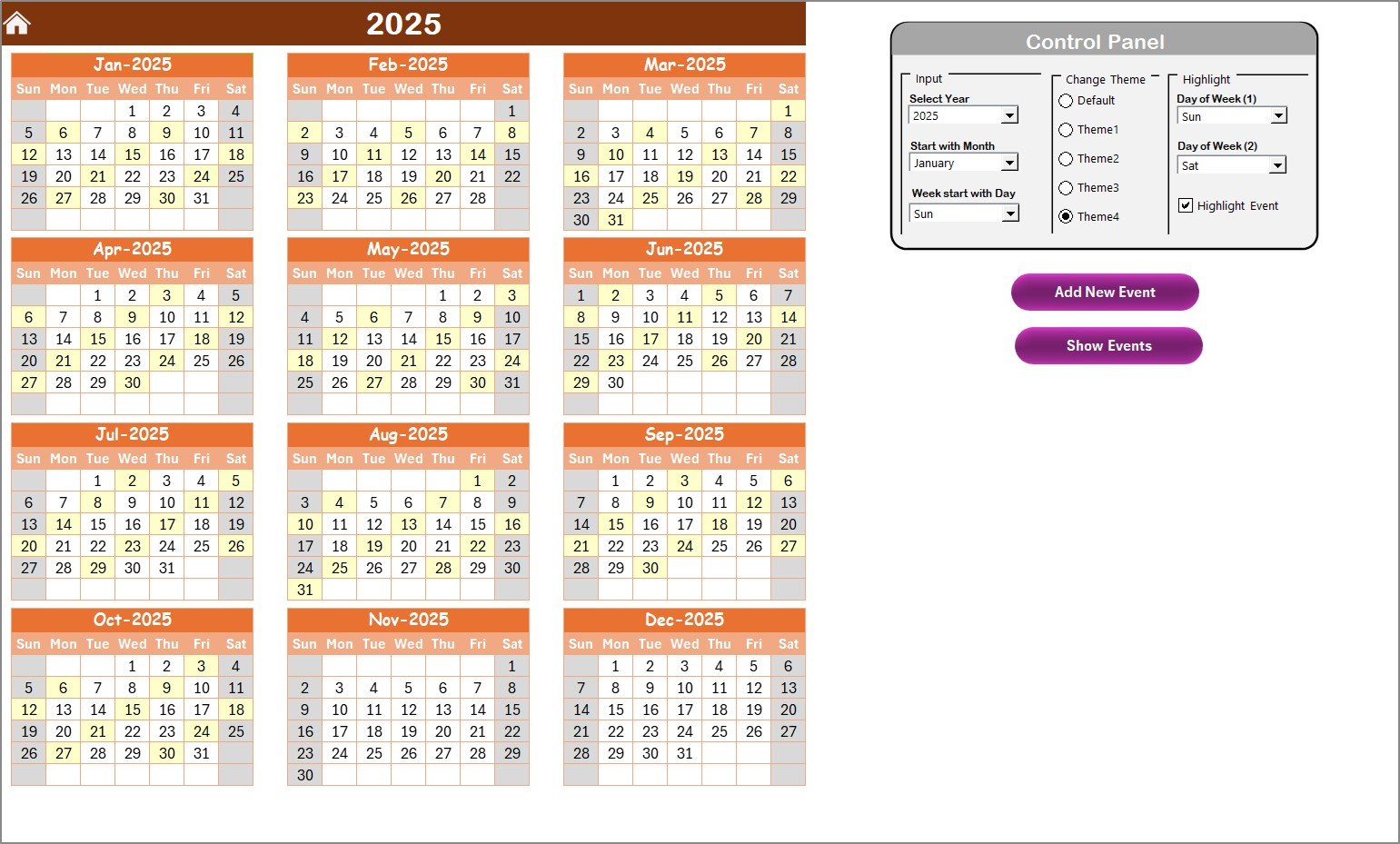
✅ Annual View – Bird’s-eye perspective of the entire year with customization options.
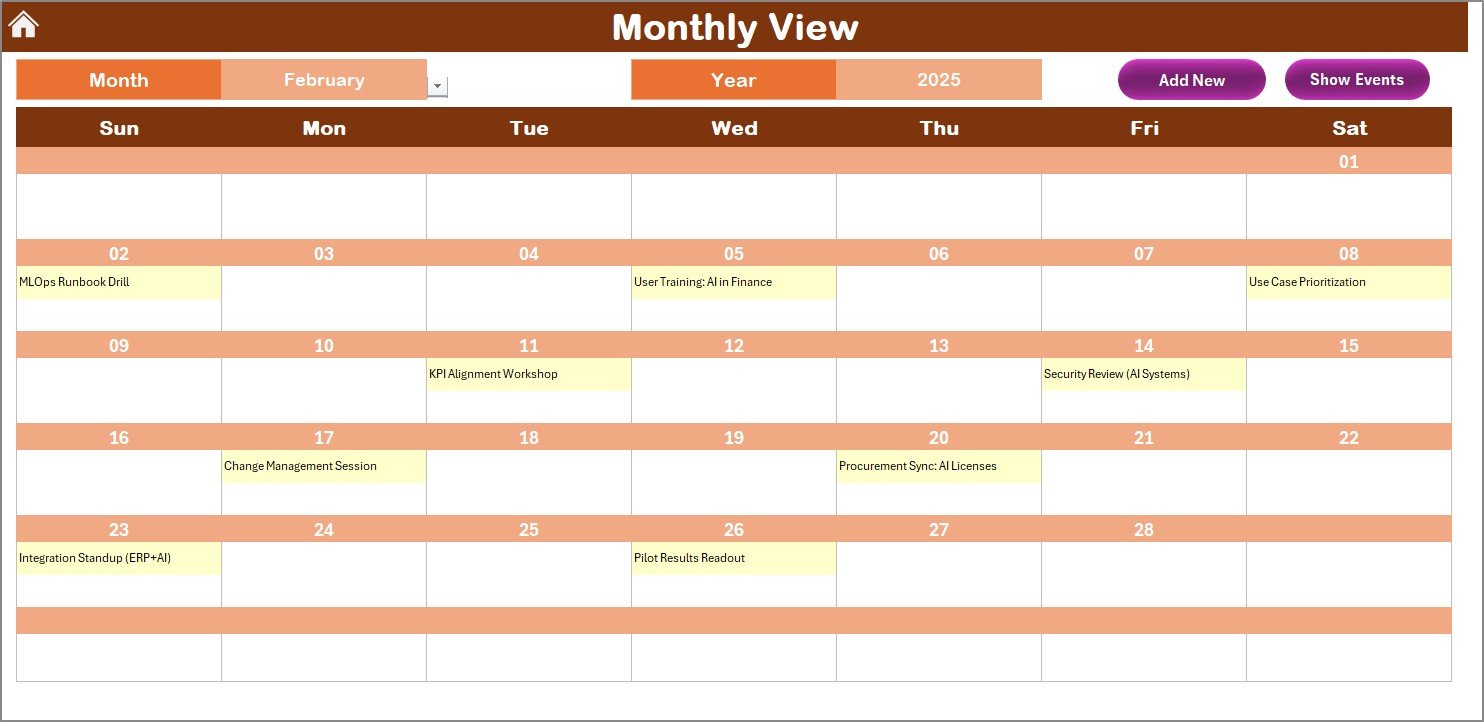
✅ Monthly View – Detailed breakdown of tasks/events for each month with add/show event buttons.
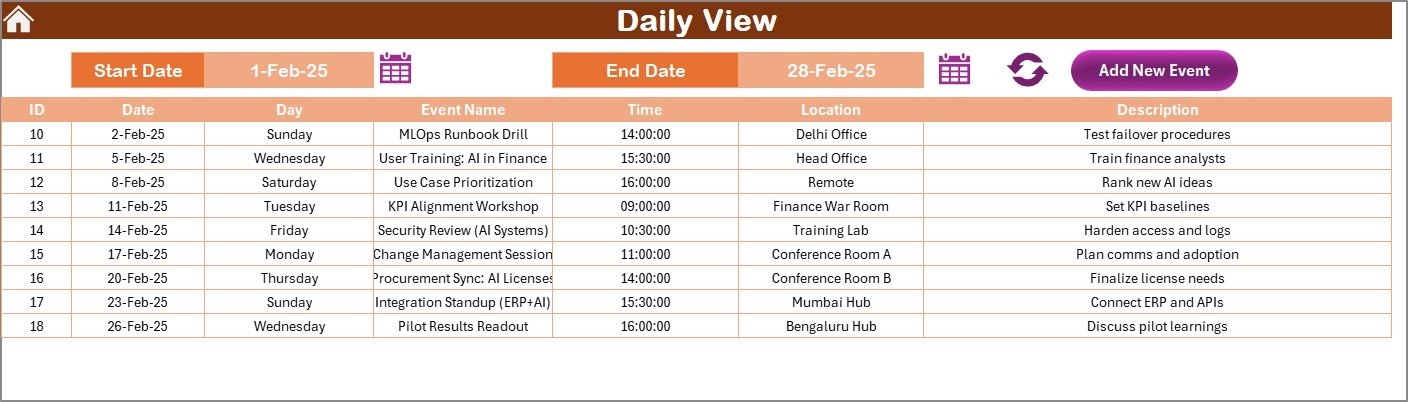
✅ Daily View – Drill down into tasks over a date range for granular tracking.
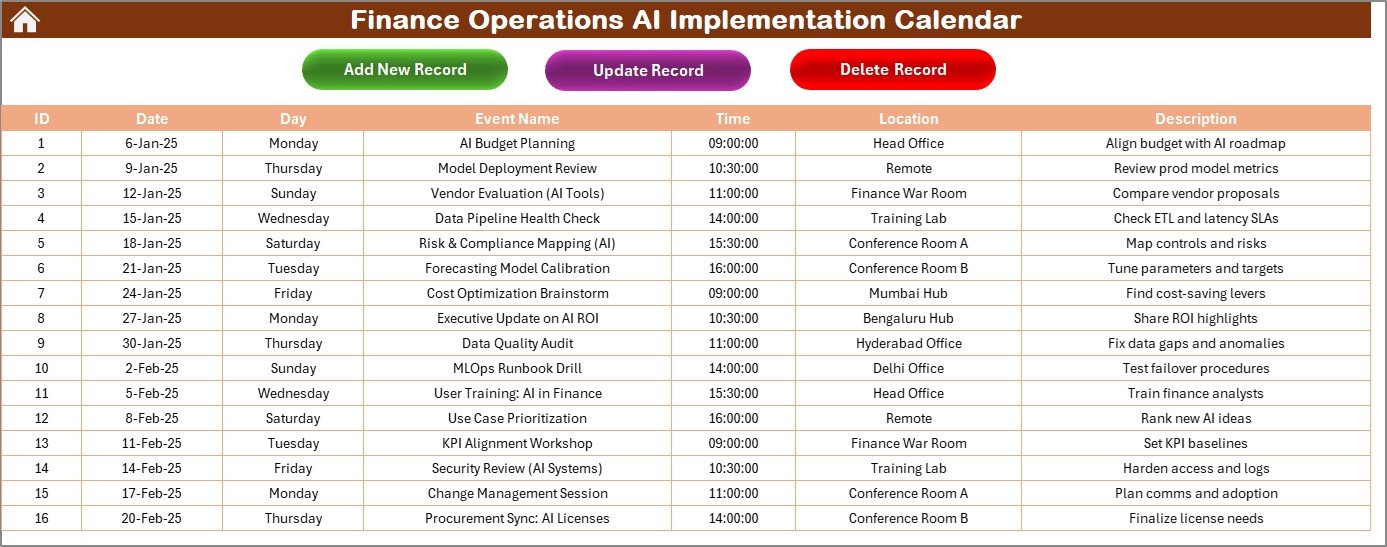
✅ Events Database – Central record with ID, date, day, time, event name, location, and description.
✅ Interactive Buttons – Add, update, and delete events via built-in forms.
✅ Customization Options – Change themes, highlight weekends, and mark critical milestones.
✅ Scalable Design – Add unlimited AI implementation events as projects grow.
✅ Excel-Based Flexibility – No extra software required; works with familiar Excel features.


📊 What’s Inside the Finance Operations AI Implementation Calendar in Excel

When you download this template, you’ll receive a fully functional Excel system that includes:

  • Home Sheet – User-friendly index with navigation buttons.

  • Annual View – 12-month calendar with controls for year, start month, theme selection, and event highlighting.

  • Monthly View – A focused view with event markers and quick access to add/show event buttons.

  • Daily View – Custom date-range tracking with refreshable event lists.

  • Events Sheet – The core database where every event is stored with details such as ID, event name, time, and description.


🛠️ How to Use the Finance Operations AI Implementation Calendar

1️⃣ Open the Template – Start from the Home sheet for easy navigation.
2️⃣ Plan Annually – Use the Annual View to highlight major milestones like pilot phases or deployment.
3️⃣ Detail Monthly Schedules – Break down AI initiatives into monthly tasks (e.g., staff training, testing).
4️⃣ Track Daily Activities – Use Daily View for granular tasks like compliance checks or AI audits.
5️⃣ Maintain Events Database – Add, update, or delete records with just one click.
6️⃣ Monitor Progress – Leverage highlights and themes to keep priorities visible.

Even non-technical staff can use this tool with ease—basic Excel knowledge is enough ⚡.


👥 Who Can Benefit from the Finance Operations AI Implementation Calendar

💼 CFOs & Finance Leaders – Oversee AI adoption with structured tracking.
📊 Finance Managers – Coordinate monthly and daily project activities.
🤖 AI Project Leads – Ensure timelines for pilots, deployments, and reviews are met.
🏢 Organizations of All Sizes – From startups to enterprises, this tool supports scalable AI integration.


Click here to read the Detailed blog post

Visit our YouTube channel to learn step-by-step video tutorials
👉 PKAnExcelExpert

Watch the step-by-step video tutorial:

Compatibility and Requirements

  • Works in Microsoft Excel desktop (Excel 2016 or later, or Microsoft 365).
  • The Annual, Monthly and Daily views, the add, update and delete event buttons and the Events sheet are set up for Excel. Microsoft explains how to print a worksheet or workbook if you want a paper copy of a view.

Frequently Asked Questions

Which sheets are included?

Five sheets: Home, Annual View, Monthly View, Daily View and Events.

Where are my AI implementation events stored?

On the Events sheet. Each record has an ID, date, day, time, event name, location and description.

How do I add, change or remove an event?

Use the add, update and delete buttons with the built-in forms. The Monthly View also has add and show event buttons.

Can I change how the calendar looks?

Yes. The Annual View lets you set the year and start month, pick a theme, and highlight weekends and key milestones.

Is there a similar calendar for another team?

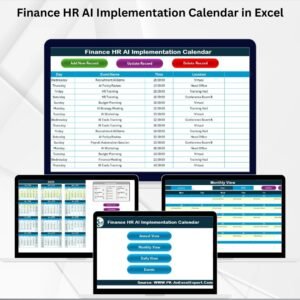
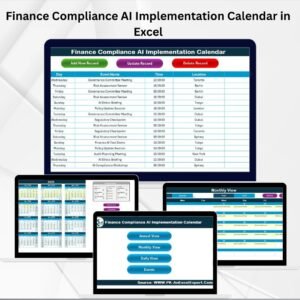
Yes. See the Finance HR AI Implementation Calendar in Excel and the Finance IT AI Implementation Calendar in Excel.

Related AI Implementation Calendars

Browse all Excel calendar templates.
Frequently asked questions

Which Excel version do I need?
Microsoft Excel 2016 or later on desktop (Microsoft 365 recommended). Many of our formula templates also open in Excel 2013 and Excel for the web - the exact requirement is listed in this product's description.
Does it work on Mac?
Yes. Formula-based Excel templates (no macros) work in Excel for Mac 2016 or later.
Does it work on mobile or Excel Online?
You can view it in the Excel mobile app and Excel for the web, but for entering data, using slicers and refreshing pivots we recommend desktop Excel.
How do I add my own data?
Replace the sample rows on the data sheet with your own (keep the column headers), then click Data > Refresh All so every chart and pivot updates.
Some sheets are protected - how do I edit them or change the logo?
A few of our trackers, data entry systems and dashboards protect sheets so formulas are not overwritten by mistake. Go to Review > Unprotect Sheet - most have no password. If Excel asks for one, message us with your order number and we will share it straight away.
How many records can it handle?
It has been tested with several thousand rows and suits normal small-business volumes. Excel itself handles over 1 million rows.
Is it a one-time payment or a subscription?
One-time payment. No subscription, no per-user fees and nothing to renew - the file is yours to keep.
How do I get the file after payment?
Instantly. The download link appears on screen after checkout, is emailed to you, and stays under My Account > Downloads on our website. If the email does not arrive within a few minutes, check your spam or promotions folder.
Is a user manual included?
Most of our newer products include a PDF user manual in the download. If yours does not have one, message us with your order number and we will send it.
Do I get free updates?
Bug fixes are always free - if something does not work as described, we fix it and send you the corrected file. New versions with new features are not included in the price, unless this product's description says otherwise.
Can you customise it for me?
Yes. Small changes to this template (your columns, categories, logo, colours, minor layout) cost the template price plus $40-80 (Rs 3,000-6,000 + GST), quoted once you send your list. A fully custom build is usually $100-200 (Rs 8,000-18,000 + GST) with two revision rounds. Email your requirements to [email protected] or message us on WhatsApp.
Can I use it for my business or my clients?
Yes, for your own personal or internal business use, for as long as you like. Reselling or redistributing the template is not allowed.
What is your refund policy?
Because these are digital downloads, they are non-refundable once delivered - except when the product does not match its description (report it within 48 hours of purchase) or there is a technical problem our team cannot fix within 72 hours. Email [email protected] with your order number.
How do I get help?
Email [email protected] (Mon-Fri, 10 AM-7 PM IST) or message us on WhatsApp +91 80770 90260 (chat only, no calls). Please include your order number.

Still have a question? Click Need help? at the bottom-left to ask our assistant, or message us on WhatsApp.

Application

MS Excel

Template Type

Calendar

Price

Paid

Business Or Department

HR and Payroll

Reviews

There are no reviews yet.

Only logged in customers who have purchased this product may leave a review.

You may also like…

Finance Operations AI Implementation Calendar in ExcelFinance Operations AI Implementation Calendar in Excel
Original price was: ₹999.00.Current price is: ₹499.00.
- +
Scroll to Top