

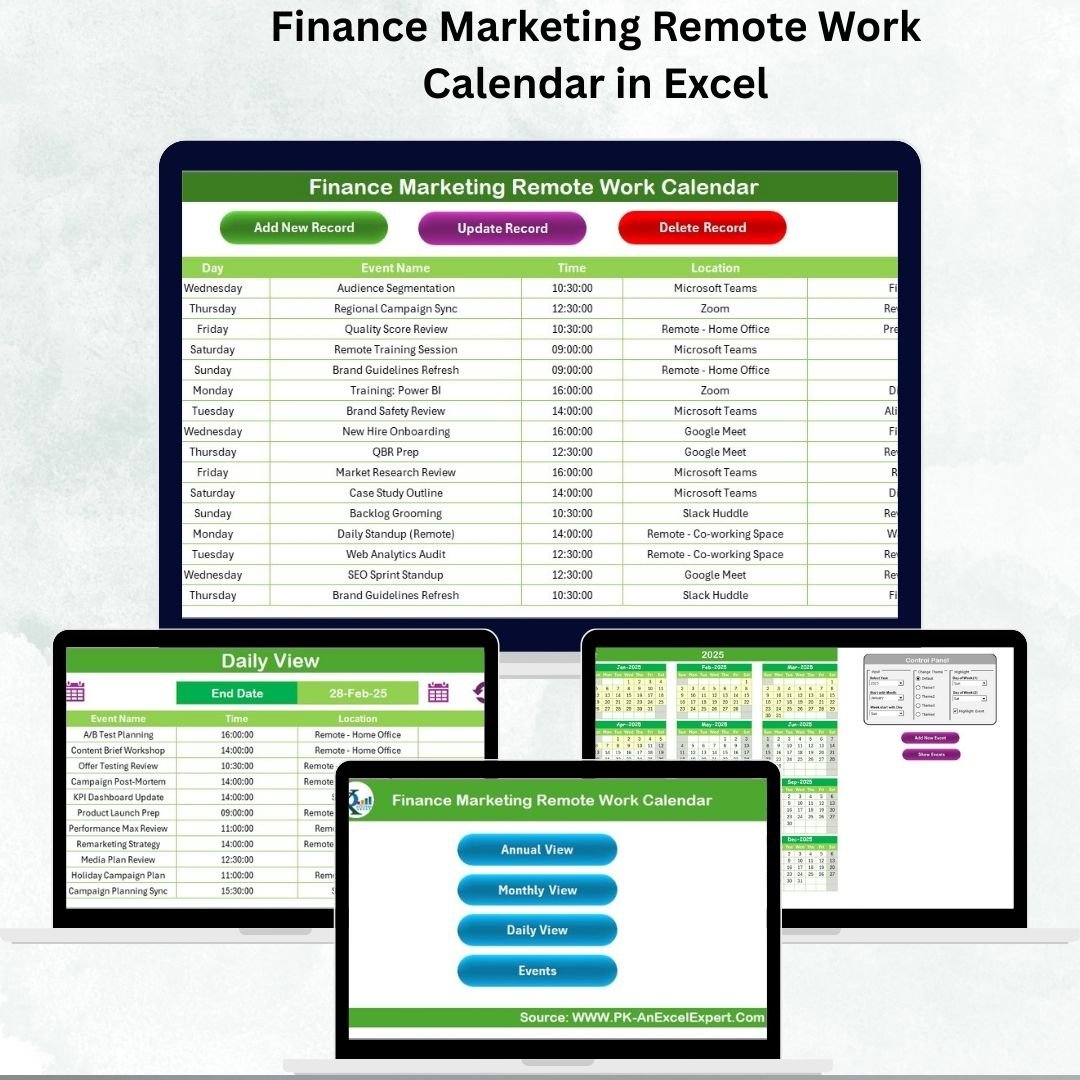

Finance Marketing Remote Work Calendar in Excel 💼📊
In today’s hybrid and remote-first business world, finance and marketing teams must coordinate seamlessly despite being in different locations. Missing a reporting deadline, launching a campaign late, or losing track of tasks can cause major disruptions. To prevent this, we created the Finance Marketing Remote Work Calendar in Excel—a ready-to-use, interactive calendar that simplifies scheduling, improves collaboration, and ensures smooth execution of tasks.
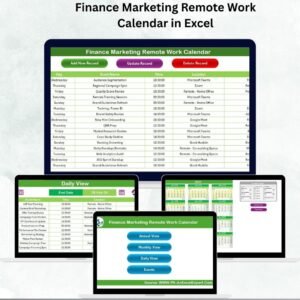
This Excel-based tool provides Annual, Monthly, and Daily views along with an Events database to track meetings, campaigns, financial reports, and key deadlines. With built-in navigation buttons, smart forms, and customization options, it’s the perfect solution for finance and marketing professionals working remotely.
✨ Key Features of the Finance Marketing Remote Work Calendar
🏠 Home Sheet – Central Navigation Hub
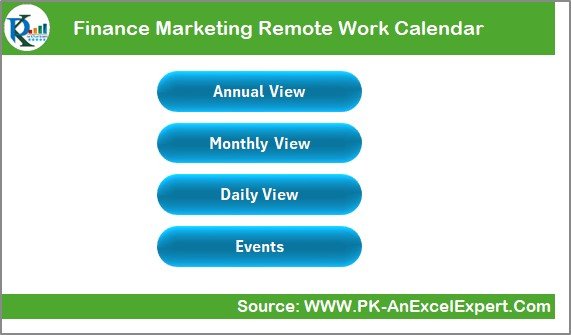
Acts as the dashboard of the tool.
Includes four buttons for easy navigation:
Annual View
Monthly View
Daily View
Events Database
Eliminates time wasted scrolling through sheets, ensuring quick access.
📅 Annual View – Big Picture Planning
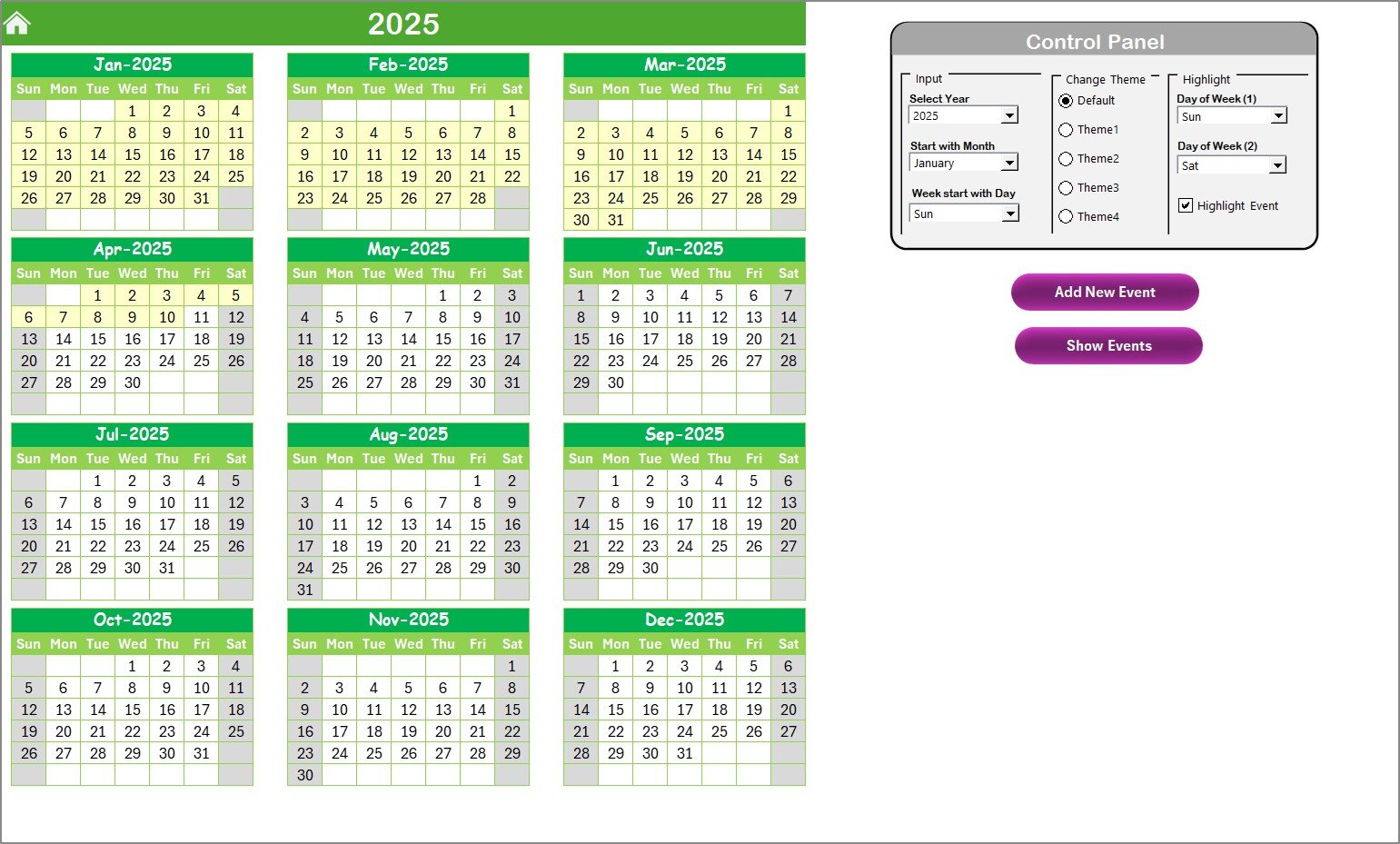
Displays a 12-month calendar for the selected year.
Control Panel includes:
Year and month selection.
Starting day of the week (e.g., Monday/Sunday).
Theme customization (5 color themes).
Highlight options for weekends or important days.
Smart Event Buttons:
Add New Event → Add event details instantly.
Show Event → Review all events for a selected date.
Perfect for annual finance planning, audits, campaign launches, and recurring activities.
📆 Monthly View – Detailed Campaign & Finance Tracking
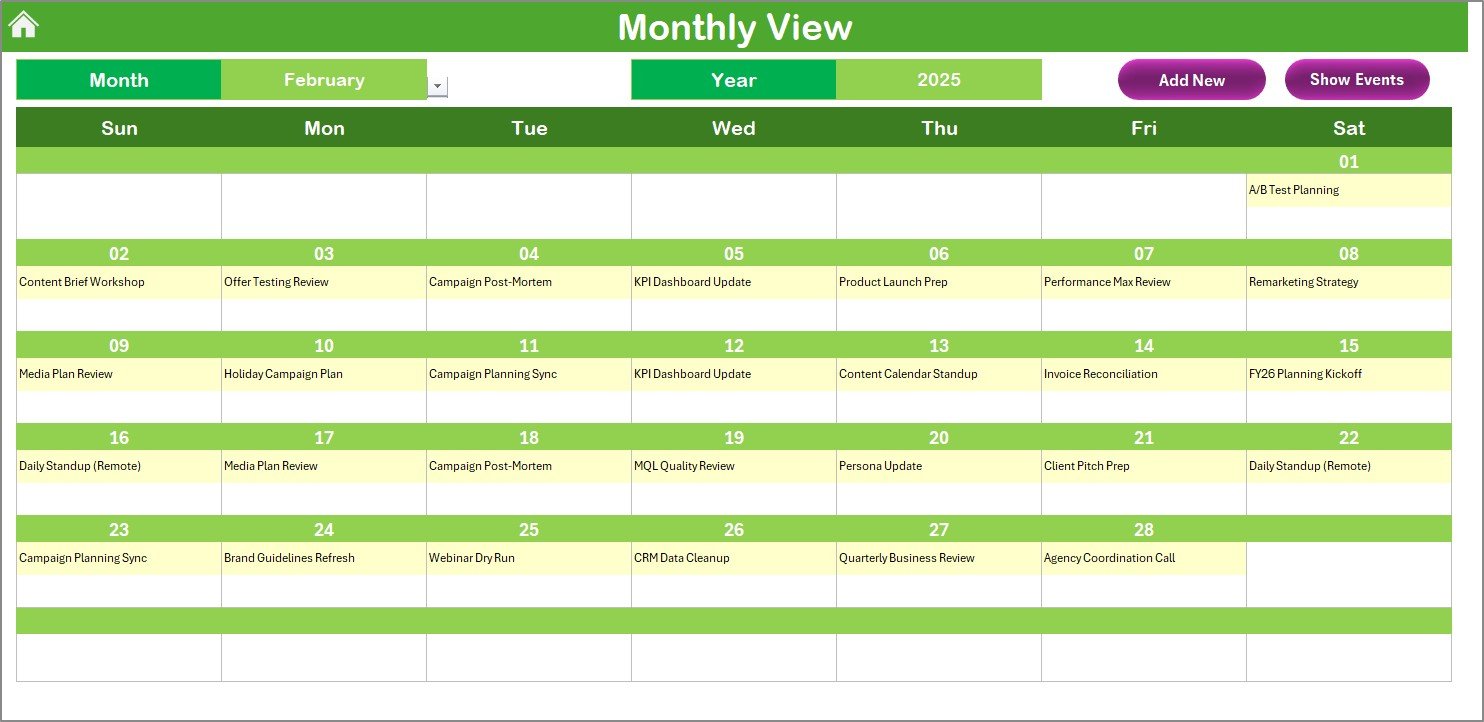
Displays one-month calendar at a time.
Shows the first event in a date cell, or “More than 1…” if multiple exist.
Quick Action Buttons:
Add New Event
Show Event
Ideal for marketing campaign managers, budget reviewers, and finance teams working on month-end reports.
📋 Daily View – Micro-Level Scheduling
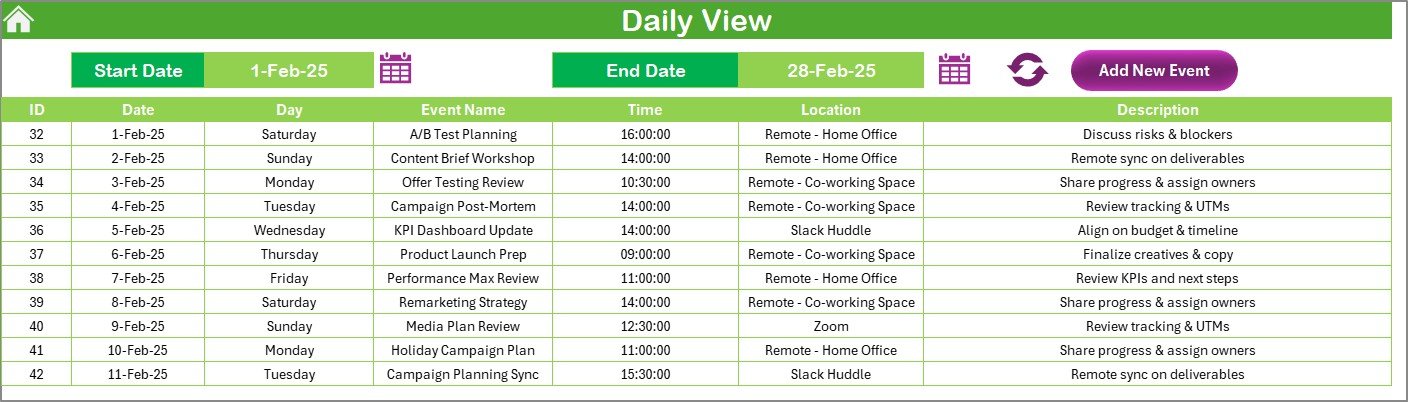
Focused view for day-to-day activity tracking.
Select a start and end date to view specific ranges.
Add or update events with built-in forms.
Includes Refresh button to ensure the latest data is displayed.
Best for tracking team meetings, campaign deliverables, or report submission deadlines.
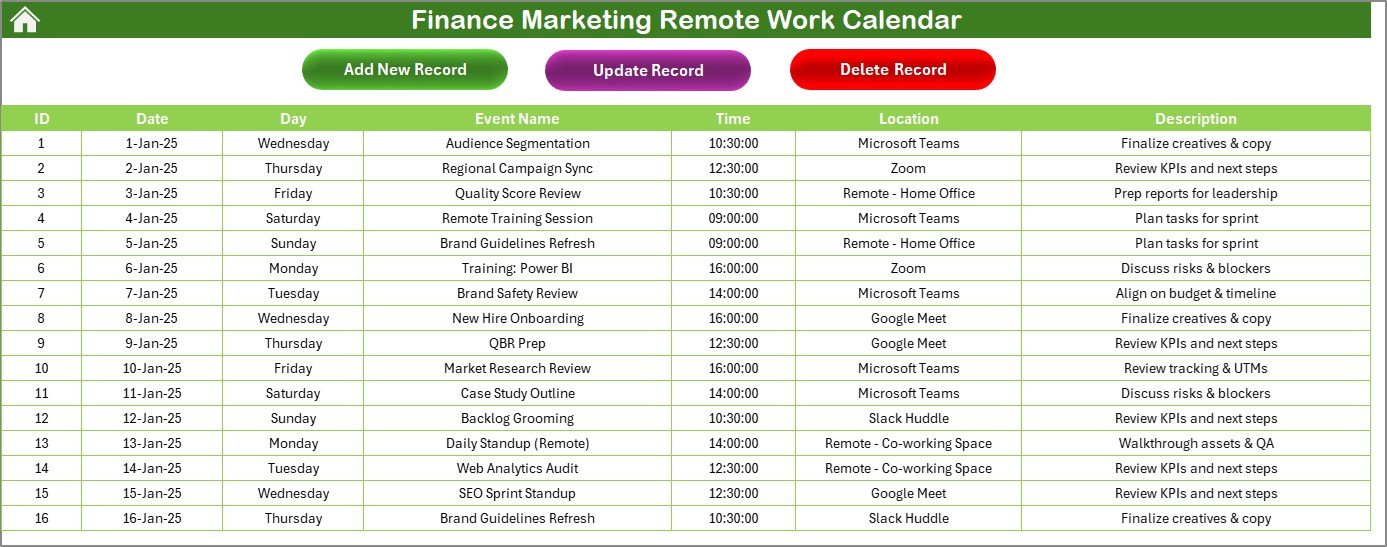
📖 Events Sheet – Master Event Database
Centralized repository for all events and activities.
Captures:
Auto-generated ID
Date & Day
Event Name
Time
Location
Description
Includes event management features:
Add New Record
Update Existing Record
Delete Record
Functions as a historical log for audits, reviews, and reporting.
✅ Advantages of Using the Finance Marketing Remote Work Calendar
📌 Centralized Scheduling – Finance and marketing deadlines in one place.
⏱ Time-Saving – Automated forms reduce manual effort.
👥 Team Collaboration – Works on shared drives for real-time updates.
📊 Visibility – Annual, Monthly, and Daily views enhance planning.
💡 Flexible Customization – Color themes, highlights, and editable lists.
💻 Remote-Ready – Designed for distributed teams.
📈 Accountability – Ensures deadlines are tracked and responsibilities are visible.
💰 Cost-Effective – No expensive software; built in Excel.
🔧 Opportunities for Improvement
🔗 Integration with Google Drive/SharePoint for real-time team updates.
📲 Mobile-friendly interface for on-the-go access.
⏰ Automated reminders via email or notifications.
📊 Enhanced analytics with PivotCharts to review workloads and recurring deadlines.
📌 Best Practices
Update events immediately to avoid miscommunication.
Use descriptive event names for clarity.
Highlight weekends, audits, and campaign deadlines for visibility.
Train teams to use the calendar effectively.
Backup files regularly to prevent data loss.
Encourage consistent usage across teams.
👥 Who Can Benefit?
Finance Teams – Track audits, tax filings, and reporting deadlines.
Marketing Teams – Manage campaigns, launches, and promotions.
Managers – Gain visibility into team activities across departments.
Remote Workers – Stay aligned despite working in different locations.
🚀 Conclusion
The Finance Marketing Remote Work Calendar in Excel is more than just a calendar—it’s a collaboration tool that keeps finance and marketing teams aligned, productive, and efficient. With its Annual, Monthly, and Daily views plus an Events database, it ensures nothing falls through the cracks.
Whether you’re planning yearly audits, monthly promotions, or daily meetings, this template simplifies scheduling, improves accountability, and fosters better teamwork—making it a must-have for any remote-first organization.
📖 Click here to read the Detailed Blog Post
🎥 Visit our YouTube Channel for step-by-step tutorials
Watch the step-by-step video tutorial:
Compatibility and Requirements
- Works in Microsoft Excel desktop (Excel 2016 or later, or Microsoft 365).
- The Annual, Monthly and Daily views use buttons and forms to add and show events. Excel explains how to build charts and tables in Excel for Windows training.
Frequently Asked Questions
Which views does this calendar include?
It has an Annual view, a Monthly view and a Daily view, plus a Home sheet with four navigation buttons and an Events sheet that stores every record.
What details can I store for each event?
The Events sheet captures an auto-generated ID, the date and day, the event name, the time, the location and a description. You can add, update or delete a record.
Can I change how the calendar looks?
Yes. The Annual view has a control panel where you choose the year and month, the starting day of the week and one of 5 color themes. You can also highlight weekends or important days.
What happens when a date has more than one event?
The Monthly view shows the first event in the date cell, or “More than 1…” when there are several. Use the Show Event button to see all events for that date.
Is there a version for another department?
Yes. See the Marketing Remote Work Calendar in Excel and the Finance Operations Remote Work Calendar in Excel.
Related Remote Work Calendar Templates
- Marketing Remote Work Calendar in Excel: the same calendar for marketing teams
- Finance HR Remote Work Calendar in Excel: for finance and HR teams
- Finance Sales Remote Work Calendar in Excel: for finance and sales teams
- Marketing Team Remote Work Calendar in Excel: a calendar for marketing teams
- Calendar & Planner Pack: 12 Excel and Google Sheets calendar and planner templates in one download
Browse all Excel calendar templates.































Reviews
There are no reviews yet.