



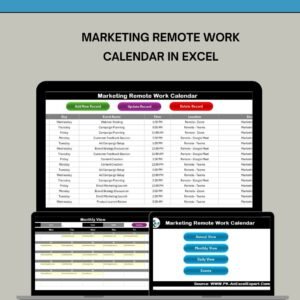
The Marketing Remote Work Calendar in Excel is a powerful, user-friendly tool designed to help marketing teams and remote workers organize their work schedules, campaigns, and tasks. This Excel-based calendar helps marketing professionals manage deadlines, track project timelines, and collaborate effectively while working remotely.
Whether you are planning marketing campaigns, content publishing, social media scheduling, or tracking project milestones, this calendar provides a centralized platform for remote work organization. The customizable calendar is perfect for marketing teams that want to stay on top of important dates, task deadlines, and key marketing activities, ensuring everything runs smoothly and on time.
Key Features of the Marketing Remote Work Calendar in Excel
📅 Comprehensive Calendar Layout
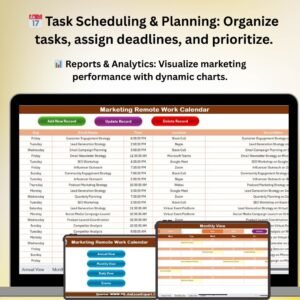
The calendar provides a clear, organized view of tasks, deadlines, and activities. Track marketing campaigns, content creation, social media posts, and email marketing schedules with ease.
📝 Task & Project Management
Assign tasks and track progress for each project. Set up deadlines, responsibilities, and priorities to ensure all team members are aligned and on track.
📊 Marketing Campaign Tracking
Plan and monitor your marketing campaigns in real-time. Track the launch dates, milestones, and results for each campaign to ensure everything is progressing according to plan.
⚙️ Customizable & Flexible
The calendar is fully customizable. Tailor the calendar to suit your team’s specific needs, whether it’s social media management, content creation, or email marketing campaigns.
📈 Collaboration & Team Coordination
Share the calendar with your team to ensure everyone is on the same page. Remote teams can easily update the calendar to reflect progress, changes, or new tasks.
🔄 Time-Based Scheduling
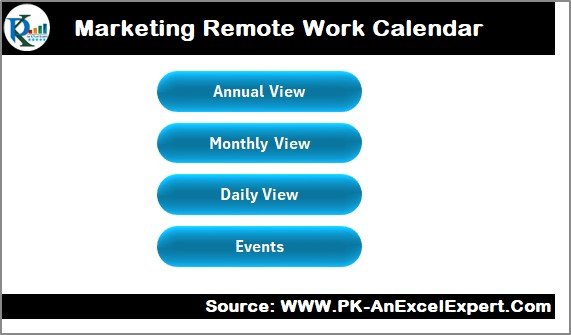
The calendar is structured by day, week, and month to ensure a clear and organized approach to task management. You can easily track short-term and long-term marketing activities and adjust timelines accordingly.
Why You’ll Love the Marketing Remote Work Calendar in Excel
✅ Stay Organized & On Track
With all your marketing tasks, deadlines, and campaigns in one place, you can easily monitor progress and ensure your team meets its goals.
✅ Improve Team Coordination
Coordinate tasks between remote team members and ensure that everyone is on the same page, working towards the same objectives.
✅ Efficient Time Management
Track and manage time more effectively with a comprehensive calendar view. Plan marketing activities ahead of time and adjust schedules based on changing priorities.
✅ Customizable to Your Needs
Whether you’re tracking daily tasks or long-term projects, the calendar can be customized to fit your team’s unique needs, ensuring optimal workflow management.
✅ Enhance Marketing Campaign Success
Monitor and adjust marketing campaigns as needed. Use the calendar to track important dates, deadlines, and progress for each campaign, ensuring maximum impact.
What’s Inside the Marketing Remote Work Calendar in Excel?
Task & Project Management: Track tasks, responsibilities, and deadlines for each marketing activity.
Campaign Tracking: Monitor the launch dates, progress, and results of marketing campaigns.
Comprehensive Calendar Layout: Stay organized with a daily, weekly, or monthly view of your marketing schedule.
Customizable Features: Adjust the calendar to your team’s specific needs and marketing strategies.
Collaboration & Sharing: Share the calendar with your team to ensure effective communication and coordination.
How to Use the Marketing Remote Work Calendar in Excel
1️⃣ Download the Template: Instantly access the Marketing Remote Work Calendar in Excel.
2️⃣ Set Up Tasks & Deadlines: Input your team’s tasks, campaigns, and deadlines into the calendar.
3️⃣ Assign Responsibilities: Assign tasks to team members and track progress.
4️⃣ Monitor Marketing Campaigns: Track the status and success of each marketing campaign.
5️⃣ Update & Adjust Timelines: Keep the calendar updated with changes, new deadlines, or additional tasks to ensure smooth project execution.
Who Can Benefit from the Marketing Remote Work Calendar in Excel?
🔹 Marketing Teams & Departments
🔹 Content Creators & Social Media Managers
🔹 Remote Marketing Professionals
🔹 Project Managers & Campaign Coordinators
🔹 Small & Medium Enterprises (SMBs)
🔹 Large Corporations with Remote Marketing Teams
🔹 Freelance Marketing Professionals
Stay organized and on top of your marketing tasks with the Marketing Remote Work Calendar in Excel. Track campaigns, manage deadlines, and collaborate with your team seamlessly, even from a distance.
Click here to read the Detailed blog post
Visit our YouTube channel to learn step-by-step video tutorials
Youtube.com/@PKAnExcelExpert
Compatibility and Requirements
- Works in Microsoft Excel desktop (Excel 2016 or later, or Microsoft 365).
- New to Excel? Microsoft’s Excel for Windows training covers the basics.
Frequently Asked Questions
What can a remote marketing team schedule in this calendar?
You can schedule marketing campaigns, content creation, social media posts and email marketing.
Which time views does it use?
The calendar is organized by day, week and month, so you can plan short and long term work.
Can I assign tasks and priorities?
Yes. You can set deadlines, owners and priorities for each task and track progress.
Can I track campaign results?
Yes. You can record launch dates, milestones and results for each campaign.
Can the whole team use it?
Yes. You can share the file so remote team members can update progress, changes and new tasks.
Related Remote Work and Marketing Calendars
- Marketing Remote Work Calendar in Excel: a second remote work calendar for marketing
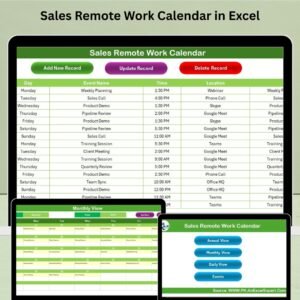
- Sales Remote Work Calendar in Excel: the same calendar for sales teams
- HR Remote Work Calendar in Excel: the same calendar for HR teams
- Marketing AI Implementation Calendar in Excel: plan AI projects in marketing
- Marketing Manager Toolkit: 9 marketing templates in one download
Browse all Excel calendars or the Excel sales and marketing templates.


























Reviews
There are no reviews yet.