

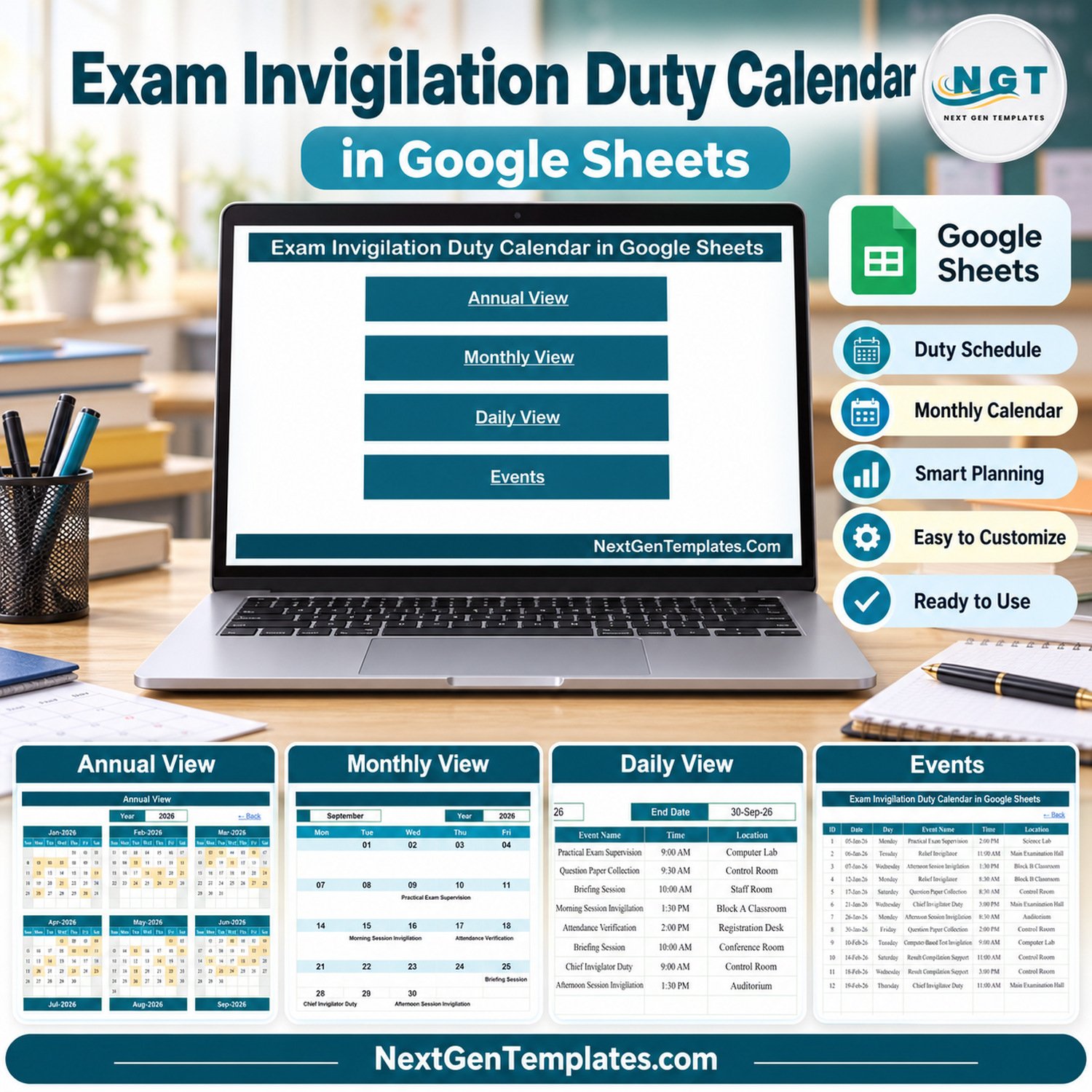
The Exam Invigilation Duty Calendar in Google Sheets gives an examination cell one shared place to plan every invigilation duty of the year. It has five connected tabs (Home, Annual View, Monthly View, Daily View and Events) and ships with 100 fictional sample duties dated 05-Jan-2026 to 29-Dec-2026, covering 15 duty types across 16 halls, labs and offices. Type a duty once in the Events tab and it appears on the year grid, the month calendar and the date-range list automatically.
📅 Built for exam coordinators, heads of department and school or college administrators who currently juggle a paper duty chart, a chat group and a separate spreadsheet.
✅ Instant download · One-time payment · No subscription · No per-user fees · Works in your own Google Drive copy
🔑 Key Features of the Exam Invigilation Duty Calendar in Google Sheets
- 🏠 Home navigation: four large buttons open Annual View, Monthly View, Daily View and Events, and every view has a Back link to Home.
- 🗓️ Annual View: all twelve months of the selected year on one screen, with every date that carries a duty shaded so busy exam windows stand out.
- 📆 Monthly View: pick a month and a year and the duty name is written on its date. When a date holds two or more duties, the cell shows the first one plus an “N more…” counter.
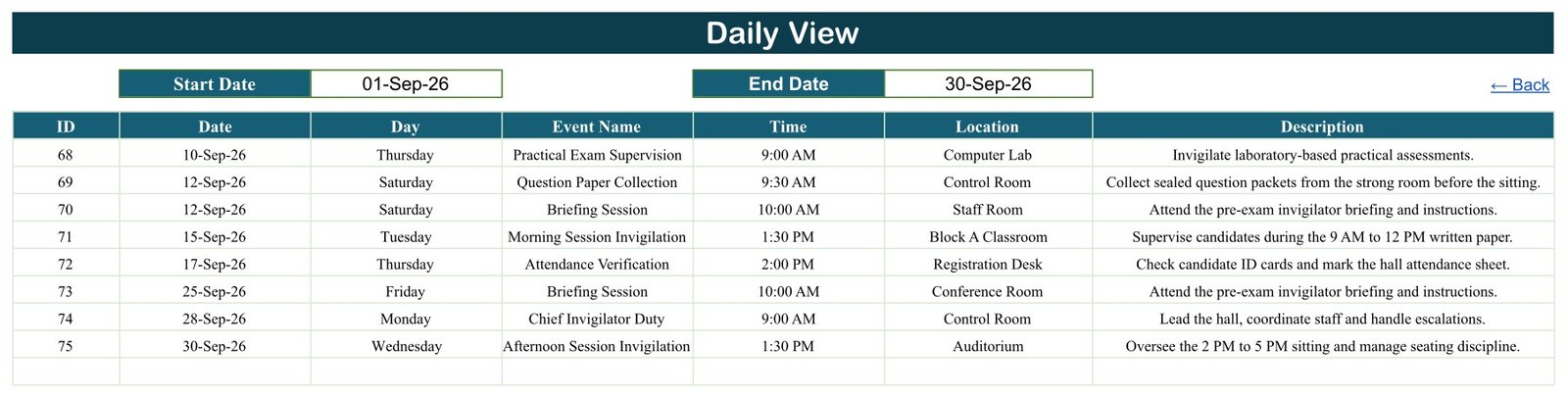
- 📋 Daily View: choose a Start Date and an End Date to list every duty in that window with ID, Date, Day, Event Name, Time, Location and Description, ready to share as the next day’s or next week’s invigilator schedule.
- 🗂️ Events register: one table drives every view, so this invigilation duty calendar never needs a second list kept in sync.
- 🔢 Year selector from 2021 to 2056: reuse the same file for the next exam season by changing one dropdown.
- 🤝 Native Google Sheets sharing: give colleagues view or edit access to your own copy with normal Google Drive permissions.
📦 What’s Inside the Invigilation Duty Calendar
The sample Events tab holds 100 duties, eight or nine in every month of 2026. The 15 duty types are Special Needs Support, Chief Invigilator Duty, Result Compilation Support, Briefing Session, Seating Arrangement Duty, Practical Exam Supervision, Relief Invigilator, Question Paper Collection, Computer-Based Test Invigilation, Morning Session Invigilation, Reserve Duty, Attendance Verification, Afternoon Session Invigilation, Malpractice Report Duty and Answer Script Collection. Sample locations include the Control Room, Main Examination Hall, Auditorium, Computer Lab, Science Lab, Block A, B and C Classrooms, Registration Desk, Records Office, Digital Testing Centre and Strong Room. Rename any of them to match your own campus.
Home
A clean index page with one button per view, so staff who rarely open spreadsheets can still find the right screen.
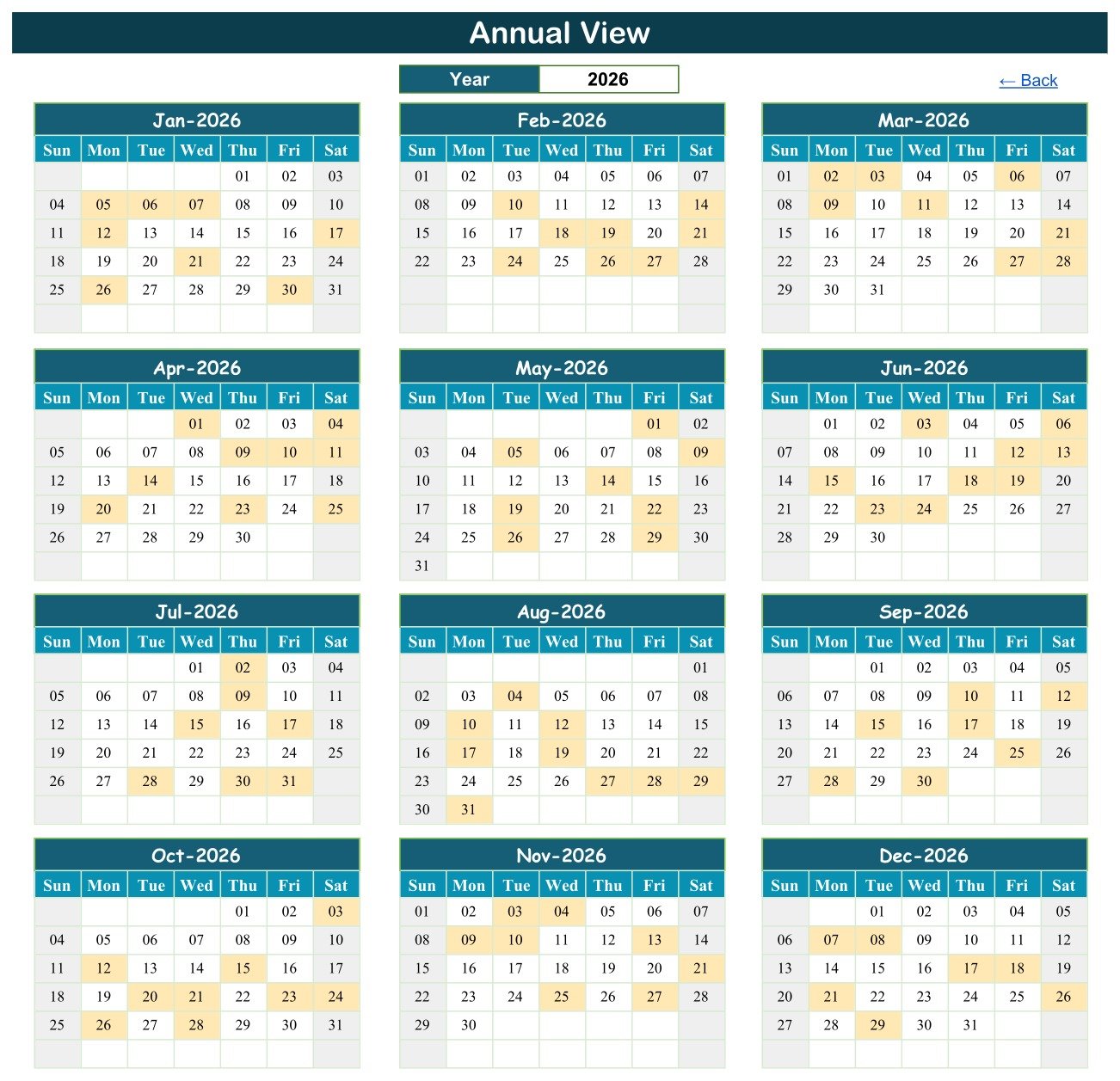
Annual View
Choose the year and all twelve months redraw. Shaded dates mark days with at least one duty, which makes it easy to see where the heavy exam weeks fall before you start allocating staff.
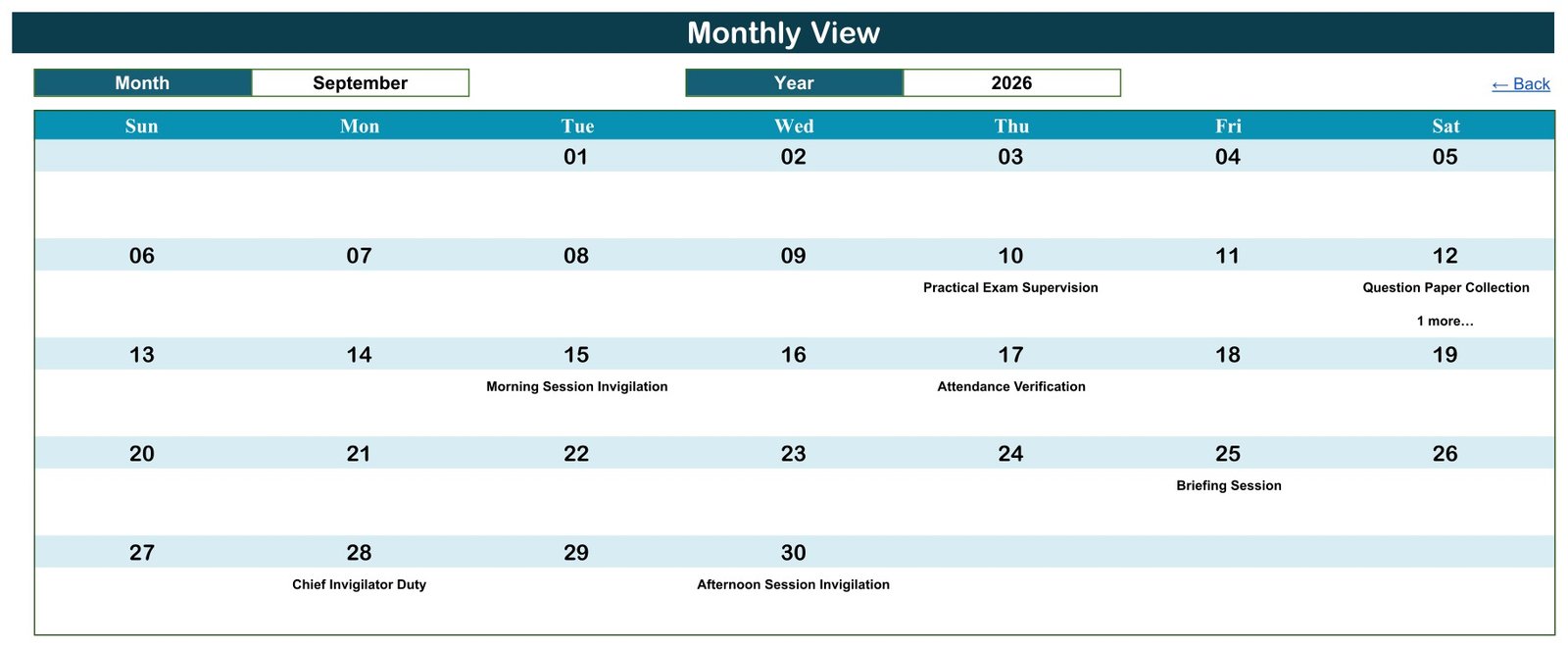
Monthly View
Select a month and year for a wall-calendar layout, the part of this exam duty calendar template most staff will look at, with the duty name on each date. In the September 2026 sample, 12-Sep shows Question Paper Collection with “1 more…” because a Briefing Session falls on the same day.
Daily View
Enter a start and end date and a live filter lists every matching duty. It is the fastest way to produce a printable invigilator schedule for one exam week at a time.
Events
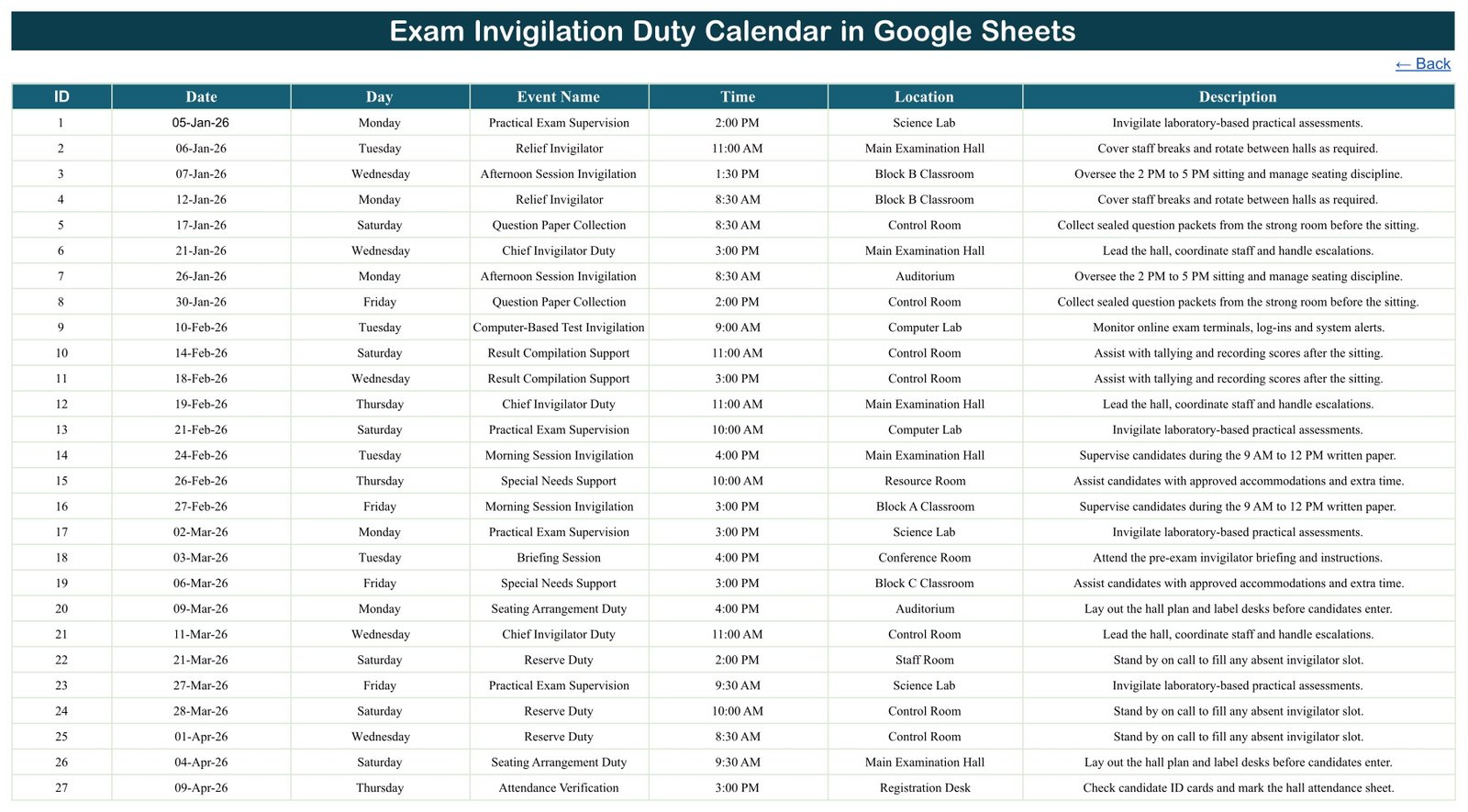
The editable register behind every view, and the heart of this examination duty planner: ID, Date, Day, Event Name, Time, Location and Description. The Date column opens the Google Sheets date picker. The Day column is typed text, not a formula, so update it whenever you type a new date. The sample times are illustrative, and a few do not match the session named in their description, so replace them with your own.
📊 Google Sheets Duty Calendar vs. Excel Edition vs. Paid Exam Software – Where This Fits
| Feature | This Google Sheets calendar | Excel edition | Paid exam management software |
|---|---|---|---|
| Cost | ✅ One-time purchase | One-time purchase plus an Excel licence | Usually a recurring subscription |
| Platform | ✅ Any browser, Google account | Desktop Excel for Windows (macros) | Vendor web or mobile app |
| Setup time | ✅ Make a copy and start typing | Download, unzip, enable macros | Onboarding and configuration |
| Real-time team collaboration | ✅ Native Google Drive sharing | Depends on storage setup | Usually included |
| Views | Annual, Monthly, Daily and Events | Adds a This Month summary and an entry form | Varies by product |
| Customisable fields | ✅ Edit the sheet yourself | Edit the workbook yourself | Depends on plan |
| Automatic duty allocation or clash detection | Not included | Not included | Often available |
| Reminders and notifications | Not included | Not included | Often available |
For an examination cell that wants one shared, editable duty calendar without a subscription, this Google Sheets template sits in the sweet spot.
Prefer desktop Excel? The Exam Invigilation Duty Calendar in Excel is a separate, macro-enabled build with its own sample duties, a This Month summary page and a data entry form.
👥 Who This Template Is For – and Who It’s Not For
✅ Built for:
- Examination cells and exam coordinators in schools, colleges and universities
- Heads of department who plan hall supervision, briefings and paper collection
- Coaching institutes and training centres that run internal tests
- Teams already working in Google Workspace who want a shared, low-cost duty schedule
❌ Not for:
- Institutions that need automatic duty allocation, workload balancing or clash detection
- Anyone who needs reminders, email or SMS notifications
- Candidate records, hall tickets, seating plans with student data or result processing
- Organisations that must meet a specific exam-board or regulatory record-keeping standard – this template makes no compliance claim
⚙️ How to Use the Exam Invigilation Duty Calendar in Google Sheets
- Open the PDF in your download and click its link to make your own copy in Google Drive.
- Go to the Events tab and delete the 100 fictional sample duties.
- Add each duty: date, day, duty name, time, hall or room, and a short description.
- Set the year in Annual View to see the whole exam season at a glance.
- Pick a month and year in Monthly View to check each date; follow any “N more…” cue to the Daily View.
- Set Start and End dates in Daily View and share or print that list with invigilators.
💼 Real-World Use Cases
Anita coordinates board practical exams at a senior secondary school. She logs Seating Arrangement Duty, Practical Exam Supervision and Answer Script Collection for each lab, then shares a Daily View of exam week with the staff room.
Rahul runs the examination cell at an engineering college. He plans Chief Invigilator Duty and Computer-Based Test Invigilation across three blocks and uses the Annual View to spot weeks where too many sittings overlap.
Farah manages assessments at a coaching institute. She keeps Reserve Duty and Relief Invigilator slots on the calendar so the front desk always knows who to call when an invigilator is absent.
❓ Frequently Asked Questions
What views does the Exam Invigilation Duty Calendar in Google Sheets include?
It has a Home page plus four working views: Annual View for the full year, Monthly View with month and year selectors, Daily View for any date range, and the Events register that feeds them all. Every view updates automatically when you edit the Events tab.
Can two duties fall on the same date?
Yes. Add as many rows as you need for one date. Monthly View shows the first duty and an “N more…” counter; Daily View and the Events tab list every duty in full. The template does not warn you if one person is booked twice.
Does it store invigilator or student names?
No. The sample duties contain no staff names, student names, roll numbers or contact details. If you add invigilator names, consider staff codes or initials and share your copy only with the people who need it.
Does it work in Microsoft Excel?
This edition is built for Google Sheets and uses a live FILTER formula in Daily View. For desktop Excel, choose the separate Excel edition, which is a different macro-enabled workbook.
How long does setup take?
Making your copy takes a minute. After that, setup is simply deleting the sample duties and typing your own; the views need no configuration beyond choosing a year and month.
How does it compare with paid exam management software?
Paid platforms add automatic allocation, reminders and approvals for a recurring fee. This Google Sheets calendar is a one-time purchase focused on a clear, shared duty calendar you control and edit yourself.
👤 About the Author
Built by PK – Microsoft Certified Professional with 15+ years of Excel, Google Sheets and Power BI experience. Founder of NextGenTemplates, reaching 300K+ subscribers across YouTube channels (@PK-AnExcelExpert, @NextGenTemplates, @NeoTechNavigators). Every template is hand-built and tested before release.
🔗 Explore Related Templates
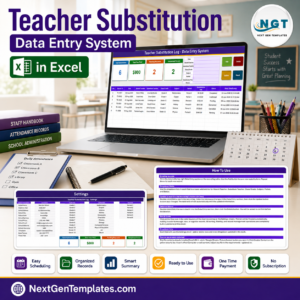
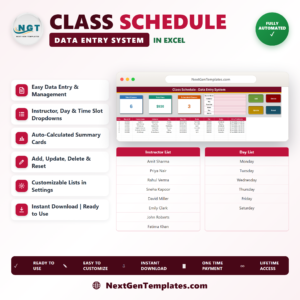
Plan the papers themselves with the Exam Timetable Calendar in Google Sheets, cover absent teachers with the Teacher Substitution Calendar, and publish weekly periods with the Class Timetable Calendar. For school-wide reporting, see the Secondary Schools Dashboard in Google Sheets. Browse every Google Sheets calendar template.
📖 Click here to read the Detailed Blog Post
🎥 Visit our YouTube channel for step-by-step video tutorials
👉 YouTube.com/@NextGenTemplates
📅 Last updated: September 2026























Reviews
There are no reviews yet.