


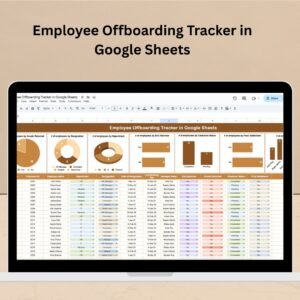
The Employee Offboarding Checklist in Google Sheets is a comprehensive tool designed to ensure a smooth and organized offboarding process for employees. Whether you’re managing voluntary resignations, retirements, or involuntary terminations, this checklist helps HR departments and managers track all essential tasks to be completed before the employee leaves. From equipment return to final paycheck processing, this checklist ensures that no step is overlooked during the offboarding process.
With its easy-to-use Google Sheets template, the Employee Offboarding Checklist allows you to customize tasks, assign responsibilities, and track completion status in real-time. Whether you’re managing a single employee’s departure or multiple offboarding processes at once, this tool streamlines the entire process and ensures consistency across the organization.

Key Features of the Employee Offboarding Checklist in Google Sheets
📌 Comprehensive Offboarding Checklist
The checklist covers all essential tasks related to employee offboarding, including finalizing documentation, retrieving company property, deactivating access, and conducting exit interviews. This ensures that all steps are tracked and completed before the employee’s last day.
🛠 Customizable Task List
Customize the checklist to reflect the specific offboarding requirements of your organization. Whether you need to add additional tasks or modify existing ones, the template is flexible and easy to adjust to your needs.
💡 Real-Time Updates
As you complete tasks, the checklist updates in real time, allowing you to track progress and stay organized. The sheet provides a clear overview of which tasks have been completed and which are still pending, ensuring that nothing is missed.
🔢 Task Assignment and Tracking
You can assign specific tasks to different team members, making it easier to collaborate and ensure all offboarding steps are taken care of. Track completion status for each task, so everyone involved in the process knows what needs to be done.
🚀 Clear and Organized Layout
The Employee Offboarding Checklist is designed with a clear and easy-to-read layout. Tasks are categorized into sections like equipment return, IT access deactivation, and exit interviews, ensuring that the process is easy to follow and stay organized.
📊 Efficient Exit Interviews and Feedback
Ensure that exit interviews are conducted and feedback is gathered for future improvements. This checklist includes a dedicated section to document feedback and any final notes that can help improve your offboarding process.
⚙ Simple Setup and Customization
Setting up the Employee Offboarding Checklist in Google Sheets is quick and easy. The template is user-friendly, and with simple instructions, you can customize it to suit your specific offboarding process.
🚀 Why You’ll Love the Employee Offboarding Checklist in Google Sheets
✅ Comprehensive Task Management – Track all offboarding tasks from start to finish. ✅ Customizable Template – Modify the checklist to meet the unique needs of your organization. ✅ Real-Time Collaboration – Work with team members to complete tasks efficiently and effectively. ✅ Clear and Organized Layout – Categorized tasks for easy management and completion tracking. ✅ Exit Interview Tracking – Collect valuable feedback from departing employees for continuous improvement.
📂 What’s Inside the Employee Offboarding Checklist in Google Sheets?
- Comprehensive Offboarding Checklist: A detailed list of tasks to ensure a smooth offboarding process.
- Customizable Task List: Modify tasks as needed to match your organization’s offboarding policies.
- Real-Time Updates: The checklist automatically updates as tasks are completed.
- Task Assignment and Tracking: Assign tasks to team members and track their completion status.
- Exit Interview Section: A space to document feedback and important exit interview notes.
🔍 How to Use the Employee Offboarding Checklist in Google Sheets
1️⃣ Download the Template – Instant access to the Google Sheets file upon purchase. 2️⃣ Customize the Checklist – Modify tasks, assign responsibilities, and adjust deadlines to suit your offboarding process. 3️⃣ Track and Manage – As tasks are completed, mark them as done and ensure everything is completed before the employee’s departure. 4️⃣ Conduct Exit Interviews – Use the provided section to gather feedback from the departing employee. 5️⃣ Present and Share – Share the checklist with relevant team members and ensure that everyone involved is on the same page.
🎯 Who Can Benefit from the Employee Offboarding Checklist in Google Sheets? 🔹 HR Managers
🔹 Business Owners
🔹 Department Managers
🔹 Payroll Teams
🔹 Anyone involved in employee offboarding
🔹 Companies of all sizes looking for a structured offboarding process
Streamline your employee offboarding process with the Employee Offboarding Checklist in Google Sheets. This template ensures that no detail is overlooked, making the offboarding process seamless, efficient, and professional.
Click here to read the Detailed blog post
https://neotechnavigators.com/employee-offboarding-checklist-in-google-sheets/




























Reviews
There are no reviews yet.