



The Daily Activity Tracker in Excel is a versatile and easy-to-use tool designed to help individuals and teams track their daily activities, tasks, and productivity. Whether you’re managing personal tasks, team projects, or work deadlines, this tracker provides a simple yet effective way to organize, monitor, and evaluate daily activities. It’s ideal for anyone looking to stay organized, boost productivity, and gain better control over their time.
With a customizable format, you can track various activities, such as work tasks, meetings, fitness goals, and personal appointments. The Excel sheet is designed with user-friendly features that allow you to log your activities, set priorities, and even track the time spent on each task. This tool helps you stay on top of your commitments and gain insights into your daily routines.

Key Features of the Daily Activity Tracker in Excel:
📅 Comprehensive Activity Tracking
Easily log and track various activities, tasks, and appointments for the day, ensuring you never miss a deadline or important commitment.
🕒 Time Management
Track the time spent on each task or activity, helping you stay on schedule and maximize productivity.
✅ Task Priority Settings
Set priorities for your activities to ensure that the most important tasks are completed first.
📊 Progress Monitoring
Monitor your daily progress by marking tasks as completed, in progress, or pending, helping you stay focused and organized throughout the day.
🎨 Customizable Design
Customize the layout, categories, and appearance to fit your personal or business needs, ensuring it works for you.
Why You’ll Love the Daily Activity Tracker in Excel:
✅ Stay Organized – Keep all your activities and tasks in one place, ensuring nothing slips through the cracks. ✅ Boost Productivity – Track time spent on each activity to optimize your workflow and focus on high-priority tasks. ✅ Customizable to Your Needs – Adjust the tracker to match your personal or professional activities, ensuring it suits your unique requirements. ✅ Easy to Use – The intuitive design makes it easy for anyone to set up and start using the tracker without any advanced Excel skills. ✅ Monitor Your Progress – Track your daily performance and stay on top of your goals by marking off completed tasks and monitoring your progress.
What’s Inside the Daily Activity Tracker in Excel:
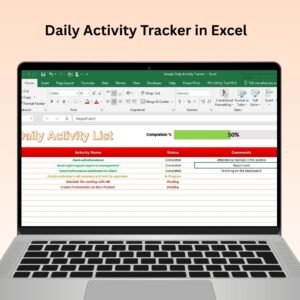
- Task List – A dedicated space to log and track your tasks and appointments for the day.
- Time Tracker – A simple tool to log the time spent on each task or activity, helping you manage your time efficiently.
- Priority Indicator – An easy way to assign and track the priority of each task to focus on what matters most.
- Progress Tracker – Mark tasks as completed, in progress, or pending to visually track your progress throughout the day.
- Customizable Layout – Easily adjust categories and the design to suit your needs.
How to Use the Daily Activity Tracker in Excel:
1️⃣ Download the Template – Get instant access to the tracker after purchase. 2️⃣ Input Your Activities – Enter your tasks, appointments, and activities for the day into the tracker. 3️⃣ Set Priorities – Assign priorities to each task to ensure you focus on the most important activities first. 4️⃣ Track Time – Log the time spent on each task to monitor productivity and manage your day effectively. 5️⃣ Monitor Your Progress – Use the progress tracker to mark tasks as completed and evaluate how much you’ve achieved.
Who Can Benefit from the Daily Activity Tracker in Excel:
- Busy Professionals
- Project Managers
- Students
- Entrepreneurs
- Team Leaders
- Anyone looking to stay organized and improve productivity
The Daily Activity Tracker in Excel is an essential tool for anyone looking to improve time management, stay organized, and keep track of daily tasks and activities. With its simple yet powerful features, this tool will help you take control of your day, increase productivity, and ensure you stay on top of your commitments.
Click here to read the Detailed blog post
https://www.pk-anexcelexpert.com/daily-activity-tracker-in-excel/
Visit our YouTube channel to learn step-by-step video tutorials
Watch the step-by-step video tutorial:
Compatibility and Requirements
- Works in Microsoft Excel desktop (Excel 2016 or later, or Microsoft 365).
- To add your own priority or category options as a list, follow Microsoft’s guide Create a drop-down list.
Frequently Asked Questions
What can I log in the Daily Activity Tracker?
Work tasks, meetings, appointments, fitness goals and personal activities, each with a priority and the time spent on it.
How do I mark progress?
Set each task to completed, in progress or pending. The progress tracker shows how much of the day’s list is done.
Can I change the categories?
Yes. You can adjust the layout, categories and look of the sheet to fit personal or business use.
Is it for one person or a team?
Both. Individuals can plan their own day, and team leaders can use it to follow daily tasks across a team.
Related Task and Planning Templates
- Automated Daily Task Manager with auto Check boxes: a free daily task list with automatic check boxes
- Project Planning and Tracking Template in Google Sheet: plan and track project tasks in Google Sheets
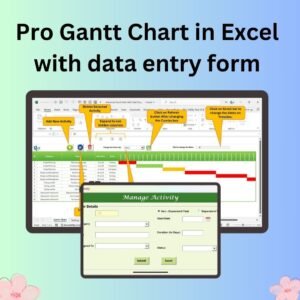
- Pro Gantt Chart in Excel with data entry form: schedule longer projects on a Gantt chart
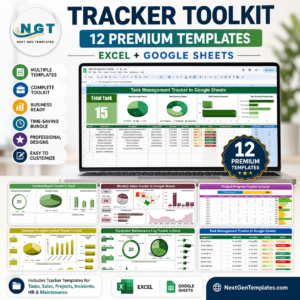
- Tracker Toolkit: 12 tracker templates in one bundle
Browse all Excel trackers or the Google Sheets trackers.









Reviews
There are no reviews yet.