

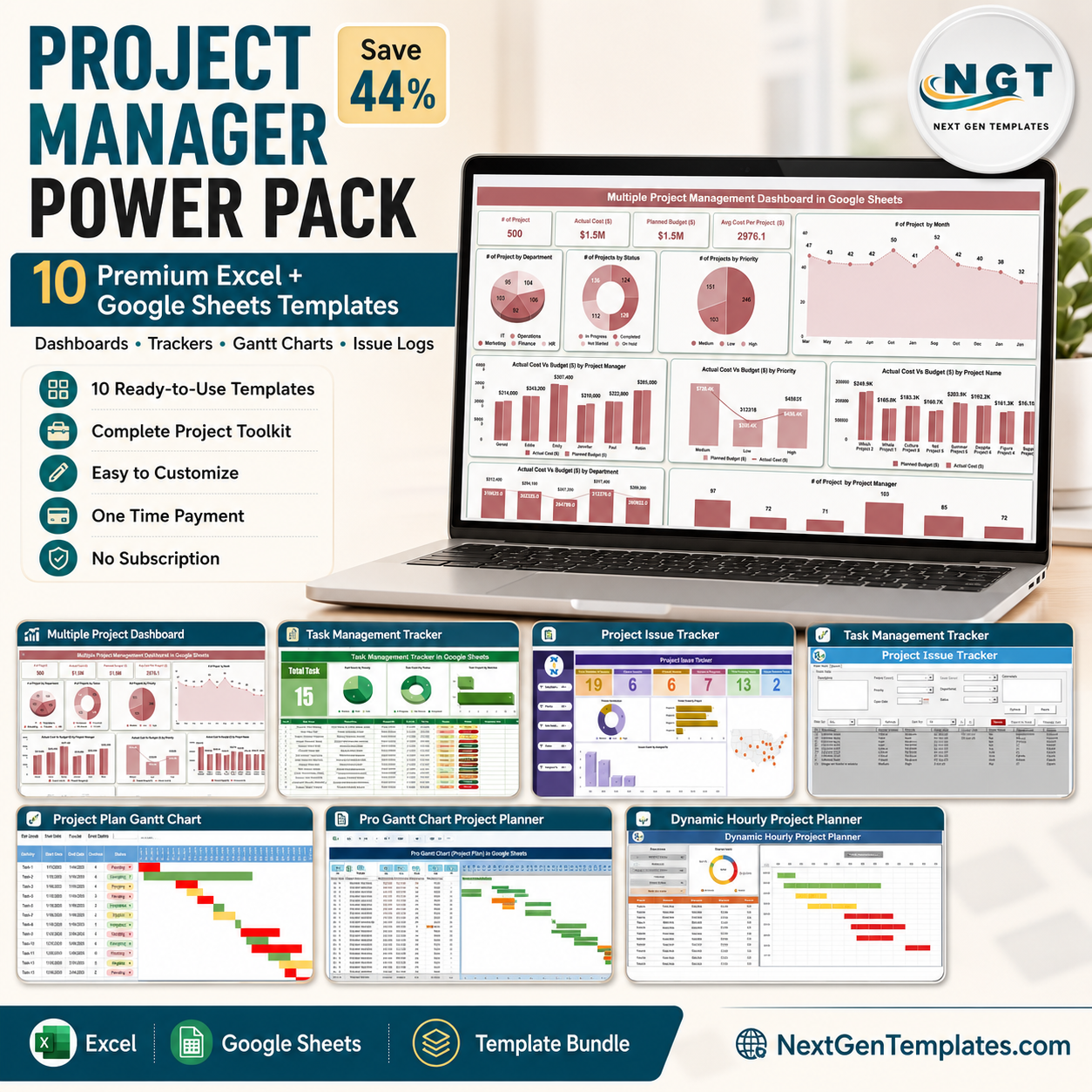



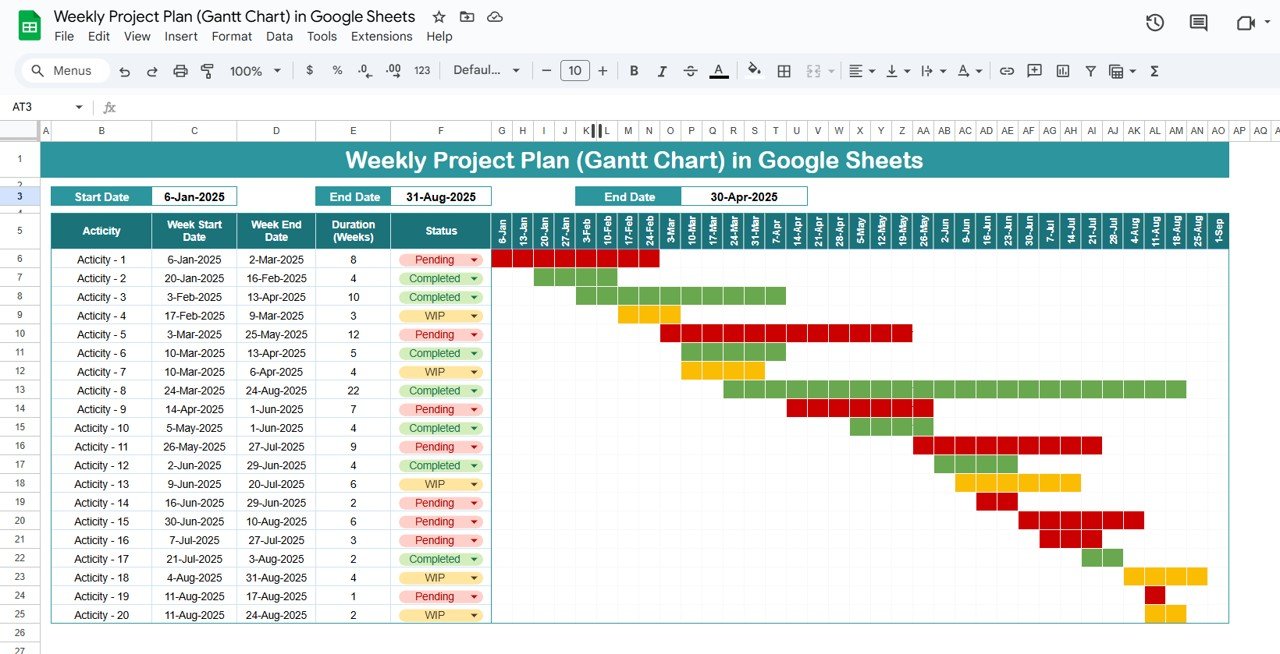


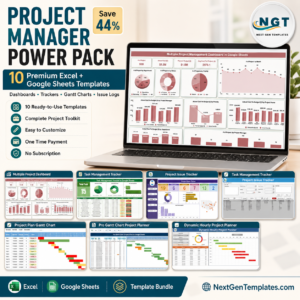
The Project Manager Power Pack is a complete, 10-template project control system for people who actually run projects — not a demo, not a trial, not another per-seat subscription. It bundles the four Gantt and planning tools, two executive dashboards, two issue-tracking systems and two progress trackers that project managers reach for every week, across both Excel and Google Sheets, so it does not matter whether your PMO lives in Microsoft 365 or Google Workspace.
Bought one by one, these ten templates cost $86.90. In this project management template bundle you pay $48.99 — a saving of $37.91 (44% off). That is less than four days of a single Asana or Monday.com seat, and you own it forever, on unlimited projects, with no user caps and no renewal date.
🔑 Key Features of the Project Manager Power Pack
- 📊 Two Executive Dashboards — KPI cards, completion rates, overdue counts and interactive charts on a single screen.
- 📈 Four Gantt & Planning Tools — daily, hourly and multi-phase timelines with auto-calculating bars.
- 🚨 Two Issue-Tracking Systems — log, categorise, assign and close issues before they become escalations.
- 🗂️ Portfolio-Level Visibility — track several projects side by side in one Google Sheets file.
- 🔄 Dual Platform Coverage — 5 Excel workbooks plus 5 Google Sheets templates.
- 👥 Real-Time Collaboration — unlimited simultaneous editors, zero sync conflicts.
- ⚙️ Pre-Built Formulas & Formatting — overdue turns red, complete turns green, progress bars fill automatically.
- 🎨 Fully Editable — rename columns, add phases, change statuses and extend date ranges.
- 💾 One-Time Purchase — no subscription, no per-user licence, unlimited reuse.
- ⚡ Under 10 Minutes to Deploy — download, enter your data, dashboard is live.
📦 What’s Inside the Project Manager Power Pack
1. Project Management Dashboard in Excel — $17.99
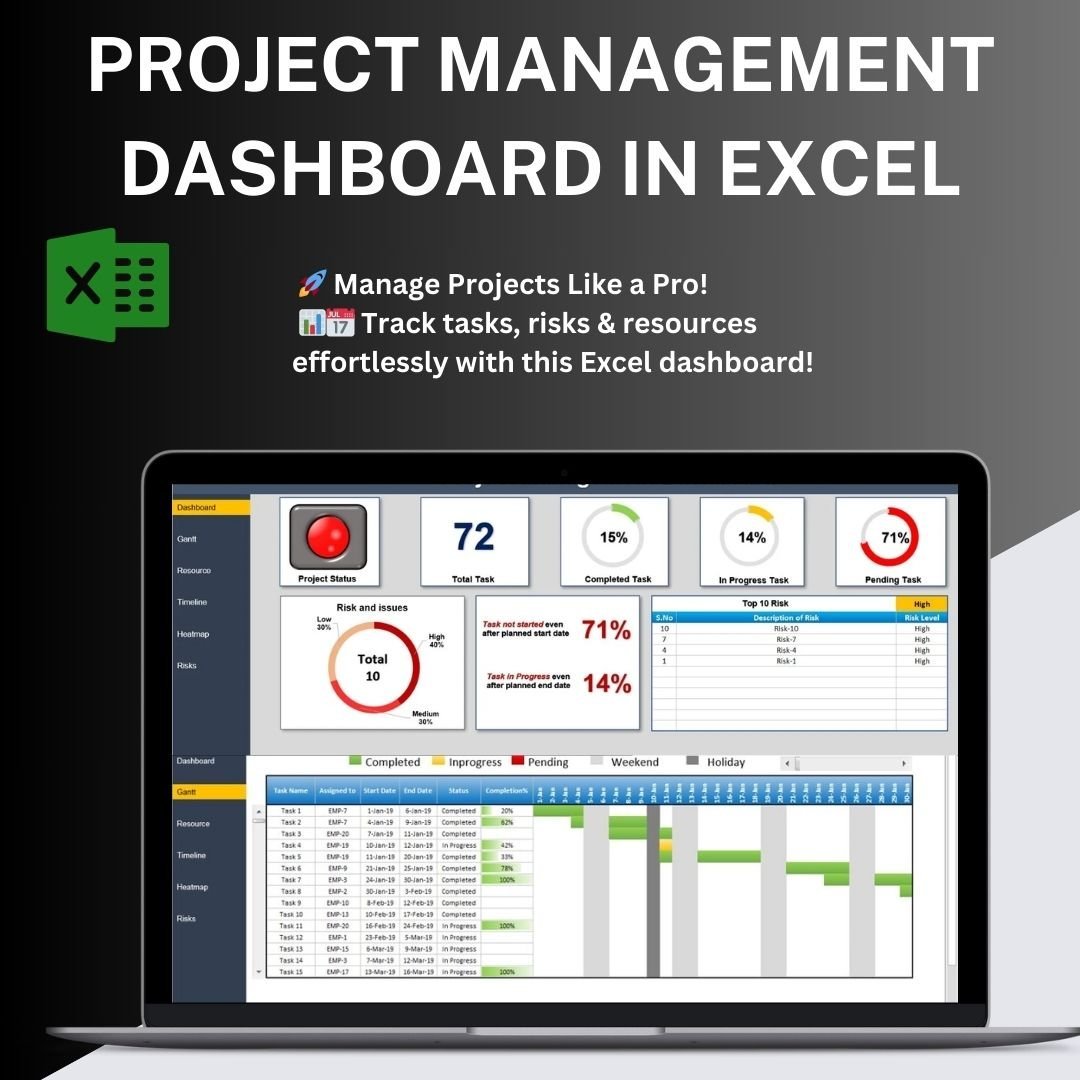
The flagship. A multi-page Excel dashboard covering project status, budget vs actual, milestone tracking, resource allocation and risk indicators, with an executive summary page you can drop straight into a steering-committee deck.
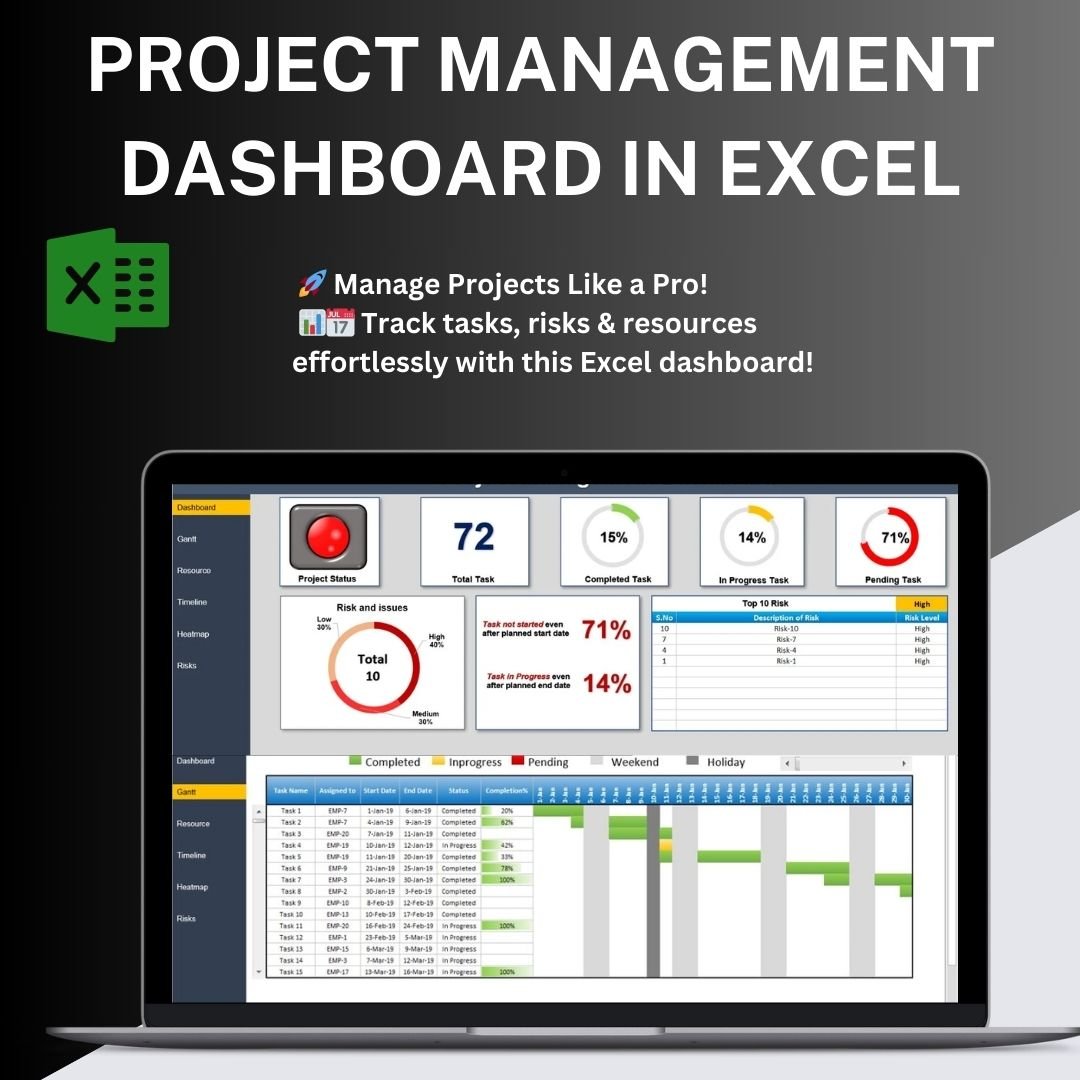
Project Management Dashboard in Excel
2. Task Management Dashboard in Excel — $17.99
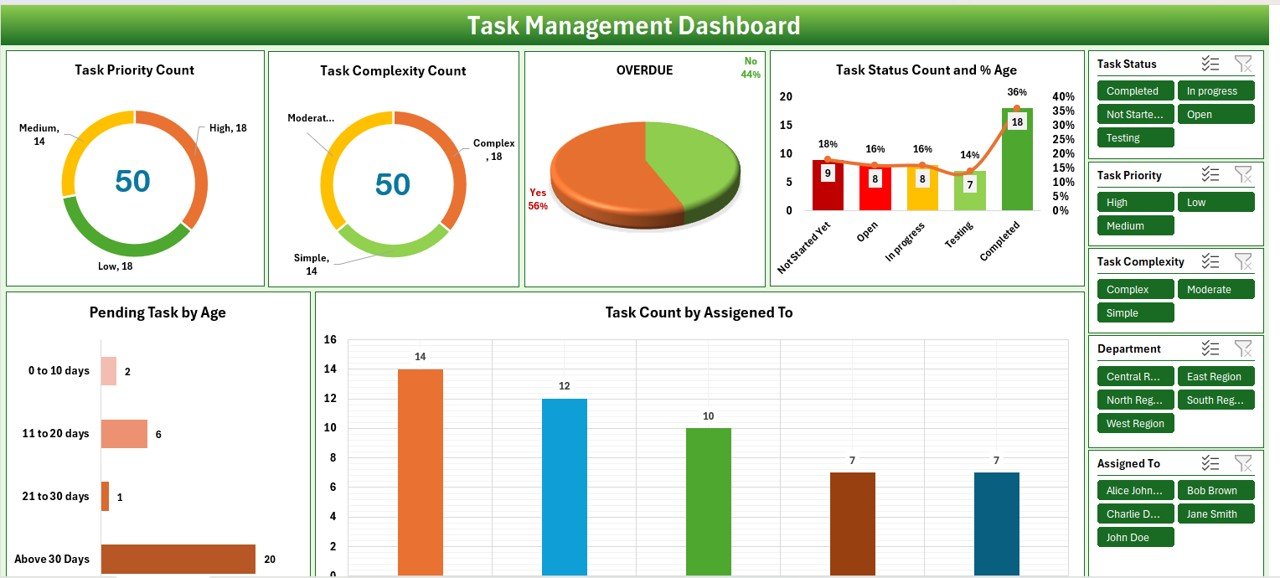
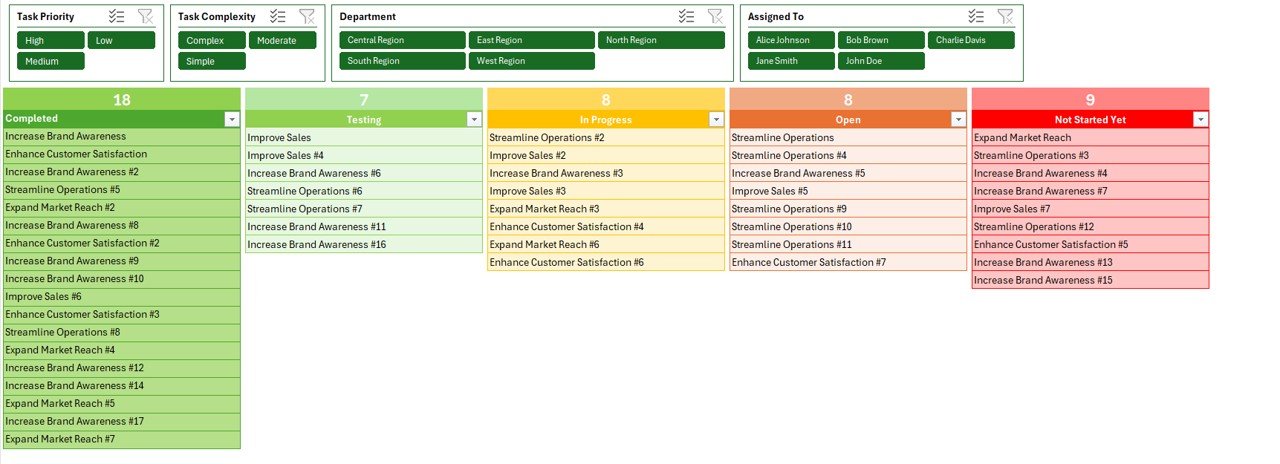
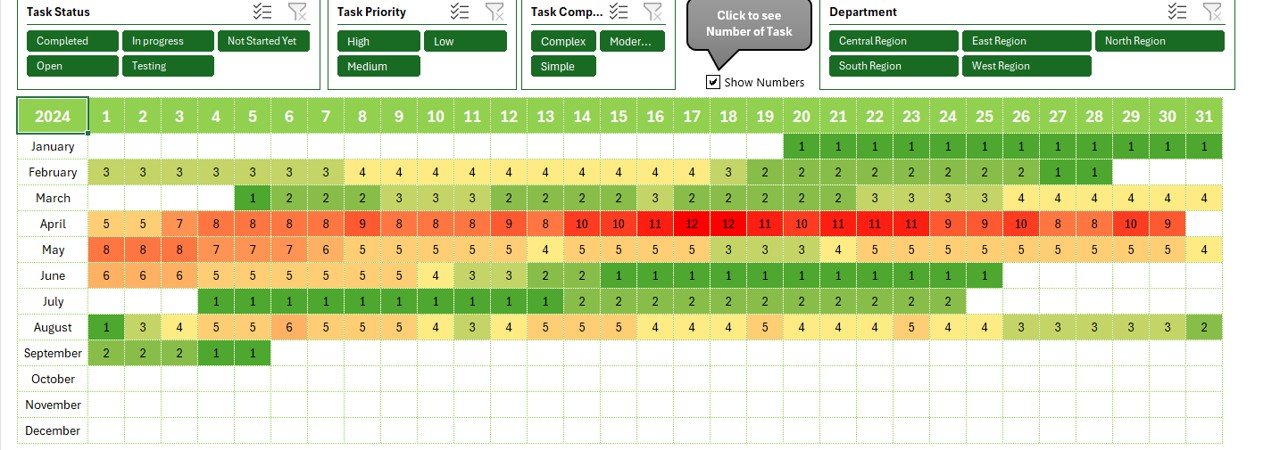
Zooms from project level to task level: workload per team member, tasks by priority and status, completion trends and overdue analysis. Built for weekly stand-ups where you need to see who is overloaded and what is slipping.
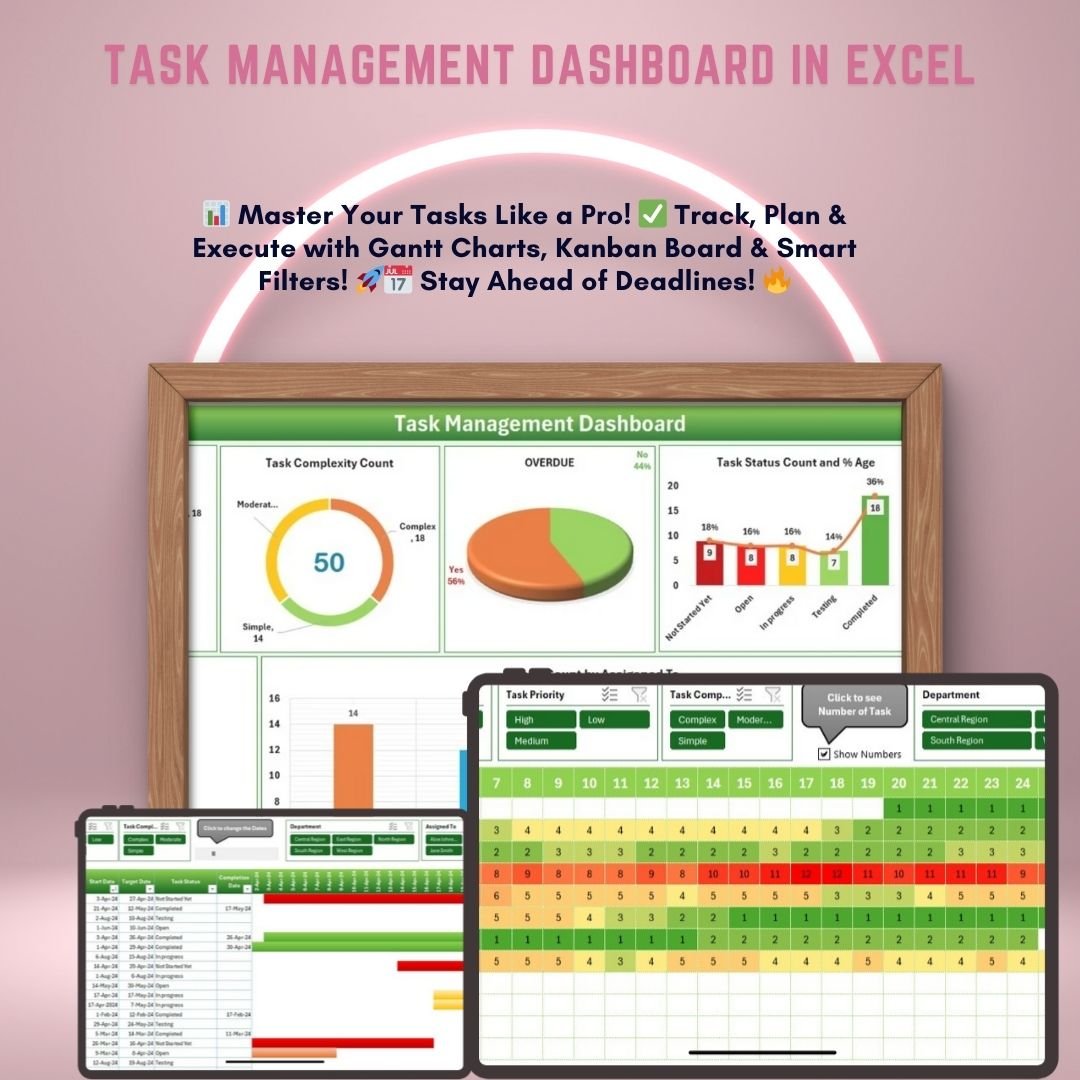
Task Management Dashboard in Excel
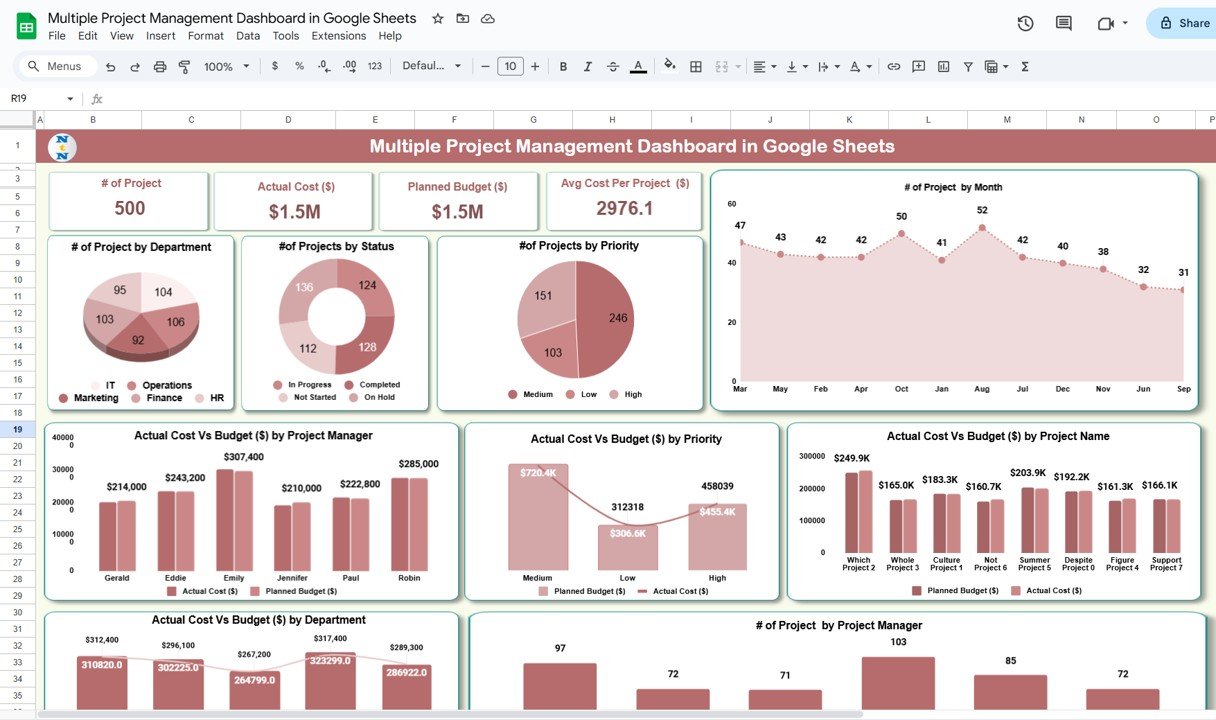
3. Multiple Project Management Dashboard in Google Sheets — $9.99
The portfolio view. Track concurrent projects in one shared Google Sheet with per-project health indicators, budget consumption and milestone progress — the file PMOs and agency delivery leads open first every Monday.
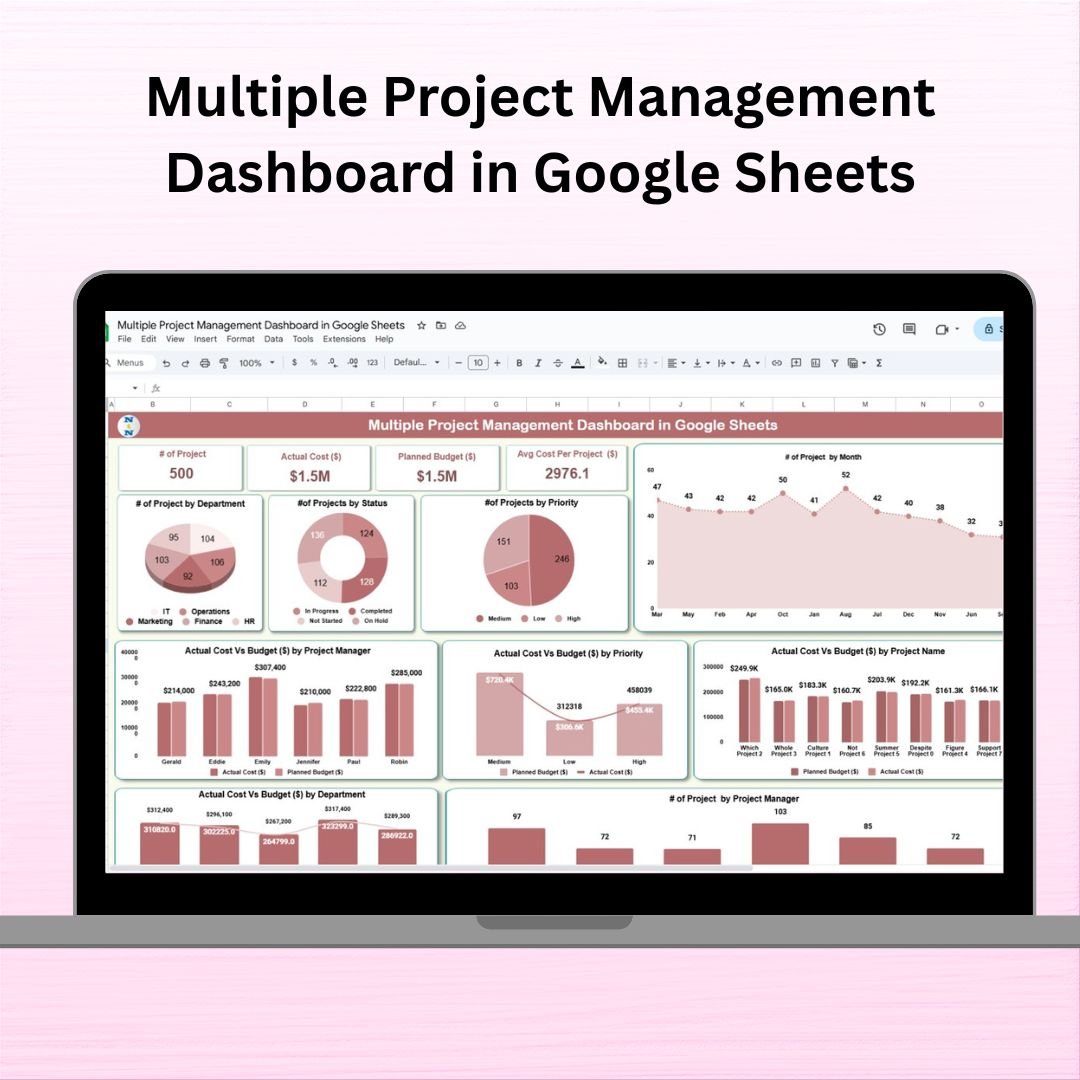
Multiple Project Management Dashboard in Google Sheets
4. Task Management Tracker in Google Sheets — $6.99
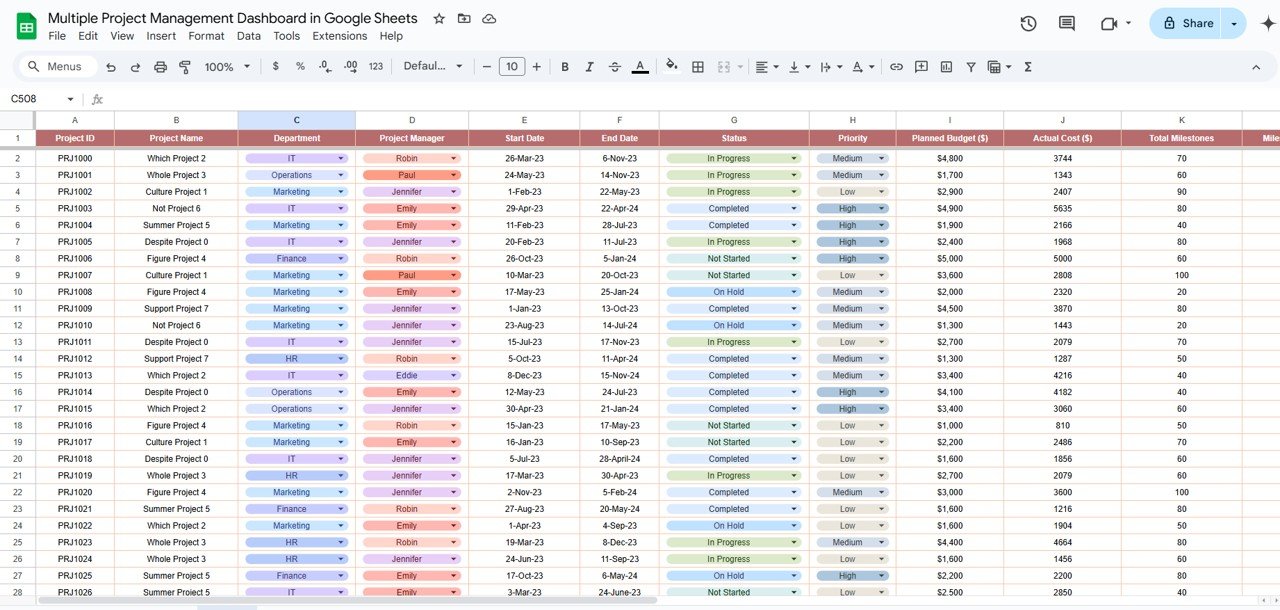
A shared, real-time task board with owner, deadline, priority, status and progress percentage on every row. Conditional formatting flags overdue work instantly and the whole team can edit at once from any browser or phone.

Task Management Tracker in Google Sheets
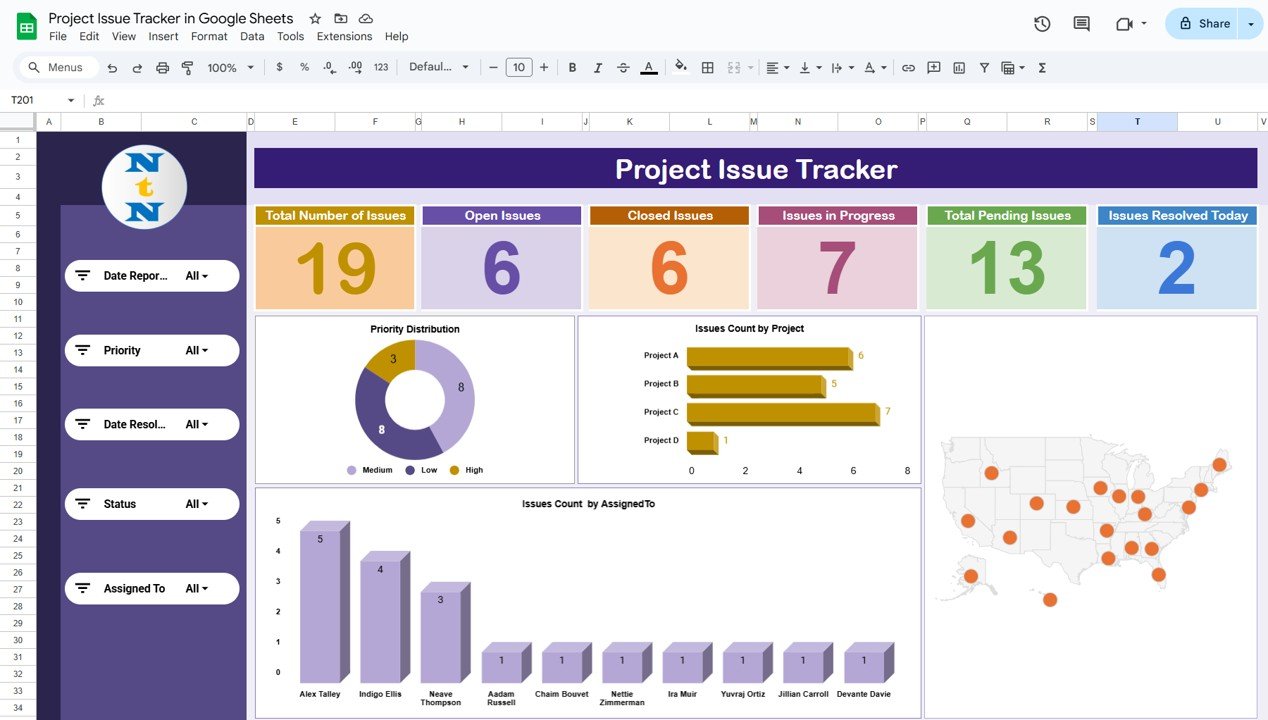
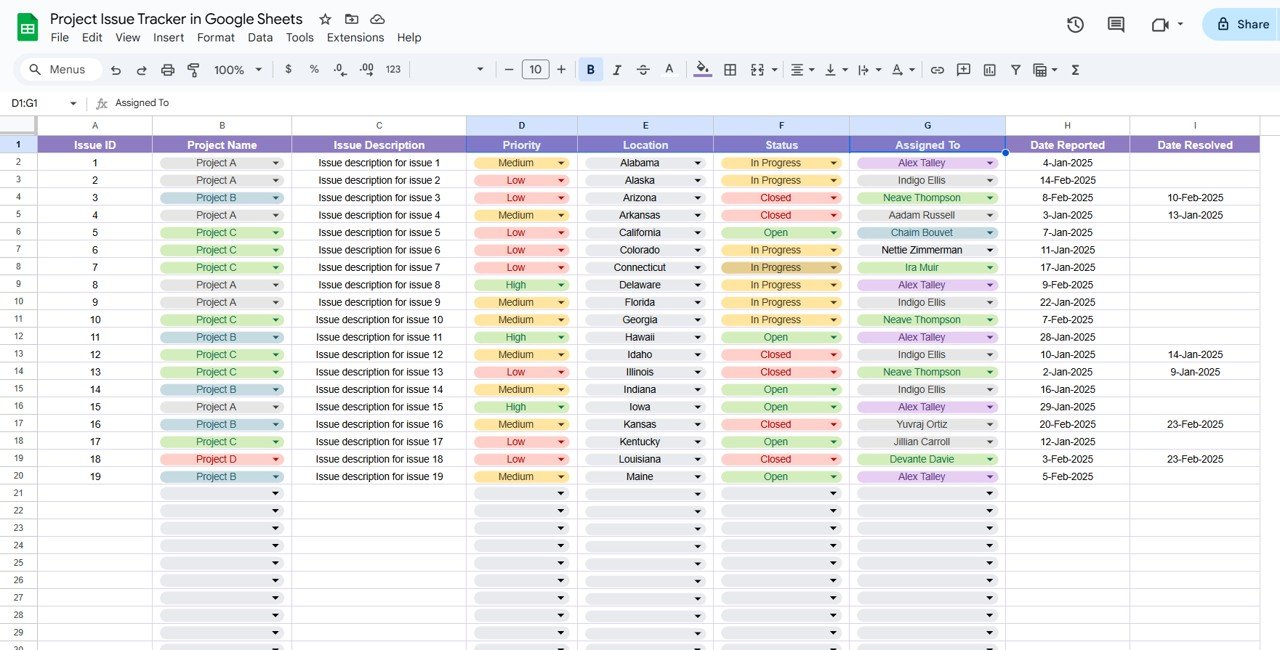
5. Project Issue Tracker in Google Sheets — $6.99
A structured issue log with severity, category, owner, raised date, target resolution and status, plus a summary view so you can report open-versus-closed counts without building a pivot table.
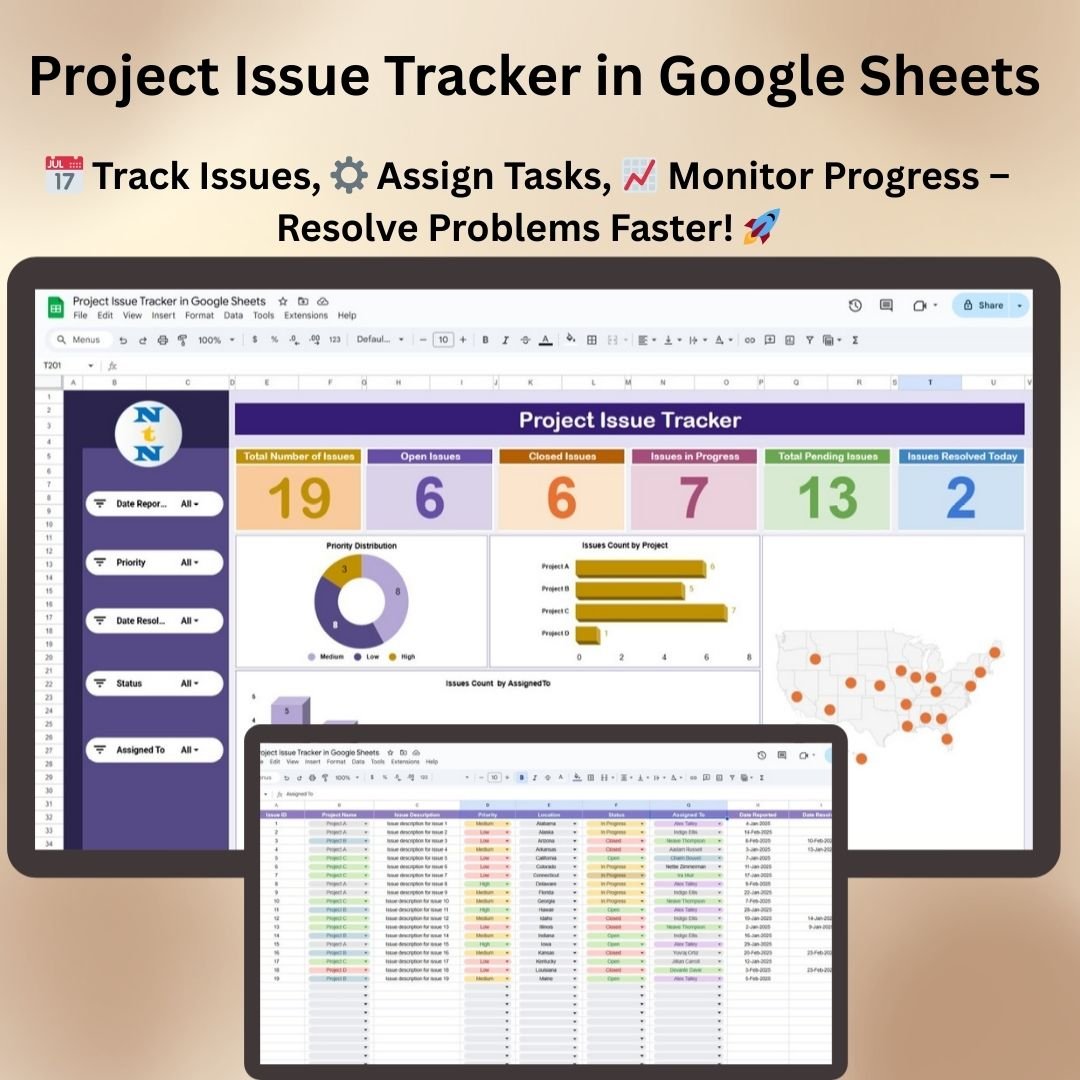
Project Issue Tracker in Google Sheets
6. Project Management Issue Tracker Form — $6.99
The Excel counterpart, built around a guided data-entry form so team members log issues correctly every time. Add, update and search records without anyone typing over your master table.
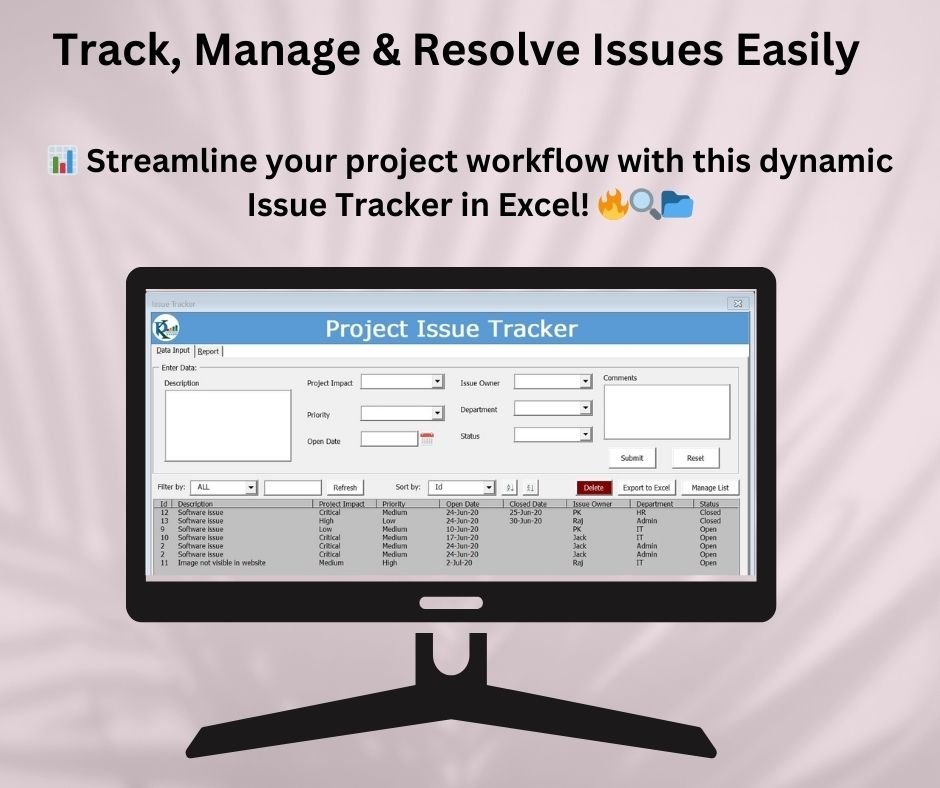
Project Management Issue Tracker Form
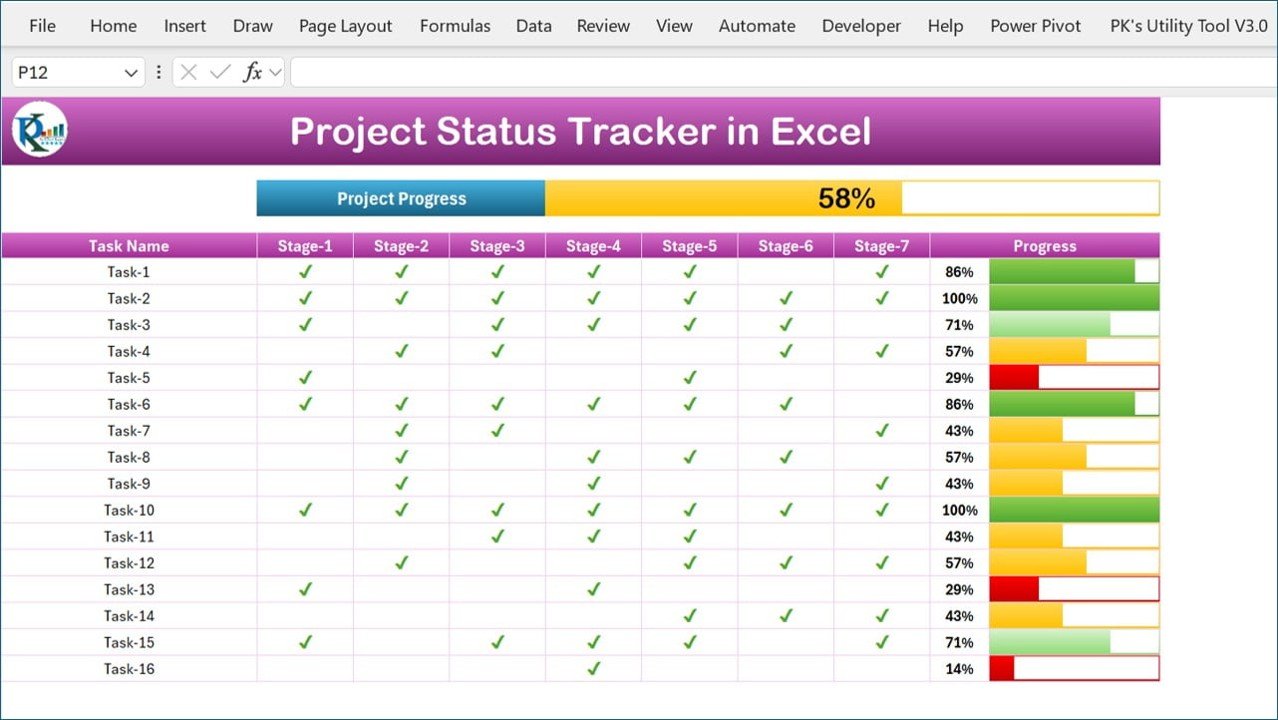
7. Project Progress Tracker in Excel — $4.99
Milestone-by-milestone reporting with planned versus actual completion, variance flags and a visual progress bar per workstream — the template behind a status report nobody has to chase you for.
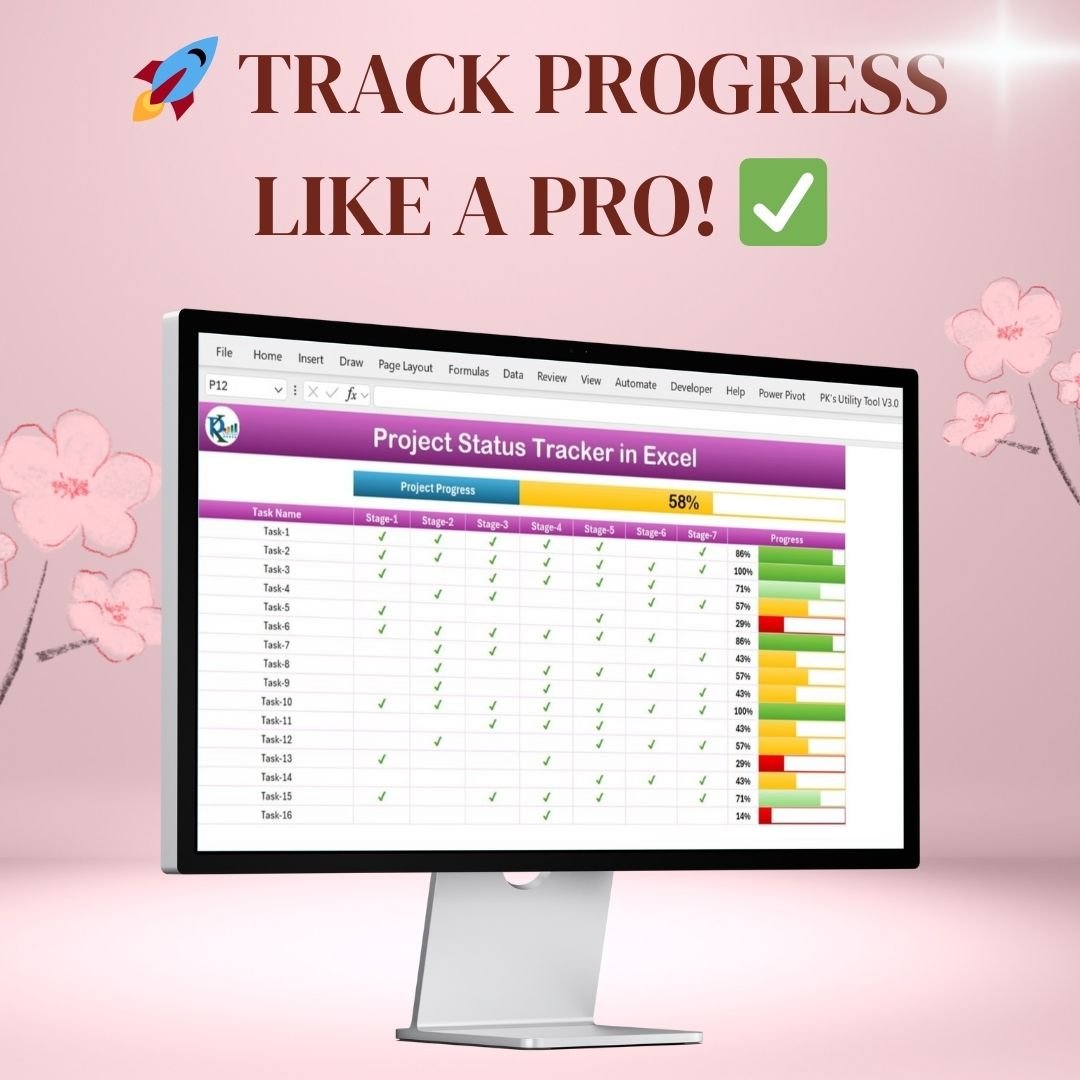
Project Progress Tracker in Excel
8. Project Plan Gantt Chart in Google Sheet — $4.99
A clean, shareable Gantt timeline that draws itself from your task start and end dates. Ideal for client-facing plans where you need a professional timeline without exporting from MS Project.
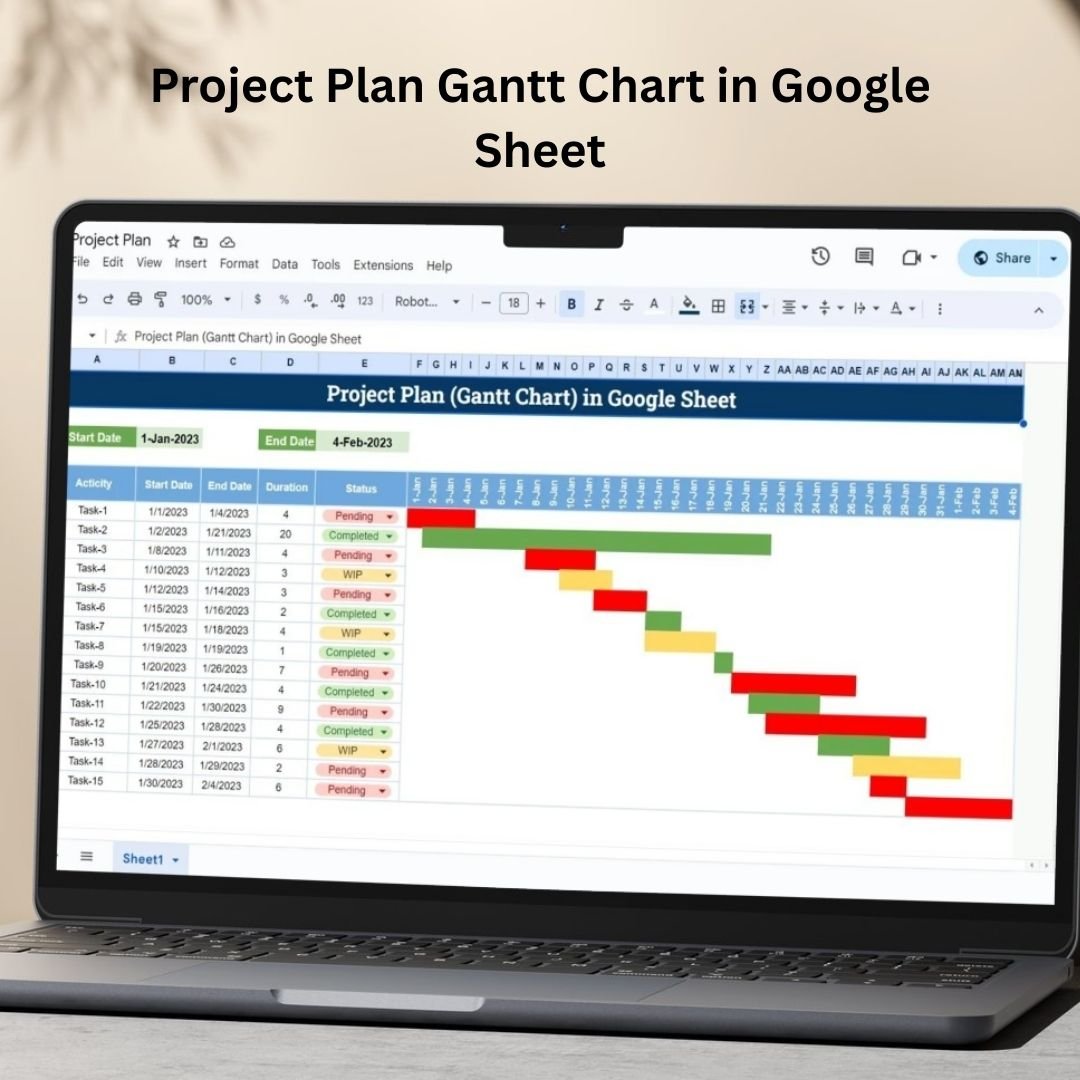
Project Plan Gantt Chart in Google Sheet
9. Pro Gantt Chart Project Planner in Google Sheets — $4.99
The advanced Gantt: phases, dependencies, owner assignment, percentage-complete overlays and a today-marker line so slippage is obvious at a glance. Built for multi-phase programmes, not simple task lists.

Pro Gantt Chart Project Planner in Google Sheets
10. Dynamic Hourly Gantt Chart for Projects — $4.99
Most Gantt templates stop at daily granularity. This one plans by the hour — essential for cutover weekends, event schedules, shift planning, maintenance windows and go-live runbooks where an eight-hour block is the whole project.

Dynamic Hourly Gantt Chart for Projects
💡 Smart Comparison — Individual vs Bundle
| Comparison Point | Buying Individually | 🏆 Project Manager Power Pack |
|---|---|---|
| Templates included | Pick one at a time | ✅ All 10, instantly |
| Total price | $86.90 | ✅ $48.99 |
| You save | $0 | ✅ $37.91 (44% off) |
| Platform coverage | Excel or Google Sheets | ✅ Excel and Google Sheets |
| Gantt options | One view only | ✅ Daily, hourly, phased & multi-project |
| Issue tracking | Sold separately | ✅ Both Excel & Sheets versions |
| Ongoing cost | One-time each | ✅ One-time, unlimited projects |
| Best value | Single-need buyers | ✅ Anyone running real projects |
Product Breakdown
| # | Template | Platform | Individual Price |
|---|---|---|---|
| 1 | Project Management Dashboard | MS Excel | $17.99 |
| 2 | Task Management Dashboard | MS Excel | $17.99 |
| 3 | Multiple Project Management Dashboard | Google Sheets | $9.99 |
| 4 | Task Management Tracker | Google Sheets | $6.99 |
| 5 | Project Issue Tracker | Google Sheets | $6.99 |
| 6 | Project Management Issue Tracker Form | MS Excel | $6.99 |
| 7 | Project Progress Tracker | MS Excel | $4.99 |
| 8 | Project Plan Gantt Chart | Google Sheets | $4.99 |
| 9 | Pro Gantt Chart Project Planner | Google Sheets | $4.99 |
| 10 | Dynamic Hourly Gantt Chart | MS Excel | $4.99 |
| Individual Total | — | $86.90 | |
| Bundle Price | — | $48.99 — save $37.91 |
⚙️ How to Use the Project Manager Power Pack
- Purchase and download — one ZIP with all 10 templates. Excel files open directly; Google Sheets files arrive as PDFs with a one-click copy link.
- Pick your platform per use case — Excel for offline analysis and executive reporting, Google Sheets for anything the team edits together.
- Load your project data — enter tasks, owners, dates, priorities and statuses. Formulas, charts and formatting update automatically.
- Share the collaborative files — click Share in Google Sheets, add your team by email, and everyone works live with no user limit.
- Report weekly — status from the dashboards, timeline from the Gantt, escalations from the issue tracker. Duplicate the pack for your next project.
👥 Who Can Benefit from the Project Manager Power Pack
- 💼 Project Managers — planning, tracking, reporting and escalation for every project you run.
- 🏃 Scrum Masters & Agile Leads — sprint backlogs, progress tracking and impediment logs without tool sprawl.
- 🏢 PMOs & Programme Managers — portfolio visibility across concurrent projects in one shared file.
- 🛠️ Construction & Engineering Leads — hourly Gantt planning for shutdowns, cutovers and phased site work.
- 💻 IT & Implementation Teams — go-live runbooks, migration schedules and defect logs in one toolkit.
- 🎨 Agencies & Consultants — client-ready timelines and status reports you can rebrand per engagement.
- 🚀 Startup Founders — launch milestones across engineering, design and go-to-market without enterprise PM software.
- 🎓 Students & Academics — thesis milestones, research schedules and group-project coordination.
🎯 Get All 10 Project Management Templates — Save 44%
Individually: $86.90 → Bundle price: $48.99
You save $37.91 — Excel + Google Sheets — one-time payment, lifetime access.
👉 Click Here to Add the Project Manager Power Pack to Your Cart
📖 Read the full Project Manager Power Pack guide on our blog
Browse more Template Bundles, all Google Sheets Project Management templates, and every Google Sheets Dashboard we publish.
For step-by-step video tutorials, visit Youtube.com/@NeoTechNavigators and Youtube.com/@NextGenTemplates
Compatibility and Requirements
- The 5 Excel workbooks open in Microsoft Excel desktop (Excel 2016 or later, or Microsoft 365).
- The 5 Google Sheets templates need a free Google account and a web browser. Each one arrives as a PDF with a copy link, so you make your own copy in Google Drive.
- New to Sheets? Google’s guide How to use Google Sheets covers the basics.
Frequently Asked Questions
Which templates are in the Project Manager Power Pack?
Ten templates: Project Management Dashboard and Task Management Dashboard in Excel, Multiple Project Management Dashboard, Task Management Tracker and Project Issue Tracker in Google Sheets, the Project Management Issue Tracker Form and Project Progress Tracker in Excel, the Project Plan Gantt Chart and Pro Gantt Chart Project Planner in Google Sheets, and the Dynamic Hourly Gantt Chart for Projects.
How is the pack delivered?
As one ZIP file with all 10 templates. The Excel files open directly, and the Google Sheets templates come as PDFs with a copy link.
Which Gantt options are included?
Four planning tools: a Google Sheets project plan Gantt, a phased Pro Gantt planner in Google Sheets, a multi-project dashboard and an hourly Gantt chart for short, time-critical work.
Can I use the templates for more than one project?
Yes. You can duplicate the files for each new project.





















Reviews
There are no reviews yet.