

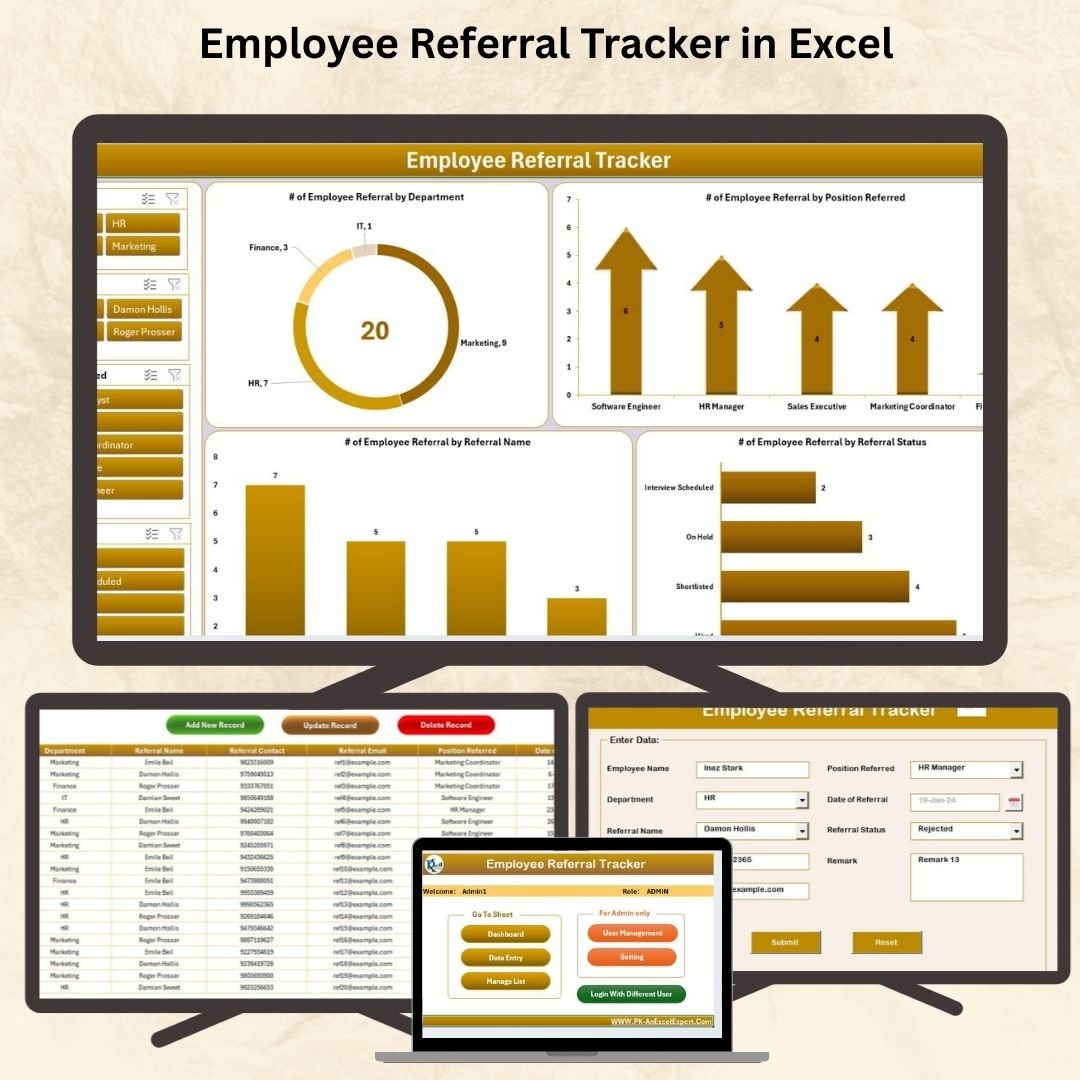







Referrals are the most effective hiring channel—and now you can manage them like a pro. The Employee Referral Tracker in Excel is a powerful, fully automated tool built with Excel and VBA that simplifies the way your HR team collects, tracks, and analyzes employee referrals.
Whether you’re a recruiter, HR professional, or small business owner, this smart Excel template puts you in full control of your referral program—with zero coding and no additional software required.
✨ Key Features of the Employee Referral Tracker
🔐 Login Form – Secure Access
Start with a simple login form:
User ID: Admin1
Password: abcd
Hit enter or click “Login” to unlock the main dashboard. Protect your data while controlling access.
🧭 Main Form – Your Referral Command Center
The main form is your go-to hub for:
Adding, updating, or deleting referral records
Navigating directly to the dashboard or support tabs
Managing users and dropdown lists with a single click
No clutter. No confusion. Just clean, centralized control.
📊 Dashboard Sheet – Instant Visual Insights

See what’s happening in real-time with auto-refreshing charts:
🟠 Doughnut Chart: Referrals by Department
🟢 Arrow Chart: Referrals by Position Referred
🔵 Column Chart: Referrals by Employee
🔴 Bar Chart: Referrals by Status
🎯 Slicers: Filter data by Department, Position, and Date with a click
Perfect for HR reviews and strategy meetings.
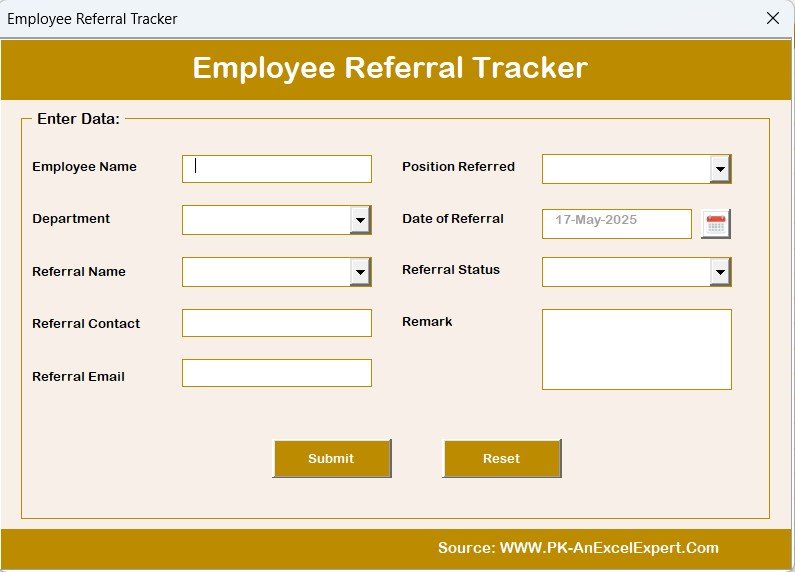
📋 Data Entry Sheet – Organized, Editable, Reliable
Capture every detail with structured columns:
Employee Name
Department
Referral Name & Contact
Position Referred
Date of Referral
Referral Status
Remarks
Use top buttons to:
✅ Add New Records
✏️ Update Existing Entries
❌ Delete Records Instantly
🔄 Manage List Sheet – Customize Dropdowns in Seconds
Manage your dropdowns for:
Departments
Positions
Referral Status
Referral Names
Just click “Add” or “Delete”—no formulas or coding needed.
⚙️ Support + Settings Sheets – Power & Flexibility
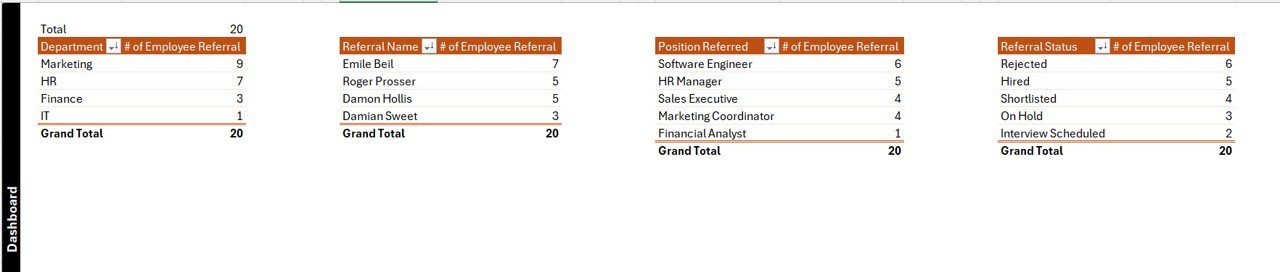
Support Sheet: Auto-pivot calculations, dashboard logic
Settings Tab: Update login credentials and default preferences
User Management: Add, remove, or modify user credentials easily
💡 Advantages of Using This Excel Referral Tracker
📈 Accelerate Hiring: Streamline and speed up your referral process
📊 Track KPIs Visually: No more scattered sheets—centralized insights with automated charts
🧩 No Coding Required: Simple form-based interface powered by Excel VBA
🔐 Built-In Access Control: Secure logins for users and admins
🖥️ Offline Friendly: 100% Excel-based—no internet needed
🔧 Fully Customizable: Modify dropdowns, add metrics, and tailor charts to your company
🛠 Best Practices to Maximize Value
✔ Keep the file secure with workbook protection
✔ Update referral statuses weekly to ensure dashboard accuracy
✔ Customize dropdowns to match your company structure
✔ Backup the file regularly
✔ Train your HR staff to maintain data consistency
👥 Who Should Use This Tool?
✅ HR Managers & Recruiters
✅ Startup Founders & Small Business Owners
✅ Talent Acquisition Teams
✅ Freelance HR Consultants
Perfect for businesses with referral programs but no access to expensive HR software.
📘 Click here to read the Detailed blog post
🎥 Visit our YouTube channel for step-by-step tutorials
















Reviews
There are no reviews yet.