




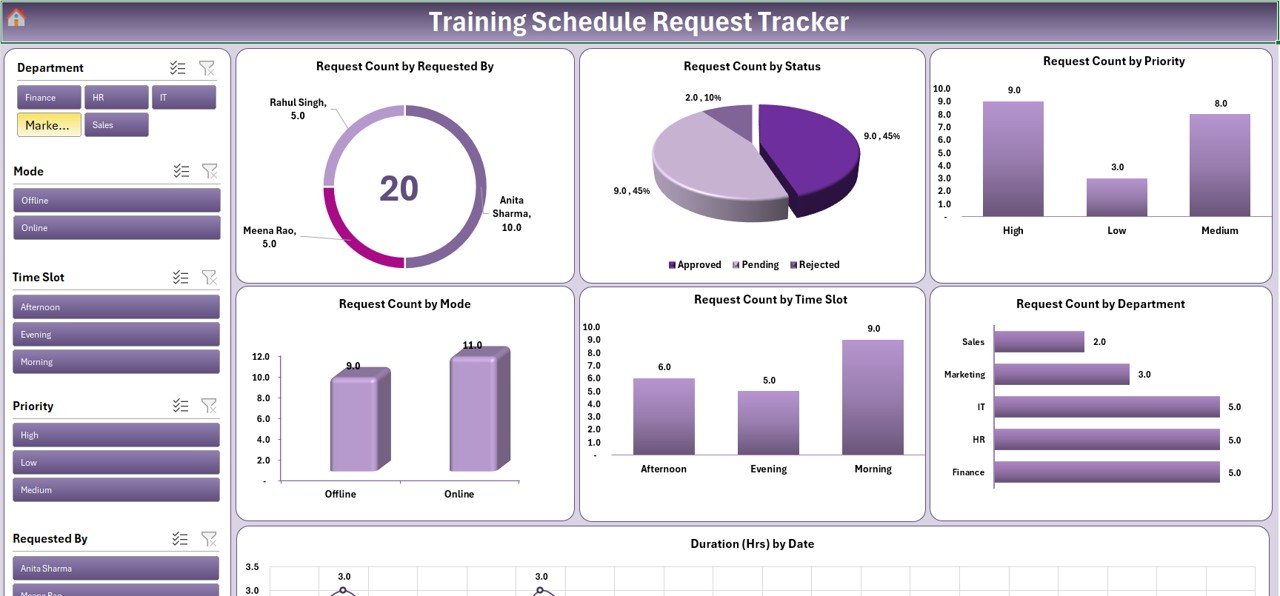
The Training Schedule Request Tracker in Excel is an efficient and customizable tool designed to help businesses and HR teams manage and track employee training schedules. This Excel-based tracker allows you to capture all the relevant details of training requests, monitor training progress, and ensure that all employees receive the necessary training on time.
Whether you’re managing a single department or overseeing training for an entire organization, this tracker helps streamline the scheduling process, making it easier to organize, allocate, and monitor training sessions. Stay organized and ensure that every employee’s learning and development needs are met effectively and on time.
Key Features of the Training Schedule Request Tracker in Excel
📅 Training Request Tracking
Easily capture and track all incoming training requests, including employee name, requested training topic, preferred dates, and department. Keep everything organized in one place.
📈 Training Schedule Management
Once requests are approved, manage the training schedule for employees. Track training session dates, locations, trainers, and training materials in an easily editable format.
📝 Request Status & Progress Monitoring
Monitor the status of each training request, whether it’s pending, approved, or completed. Track the progress of each training session and ensure that no request goes unaddressed.
📊 Trainer & Location Allocation
Track the trainers assigned to each training session and the locations where the sessions will be held. Ensure that trainers and training spaces are available and booked in advance.
📅 Time-Based Tracking
Monitor training completion over different time periods (weekly, monthly, quarterly) and ensure that all training deadlines are met. Easily identify which training sessions are upcoming, in-progress, or completed.
⚙️ Customizable for Your Needs
The tracker is fully customizable to suit your organization’s specific training processes. Add additional fields, adjust training categories, and tailor the template to reflect your organization’s training requirements.
Why You’ll Love the Training Schedule Request Tracker in Excel
✅ Streamlined Training Management
Organize and manage employee training requests, schedules, and progress in one centralized location.
✅ Ensure Timely Training Completion
Track the status of each request to ensure that employees receive their training on time and according to the set schedule.
✅ Allocate Resources Effectively
Assign trainers and training locations efficiently. Ensure that resources are used optimally and avoid conflicts in scheduling.
✅ Customizable for Any Training Program
Whether you’re managing in-person sessions, virtual courses, or a mix of both, this tracker is fully customizable to meet your needs.
✅ Data-Driven Insights for Improved Training
Use the tracker to analyze training completion rates and monitor employee development progress. Improve the overall effectiveness of your training programs.
What’s Inside the Training Schedule Request Tracker in Excel?
Training Request Tracking: Capture employee training requests and details.
Training Schedule Management: Track training session dates, locations, and resources.
Request Status Monitoring: Monitor the approval and completion status of training requests.
Trainer & Location Allocation: Allocate trainers and training spaces efficiently.
Time-Based Tracking: Monitor training completion over various time periods.
Customizable Template: Tailor the tracker to your specific training needs.
How to Use the Training Schedule Request Tracker in Excel
1️⃣ Download the Template: Access the Training Schedule Request Tracker in Excel instantly.
2️⃣ Input Training Requests: Enter employee details, training topics, and requested dates.
3️⃣ Track & Approve Requests: Monitor the status of each request and approve or deny them as needed.
4️⃣ Schedule & Allocate Resources: Assign trainers and locations to each training session.
5️⃣ Monitor Training Progress: Track training completion and ensure all deadlines are met.
Who Can Benefit from the Training Schedule Request Tracker in Excel?
🔹 HR Teams & Training Coordinators
🔹 Employee Development & Learning Managers
🔹 Small & Medium Enterprises (SMBs)
🔹 Large Corporations with Multiple Departments
🔹 Educational Institutions & Trainers
🔹 Business Owners & Managers overseeing Employee Development
Simplify your employee training management process with the Training Schedule Request Tracker in Excel. Track requests, schedule sessions, and allocate resources to optimize your organization’s learning and development programs.
Click here to read the Detailed blog post
Visit our YouTube channel to learn step-by-step video tutorials
Youtube.com/@PKAnExcelExpert
Watch the step-by-step video Demo:
Compatibility and Requirements
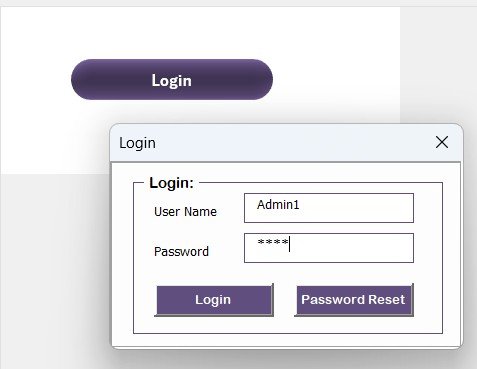
- Works in Microsoft Excel on Windows with macros enabled. It does not run in Excel for the web, Google Sheets or mobile apps. Microsoft explains how to turn macros on in Enable or disable macros in Microsoft 365 files.
- A Google Sheets version of this tracker is listed separately.
Frequently Asked Questions
What does the tracker record for each training request?
It records the employee name, the requested training topic, preferred dates and the department. You can also track the session date, location, trainer and training materials once a request is approved.
Can I see which requests are pending, approved or completed?
Yes. Each request carries a status, so you can see what is pending, approved or completed and follow the progress of every training session.
Can I assign trainers and locations to sessions?
Yes. You assign a trainer and a location to each session, which helps you spot scheduling conflicts before a session starts.
Can I change the fields to match our training process?
Yes. The template is customizable. You can add fields and adjust training categories to fit your organization.
Is there a Google Sheets version?
Yes. See the Training Schedule Request Tracker in Google Sheets.
Related Training and Request Templates
- Training Schedule Request Tracker in Google Sheets: the same tracker for Google Sheets
- Training Resource Request Tracker in Excel: track requests for training resources
- Training Material Request Tracker in Excel: track requests for training materials
- Training Completion Certification Tracker in Excel: record completed training and certifications
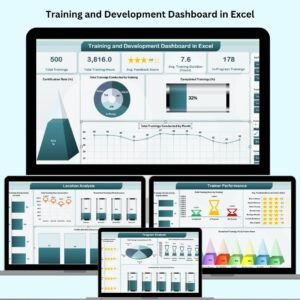
- Training and Development Dashboard in Excel: a dashboard view of training activity
Browse all Excel trackers.













Reviews
There are no reviews yet.