

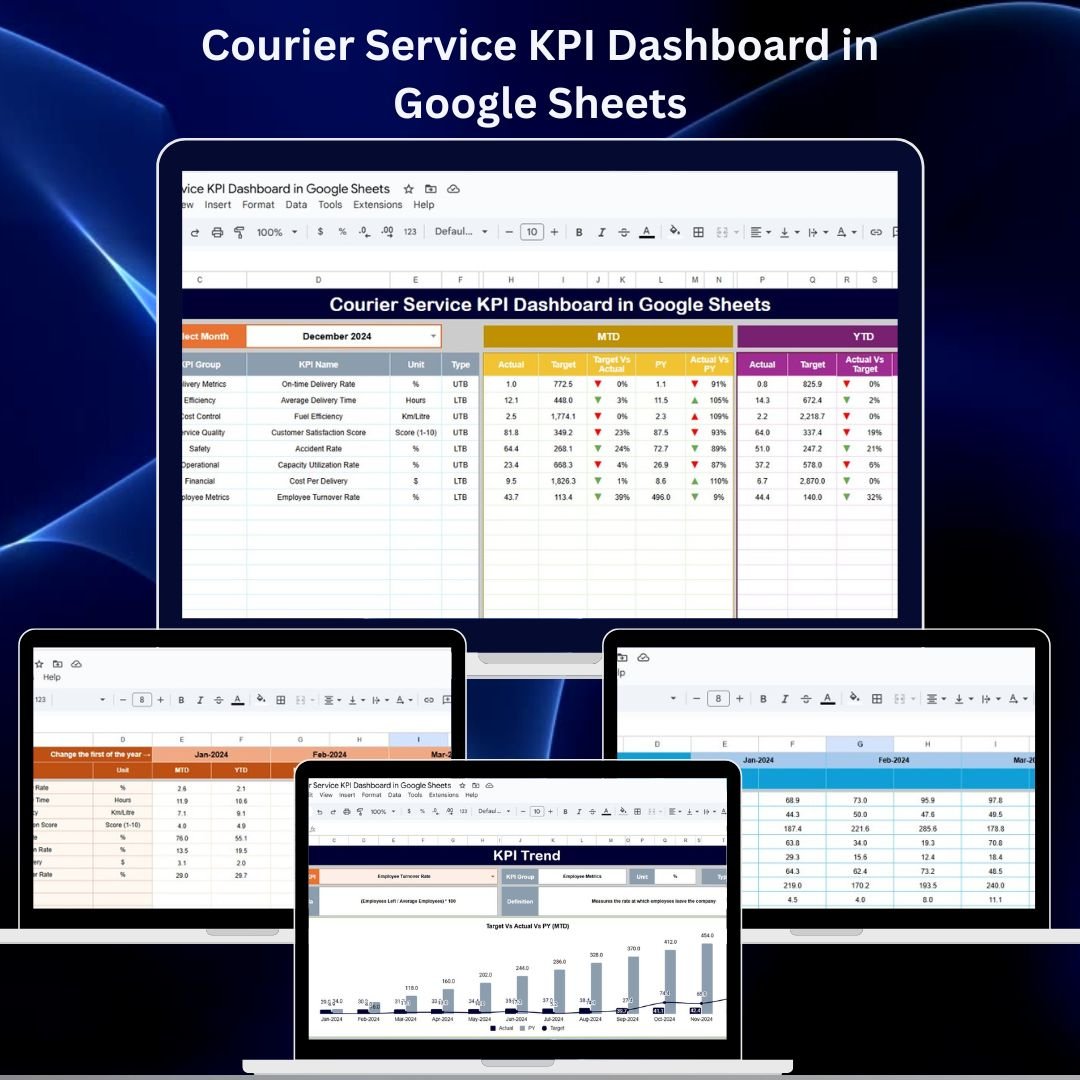

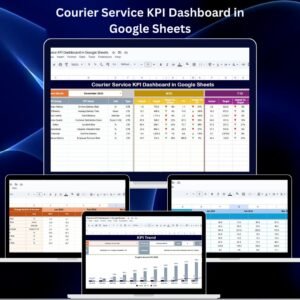
Managing courier operations requires real-time visibility into delivery performance, operational efficiency, and service quality. The Courier Service KPI Dashboard in Google Sheets is a ready-to-use and fully interactive template designed to help logistics teams and delivery managers track all key performance indicators (KPIs) in one centralized place.
From on-time delivery rates to delivery cost per order, this dashboard provides a complete overview of your courier performance through dynamic charts and automated comparisons. With Month-to-Date (MTD) and Year-to-Date (YTD) metrics, managers can easily monitor trends, compare actuals against targets, and make faster, data-driven decisions.
Whether you manage a regional delivery team or a full-scale courier company, this dashboard offers the insights you need to improve operational efficiency and enhance customer satisfaction.
🔑 Key Features of the Courier Service KPI Dashboard
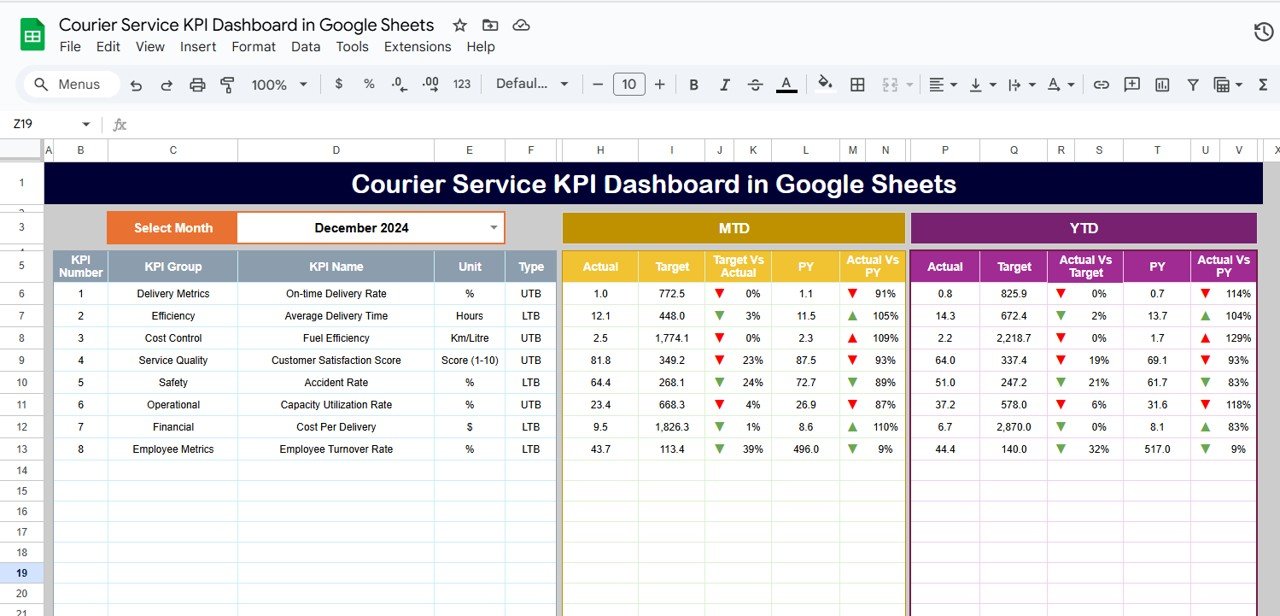
📌 Dashboard Sheet Tab – Real-Time Performance Overview
Month Selection (Range D3) for dynamic dashboard update
MTD & YTD Metrics – view Actuals, Targets, and Previous Year values
Comparisons – Target vs Actual and PY vs Actual with conditional arrows
Quickly identify areas performing above or below expectations.
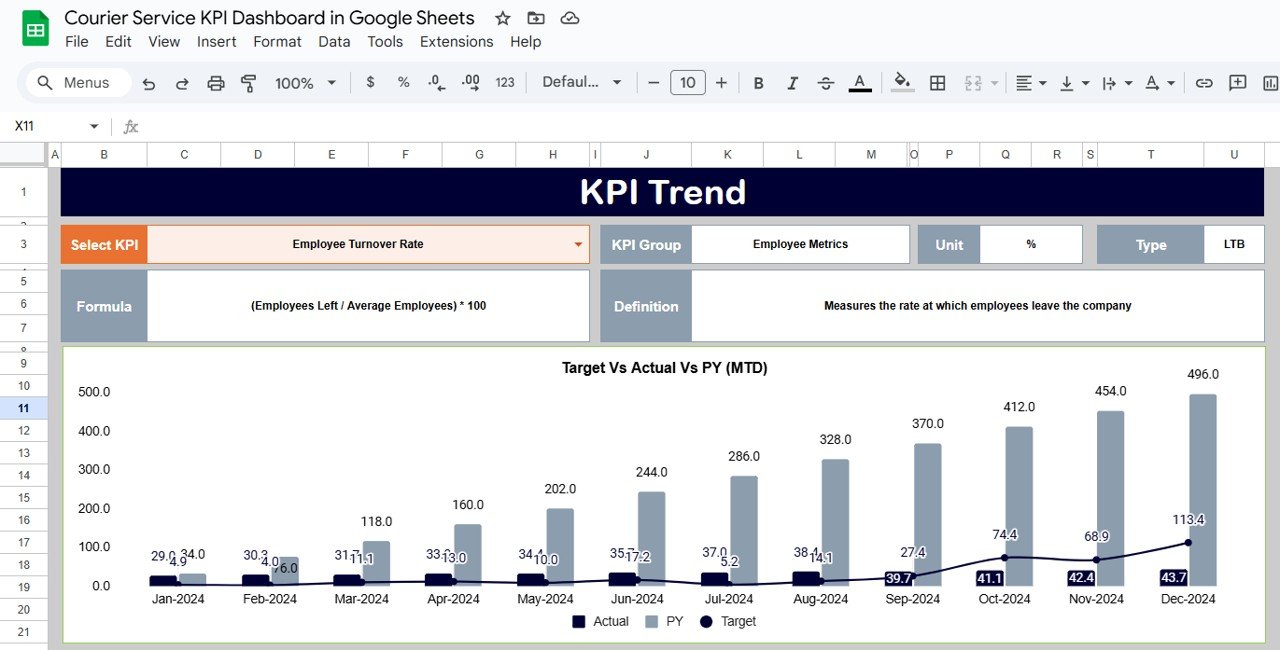
📌 KPI Trend Sheet Tab – Trend and KPI Insight
Select any KPI from a dropdown (Range C3)
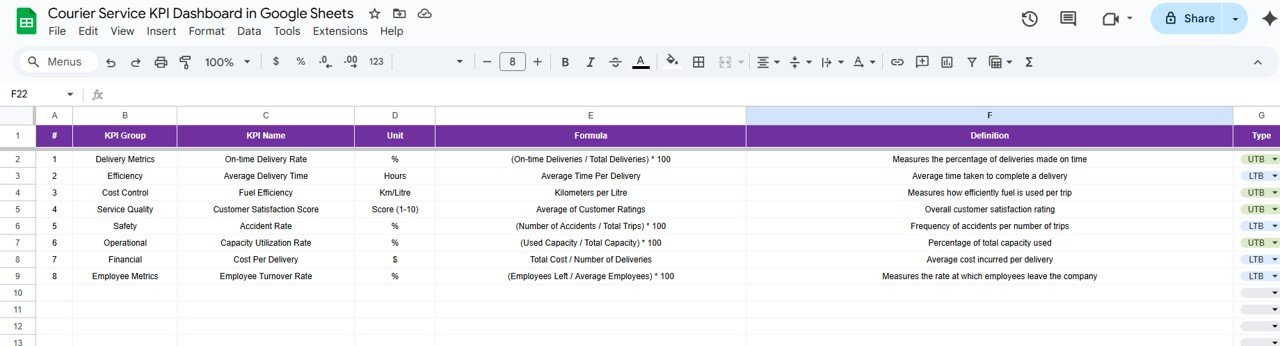
Displays KPI Group, Unit, Formula, and Definition
Shows whether the KPI is Lower the Better (LTB) or Upper the Better (UTB)
Ideal for performance trend analysis and KPI understanding.
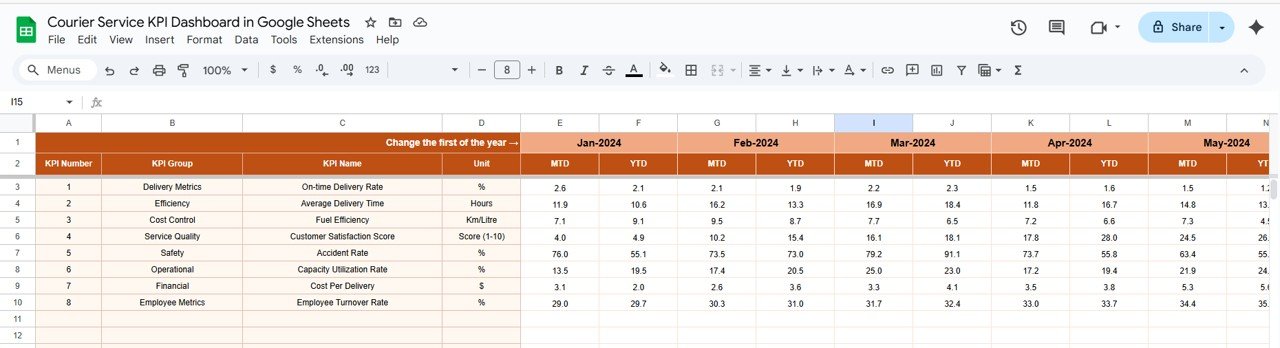
📌 Actual Numbers Sheet Tab – Operational Data Input
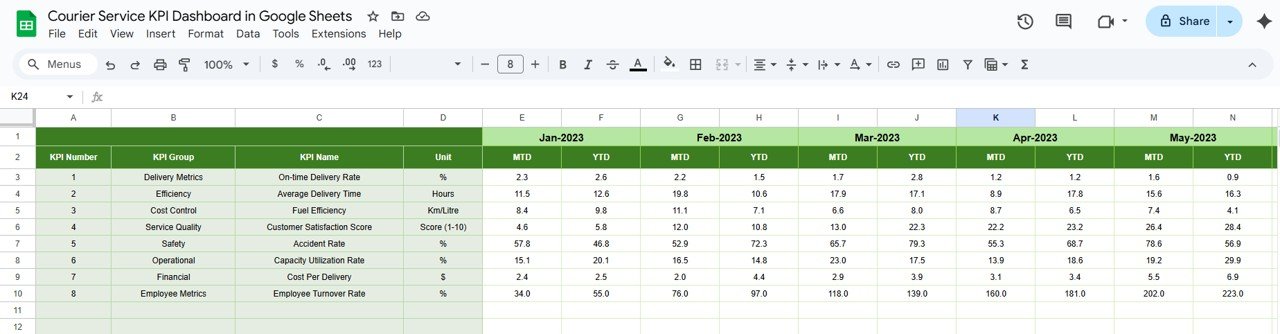
Enter monthly data for MTD and YTD
Automatically feeds into the dashboard
Supports fiscal year start month customization (Range E1)
📌 Target Sheet Tab – Goal Tracking
Enter monthly and yearly targets per KPI
Compare targets versus actuals instantly in the dashboard
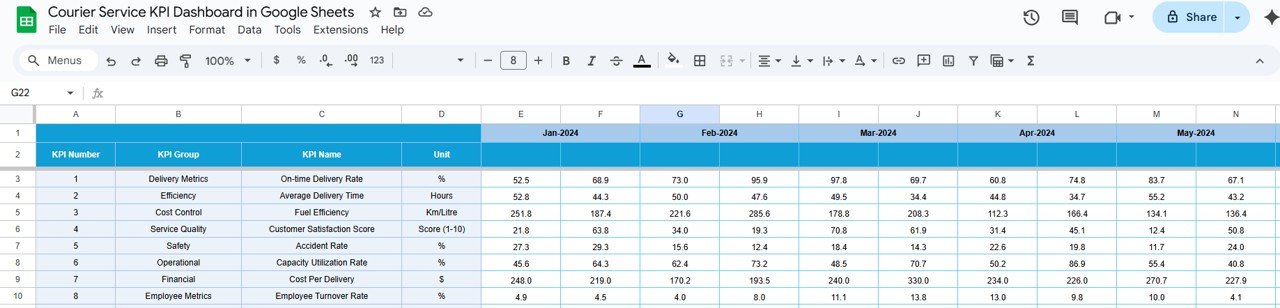
📌 Previous Year Numbers Sheet Tab – Historical Comparison
Store last year’s KPI values for monthly comparison
Enables effective year-over-year (YoY) performance monitoring
📌 KPI Definition Sheet Tab – Standardized KPI Reference
List of all KPI Names, Groups, Units, and Formulas
Provides clear KPI definitions
Ensures consistent understanding across the team
📦 What’s Inside the Courier Service KPI Dashboard?
✅ Dashboard Sheet – All KPIs in one view
✅ KPI Trend Sheet – Drill-down performance review
✅ Actual Numbers Sheet – Monthly performance data input
✅ Target Sheet – KPI target definitions
✅ Previous Year Sheet – Historical KPI values
✅ KPI Definition Sheet – KPI reference guide
✅ Pre-Formatted Charts & Logic – No setup required
🧠 How to Use the Dashboard
Copy the file to your Google Drive
Enter current performance data under Actual Numbers
Set goals in the Target Sheet
Add last year’s data to the Previous Year Sheet
Select a month on the Dashboard Sheet to view results
Use the KPI Trend Sheet for deeper performance analysis
👥 Who Can Benefit from This Dashboard?
🚚 Courier Service Managers – Monitor key KPIs in real time
📦 Logistics Professionals – Identify operational bottlenecks
📈 Business Analysts – Evaluate trends and performance variances
🏢 Executives – Track high-level delivery and service KPIs
🔗 Click here to read the Detailed blog post
🔗 Visit our YouTube channel to learn step-by-step video tutorials
Compatibility and Requirements
- Works in Google Sheets. You need a free Google account and a web browser.
- You pick the month on the Dashboard sheet and the KPI on the KPI Trend sheet from dropdowns. Google explains dropdowns in Create an in-cell dropdown list.
Frequently Asked Questions
Which sheets are included?
Six sheets: Dashboard, KPI Trend, Actual Numbers, Target, Previous Year Numbers and KPI Definition.
How do I update the dashboard?
Enter your monthly MTD and YTD figures in the Actual Numbers sheet and your goals in the Target sheet. Then select a month on the Dashboard sheet and it updates.
Can I compare this year with last year?
Yes. Add last year’s values to the Previous Year Numbers sheet. The Dashboard compares them with your actuals and shows Target vs Actual and PY vs Actual with arrows.
Can I change the fiscal year start month?
Yes. The Actual Numbers sheet has a setting for the fiscal year start month in cell E1.
Is there an Excel or Power BI version?
Yes. See the Courier Service KPI Dashboard in Excel and the Courier Service KPI Dashboard in Power BI.
Related Logistics and Service Templates
- Courier Service KPI Dashboard in Excel: the same courier KPIs in Excel
- Courier Service KPI Dashboard in Power BI: the Power BI edition
- Customer Service Dashboard In Google Sheets: a service view in Google Sheets
- Transportation Services KPI Dashboard in Excel: KPIs for transport operations
- Logistics and Transportation Hub: 7 templates for logistics teams in one download
Browse all Google Sheets KPI dashboards.

























Reviews
There are no reviews yet.