

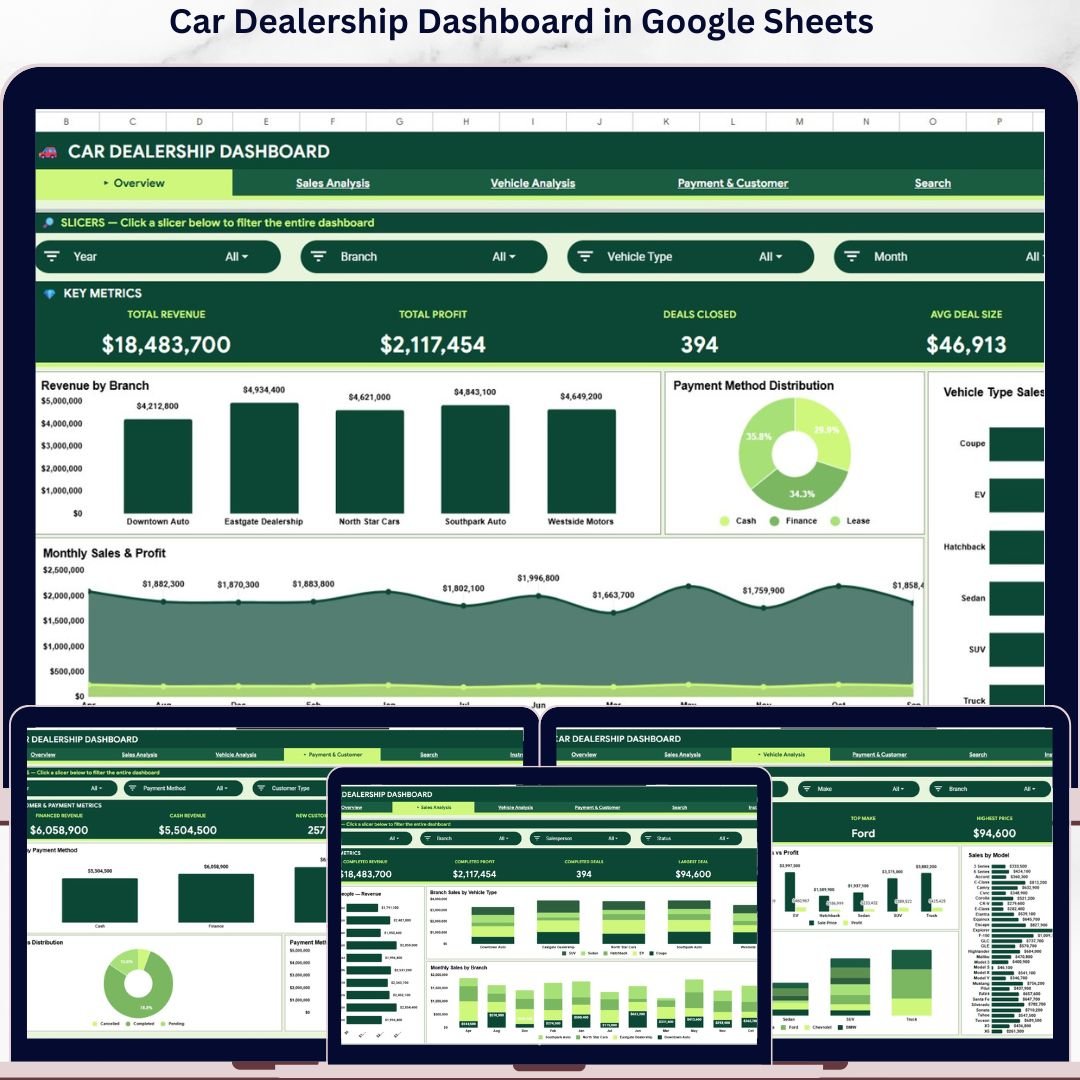


The Car Dealership Dashboard in Google Sheets tracks 4 headline KPIs across 4 interactive analysis pages, plus a Search Sheet and a Data Sheet, with 15 pre-built charts covering revenue, profit, branch performance, vehicle types, salespeople, and payment-method analytics. Setup takes under 10 minutes — make a copy from the link in your download, paste your deal records into the Data Sheet, and every card, chart, and slicer rebuilds automatically through Google Sheets’ native pivot engine.
🌍 Join 8,400+ teams in 40+ countries using NextGenTemplates to replace paid SaaS tools with one-time-purchase Excel, Google Sheets, Power BI, and HTML templates.
✅ Instant download · One-time payment · No subscription · No per-user fees · Lifetime access
🔑 Key Features of Car Dealership Dashboard in Google Sheets
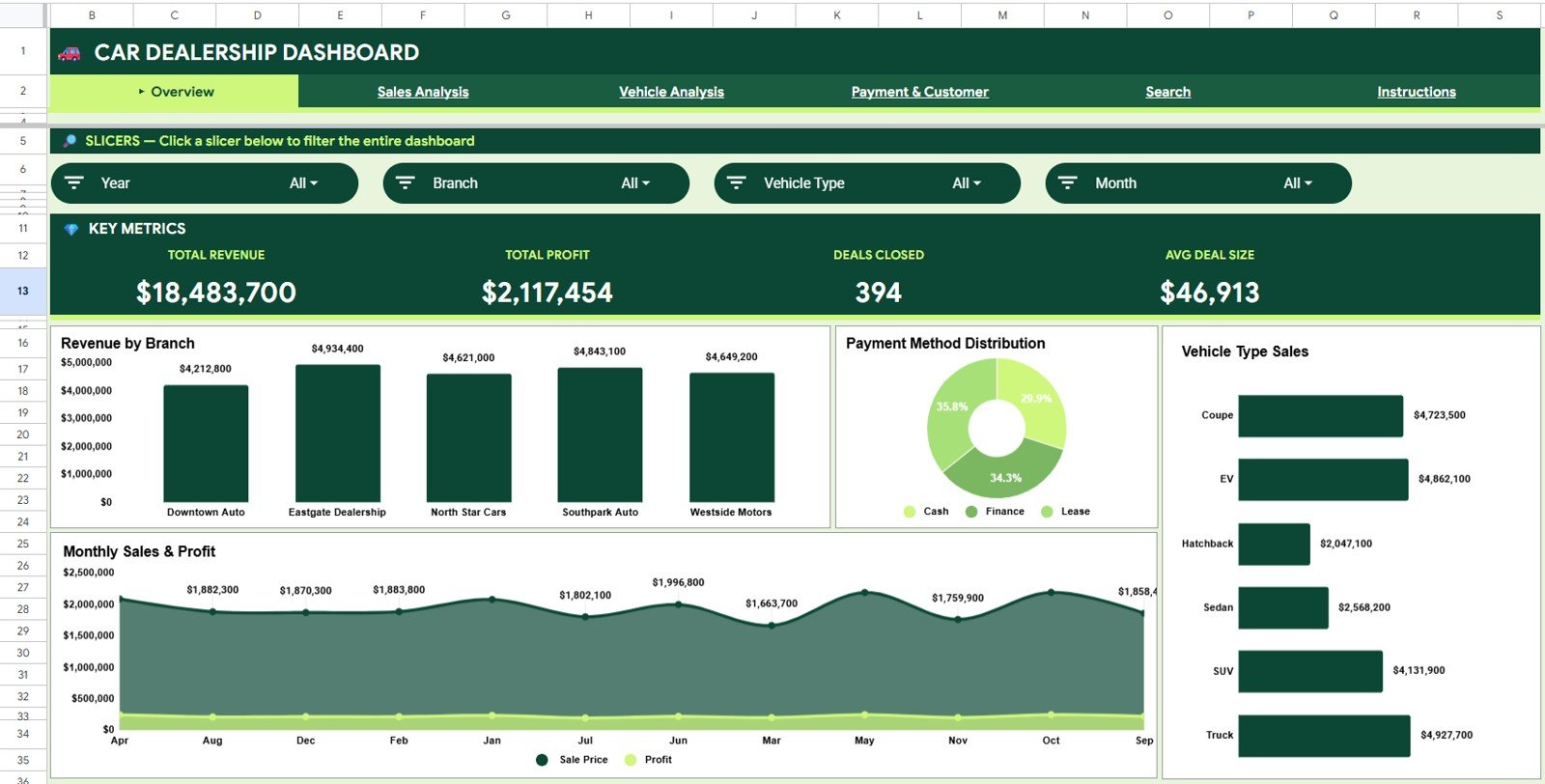
🔹 4 KPI cards on the Overview page — Total Revenue, Total Profit, Deals Closed, and Avg Deal Size give every dealer principal an instant snapshot of monthly performance. Slicers filter the entire dashboard by branch, vehicle type, salesperson, payment method, and customer type in one click.
🔹 15 interactive charts across 4 analysis pages — Overview, Sales Analysis, Vehicle Analysis, and Payment and Customer. Covers Revenue by Branch, Payment Method Distribution, Vehicle Type Sales, Monthly Sales and Profit, Revenue by Salesperson, Sales by Make and Model, Vehicle Type Mix by Make, New vs Returning Customers, and Deal Status Distribution. More analytical depth than any sheet you would build from scratch over a weekend.
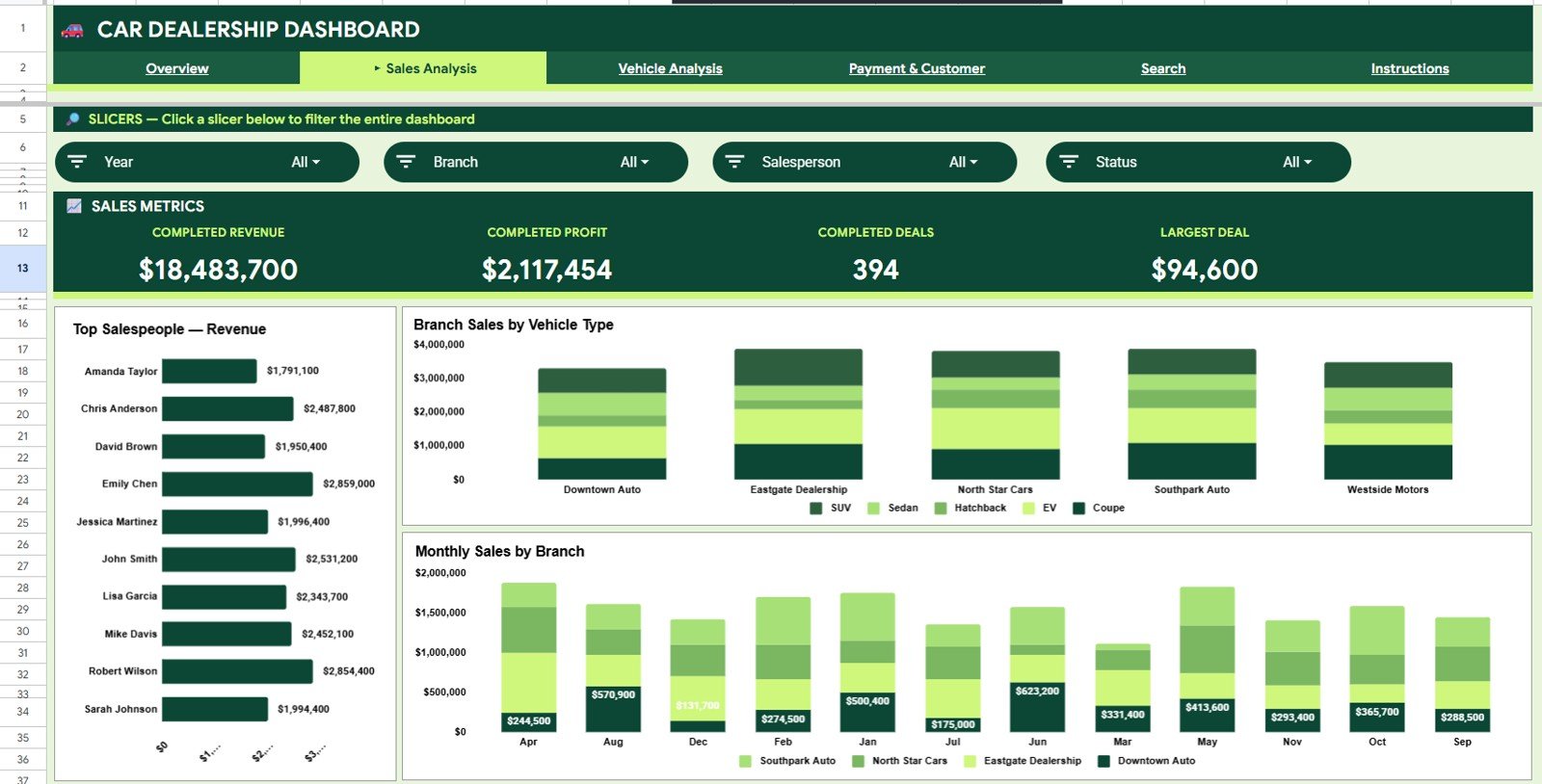
🔹 Revenue by Branch and Salesperson rankings — two of the highest-value views in the dashboard. Branch rankings reveal which lots generate the most revenue; salesperson rankings show whether your top performers are converting volume or value, directly informing commission structures and territory decisions.
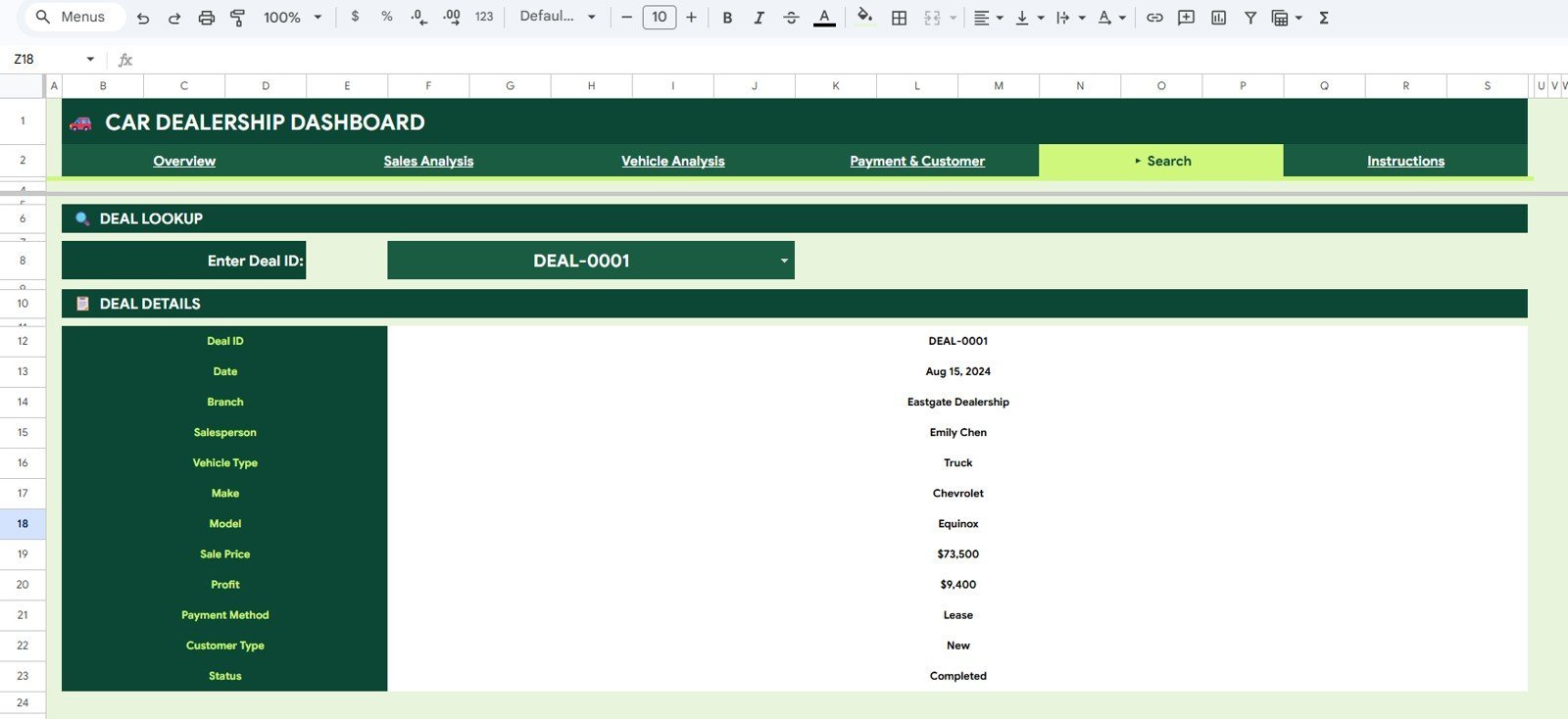
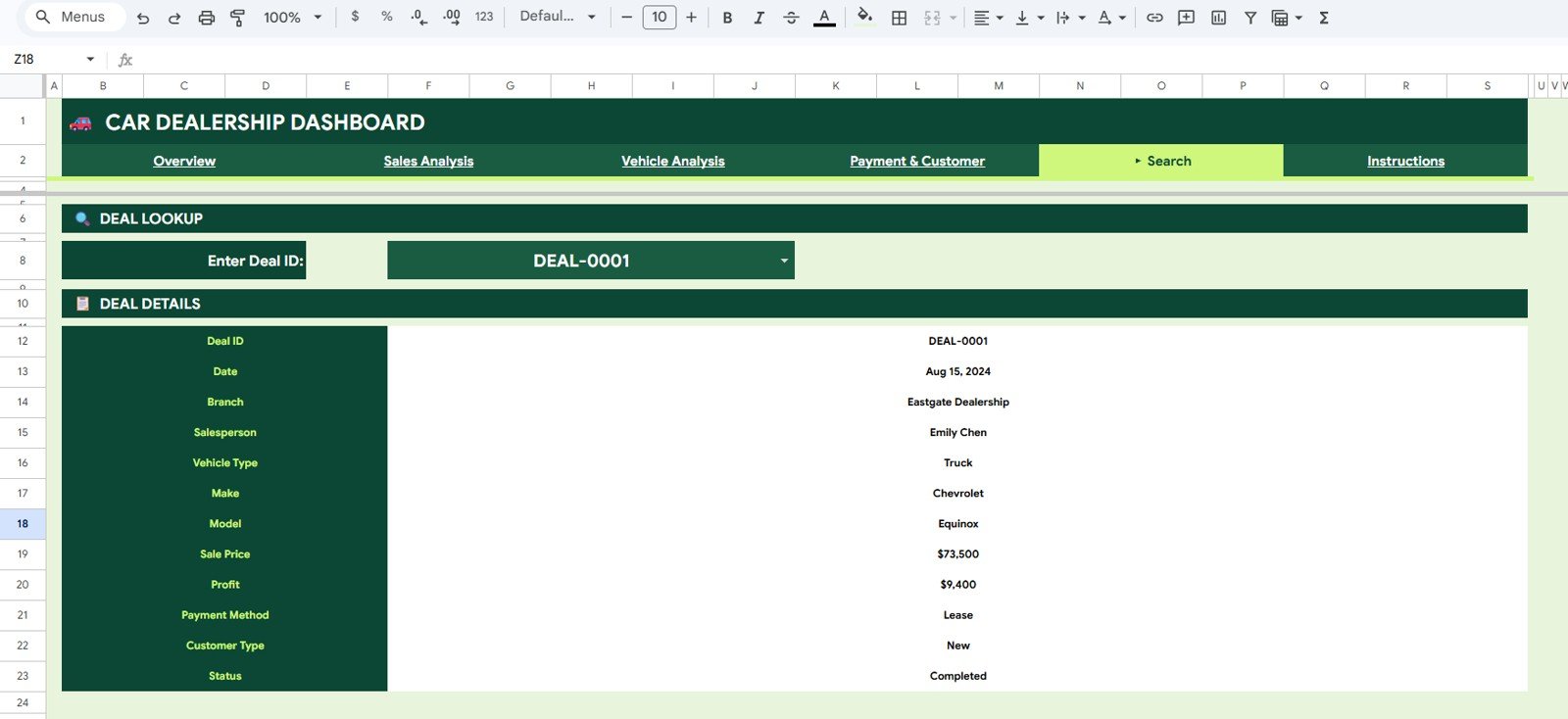
🔹 Deal Record Lookup (Search Sheet) — select any Deal ID from the dropdown and instantly retrieve Date, Branch, Salesperson, Vehicle Type, Make, Model, Sale Price, Profit, Payment Method, Customer Type, and Status. Designed for finance & insurance managers, service advisors, and front-desk staff fielding customer and warranty queries without scrolling hundreds of rows.
🔹 100% Google Sheets native — built on pivot tables and Google Sheets chart logic. No add-ons, no Apps Script required for daily use. Works in any browser and opens cleanly in the Google Sheets mobile app on iOS and Android. Google’s official documentation on creating and using pivot tables in Google Sheets covers how the underlying engine powering this dashboard works.
📦 What’s Inside the Car Dealership Dashboard in Google Sheets
The Car Dealership Dashboard in Google Sheets ships with 6 sheet tabs — Overview, Sales Analysis, Vehicle Analysis, Payment and Customer, Search Sheet, and Data Sheet — engineered around the questions every dealer principal asks on Monday morning. Browse more options in our Google Sheets Dashboards collection.
Page 1: Overview Page
The Overview page is the page every dealer principal opens first. Four KPI cards across the top — Total Revenue, Total Profit, Deals Closed, Avg Deal Size — give the high-level snapshot in one second. Below that, four charts answer the next layer of questions: Revenue by Branch, Payment Method Distribution, Vehicle Type Sales, and Monthly Sales and Profit. Slicers across the top filter the entire dashboard by branch, vehicle type, salesperson, payment method, and customer type.
Page 2: Sales Analysis
The Sales Analysis page drills into who is selling what and where. Three visuals — Revenue by Salesperson, Sales by Branch and Vehicle Type, and Monthly Sales by Branch. Sales managers use this page to evaluate whether senior salespeople are converting higher-margin SUVs and luxury sedans, or whether they are driving volume on lower-margin economy vehicles. It is also the page used before every commission review and quarterly territory discussion.
Page 3: Vehicle Analysis
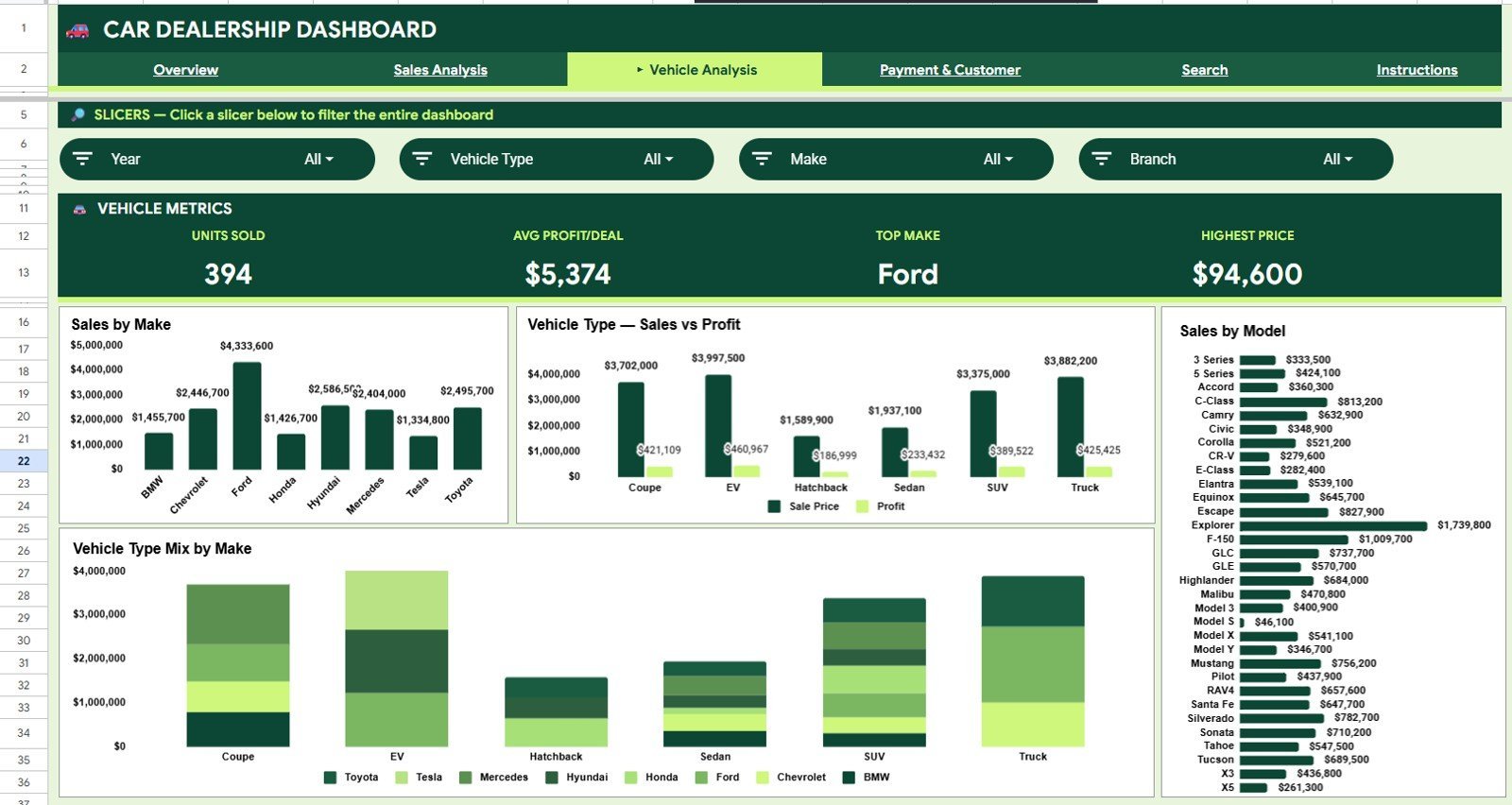
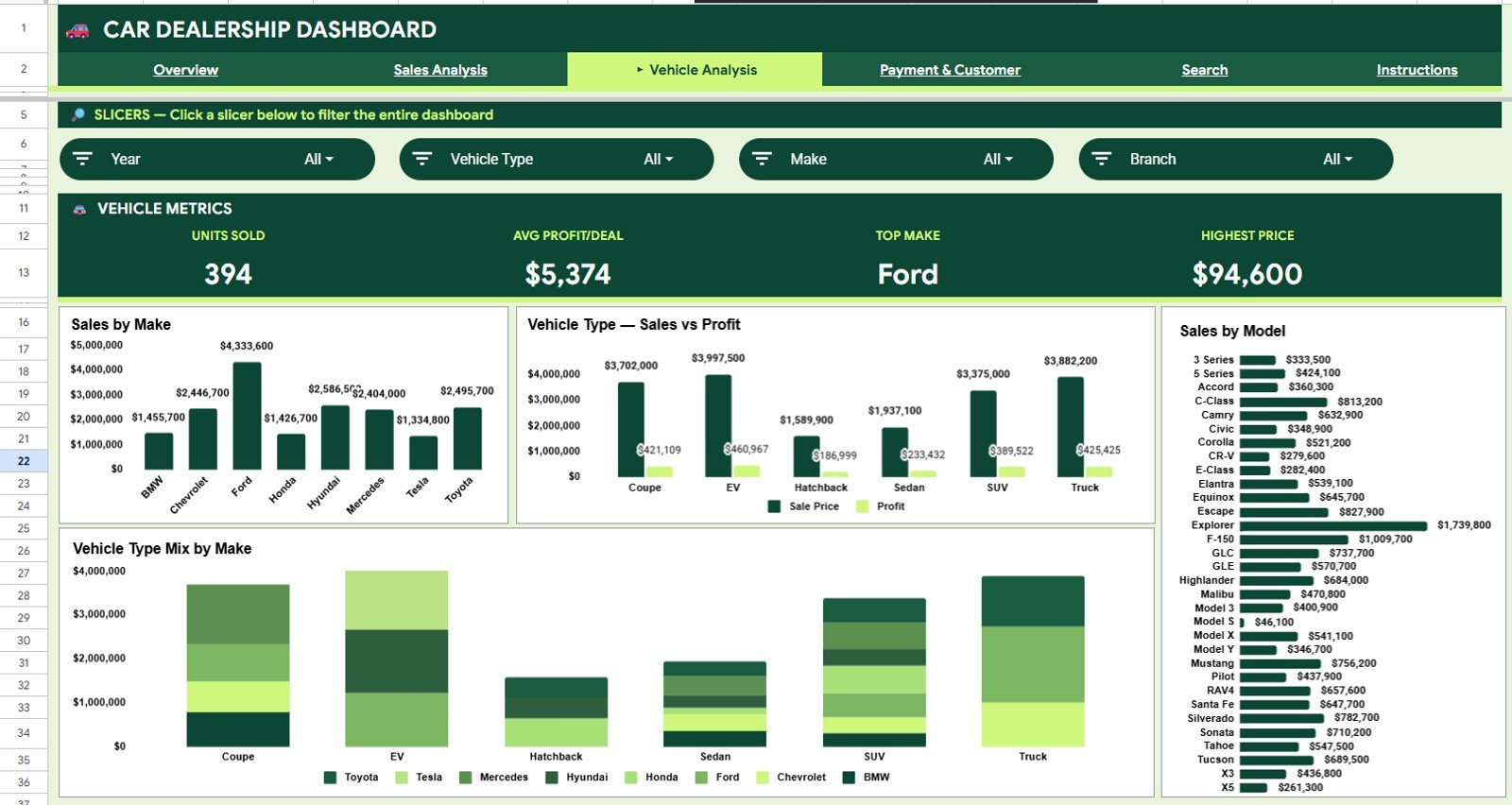
The Vehicle Analysis page breaks down inventory performance by Make, Model, and Vehicle Type. Four visuals — Sales by Make, Sale Price and Profit by Vehicle Type, Sales by Model, and Vehicle Type Mix by Make. Inventory managers use this view to decide which makes deserve more floor allocation, which models carry the strongest margins, and how the SUV-versus-sedan mix is evolving by manufacturer.
Page 4: Payment and Customer
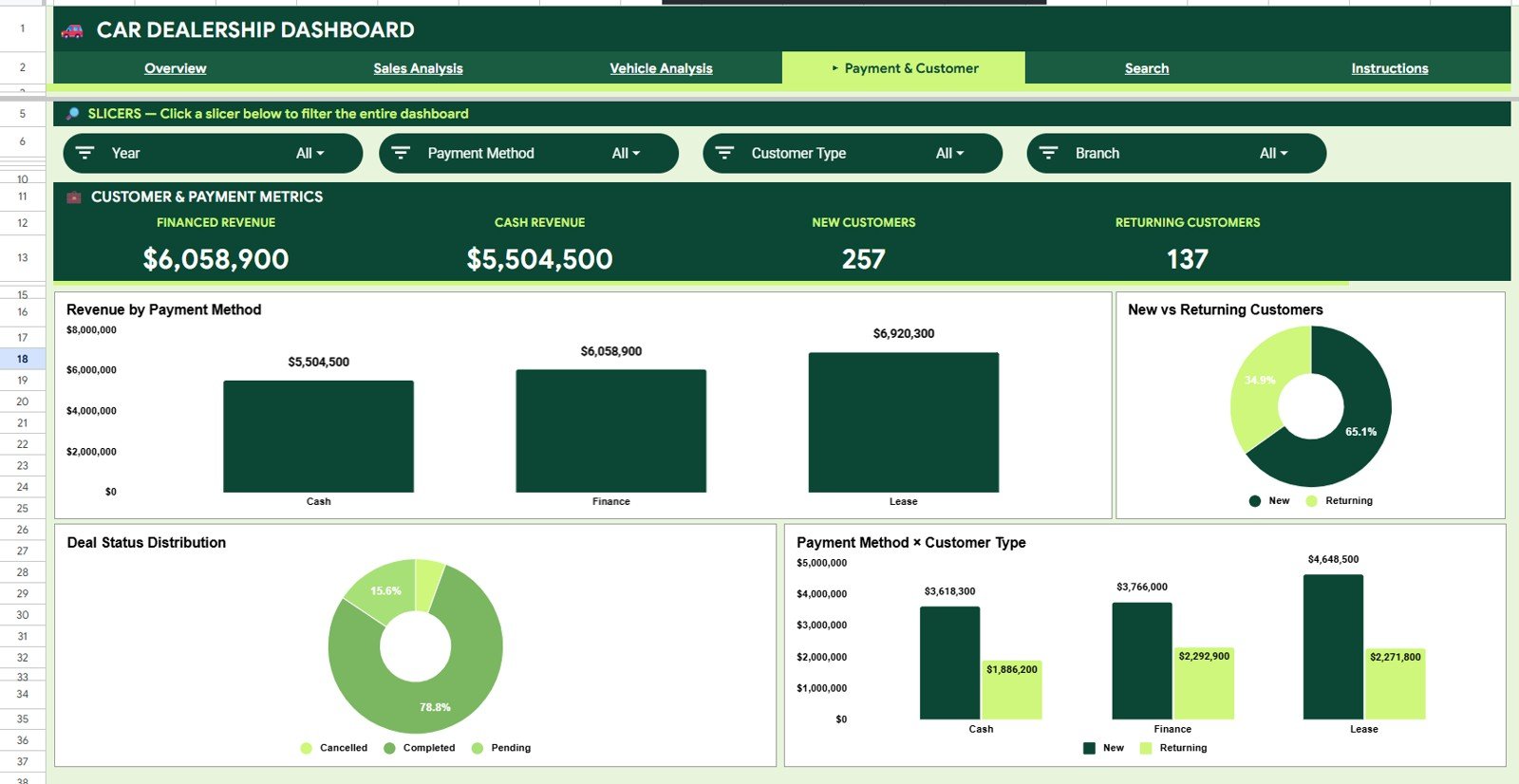
The Payment and Customer page connects finance behavior with customer segments. Four visuals — Revenue by Payment Method, New vs Returning Customers, Deal Status Distribution, and Revenue by Payment Method and Customer Type. F&I managers use this page to spot whether financed deals are growing faster than cash deals, whether the returning-customer base is contributing more revenue per deal, and how many in-progress deals are stalling before closing.
Page 5: Search Sheet
The Search Sheet is built for finance managers and front-desk staff who need a clean record without scrolling through 500+ rows. Select any Deal ID from the Deal Record Lookup dropdown and the full record prints instantly — Date, Branch, Salesperson, Vehicle Type, Make, Model, Sale Price, Profit, Payment Method, Customer Type, and Status. Perfect for finance follow-ups, warranty disputes, and customer callback calls.
Page 6: Data Sheet
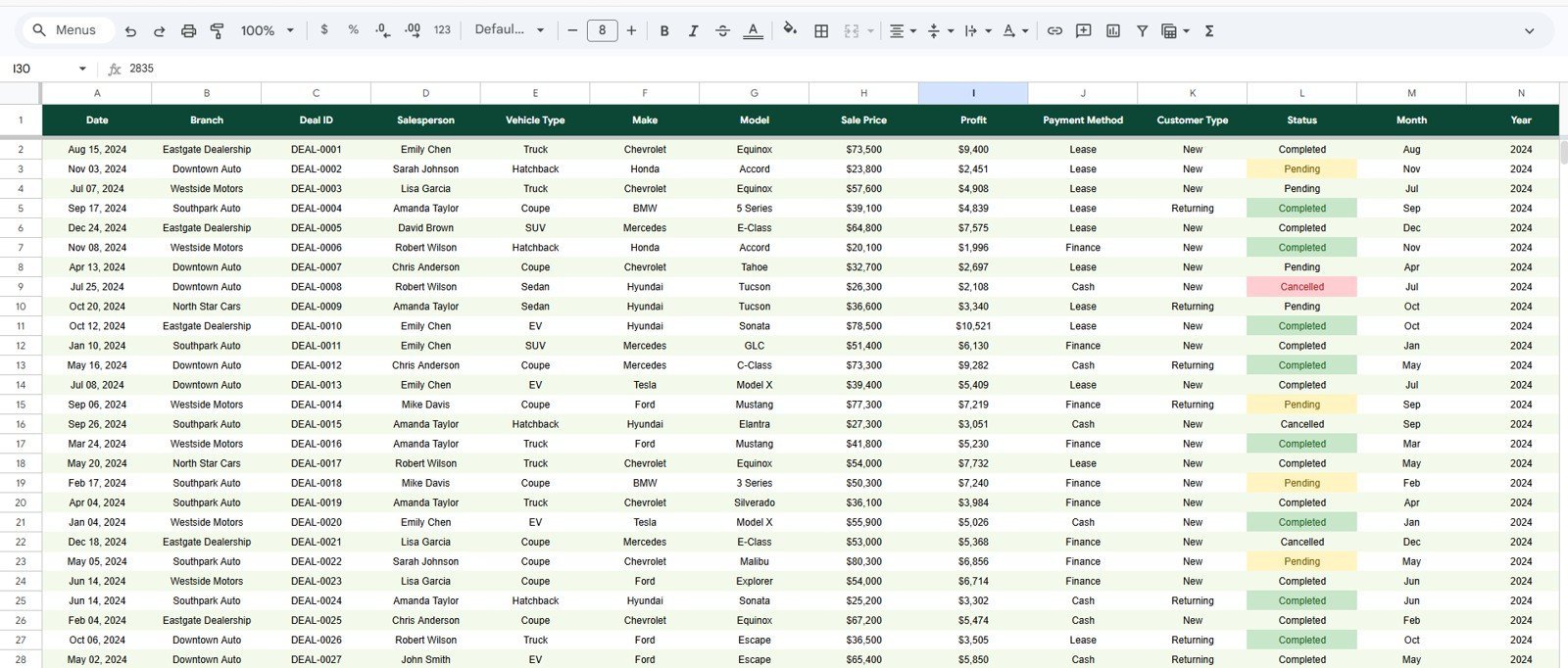
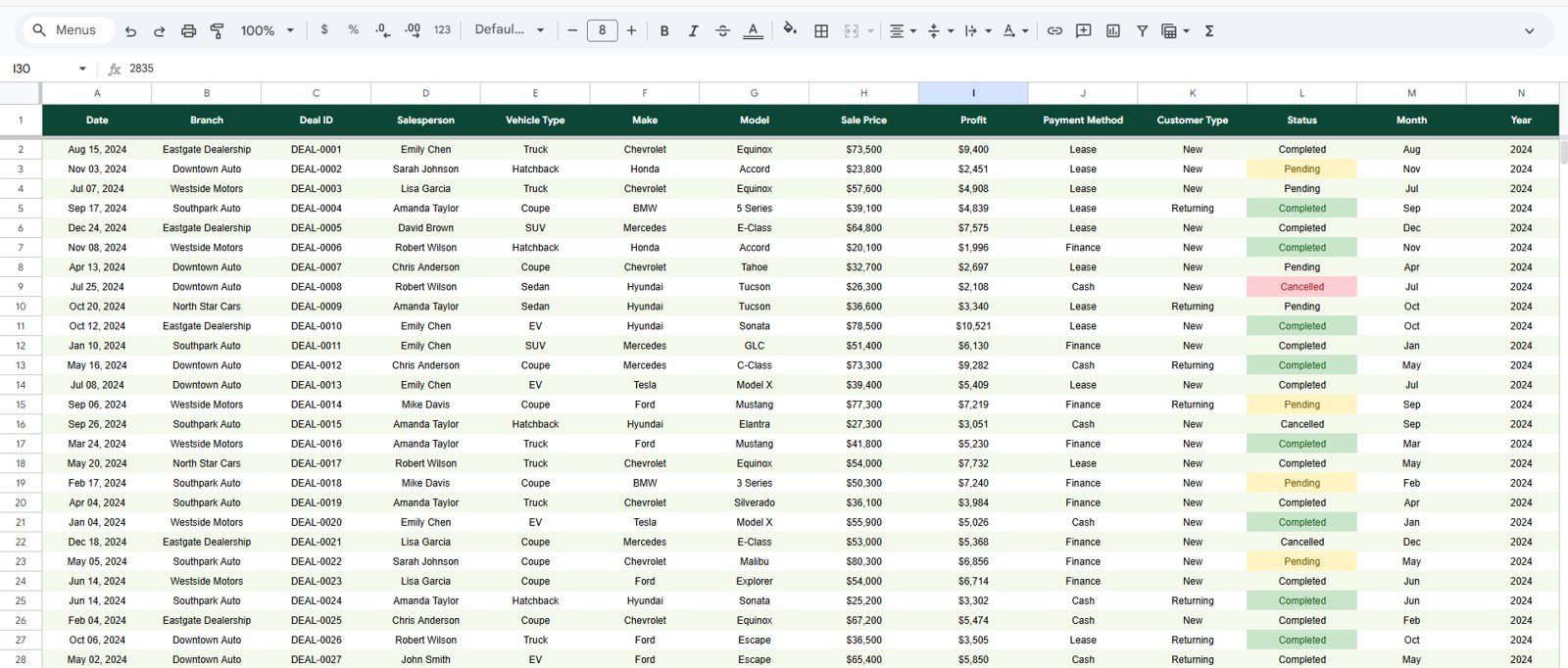
The Data Sheet is where you paste or type your deal records in the same column order as the sample data. Every chart, KPI card, and slicer reads directly from this sheet, so adding new rows or new categories (a new salesperson, a new branch, a new vehicle make) flows through to every visual automatically — no formula edits required.
📊 Car Dealership Dashboard in Google Sheets vs. Microsoft Excel Dashboard vs. VinSolutions / DealerSocket — Where This Fits
| Feature | Car Dealership Dashboard in Google Sheets | Microsoft Excel Dashboard | VinSolutions / DealerSocket |
|---|---|---|---|
| Cost | $9.99 one-time | $17.99 one-time | $300–$1,500 / month per store |
| Platform | Google Sheets (browser, free) | Microsoft Excel | Cloud DMS / CRM |
| Setup time | Under 10 minutes | Under 15 minutes | 4–12 weeks onboarding |
| Real-time team collaboration | ✅ Native — share a link | Requires SharePoint or 365 | ✅ Built-in (paid seats) |
| Mobile access | ✅ Google Sheets app | Limited mobile editing | ✅ Native app |
| Customizable fields and charts | ✅ Fully editable | ✅ Editable | ❌ Vendor-locked reports |
| Share with link | ✅ One click | Requires file send | User seat required |
| Year-1 cost at 5 users | $9.99 total | $17.99 total | $3,600–$18,000 |
| Deal record lookup | ✅ Built-in Search Sheet | Manual PivotTable filter | ✅ Built-in |
For independent and multi-location dealerships that want browser-based deal analytics without committing to a $300–$1,500/month DMS, the Car Dealership Dashboard in Google Sheets sits in the sweet spot.
👥 Who This Template Is For — and Who It’s Not For
✅ This template is built for:
- Independent new and used car dealership owners with 1–5 locations who need weekly revenue, profit, and salesperson reporting
- Multi-branch dealer groups tracking performance across stores by vehicle type, make, and payment method
- Sales managers running weekly performance reviews and monthly commission discussions
- F&I (finance and insurance) managers monitoring cash-vs-financed-vs-leased deal mix
- Automotive retail consultants building client-ready dashboards without rebuilding from Excel each time
❌ This template is NOT for:
- Large auto groups needing live DMS integration, F&I document e-sign, online appraisal, and inventory feeds — use VinSolutions, DealerSocket, or CDK Global
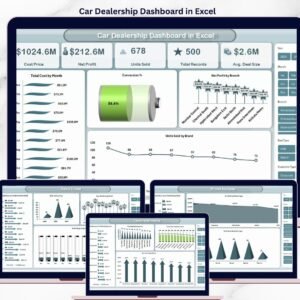
- Teams that prefer Microsoft Excel — see the Car Dealership Dashboard in Excel
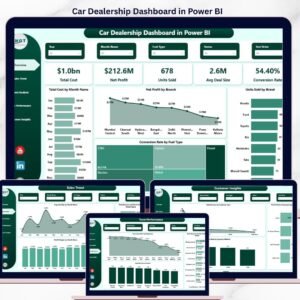
- Power BI shops that need DAX-based modeling and row-level security — see the Car Dealership Dashboard in Power BI
⚙️ How to Use the Car Dealership Dashboard in Google Sheets
- Download the PDF guide from your order and click the Google Sheets copy link inside.
- Make a copy of the template to your own Google Drive.
- Open the Data Sheet and paste your deal records in the same column order as the sample data.
- Open the Overview page — KPI cards and four charts refresh automatically.
- Use the slicers across the top to filter by branch, vehicle type, salesperson, payment method, or customer type.
- Open the Search Sheet and pick any Deal ID from the dropdown for a one-click record lookup.
- Share the file via Google Sheets sharing settings with your sales managers, F&I team, and accountants.
💼 Real-World Use Cases
Vikram owns a 3-location used car dealership in Hyderabad. He uses the Car Dealership Dashboard in Google Sheets every Monday morning to check Total Revenue and Total Profit on the Overview page, then opens Sales Analysis to compare Revenue by Salesperson across branches — the data that drives his monthly commission and territory decisions. His F&I manager accesses the same Google Sheet by link to monitor cash-versus-financed deal mix without interrupting the sales floor.
Hannah manages a 5-store new-car dealer group in Ohio. She uses the Vehicle Analysis page to compare Sales by Make and Sale Price and Profit by Vehicle Type across all stores each month, spotting which makes carry margins under 8%. The Vehicle Type Mix by Make chart revealed that SUVs were over-indexing on two specific brands — a data point that redirected her floor planning and inventory order ahead of Q4.
Marco is an automotive retail consultant in Toronto. He customizes the Car Dealership Dashboard in Google Sheets for each new dealer client, shares the link by email, and trains the owner in 30 minutes. Because everything runs in the browser, clients review their dashboards from a phone between customer appointments — no installation, no file sharing, no version confusion.
❓ Frequently Asked Questions
What KPIs does the Car Dealership Dashboard in Google Sheets track?
The Car Dealership Dashboard in Google Sheets tracks 4 headline KPIs on the Overview page: Total Revenue, Total Profit, Deals Closed, and Avg Deal Size. Across 4 analysis pages it delivers 15 charts covering revenue by branch, vehicle type, salesperson, make, model, payment method, customer type, and monthly sales-and-profit trends.
How does this compare to VinSolutions or DealerSocket?
VinSolutions and DealerSocket are full DMS/CRM platforms charging $300–$1,500 per month per store with multi-week onboarding. The Car Dealership Dashboard in Google Sheets is a $9.99 one-time purchase delivering the analytics layer — revenue tracking, salesperson performance, deal lookup — without recurring fees or per-seat pricing.
How long does setup take?
Setup takes under 10 minutes. Open the PDF guide from your download, click the Google Sheets copy link, paste your deal records into the Data Sheet in the same column order as the sample data, and every KPI card, chart, and slicer across all 4 analysis pages updates automatically.
Do I need a paid Google Workspace account?
No. The Car Dealership Dashboard in Google Sheets works on any free personal Google account. A paid Google Workspace plan is optional — useful for admin controls and shared team drives, but not required for daily dealership operations.
Can I add my own branches, salespeople, makes, or vehicle types?
Yes. Add any new branches, salespeople, vehicle makes, vehicle types, customer types, or payment methods directly to the Data Sheet. The pivot tables and charts across all 4 analysis pages pick up the new values automatically — no formula edits required.
Does the dashboard work on mobile?
Yes. The Car Dealership Dashboard in Google Sheets opens in the Google Sheets mobile app on iOS and Android. Front-desk staff can look up deal records from the Search Sheet on a phone, and dealer principals can review the Vehicle Analysis page from anywhere.
Can I share this with my whole dealership team without paying per user?
Yes. There are no per-user fees from NextGenTemplates. Your $9.99 covers unlimited internal users. Click Share in Google Sheets, add email addresses for your sales managers, F&I team, or accountants, and assign view, comment, or edit access.
👤 About the Author
Built by PK — Microsoft Certified Professional with 15+ years of Excel, Google Sheets, and Power BI experience. Founder of NextGenTemplates, reaching 300K+ subscribers across YouTube channels (@PK-AnExcelExpert, @NextGenTemplates, @NeoTechNavigators). Every template is hand-built and tested before release.
🔗 Explore Related Templates
🔹 Also available as:
- Car Dealership Dashboard in Excel — Same KPI logic with pivot-driven Excel charts for teams on the Microsoft stack.
- Car Dealership Dashboard in Power BI — Interactive .pbix file for BI teams running Power BI Desktop.
🔹 Related automotive analytics templates:
- Auto Repair Dashboard in Google Sheets — Sister field-service template for repair shops tracking jobs, technicians, and revenue.
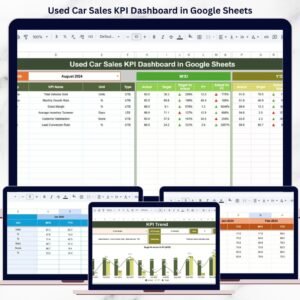
- Used Car Sales KPI Dashboard in Google Sheets — KPI scorecard view with MTD/YTD targets and previous-year comparison.
- Automotive KPI Scorecard in Google Sheets — Scorecard-style KPI tracking with traffic-light indicators.
🔹 Browse the full Google Sheets Dashboard collection for more dashboard templates.
📖 Click here to read the Detailed Blog Post
Watch the step-by-step video tutorial:
🎥 Visit our YouTube channel for step-by-step video tutorials
👉 YouTube.com/@NextGenTemplates































Reviews
There are no reviews yet.