

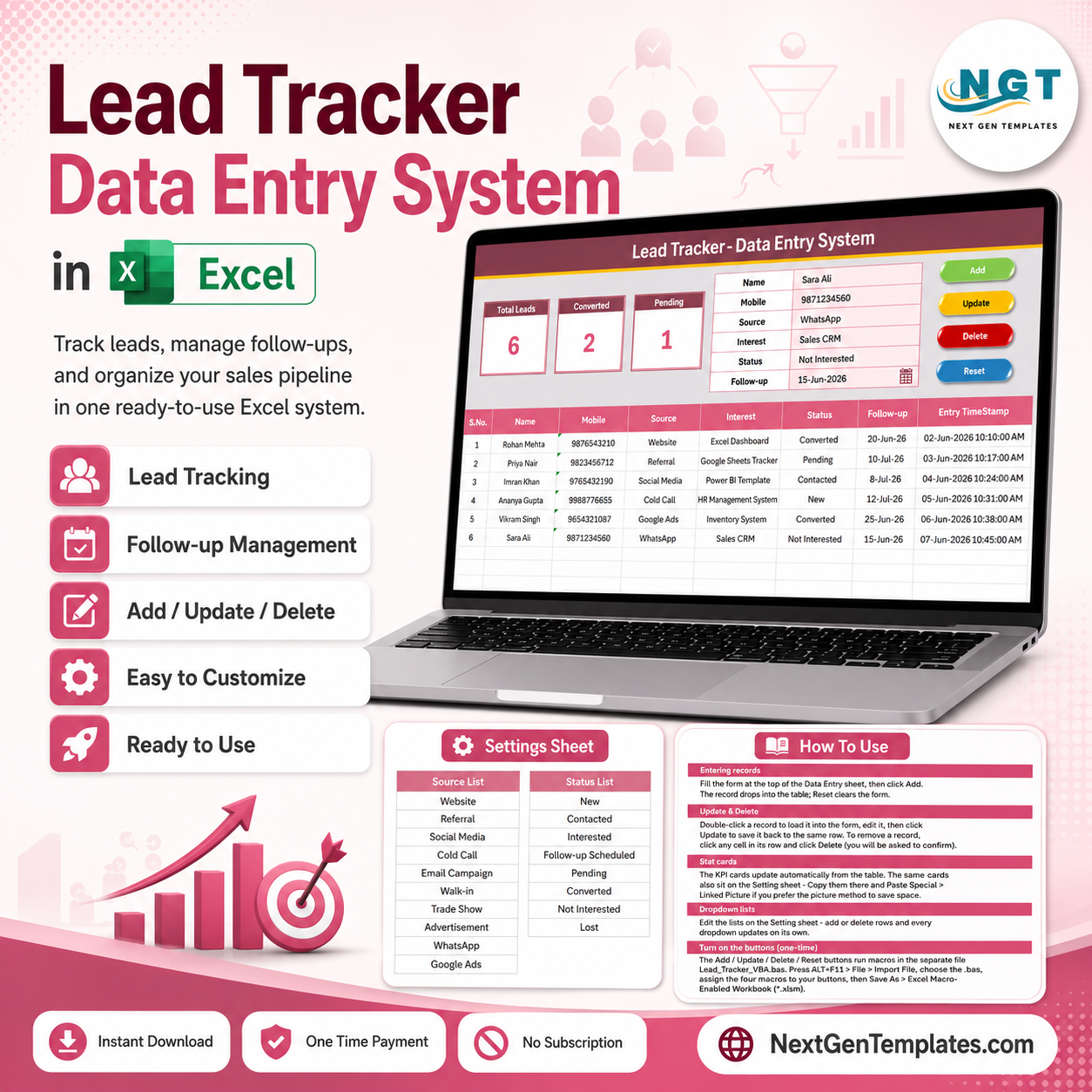
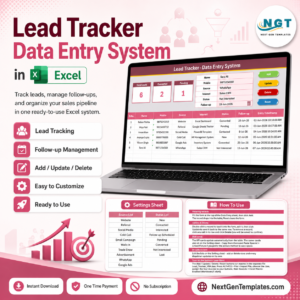
The Lead Tracker Data Entry System in Excel logs every sales lead across 6 fields — Name, Mobile, Source, Interest, Status and Follow-up — and updates three live KPI cards (Total Leads, Converted, Pending) the moment a record is added. First-time setup takes under 5 minutes, and the tool works entirely offline with no login and no per-seat fees.
Most solo founders and small sales teams don’t need a $25-per-seat CRM to answer one question: who is the lead, and are they closing? This Lead Tracker gives you a clean, VBA-driven form to capture that in seconds and keep a timestamped record of every lead.
🌍 Join 8,400+ teams in 40+ countries using NextGenTemplates to replace paid SaaS tools with one-time-purchase Excel, Google Sheets, Power BI, and HTML templates.
✅ Instant download · One-time payment · No subscription · No per-user fees · Lifetime access
🔑 Key Features of the Lead Tracker Data Entry System in Excel
This is a macro-driven data entry form, not a static spreadsheet. Every record action runs through a button, so the underlying table stays clean no matter who is entering leads.
- Four one-click VBA buttons — Add, Update, Delete and Reset handle every record action from the form, so nobody types directly into the table and breaks a formula.
- Three auto-calculating KPI cards — the dashboard tracks Total Leads, Converted (Status = Converted) and Pending (Status = Pending), and all three recalculate instantly with each entry.
- Two dropdown-controlled fields — Source and Status pull from editable lists on the Setting sheet, covering 18 combined preset options so every entry stays standardized for clean filtering.
- Auto S.No and Entry TimeStamp — every lead is numbered automatically and stamped with its entry date-time, creating a reliable audit trail.
- Double-click to edit — click any row to load that lead back into the form, change it, and hit Update to write it back in place.
📦 What’s Inside the Lead Tracker Data Entry System
Data Entry Dashboard
The main sheet holds the entry form, three KPI cards, the Add/Update/Delete/Reset buttons, and the records table. Enter a lead, click Add, and the row drops into the table with an auto S.No and timestamp.
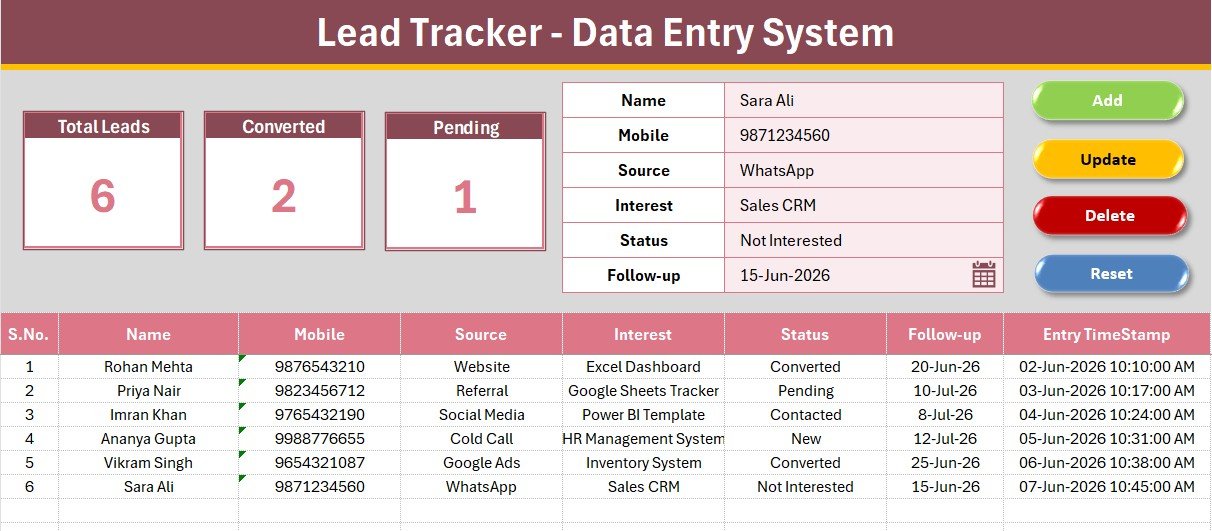
Data Entry Form and KPI Cards
A close-up of the form and dashboard panel: bold labels, light-tinted input lines, and the three KPI cards sitting above the coloured Add/Delete/Update/Reset button cells.
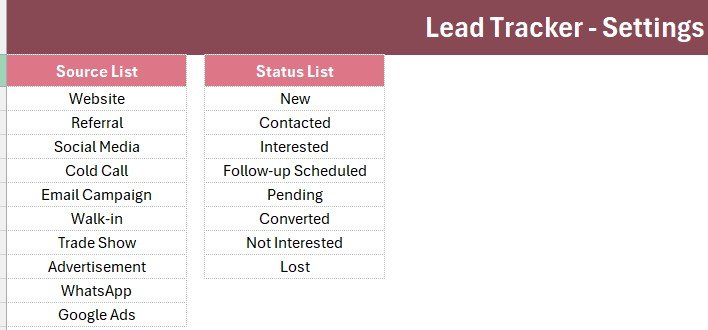
Setting Sheet — Dropdown Lists
The Setting sheet holds the source lists for Source (Website, Referral, Social Media, Cold Call, Email Campaign, Walk-in, Trade Show, Advertisement, WhatsApp, Google Ads) and Status (New, Contacted, Interested, Follow-up Scheduled, Pending, Converted, Not Interested, Lost). Edit these lists and the form dropdowns update automatically, powered by Excel’s own data validation dropdowns.
📊 Lead Tracker Data Entry System in Excel vs. Google Sheets vs. Paid CRM/SaaS — Where This Fits
| Feature | Lead Tracker (Excel) | Google Sheets equivalent | HubSpot / Salesforce / Pipedrive |
|---|---|---|---|
| Cost | $5.99 one-time | Free but build-it-yourself | $15–90 / user / month |
| Platform | Microsoft Excel (offline) | Google Sheets (cloud) | Web / mobile SaaS |
| Setup time | Under 5 minutes | Hours to build | Days of onboarding |
| One-click Add/Update/Delete | Yes, VBA buttons | Manual / scripts needed | Yes |
| Works fully offline | Yes | No | No |
| Per-user fees | None | None | Charged per seat |
| Own your data locally | Yes | In Google cloud | On vendor servers |
| Year-1 cost at 5 users | $5.99 | $0 | $900–$5,400 |
For solo founders and small teams that want fast, structured lead logging without paying per seat every month, the Lead Tracker Data Entry System sits in the sweet spot.
👥 Who This Template Is For — and Who It’s Not For
✅ This template is built for:
- Solo founders and freelancers who need one place to log every inbound lead
- Small sales teams (2–10 people) that prefer a one-time Excel tool over a monthly CRM subscription
- Marketing and agency staff who need to track lead source and interest for ROI reporting
❌ This template is NOT for:
- Sales orgs that need real-time cloud collaboration with several reps editing at the same instant
- Teams that require automated email sequences, lead scoring, or a visual drag-and-drop pipeline — a dedicated CRM fits better
⚙️ How to Use the Lead Tracker Data Entry System
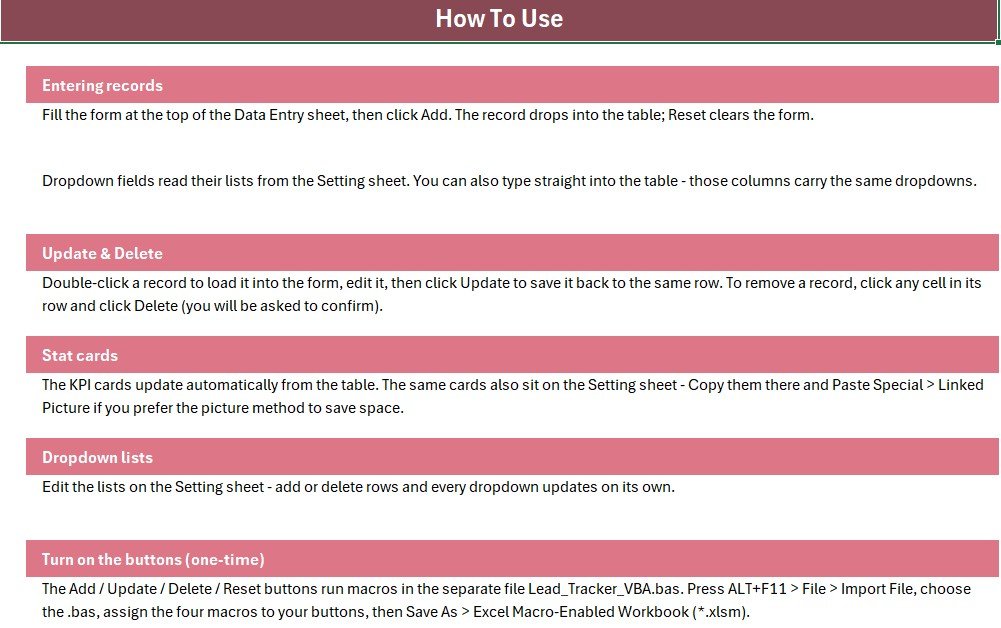
- Open the workbook and press ALT+F11, then File → Import File → the .bas VBA module.
- Add four Form-Control buttons over the coloured Add/Delete/Update/Reset cells and assign the matching macros.
- Save As → Excel Macro-Enabled Workbook (.xlsm).
- Enter a lead’s Name, Mobile, Source, Interest, Status, and Follow-up date in the form.
- Click Add — the row appears in the table with an auto S.No and timestamp.
- Double-click any row to reload it into the form, edit it, and click Update to save changes in place.
💼 Real-World Use Cases
Meera is a freelance web designer. She logs every inbound inquiry from her website contact form and Instagram DMs into the Lead Tracker, checks the Pending card each morning, and follows up before a lead goes cold — without paying for a CRM she’d barely use.
Arjun runs a 4-person outbound sales team at a small SaaS startup. His reps log calls and demos by Source and Status, and he reviews the Converted count weekly to see which channel — cold call, LinkedIn, or referral — is actually closing deals.
Fatima manages partnerships at a nonprofit. She tracks donor leads by Interest and Follow-up date, then updates entries in seconds using the double-click-to-edit form.
❓ Frequently Asked Questions
What fields does the Lead Tracker Data Entry System track?
The Lead Tracker Data Entry System captures six fields per record: Name, Mobile, Source, Interest, Status and Follow-up date. Source and Status are dropdown-controlled from the Setting sheet to keep every entry consistent.
Do I need to enable macros?
Yes. The Lead Tracker Data Entry System uses VBA for the Add, Update, Delete and Reset buttons, so you must enable macros and save the file as a macro-enabled workbook (.xlsm) for the buttons to work.
How long does setup take?
Setup takes under 5 minutes. You import the VBA module, attach four buttons to the coloured cells, save as .xlsm, and start entering leads — the built-in Instructions sheet walks you through each step.
How does this compare to HubSpot or Salesforce?
HubSpot and Salesforce charge $15–90 per user each month. The Lead Tracker is a one-time $5.99 Excel tool with no per-user fees — ideal for founders and small teams that don’t need pipeline automation.
Can I change the Source and Status dropdown options?
Yes. Both dropdown lists live on the Setting sheet. Edit the values there and the form dropdowns update automatically, so you can match the Lead Tracker Data Entry System to your own lead sources and pipeline stages.
Does this replace a full CRM?
No. It is a lightweight lead log, not a pipeline-forecasting or email-automation platform. Teams that outgrow it can step up to a dedicated CRM once volume justifies the monthly cost.
👤 About the Author
Built by PK — Microsoft Certified Professional with 15+ years of Excel, Google Sheets, and Power BI experience. Founder of NextGenTemplates, reaching 300K+ subscribers across YouTube channels
(@PK-AnExcelExpert,
@NextGenTemplates,
@NeoTechNavigators).
Every template is hand-built and tested before release.
🔗 Explore Related Templates
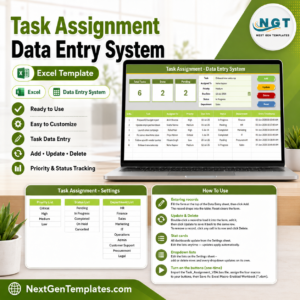
You may also like the Task Assignment Data Entry System in Excel, the Customer Credit (Udhaar) Data Entry System in Excel, and the Client Invoice Tracker Data Entry System in Excel. Browse the full Sales & Marketing Templates collection for more.
📖 Click here to read the Detailed Blog Post
🎥 Visit our YouTube channel for step-by-step video tutorials
👉 YouTube.com/@NextGenTemplates
📅 Last updated: July 2026



























Reviews
There are no reviews yet.