

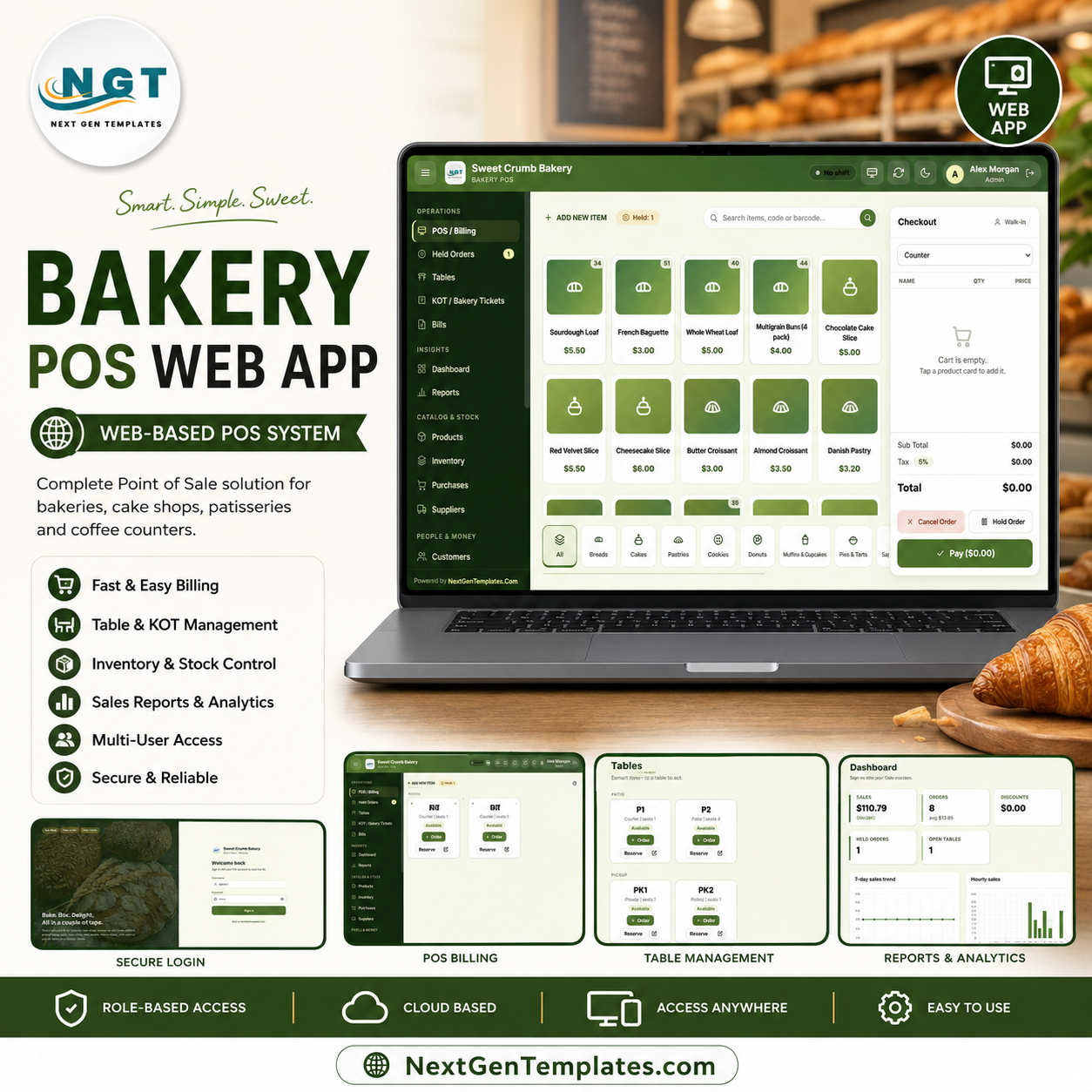
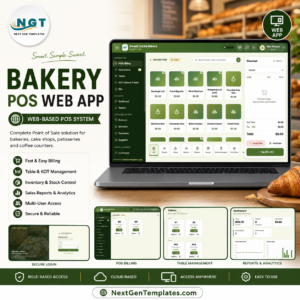
The Bakery POS Web App runs a full counter on Google Sheets — touch billing, kitchen tickets, table service, inventory, customer loyalty and 19 built-in reports across 20 working screens. It installs from a single Make a Copy link, supports 6 staff roles, and tracks live stock that drops on every sale. Setup takes under 15 minutes — copy the sheet, deploy as a web app, and your till is live on any browser or tablet.
🌍 Join 8,400+ teams in 40+ countries using NextGenTemplates to replace paid SaaS tools with one-time-purchase Excel, Google Sheets, Power BI, and HTML templates.
✅ Instant download · One-time payment · No subscription · No per-user fees · Lifetime access
🔑 Key Features of the Bakery POS Web App
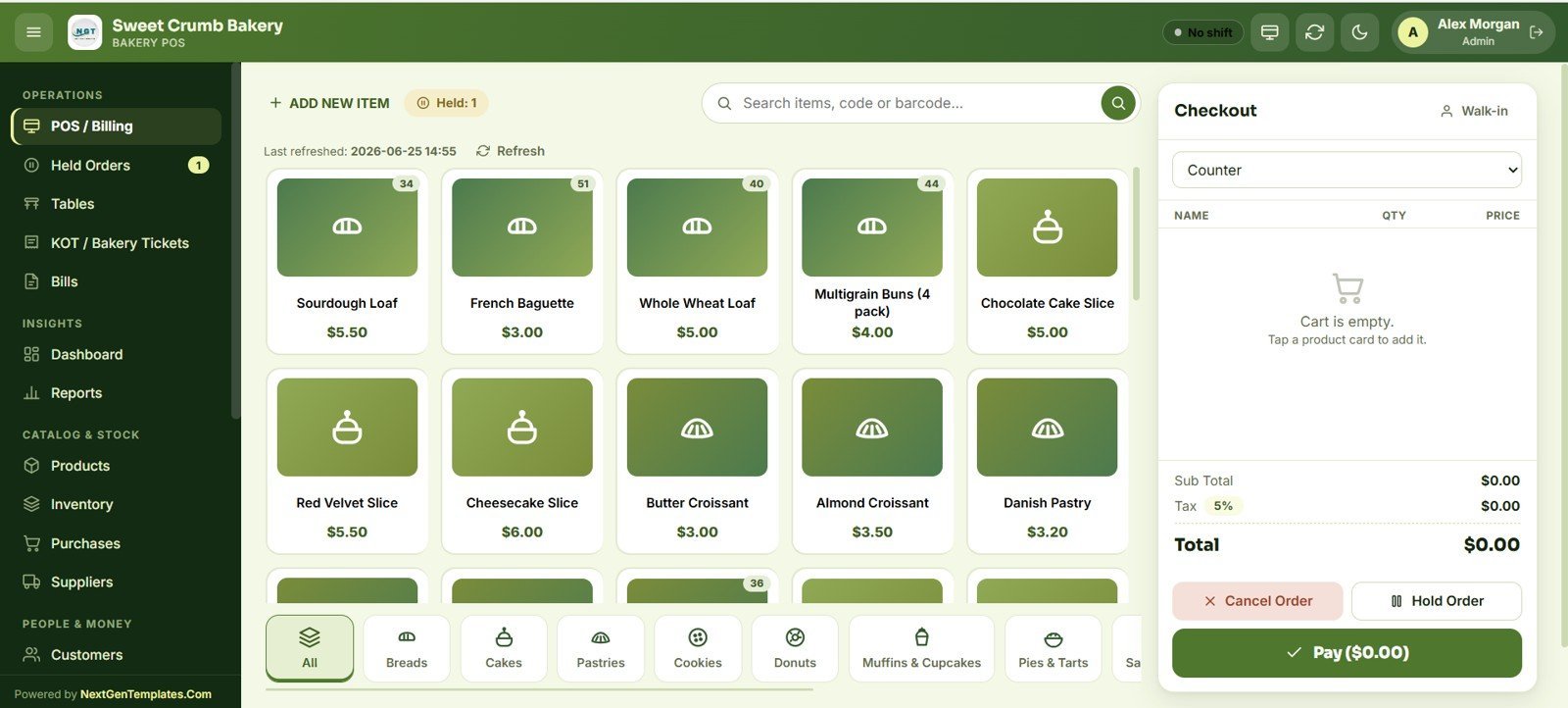
🧁 Touch-friendly billing built for a busy counter. The POS screen shows product image cards with live stock badges, instant search by name, code or barcode, and a running cart with subtotal, tax and total. Cashiers tap to add, hold an order, or take payment in cash, card, UPI or wallet.
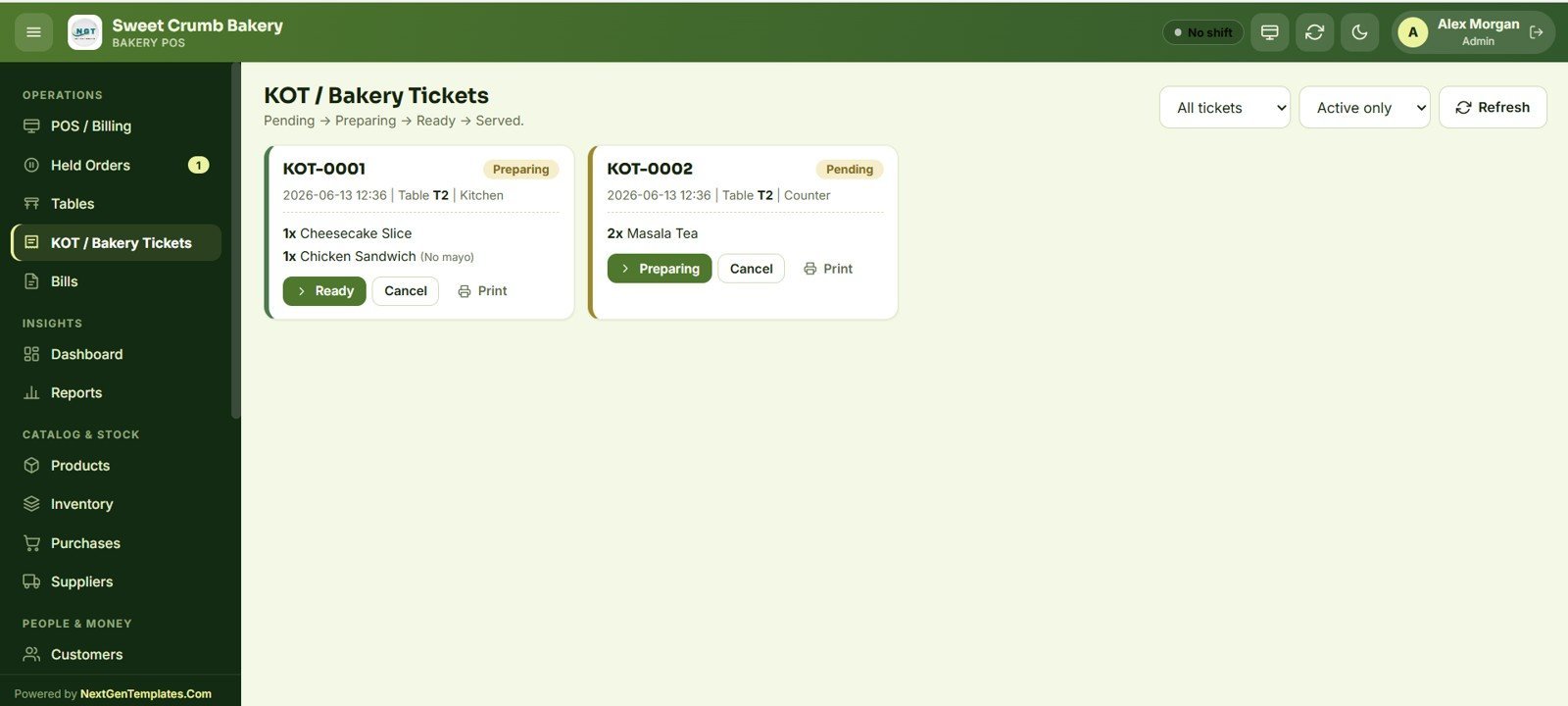
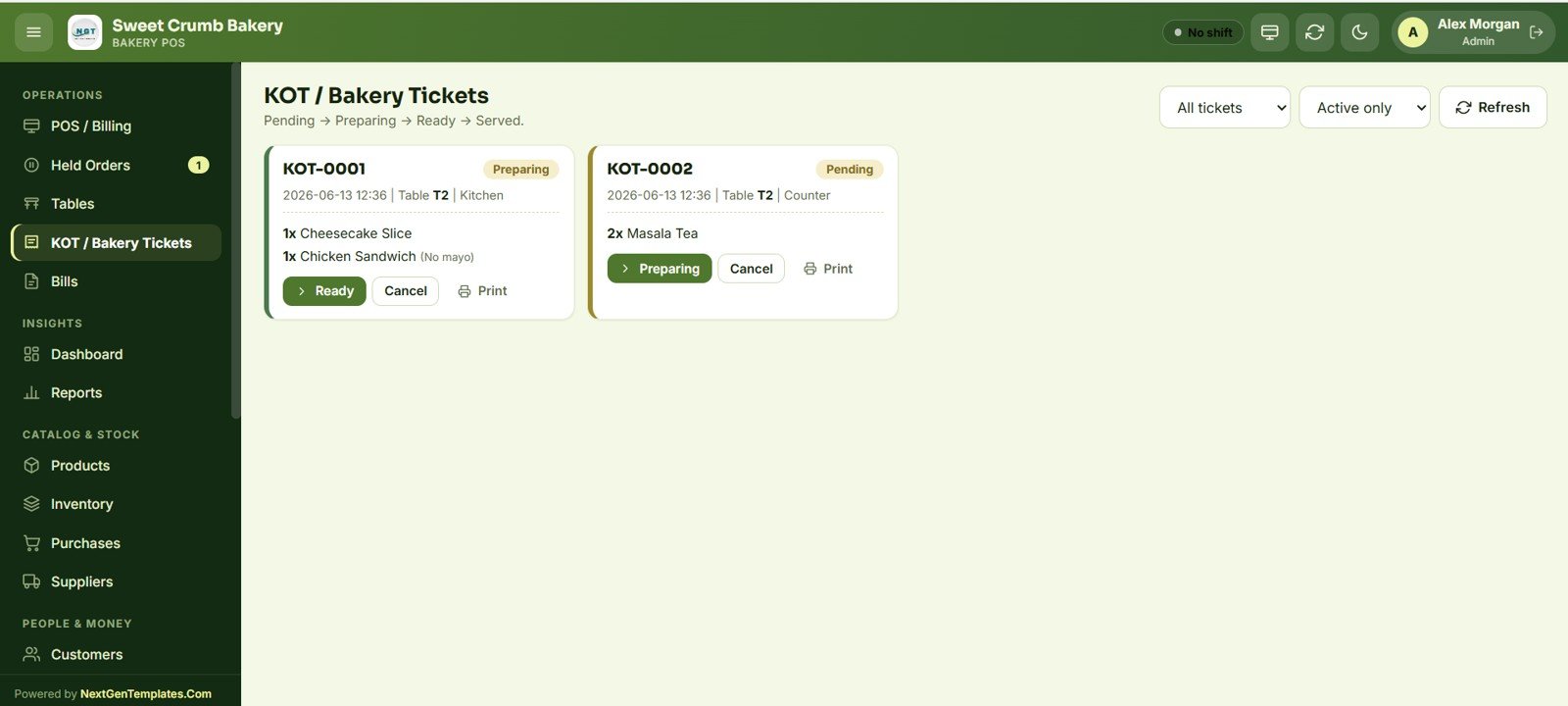
🍞 Kitchen Order Tickets (KOT) for the bake station. Every dine-in or counter order can fire a bakery ticket that moves through Pending → Preparing → Ready → Served, with per-item notes like “No mayo” and a one-tap Print for the kitchen printer.
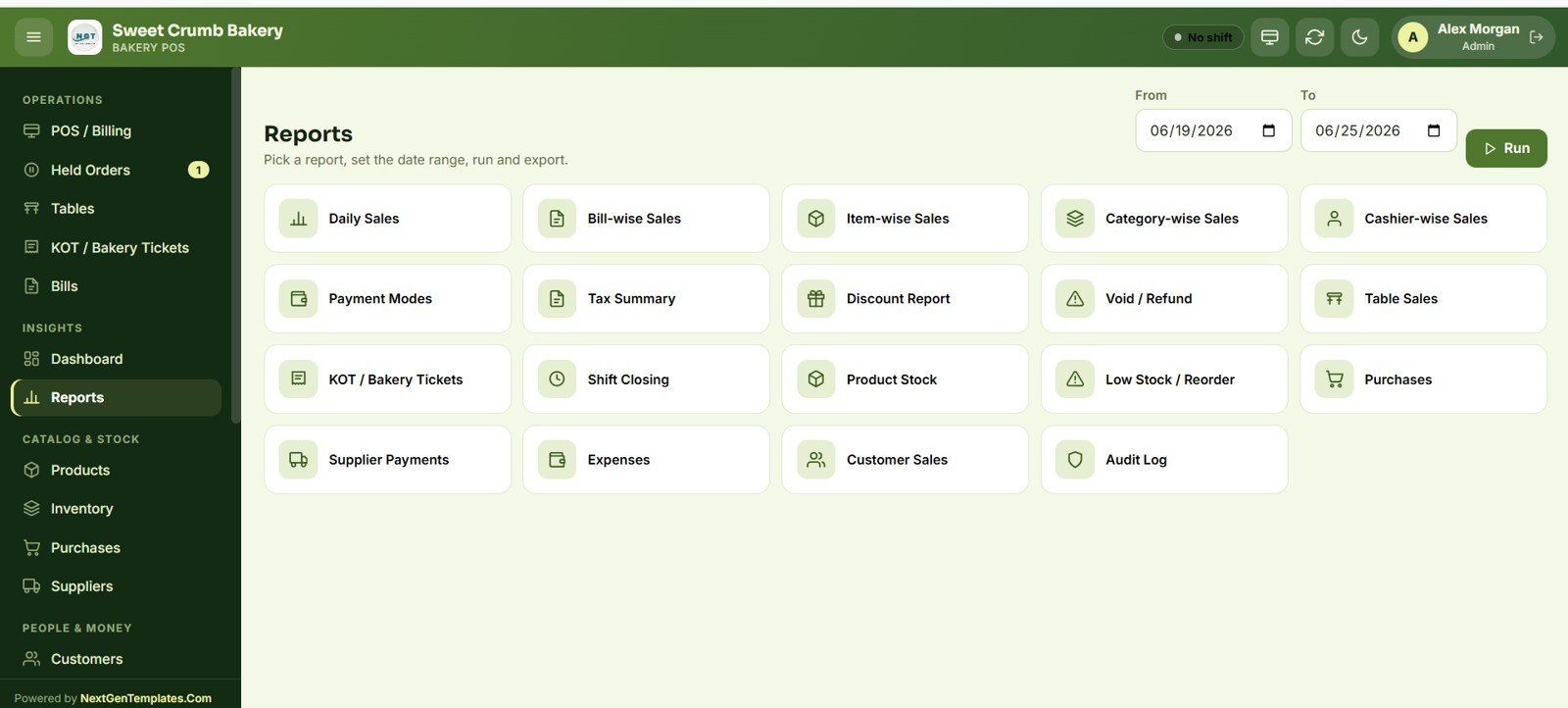
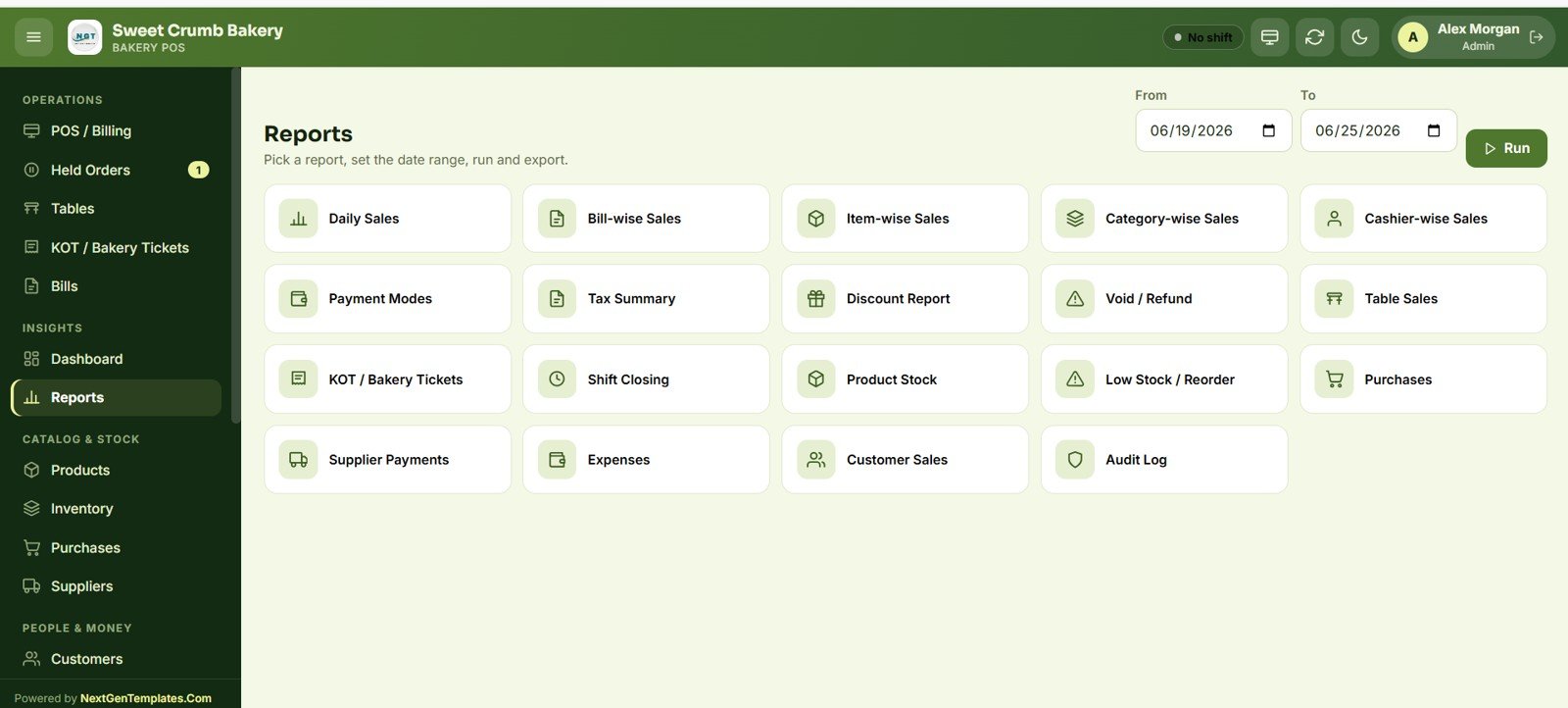
📋 19 ready-made reports. The Bakery POS Web App ships with Daily Sales, Bill-wise, Item-wise, Category-wise and Cashier-wise sales, plus Payment Modes, Tax Summary, Discount, Void/Refund, Table Sales, KOT, Shift Closing, Product Stock, Low Stock/Reorder, Purchases, Supplier Payments, Expenses, Customer Sales and a full Audit Log — each exportable to Excel.
📦 Live inventory that updates on every sale. Opening stock, purchases and sales post to a stock ledger automatically, so the dashboard Low Stock card and the Reorder report always reflect what is actually on the shelf.
🔐 Six staff roles with audit tracking. Admin, Manager, Cashier, Baker, Inventory User and Viewer each see only what they should, and every login, sale, void, refund, stock change and edit is written to the Audit Log with user, role, time and record.
📦 What’s Inside the Bakery POS Web App
Login & Secure Sign-In
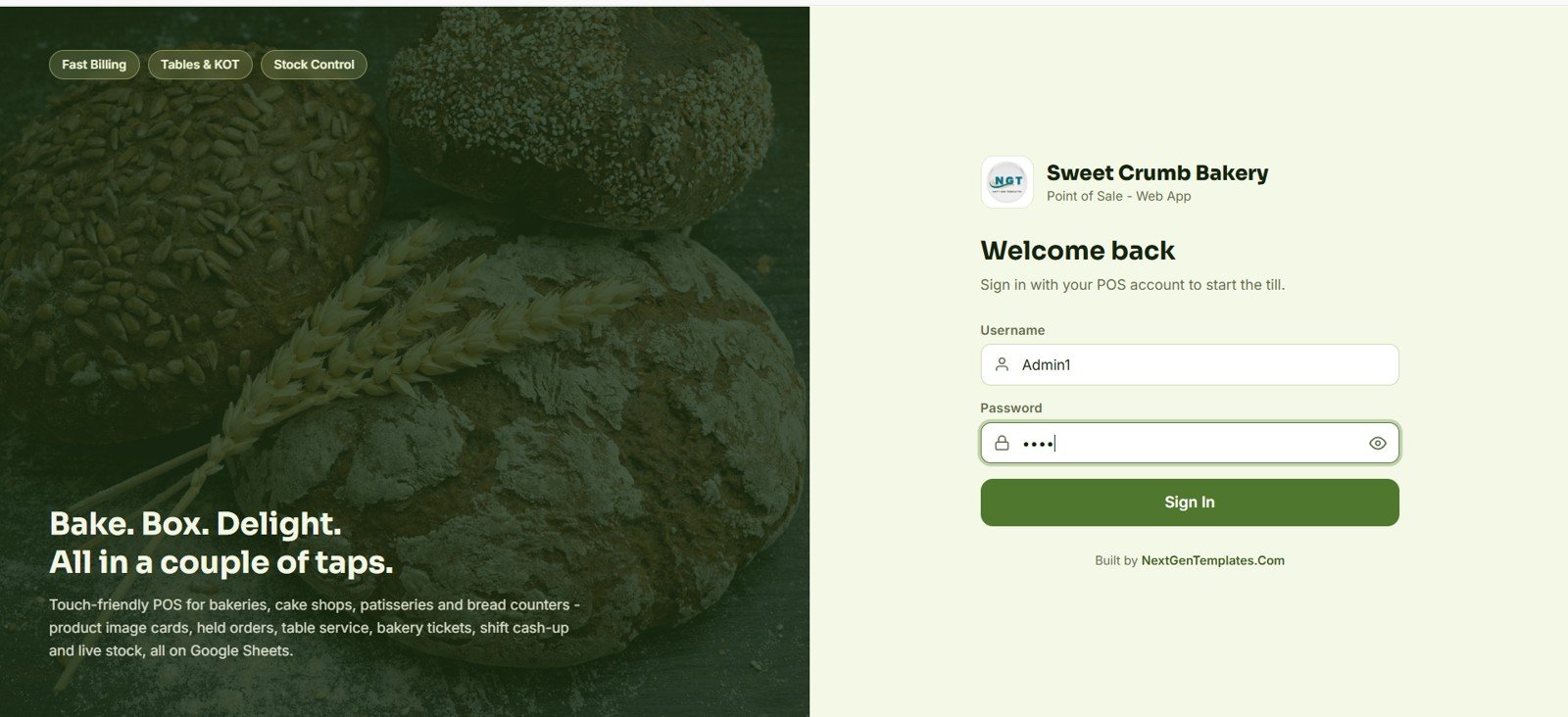
A branded sign-in screen with username and password starts each till session. The marketing panel highlights Fast Billing, Tables & KOT and Stock Control, and the whole app is themed to the bakery (logo, name and colours pulled from Settings).
🚀 Try the Live Demo Before You Buy
We have deployed this web app in our own Google account so you can test every page, every role — with real sample data — before purchasing. No signup, no email required.
🔑 Test Login Credentials
Sign in as Admin1 for full control of the system, or try any of the role-based logins below to see exactly what each staff member can access. All passwords are abcd.
💡 What you get after purchase: The full source code (Code.gs + Index.html) plus a step-by-step deployment guide so you can deploy your own private instance in your own Google account in under 15 minutes.
POS / Billing Screen
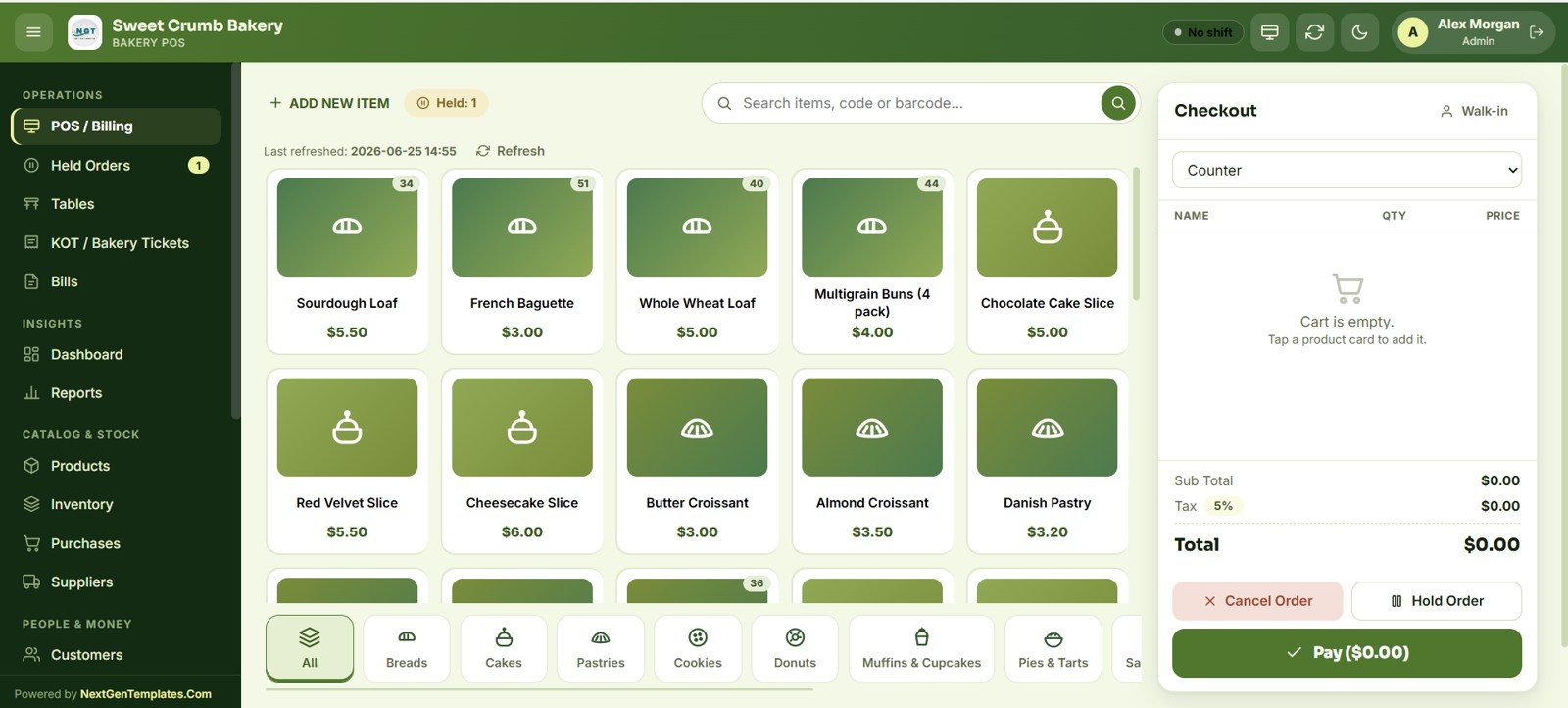
The heart of the app: product image cards with live stock counts, a search bar for name/code/barcode, and category filters (Breads, Cakes, Pastries, Cookies, Donuts, Muffins & Cupcakes, Pies & Tarts, Sandwiches). The checkout panel shows order type, line items, Sub Total, Tax %, Total, with Pay, Hold Order and Cancel Order actions.
Held & Open Orders
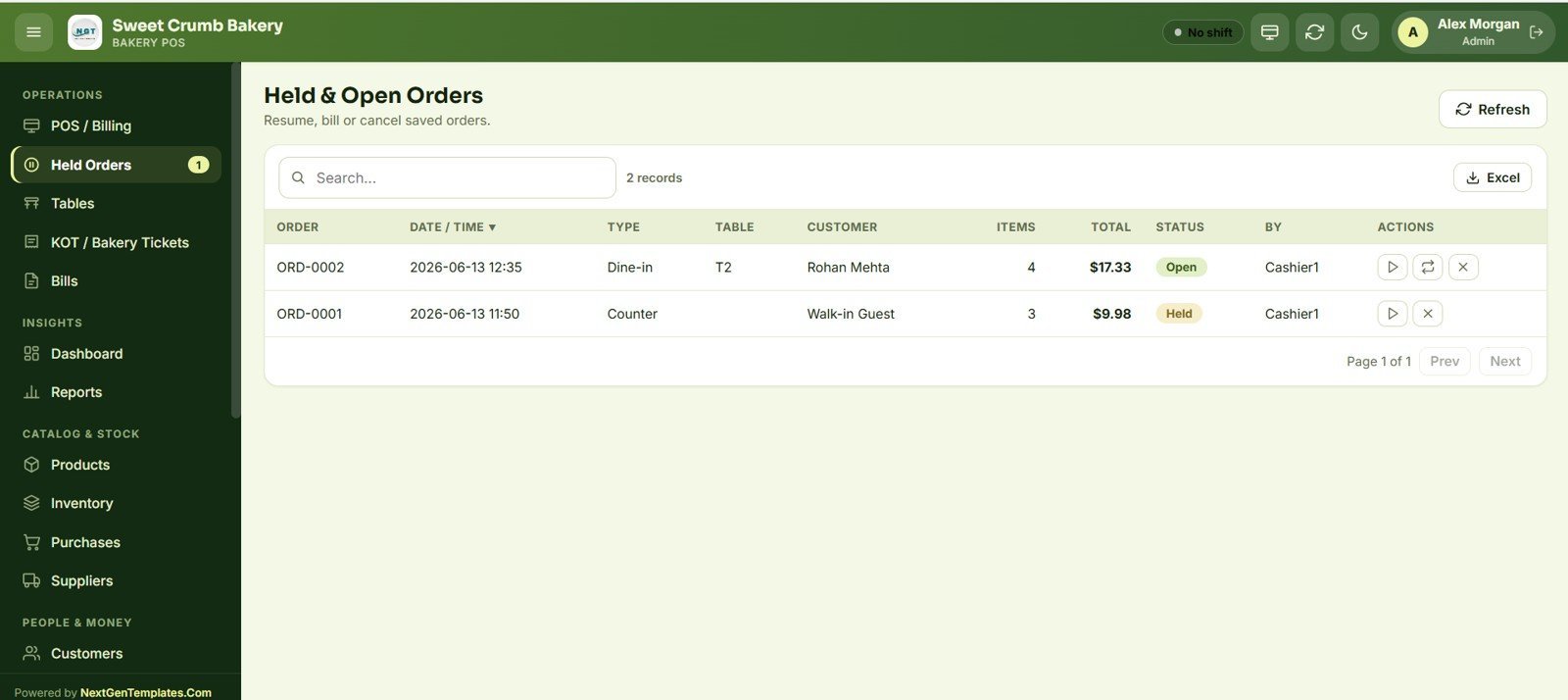
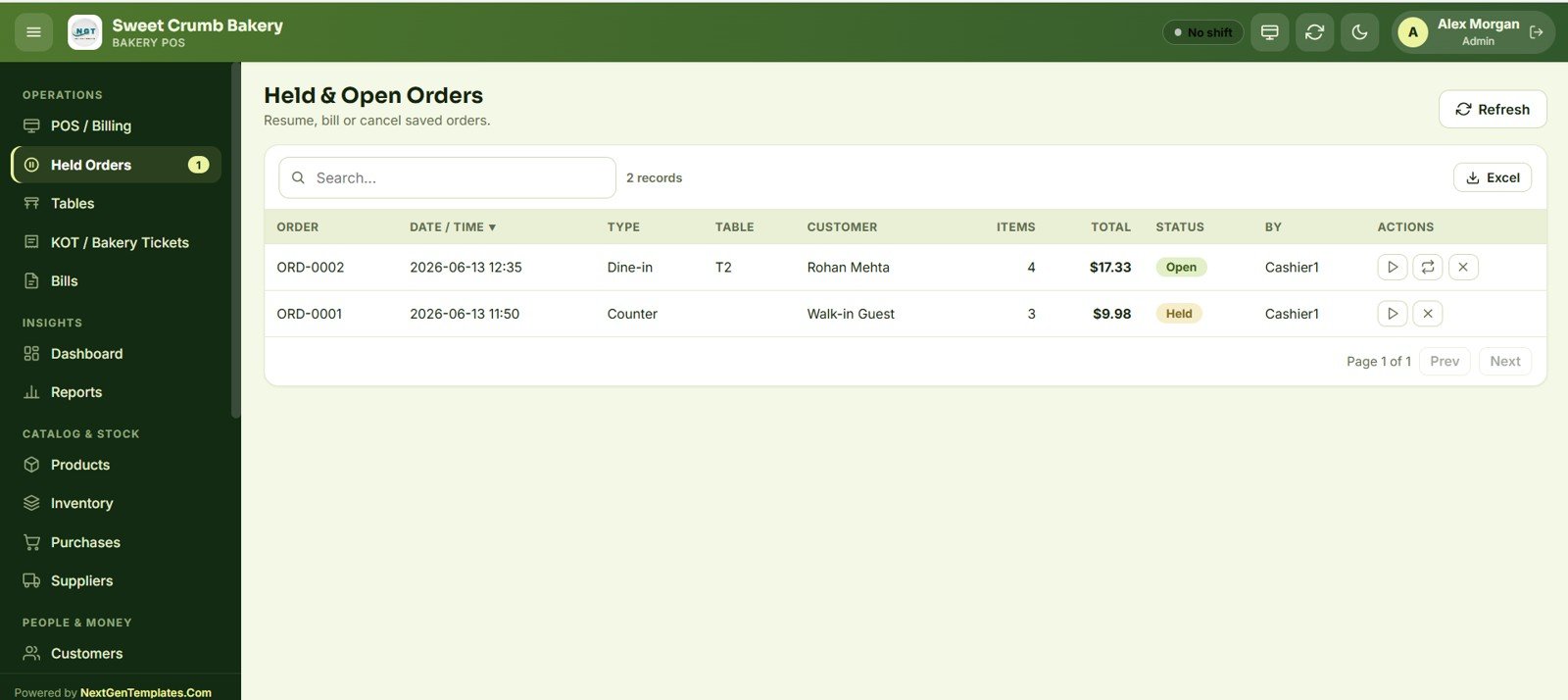
Saved and parked orders are listed with order number, date/time, type, table, customer, item count, total, status (Held or Open) and the cashier who created them. Each row can be resumed, billed or cancelled, and the whole list exports to Excel.
Tables — Live Floor View
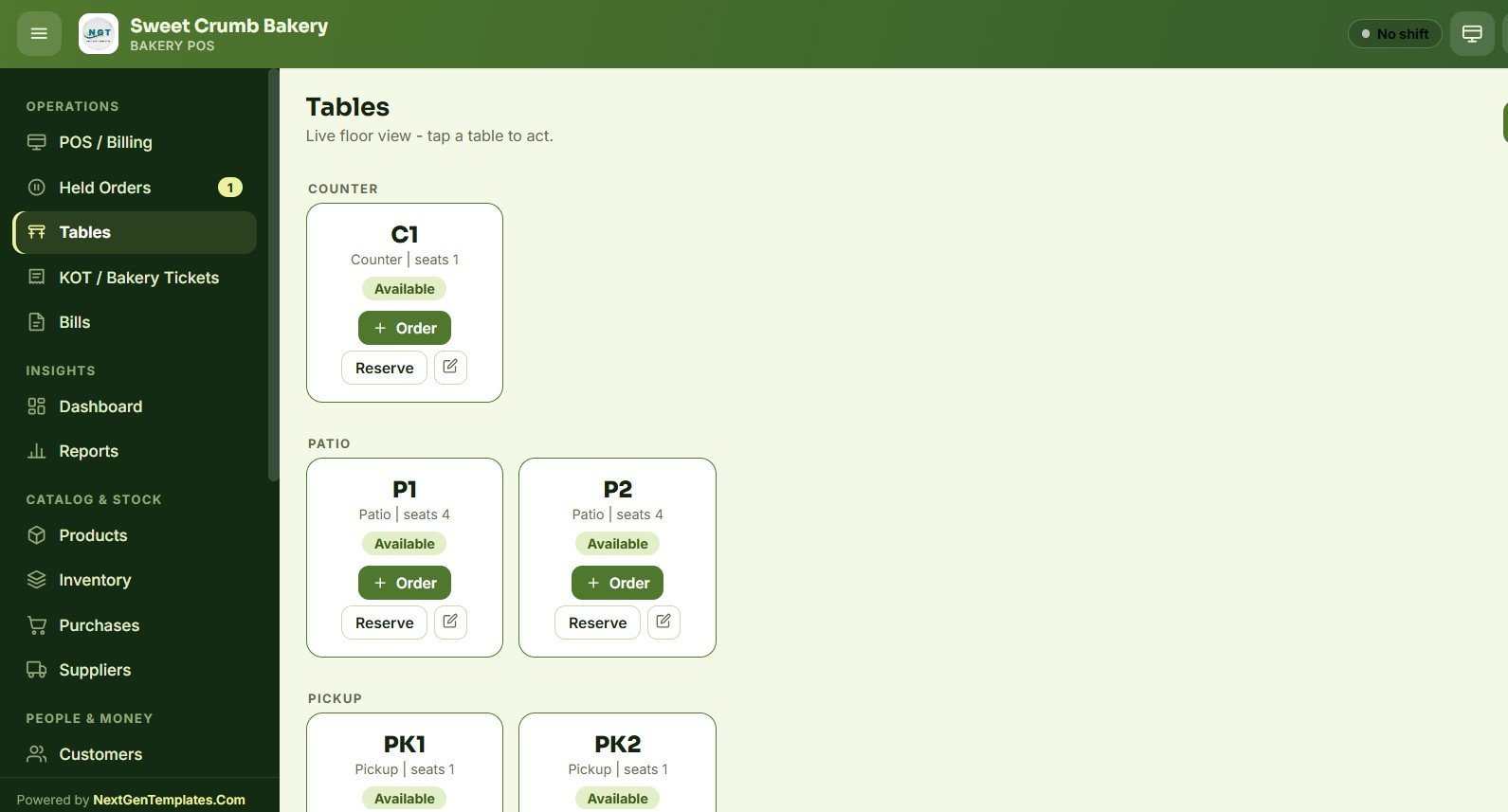
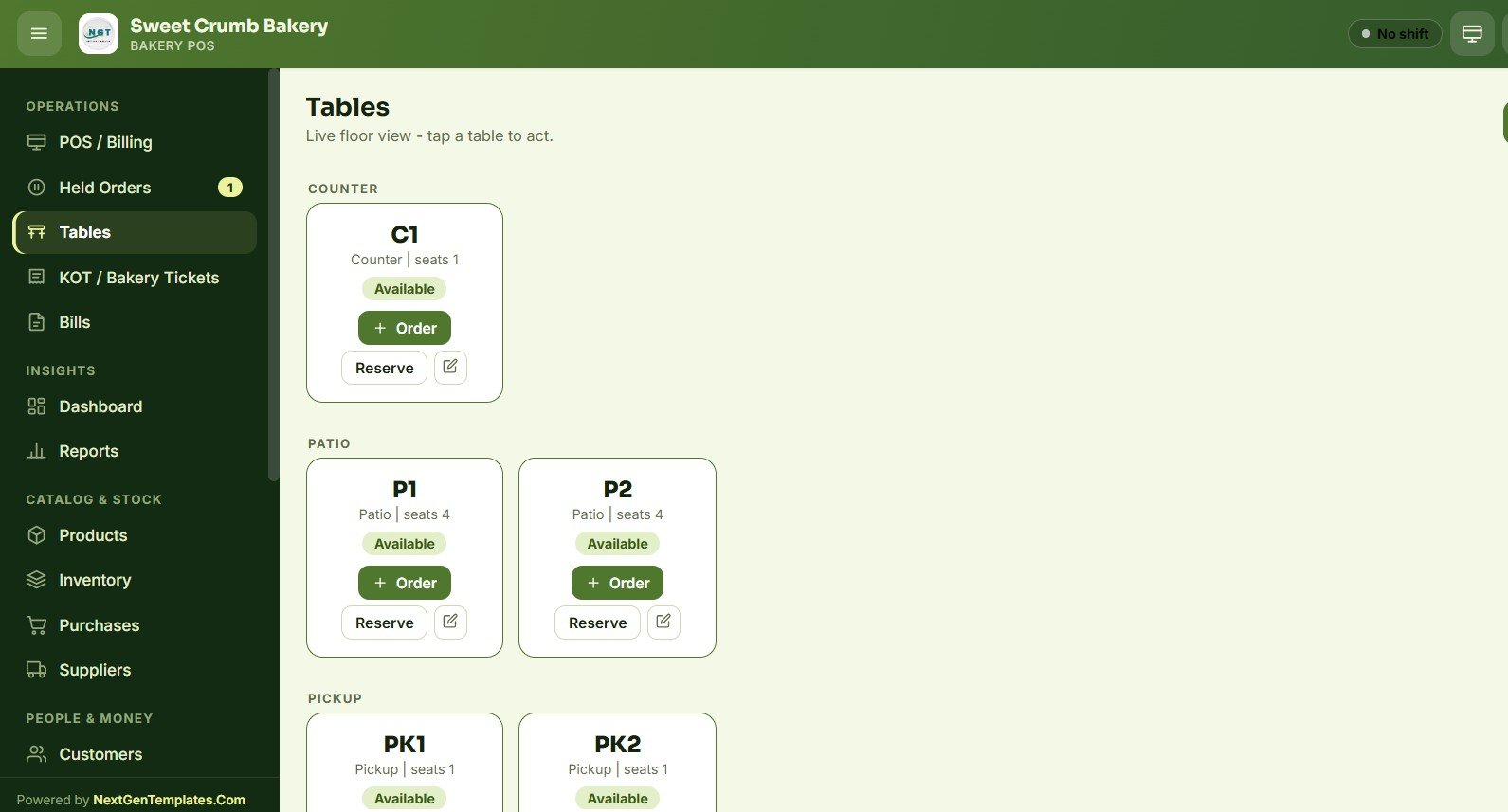
A live floor map groups seating into Counter, Patio and Pickup zones, each table showing its seats and an Available/occupied status. Tap a table to start an Order, Reserve it, or edit it — ideal for bakery-cafés that also serve seated guests.
KOT / Bakery Tickets
Kitchen tickets are shown as cards with KOT number, time, table, station (Kitchen or Counter) and item lines. Staff move each ticket through Pending → Preparing → Ready → Served, with Cancel and Print buttons and filters for All tickets / Active only.
Bills — Reprint, Void & Refund
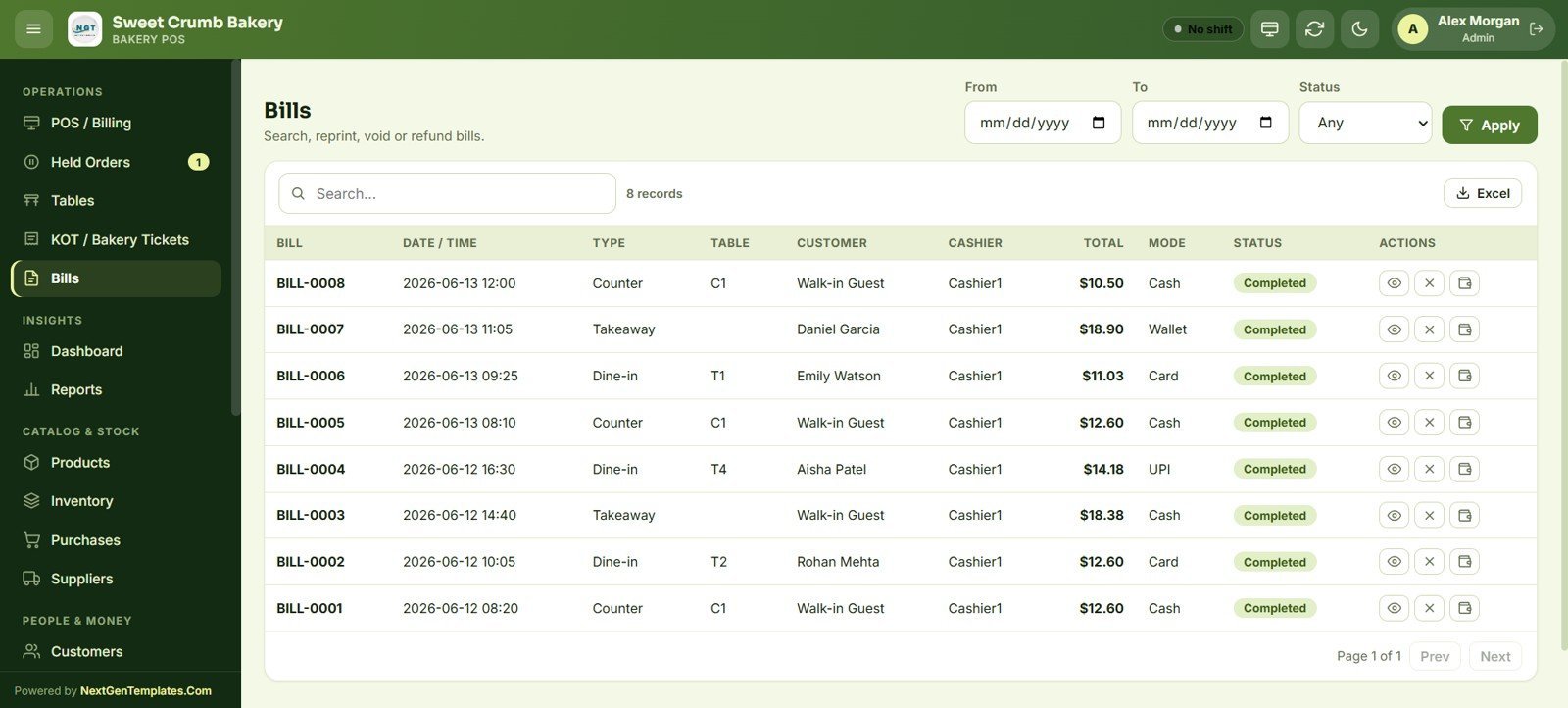
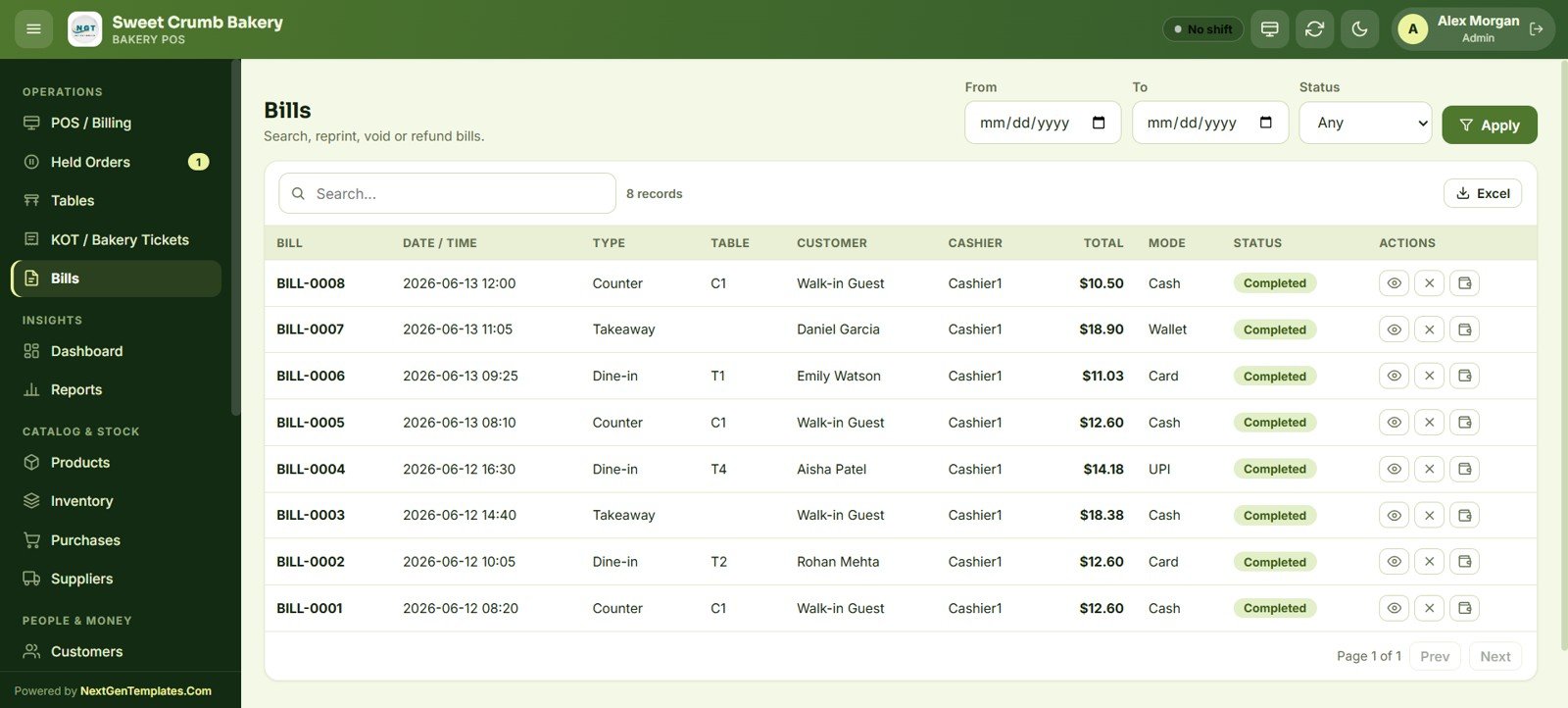
Every completed sale is stored as a bill with date/time, type, table, customer, cashier, total, payment mode and status. From here you can search, filter by date range and status, view, reprint, void or refund — and export the list to Excel.
Dashboard — Sales Pulse
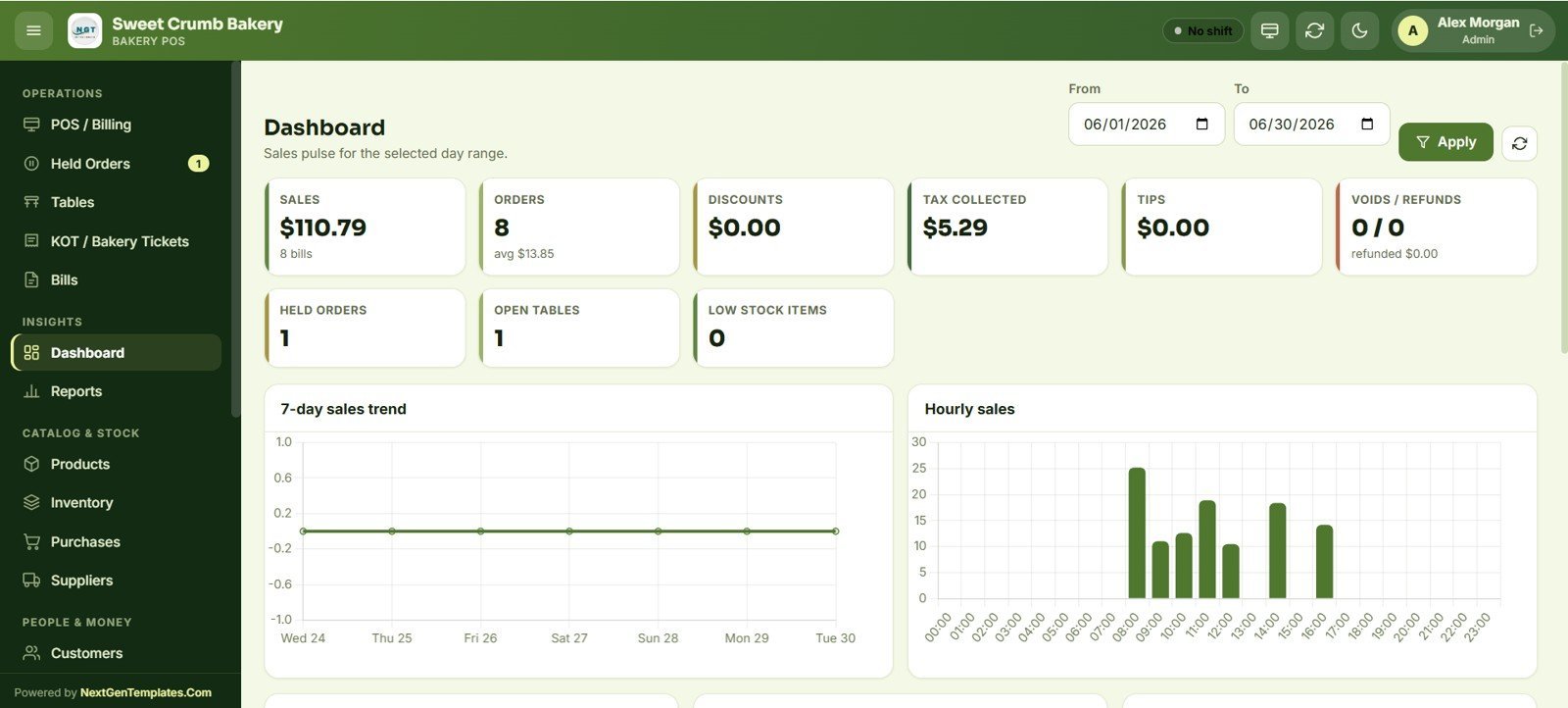
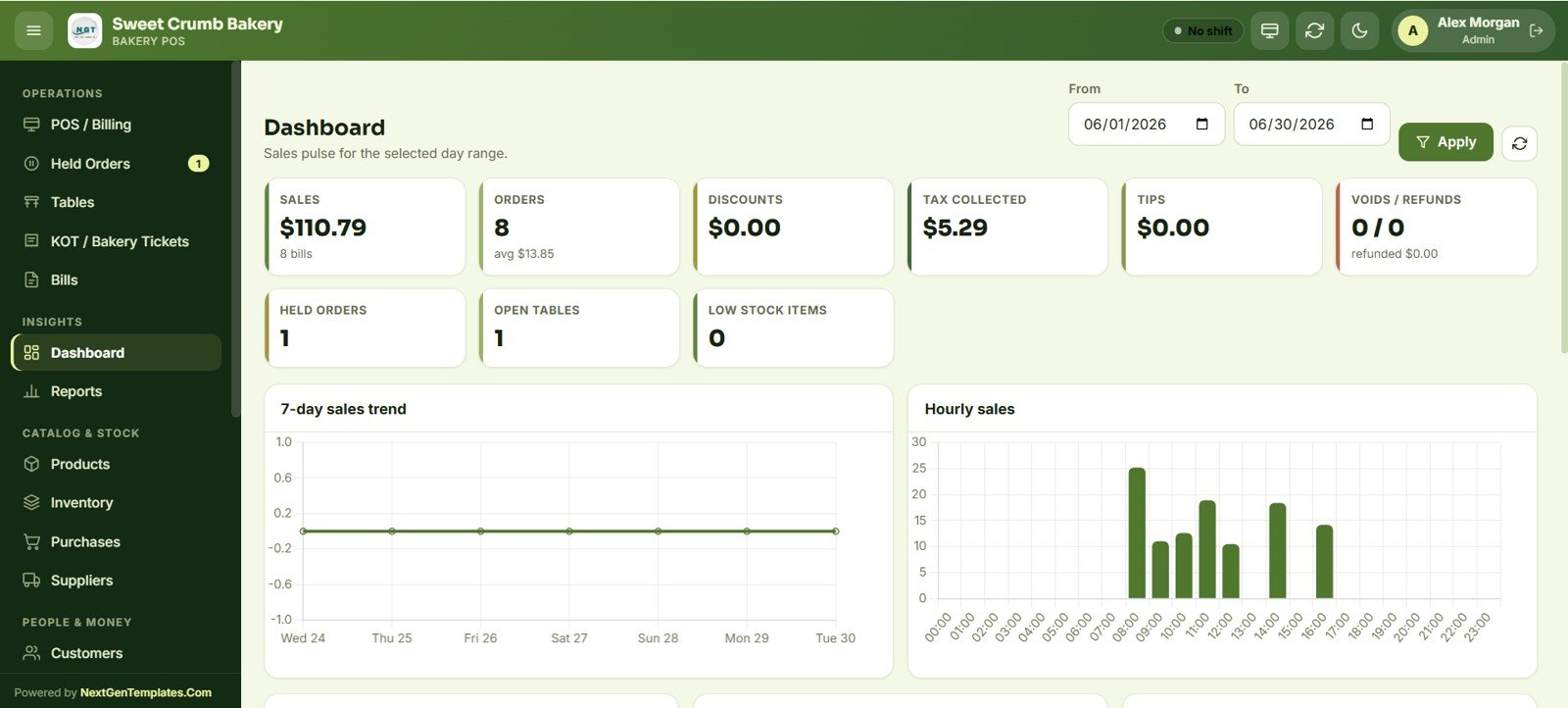
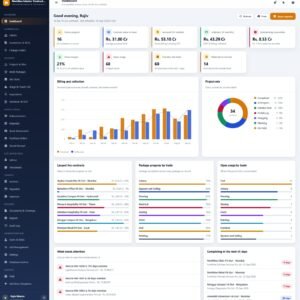
The dashboard shows KPI cards for Sales, Orders (with average bill), Discounts, Tax Collected, Tips, Voids/Refunds, Held Orders, Open Tables and Low Stock Items, plus a 7-day sales trend line and an hourly sales bar chart — all filtered by a From/To date range.
Reports Center
A grid of 19 report tiles covers Daily Sales, Bill-wise, Item-wise, Category-wise and Cashier-wise Sales, Payment Modes, Tax Summary, Discount, Void/Refund, Table Sales, KOT, Shift Closing, Product Stock, Low Stock/Reorder, Purchases, Supplier Payments, Expenses, Customer Sales and Audit Log. Pick a report, set the date range, run and export.
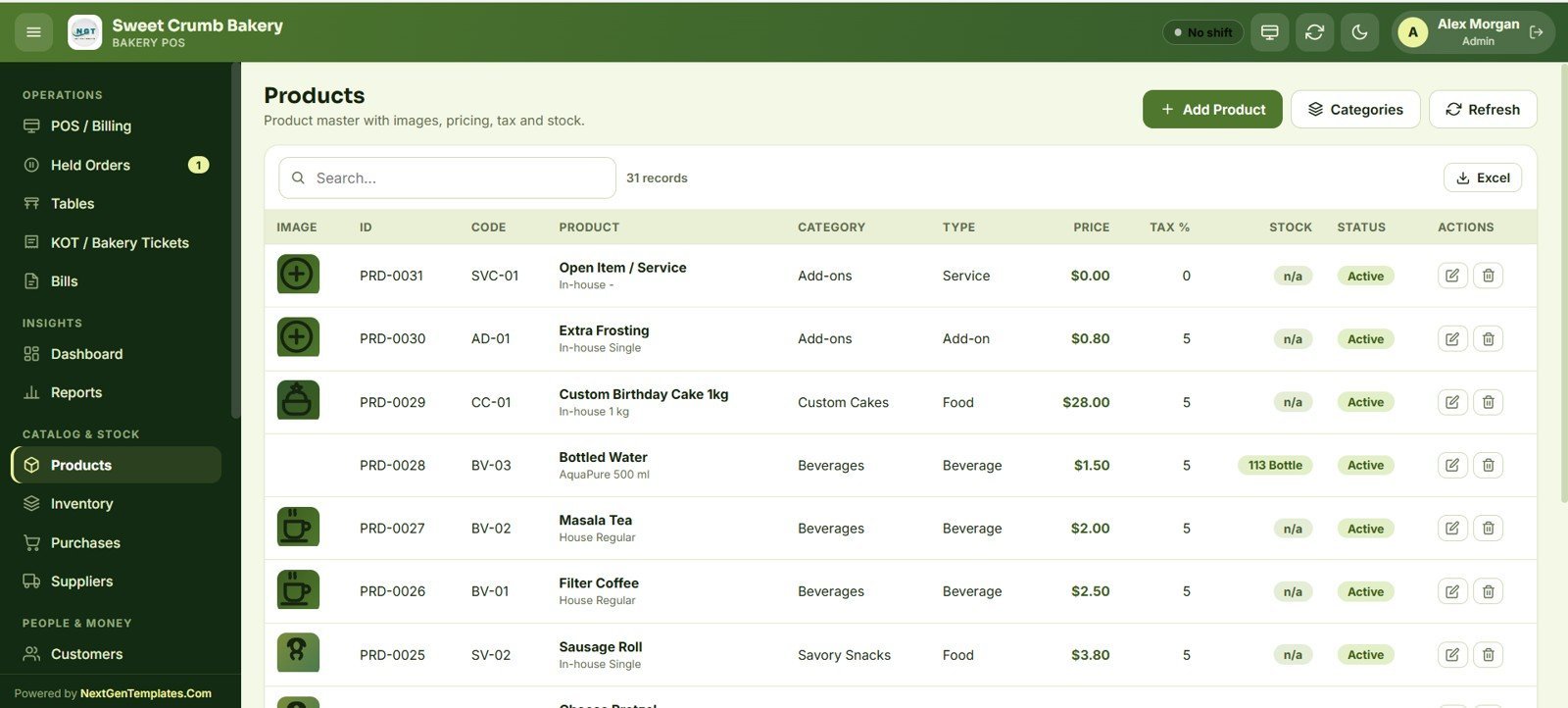
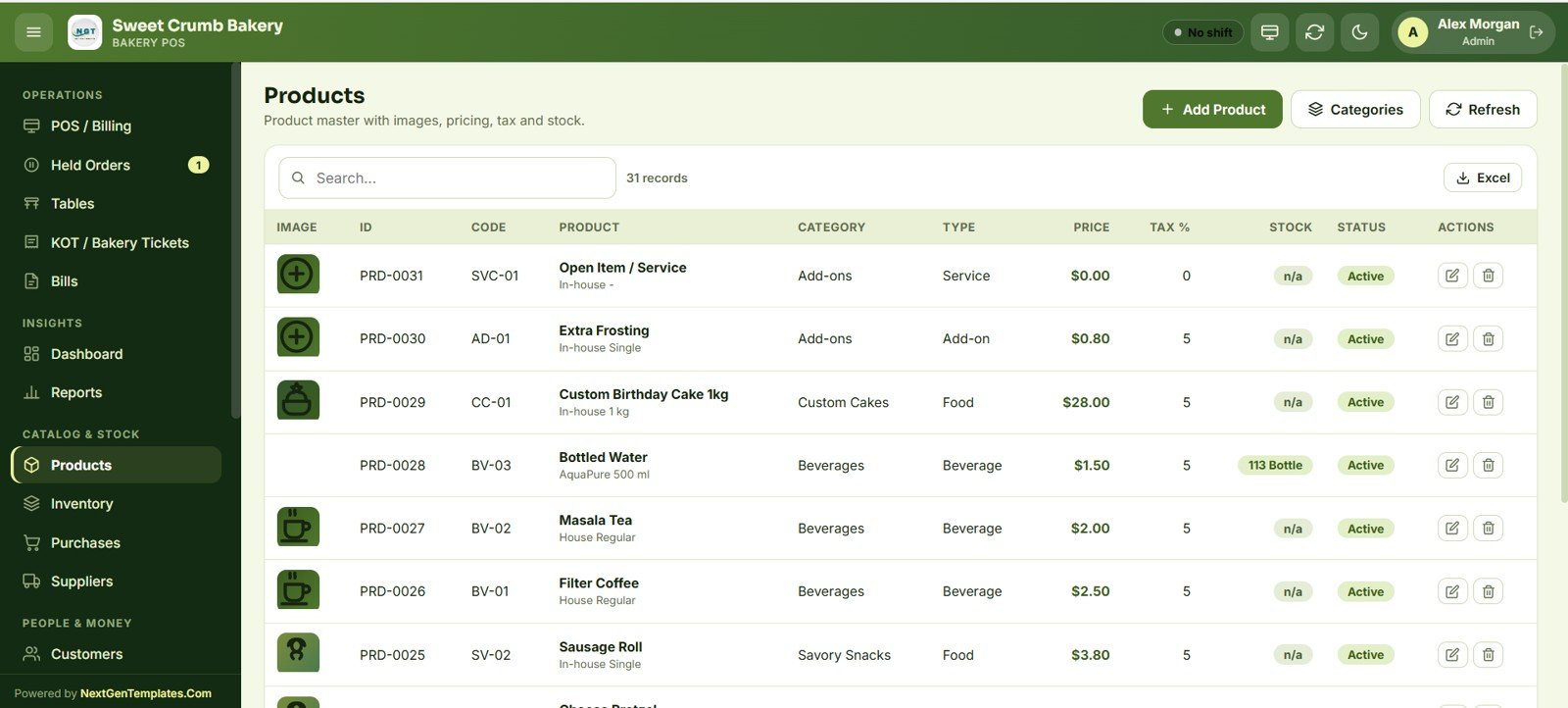
Products Master
The product catalog stores image, ID, code, product name, category, type (Food, Beverage, Add-on, Service), price, tax % and stock for each item. Add, edit or deactivate products and manage categories from one screen.
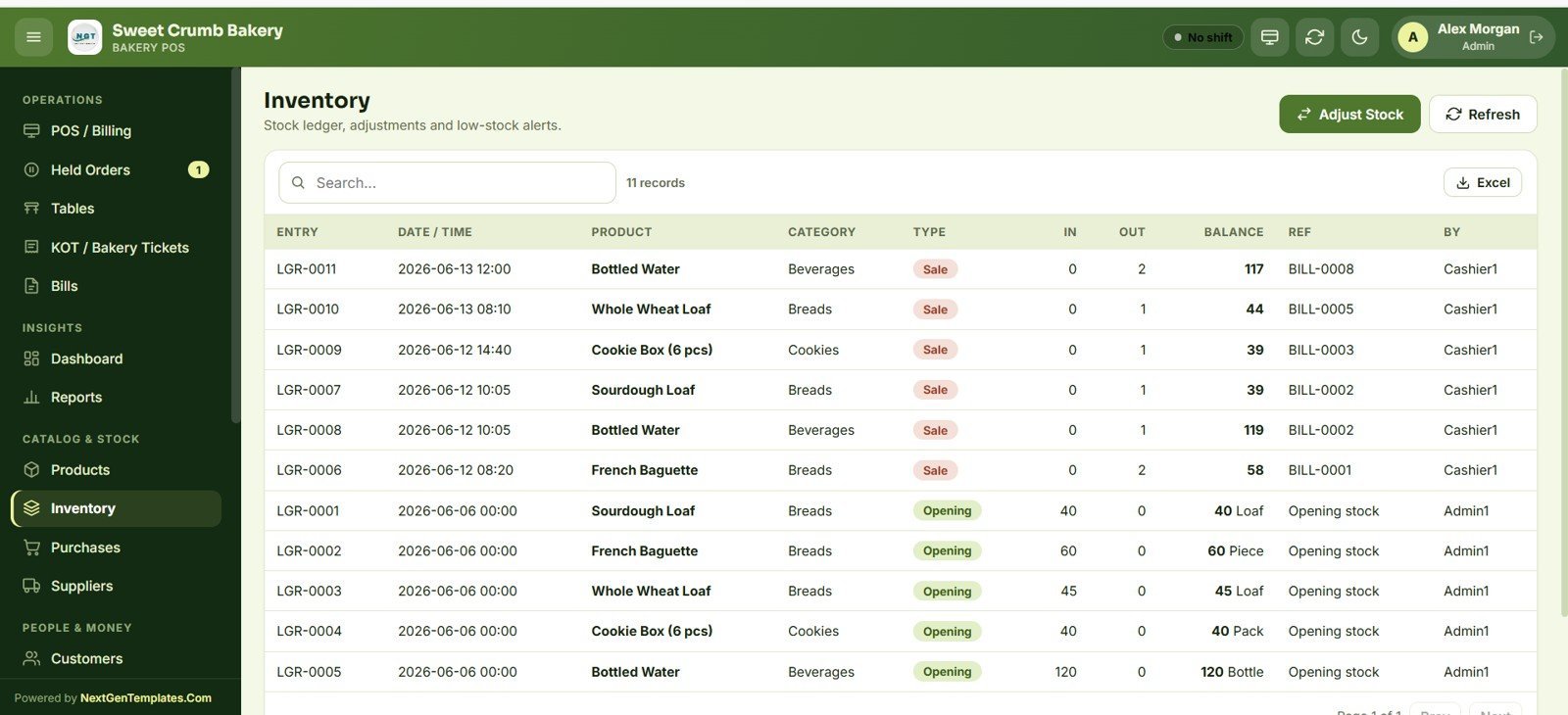
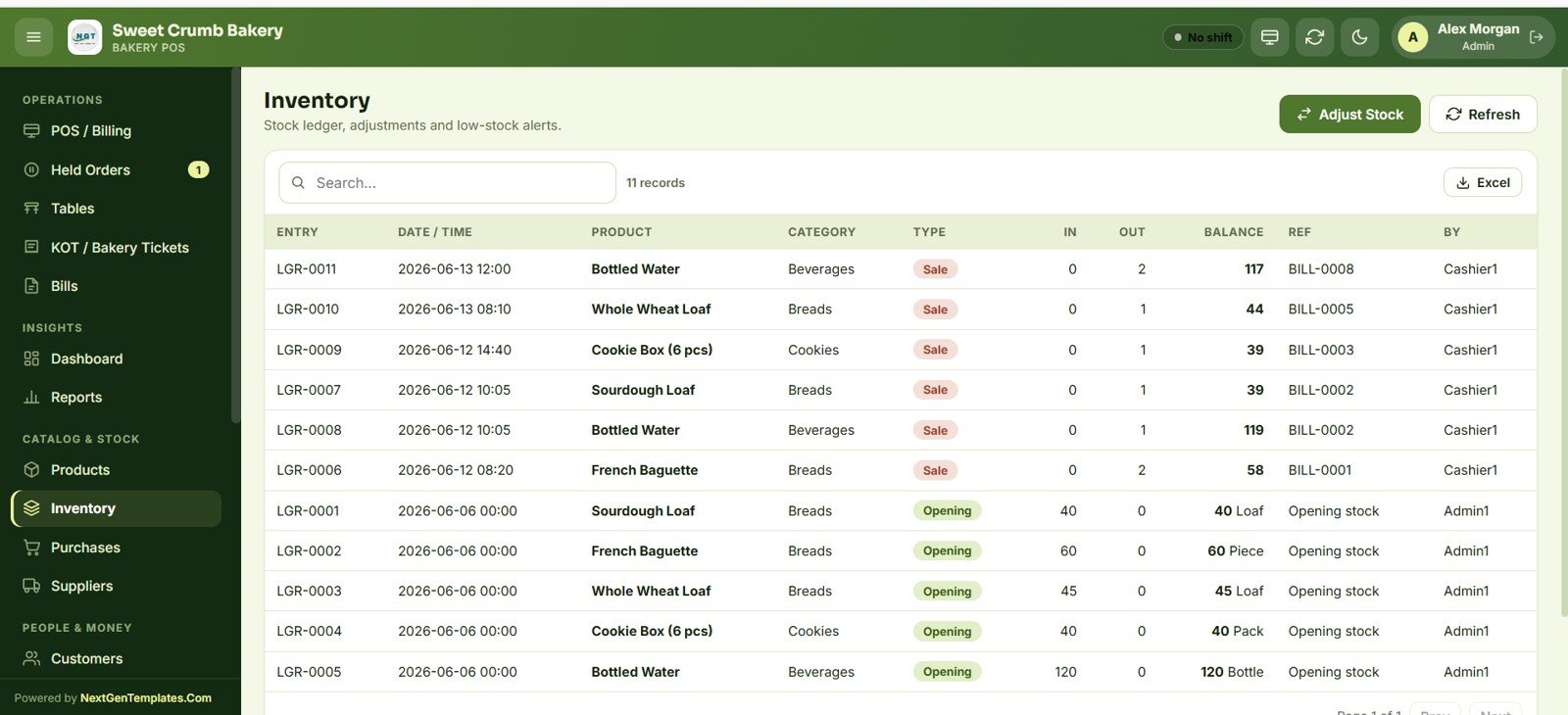
Inventory — Stock Ledger
A full stock ledger logs every movement with entry number, date/time, product, category, type (Opening, Sale, etc.), in/out quantity, running balance, reference bill and the user responsible. Adjust stock and watch low-stock alerts here.
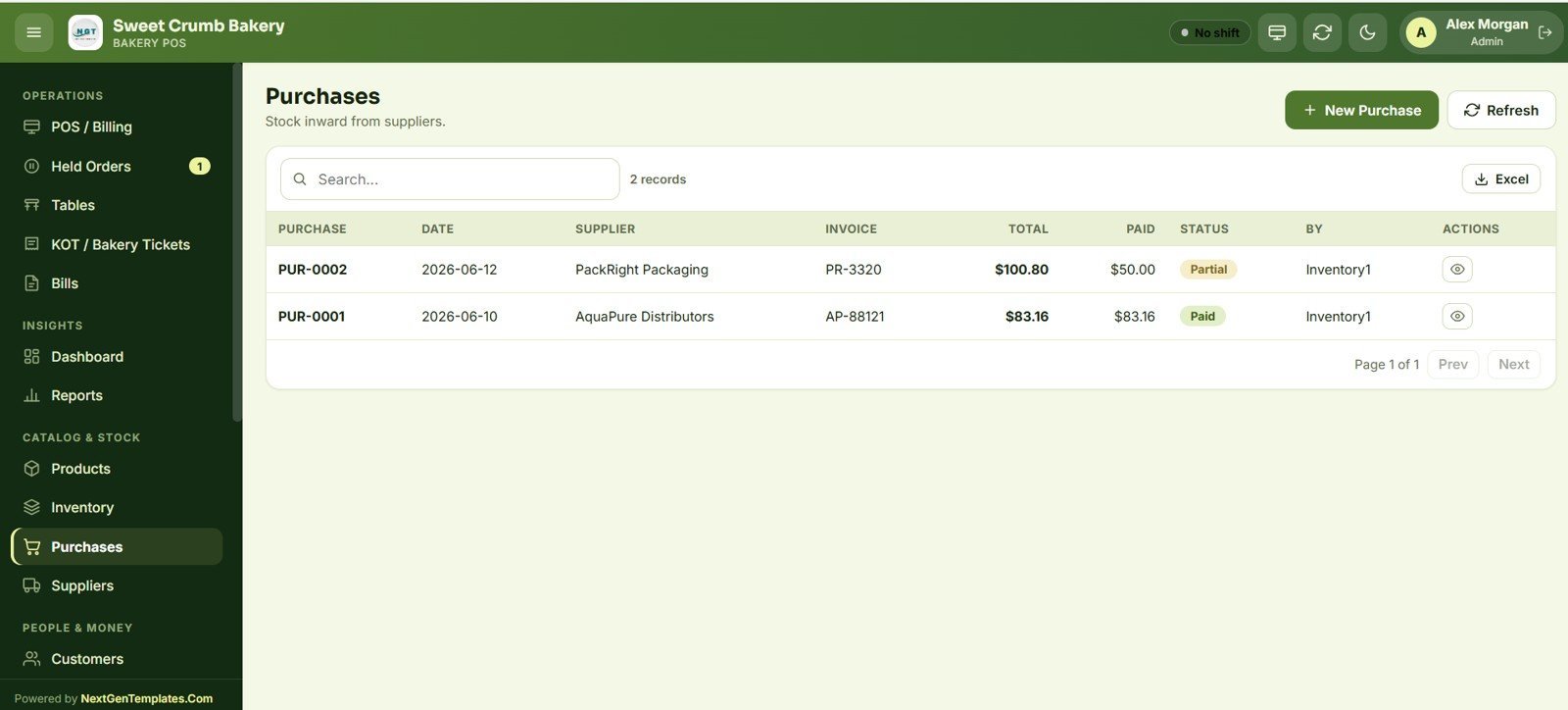
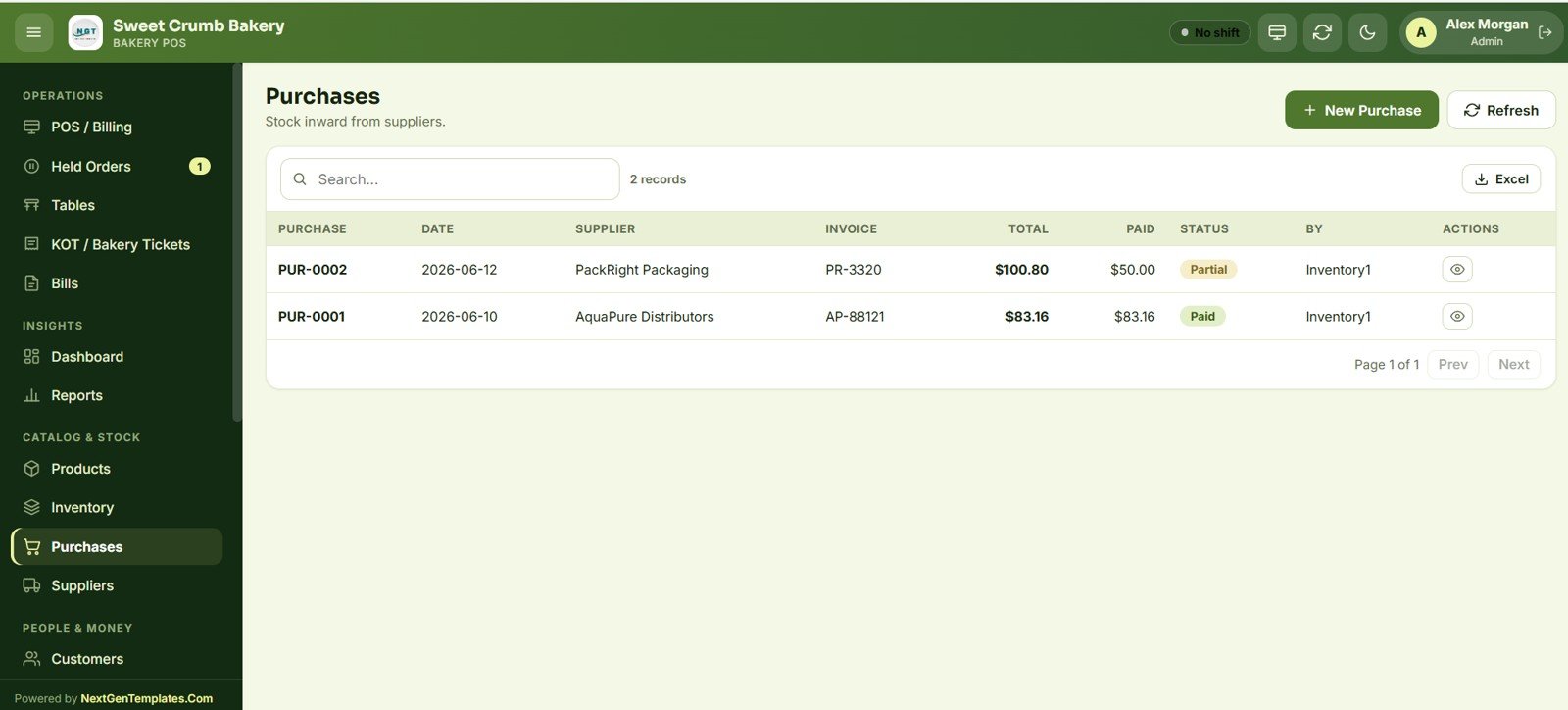
Purchases
Record stock inward from suppliers with purchase number, date, supplier, invoice number, total, amount paid and a Paid/Partial status. New purchases automatically post quantities into the inventory ledger.
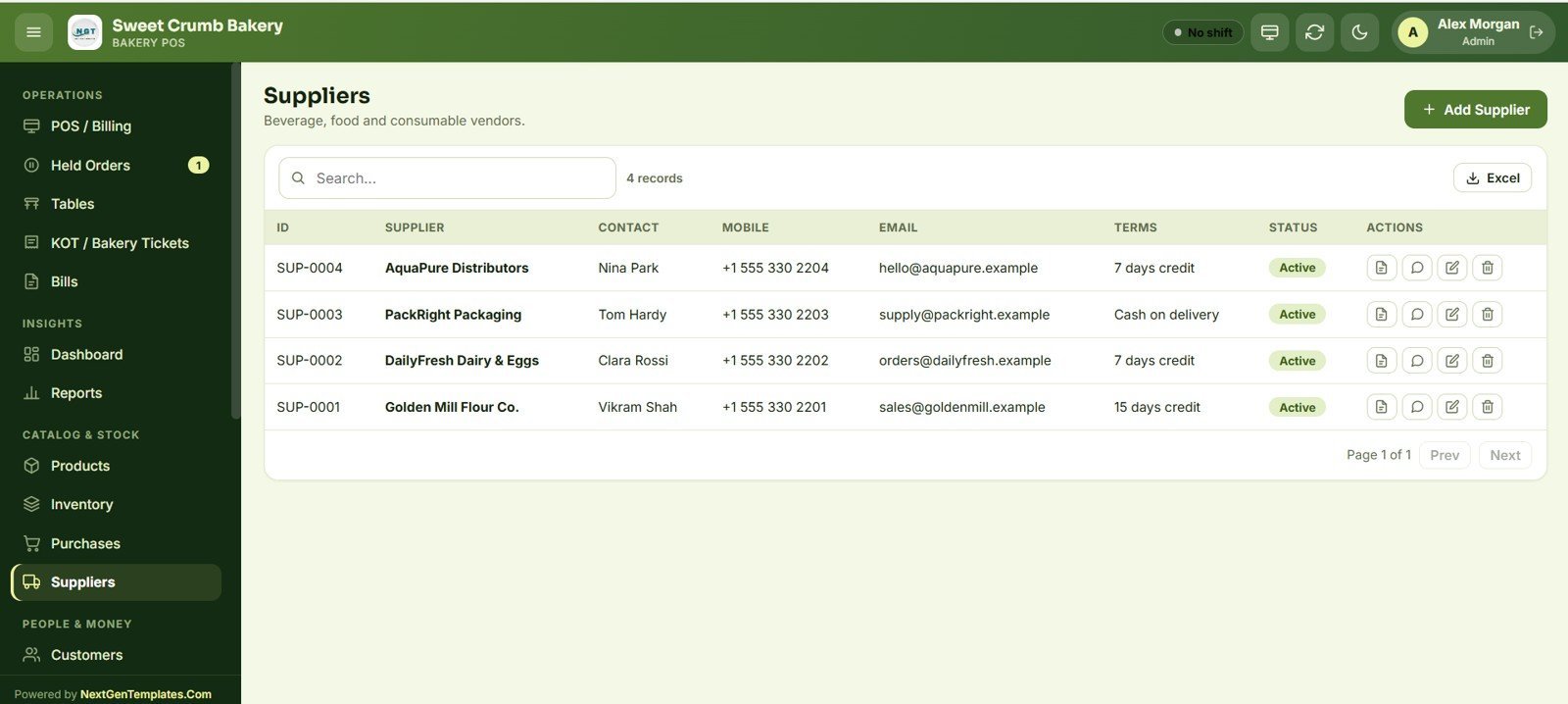
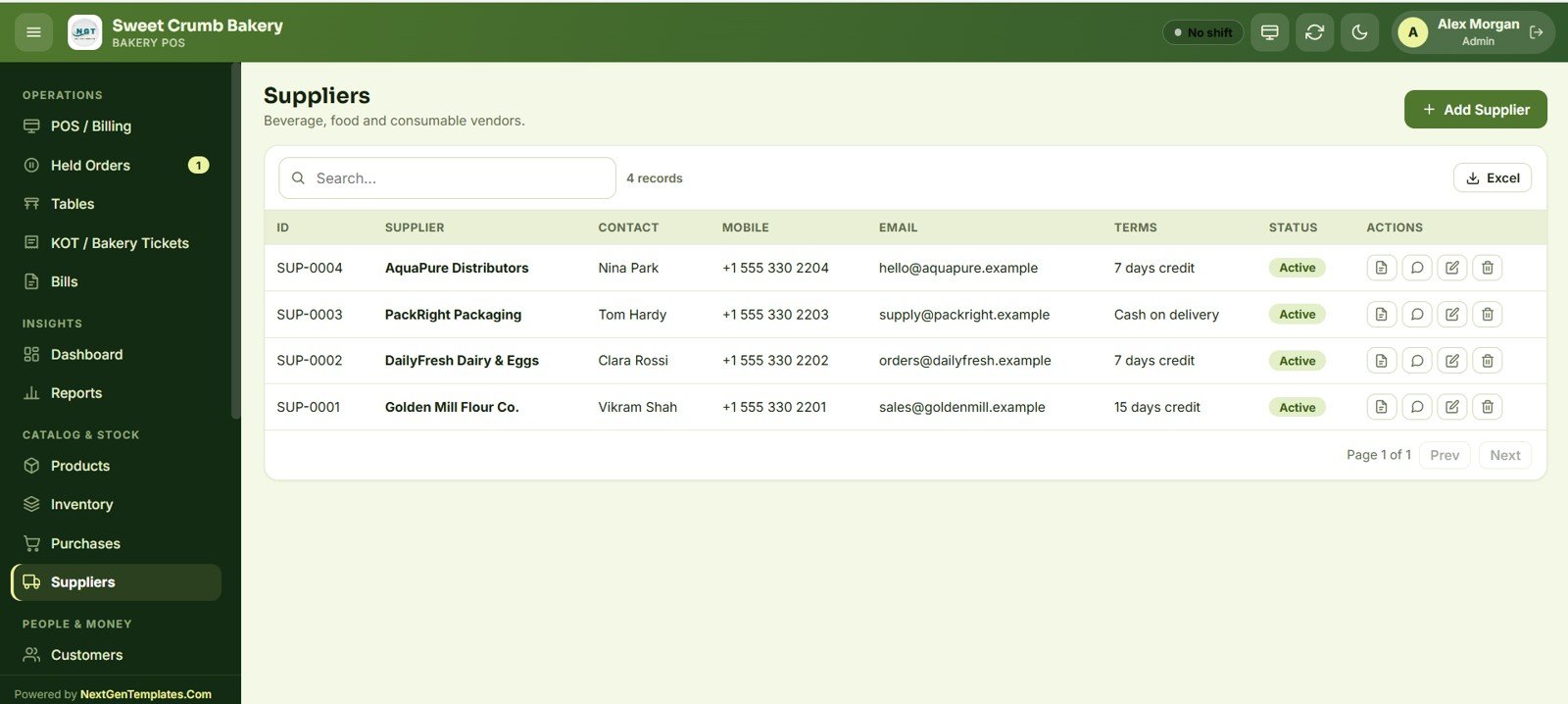
Suppliers
A vendor directory for beverage, food and consumable suppliers with contact person, mobile, email, payment terms (e.g. 7 days credit, Cash on delivery) and active status — plus quick links to statements and notes.
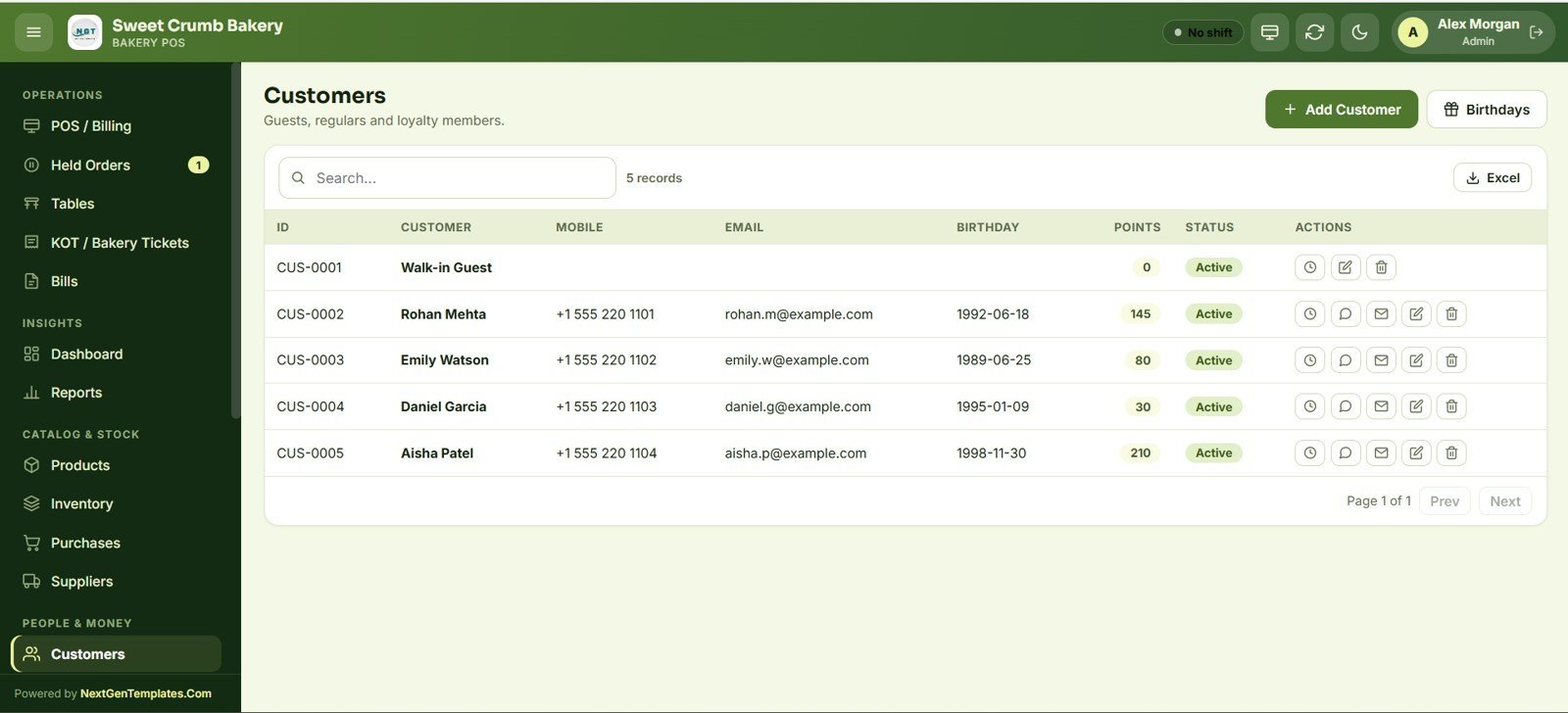
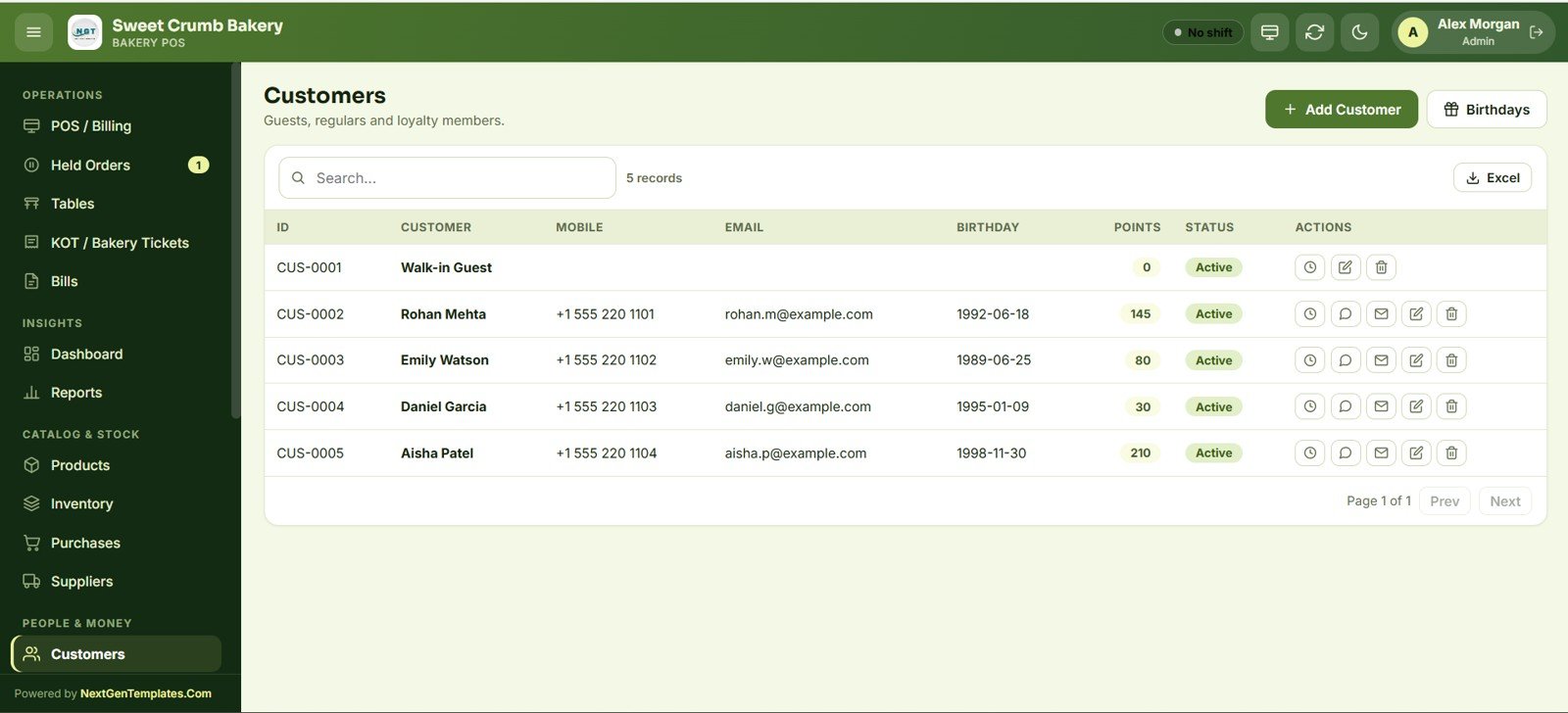
Customers & Loyalty
Track guests, regulars and loyalty members with mobile, email, birthday and points balance. A Birthdays view helps you reach out, and points accumulate against sales for repeat-visit marketing.
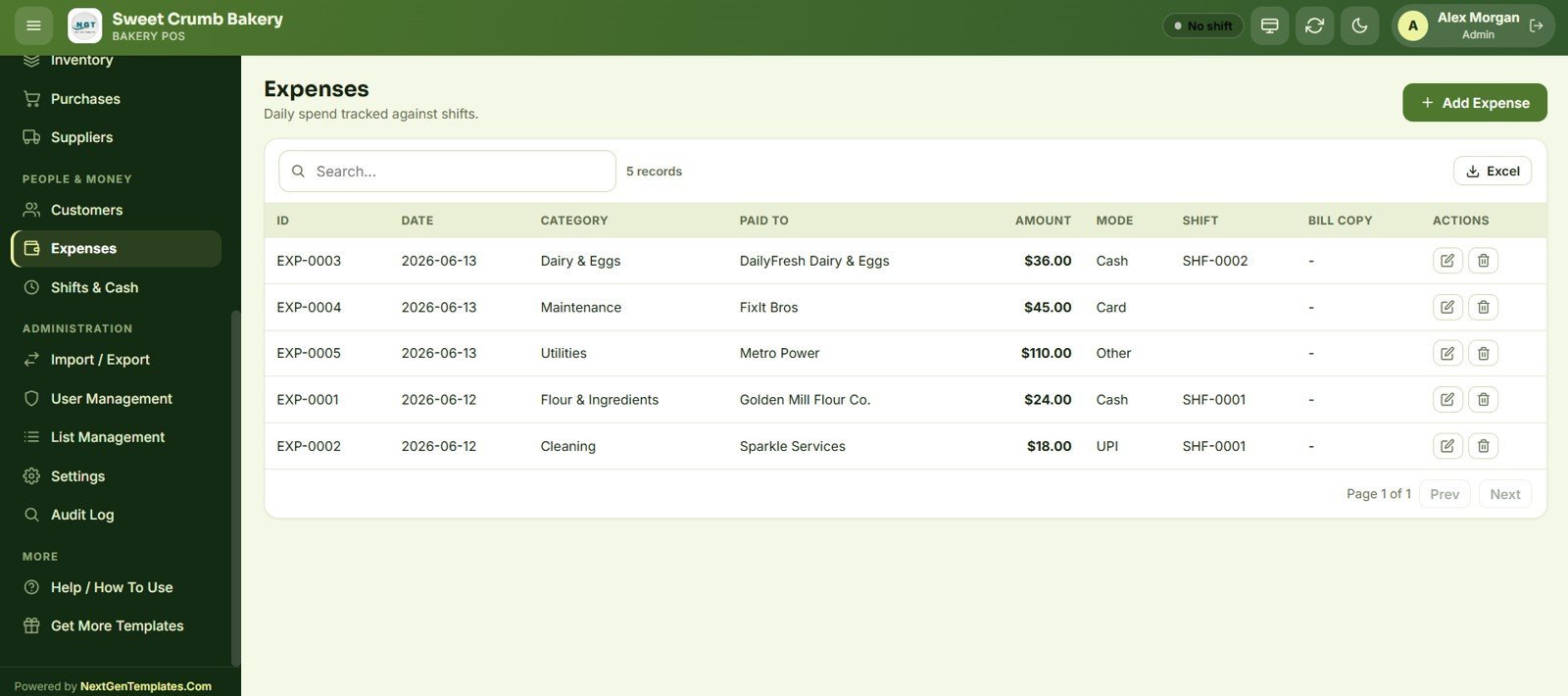
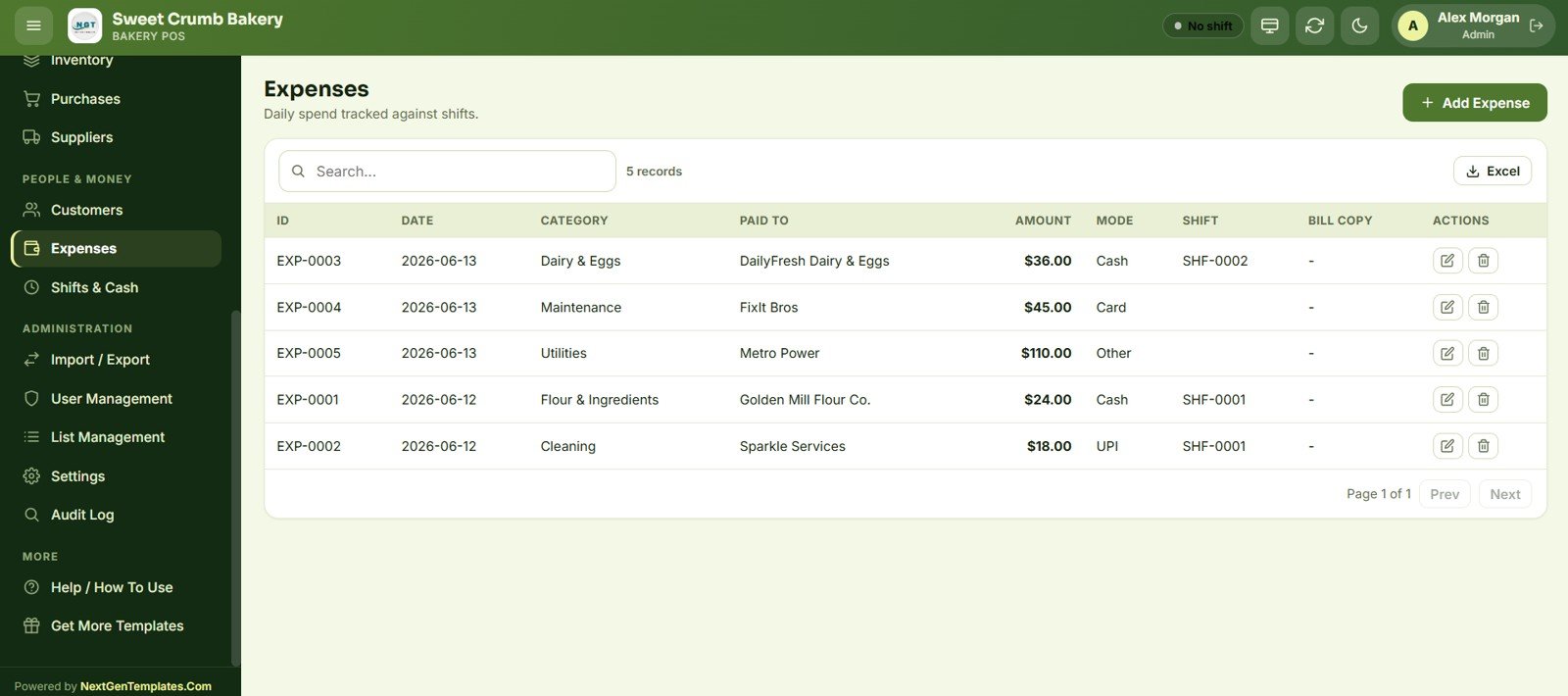
Expenses
Log daily spend against shifts with category, paid-to vendor, amount, payment mode and a bill-copy reference. Expenses feed the Shift Closing report so cash variance is calculated accurately.
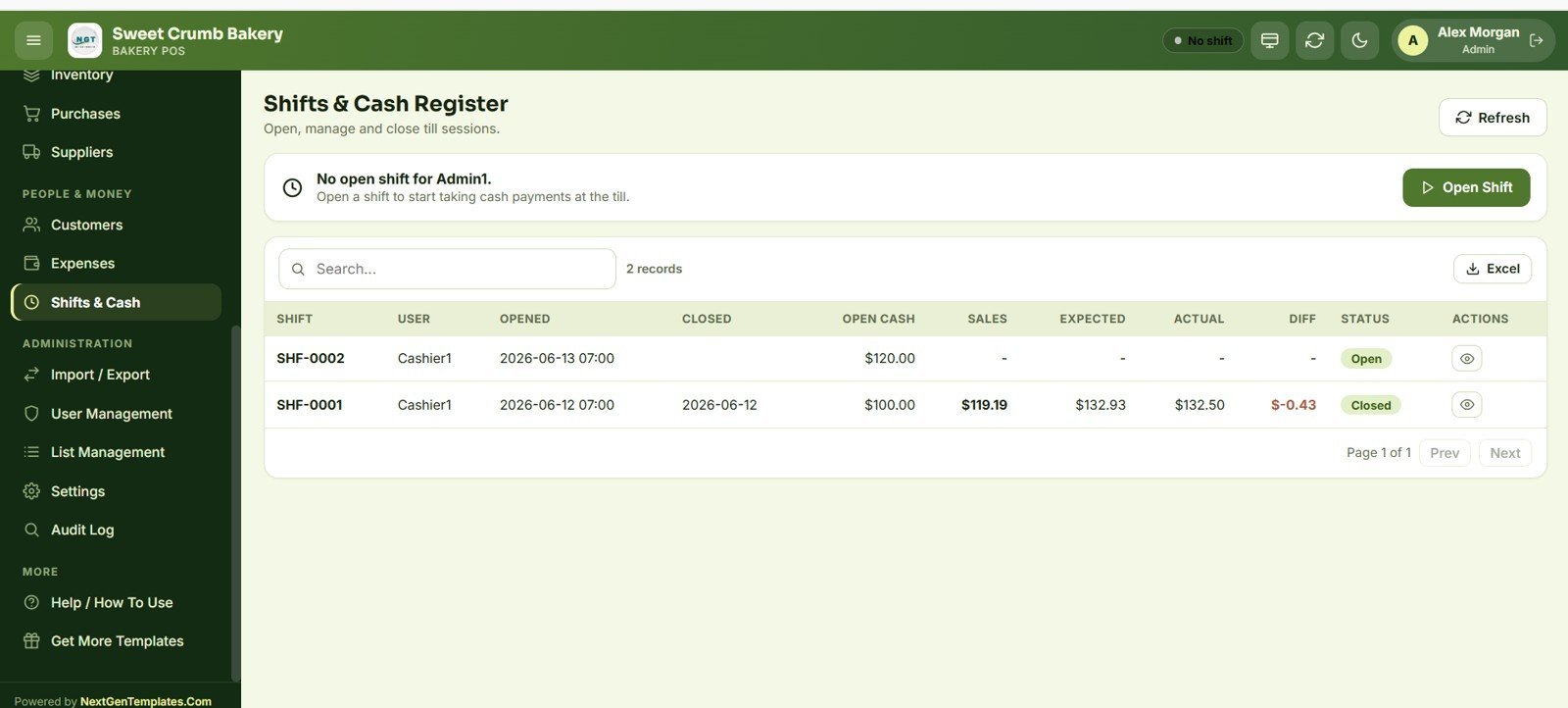
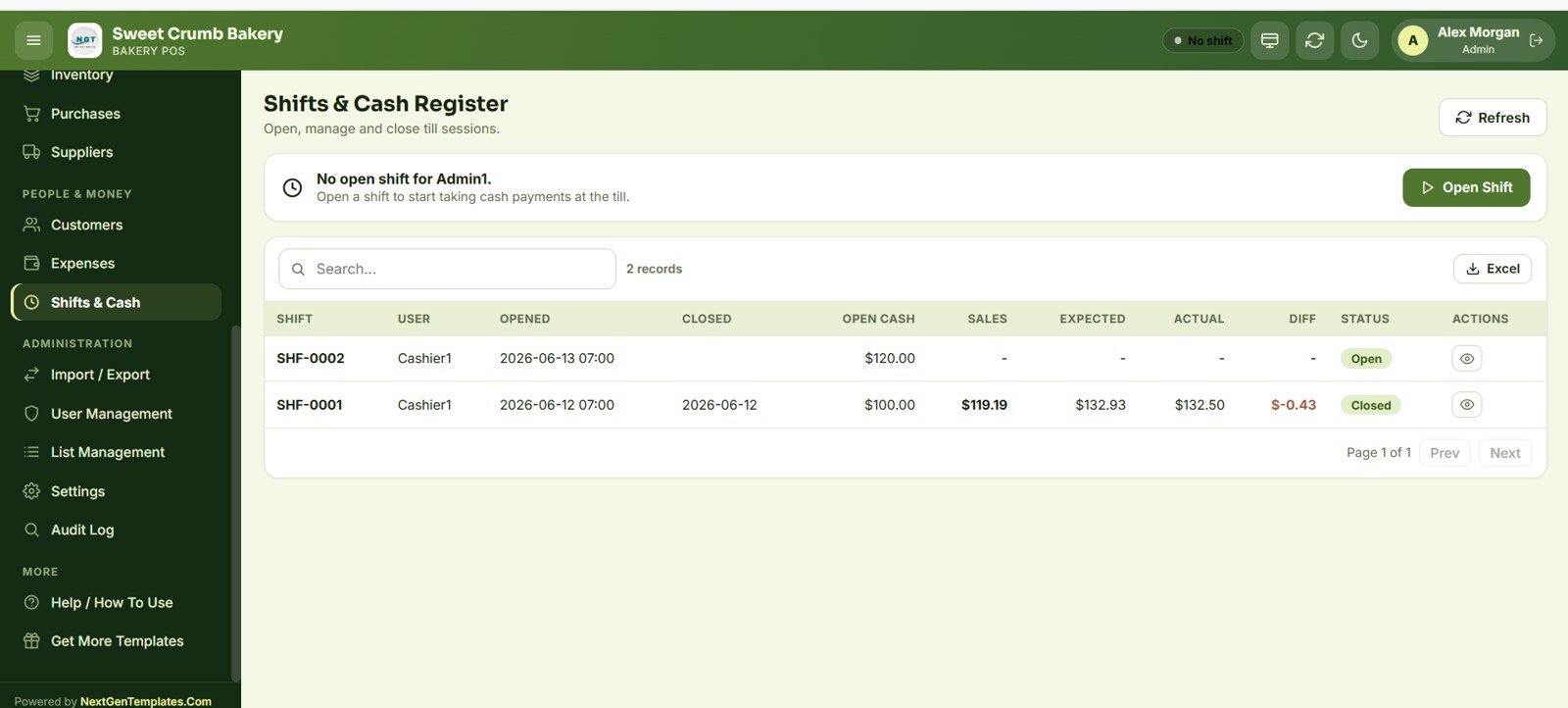
Shifts & Cash Register
Open, manage and close till sessions with opening cash, sales, expected vs actual cash and the difference. Each shift is tied to a user so you can reconcile the drawer at the end of every shift.
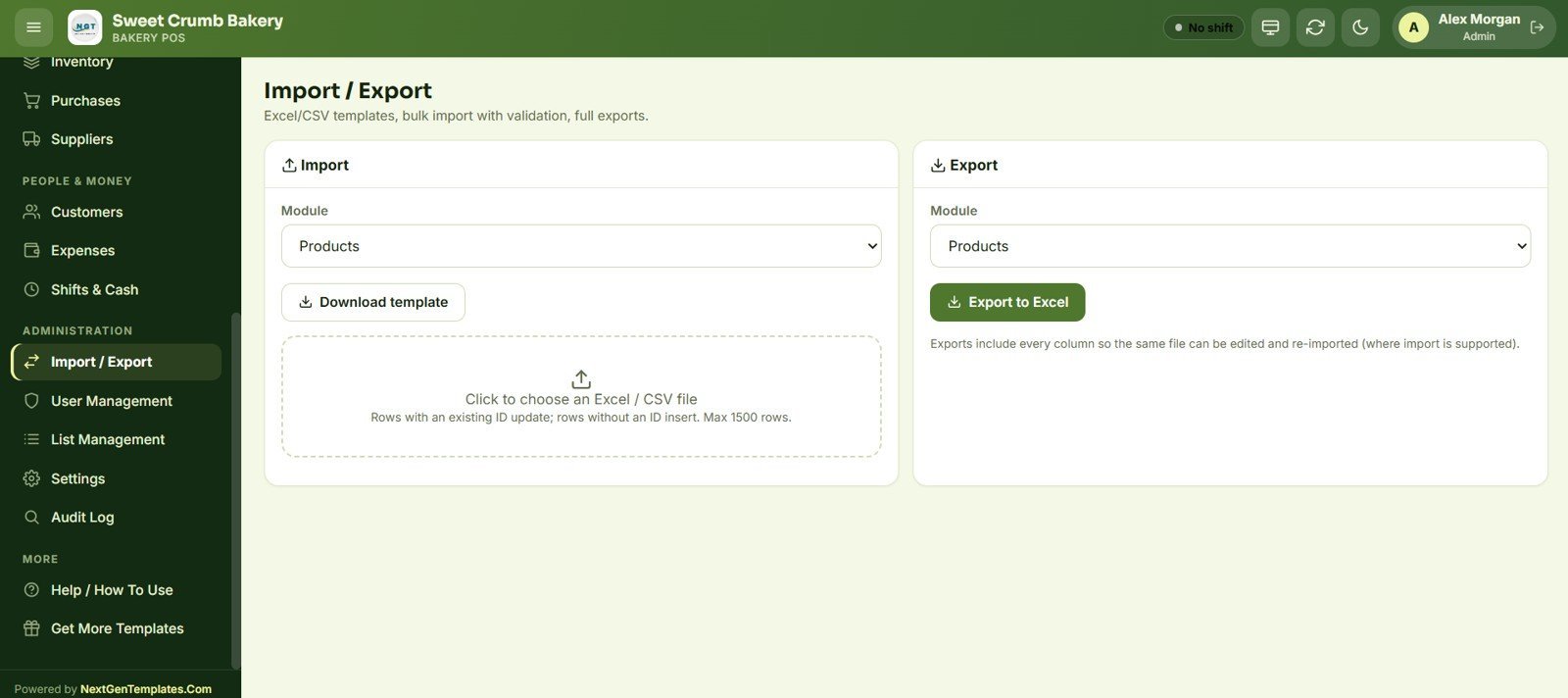
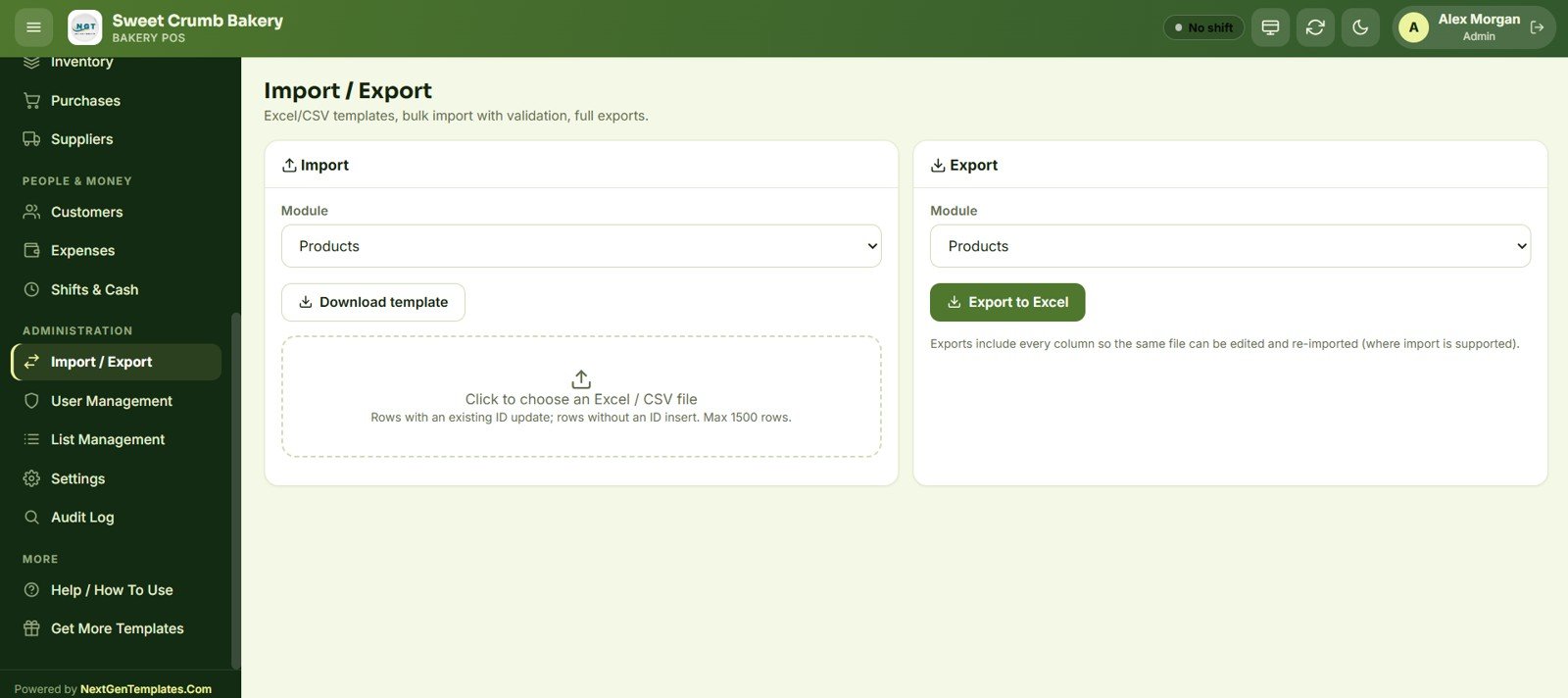
Import / Export
Bulk-import products and other modules from Excel/CSV with validation (rows with an existing ID update; rows without insert, up to 1500 rows), and export any module to Excel with every column so the same file can be edited and re-imported.
User Management & Roles
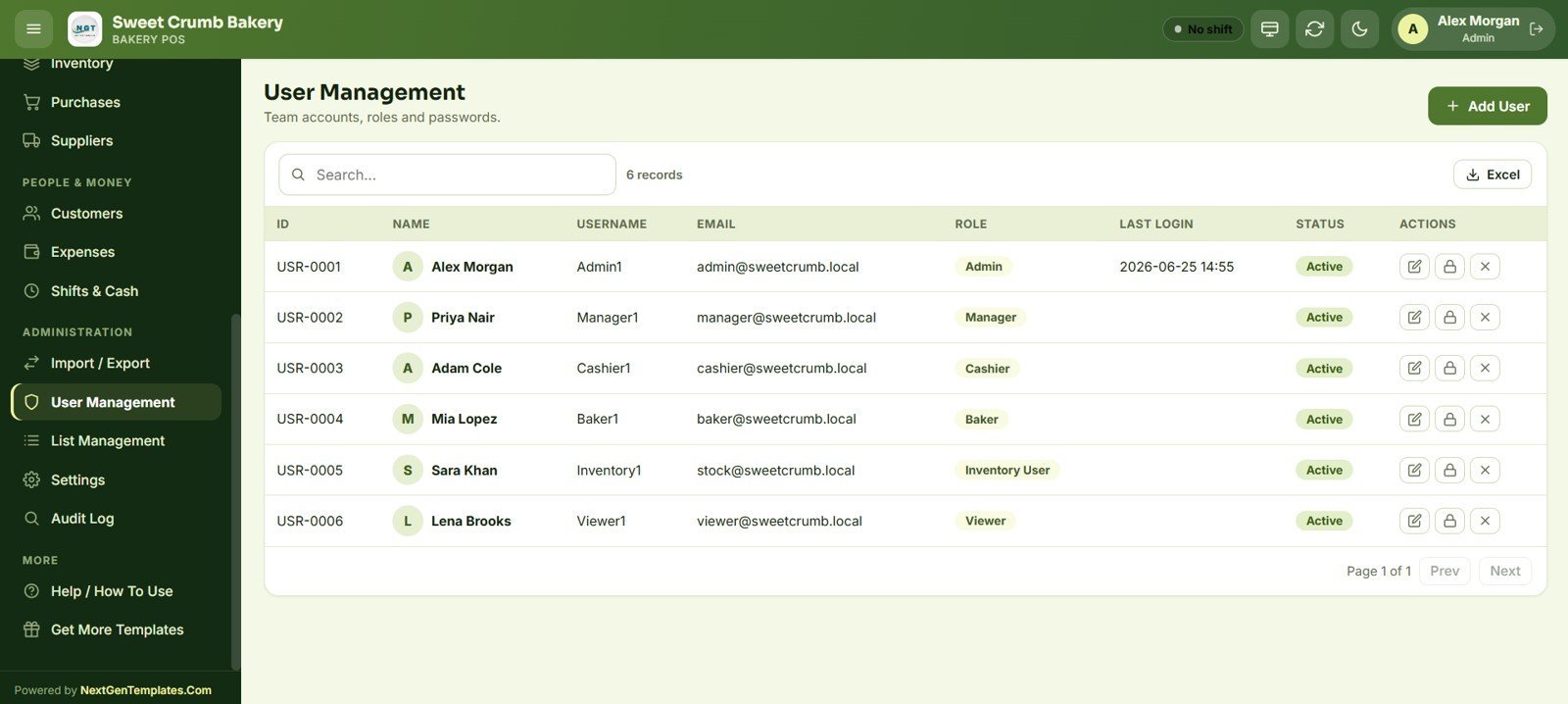
Create team accounts with one of six roles — Admin, Manager, Cashier, Baker, Inventory User and Viewer — each with its own permissions, last-login stamp and active status, and reset passwords from the same screen.
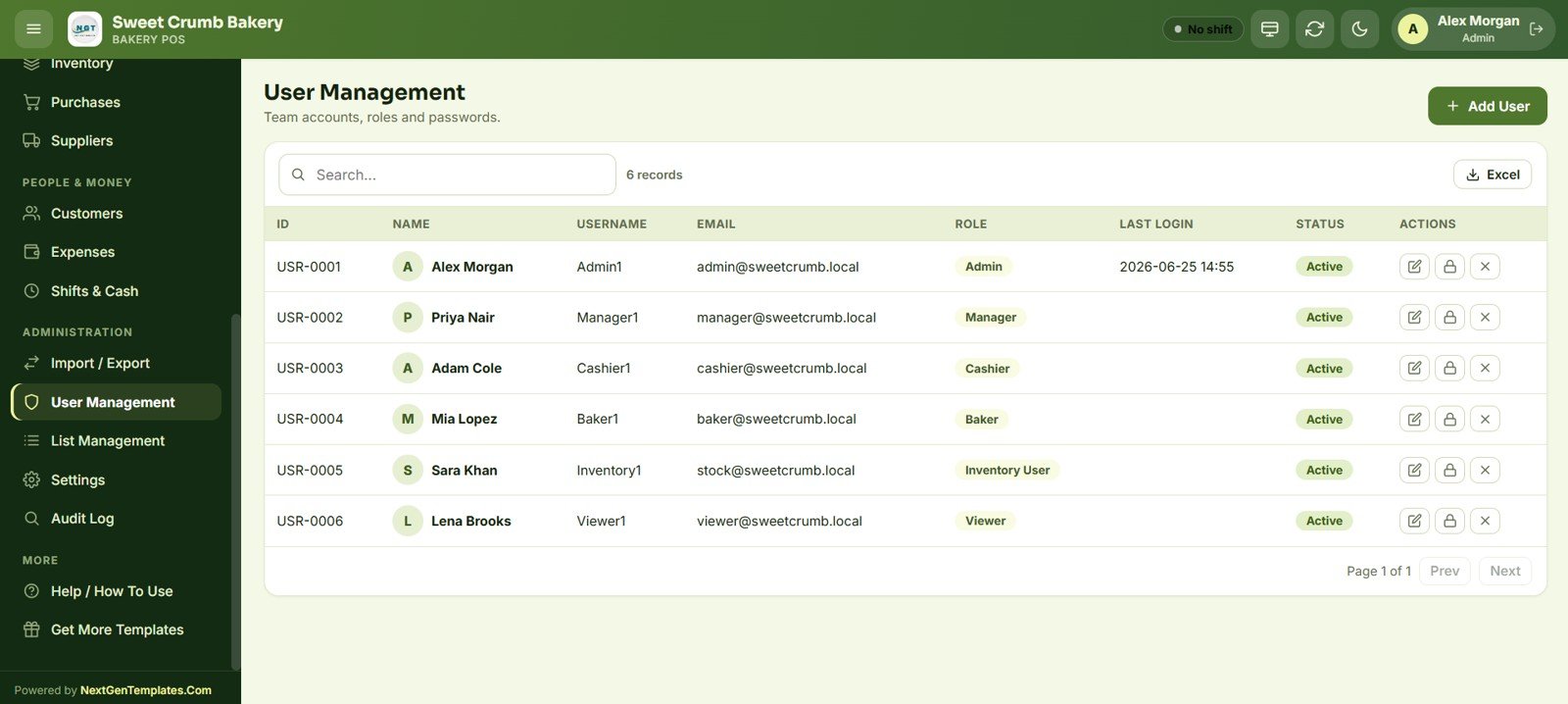
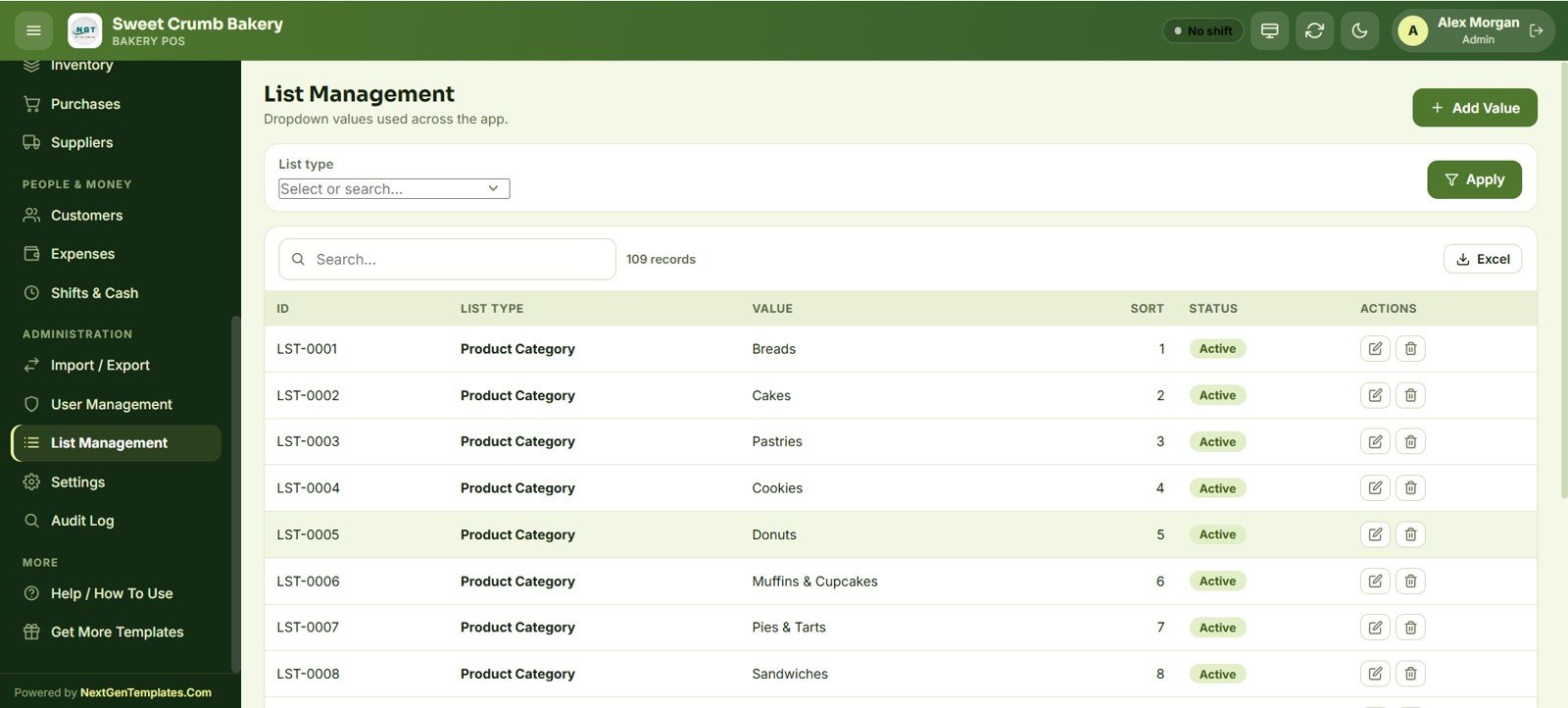
List Management
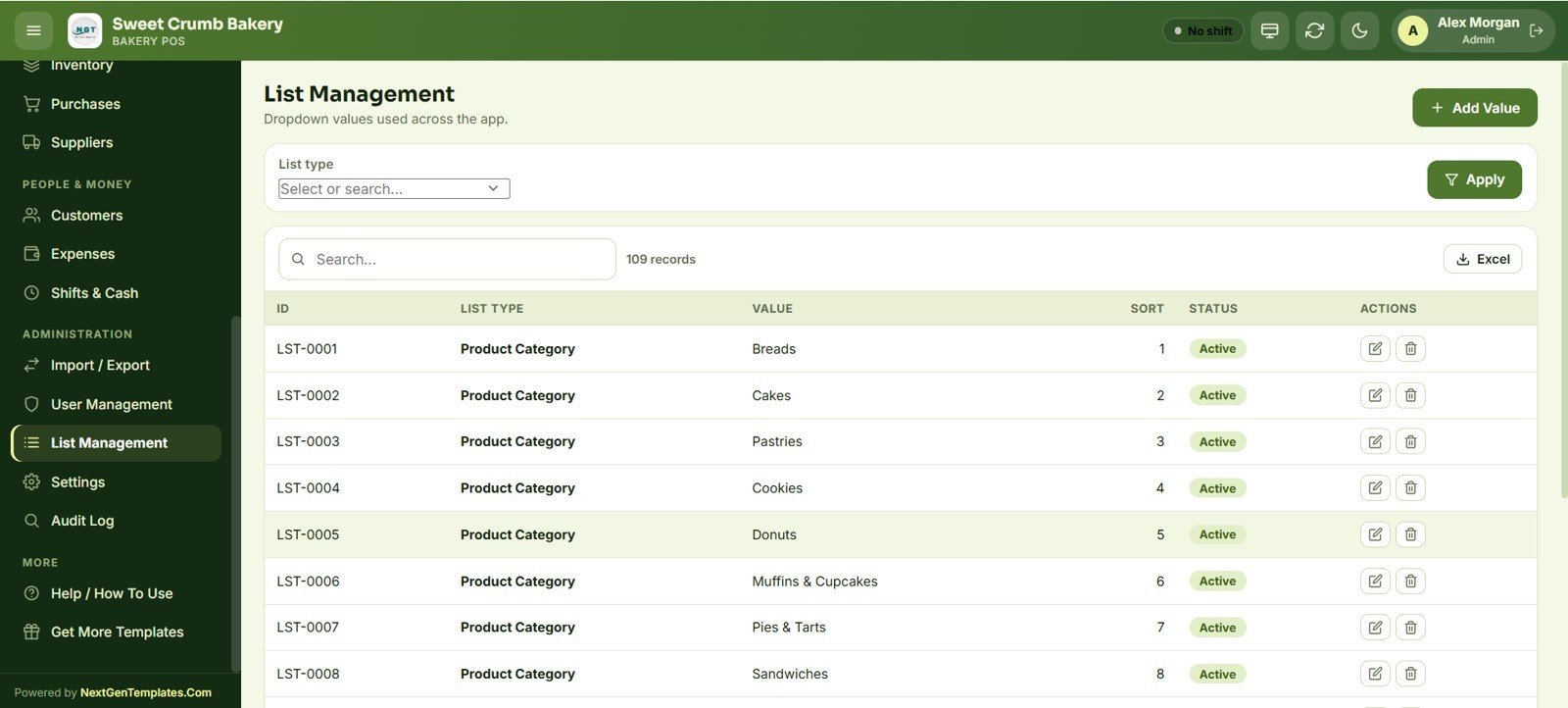
Control every dropdown used across the app — product categories, expense categories, payment modes, table zones and more — from one central list with sort order and active status, so the whole POS stays consistent.
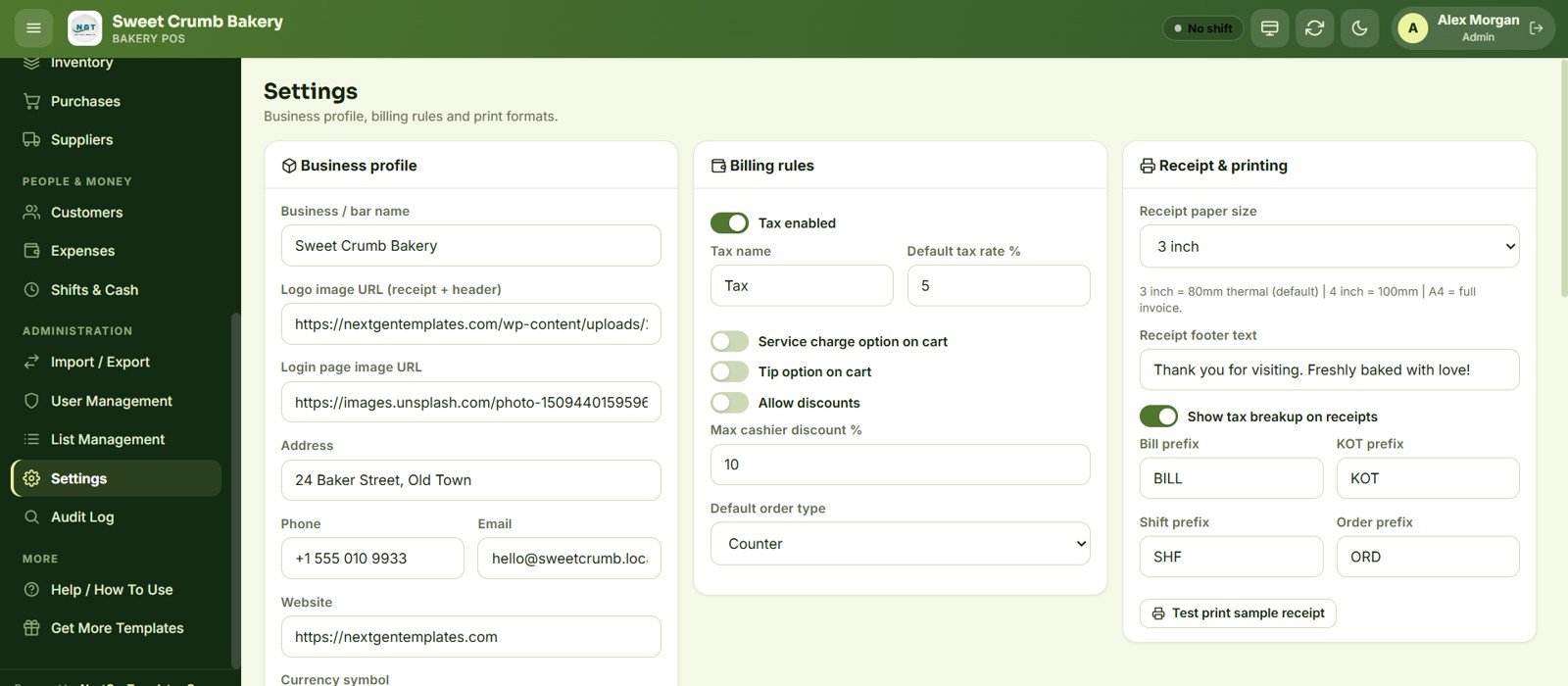
Settings
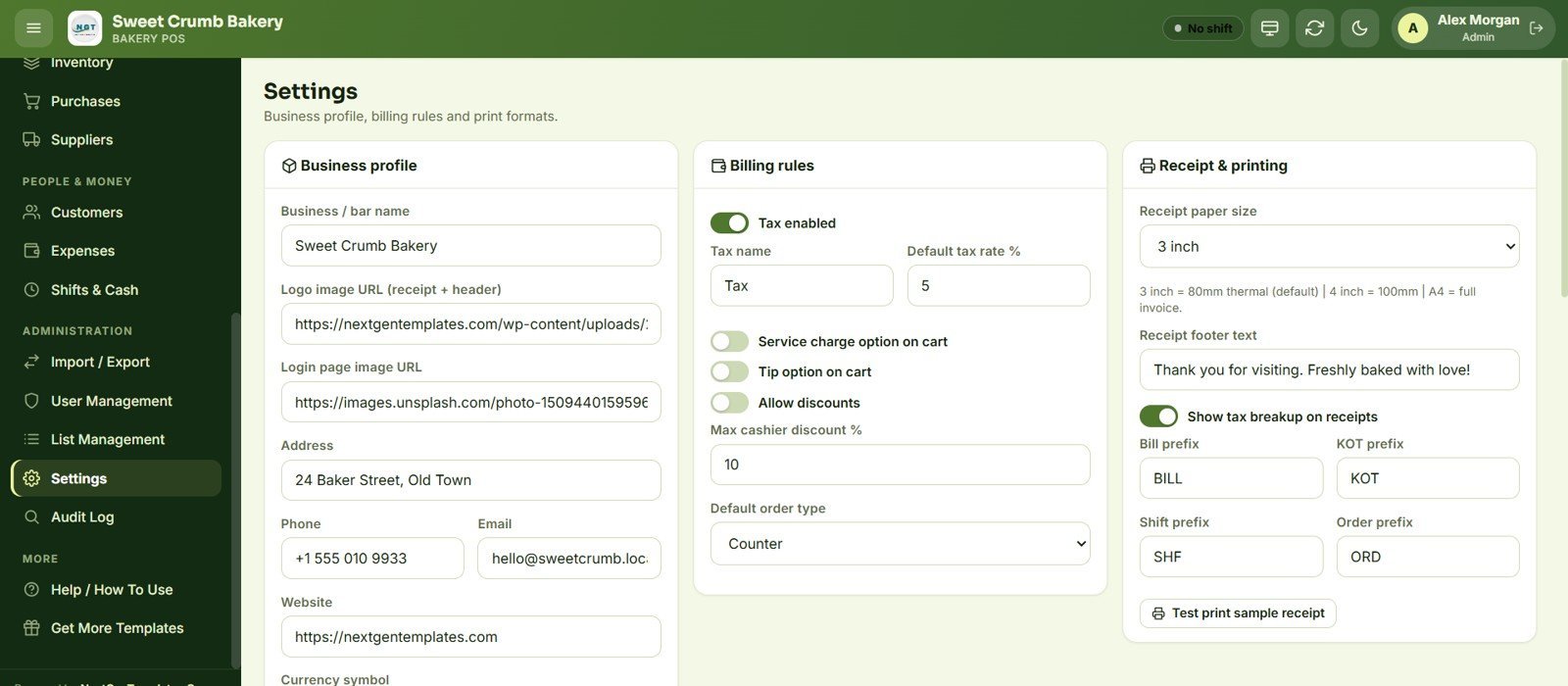
Configure the business profile (name, logo, address, phone, email, website, currency), billing rules (tax name and rate, service charge, tips, discounts, max cashier discount, default order type) and receipt & printing (paper size, footer text, bill/KOT/shift/order prefixes).
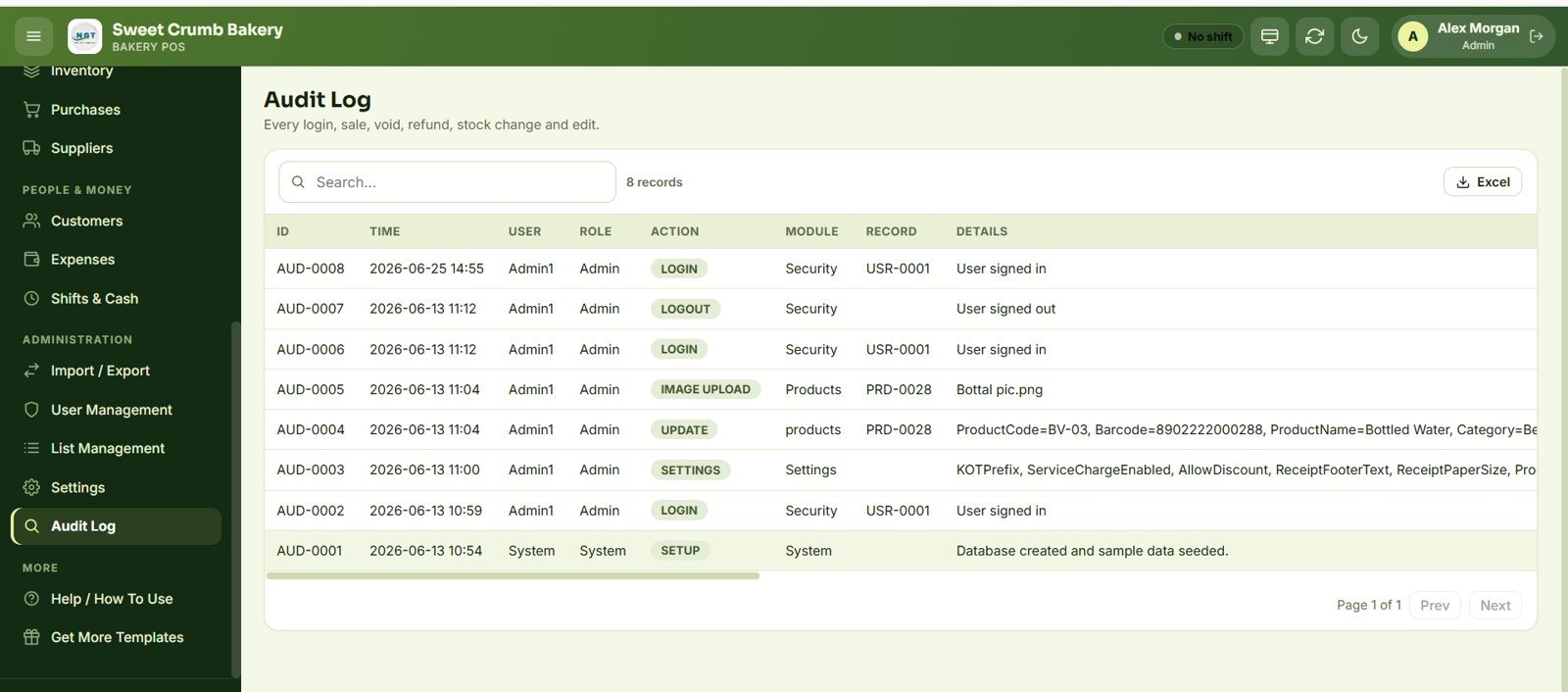
Audit Log
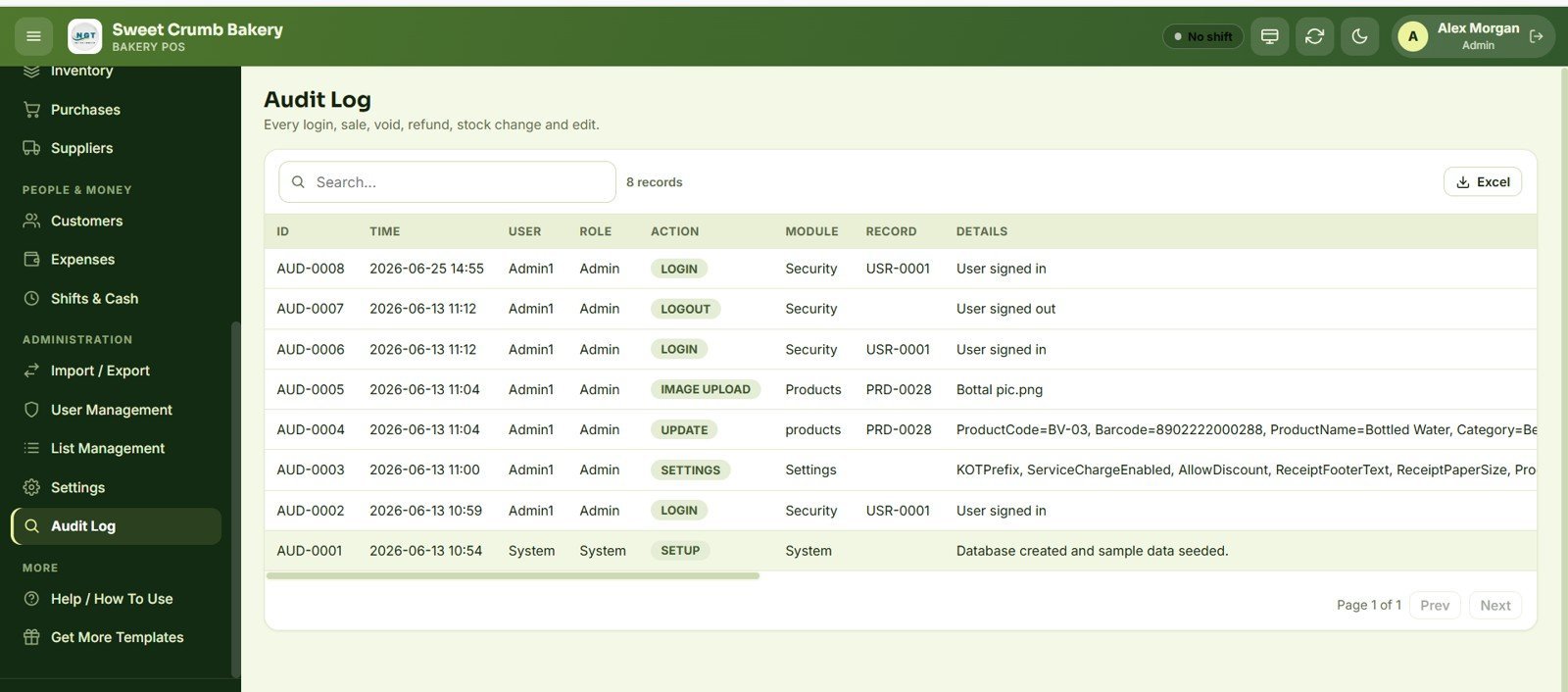
A tamper-evident trail records every login, sale, void, refund, stock change and edit with ID, time, user, role, action, module, record and details — essential for accountability when several staff share the same till.
📊 Bakery POS Web App vs. Microsoft Excel POS vs. Paid Bakery SaaS — Where This Fits
| Feature | Bakery POS Web App | Excel / Desktop POS | Paid Bakery SaaS (Toast / Square / Petpooja) |
|---|---|---|---|
| Cost | $39.99 one-time | $10–30 one-time | $60–165 / month + hardware |
| Platform | Google Sheets web app — any browser/tablet | Windows desktop only | Vendor cloud + locked hardware |
| Setup time | Under 15 minutes (Make a Copy + deploy) | Manual, macro-enabled | Onboarding call, days |
| Multi-user, real-time | ✅ 6 roles, live on Google Drive | ❌ single machine | ✅ (per-user fees) |
| Mobile / tablet access | ✅ runs in the browser | ❌ | ✅ |
| KOT / kitchen tickets | ✅ Pending→Preparing→Ready→Served | ❌ usually none | ✅ |
| Your data stays in your account | ✅ your own Google Sheet | ✅ local file | ❌ vendor-hosted |
| Year-1 cost at 3 users | $39.99 total | ~$30 | $2,160–5,940 |
For bakeries that want real POS billing, kitchen tickets and live stock without paying $100+ a month per terminal, the Bakery POS Web App sits in the sweet spot.
👥 Who This Template Is For — and Who It’s Not For
✅ This template is built for:
- Independent bakeries, cake shops, patisseries and bread counters that bill 20–500 orders a day
- Bakery-cafés with a few Counter, Patio or Pickup tables that need light table service plus KOT tickets
- Owners who want to drop a monthly SaaS POS fee and run on their own Google account
- Multi-staff shops that need role-based access and a full audit trail of voids and refunds
❌ This template is NOT for:
- Large multi-outlet chains needing centralized HQ dashboards across 10+ branches
- Businesses that require integrated card-terminal payment capture or a bonded fiscal printer
- Teams with no Google account or no reliable internet at the counter
- Operations needing offline-first billing that works with zero connectivity
⚙️ How to Use the Bakery POS Web App
- Open the PDF in your download and click the Google Sheets copy link to create your own editable copy in Google Drive.
- In the Apps Script editor, deploy the project as a Web App (execute as you, access to anyone with the link).
- Open Settings and enter your bakery name, logo, address, currency, tax rate and receipt prefixes.
- Add your products, categories, suppliers and opening stock — or bulk-import them from the Import/Export screen.
- Create staff accounts in User Management and assign roles, then open a shift and start billing from the POS screen.
💼 Real-World Use Cases
Maria runs a neighbourhood patisserie with two cashiers. She uses the Bakery POS Web App to ring up walk-in sales on a tablet, fire KOT tickets to the bake station, and close the till each evening with an exact cash variance — without paying per-terminal SaaS fees.
Arjun owns a bakery-café with a small patio. He tracks Counter, Patio and Pickup tables on the live floor view, holds orders while customers browse, and reviews the hourly sales chart to staff his busiest 8–11am window.
Lena manages stock for a three-person bread counter. She records supplier purchases, watches the Low Stock card on the dashboard, and exports the Reorder report to Excel before placing her weekly flour order from Golden Mill.
❓ Frequently Asked Questions
What is the Bakery POS Web App built on?
The Bakery POS Web App is built entirely on Google Sheets and Google Apps Script. It runs in any modern browser as a deployed web app, so a tablet, laptop or phone can act as your till with no extra software to install.
How long does setup take?
Setup takes under 15 minutes. You make a copy of the Google Sheet, deploy it once as a web app, then enter your bakery details in Settings and add your products — the Bakery POS Web App is then live and ready to bill.
Does the Bakery POS Web App handle kitchen tickets?
Yes. Orders fire Kitchen Order Tickets (KOT) that move through Pending, Preparing, Ready and Served, with per-item notes and a print button for the bake station — the same flow used in full restaurant POS systems.
How many staff and roles does it support?
The Bakery POS Web App supports unlimited staff accounts across six roles — Admin, Manager, Cashier, Baker, Inventory User and Viewer — each with its own permissions, and every action is recorded in the Audit Log.
How does this compare to paid bakery SaaS like Toast or Square?
Paid bakery SaaS typically costs $60–165 per month per terminal plus locked hardware. The Bakery POS Web App is a one-time $39.99 purchase that runs on your own Google account, so a small bakery saves thousands in year one.
Does stock update automatically when I sell?
Yes. Every sale posts an out-movement to the inventory ledger, so the running balance, the dashboard Low Stock card and the Low Stock/Reorder report always reflect what is actually on the shelf.
👤 About the Author
Built by PK — Microsoft Certified Professional with 15+ years of Excel, Google Sheets, and Power BI experience. Founder of NextGenTemplates, reaching 300K+ subscribers across YouTube channels (@PK-AnExcelExpert, @NextGenTemplates, @NeoTechNavigators). Every template is hand-built and tested before release.
🔗 Explore Related Templates
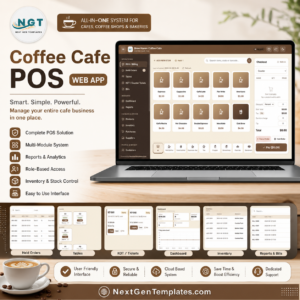
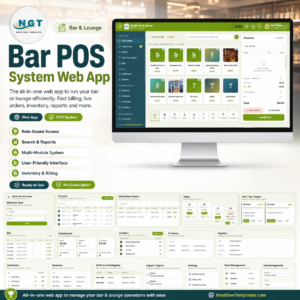
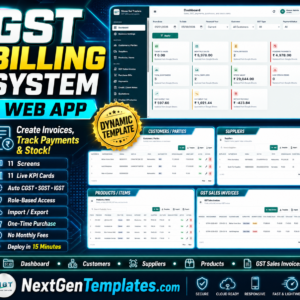
If you run a different kind of counter, browse our other Google Apps Script Web App templates. Popular picks include the Coffee Cafe POS Web App for cafés, the Bar POS System Web App for bars and pubs, and the GST Billing System Web App for invoice-first businesses. For appointment-led shops, see the Salon and Spa Management System, and for sales follow-up the CRM and Sales Pipeline System.
📖 Click here to read the Detailed Blog Post
Watch the step-by-step video Demo:
🎥 Visit our YouTube channel for step-by-step video tutorials
👉 YouTube.com/@NextGenTemplates







Reviews
There are no reviews yet.