

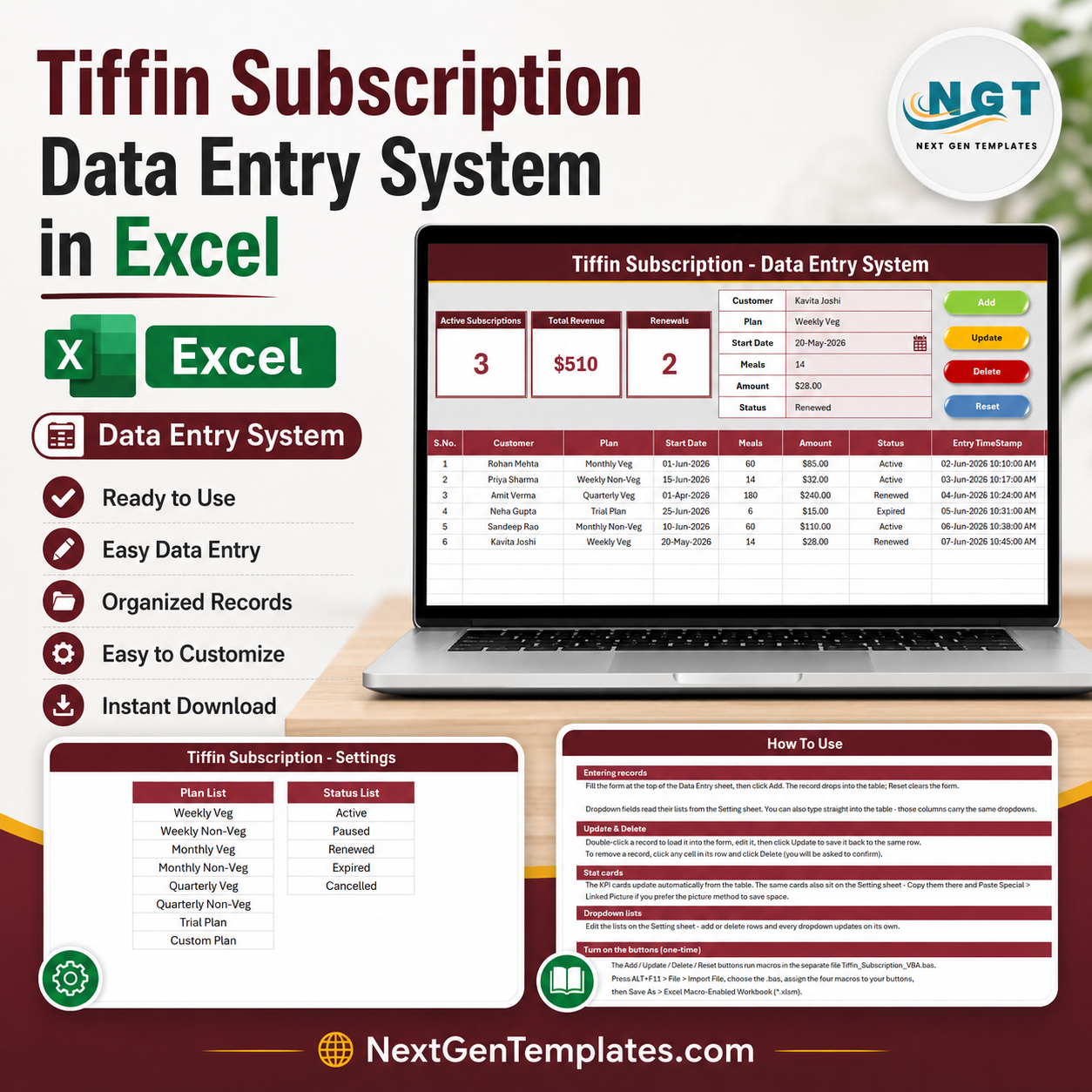
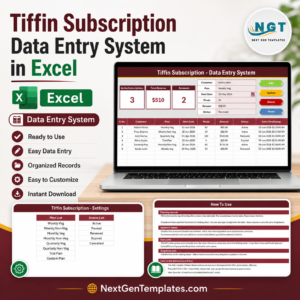
The Tiffin Subscription Data Entry System in Excel manages your entire meal subscription business through one VBA-powered entry form — 6 form fields, 3 live KPI cards (Active Subscriptions, Total Revenue, Renewals), 8 pre-loaded meal plans, and 5 subscription statuses. Setup takes under 10 minutes: import one VBA module, save as .xlsm, and start adding customers with a single click.
🌍 Join 8,400+ teams in 40+ countries using NextGenTemplates to replace paid SaaS tools with one-time-purchase Excel, Google Sheets, Power BI, and HTML templates.
✅ Instant download · One-time payment · No subscription · No per-user fees · Lifetime access
🔑 Key Features of the Tiffin Subscription Data Entry System in Excel
📋 One-click record management — Add, Update, Delete, and Reset buttons handle every subscription record through VBA macros, so you never scroll through rows or overwrite the wrong customer by hand.
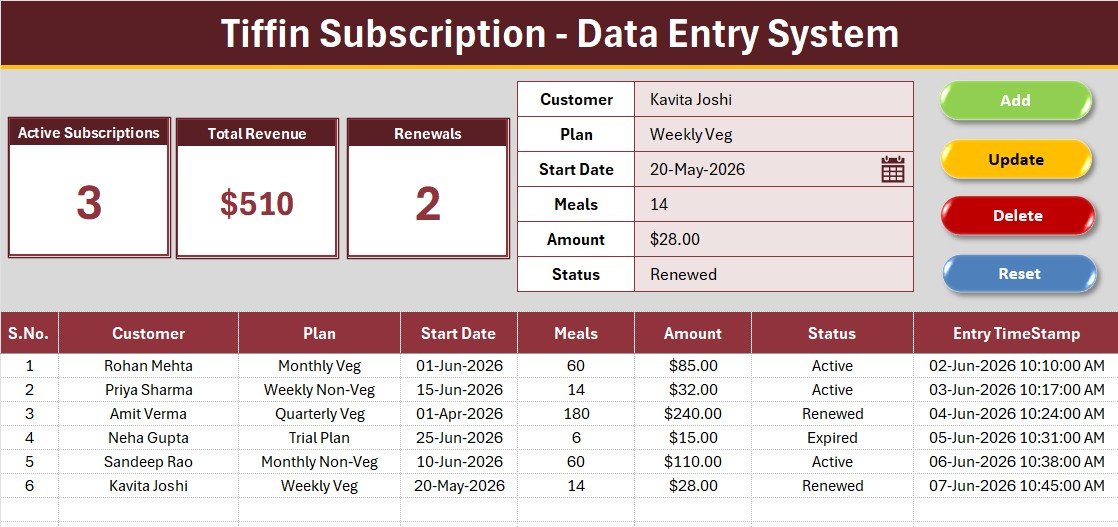
📊 3 live KPI cards — The dashboard tracks Active Subscriptions, Total Revenue, and Renewals with COUNTIF and SUM formulas that recalculate the moment a record is added or updated.
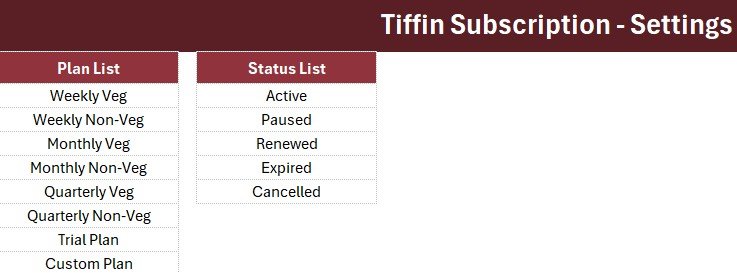
🍱 8 ready-made meal plans — Weekly Veg, Weekly Non-Veg, Monthly Veg, Monthly Non-Veg, Quarterly Veg, Quarterly Non-Veg, Trial Plan, and Custom Plan come pre-loaded as a dropdown, and every option is editable on the Setting sheet.
🔄 Full subscription lifecycle — 5 status options (Active, Paused, Renewed, Expired, Cancelled) let you track each customer from trial to renewal without a separate Excel dashboard.
🕒 Auto serial number and Entry TimeStamp — every record is numbered and time-logged automatically, giving you a clean audit trail of when each subscription was entered.
📦 What’s Inside the Tiffin Subscription Data Entry System
Sheet 1: Data Entry Dashboard
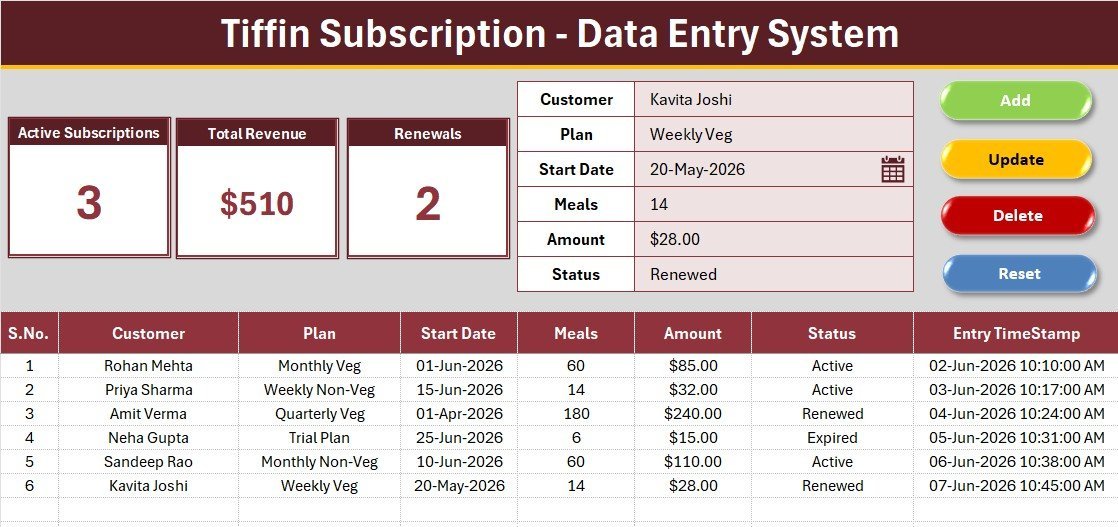
The main working screen combines the 3 KPI cards, the 6-field entry form (Customer, Plan, Start Date, Meals, Amount, Status), the Add/Update/Delete/Reset button block, and the records table with auto serial numbers and timestamps — all on one page.
Sheet 2: Setting Sheet
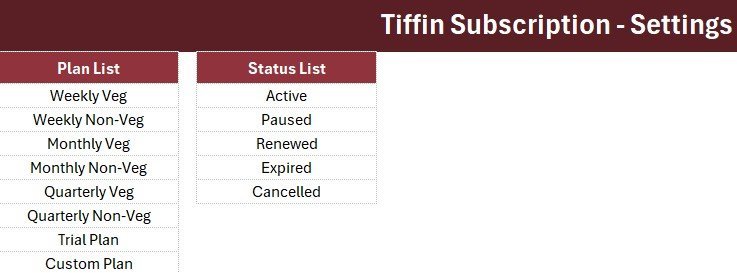
Holds the Plan and Status dropdown source lists plus duplicated KPI stat cards. Add a new meal plan here and it appears in the form dropdown instantly — no formula edits required.
Sheet 3: Instructions Sheet
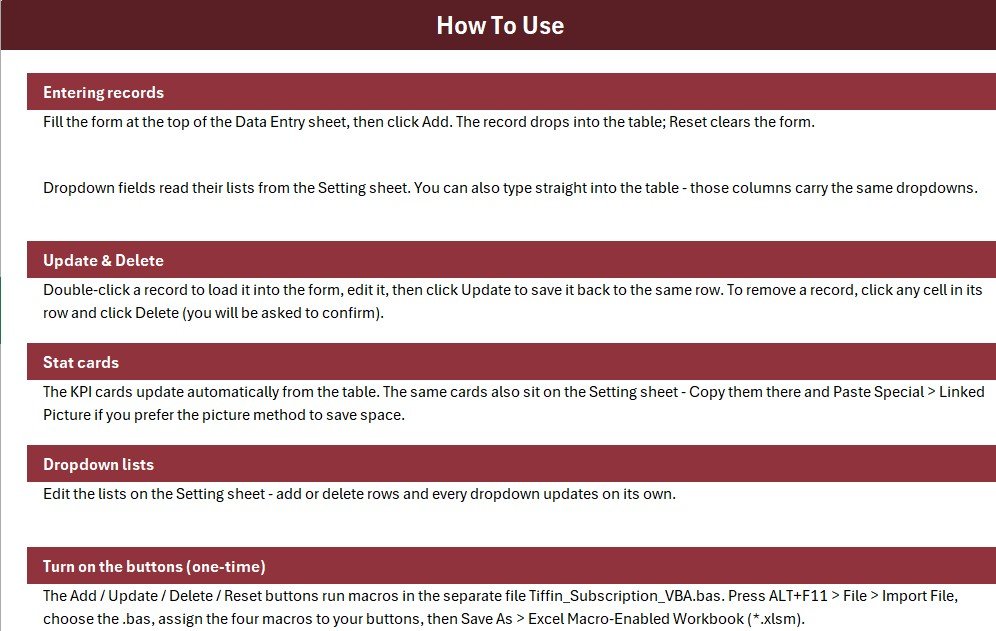
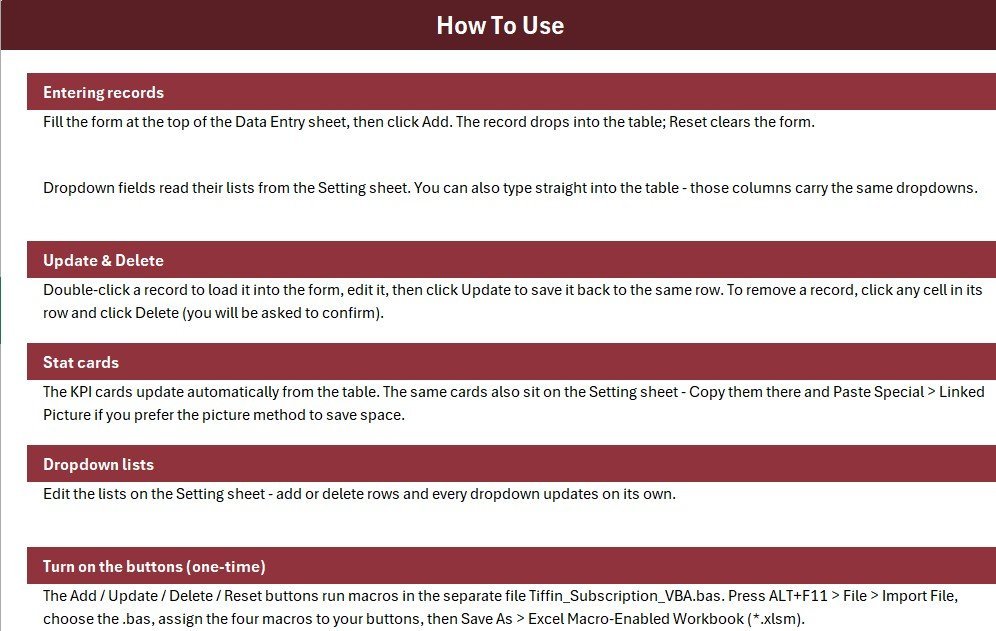
A built-in step-by-step activation guide covering the VBA import, button assignment, and the one-time Save As to .xlsm — so you never need to leave the workbook to get started.
📊 Tiffin Subscription Data Entry System vs. Google Sheets vs. Zoho Subscriptions — Where This Fits
| Feature | Tiffin Subscription Data Entry System | Google Sheets DIY Tracker | Zoho Subscriptions / Chargebee |
|---|---|---|---|
| Cost | $5.99 one-time | Free (build it yourself) | $39–$249 / month |
| Platform | Microsoft Excel (offline) | Browser only | Cloud SaaS |
| Setup time | ✅ Under 10 minutes | 3–6 hours to build | 1–2 days of configuration |
| One-click Add/Update/Delete form | ✅ Built-in VBA buttons | Manual row editing | ✅ Included |
| Real-time team collaboration | Shared drive only | ✅ Yes | ✅ Yes |
| Mobile access | Excel mobile (view) | ✅ Yes | ✅ Yes |
| Customizable fields & dropdowns | ✅ Fully editable Setting sheet | ✅ Yes, manual | Limited to plan structure |
| Works offline | ✅ Yes | Limited | ❌ No |
| Year-1 cost at 5 users | $5.99 total | $0 + your build time | $468–$2,988+ |
For tiffin services that want a proper subscription entry form without paying monthly SaaS fees, the Tiffin Subscription Data Entry System sits in the sweet spot.
👥 Who This Template Is For — and Who It’s Not For
✅ This template is built for:
- Tiffin service owners managing 20–500 subscribers who currently track customers in notebooks or WhatsApp
- Cloud kitchens and home chefs running weekly or monthly meal plans who need revenue and renewal visibility
- Meal-prep and dabba delivery businesses that want one operator entering records on a single PC
❌ This template is NOT for:
- Multi-branch operations needing simultaneous multi-user entry — a web app like our Restaurant POS Web App fits better
- Businesses that need automated recurring billing and payment collection — that requires a billing SaaS, not a tracker
⚙️ How to Use the Tiffin Subscription Data Entry System
- Unzip the download and open the workbook in Microsoft Excel.
- Press ALT+F11, then File → Import File and select the included .bas VBA module.
- Assign the Add_Record, Update_Record, Delete_Record, and Reset_Form macros to the four coloured buttons.
- Save As → Excel Macro-Enabled Workbook (.xlsm) — a one-time step.
- Fill the form and click Add — the KPI cards and records table update instantly.
- Edit meal plans and statuses anytime on the Setting sheet.
💼 Real-World Use Cases
Meena runs a 120-subscriber tiffin service from her home kitchen in Pune. She uses the Tiffin Subscription Data Entry System to log every new customer with plan, meal count, and amount, and checks the Renewals card each Monday to see who upgraded — replacing three notebooks and a WhatsApp group.
Arjun operates a cloud kitchen serving corporate lunch plans. He filters the records table by Status to pull all Paused subscriptions before month-end, calls those customers, and watches the Active Subscriptions KPI climb — without paying $39/month for a subscription platform he’d use 5% of.
❓ Frequently Asked Questions
What does the Tiffin Subscription Data Entry System track?
The Tiffin Subscription Data Entry System tracks 6 fields per subscription — Customer, Plan, Start Date, Meals, Amount, and Status — plus 3 live KPIs: Active Subscriptions, Total Revenue, and Renewals. Every metric updates automatically when you add or edit a record.
How long does setup take?
Under 10 minutes. Open the Tiffin Subscription Data Entry System, import the included VBA module via ALT+F11, assign four macros to the buttons, and save once as .xlsm. The built-in Instructions sheet walks through every step.
Can I change the meal plans and statuses?
Yes. The Tiffin Subscription Data Entry System stores all dropdown options on the Setting sheet. Edit, add, or remove any Plan or Status value there and the form dropdowns update immediately — no formulas or code to touch.
How does this compare to Zoho Subscriptions or Chargebee?
Zoho Subscriptions and Chargebee start around $39/month and focus on automated billing. The Tiffin Subscription Data Entry System costs $5.99 once and focuses on record-keeping, KPIs, and renewals — ideal when you collect payments directly and just need clean tracking.
Do I need to know VBA to use it?
No. The VBA code ships ready-made with the Tiffin Subscription Data Entry System — you import it once following the Instructions sheet. All daily work happens through the form and buttons; no coding is ever required.
Which Excel versions are supported?
The Tiffin Subscription Data Entry System works in desktop Microsoft Excel 2016, 2019, 2021, and Microsoft 365 on Windows, since macros must be enabled. Excel Online and mobile apps can view data but cannot run the VBA buttons.
👤 About the Author
Built by PK — Microsoft Certified Professional with 15+ years of Excel, Google Sheets, and Power BI experience. Founder of NextGenTemplates, reaching 300K+ subscribers across YouTube channels (@PK-AnExcelExpert, @NextGenTemplates, @NeoTechNavigators). Every template is hand-built and tested before release.
🔗 Explore Related Templates
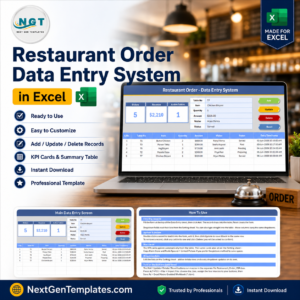
- Restaurant Order Data Entry System in Excel — the same one-click VBA form for logging food orders, items, and payments.
- Property Enquiry Data Entry System in Excel — track leads, sources, and follow-up statuses with live KPI cards.
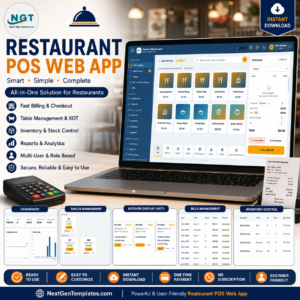
- Restaurant POS Web App — upgrade to a multi-user, browser-based POS with login and reports when your team grows.
Browse the full Excel VBA Tools collection for more one-click entry systems.
📖 Click here to read the Detailed Blog Post
🎥 Visit our YouTube channel for step-by-step video tutorials
👉 YouTube.com/@NextGenTemplates
📅 Last updated: July 2026





























Reviews
There are no reviews yet.