


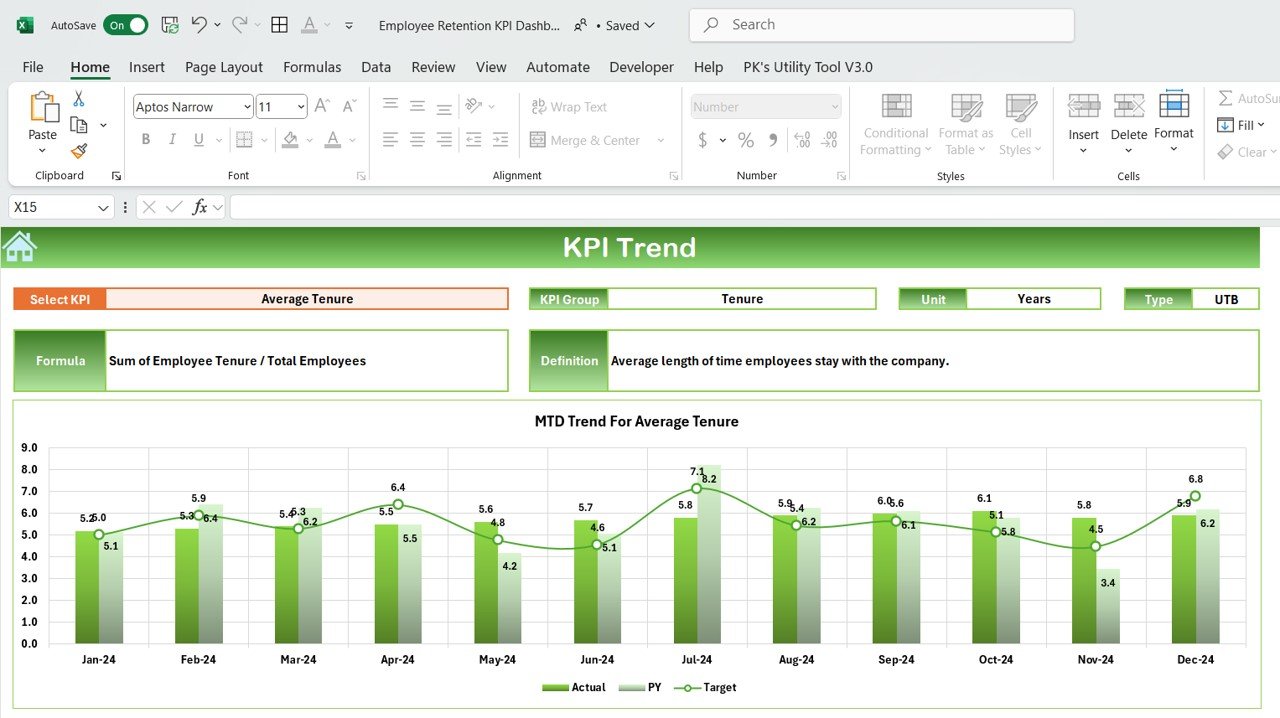



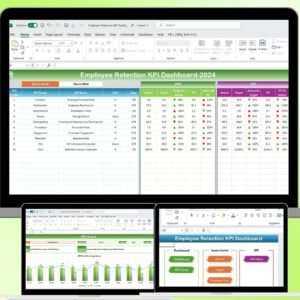
The Employee Retention KPI Dashboard in Excel is a powerful tool designed to help businesses and HR departments track and improve employee retention rates. This Excel-based dashboard provides comprehensive insights into key performance indicators (KPIs) related to employee retention, allowing businesses to measure turnover rates, employee satisfaction, and other critical metrics. By closely monitoring these KPIs, businesses can proactively address employee retention issues and foster a more engaged and loyal workforce.
With a user-friendly interface and customizable features, this dashboard helps HR teams identify trends, highlight areas for improvement, and develop data-driven strategies to improve employee retention and reduce turnover costs. Whether you are managing a small team or a large organization, this tool is invaluable for improving your employee retention strategies.
Key Features of the Employee Retention KPI Dashboard in Excel
📊 Employee Retention Metrics Tracking
Track key employee retention metrics such as turnover rates, voluntary and involuntary separations, and employee tenure. This helps you assess the effectiveness of your current retention strategies.
📈 Employee Satisfaction Analysis
Monitor employee satisfaction levels using various metrics, such as survey responses, feedback ratings, and engagement scores. Identify factors that may contribute to high turnover rates and make improvements.
💼 Employee Demographics Breakdown
Analyze employee demographics, including department, role, age group, and tenure. This helps in identifying patterns and understanding how different factors impact retention rates across the organization.
📅 Time-Based Retention Analysis
Evaluate employee retention over different time periods (monthly, quarterly, yearly). This allows you to spot trends, seasonal fluctuations, and long-term changes in employee retention.
📉 Cost of Turnover Tracking
Estimate the cost of employee turnover by tracking recruitment, training, and onboarding expenses. This helps highlight the financial impact of turnover and justifies investments in retention strategies.
⚙️ Customizable & Scalable Dashboard
Easily customize the dashboard to reflect the specific needs of your business. Add or remove KPIs, adjust metrics, and adapt visualizations to suit your organization’s retention goals.
Why You’ll Love the Employee Retention KPI Dashboard in Excel

✅ Improve Retention Strategies
Monitor key retention metrics to identify areas for improvement. Address turnover issues early and develop proactive strategies to retain top talent.
✅ Track Employee Satisfaction
Measure employee satisfaction and engagement to better understand factors contributing to retention or turnover. Use this data to foster a more positive workplace culture.
✅ Cost Savings Through Retention
By identifying the financial impact of turnover, the dashboard helps you make informed decisions about investing in retention initiatives that reduce hiring and training costs.
✅ Data-Driven Decisions
Use real-time data and insights to make informed decisions on employee engagement, retention, and overall workforce management. Adjust strategies based on data-backed findings.
✅ Scalable & Customizable
Whether you are managing a small team or a large workforce, the dashboard can be easily scaled to meet your specific needs. Customize KPIs, categories, and visualizations as needed.
What’s Inside the Employee Retention KPI Dashboard in Excel?
Employee Retention Metrics Tracking: Track turnover rates and other key retention metrics.
Employee Satisfaction Analysis: Measure employee satisfaction using feedback and survey results.
Employee Demographics Breakdown: Understand retention trends by department, role, age, and tenure.
Time-Based Retention Analysis: Evaluate retention rates over various time periods.
Cost of Turnover Tracking: Calculate the financial impact of turnover.
Customizable Features: Adjust the dashboard to fit your organization’s unique retention goals.
How to Use the Employee Retention KPI Dashboard in Excel
1️⃣ Download the Template: Get instant access to the Employee Retention KPI Dashboard in Excel.
2️⃣ Input Your Employee Data: Enter key employee data such as turnover rates, satisfaction scores, and demographics.
3️⃣ Track KPIs & Metrics: Monitor key metrics like retention rates, satisfaction, and turnover costs.
4️⃣ Analyze Data & Trends: Use time-based analysis to spot retention trends and identify areas of improvement.
5️⃣ Optimize Retention Strategies: Use the insights from the dashboard to enhance your employee retention efforts.
Who Can Benefit from the Employee Retention KPI Dashboard in Excel?
🔹 Human Resources (HR) Departments
🔹 Employee Engagement & Retention Teams
🔹 Business Owners & Executives
🔹 HR Managers & Talent Acquisition Teams
🔹 Small & Medium Enterprises (SMBs)
🔹 Large Corporations with Complex Retention Needs
Ensure that your organization is retaining its best talent with the Employee Retention KPI Dashboard in Excel. Monitor turnover rates, track satisfaction, and make data-driven decisions to foster a loyal and engaged workforce.
Click here to read the Detailed blog post
Visit our YouTube channel to learn step-by-step video tutorials
Youtube.com/@PKAnExcelExpert
Compatibility and Requirements
- Works in Microsoft Excel desktop (Excel 2016 or later, or Microsoft 365).
- Charts and KPI views are built into the workbook, so there is nothing else to install.
- New to Excel charts? Microsoft explains the basics in Create a chart from start to finish.
Frequently Asked Questions
Which metrics does the Employee Retention KPI Dashboard track?
Turnover rates, voluntary and involuntary separations, employee tenure, satisfaction scores and the cost of turnover.
Can I break results down by team?
Yes. It analyzes retention by department, role, age group and tenure.
Can I view monthly or yearly trends?
Yes. Retention can be reviewed by month, quarter or year to spot trends and seasonal changes.
Can I add my own KPIs?
Yes. You can add or remove KPIs, adjust metrics and change the visuals.
Is there a Google Sheets version?
Yes. See the Employee Retention KPI Dashboard in Google Sheets.
Related Employee Retention Templates
- Employee Retention KPI Dashboard in Google Sheets: the same KPIs in Google Sheets
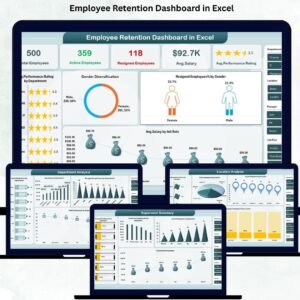
- Employee Retention Dashboard in Excel: a data dashboard with charts and filters
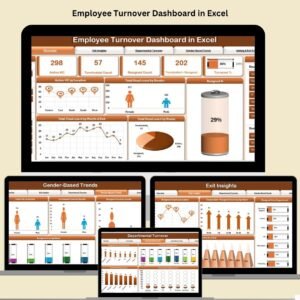
- Employee Turnover Dashboard in Excel: focus on exits and turnover
- HR Attrition and Head Count Analysis Dashboard in Excel: a free attrition dashboard
- HR & Workforce Analytics Bundle: 10 HR templates in one bundle
Browse all Excel HR and payroll templates or the Excel KPI dashboards.











Reviews
There are no reviews yet.