

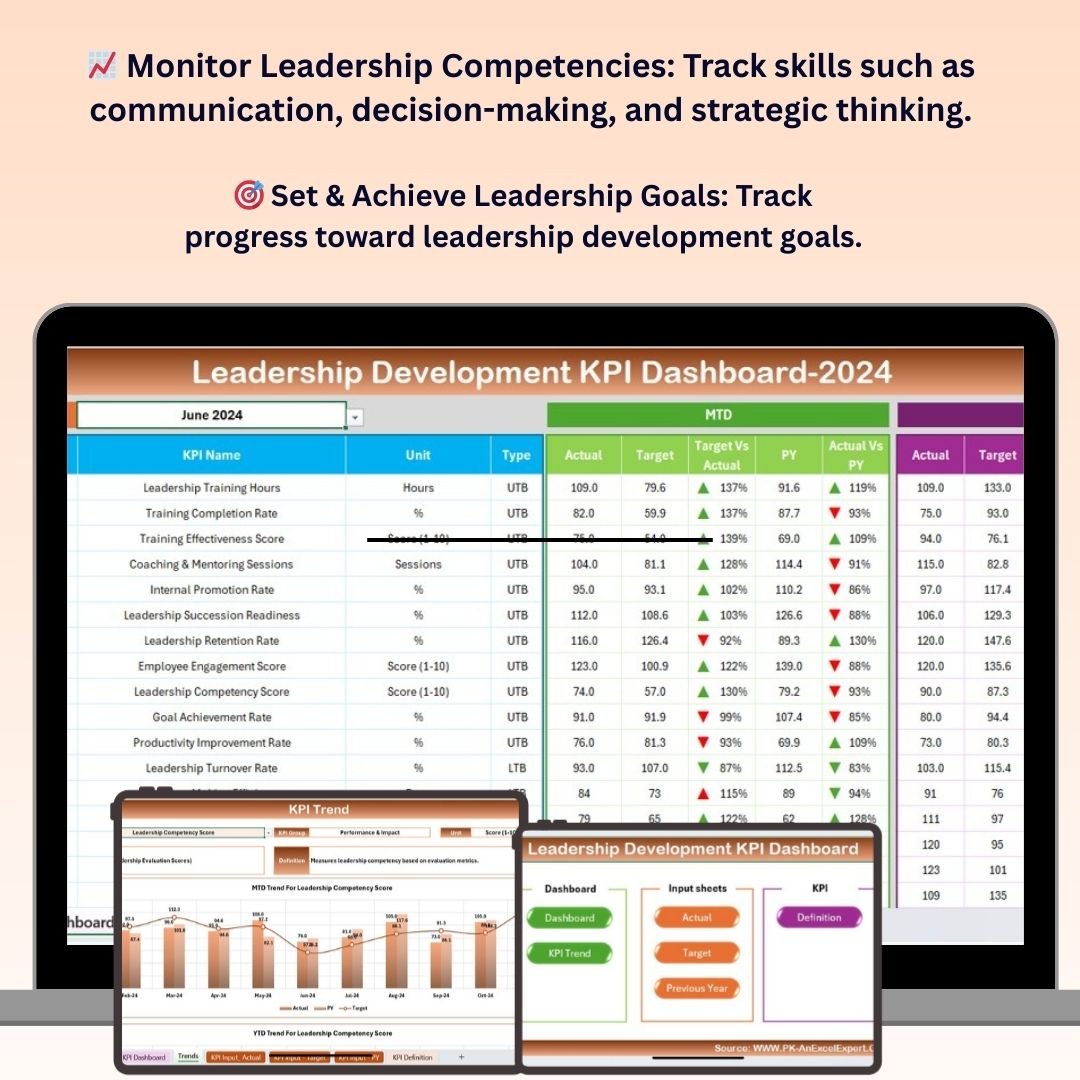
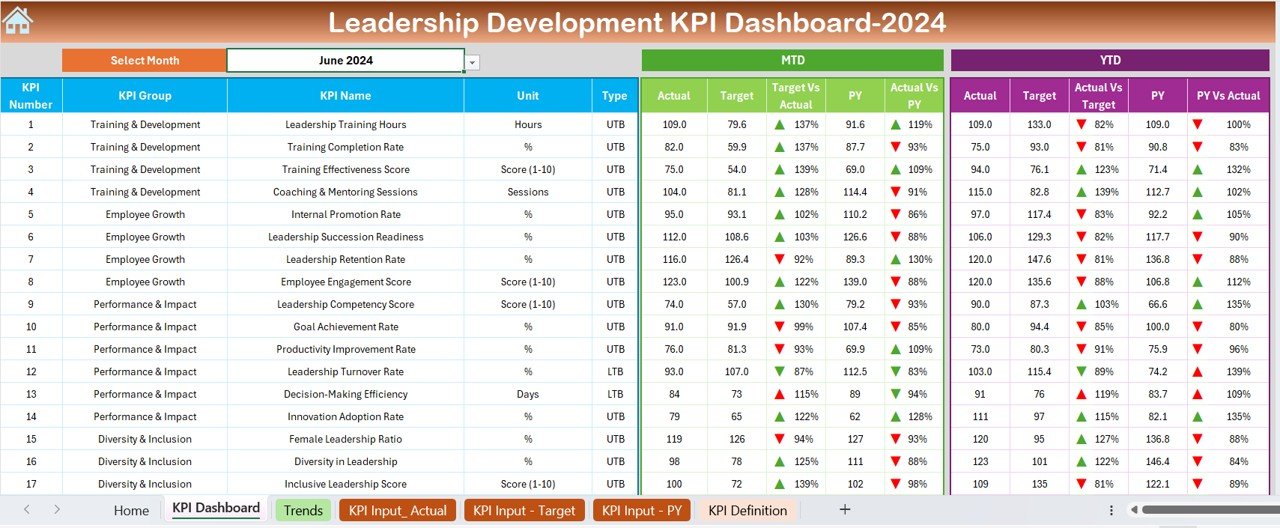
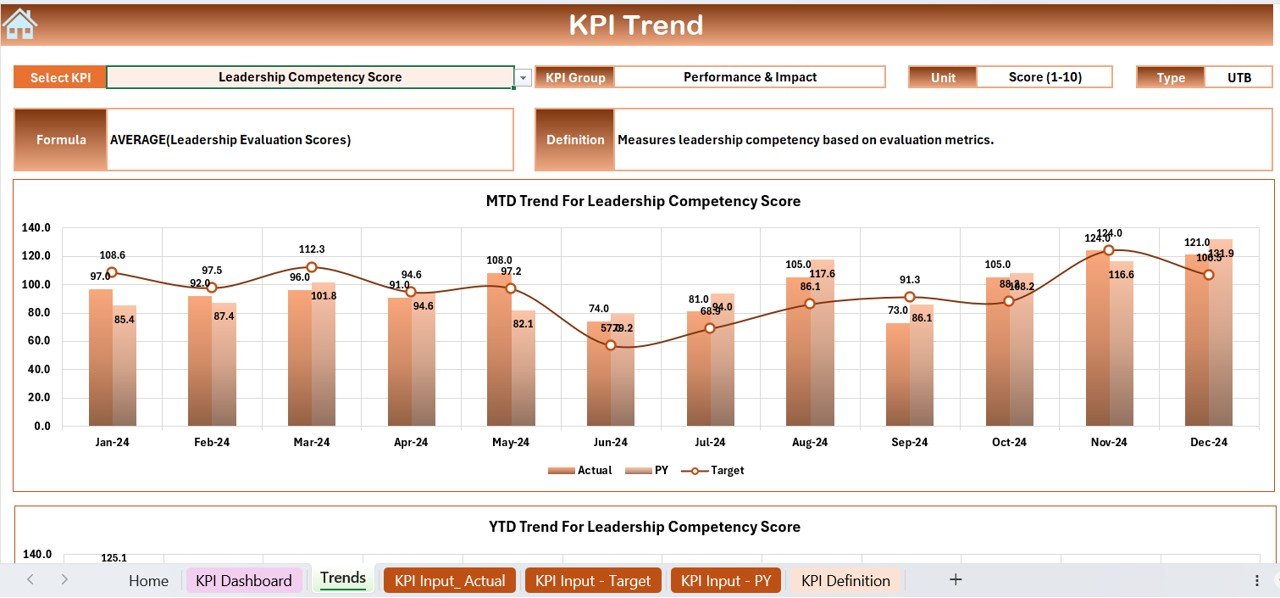
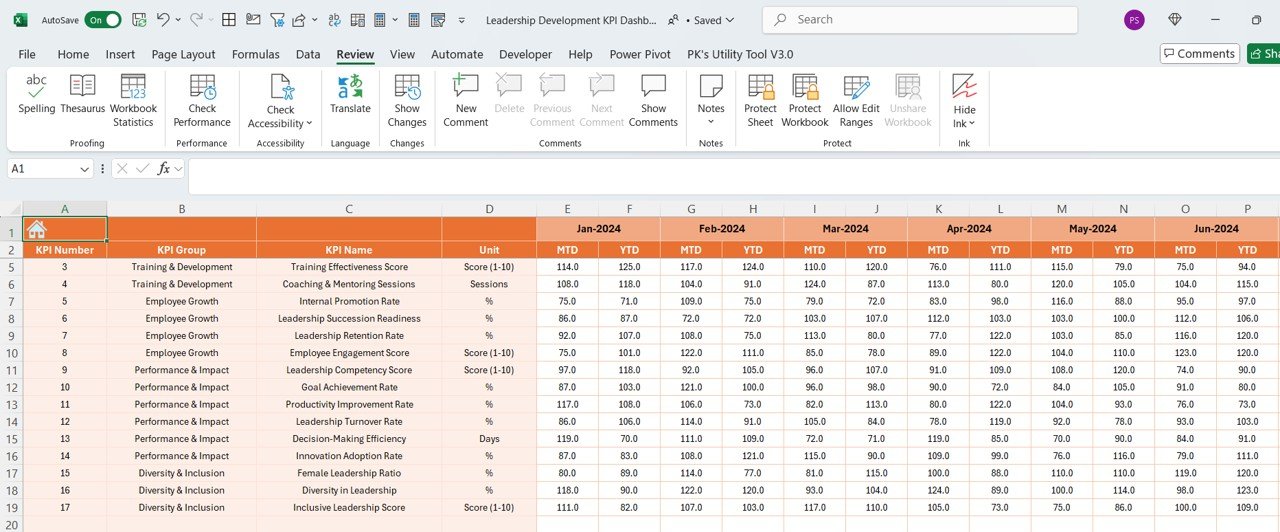
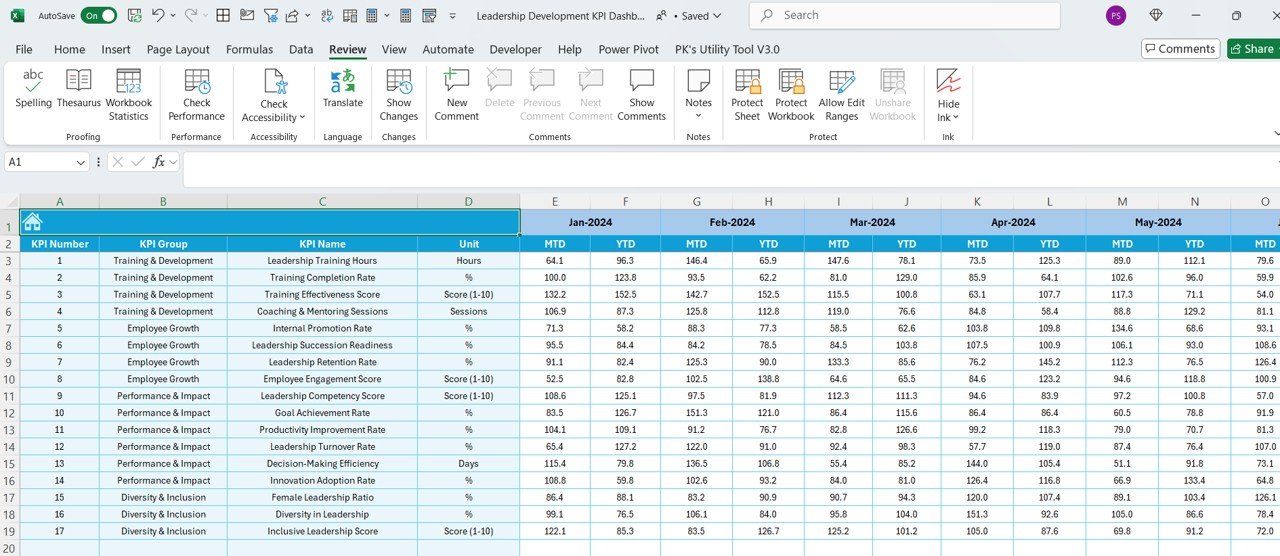
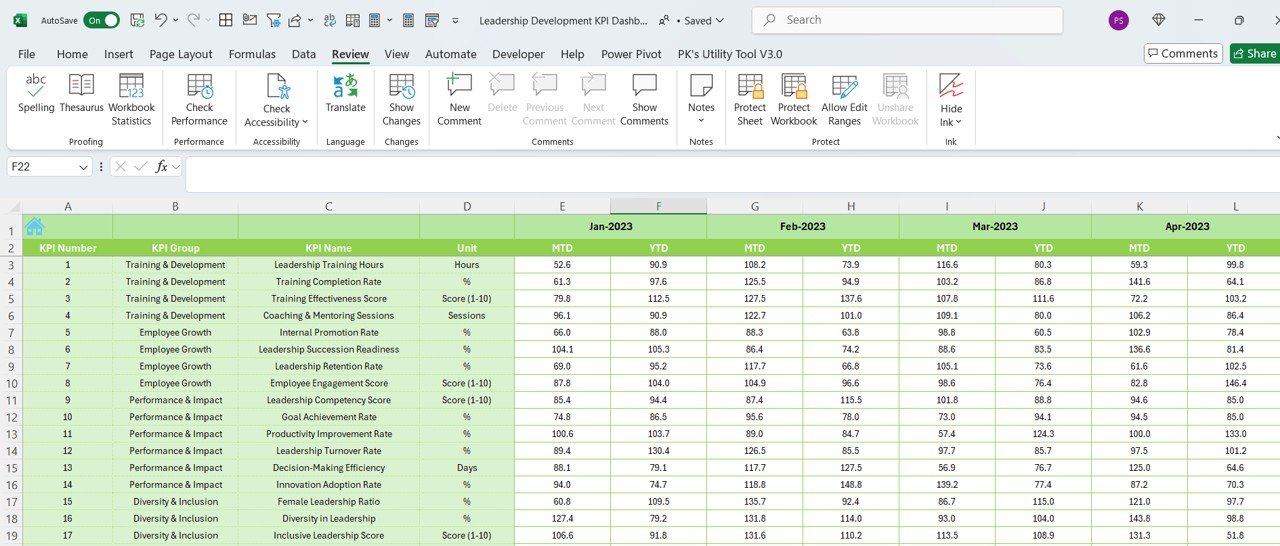


The Leadership Development KPI Dashboard in Excel is a comprehensive tool designed for organizations, HR departments, and leadership coaches to track and analyze key performance indicators (KPIs) related to leadership growth. This Excel-based dashboard helps you monitor the progress and effectiveness of your leadership development programs, identify areas for improvement, and make data-driven decisions to foster strong leaders within your organization.
With this tool, you can easily track key leadership competencies, coaching progress, training participation, and more. Whether you’re managing an internal leadership program or evaluating the performance of leaders, this dashboard provides clear, actionable insights to ensure that your leadership development initiatives are on track and delivering results.
Key Features of the Leadership Development KPI Dashboard in Excel
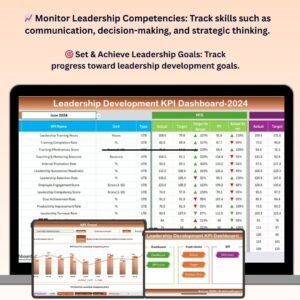
📈 Track Leadership Competencies
Monitor key leadership competencies such as communication, decision-making, problem-solving, and strategic thinking. Track how well leaders are developing these critical skills over time.
📅 Training & Development Progress
Track the progress of training programs and leadership development initiatives. Monitor which leaders have completed courses, attended workshops, or participated in mentorship programs.
📝 Coaching & Feedback Analysis
Analyze coaching feedback and track the progress of individual leadership development goals. Capture feedback from managers, peers, and team members to assess leadership performance.
🎯 Goal Setting & Achievement Tracking
Set clear leadership development goals and track progress toward achieving them. Use the dashboard to identify areas where leaders may need additional support or resources.
📊 Data-Driven Insights & Visual Reports
Visualize KPIs through dynamic charts and graphs to track leadership development progress. Use the insights to make informed decisions about future development initiatives and identify high-potential leaders.
⚙️ Customizable & Scalable
The dashboard is fully customizable to meet your specific leadership development needs. Add or modify KPIs, adjust the layout, and personalize the dashboard to match your goals.
Why You’ll Love the Leadership Development KPI Dashboard in Excel

✅ Monitor Leadership Growth
Track leadership competencies and development progress across multiple dimensions. Ensure that your leadership development programs are effective and aligned with organizational goals.
✅ Evaluate Training & Program Effectiveness
Assess the effectiveness of leadership training programs and development initiatives. Track which leaders are benefiting the most and which areas need further improvement.
✅ Track Individual & Team Performance
Monitor individual leadership progress and team-based performance. Use the data to provide targeted coaching and development opportunities for future leaders.
✅ Make Data-Driven Decisions
Use visual insights and KPIs to make informed decisions about leadership development investments, coaching, and training programs.
✅ Fully Customizable for Your Organization
This dashboard is adaptable for any business or leadership program. Modify KPIs, metrics, and goals to match your unique leadership development needs.
What’s Inside the Leadership Development KPI Dashboard in Excel?
- Leadership Competency Tracking: Monitor competencies such as communication, decision-making, and strategic thinking.
- Training & Development Progress: Track completion of courses, workshops, and development initiatives.
- Coaching Feedback & Goal Achievement: Capture feedback from peers and track individual leadership goals.
- Visual Data Reports: Use graphs and charts to visualize leadership development progress and trends.
- Customizable KPIs: Adjust KPIs, goals, and metrics to align with your leadership development objectives.
- Actionable Insights: Analyze data to identify areas for improvement and opportunities for future growth.
How to Use the Leadership Development KPI Dashboard in Excel
1️⃣ Download the Template: Get immediate access to the Leadership Development KPI Dashboard in Excel.
2️⃣ Customize KPIs & Goals: Tailor the dashboard to track the specific leadership competencies and goals for your organization.
3️⃣ Track Leadership Progress: Monitor training, coaching, and feedback data to track leadership growth over time.
4️⃣ Analyze Data & Identify Trends: Use the visual reports to analyze leadership development progress and identify improvement areas.
5️⃣ Generate Reports & Make Decisions: Generate reports and make data-driven decisions about future leadership development initiatives.
Who Can Benefit from the Leadership Development KPI Dashboard in Excel?
🔹 HR & Talent Development Teams
🔹 Leadership Coaches & Consultants
🔹 Managers & Department Heads
🔹 Training & Development Teams
🔹 Executive Teams & Organizational Leaders
🔹 Small & Large Enterprises focusing on leadership growth
Enhance your leadership development strategy and track the growth of your future leaders with the Leadership Development KPI Dashboard in Excel. Monitor progress, evaluate training effectiveness, and make data-driven decisions to develop strong leadership capabilities within your organization.
Click here to read the Detailed blog post
Visit our YouTube channel to learn step-by-step video tutorials
Youtube.com/@PKAnExcelExpert
Compatibility and Requirements
- Works in Microsoft Excel desktop (Excel 2016 or later, or Microsoft 365).
- KPIs show in standard Excel charts. Microsoft explains chart basics in Create a chart from start to finish.
Frequently Asked Questions
Which leadership competencies can I track?
Communication, decision-making, problem-solving and strategic thinking, and you can add your own.
Can I track training and coaching?
Yes. You can record completed courses, workshops and mentorship programs, plus coaching feedback from managers, peers and team members.
Can I set development goals?
Yes. You set leadership development goals and track progress toward them.
Can I change the KPIs?
Yes. You can add or modify KPIs, adjust the layout and change the goals to match your program.
Related Leadership and Coaching Templates
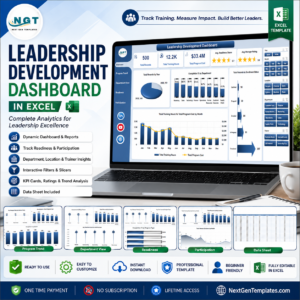
- Leadership Development Dashboard in Excel: a full dashboard on the same topic
- Leadership Development KPI Dashboard in Google Sheets: the same KPIs in Google Sheets
- Leadership Development Dashboard in Power BI: the topic in Power BI
- Executive Coaching Dashboard in Excel: tracks coaching engagements
- HR Director Toolkit: 10 HR templates in one bundle
Browse all Excel KPI dashboards or the HR and payroll templates.




























Reviews
There are no reviews yet.