

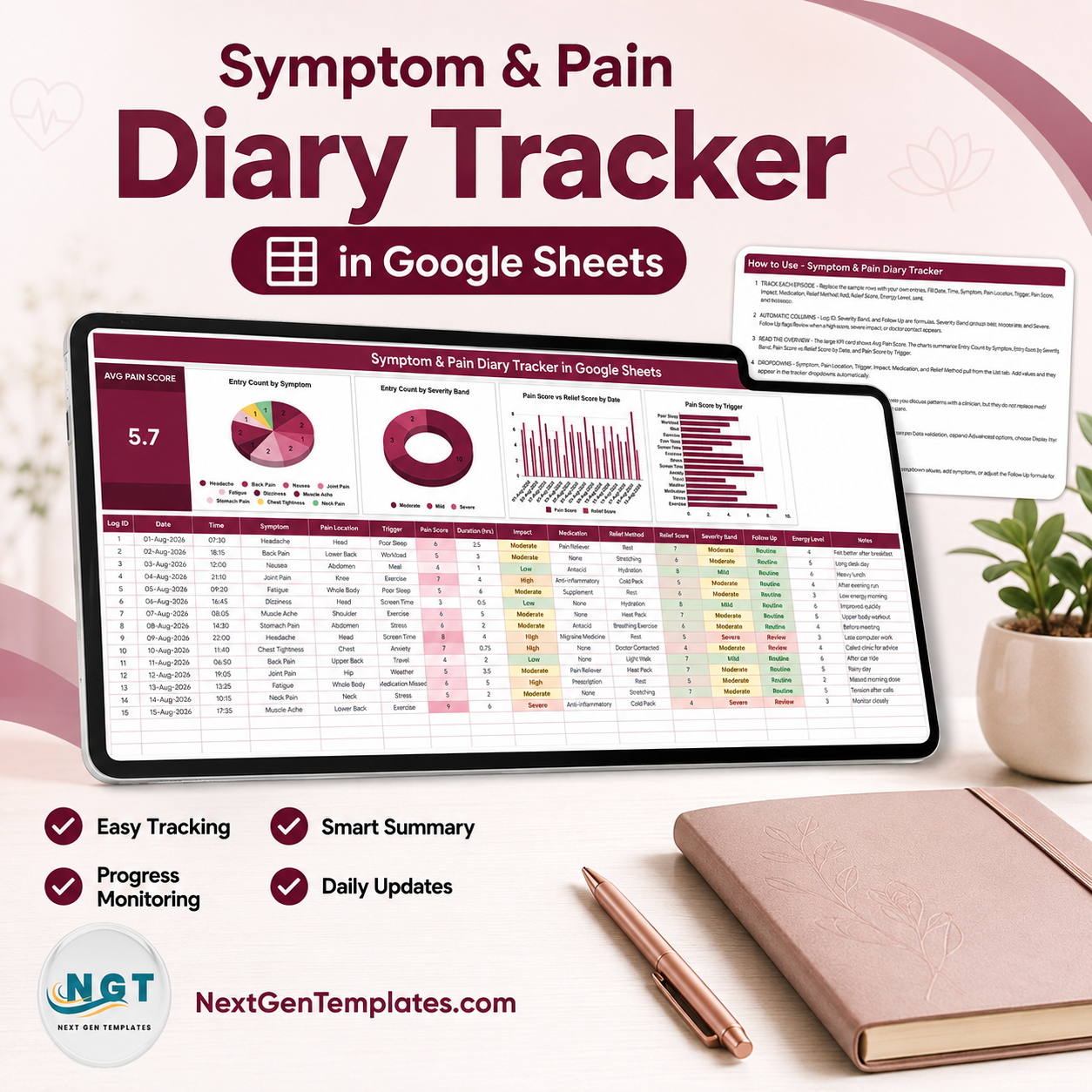

The Symptom & Pain Diary Tracker in Google Sheets is a one-page personal log for people who are tired of trying to remember, in a seven-minute appointment, what the last six weeks actually felt like. One sheet, four tabs, sixteen columns per entry, three formula columns that fill themselves, six dropdowns fed from an editable list, one KPI card and four live charts. It ships with fifteen worked sample rows dated 01-Aug-2026 to 15-Aug-2026 so nothing is blank on first open. Delivered as a Google Sheets copy link inside your download PDF, so you own the file outright – no account to create, no subscription, no data leaving your own Google Drive. Not the right fit? Email within 7 days.
Read this first. This is a spreadsheet you type into. It is not a medical device, it is not diagnostic, and it gives no medical advice. It does not interpret your pain scores, read your symptoms, or tell you what is wrong. The Severity Band and Follow Up columns are ordinary spreadsheet formulas that group and flag your own typed entries – they are not a clinical assessment. It is not HIPAA- or GDPR-compliant storage and it does not replace a clinician. Anything about your actual health belongs with your doctor.
Key Features of the Symptom & Pain Diary Tracker
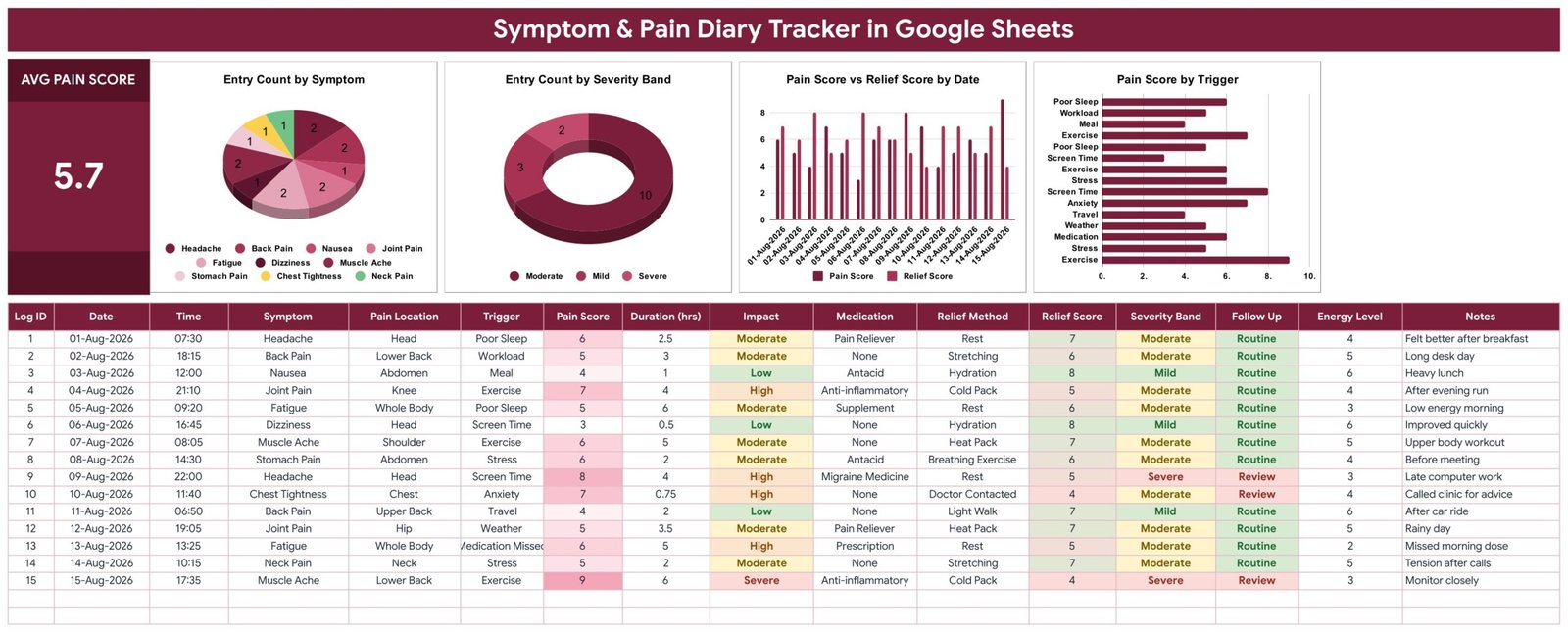
- 16 columns per episode – Log ID, Date, Time, Symptom, Pain Location, Trigger, Pain Score, Duration (hrs), Impact, Medication, Relief Method, Relief Score, Severity Band, Follow Up, Energy Level and Notes.
- 3 columns fill themselves – Log ID numbers each entry, Severity Band groups your Pain Score into Mild, Moderate or Severe, and Follow Up returns Review or Routine.
- 6 dropdown columns – Symptom, Pain Location, Trigger, Impact, Medication and Relief Method all read the List tab, so you type a value once and pick it forever.
- Dropdowns grow with you – the List tab is read from row 2 to row 500. Add “Migraine” or “Physio” there and it appears in the dropdown immediately, with no data-validation editing.
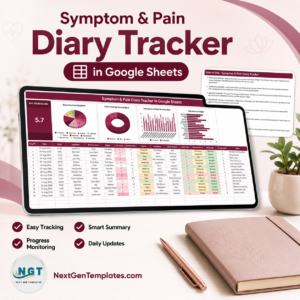
- One headline number – the Avg Pain Score card sits top-left and recalculates on every entry (the sample data reads 5.7).
- Four charts that redraw live – Entry Count by Symptom, Entry Count by Severity Band, Pain Score vs Relief Score by Date, and Pain Score by Trigger.
- Two scores, side by side – Pain Score and Relief Score are logged separately, so the date chart shows what you felt against what helped.
- Seeded, not empty – 10 symptoms, 10 pain locations, 10 triggers, 8 medication entries, 10 relief methods and 4 impact levels are already typed into the List tab.
- Yours to rename – every dropdown value, column header and formula is editable. Change “Chest Tightness” to your own wording and the charts follow.
What’s Inside the Symptom & Pain Diary Tracker
Four tabs, and that is deliberately all:
Symptom Diary
The working page. The Avg Pain Score card and the four charts sit across the top; the entry table runs underneath. Pain Score cells shade darker as the number rises, Impact and Severity Band colour Low/Mild green through Severe red, and Follow Up shows Routine in green or Review in red. Fifteen sample rows demonstrate the pattern – headache after poor sleep, back pain on a long desk day, joint pain after an evening run – and you delete them once your own entries start.
List
Six seeded columns that feed the six dropdowns. This is the only tab you edit to reshape the tracker. One honest note: the sample rows use “Neck Pain”, which is not one of the ten seeded symptoms – add it (or your own wording) to the List tab and the dropdown picks it up.
Instructions
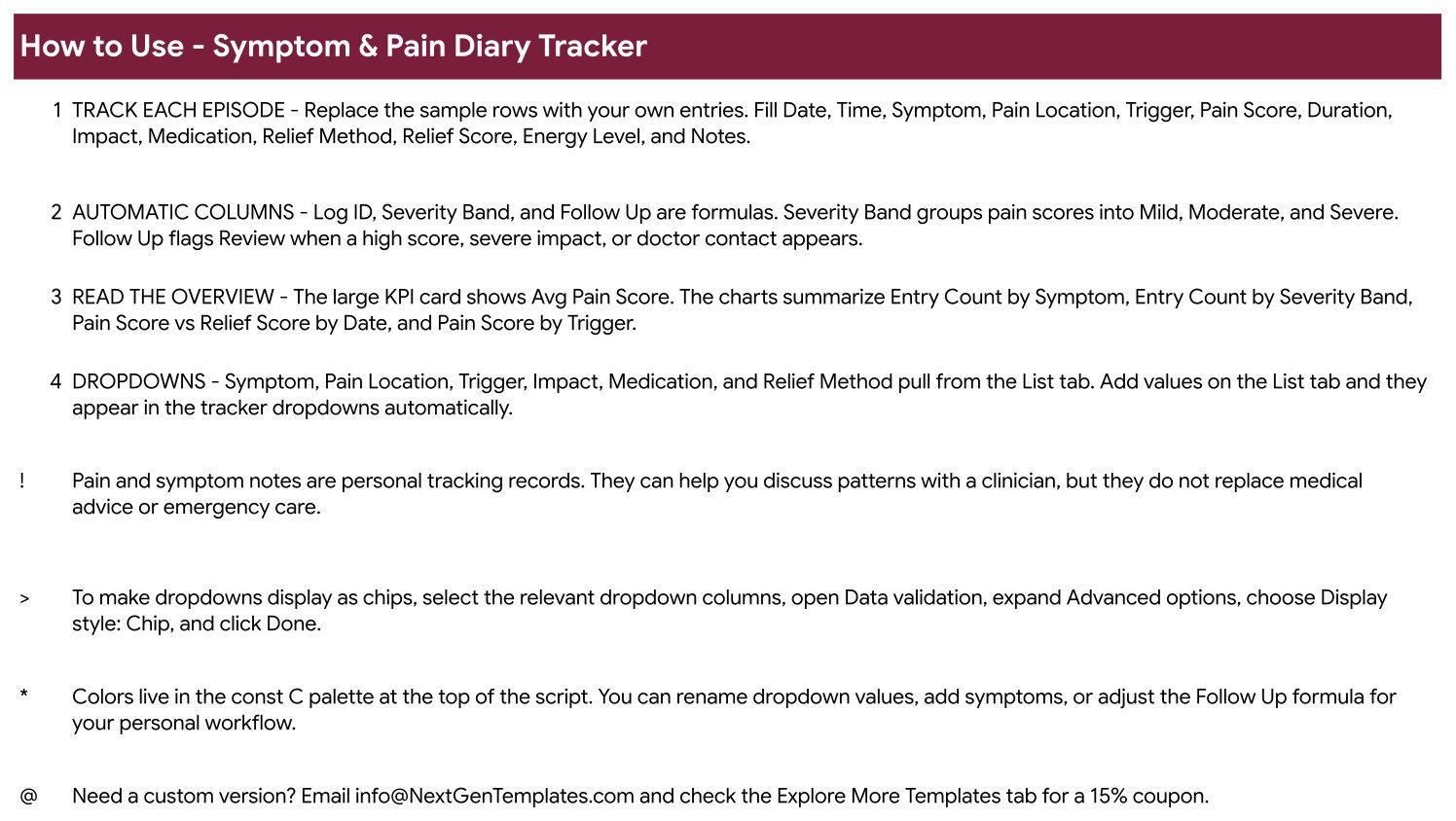
A one-screen “How to Use” page: what to type, which columns are formulas, how to read the overview, how the dropdowns work, plus the tip for switching dropdowns to chip display and a plain statement that these notes are personal records, not medical advice.
Explore More Templates
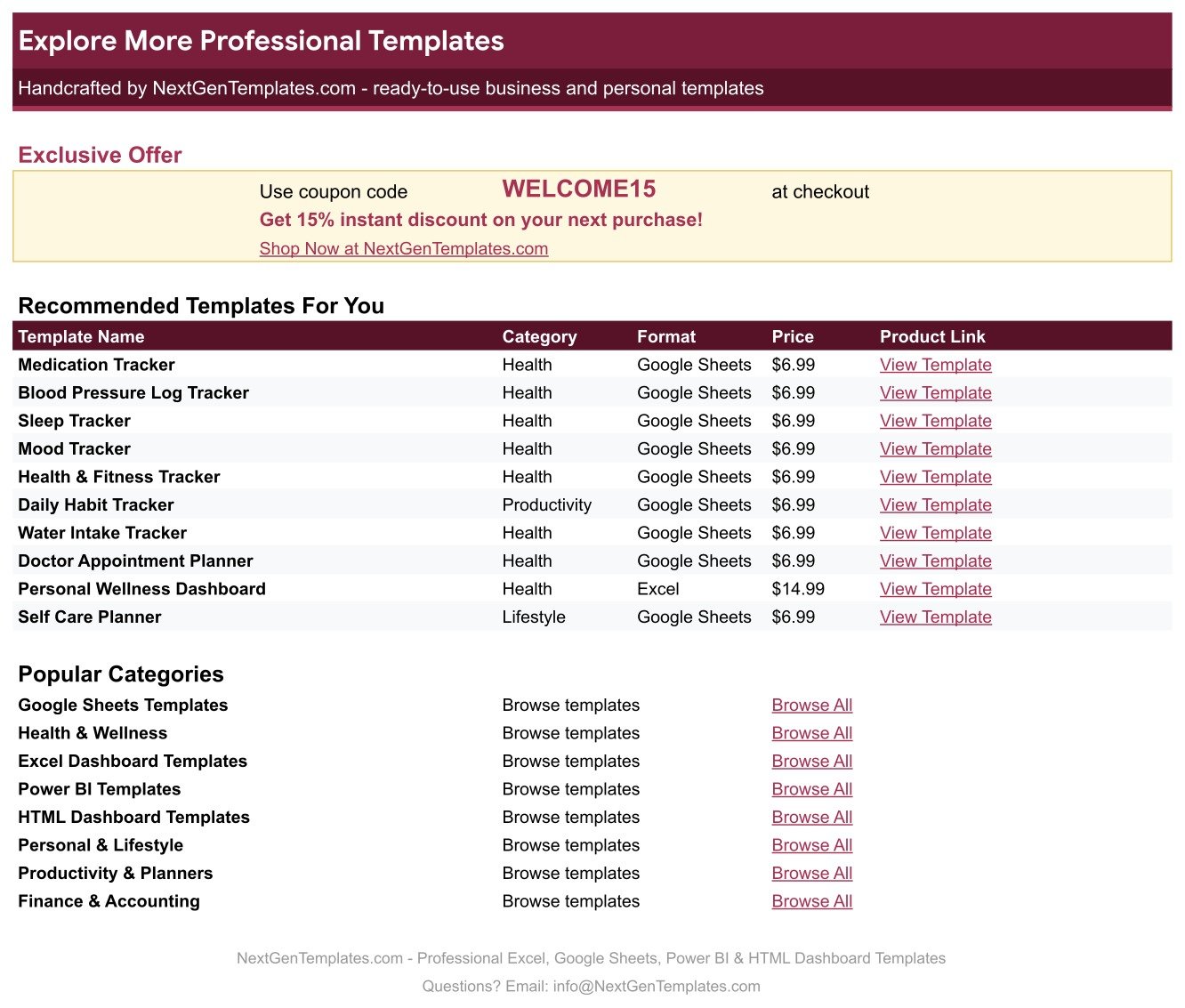
A links page with a WELCOME15 coupon code for 15% off your next NextGenTemplates purchase.
Symptom & Pain Diary Tracker vs. an Excel Log vs. a Paid Symptom App – Where This Fits
| This Google Sheets tracker | A do-it-yourself Excel log | A paid symptom-tracking app | |
|---|---|---|---|
| Cost | $6.99 one time | Free, plus your build time | Recurring subscription |
| Platform | Google Sheets, any browser | Excel desktop or Microsoft 365 | The vendor’s app only |
| Setup time | Copy the sheet, start typing | Hours of columns, validation and charts | Sign-up and onboarding |
| Charts already built | 4, wired to the entry table | Build them yourself | Vendor’s fixed views |
| Rename fields and formulas | Every one of them | Every one of them | Rarely |
| Share with a link | Yes, standard Sheets sharing | Send the file | Vendor-controlled |
| Mobile access | Google Sheets mobile app | Excel mobile app | Yes |
| Where the data lives | Your own Google Drive | Your own machine | The vendor’s servers |
| Export your history | CSV, XLSX or PDF, any time | Yes | Sometimes, sometimes not |
| Reminders and alerts | None – a spreadsheet does not notify you | None | Usually |
Who This Template Is For – and Who It’s Not For
It fits anyone keeping a personal record between appointments: people managing a long-running pain problem, anyone asked by a clinician to “keep a diary for a month”, people trying to spot whether screen time, poor sleep or weather lines up with their bad days, and carers who log on someone else’s behalf.
It does not fit a clinic keeping patient records – it has no patient IDs, no access control and no compliance posture. It is not for anyone who needs reminders or alerts; it sends none. It is not for teams needing per-user permissions on individual rows. And it is not for anyone hoping software will tell them what a symptom means – it will not, and it is not built to.
How to Use the Symptom & Pain Diary Tracker
- Open the PDF in your download and click the Google Sheets copy link. A private copy lands in your own Drive.
- Open the List tab first. Delete the seeded values that do not apply to you and type in your own symptoms, locations, triggers, medications and relief methods.
- Go to the Symptom Diary tab and delete the fifteen sample rows.
- Log an episode: Date, Time, Symptom, Pain Location, Trigger, Pain Score, Duration, Impact, Medication, Relief Method, Relief Score, Energy Level and a short note. Leave Log ID, Severity Band and Follow Up alone – they calculate.
- Watch the Avg Pain Score card and the four charts update as rows accumulate. A fortnight of entries is usually enough to see a shape.
- Before an appointment, use File > Download > PDF to print the table and charts, or share the sheet with a view-only link.
Real-World Use Cases
Priya, six weeks before a rheumatology follow-up. She was asked to keep a diary. She logs joint pain by location and score, tags the trigger, and prints the Pain Score by Trigger chart. It does not diagnose anything – it just means she stops saying “I think it was worse on rainy days” and shows what she actually wrote down.
Daniel, migraine and screen time. He logs every headache with duration and relief method. After a month the Pain Score vs Relief Score by Date chart shows which relief methods he recorded alongside his lower scores. That is a question for his GP, not an answer from a spreadsheet – but it is a much better question.
Meera, logging for her father. She adds his own words to the List tab, records episodes on his behalf, and shares the sheet view-only with her sister so both of them see the same record instead of comparing phone notes.
Frequently Asked Questions
Is this medical advice, or a medical device?
No, to both, and this matters more than any feature. It is a spreadsheet you type into. It is not a medical device, it is not diagnostic, it does not interpret your pain scores or your symptoms, and it does not replace a clinician. It is not HIPAA- or GDPR-compliant storage. The Severity Band and Follow Up columns are plain formulas grouping and flagging your own typed entries, not a clinical judgement – “Review” means a formula matched your entry, nothing more. If a symptom worries you, contact a healthcare professional; in an emergency, call your local emergency number.
Does it remind me to log, or alert me about a bad reading?
No. It sends nothing – no emails, no push notifications, no alerts of any kind. Nothing happens unless you open the sheet and type.
Do I need a paid Google account?
No. A free Google account is enough. Click the copy link in the PDF and the file lands in your own Drive.
Can I add my own symptoms and triggers?
Yes – that is the intended workflow. Add them to the List tab and they appear in the dropdowns straight away, because the dropdowns read rows 2 to 500 of that tab.
How many entries will it hold?
Far more than a personal diary needs. It is a normal Google Sheet, so the practical limit is Google’s, not the template’s. Add rows below the last one and drag the three formula columns down.
Can I use it on my phone?
Yes, through the Google Sheets mobile app. The entry table types fine on a phone; the charts read better on a larger screen.
Can I print it for an appointment?
Yes. File > Download > PDF gives you the table and the charts on paper, or share a view-only link.
About the Author
Built by PK – Microsoft Certified Professional with 15+ years of Excel, Google Sheets, and Power BI experience. Founder of NextGenTemplates, reaching 300K+ subscribers across YouTube channels. Every template is hand-built and tested before release.
Explore Related Templates
Personal health logs that pair with this one: the Lab Results & Health Metrics Tracker in Google Sheets for the numbers that come back from a lab, the Medication & Pill Tracker in Google Sheets for what you take and when, the Blood Pressure Log Tracker in Google Sheets, the Blood Sugar (Diabetes) Log Tracker in Google Sheets, and the Sleep Tracker in Google Sheets for the nights behind the bad days. Every one of them is a personal log with the same limits as this one. Browse the full Google Sheets Trackers catalogue or all Google Sheets templates.
Start logging today. Download the PDF, click the copy link, and your first entry takes about thirty seconds. $6.99 once, yours permanently, in your own Drive.
Watch the step-by-step video Demo:
Last updated: 26 August 2026.































Reviews
There are no reviews yet.