

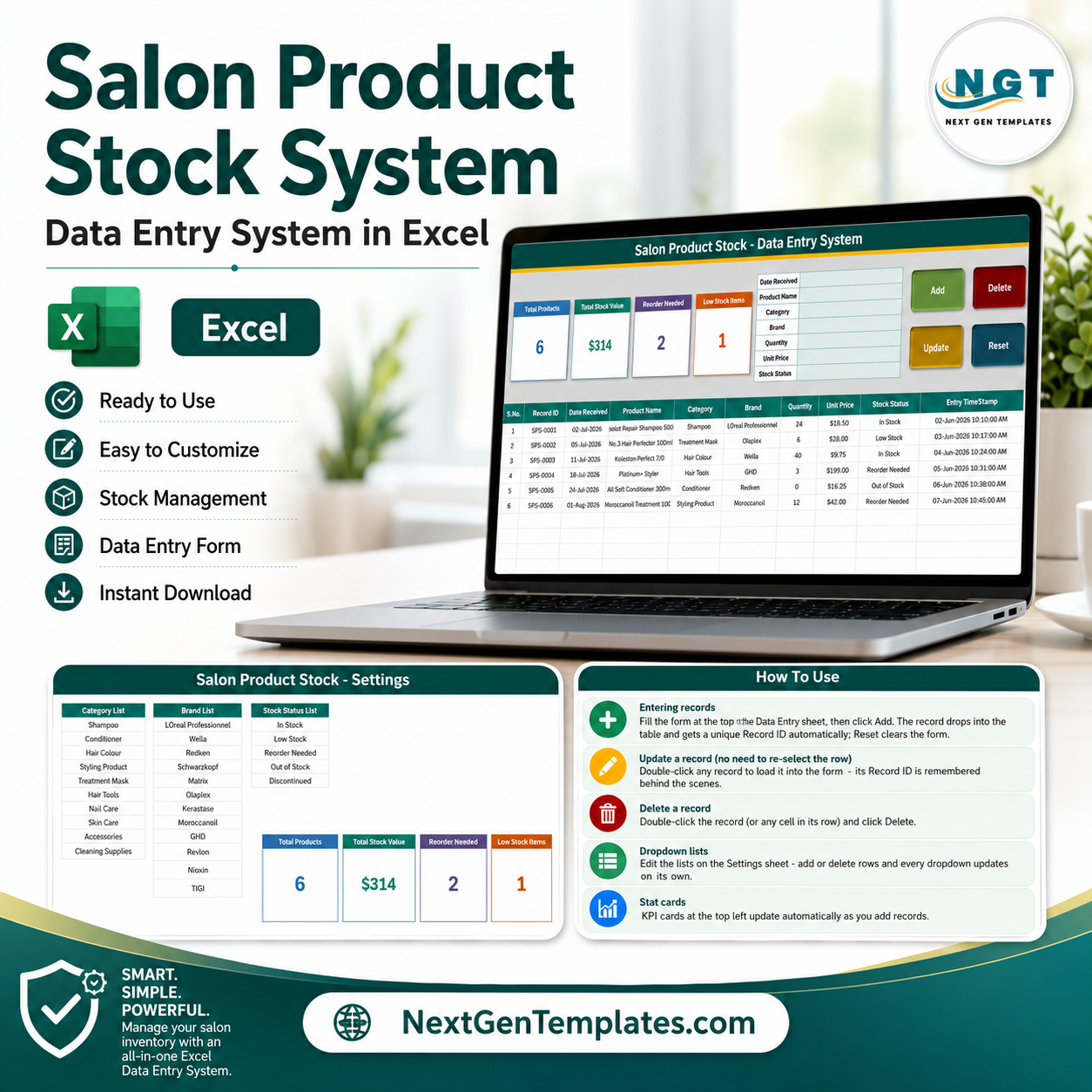
Salon Product Stock Data Entry System in Excel gives salon owners a 7-field stock form, 4 live summary cards, 4 action buttons, and an automatic records table in one macro-enabled workbook. Track product name, category, brand, quantity, unit price, stock status, and received date without building formulas or a database from scratch. Each saved row receives its own Record ID and entry timestamp. Built by PK, a Microsoft Certified Professional with 15+ years of spreadsheet experience and a 300K+ subscriber learning audience. One purchase, no recurring software subscription, and the workbook stays on your own Windows PC.
Key Features of Salon Product Stock Data Entry System in Excel
- Seven-field entry form: Capture Date Received, Product Name, Category, Brand, Quantity, Unit Price, and Stock Status in a clean panel.
- Four working VBA buttons: Add, Update, Delete, and Reset handle the complete record workflow.
- Automatic Record IDs: Every new row receives a unique ID, helping updates and deletions target the intended record.
- Double-click editing: Double-click a record to load it into the form, make changes, and click Update without reselecting the row.
- Four live cards: Monitor Total Products, Total Stock Value, Reorder Needed, and Low Stock Items.
- Editable dropdown lists: Maintain Category, Brand, and Stock Status values on the Settings sheet.
- Ready-made sample data: Six example products show the intended format for quantities, prices, statuses, dates, and brands.
- Offline Excel workflow: The .xlsm workbook runs in desktop Microsoft Excel for Windows after macros are enabled.
What’s Inside the Salon Product Stock Data Entry System in Excel
1. Data Entry System Sheet
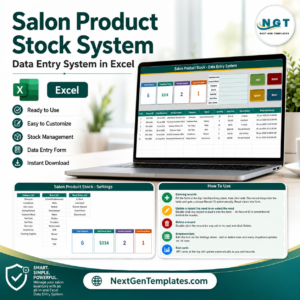
The main sheet combines the four KPI cards, the seven input fields, four colour-coded buttons, and the stock records table. The table stores S.No., Record ID, Date Received, Product Name, Category, Brand, Quantity, Unit Price, Stock Status, and Entry TimeStamp. It is designed for product-level stock logging rather than appointments, services, or customer bookings.
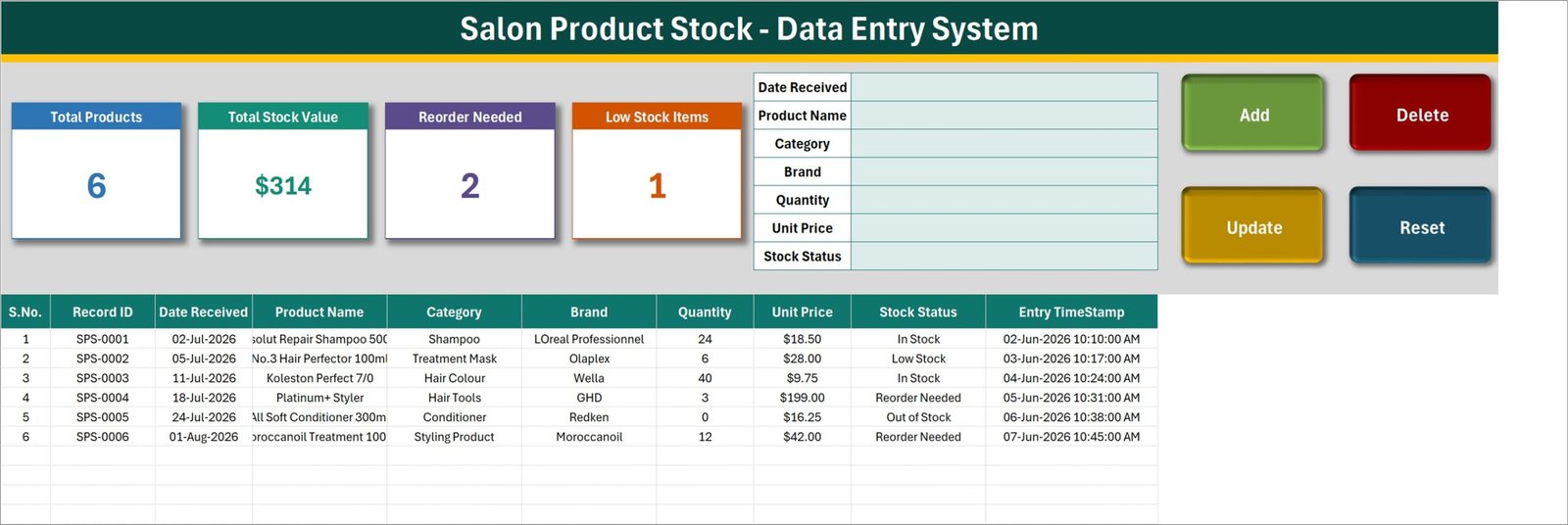
Data Entry System sheet with live cards, stock form, action buttons, and records
2. Settings Sheet
The Settings sheet contains separate lists for product categories, brands, and stock statuses. The sample setup includes categories such as Shampoo, Conditioner, Hair Colour, Styling Product, Treatment Mask, Hair Tools, Nail Care, Skin Care, Accessories, and Cleaning Supplies. Stock statuses include In Stock, Low Stock, Reorder Needed, Out of Stock, and Discontinued. Edit these lists to match your own salon shelves and suppliers.
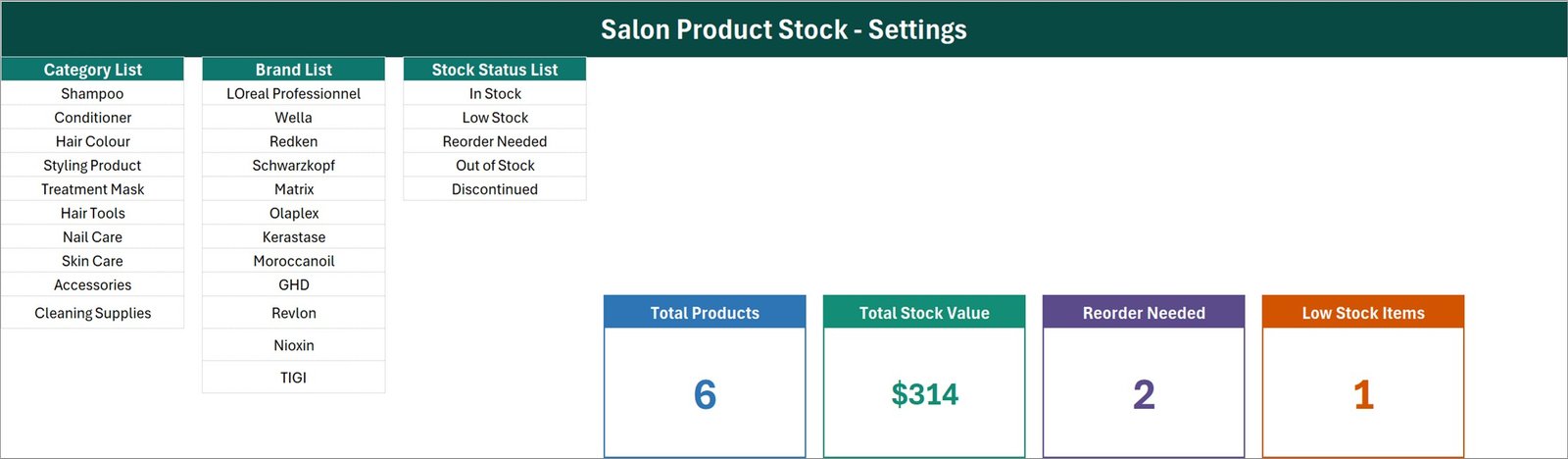
Settings sheet for dropdown values and the four linked summary cards
3. How To Use Sheet
The built-in guide explains record entry, double-click updates, confirmed deletion, stat cards, dropdown maintenance, and macro activation. The Add, Update, Delete, and Reset macros are already inside the .xlsm file. If Windows blocks a downloaded file, use Properties > Unblock before opening it, then enable content in Excel.
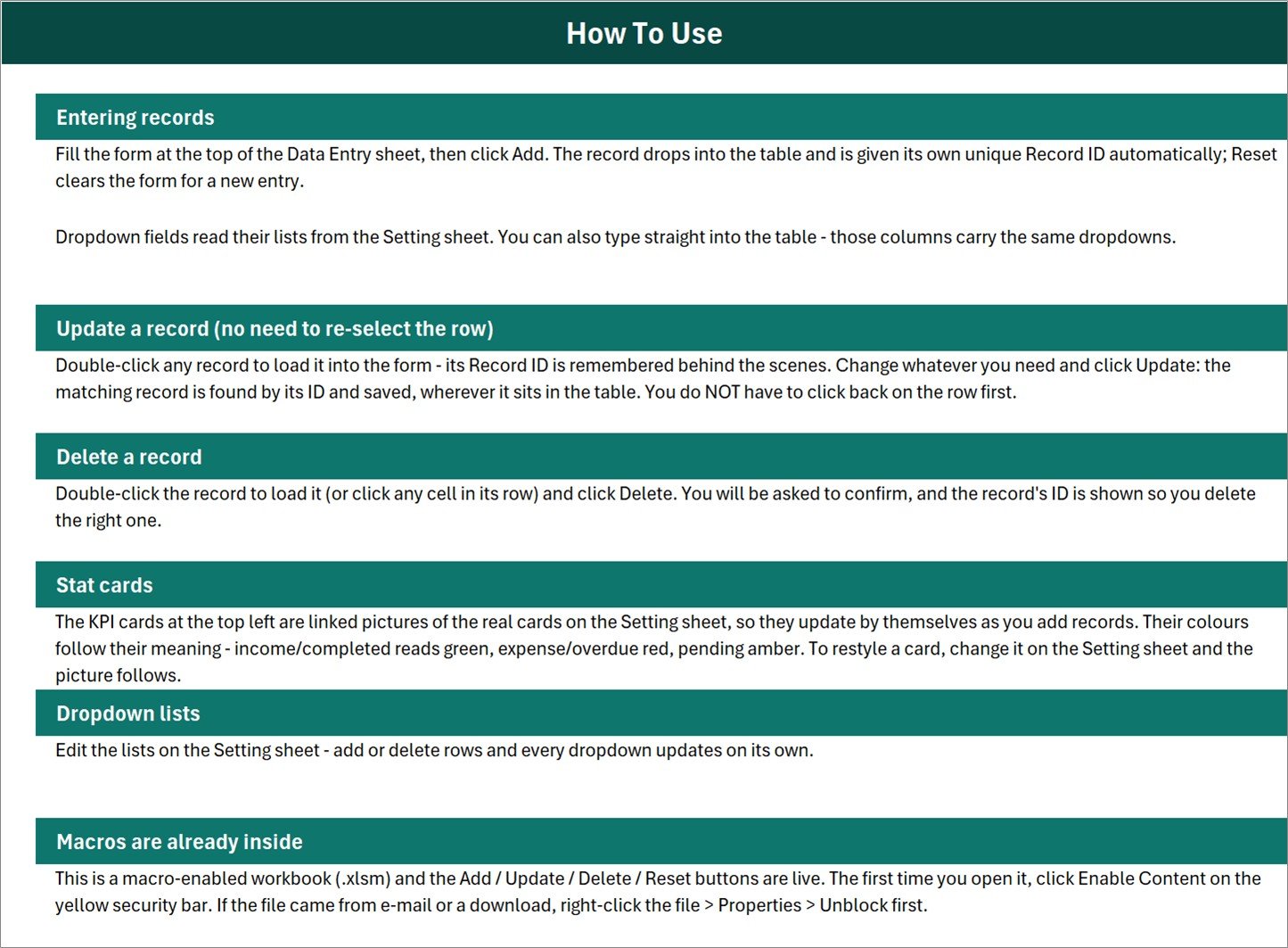
Built-in instructions for records, dropdowns, stat cards, and macros
Salon Product Stock Data Entry System in Excel vs. Google Sheets vs. Paid Inventory SaaS – Where This Fits
| Feature | This Excel system | Google Sheets alternative | Paid inventory SaaS |
|---|---|---|---|
| Cost | $6.99 one-time sale price | Free if you build it yourself | Recurring plan varies by provider |
| Platform | Excel desktop for Windows | Browser and mobile app | Vendor-hosted browser or app |
| Setup | Unzip, open, enable macros, edit lists | Build form, formulas, validation, and scripts | Account setup and configuration |
| Add, update, delete | Four VBA buttons plus double-click loading | Usually manual unless scripted | Usually included |
| Offline use | Yes | Limited offline capability | Usually internet dependent |
| Team collaboration | Best for one active desktop user | Strong real-time sharing | Plan dependent |
| Custom dropdowns | Editable Settings sheet | Editable validation lists | Limited by application settings |
| Barcode scanning or POS | Not included | Not included by default | Available in some systems |
Who This Template Is For – and Who It’s Not For
This workbook fits independent hair salons, nail studios, beauty parlours, barbershops, spa reception desks, and salon-product rooms that need a straightforward offline register for retail and professional-use products. It also suits an owner who wants visible reorder and low-stock counts without deploying a multi-user inventory platform.
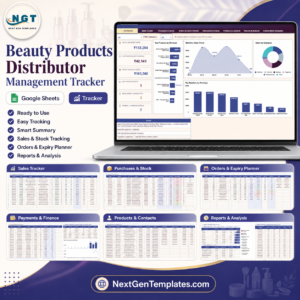
It is not a point-of-sale system, barcode scanner, purchase-order system, supplier portal, accounting package, batch-expiry tracker, or real-time multi-branch database. It does not calculate taxes, sync with online stores, or automatically deduct products from service appointments. Teams needing concurrent browser access should consider the Beauty Products Distributor Management Tracker in Google Sheets; teams needing logins and a browser workflow can review the Beauty Products Distributor Management System Web App.
How to Use the Salon Product Stock Data Entry System in Excel
- Unzip the download and open the .xlsm workbook in Microsoft Excel for Windows.
- If needed, right-click the file, choose Properties, and select Unblock.
- Open the workbook and click Enable Content so the VBA buttons can run.
- Update the Category, Brand, and Stock Status lists on the Settings sheet.
- Complete the seven input fields and click Add to save a stock record.
- Double-click an existing record to load it, change the values, and click Update.
- Load or select the intended row and click Delete; confirm the Record ID shown.
- Review Total Products, Total Stock Value, Reorder Needed, and Low Stock Items as records change.
Real-World Use Cases
Meera, salon owner: Meera checks the Reorder Needed and Low Stock cards before placing her weekly supplier order, then filters the table by status for a quick shopping list.
Daniel, barbershop manager: Daniel records styling products and retail items by brand, quantity, and unit price so the shop has one clean stock register on the reception PC.
Aisha, nail studio supervisor: Aisha customizes the category and brand lists for polish, gels, tools, and cleaning supplies, then updates quantities when deliveries arrive.
Frequently Asked Questions
Does the workbook include working macros?
Yes. It is supplied as a macro-enabled .xlsm workbook, and the Add, Update, Delete, and Reset buttons are already configured. Enable macros after opening the downloaded file.
What information can I enter?
You can enter Date Received, Product Name, Category, Brand, Quantity, Unit Price, and Stock Status. The workbook adds a Record ID and Entry TimeStamp to the saved table.
Can I customize categories, brands, and statuses?
Yes. Edit the three lists on the Settings sheet. The related dropdowns use those lists for consistent data entry.
Does it automatically reorder products?
No. It identifies items labelled Low Stock or Reorder Needed, but it does not email suppliers, create purchase orders, or place orders.
Does it work on Mac or Excel Online?
The data can be viewed in other Excel environments, but the VBA button workflow is intended for desktop Microsoft Excel on Windows. Excel Online does not run VBA macros.
Is it a POS or barcode inventory system?
No. It is an Excel stock data-entry system. It does not scan barcodes, process payments, print receipts, or integrate with tills.
About the Author
Built by PK – Microsoft Certified Professional with 15+ years of Excel, Google Sheets, and Power BI experience. Founder of NextGenTemplates, reaching 300K+ subscribers across YouTube channels. Every template is hand-built and tested before release.
Explore Related Templates
- Read the detailed Salon Product Stock System guide.
- Salon Appointment Data Entry System in Excel for booking and service records.
- Purchase and GRN Data-Entry System in Excel for receiving workflows.
- Beauty Products Distributor Management Tracker in Google Sheets for shared sales, purchase, stock, and expiry tracking.
- Browse Microsoft Excel templates.
- Browse Excel VBA tools.
Ready to replace a handwritten salon stock register with a structured Excel form? Download the Salon Product Stock Data Entry System in Excel, customize the three lists, and start entering products.
Last updated: August 18, 2026































Reviews
There are no reviews yet.