

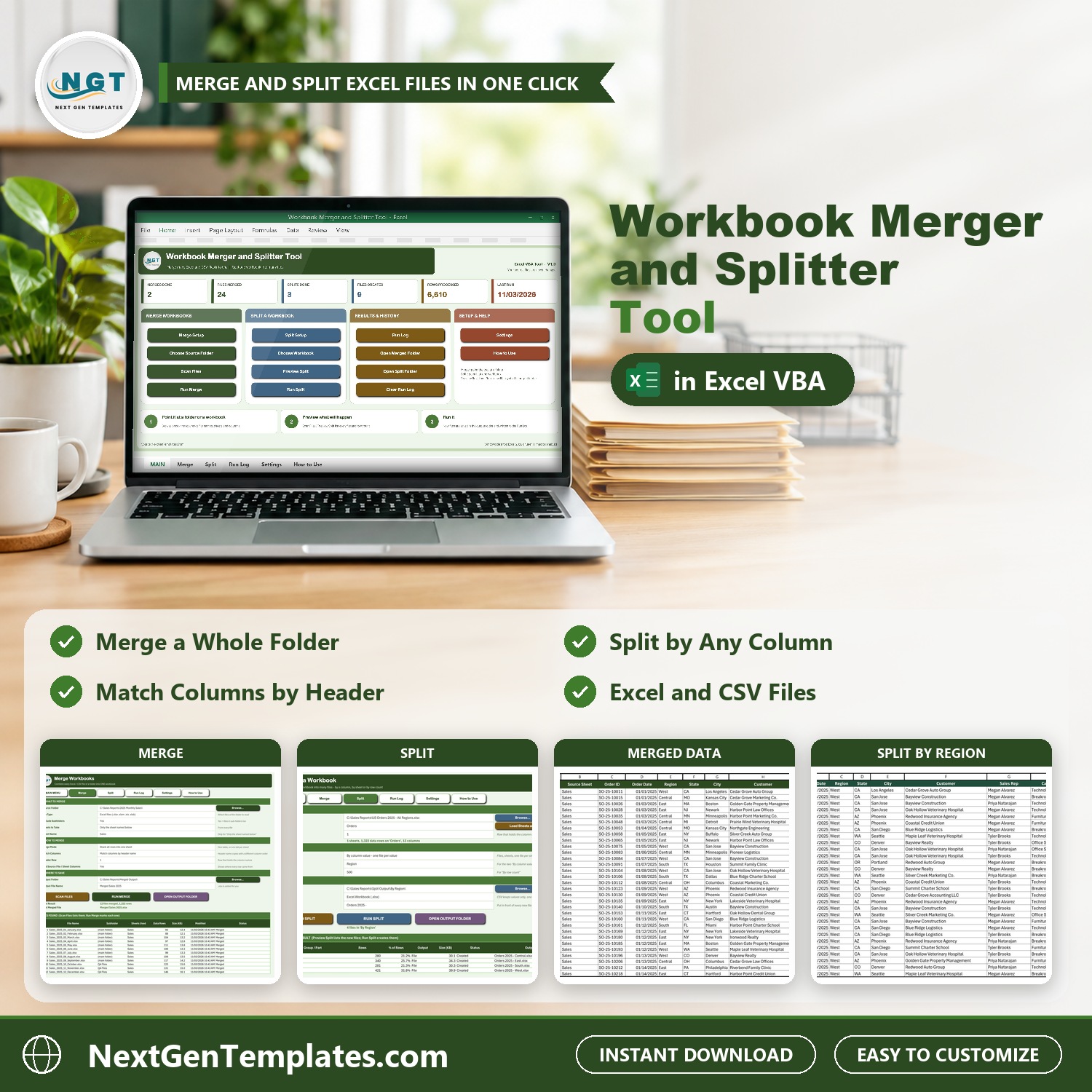



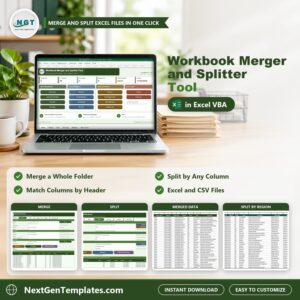
Combine many Excel files into one, or break one big workbook into many, without copy and paste. The Workbook Merger and Splitter Tool V1.0 in Excel VBA is one macro-enabled Excel file that merges every Excel and CSV file in a folder into a single workbook, and splits a workbook by column value, by sheet or by row count. Your source files are never changed.
Watch the Workbook Merger and Splitter Tool V1.0 in Excel VBA walkthrough

Please note: this tool needs Microsoft Excel for Windows (2016 or later) with macros enabled. It does not work on Mac or in Excel for the web. Your data stays on your own PC.
What You Get
- Merge every Excel and CSV file in a folder, sub-folders included, into one workbook
- Stack rows into one sheet matched by header name, or copy each sheet as its own tab
- Scan Files and Preview Split show every file and row count before anything is written
- Split one workbook into a file per value, a sheet per value, or a fixed number of rows per file
- Run Log of every merge and split, with totals on the MAIN menu
- Practice files (12 monthly US sales files with 1,322 orders) and an illustrated PDF user manual
Key Features
MAIN menu
Four button groups (Merge Workbooks, Split a Workbook, Results and History, Setup and Help) and six cards: merges done, files merged, splits done, files created, rows processed and last run.
Merge Workbooks
Pick a source folder, the file type, whether to include sub-folders, which sheet to take and how to merge. Stack all rows into one sheet and match columns by header name, or copy every sheet as its own tab. Optional Source File and Source Sheet columns tell you where each row came from. Scan Files lists every file with its row count before Run Merge, and a Merge Summary tab records the rows of every file.

Split a Workbook
Choose a workbook and a sheet, then split by column value into one file per value, one sheet per value, each sheet to its own file, or a fixed number of rows per file. Preview Split shows every file it will create, with rows, share and size. New files keep column widths and number formats, with a header band, filter and frozen header row.

Run Log
Every merge and split is written to the Run Log with the date, mode, files in and out, rows and seconds, and totals appear on the MAIN menu.

Settings
Keep both, overwrite or skip existing files, add a date stamp to file names, open the merged file when done, and skip hidden sheets and blank rows.

How to Use
Three steps to merge and three steps to split, on the page inside the workbook.

The results


Who Is It For?
Analysts, accountants, office managers and anyone who gets the same report as a dozen monthly files and needs one table, or who has to send each region or department its own file. It suits Windows Excel users who want a button, not a script.
How to Use
- Download the ZIP and open the macro-enabled workbook with macros enabled.
- To merge, open Merge Setup, choose the source folder and the merge mode, then press Scan Files and Run Merge.
- To split, open Split Setup, choose the workbook, sheet and split mode, then press Preview Split and Run Split.
- Open the output folder from the MAIN menu and check the Run Log.
Comparison
| Feature | This tool | Copy and paste |
|---|---|---|
| Merge a folder of files | One click | Open and copy each file |
| Columns in a different order | Matched by header name | Fix by hand |
| Split by column value | One file per value | Filter and save repeatedly |
| Preview before writing | Yes | No |
| Source files changed | Never | Easy to overwrite |
🎁 Try Before You Buy: 7-Day Free Trial
Download the free trial of the Workbook Merger and Splitter Tool in Excel VBA and use the complete system for 7 days. Every form, register, dashboard, printable document and setting works exactly as in the full version, so you can test it with your own records before you decide.
How the free trial works
- Click Get the 7-Day Free Trial below, enter your email and download the ZIP from the email we send you. Unzip it.
- Open it in Microsoft Excel for Windows (the desktop app, not Excel Online or Mac) and click Enable Content on the yellow bar. If there is no yellow bar, right-click the file, choose Properties, tick Unblock and open it again.
- Your 7 days start the first time the file opens with macros on. A banner on the MAIN page shows how many days are left.
- After 7 days the trial locks and shows a Buy Full Version button. Buy the full version to keep working with no time limit.
| Free Trial | Full Version | |
|---|---|---|
| Every feature, form and dashboard | Yes | Yes |
| Time limit | 7 days | None, lifetime use |
| Trial banner | Yes | No |
| PDF user manual | No, full version only | Included |
| Editable (unlocked) VBA code | No, locked | Yes |
Enter your email and we send the download link straight to your inbox.
The trial runs once per computer: downloading it again does not restart the 7 days. Records you enter during the trial can be copied into the full version.
Frequently Asked Questions
What does the Workbook Merger and Splitter Tool do?
It merges many Excel and CSV files from a folder, sub-folders included, into one workbook, and it splits one workbook into many files by a column value, by sheet or by a fixed number of rows. It runs from one macro-enabled Excel file.
Does it change my source files?
No. Source files are opened read-only with their macros switched off and are never changed. New files are written to the output folder you choose.
What if my files have columns in a different order?
Choose Stack all rows into one sheet and Match columns by header name. A file with another column order or an extra column still lines up under the right headings.
Can I preview before anything is written?
Yes. Scan Files lists every file and its row count before a merge, and Preview Split lists every file that a split would create, with its row count.
Which Excel do I need?
Microsoft Excel for Windows 2016 or later with macros enabled. It does not work on Mac or in Excel for the web.
Can I try it first?
Yes. A 7-day free trial is available from the product page. It is a separate file that stops working after 7 days.
What happens to password-protected files?
They are skipped and marked as password protected in the file list. The tool never tries to guess a password.
Is sample data included?
Yes. Practice files hold 12 monthly US sales files with 1,322 orders, one all-regions orders file and a quarterly summary, plus an illustrated PDF user manual.
Get the Tool
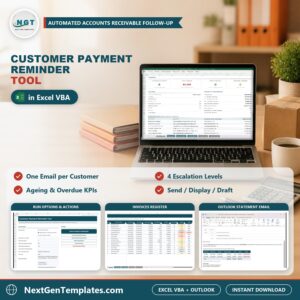
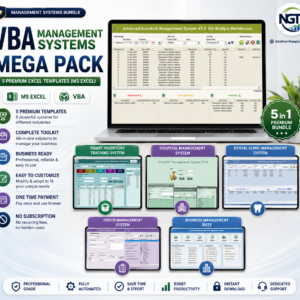
Download the Workbook Merger and Splitter Tool V1.0 in Excel VBA and stop merging files by hand. For a billing and payment follow up tool in the same style, see the Customer Payment Reminder Tool in Excel VBA, or browse the VBA Management Systems Mega Pack.








Reviews
There are no reviews yet.