

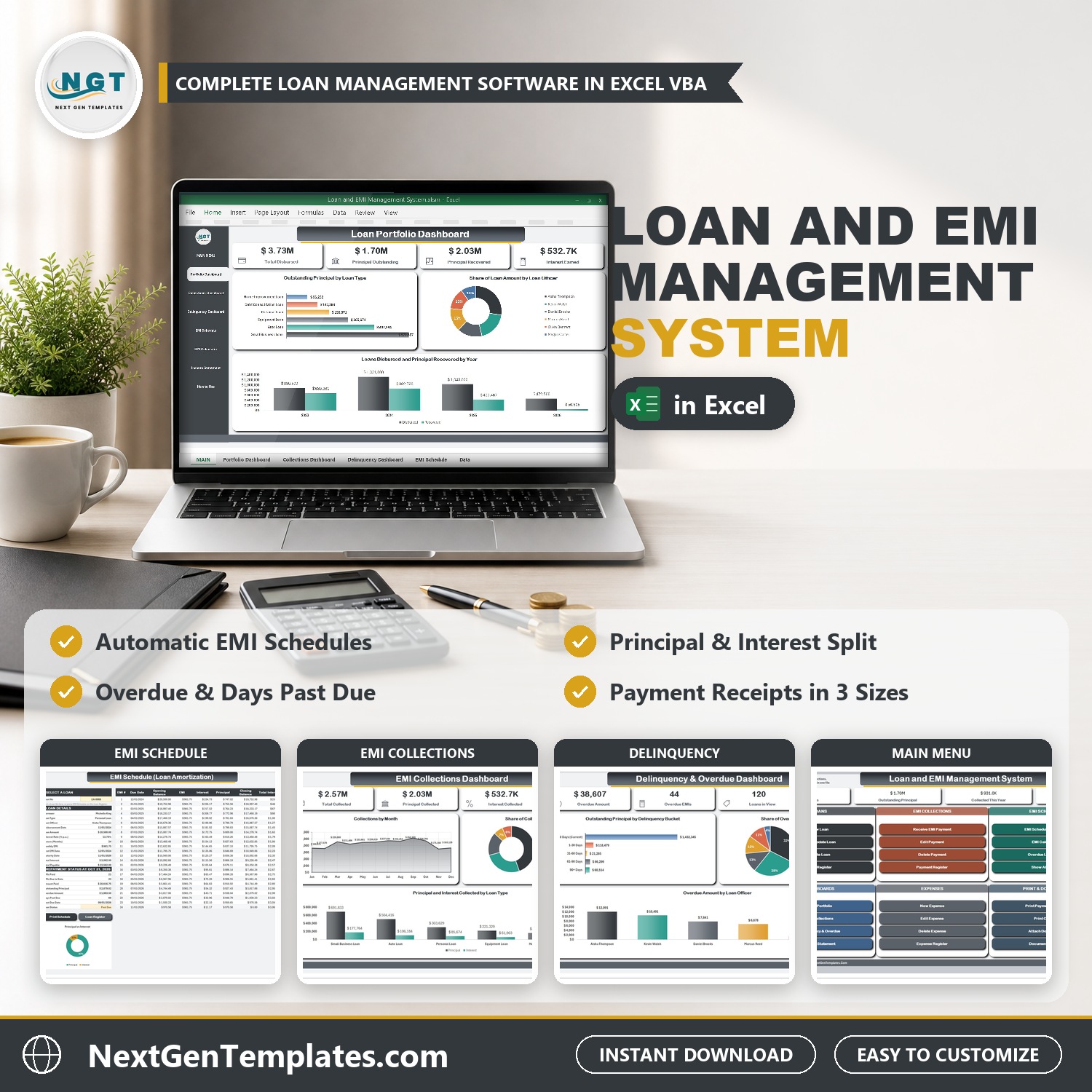

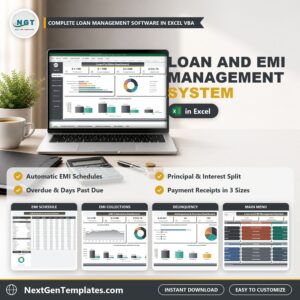
Run your whole loan book from one Excel file. The Loan and EMI Management System V1.0 in Excel VBA records every loan, works out the monthly EMI, builds the full EMI schedule, receives payments, flags overdue loans with days past due, and shows it all on three live dashboards. It is a loan management system Excel template with VBA entry forms, so nothing is typed into the data sheets by hand.
Watch the Loan and EMI Management System V1.0 in Excel VBA walkthrough
Please note: this system needs Microsoft Excel for Windows (2016 or later) with macros enabled. It does not work on Mac, in Excel for the web or in Google Sheets. Your data stays on your own PC. The demo data is a sample lender in Denver, CO, in US dollars; you can change the currency in Settings.
What You Get
- Loan Entry form that works out the monthly EMI, maturity date and total interest from the amount, rate and tenure
- Loan amortization schedule in Excel for any loan, with every EMI marked Paid, Overdue or Upcoming
- Receive EMI Payment form that suggests the EMI, adds a late fee and splits each payment into principal and interest
- Overdue Loans List with days past due and a delinquency bucket for every loan
- Three dashboards: Loan Portfolio, EMI Collections, and Delinquency and Overdue, with slicers
- EMI calculator in Excel for what-if questions, plus a Monthly Income Statement
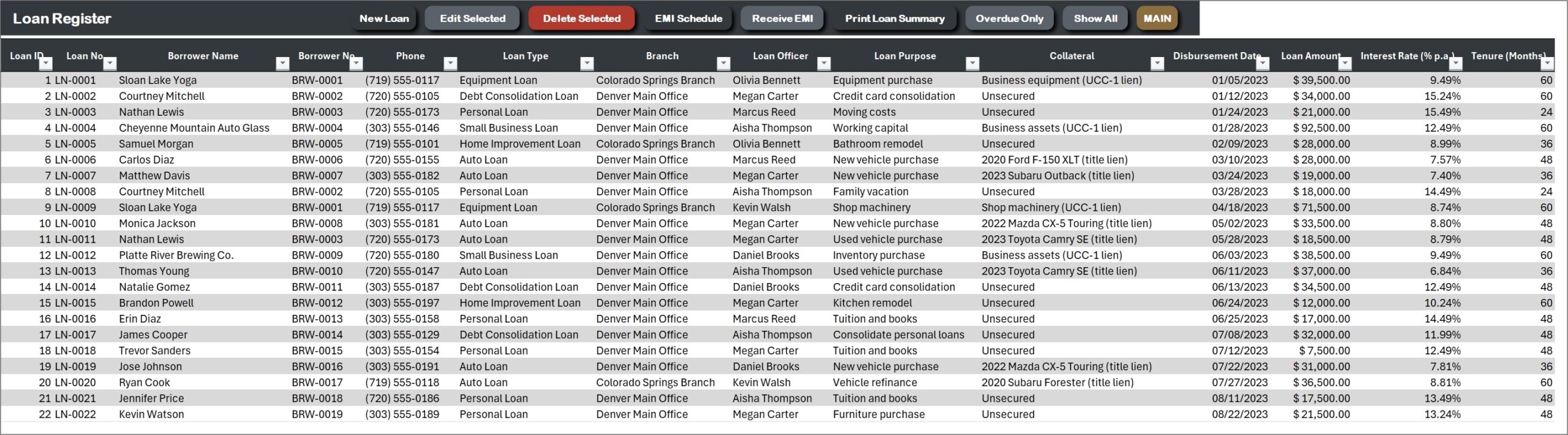
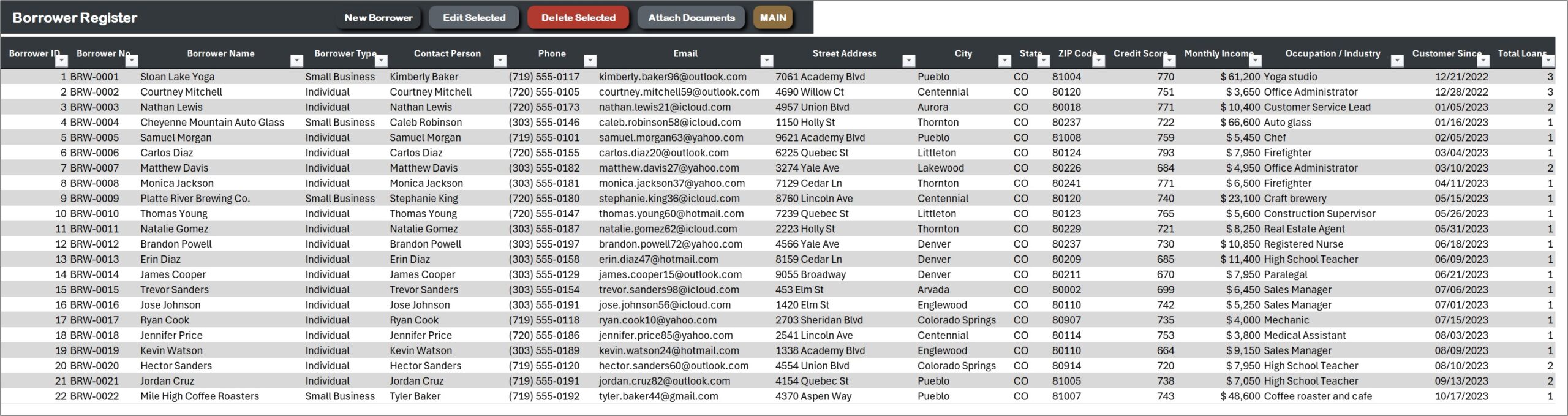
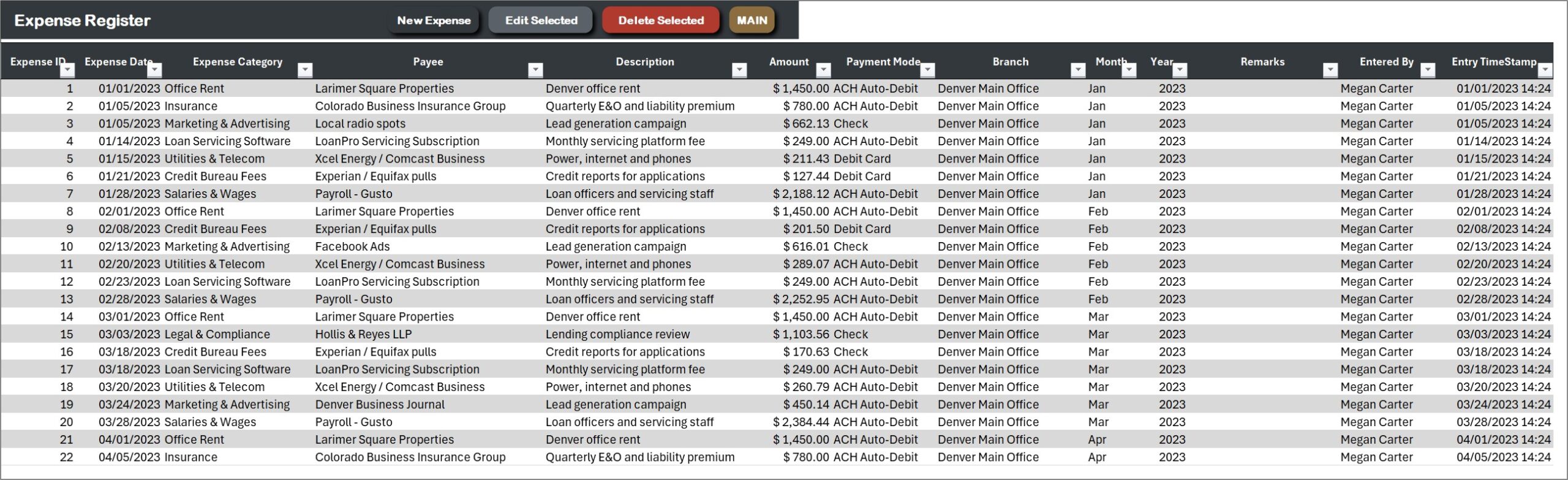
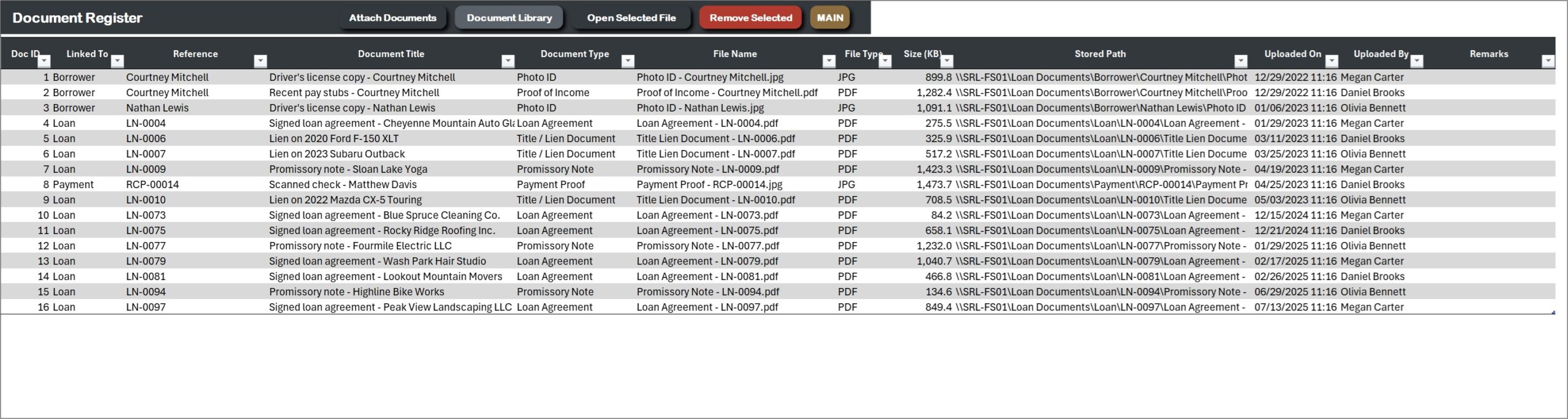
- Borrower, Loan, Payment, Expense and Document registers with sample data (120 loans, 105 borrowers, 2,798 payments)
- EMI payment receipts and loan summaries on A4, 4 inch or 3 inch paper, and an illustrated PDF user manual
Key Features
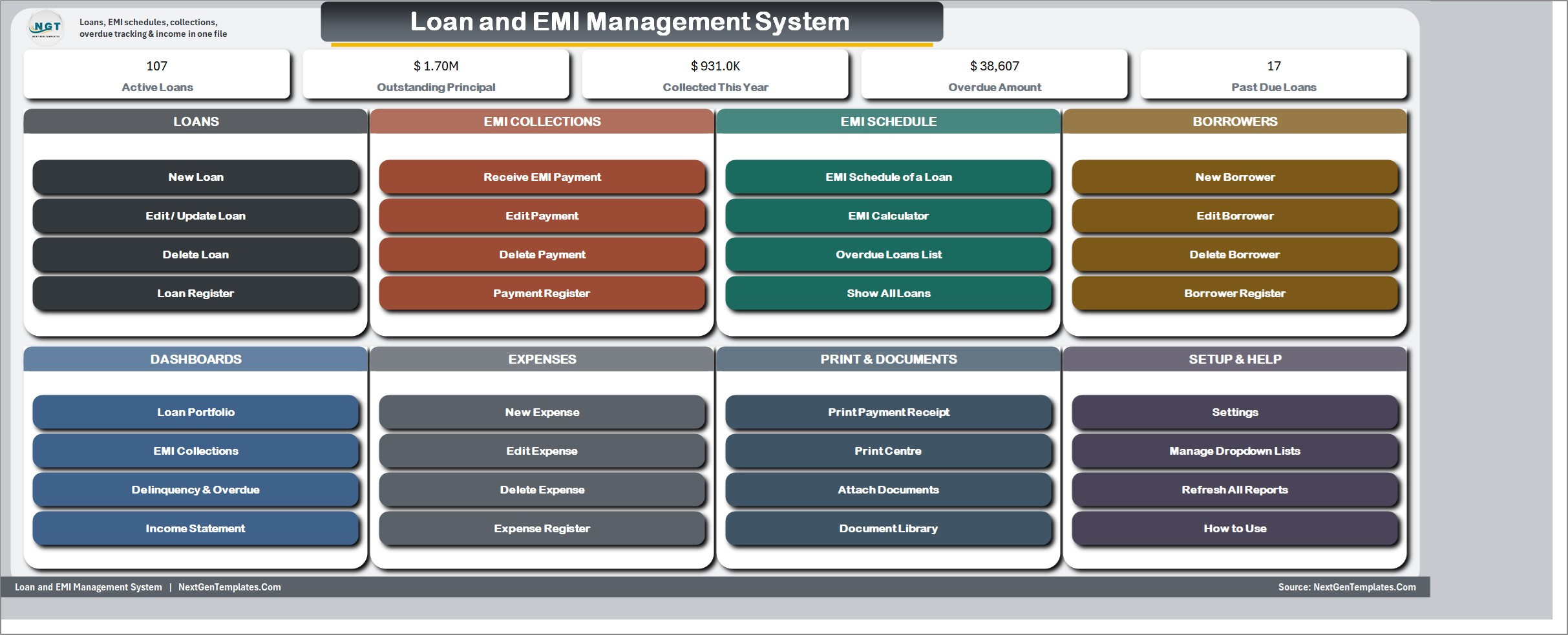
MAIN menu
Five live cards (active loans, outstanding principal, collected this year, overdue amount, past due loans) and eight button groups: Loans, EMI Collections, EMI Schedule, Borrowers, Dashboards, Expenses, Print and Documents, and Setup and Help.
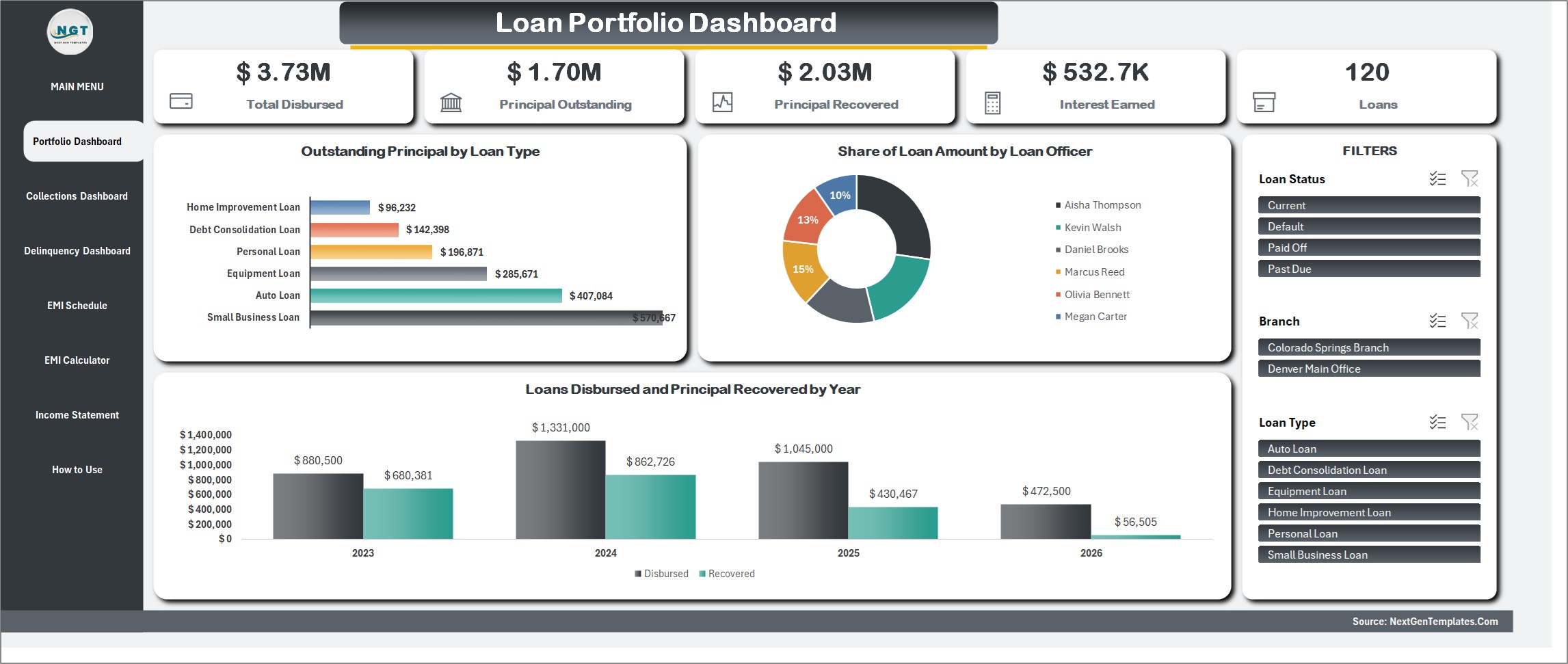
Loan Portfolio Dashboard
Total disbursed, principal outstanding, principal recovered, interest earned and the number of loans. Charts show outstanding principal by loan type, the share of loan amount by loan officer, and the amount lent against the principal recovered by year. Slicers filter by loan status, branch and loan type.
EMI Collections Dashboard
Total collected, principal collected, interest collected, late fees and the number of payments. See collections by month, the share by payment mode, and principal and interest collected by loan type, with slicers for year, payment mode and branch.
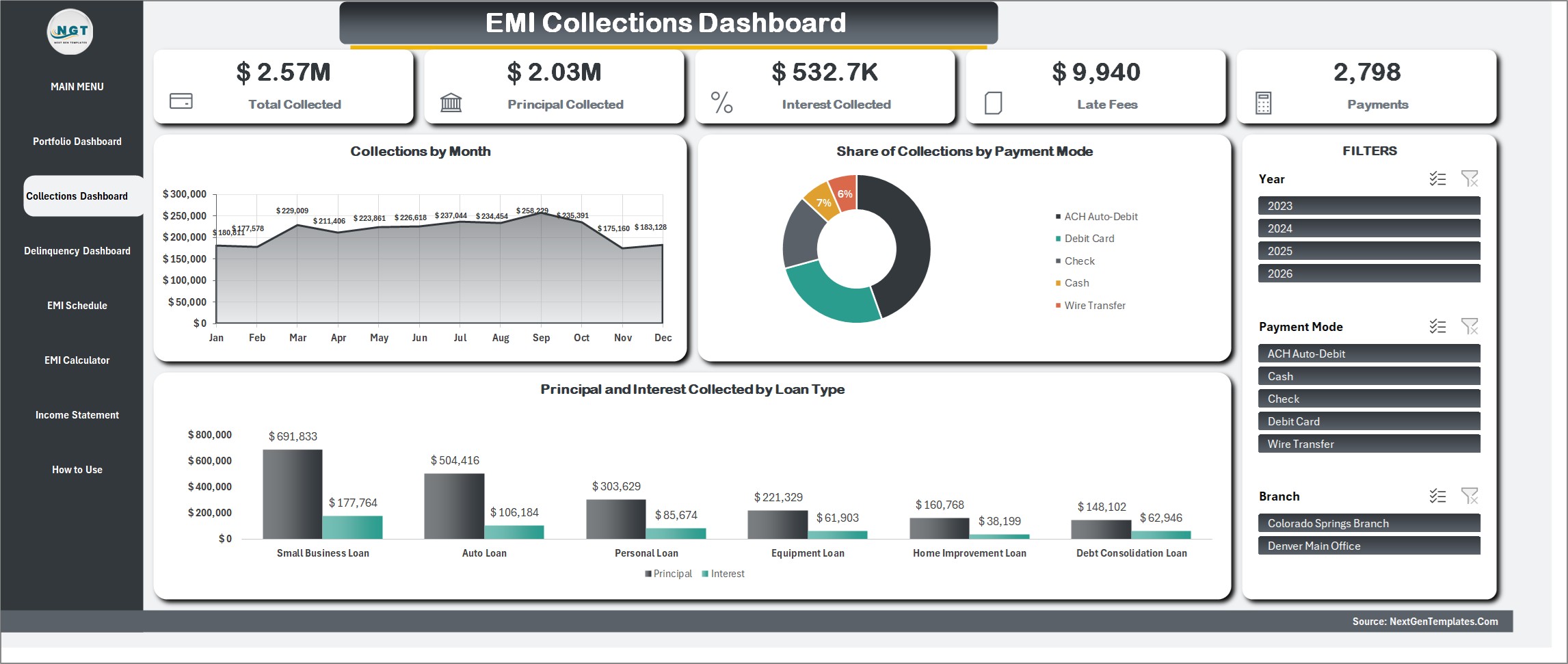
Delinquency and Overdue Dashboard
Overdue amount, overdue EMIs, loans in view, balance receivable and late fees earned. Outstanding principal is ranked by delinquency bucket, and the overdue amount is split by loan type and by loan officer so you know who has to follow up.
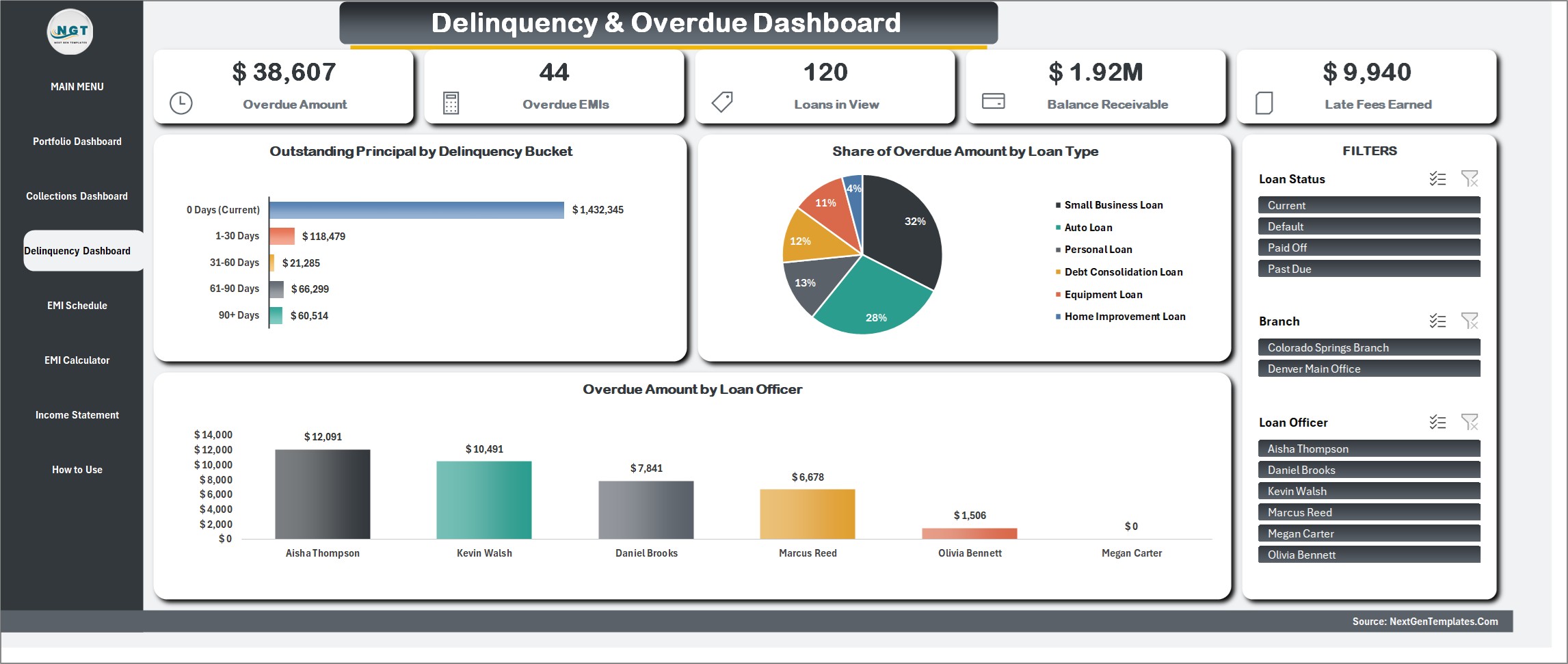
EMI Schedule
Pick any loan and see the full amortization: due date, opening balance, EMI, interest, principal and closing balance, with each EMI shown as Paid, Overdue or Upcoming. The page also shows EMIs paid, amount paid, outstanding principal, overdue amount and days past due.
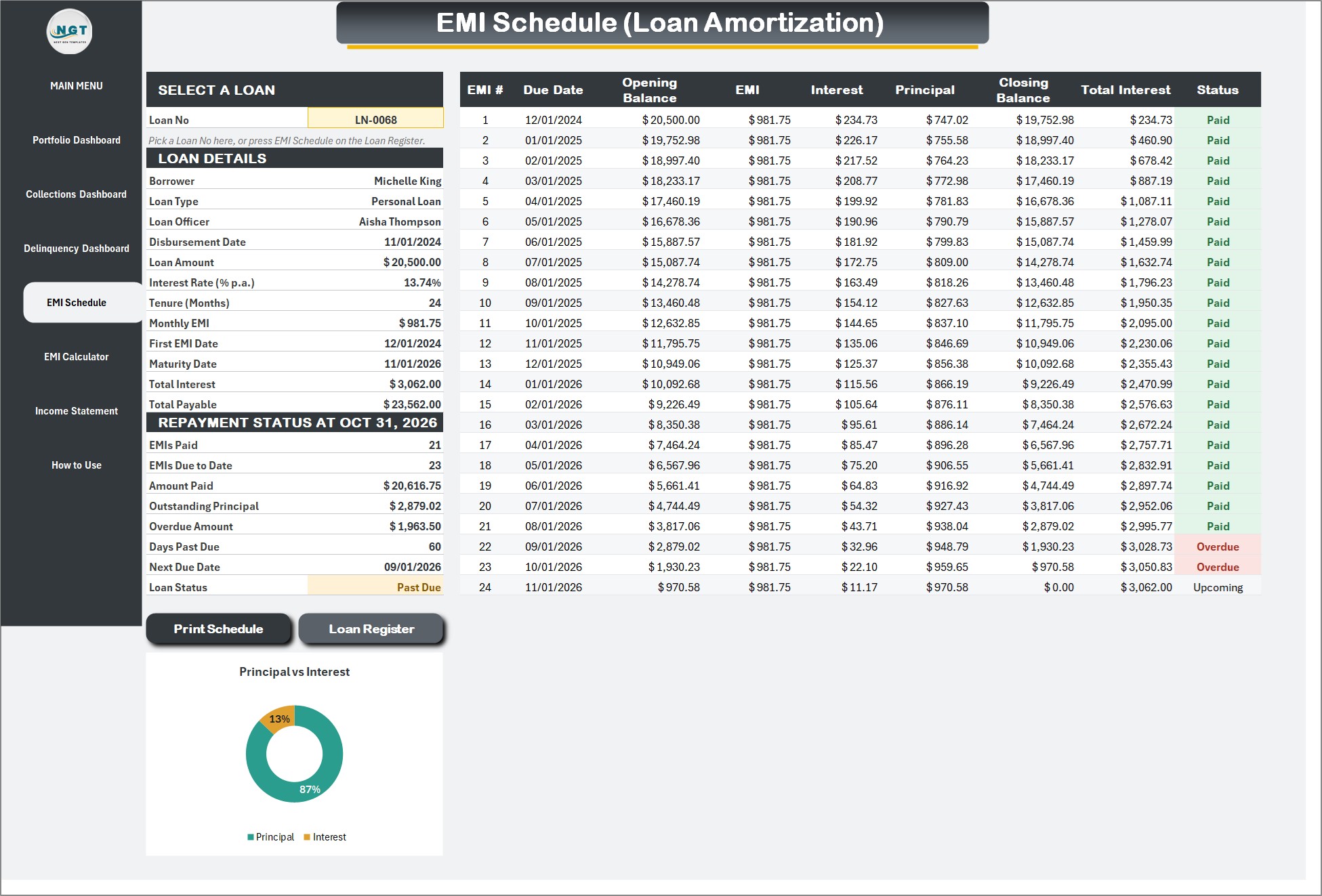
EMI Calculator
Change the loan amount, interest rate, tenure or first EMI date and the monthly EMI, total interest and schedule update by themselves. Nothing is saved to the registers, so you can quote a borrower before you lend.
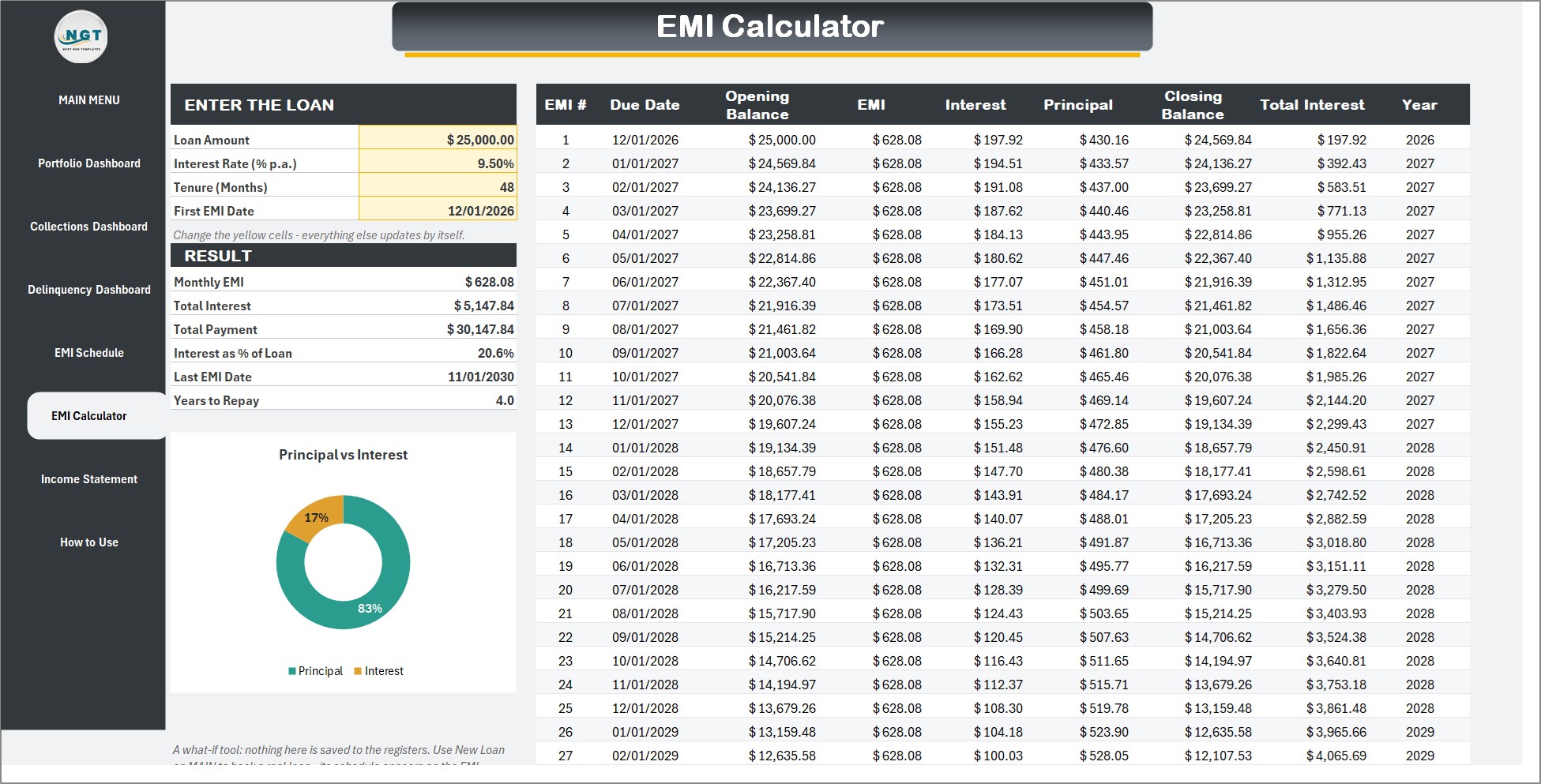
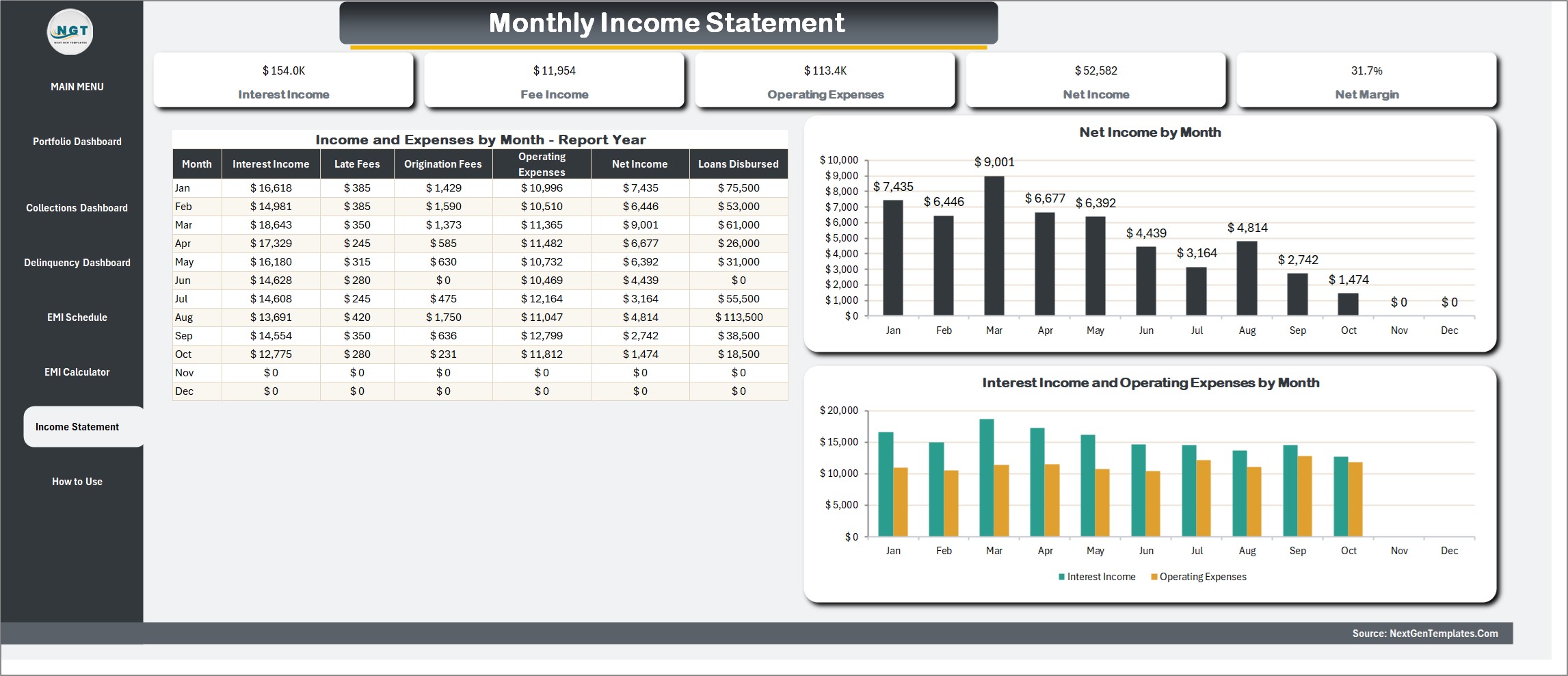
Monthly Income Statement
Interest income, late fees and origination fees against operating expenses, month by month, with net income and net margin for the report year.
Registers, documents and printing
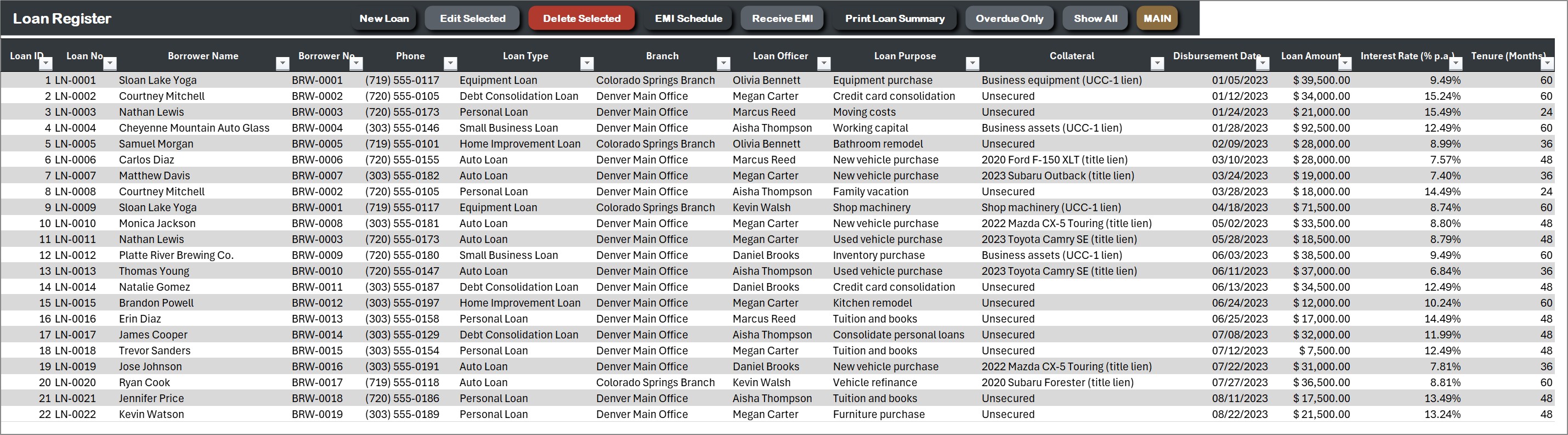
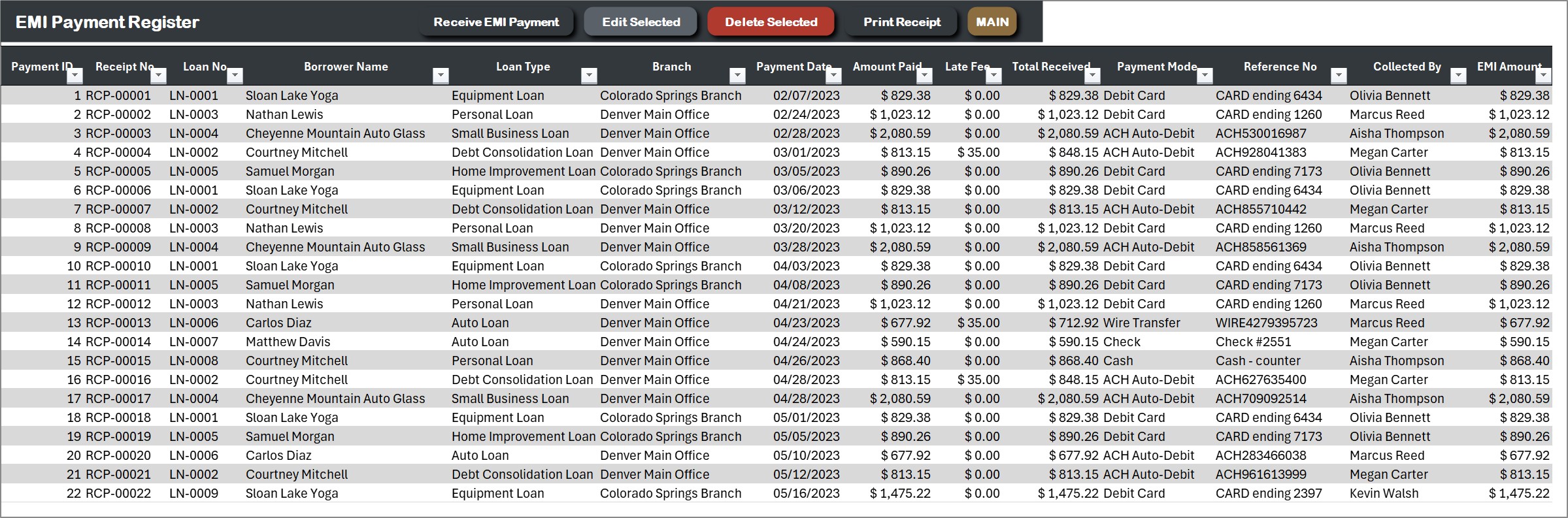
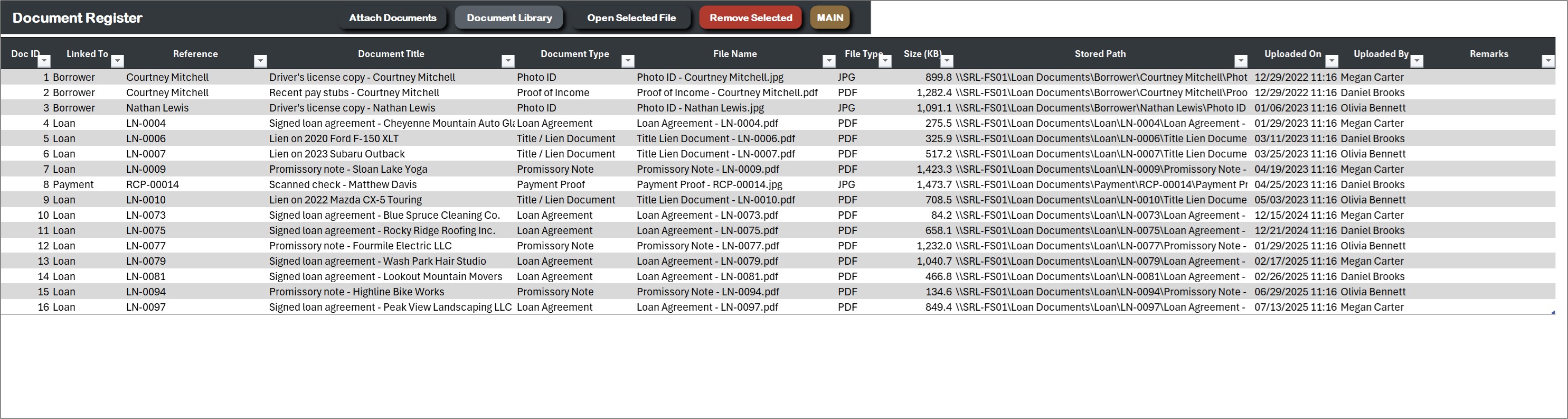
Every loan, borrower, payment, expense and attached document has its own register. Print an EMI payment receipt or a loan summary on A4 paper or on a 4 inch or 3 inch roll printer, and attach the signed agreement, ID proof or title documents to any loan, borrower or payment.
Settings and How to Use
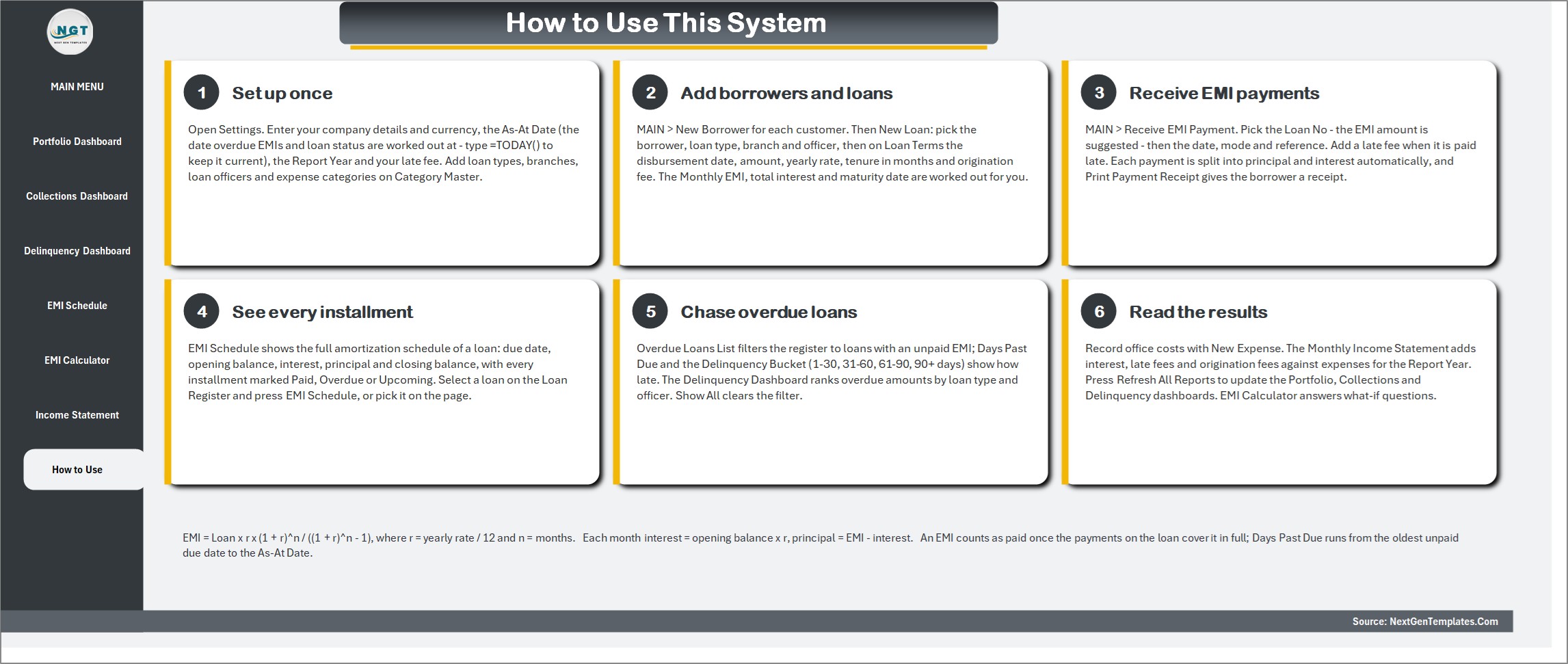
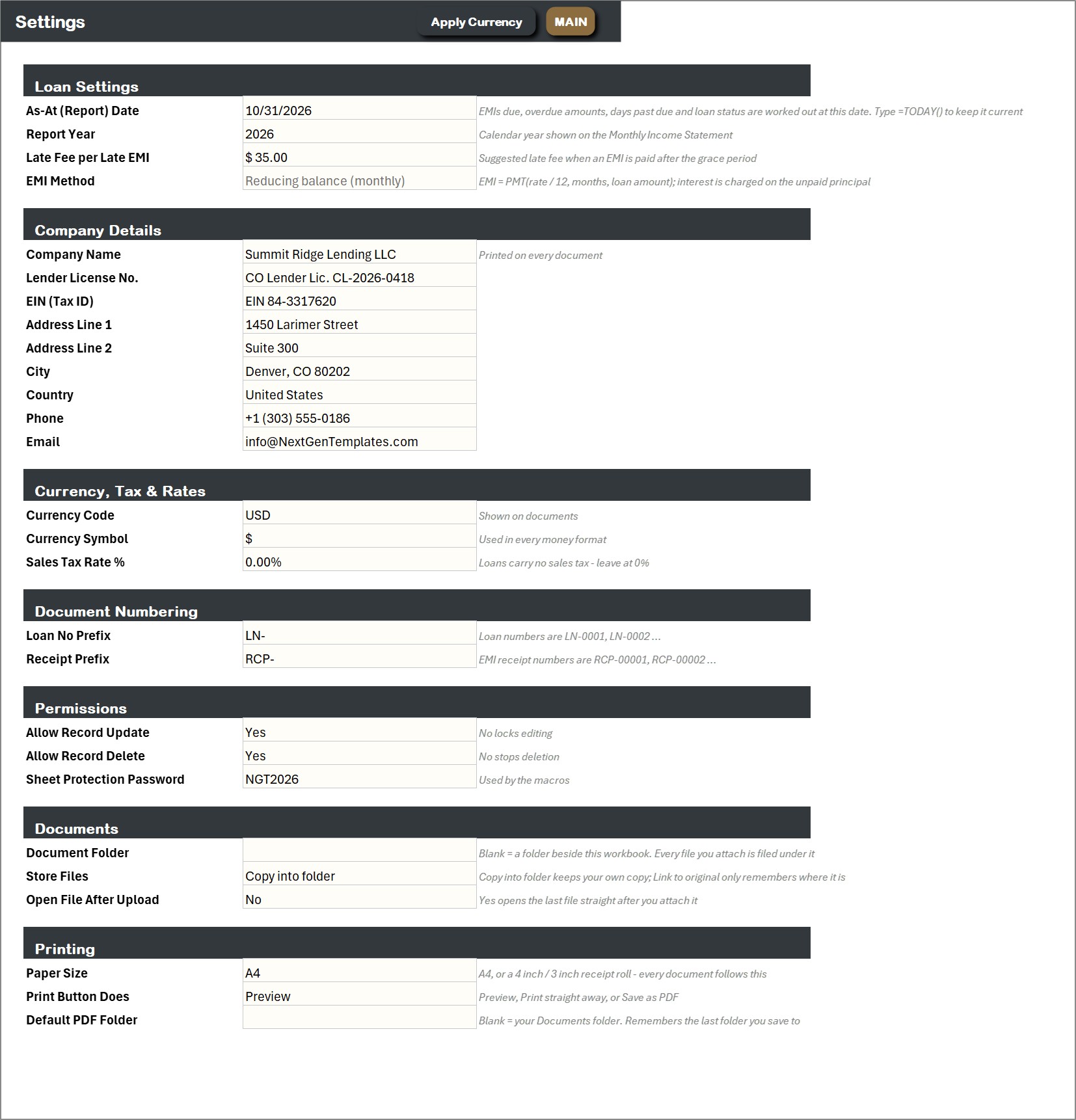
Set the report date, late fee, company details, currency, document numbering and paper size. A six step How to Use page is built into the workbook.
Who Is It For?
Small lenders, finance companies, microfinance lenders, equipment and auto finance dealers, and anyone who lends money to individuals or small businesses and wants a loan tracking spreadsheet that does the EMI math, follows up late payers and prints receipts. It suits Windows Excel users who want buttons and forms, not formulas to maintain.
How to Use
- Download the ZIP, save the macro-enabled workbook to a normal folder and open it with macros enabled.
- Open Settings and enter your company details, currency, report date and late fee.
- Add borrowers and loans from the MAIN menu. The EMI, maturity date and schedule are worked out for you.
- Receive EMI payments, open Overdue Loans List to chase late payers, and read the three dashboards.
Comparison
| Feature | This system | Plain spreadsheet |
|---|---|---|
| EMI and amortization schedule | Automatic for every loan | Build and copy formulas per loan |
| Overdue and days past due | One click list | Check dates by hand |
| Payment entry | Form with EMI suggested and late fee | Type into rows |
| Principal and interest split | Every payment, by formula | Manual |
| Dashboards | Three, with slicers | Build your own |
| Receipts | A4, 4 inch and 3 inch | Not included |
🎁 Try Before You Buy: 7-Day Free Trial
Download the free trial of the Loan and EMI Management System in Excel VBA and use the complete system for 7 days. Every form, register, dashboard, printable document and setting works exactly as in the full version, so you can test it with your own records before you decide.
How the free trial works
- Click Get the 7-Day Free Trial below, enter your email and download the ZIP from the email we send you. Unzip it.
- Open it in Microsoft Excel for Windows (the desktop app, not Excel Online or Mac) and click Enable Content on the yellow bar. If there is no yellow bar, right-click the file, choose Properties, tick Unblock and open it again.
- Your 7 days start the first time the file opens with macros on. A banner on the MAIN page shows how many days are left.
- After 7 days the trial locks and shows a Buy Full Version button. Buy the full version to keep working with no time limit.
| Free Trial | Full Version | |
|---|---|---|
| Every feature, form and dashboard | Yes | Yes |
| Time limit | 7 days | None, lifetime use |
| Trial banner | Yes | No |
| PDF user manual | No, full version only | Included |
| Editable (unlocked) VBA code | No, locked | Yes |
Enter your email and we send the download link straight to your inbox.
The trial runs once per computer: downloading it again does not restart the 7 days. Records you enter during the trial can be copied into the full version.
Frequently Asked Questions
What does the Loan and EMI Management System do?
It records loans and borrowers, works out the monthly EMI on a reducing balance, builds the EMI schedule, receives payments, tracks overdue EMIs and days past due, and shows portfolio, collections and delinquency on dashboards.
How is the EMI calculated?
EMI uses the standard reducing balance method: interest is charged on the unpaid principal each month. Each payment is split into principal and interest by formula.
Can I try it first?
Yes. A 7-day free trial is available from this page. It is a separate file that stops working after 7 days.
Which Excel do I need?
Microsoft Excel for Windows 2016 or later with macros enabled. It does not work on Mac, in Excel for the web or in Google Sheets.
Can I print receipts?
Yes. Print an EMI payment receipt or a loan summary on A4, or on a 4 inch or 3 inch receipt printer, as a preview, a direct print or a PDF.
Can I change loan types, branches and officers?
Yes. The dropdown lists are editable from Manage Dropdown Lists, and the currency, late fee and numbering are set in Settings.
Is sample data included?
Yes. The workbook holds a demo lender with 120 loans, 105 borrowers, 2,798 payments and 381 expenses so every dashboard works on day one. Clear it and enter your own records. An illustrated PDF user manual is included.
Does it connect to a bank or send reminders?
No. It does not connect to banks, payment gateways or credit bureaus and does not send emails or messages. It is a record keeping and reporting tool for your own loan book.
Can you customise it for my business?
Yes. For custom fields, reports or a different EMI rule, use the contact page and tell us what you need.
Get the System
Download the Loan and EMI Management System V1.0 in Excel VBA and stop tracking EMIs in a notebook. For payment follow up by email, see the Customer Payment Reminder Tool in Excel VBA, or browse the VBA Management Systems Mega Pack. Join 10,000+ customers in 180+ countries.





















Reviews
There are no reviews yet.