

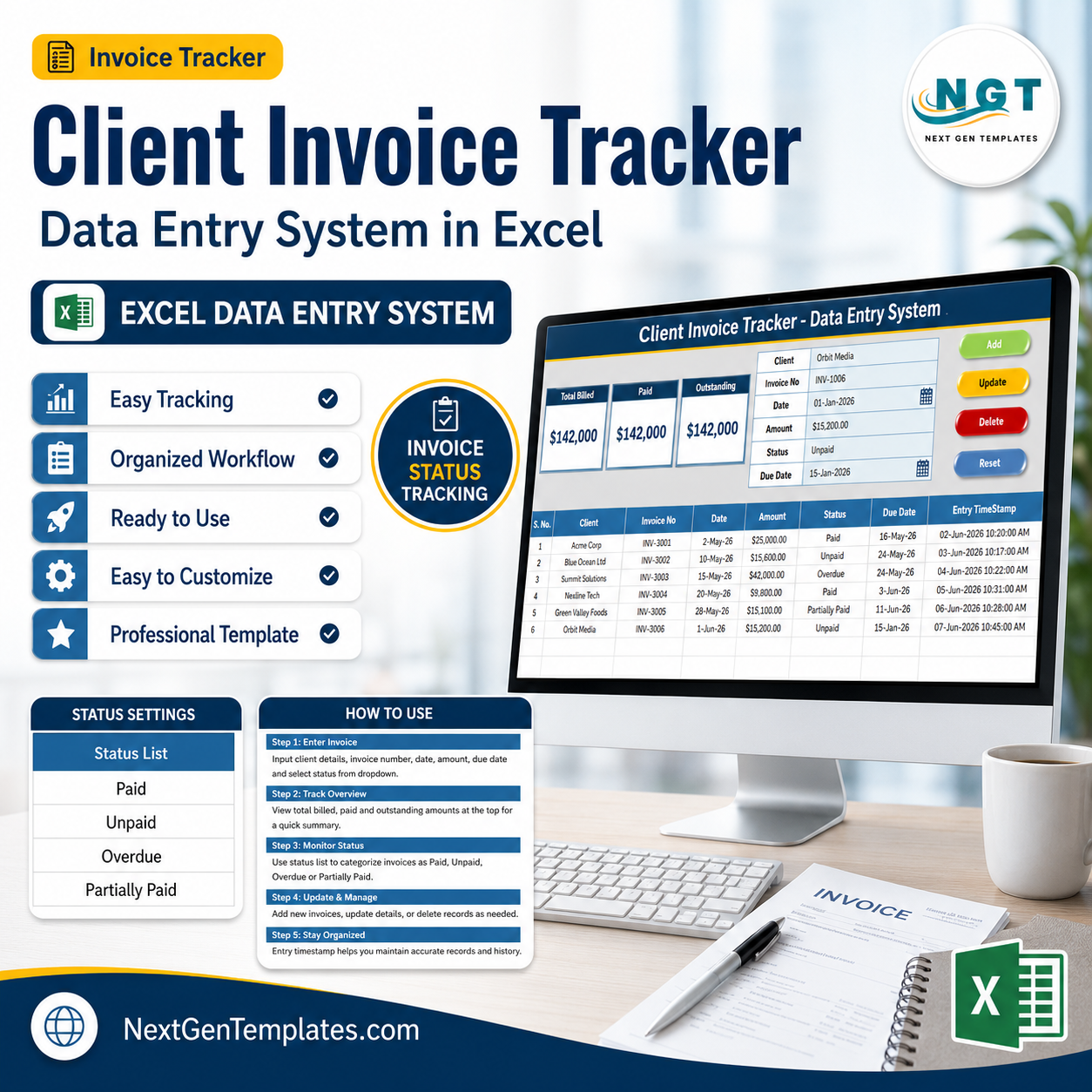
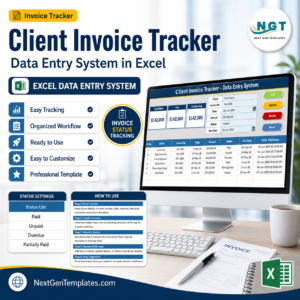
The Client Invoice Tracker Data Entry System in Excel logs every invoice across 6 fields — Client, Invoice No, Date, Amount, Status, and Due Date — and rolls them into 3 live KPI cards: Total Billed, Paid, and Outstanding. Setup takes under 5 minutes: import one VBA module, and the Add, Update, Delete, and Reset buttons handle the rest.
🌍 Join 8,400+ teams in 40+ countries using NextGenTemplates to replace paid SaaS billing tools with one-time-purchase Excel, Google Sheets, and Power BI templates.
✅ Instant download · One-time payment · No subscription · No per-user fees · Lifetime access
🔑 Key Features of the Client Invoice Tracker Data Entry System
💵 Three live KPI cards — Total Billed sums every invoice amount; Paid sums invoices marked “Paid”; Outstanding sums everything not yet paid. Paid plus Outstanding always reconciles back to Total Billed, so the numbers never drift.
📝 One-click form entry — A tinted form at the top of the Data Entry sheet captures all 6 fields. Press Add and the record drops into the table with an automatic serial number and an Entry TimeStamp.
🔁 Full VBA automation — Four macros (Add, Update, Delete, Reset) run the whole workflow. Double-click any invoice row to load it back into the form, edit, then Update to save it in place.
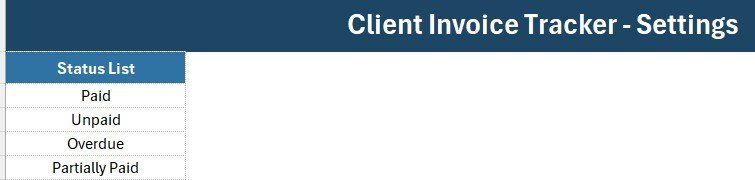
📋 Editable Status dropdown — Paid, Unpaid, Overdue, and Partially Paid are wired from the Setting sheet. Add or remove options there and every dropdown updates on its own.
🎨 Clean, on-brand design — A navy (#2f72a4) heading bar, gold divider, gray dashboard panel, and Aptos Narrow font throughout. Sample data for 6 invoices totaling $142,000 ships inside so you can see it working immediately.
📦 What’s Inside the Client Invoice Tracker Data Entry System
The workbook has four sheets: Data Entry, Setting, Instructions, and Get More Templates. Here are the key views.
Data Entry Dashboard
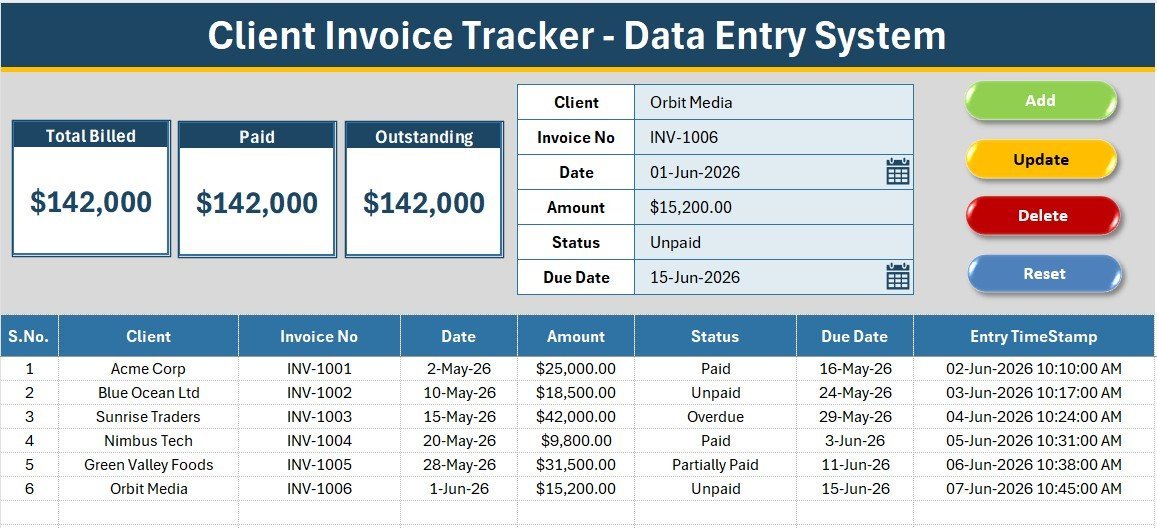
The main working sheet: three KPI cards (Total Billed, Paid, Outstanding) sit in the gray panel above the entry form, with the Add, Delete, Update, and Reset buttons and the full records table below. Every card updates the moment you add or edit an invoice.
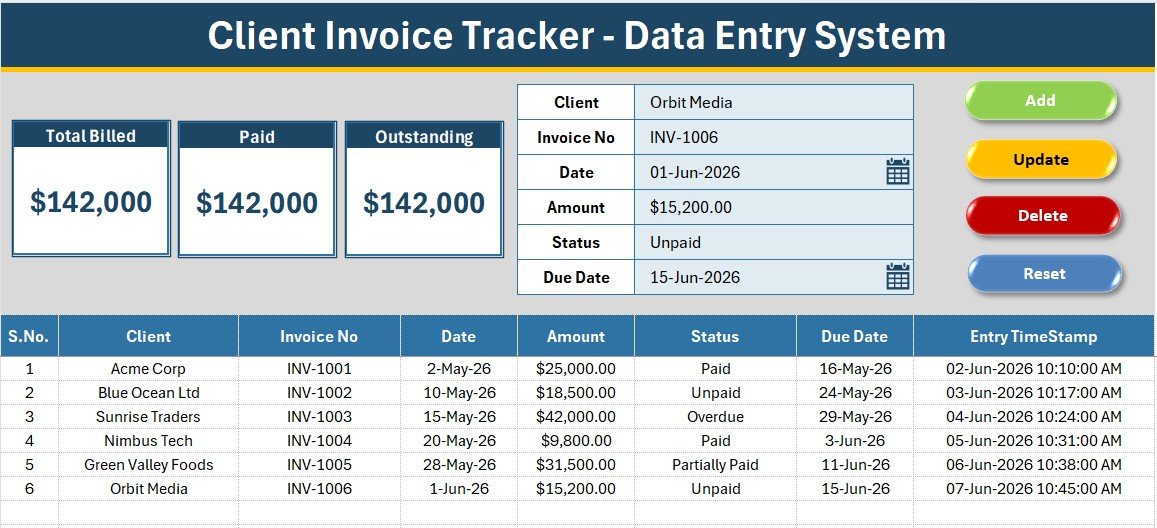
Invoice Entry Form and KPI Cards
A close look at the form fields — Client, Invoice No, Date, Amount, Status, and Due Date — beside the Total Billed, Paid, and Outstanding cards. Dropdown fields are validated so entries stay consistent across the whole invoice log.
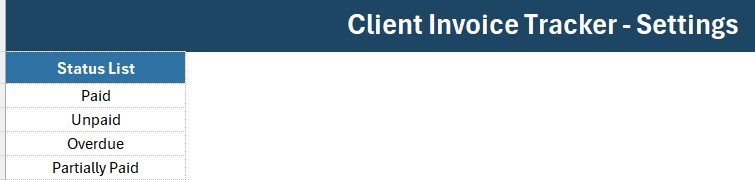
Setting Sheet and Records Table
The Setting sheet holds the Status dropdown list plus a duplicated set of KPI cards you can paste as a linked picture. The records table auto-numbers each row, formats Amount as currency, and stamps the entry time for a clean audit trail.
📊 Client Invoice Tracker vs. Google Sheets vs. Paid Invoicing SaaS — Where This Fits
| Feature | Client Invoice Tracker (Excel) | Google Sheets Equivalent | QuickBooks / Zoho Invoice / FreshBooks |
|---|---|---|---|
| Cost | $5.99 one-time | $4-8 one-time | $15-35 / user / month |
| Platform | Microsoft Excel (offline) | Browser + Google account | Cloud only |
| Setup time | Under 5 minutes ✅ | Under 5 minutes ✅ | 1-3 hours onboarding |
| One-click Add/Update/Delete | Yes — VBA buttons ✅ | Manual or Apps Script | Yes ✅ |
| Live Paid vs Outstanding KPIs | Yes ✅ | Yes ✅ | Yes ✅ |
| Works fully offline | Yes ✅ | No | No |
| Own your data (no vendor lock-in) | Yes ✅ | Yes ✅ | No |
| Year-1 cost at 3 users | $5.99 total ✅ | $4-8 total | $540-1,260 |
For freelancers and small teams that want fast invoice tracking without paying $15-35 per user every month, the Client Invoice Tracker sits in the sweet spot.
👥 Who This Template Is For — and Who It’s Not For
✅ This template is built for:
- Freelancers and consultants tracking client invoices and outstanding payments
- Small business owners and solo accountants managing 10-500 invoices a month
- Agencies and service firms that bill clients and need a simple paid-vs-outstanding view
❌ This template is NOT for:
- Enterprises needing multi-user cloud access with role permissions and audit logs
- Businesses that require automated payment collection or gateway integration
- Teams that need GST/tax invoice generation with legal formatting (use a dedicated invoice generator instead)
⚙️ How to Use the Client Invoice Tracker Data Entry System
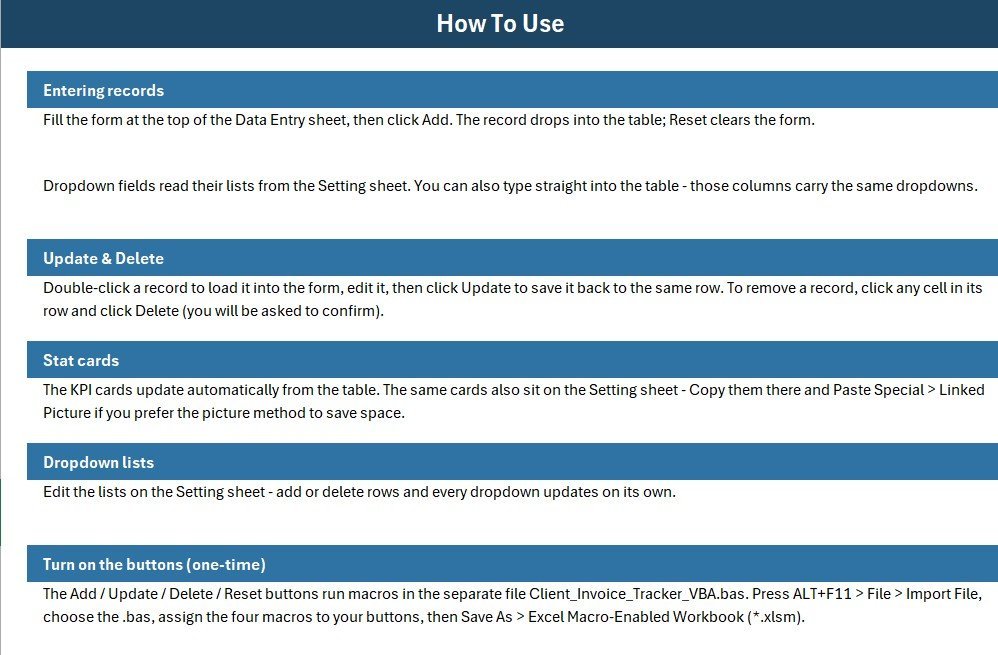
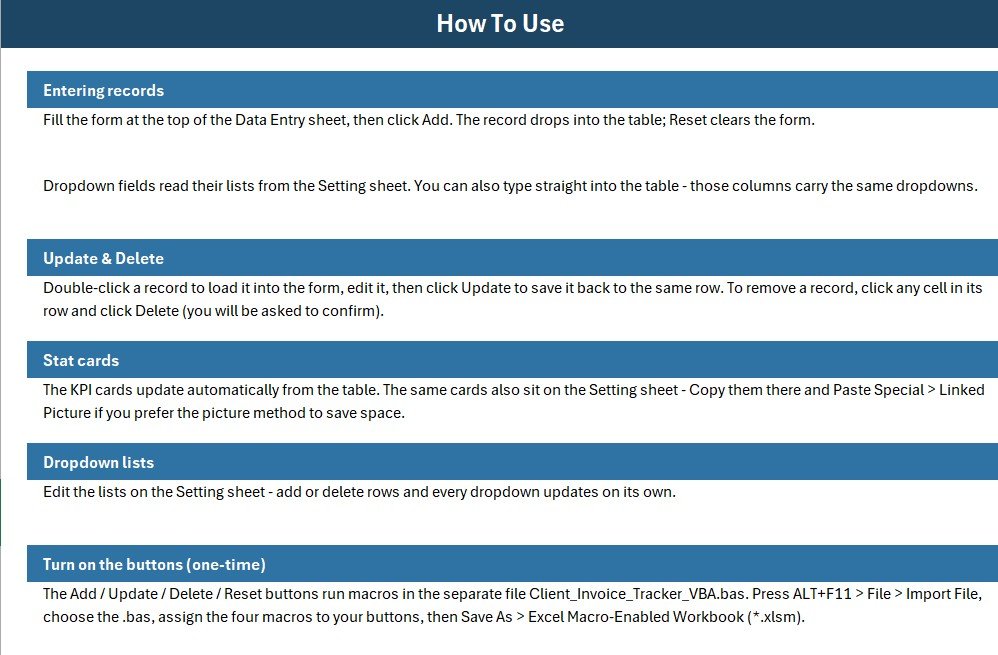
- Open the workbook, press ALT+F11, and import the included VBA module file.
- Assign the Add, Delete, Update, and Reset macros to the four coloured buttons, then save as a macro-enabled workbook (.xlsm).
- Fill the form — Client, Invoice No, Date, Amount, Status, Due Date — and click Add to log the invoice.
- Double-click any invoice row to edit it, change values, and click Update to save changes in place.
- Watch the Total Billed, Paid, and Outstanding cards update automatically as your invoice list grows.
💼 Real-World Use Cases
Neha runs a 4-person design studio. She logs each client invoice as she sends it, marks status as Paid or Overdue, and checks the Outstanding card every Monday to see exactly how much money is still owed — without paying $23/month for FreshBooks.
Arjun is a freelance consultant. He uses the tracker to record retainer and project invoices, filter overdue ones, and see his Total Billed for the quarter at a glance before filing taxes.
Priya handles accounts at a small trading firm. She replaced a messy manual register with this system so every invoice has a timestamp and a clean paid-vs-outstanding split for month-end reporting.
❓ Frequently Asked Questions
What does the Client Invoice Tracker Data Entry System track?
The Client Invoice Tracker records 6 fields per invoice — Client, Invoice No, Date, Amount, Status, and Due Date — and shows three live totals: Total Billed, Paid, and Outstanding. All KPI cards update automatically as you add or edit invoices.
How long does setup take?
Setup takes under 5 minutes. Import the included VBA module, assign four macros to the buttons, save as .xlsm, and the Client Invoice Tracker is ready. Sample invoice data is already inside to show how it works.
How does this compare to QuickBooks or FreshBooks?
The Client Invoice Tracker is a one-time $5.99 purchase versus $15-35 per user every month for QuickBooks or FreshBooks. It works offline in Excel and you fully own your data, though it does not automate payment collection.
Do I need to know VBA to use it?
No. The Client Invoice Tracker ships with the VBA already written. You only import the module once and assign the macros to buttons — no coding required to add, update, or delete invoices.
Can I add my own invoice statuses?
Yes. The Status dropdown reads from the Setting sheet. Edit that list to add options like “Sent” or “Cancelled” and every dropdown in the Client Invoice Tracker updates automatically.
👤 About the Author
Built by PK — Microsoft Certified Professional with 15+ years of Excel, Google Sheets, and Power BI experience. Founder of NextGenTemplates, reaching 300K+ subscribers across YouTube channels (@PK-AnExcelExpert, @NextGenTemplates, @NeoTechNavigators). Every template is hand-built and tested before release.
🔗 Explore Related Templates
Pair the tracker with the Vendor Invoice Submission Tracker in Excel for incoming bills, the Supplier Payment Request Tracker in Excel for payables, or the Tax Deadline and GST Filing Calendar in Excel to stay on top of due dates. Browse more Financial Tools and Invoice Templates.
💎 Save more — get this and 11 other business tools in the Small Business Owner Essentials — 12 Premium Templates bundle.
📖 Click here to read the Detailed Blog Post
🎥 Visit our YouTube channel for step-by-step video tutorials
👉 YouTube.com/@NextGenTemplates
📅 Last updated: July 2026
Watch the step-by-step video tutorial:








Reviews
There are no reviews yet.