



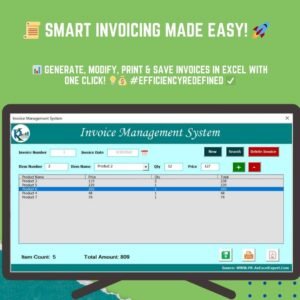
The Automatic Invoice Creator V1.0 in Excel VBA is an Excel tool that simplifies and automates invoice creation. It is built for freelancers, small business owners and larger organizations. Enter minimal details, click a button, and you get a professional invoice with totals, taxes and due dates already calculated. There is no repetitive manual data entry, and the risk of errors drops.
This Excel invoice tool includes customizable templates, so your invoices can match your brand while keeping a clean, professional layout. It supports multiple currencies, tax rates and payment terms. It also keeps a record of every invoice you issue, so you can manage payments and look up past records later.

Key Features of the Automatic Invoice Creator V1.0
- Automatic invoice generation: Enter customer details, products or services, and amounts. The tool then builds the invoice for you.
- Customizable templates: Add your logo and company details, and adjust colors or fonts to fit your branding.
- Date and payment terms: Invoice dates and due dates are generated automatically, and you can set payment terms for each invoice.
- Multi-currency support: Create invoices in different currencies and apply the appropriate exchange rate.
- Tax calculation: Taxes are calculated automatically from predefined rates for accurate invoicing.
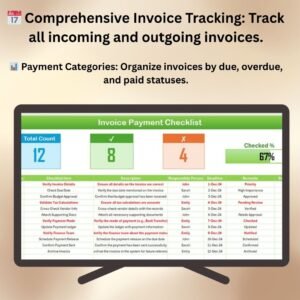
- Invoice tracking: Keep track of issued invoices and monitor payment statuses so nothing slips through.
- User-friendly interface: Even users with minimal Excel experience can quickly generate and manage invoices.
Why You’ll Love This Automatic Invoice Generator
- Time-saving: Generate professional invoices in a few clicks and cut the hours spent on manual data entry.
- Fewer errors: Calculations for taxes, amounts and totals are automated for accuracy.
- Customizable and professional: Templates can be tailored to match your brand identity.
- Multi-currency and tax options: Handle different currencies and tax rates easily, which suits international businesses.
- Invoice management: Track payments, monitor outstanding invoices and keep detailed records for efficient accounting.
What’s Inside the Automatic Invoice Creator V1.0
| Component | What it does |
|---|---|
| Automated Invoice Generation | Creates invoices quickly, with essential data pre-filled from your input. |
| Customizable Layouts | Lets you personalize templates with your logo, business name and other relevant details. |
| Payment and Due Dates | Calculates due dates from your payment terms and adds them to the invoice. |
| Multi-Currency and Tax Rates | Supports multiple currencies and tax rates, with easy currency conversion options. |
| Detailed Invoice Tracking | Records every invoice issued, including payment status and amounts due. |
Who Is It For?
The tool suits anyone who issues invoices regularly and wants accurate, consistent results without building a system from scratch:
- Freelancers billing clients for projects or hours
- Small business owners who need professional invoices fast
- Project managers invoicing project work
- Consultants handling multiple clients and payment terms
- Service providers sending recurring bills
- E-commerce sellers dealing with international customers and currencies
- Large enterprises that want a structured invoicing workflow
How to Use the Automatic Invoice Creator
- Download the Excel template: You get instant access to the automatic invoice generator. Open it in Excel and enable macros so the VBA automation can run.
- Input your data: Enter customer details, services or products, and amounts, then select payment terms.
- Generate the invoice: Click a button. The invoice is created with totals, taxes and due dates already calculated.
- Customize the layout: Add your logo and adjust the layout to match your branding.
- Track payments: Keep track of the invoices you have sent and monitor their payment status inside the tool.
Click here to read the detailed blog post
Visit our YouTube channel for step-by-step video tutorials: Youtube.com/@PKAnExcelExpert
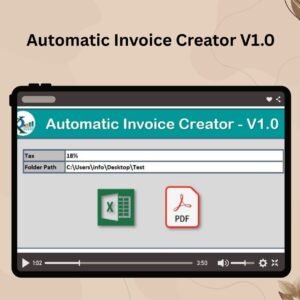
Watch the step-by-step video tutorial:
Frequently Asked Questions
What is the Automatic Invoice Creator V1.0 in Excel VBA?
It is an Excel tool powered by VBA that automates invoicing. You enter basic details, and it creates professional invoices with totals, taxes and due dates calculated for you.
Do I need advanced Excel skills to use it?
No. The interface is designed so that even users with minimal Excel experience can generate and manage invoices quickly.
Can I add my own logo and branding?
Yes. You can add your logo, business name and company details, and adjust colors or fonts to match your brand.
Does it support multiple currencies and taxes?
Yes. Multi-currency support lets you invoice in different currencies and apply the appropriate exchange rate. Taxes are calculated automatically from predefined rates.
Can I track unpaid invoices?
Yes. Built-in invoice tracking records every invoice you issue, along with its payment status and amount due, so you can follow up on outstanding payments.
Is there a tutorial available?
Yes. A step-by-step video tutorial is embedded on this page, and a detailed blog post is linked above.
Streamline your invoicing and keep your finances organized with the Automatic Invoice Creator V1.0.
Also check our Small Business KPI Dashboard
Last updated: October 2026
Compatibility and Requirements
- Needs Microsoft Excel desktop on Windows, because the invoice buttons run VBA macros.
- Enable macros when you open the file. Microsoft explains how in Enable or disable macros in Microsoft 365 files.
- It does not run in Excel for the web, Google Sheets or Excel mobile apps.
Related Invoice Templates
- Invoice Management System V1.0: another Excel tool for managing invoices
- Professional Invoice Template in Google Sheets: a browser-based invoice
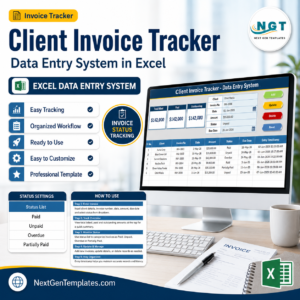
- Client Invoice Tracker Data Entry System in Excel: log client invoices and payments
- Vendor Invoice Submission Tracker in Excel: track invoices you receive
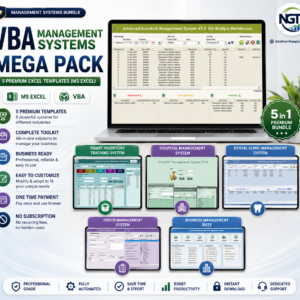
- VBA Management Systems Mega Pack: 5 premium Excel VBA systems in one bundle
Browse all Excel invoice templates or the Excel VBA tools.



















Reviews
There are no reviews yet.