

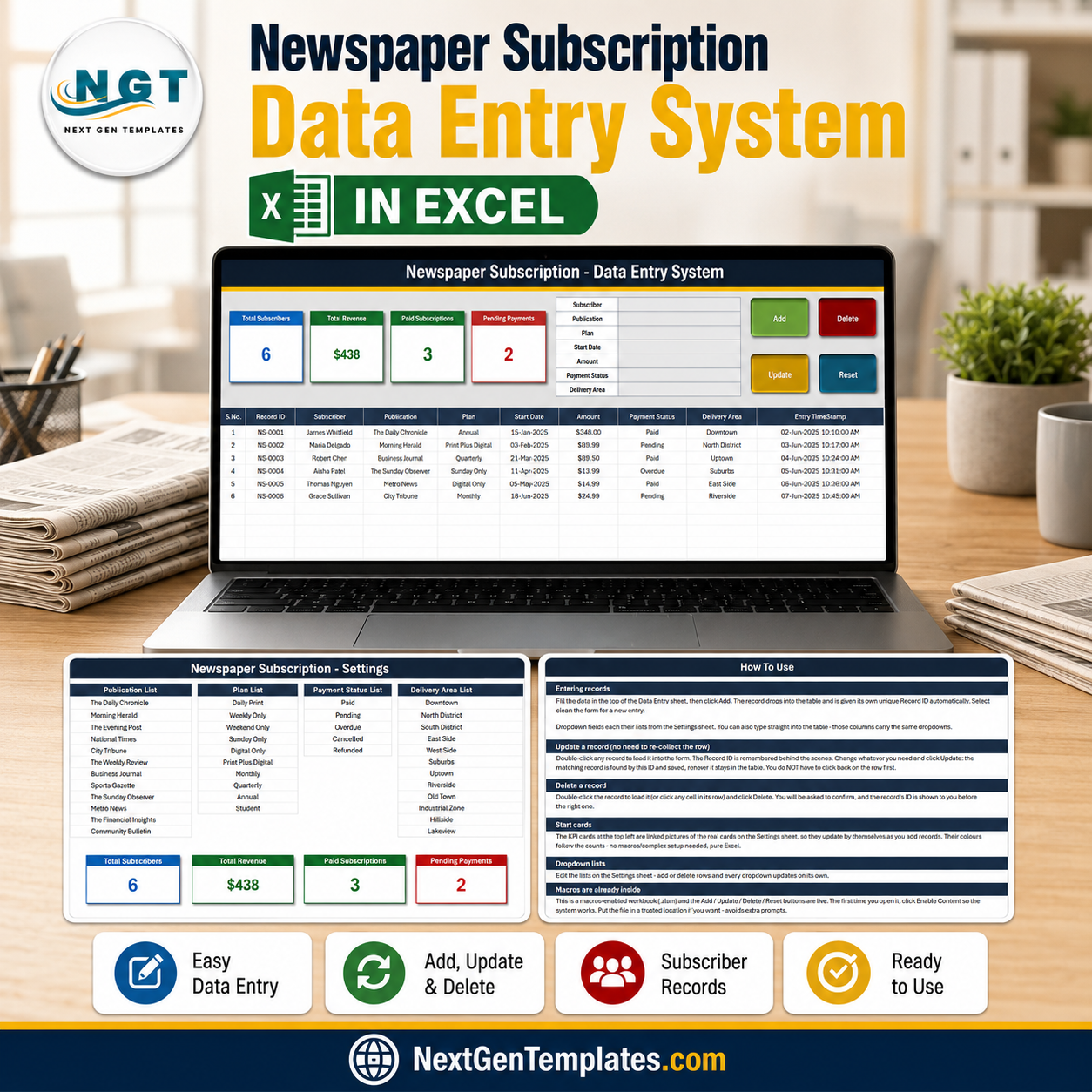

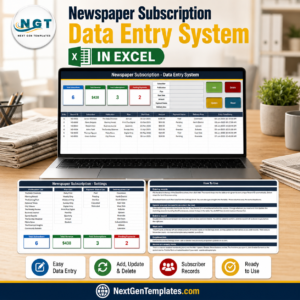
The Newspaper Subscription Data Entry System in Excel is a four-sheet macro-enabled workbook that records subscribers one at a time through a seven-field form and files each one into a table of ten columns with its own NS-0001 style Record ID and an automatic entry timestamp. Four live stat cards sit above the form – Total Subscribers, Total Revenue, Paid Subscriptions and Pending Payments – and recalculate from the records themselves, so the number you quote a manager is always the number in the sheet. Built by PK, a Microsoft Certified Professional, and hand-tested before release. Instant download, lifetime access, no subscription, and support if the workbook does not work as this page describes.
Key Features of the Newspaper Subscription Data Entry System in Excel
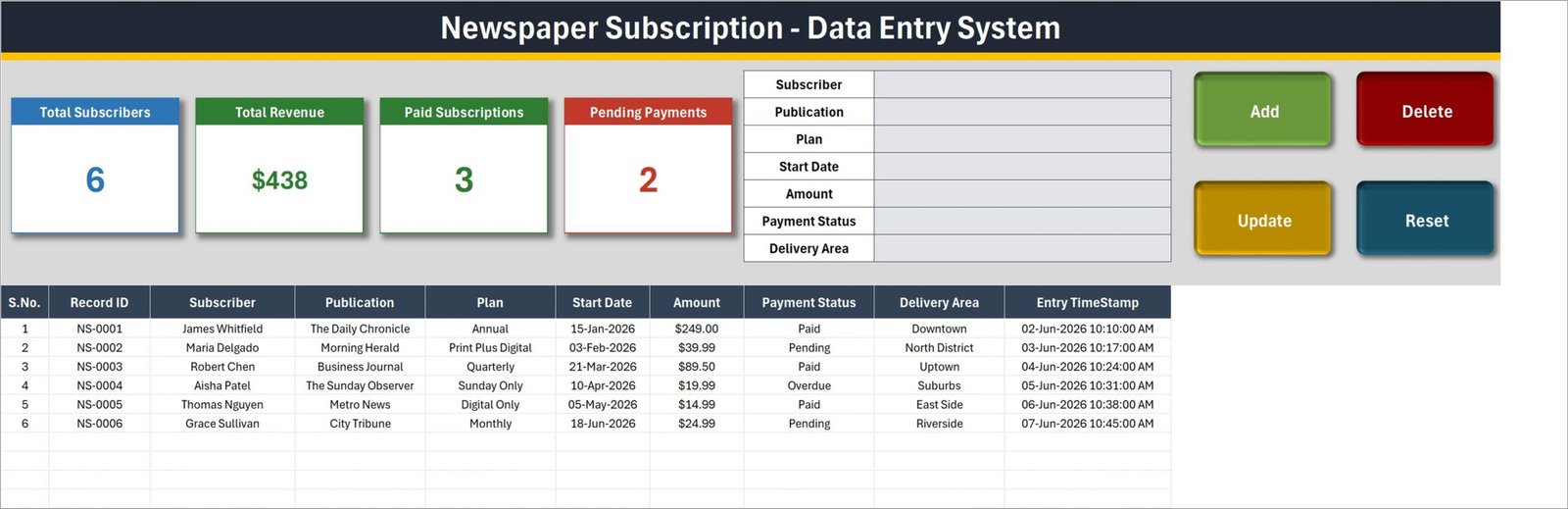
- Seven-field entry form – Subscriber, Publication, Plan, Start Date, Amount, Payment Status and Delivery Area, laid out down the top-right of the Data Entry sheet.
- Four VBA buttons – Add, Update, Delete and Reset, wired to the macros
Add_Record,Update_Record,Delete_RecordandReset_Form. - Automatic Record ID – every new subscriber is filed as NS-0001, NS-0002 and so on, so two people with the same name never collide.
- Entry TimeStamp column – the date and time the record was created is written for you, to the minute.
- Update by ID, not by row – double-click any record to pull it back into the form; the macro finds it by its Record ID wherever it has moved to in the table.
- Four live stat cards – Total Subscribers (COUNTA of the Subscriber column), Total Revenue (SUM of Amount), Paid Subscriptions and Pending Payments (COUNTIF on Payment Status).
- Four dropdown lists you own – 12 publications, 10 plans, 5 payment statuses and 12 delivery areas, all edited on the Setting sheet.
- 200 pre-formatted record rows – rows 15 to 214 already carry the dropdowns, number and date formats.
- Delete asks first – the confirmation shows the Record ID it is about to remove.
- A How To Use sheet inside the file – six short sections, so nobody has to come back to this page to remember how Update works.
What’s Inside the Newspaper Subscription Data Entry System in Excel
The download is a ZIP containing one macro-enabled workbook, Newspaper_Subscription_System.xlsm. It has exactly four sheets.
1. Data Entry. The working sheet. A navy title banner, the four stat cards, the seven-field form, the Add / Delete / Update / Reset buttons, and below them the records table: S.No., Record ID, Subscriber, Publication, Plan, Start Date, Amount, Payment Status, Delivery Area, Entry TimeStamp. Six sample subscribers ship with it – James Whitfield on an Annual Daily Chronicle plan at $249.00, Maria Delgado on Print Plus Digital at $39.99, and four more – so you can watch Add, Update and Delete work before you clear them out.
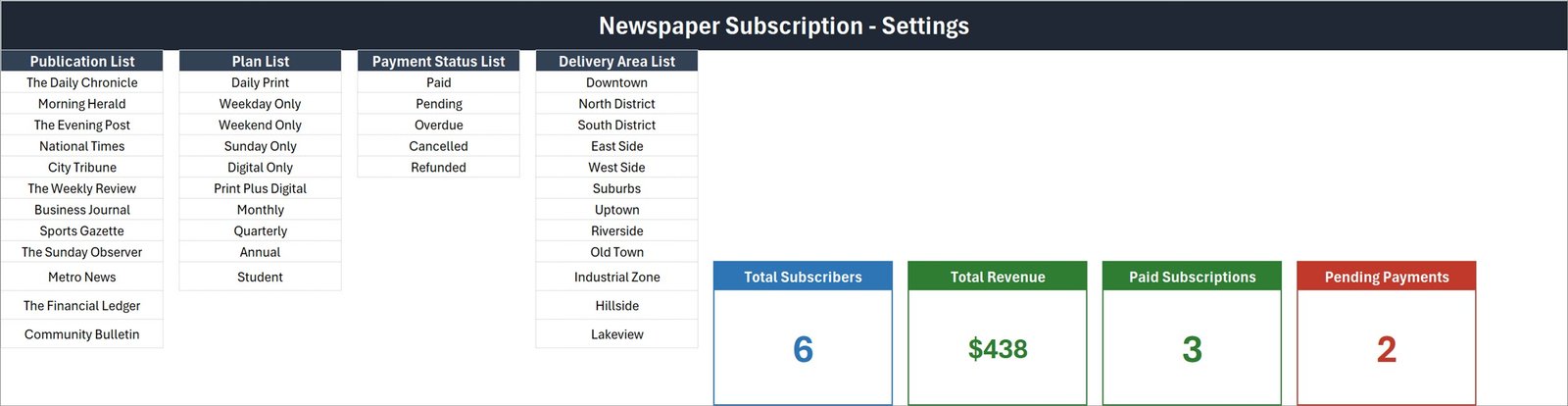
2. Setting. Four editable lists and the four real stat cards. Publication List ships with The Daily Chronicle, Morning Herald, The Evening Post, National Times, City Tribune, The Weekly Review, Business Journal, Sports Gazette, The Sunday Observer, Metro News, The Financial Ledger and Community Bulletin. Plan List holds Daily Print, Weekday Only, Weekend Only, Sunday Only, Digital Only, Print Plus Digital, Monthly, Quarterly, Annual and Student. Payment Status List is Paid, Pending, Overdue, Cancelled and Refunded. Delivery Area List runs from Downtown and North District through to Hillside and Lakeview. Replace any of them with your own mastheads and rounds and every dropdown follows.
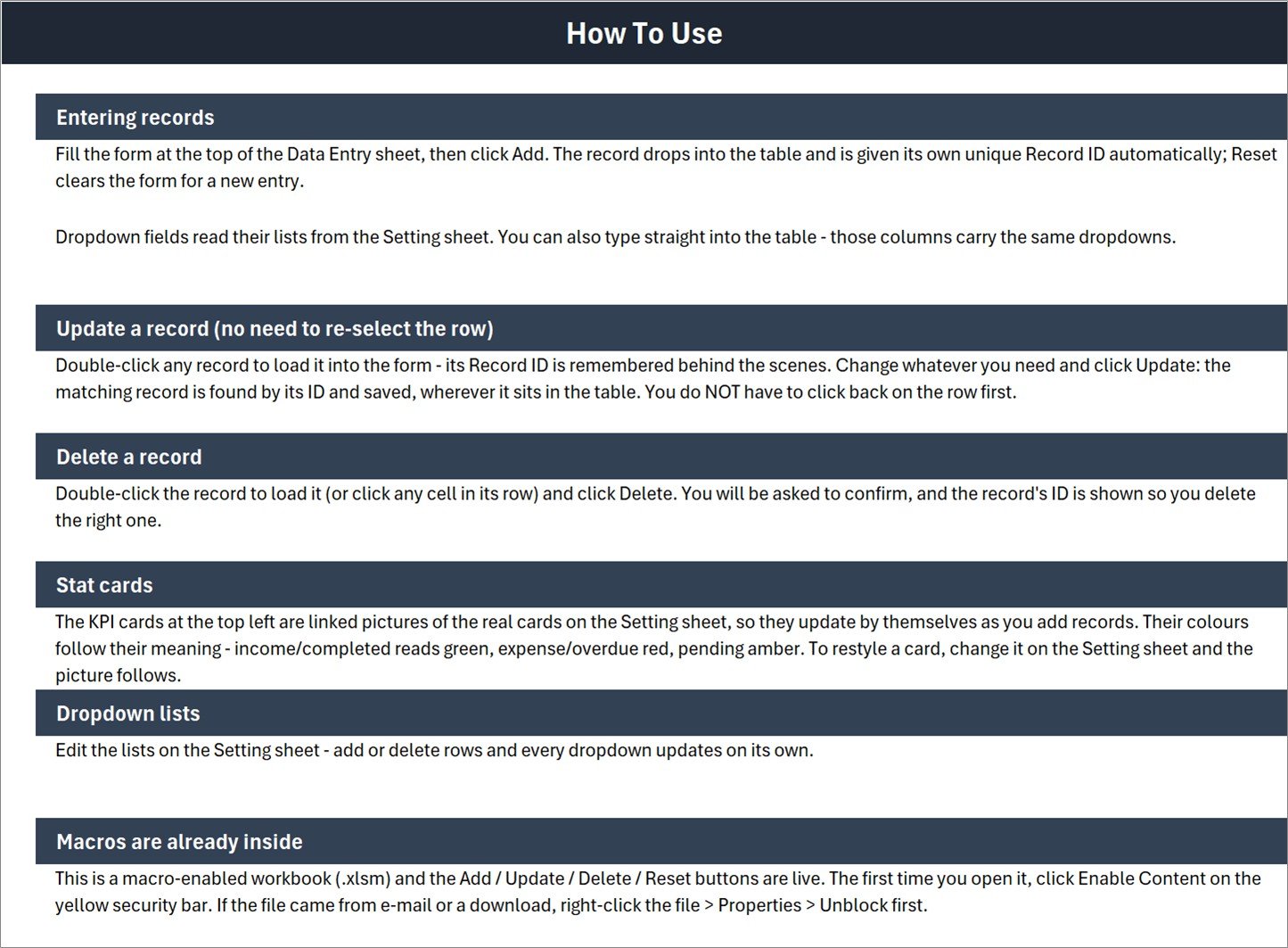
3. How To Use. Six sections – entering records, updating without re-selecting the row, deleting, how the stat cards work, editing the dropdown lists, and enabling macros.
4. Get More Templates. Links back to the NextGenTemplates store.
Newspaper Subscription Data Entry System in Excel vs. Google Sheets vs. Paid Subscription Billing SaaS – Where This Fits
| This Excel system | A Google Sheets form | Zoho Subscriptions / Chargebee | |
|---|---|---|---|
| Cost | $6.99 once | Free, build it yourself | $49-$599 per month |
| Platform | Excel for Windows, desktop | Browser, any device | Browser plus mobile app |
| Setup time | About 10 minutes to swap the lists | Hours of building | Days, plus onboarding |
| Real-time team collaboration | No – one file, one editor | Yes | Yes |
| Mobile access | No – the VBA buttons need the desktop app | Yes | Yes |
| Customizable fields | Dropdown lists yes; the seven form fields need VBA edits | Yes | Within the vendor’s model |
| Share with link | No – you send the file | Yes | Yes |
| Year-1 cost at 5 users | $6.99 | $0 | $588-$7,188 |
| Automatic renewal reminders and dunning | No | No | Yes |
| Delivery round or carrier planning | No – Delivery Area is a label, not a route | Build it yourself | Usually not included |
Who This Template Is For – and Who It’s Not For
It is for a small local paper, a community bulletin, a school or society newsletter, a magazine stand or an agency clerk who currently keeps subscribers in a plain sheet or a notebook and wants a form, a unique ID per subscriber and four honest counts at the top. One person, one file, on a Windows PC.
It is not for anyone who needs automatic renewals, invoices, card charging or overdue chasing – there is no billing engine here and no end-date or renewal-date field, only Start Date. It is not for teams who all need to type at once, it is not for phones or Excel for the web, and it is not a circulation-routing tool: Delivery Area records which district a subscriber sits in, it does not build a carrier’s round. If you need charts and trends rather than a register, start with an Excel dashboard instead.
How to Use the Newspaper Subscription Data Entry System in Excel
- Unzip the download and open the .xlsm in Excel on Windows. Click Enable Content on the yellow bar. If the file came by e-mail, right-click it first, choose Properties and tick Unblock.
- Go to the Setting sheet and replace the four lists with your own publications, plans, statuses and delivery areas.
- Back on Data Entry, delete the six sample rows once you have seen the buttons work.
- Fill the form and click Add. The record lands in the table with its own Record ID and timestamp; Reset clears the form.
- To change a subscriber, double-click their row, edit the form and click Update. To remove one, load it and click Delete, then confirm the Record ID shown.
- Watch the four cards. They recalculate from the table on their own – nothing to refresh.
Real-World Use Cases
Ravi, circulation clerk at a district daily. He takes eight or nine new subscribers a day at the counter. He types the name, picks the masthead and the plan, keys the amount, marks Pending, picks the district and clicks Add. At close he reads Pending Payments off the card and hands the number to the cashier.
Sister Anne, who runs a parish bulletin. Ninety households, mostly Annual, a few Student. She keeps the whole year in one file, marks Paid as cheques arrive, and uses Total Revenue as the figure for the parish accounts.
Dan, a two-person magazine stand. He replaced the publication list with the twelve titles he actually carries and uses Delivery Area to note which of his two rounds a subscriber falls on, then sorts the table by that column each morning.
Frequently Asked Questions
Do I have to enable macros?
Yes. Add, Update, Delete and Reset are VBA. Without macros enabled the buttons do nothing, though you can still type directly into the table because those columns carry the same dropdowns.
Will it work on a Mac, on Excel for the web, or in Google Sheets?
It is built and tested for Microsoft Excel on Windows desktop. Excel for the web does not run these macro buttons, and Google Sheets cannot run VBA at all.
Does it send renewal reminders or invoices?
No. There is no e-mail, no invoice and no renewal alert, and the form records a Start Date but no end or renewal date. Payment Status is something you set by hand.
How many subscribers can it hold?
Rows 15 to 214 are pre-formatted with the dropdowns, which is 200 records out of the box. You can carry on past row 214, but you would need to extend the data validation yourself.
Can I add my own fields, such as phone number or address?
You can add columns to the table by hand. The form and its four buttons are fixed at the seven fields shown unless you edit the VBA, which is unlocked and readable.
What personal data does it hold, and is it secure?
As shipped it stores a subscriber’s name, their publication, plan, start date, amount, payment status and a delivery district – no address line, no phone number, no e-mail and no card details. It is an ordinary unencrypted workbook: if you add contact details, keep the file on a controlled machine, use Excel’s own file password if you need one, and treat it the way you treat any other customer list. This template makes no compliance claim under GDPR or any other regime.
Can I change the stat cards?
Yes. The four cards on the Data Entry sheet are linked pictures of the real cards on the Setting sheet, so editing the formula or the colour there updates the picture.
About the Author
Built by PK – Microsoft Certified Professional with 15+ years of Excel, Google Sheets, and Power BI experience. Founder of NextGenTemplates, reaching 300K+ subscribers across YouTube channels. Every template is hand-built and tested before release.
Explore Related Templates
- Tiffin Subscription Data Entry System in Excel – the same form-and-register pattern for meal subscriptions.
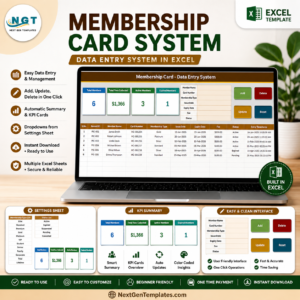
- Membership Card Data Entry System in Excel – for clubs and societies issuing cards.
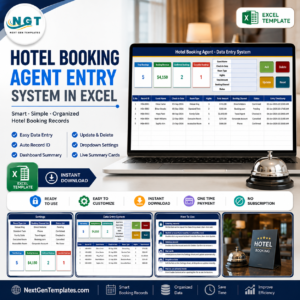
- Hotel Booking Agent Data Entry System in Excel – bookings instead of subscriptions.
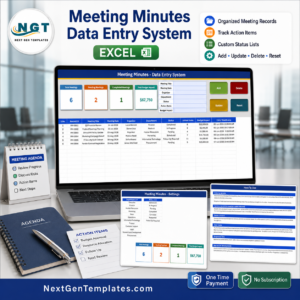
- Meeting Minutes Data Entry System in Excel – the same buttons applied to meeting records.
- Browse every Excel VBA tool in the store.
Add the Newspaper Subscription Data Entry System in Excel to your cart and you will have your first subscriber filed, with a Record ID and a timestamp, about ten minutes after the download finishes. Instant download, lifetime access, free bug fixes to this file.
Last updated: 1 September 2026.
Watch the demo video:
Compatibility and Requirements
- Works in Microsoft Excel desktop on Windows with macros enabled. It does not run in Excel for the web, Google Sheets or on mobile.
- The Add, Update, Delete and Reset buttons are VBA macros. Microsoft explains how to turn them on in Enable or disable macros in Microsoft 365 files.




























Reviews
There are no reviews yet.