

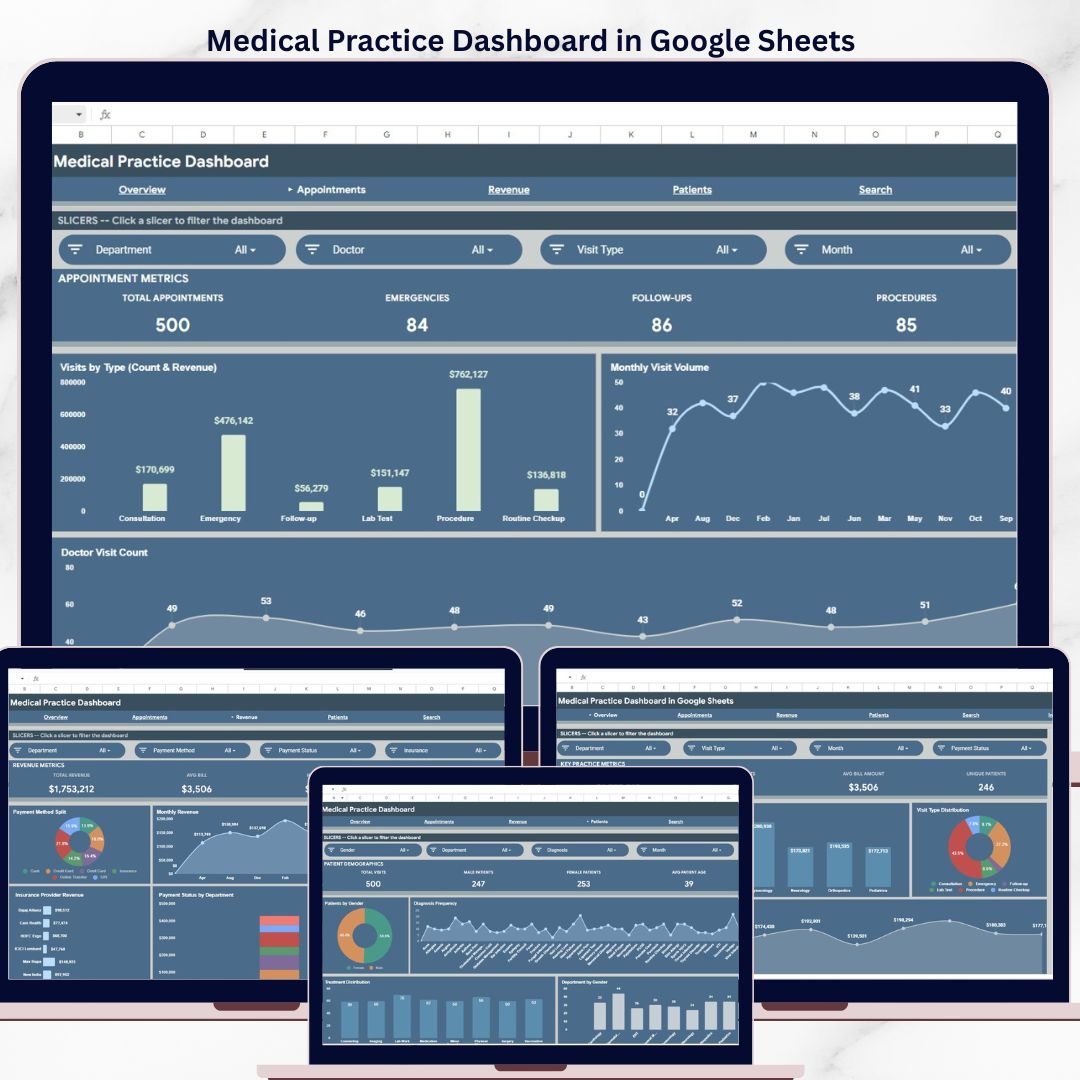
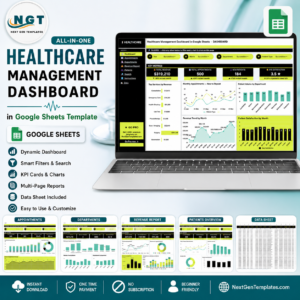
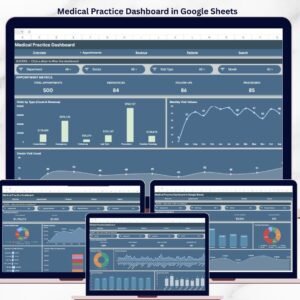
The Medical Practice Dashboard in Google Sheets tracks 4 core KPIs across 6 interactive pages, with 10+ pre-built charts and multiple slicers for real-time filtering. Setup takes under 10 minutes — replace the sample data with your own and every chart, card, and slicer updates automatically.
🌍 Join 8,400+ teams in 40+ countries using NextGenTemplates to replace paid SaaS tools with one-time-purchase Excel, Google Sheets, Power BI, and HTML templates.
✅ Instant download · One-time payment · No subscription · No per-user fees · Lifetime access
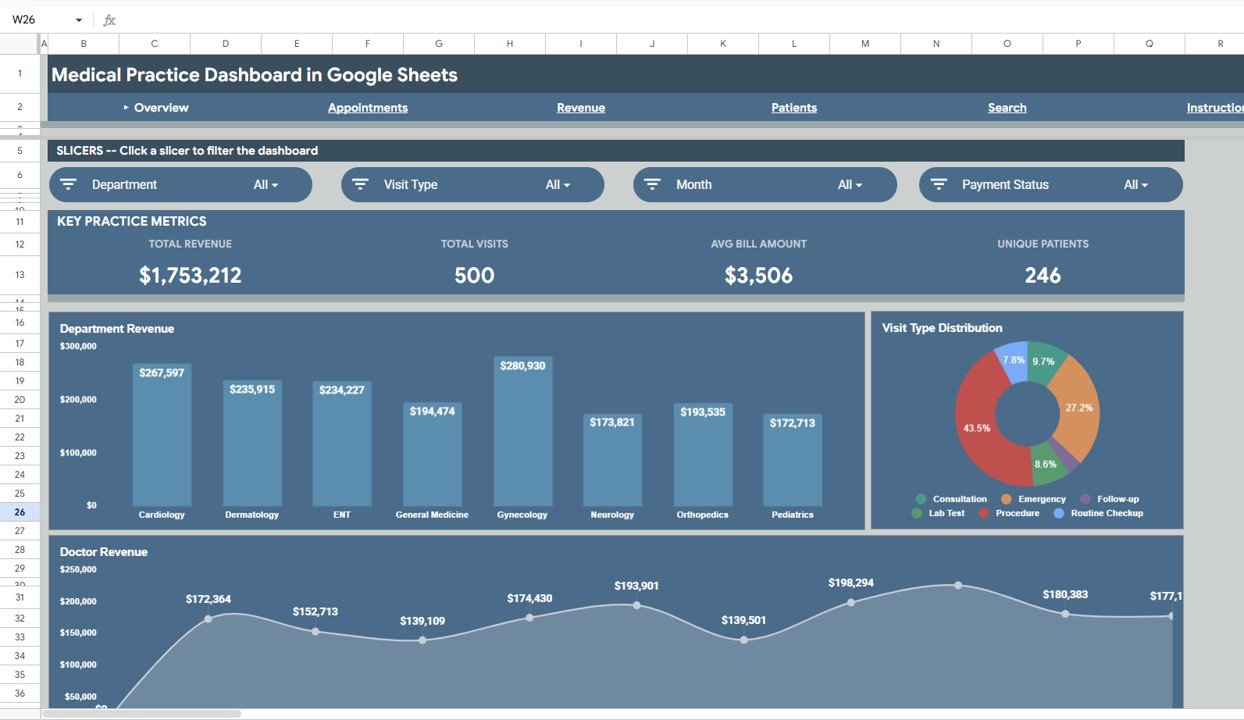
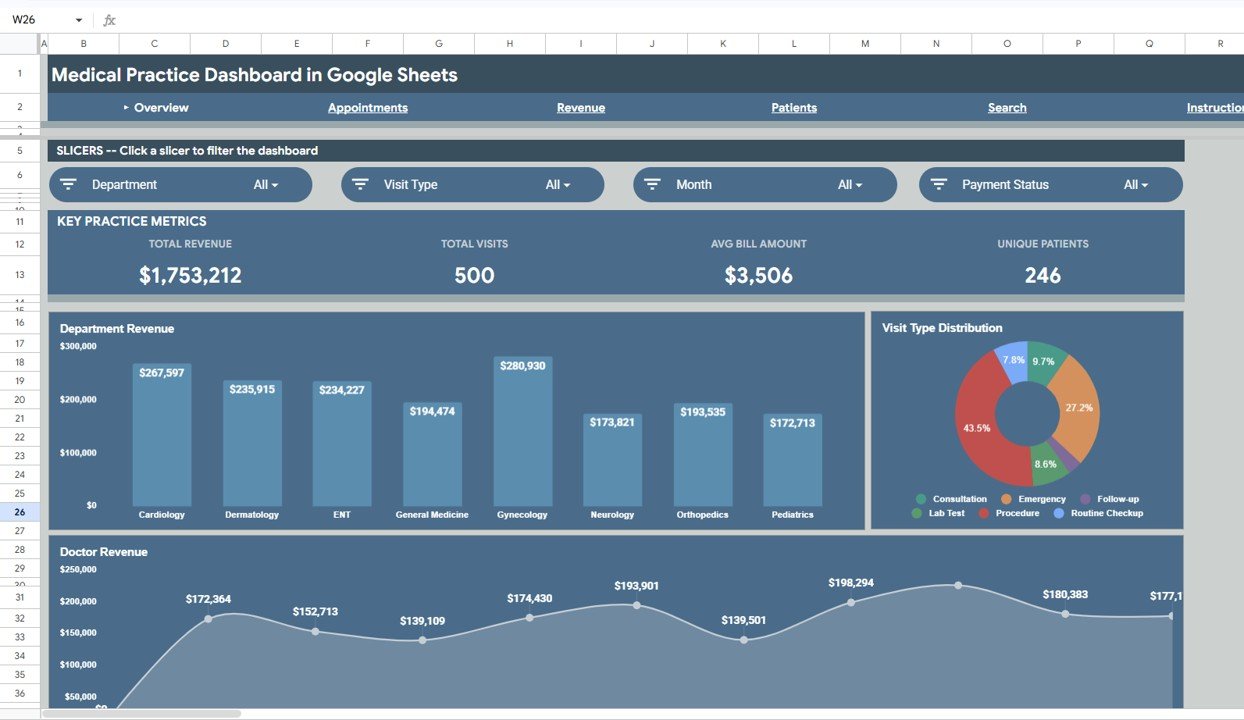
Medical Practice Dashboard in Google Sheets – Overview Page
🔑 Key Features of the Medical Practice Dashboard in Google Sheets
🔹 Four KPI Summary Cards – The Overview page displays Total Revenue, Total Visits, Avg Bill Amount, and Unique Patients at a glance, giving clinic managers an instant snapshot of practice performance without scrolling through raw data.
🔹 Department Revenue Analysis – A dedicated chart breaks down revenue by department so practice administrators can identify which specialties (Cardiology, Orthopedics, Dermatology, etc.) generate the most income and where growth opportunities exist.
🔹 Visit Type Distribution – Visualize the split between walk-in visits, scheduled appointments, follow-ups, and emergency consultations. This helps front-desk teams optimize appointment scheduling and resource allocation.
🔹 Doctor Revenue Tracking – Compare revenue generated by each doctor in the practice. Multi-physician clinics use this to benchmark individual performance and plan incentive structures.
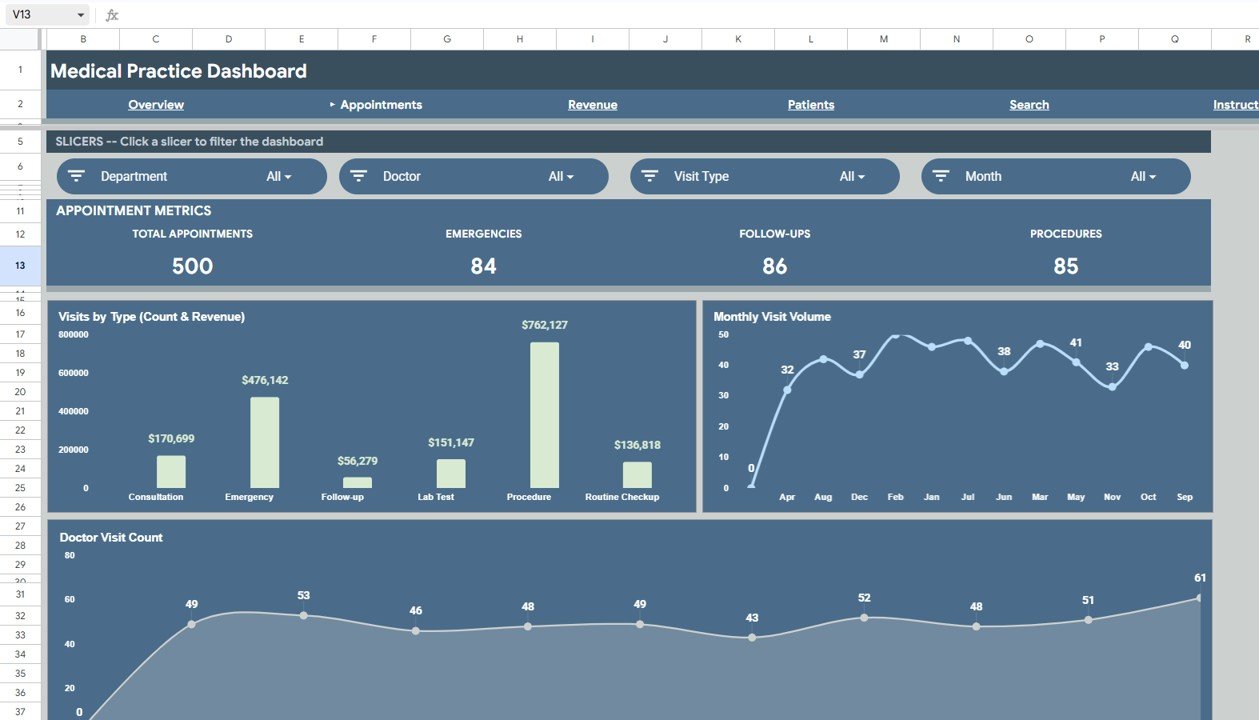
🔹 Appointments Analysis Page – Tracks visits by type (count and revenue), monthly visit volume trends, and doctor visit counts. Clinic managers can spot seasonal patterns and adjust staffing levels accordingly.
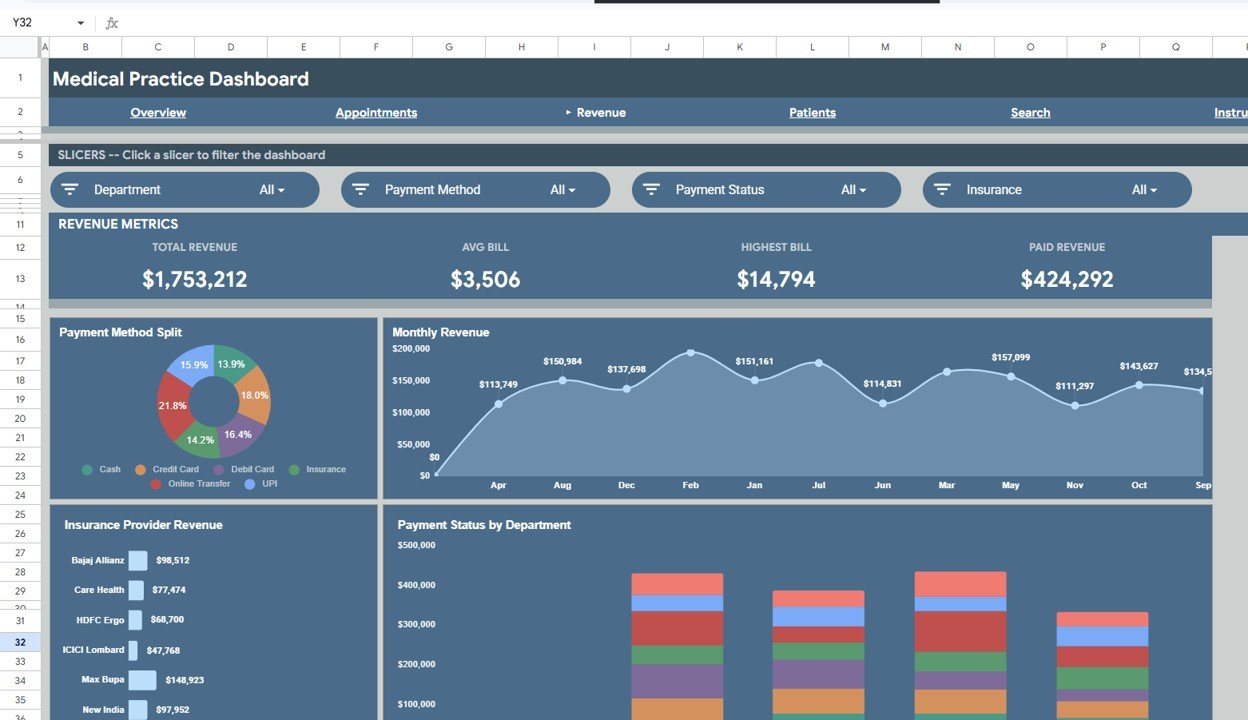
🔹 Revenue Deep-Dive Page – Analyzes payment method splits, monthly revenue trends, insurance provider revenue, and payment status by department. Finance teams use this to identify outstanding balances and optimize billing workflows.
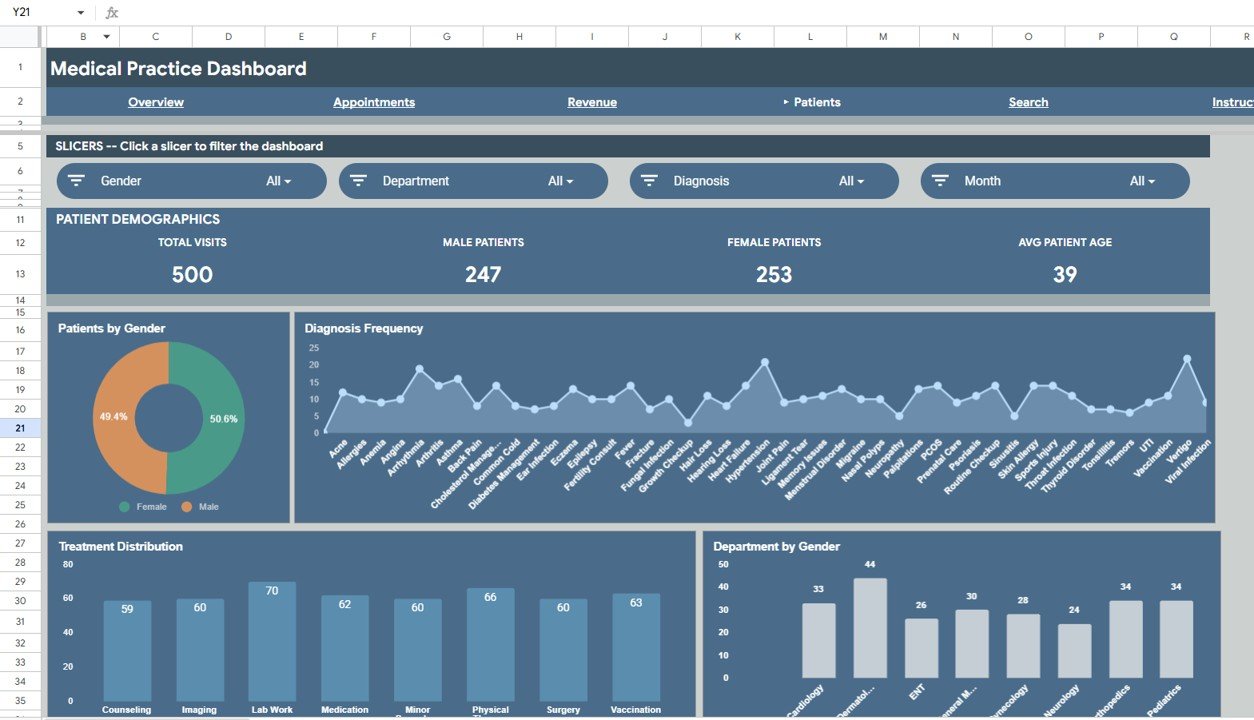
🔹 Patient Demographics Page – Breaks down patients by gender, diagnosis frequency, treatment distribution, and department-by-gender cross-analysis. This data supports clinical decision-making and population health management.
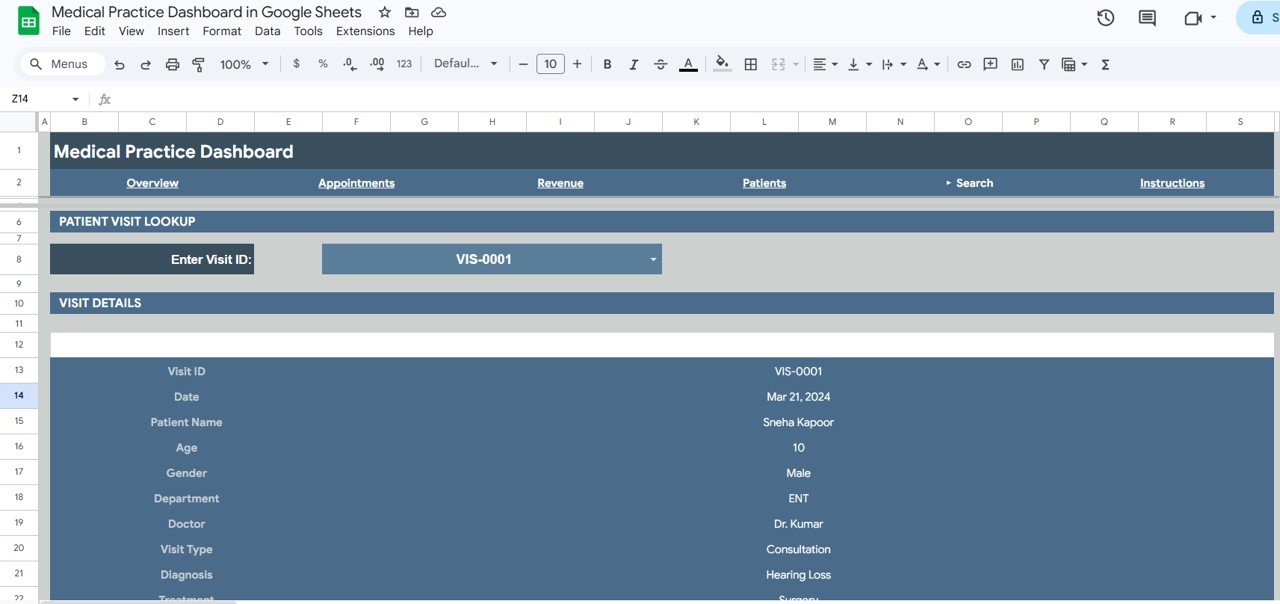
🔹 Instant Search Lookup – Enter any Visit ID on the Search sheet to instantly retrieve all visit details including date, patient name, age, gender, department, doctor, visit type, diagnosis, and treatment — no manual scrolling needed.
🔹 Interactive Slicers – Multiple slicer controls on the Overview page let you filter the entire dashboard by department, doctor, visit type, or time period with a single click.
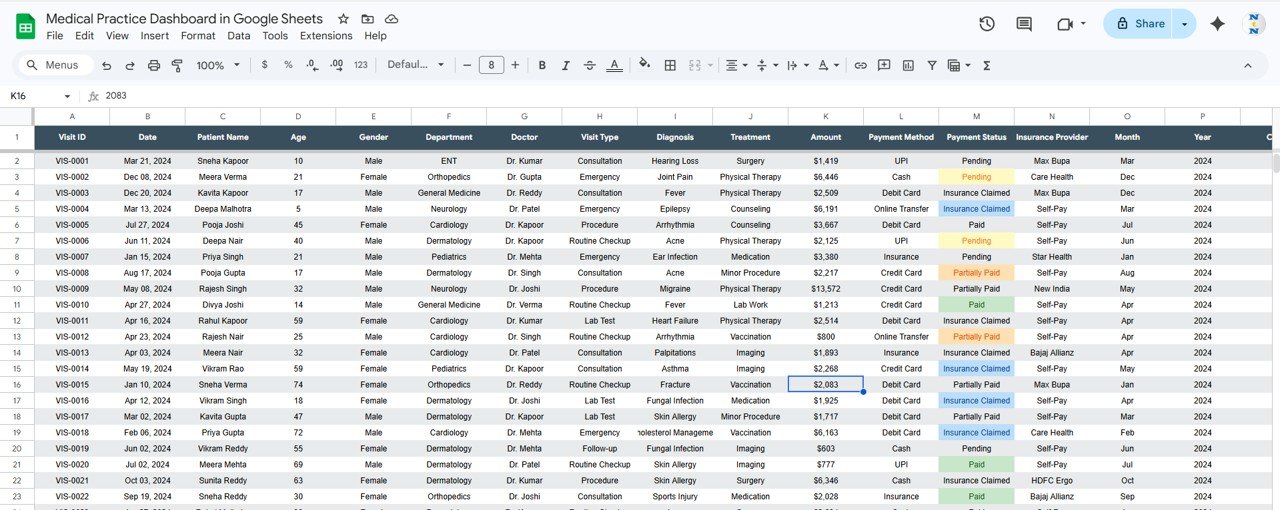
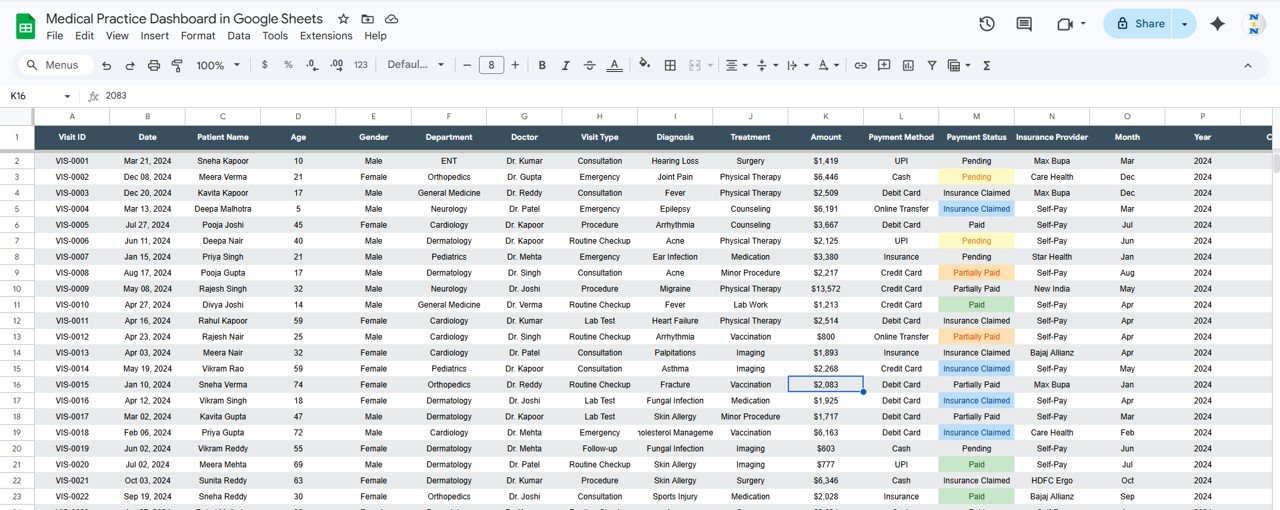
🔹 Plug-and-Play Data Sheet – The structured data sheet accepts your own records in the same format. Replace the sample data and every page refreshes automatically.
📦 What’s Inside the Medical Practice Dashboard
📄 6 Interactive Pages — Overview, Appointments, Revenue, Patients, Search, and Data Sheet
📊 4 KPI Cards — Total Revenue, Total Visits, Avg Bill Amount, Unique Patients
📈 10+ Charts — Department Revenue, Visit Type Distribution, Doctor Revenue, Visits by Type, Monthly Visit Volume, Doctor Visit Count, Payment Method Split, Monthly Revenue, Insurance Provider Revenue, Payment Status by Department, Patients by Gender, Diagnosis Frequency, Treatment Distribution, Department by Gender
🎛️ Slicers — Filter by Department, Doctor, Visit Type, Period
🔍 Search Sheet — Instant visit lookup by Visit ID
📋 Data Sheet — Structured sample data ready for replacement
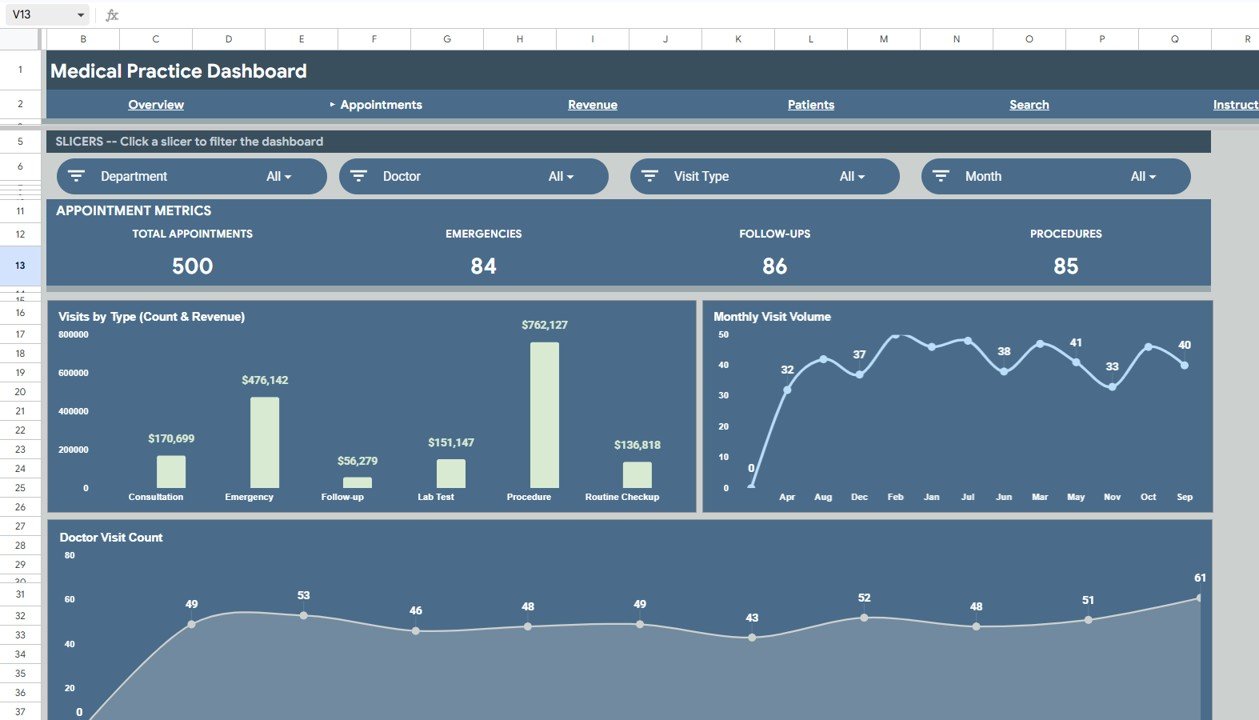
Appointments Analysis Page
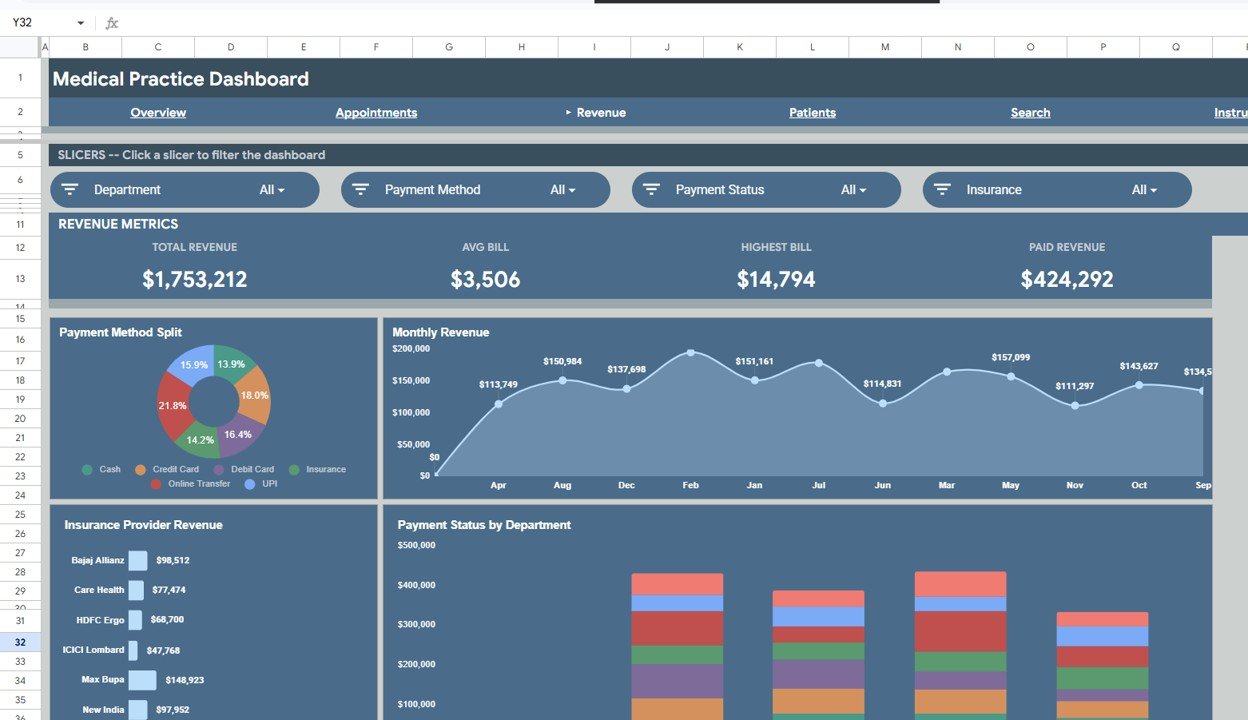
Revenue Analysis Page
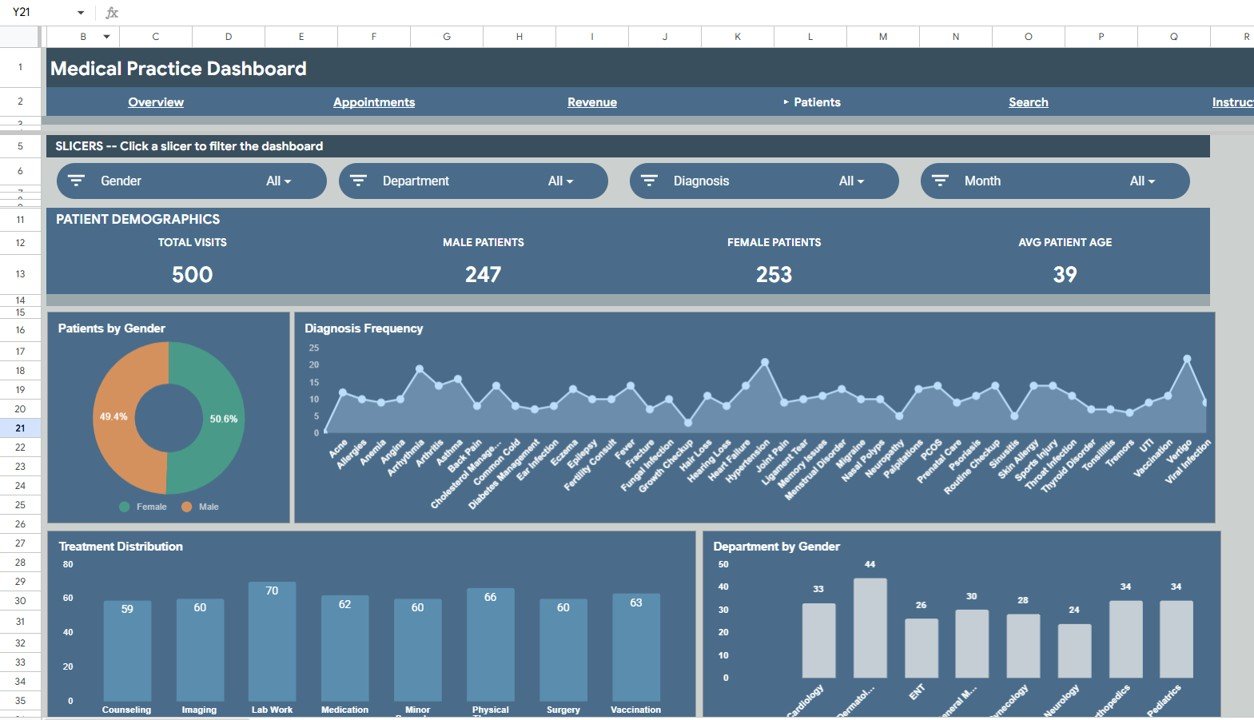
Patient Demographics Page
📊 Medical Practice Dashboard in Google Sheets vs. Microsoft Excel Dashboard vs. Athenahealth — Where This Fits
| Feature | Medical Practice Dashboard in Google Sheets | Microsoft Excel Dashboard | Athenahealth |
|---|---|---|---|
| Cost | $9.99 one-time | $17.99 one-time (Excel version) | $140+ / provider / month |
| Platform | Google Sheets (free, browser-based) | Requires MS Excel license | Cloud SaaS |
| Setup Time | Under 10 minutes | Under 10 minutes | 4-8 weeks onboarding |
| Real-Time Team Collaboration | ✅ Built-in (Google Sheets) | Limited (OneDrive required) | ✅ Yes |
| Mobile Access | ✅ Google Sheets app | Limited via Excel mobile | ✅ Mobile app |
| Customizable Fields | ✅ Fully editable | ✅ Fully editable | Limited to plan tier |
| Share with Link | ✅ One-click sharing | ❌ Requires file transfer | Role-based access only |
| Year-1 Cost at 5 Providers | $9.99 total | $17.99 total | $8,400+ |
| EHR Integration | ❌ Manual data entry | ❌ Manual data entry | ✅ Native EHR |
For clinics that want clear revenue, appointment, and patient analytics without paying $140+ per provider per month, the Medical Practice Dashboard in Google Sheets sits in the sweet spot.
👥 Who This Template Is For — and Who It’s Not For
✅ This template is built for:
- Private practice owners and clinic administrators managing 1-10 providers
- Medical office managers tracking appointments, revenue, and patient demographics
- Small multi-specialty clinics needing a visual snapshot of daily operations
- Healthcare consultants building practice performance reports for clients
❌ This template is NOT for:
- Hospitals or large health systems needing HIPAA-compliant EHR integration
- Practices requiring automated insurance claims processing
- Organizations needing real-time patient portal or telehealth features
⚙️ How to Use the Medical Practice Dashboard
1️⃣ Open the PDF guide included in your download and click the Google Sheets copy link to create your own editable copy in Google Drive.
2️⃣ Go to the Data sheet and replace the sample records with your actual visit data — patient names, dates, departments, doctors, visit types, diagnoses, treatments, and billing amounts.
3️⃣ Navigate to the Overview page to see your KPI cards and charts update automatically. Use the slicers to filter by department, doctor, or visit type.
4️⃣ Explore the Appointments, Revenue, and Patients pages for detailed breakdowns of visit trends, billing performance, and patient demographics.
5️⃣ Use the Search sheet to look up any individual visit by entering its Visit ID — all related details appear instantly.
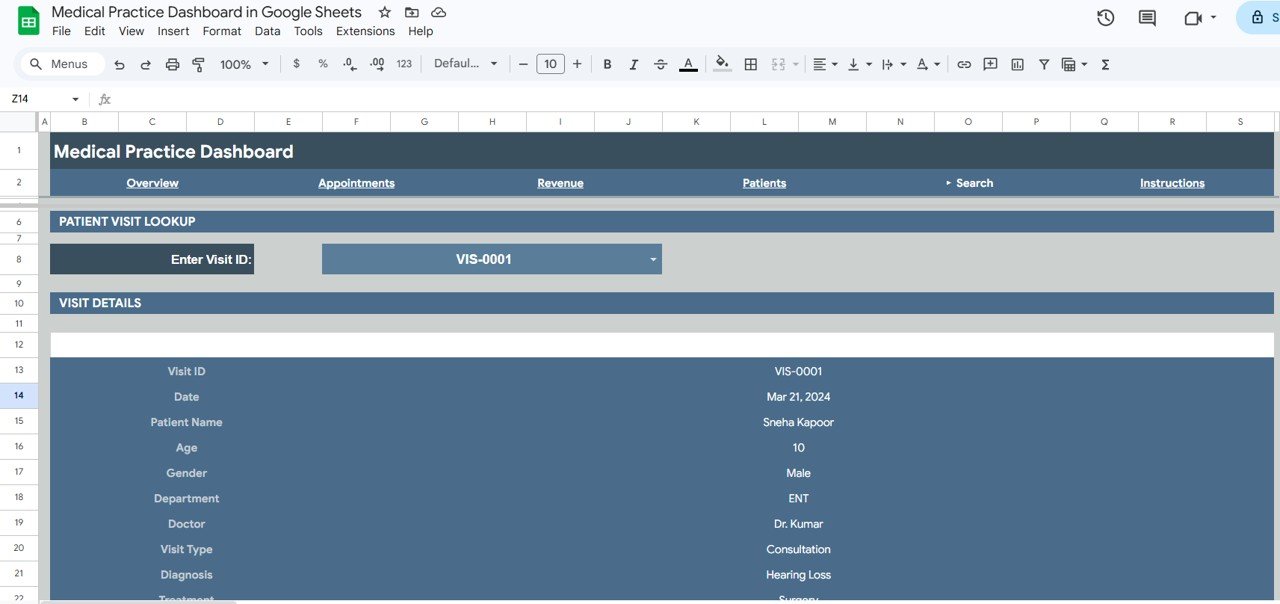
Search Sheet Tab
Data Sheet Tab
💼 Real-World Use Cases
Dr. Priya runs a 4-doctor family medicine clinic in Hyderabad. She uses the Medical Practice Dashboard in Google Sheets to compare monthly revenue across her physicians, track which departments generate the highest income, and present quarterly performance summaries to her partners — without paying per-provider fees for practice management software.
James manages operations at a dental-and-dermatology group practice in Austin. He replaced a $200/month reporting add-on with this dashboard. Each Monday, he filters by department to review the previous week’s visit volume and revenue, then shares the Google Sheet link with the practice owner for instant visibility.
Fatima is a healthcare consultant in Dubai. She downloads the template for each client engagement, populates it with the clinic’s data, and delivers a polished performance dashboard within hours. The one-time $9.99 cost makes it a negligible line item compared to her consulting fee.
❓ Frequently Asked Questions
What KPIs does the Medical Practice Dashboard in Google Sheets track?
The Medical Practice Dashboard in Google Sheets tracks 4 primary KPIs: Total Revenue, Total Visits, Avg Bill Amount, and Unique Patients. These cards sit on the Overview page and update automatically when you replace the sample data with your own clinic records.
Can I filter the dashboard by specific departments or doctors?
Yes. The Overview page includes interactive slicers that let you filter all charts and KPI cards by department, doctor, visit type, or time period. Each slicer applies instantly across the entire page — no formulas to edit.
How does this compare to Athenahealth or Kareo?
Athenahealth starts at $140+ per provider per month and requires weeks of onboarding. The Medical Practice Dashboard in Google Sheets costs $9.99 one-time with setup under 10 minutes. It lacks EHR integration but delivers the core analytics small practices need.
Is this template HIPAA compliant?
Google Sheets can be configured for HIPAA compliance under a Google Workspace Business or Enterprise plan with a BAA. The template itself does not store or transmit PHI — data security depends on your Google Workspace configuration and internal policies.
How long does setup take?
Setup takes under 10 minutes. Open the PDF guide, click the copy link, and replace the sample data on the Data sheet. All 6 pages — Overview, Appointments, Revenue, Patients, Search, and Data — refresh automatically.
Can I add more departments or doctors to the dashboard?
Yes. Simply add new rows to the Data sheet with your additional departments or doctor names. The pivot tables, slicers, and charts expand automatically to include any new entries without extra configuration.
Does this work on mobile devices?
Yes. Google Sheets runs in any browser and through the free Google Sheets mobile app on iOS and Android. Charts render and slicers function on mobile, though the desktop experience offers the best viewing layout.
👤 About the Author
Built by PK — Microsoft Certified Professional with 15+ years of Excel, Google Sheets, and Power BI experience. Founder of NextGenTemplates, reaching 300K+ subscribers across YouTube channels (@PK-AnExcelExpert, @NextGenTemplates, @NeoTechNavigators). Every template is hand-built and tested before release.
🔗 Explore Related Templates
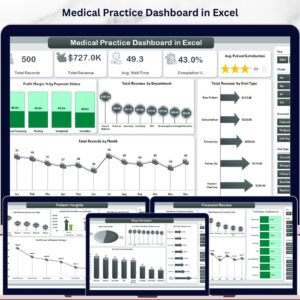
🔹 Medical Practice Dashboard in Excel — Same analytics in Microsoft Excel format with pivot tables and slicers.
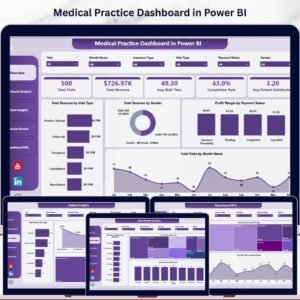
🔹 Medical Practice Dashboard in Power BI — Advanced interactive version with drill-through pages and DAX measures.
🔹 Hospital Patient Flow Dashboard in Google Sheets — Track admissions, discharges, bed occupancy, and wait times.
🔹 Veterinary Clinic Dashboard in Google Sheets — Tailored for animal care clinics tracking appointments and revenue.
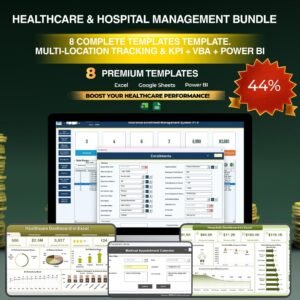
💎 Save 38% — Get all 8 Healthcare templates in the Healthcare & Hospital Management Bundle →
Browse all Google Sheets Dashboard Templates
📖 Click here to read the Detailed Blog Post
Watch the step-by-step video tutorial:
🎥 Visit our YouTube channel for step-by-step video tutorials
👉 YouTube.com/@NextGenTemplates






Reviews
There are no reviews yet.