


Managing corporate travel efficiently is a constant challenge for organizations of all sizes. Employees regularly request travel for client meetings, conferences, training programs, and project work. However, when travel requests are managed through emails, chats, or unstructured spreadsheets, approvals slow down, costs increase, and visibility is lost. As a result, HR, finance, and operations teams struggle to maintain control and accountability.
That is exactly where a Corporate Travel Booking Request Tracker in Google Sheets becomes a powerful and practical solution.
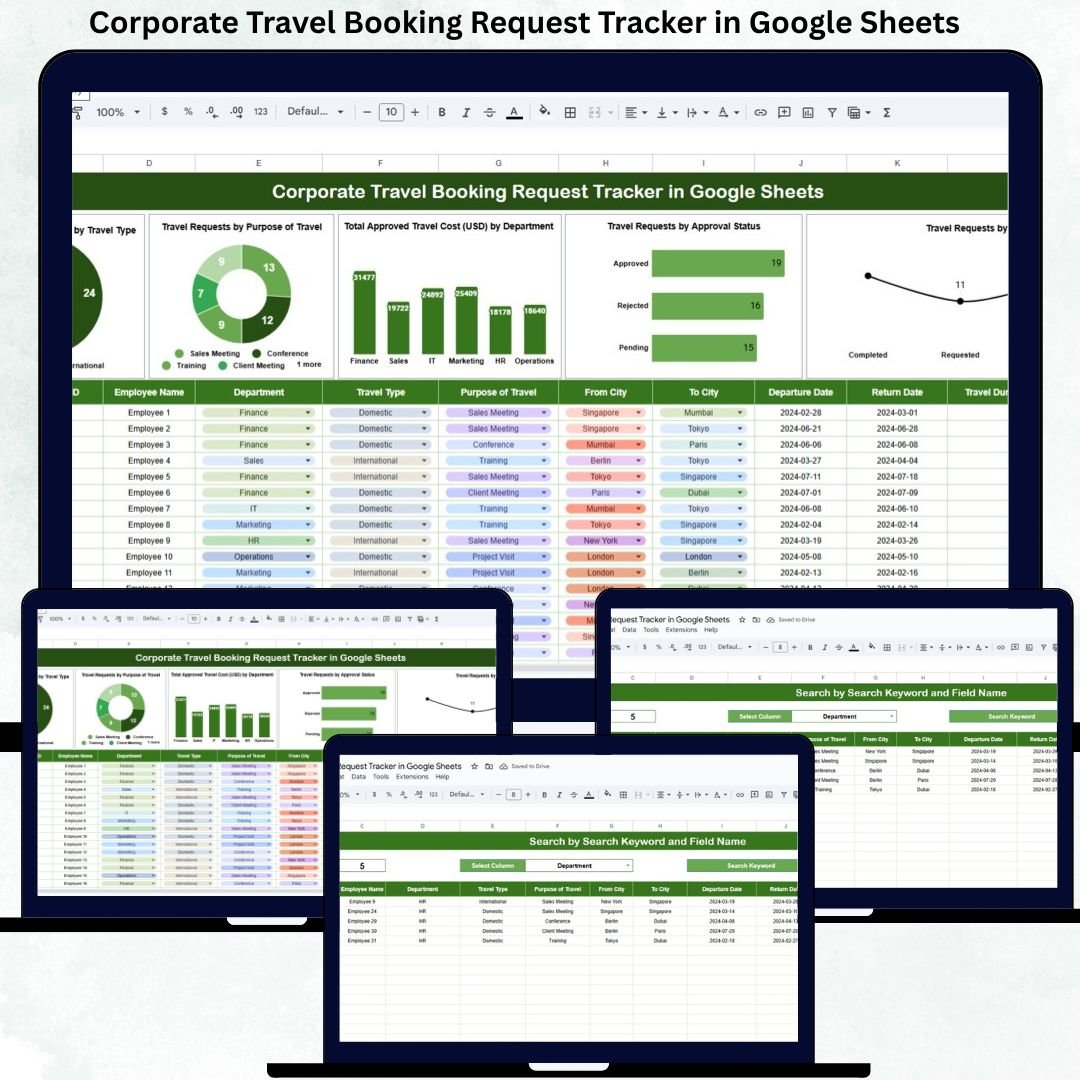
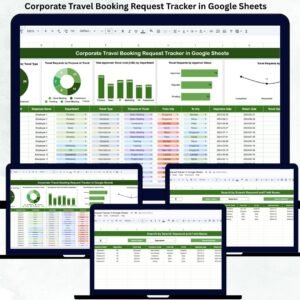
The Corporate Travel Booking Request Tracker in Google Sheets is a ready-to-use system that helps organizations capture, approve, monitor, and analyze all employee travel requests in one centralized location. Instead of juggling multiple tools and manual follow-ups, teams gain real-time visibility into travel volume, approval status, booking progress, and departmental travel spending.
Because this tracker is built entirely in Google Sheets, it is cloud-based, collaborative, cost-effective, and easy to customize. Multiple users can work simultaneously, data updates instantly, and management gets clear insights without investing in expensive travel management software.
🌟 Key Features of Corporate Travel Booking Request Tracker
✈️ Centralized travel request management
🧾 Structured approval and booking tracking
💰 Department-wise approved travel cost analysis
📊 Interactive charts for quick insights
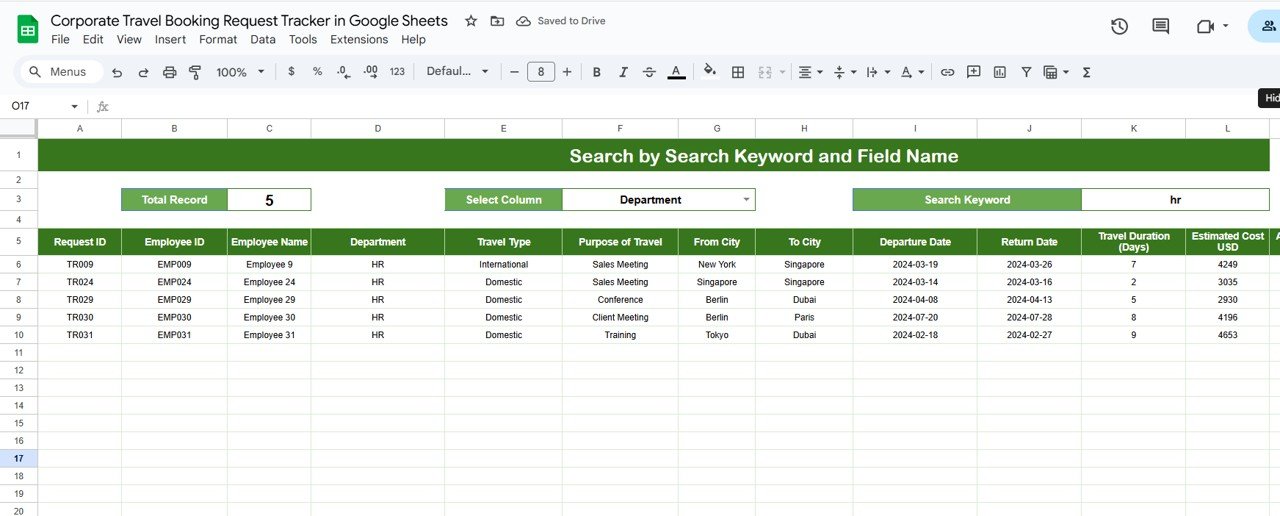
🔍 Smart search by keyword and field name
🔄 Real-time updates across all visuals
🤝 Multi-user collaboration in Google Sheets
🚀 Easy to customize based on travel policy
📦 What’s Inside the Corporate Travel Booking Request Tracker
The tracker is designed for simplicity, transparency, and control. It includes a structured tracker sheet, visual dashboards, and a powerful search feature.
📋 Tracker Sheet Tab – Central Data Entry
This is the foundation of the entire travel management system. All employee travel requests are recorded here using clearly defined fields such as:
Employee Name
Employee ID
Department
Travel Type (Domestic / International)
Purpose of Travel
Travel Start Date
Travel End Date
Estimated Cost
Approved Cost (USD)
Approval Status
Booking Status
Remarks / Notes
Once data is entered or updated, all charts refresh automatically, ensuring that decision-makers always see the latest information.
📊 Charts Included in the Travel Booking Request Tracker
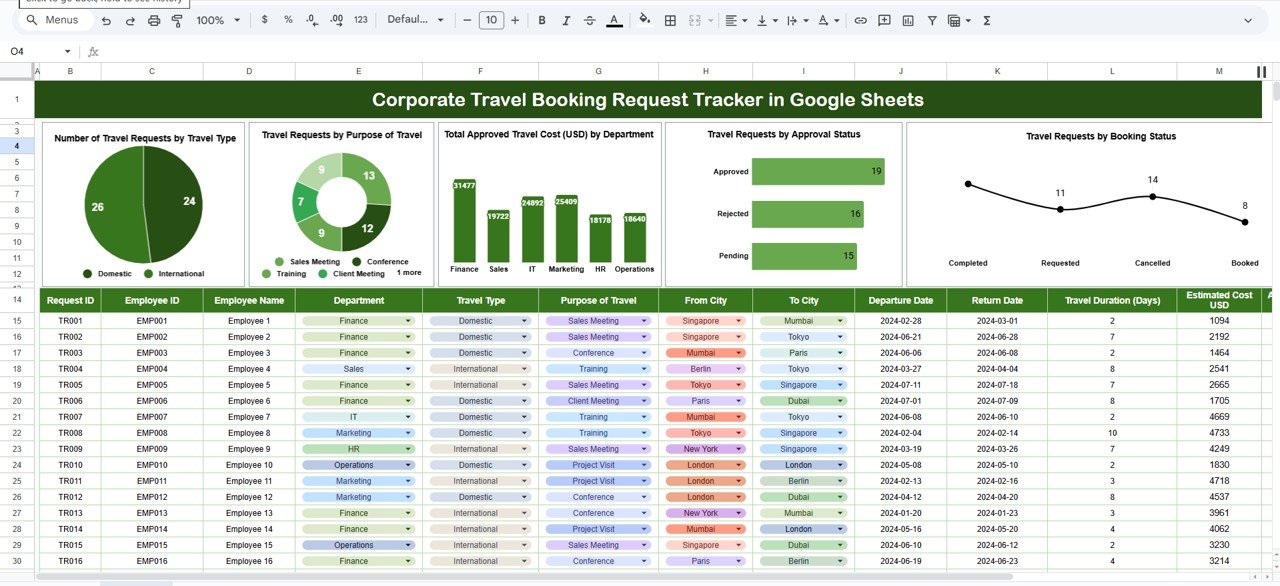
The tracker includes five powerful charts that convert raw travel data into actionable insights.
✈️ Travel Requests by Travel Type
Shows the split between domestic and international travel, helping organizations understand travel patterns quickly.
🎯 Travel Requests by Purpose
Categorizes travel requests by purpose such as client meetings, training, conferences, or internal meetings, ensuring travel aligns with business priorities.
💰 Total Approved Travel Cost by Department
Provides clear visibility into departmental travel spending, helping finance teams control budgets and forecast costs.
✅ Travel Requests by Approval Status
Displays pending, approved, and rejected requests, allowing managers to identify approval bottlenecks instantly.
📦 Travel Requests by Booking Status
Tracks booking progress (Not Booked, In Progress, Booked, Cancelled), ensuring approved travel is completed on time.
Together, these charts provide a complete picture of travel activity and spending.
🔍 Smart Search Functionality
The tracker includes a Search Panel that allows users to instantly locate specific requests.
You can search using:
Search Keyword (employee name, department, destination)
Field Name (Department, Approval Status, Booking Status, Travel Type)
This feature saves hours of manual filtering and improves productivity during audits, reviews, and employee queries.
👥 Who Can Use This Tracker
🧑💼 HR Teams
💰 Finance & Accounts Teams
🛠️ Admin & Operations Teams
👔 Managers & Approvers
🏢 Leadership & Executives
It works equally well for small businesses, mid-size organizations, and large enterprises.
🏆 Advantages of Corporate Travel Booking Request Tracker
Centralized travel request visibility
Faster approvals and smoother bookings
Strong control over travel costs
Reduced manual follow-ups
Improved transparency and accountability
Zero additional software cost
🚀 Conclusion
A Corporate Travel Booking Request Tracker in Google Sheets brings structure, control, and transparency to employee travel management. With clear data entry, real-time charts, and a powerful search feature, organizations reduce delays, control travel spending, and improve employee experience. Because it is cloud-based and easy to use, teams can focus on execution instead of manual tracking.
Click here to Read detailed blog post
Watch the step-by-step video tutorial:
🎥 Visit our YouTube channel for step-by-step tutorials
👉 https://youtube.com/@NeotechNavigators
Compatibility and Requirements
- Works in Google Sheets with a free Google account and a web browser. Nothing to install.
- Several people can work in the tracker at the same time. Google explains charts in Add & edit a chart or graph.
Frequently Asked Questions
What details do I record for each request?
Each request has Employee Name, Employee ID, Department, Travel Type, Purpose of Travel, start and end dates, Estimated Cost, Approved Cost (USD), Approval Status, Booking Status and Remarks.
Which charts are included?
Five charts show requests by travel type, purpose, approval status and booking status, plus total approved travel cost by department.
Which approval and booking statuses can I use?
Approval Status shows pending, approved or rejected. Booking Status shows Not Booked, In Progress, Booked or Cancelled.
How do I find a specific request?
Use the Search Panel to search by keyword, such as an employee name or department, or by field name.
Do the charts update on their own?
Yes. When you add or change a request on the Tracker sheet, all charts refresh.
Related Business Travel Templates
- Employee Business Travel Expense Tracker in Google Sheets: track travel expenses after the trip
- Travel Expense Tracker Checklist in Google Sheets: a checklist for travel spending
- Travel Authorization Tracker in Excel: travel approvals in Excel
- Business Travel Plan Tracker and Dashboard: plan trips and view them on a dashboard
- Tracker Toolkit: 12 premium Excel and Google Sheets trackers in one bundle
Browse all Google Sheets trackers or the Google Sheets HR and payroll templates.


































Reviews
There are no reviews yet.