

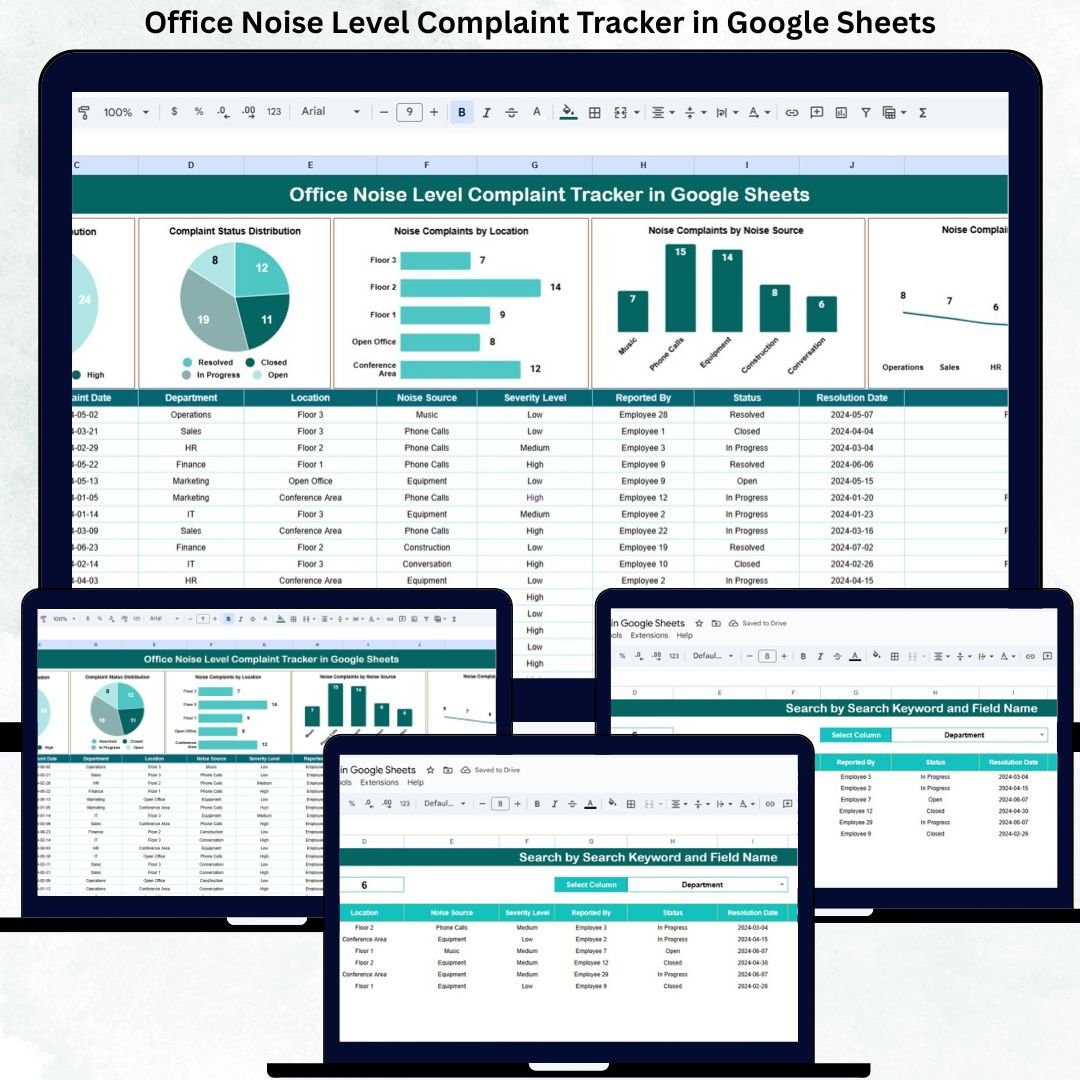

Office noise is one of the most common yet underestimated workplace problems. Loud conversations, continuous background noise, construction work, meeting disruptions, or equipment sounds can reduce employee focus, increase stress, and negatively impact productivity. When noise complaints are handled informally through emails or verbal requests, many issues go unresolved, and employees feel ignored. The Office Noise Level Complaint Tracker in Google Sheets provides a structured, transparent, and efficient way to manage these complaints professionally.
This ready-to-use tracker centralizes all office noise complaints into a single Google Sheets file. HR teams, facility managers, and office administrators can log complaints, monitor resolution status, analyze recurring noise issues, and take corrective action using clear charts and instant search functionality. Because it runs entirely in Google Sheets, the tracker is cloud-based, easy to share, and accessible from anywhere—without any additional software or training.
✨ Key Features of the Office Noise Level Complaint Tracker in Google Sheets
📋 1. Centralized Noise Complaint Logging
All employee noise complaints are recorded in one structured Tracker Sheet. This eliminates lost emails and ensures every complaint receives proper attention.
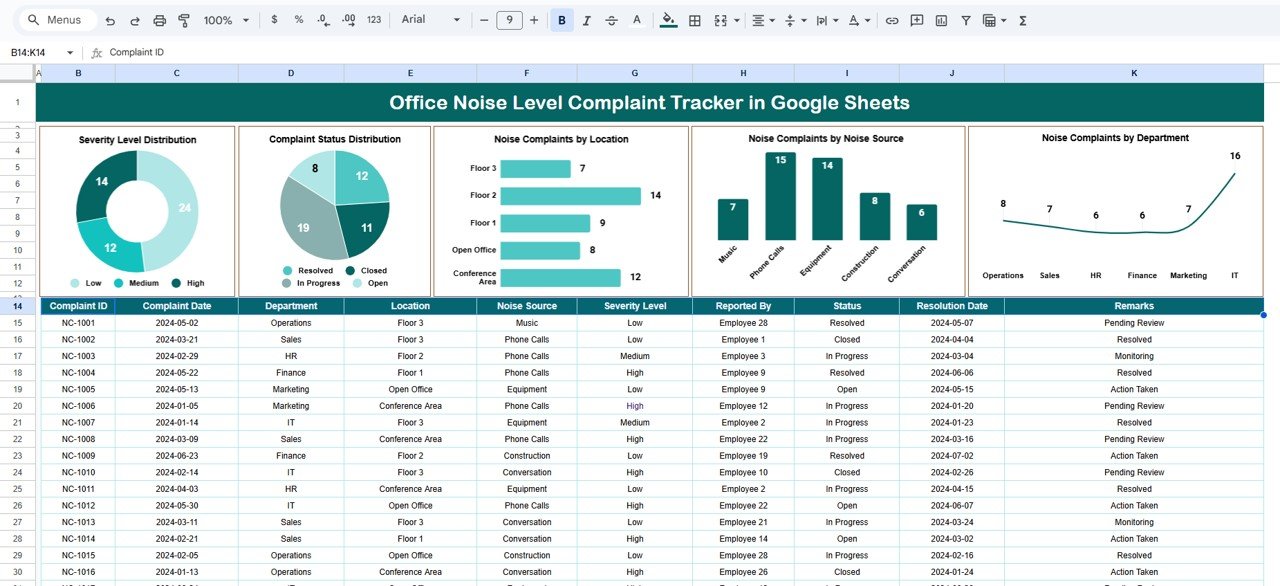
📊 2. Automated Charts for Instant Insights
Built-in charts convert raw complaint data into clear visuals, helping teams quickly identify noise hotspots, severity levels, and unresolved issues.
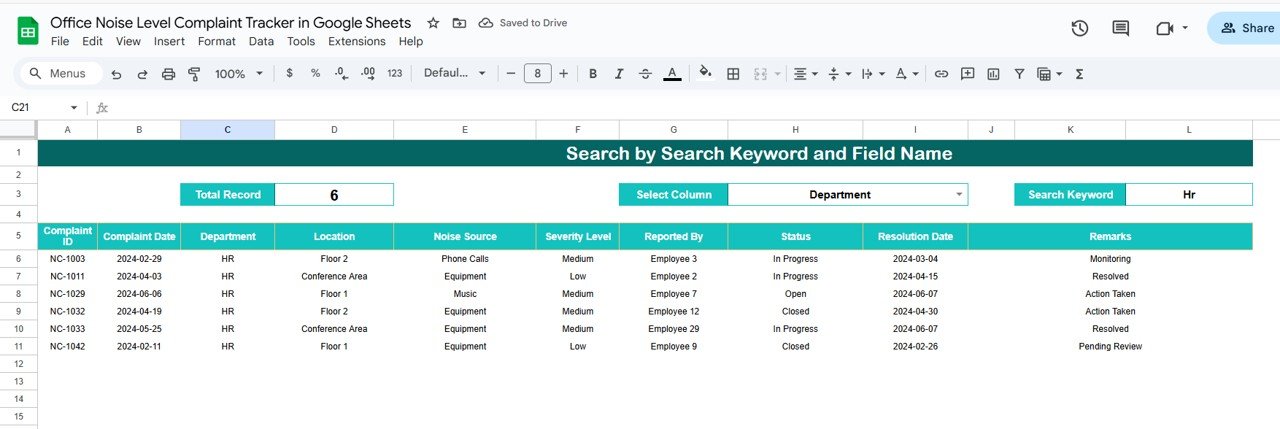
🔍 3. Smart Search by Keyword & Field Name
Find any complaint instantly by searching employee name, department, location, noise source, or status—no scrolling required.
🤝 4. Real-Time Collaboration
Multiple users can update and review complaints simultaneously using Google Sheets’ sharing features.
🧩 5. Fully Customizable Structure
You can easily add fields, modify noise categories, adjust severity levels, or expand charts based on your workplace needs.
📦 What’s Inside the Office Noise Level Complaint Tracker
🗂️ Tracker Sheet Tab – Central Complaint Log
This sheet acts as the single source of truth for all noise complaints. Typical fields include:
Complaint ID
Complaint Date
Employee Name (or Anonymous option)
Department
Location / Floor / Area
Noise Source (Conversation, Equipment, Construction, Music, Meetings, etc.)
Severity Level (Low, Medium, High)
Complaint Status (Open, In Progress, Resolved, Closed)
Assigned To
Resolution Date
Remarks / Action Taken
Any update in this sheet instantly refreshes all charts.
📈 Charts Included for Better Analysis
🔊 Severity Level Distribution
Shows how many complaints fall under Low, Medium, or High severity—helping teams prioritize urgent issues.
📌 Complaint Status Distribution
Displays Open, In Progress, Resolved, and Closed complaints—ideal for monitoring resolution progress.
📍 Noise Complaints by Location
Highlights floors or areas with the highest noise issues, supporting layout changes or soundproofing decisions.
🔧 Noise Complaints by Noise Source
Identifies whether complaints arise from conversations, equipment, construction, meetings, or external noise—allowing targeted solutions.
🏢 Noise Complaints by Department
Shows department-wise complaint patterns, helping HR introduce fair and transparent noise management guidelines.
All charts update automatically and provide real-time insights without manual reporting.
🛠️ How to Use the Office Noise Level Complaint Tracker
1️⃣ Log Complaints Immediately
Record complaints as soon as employees report them to maintain accuracy.
2️⃣ Assign Responsibility Clearly
Assign each complaint to a facility or admin team member.
3️⃣ Update Status Regularly
Move complaints from Open → In Progress → Resolved to ensure accountability.
4️⃣ Review Charts Weekly
Identify recurring issues and take preventive action.
5️⃣ Use Search During Reviews
Quickly locate complaints during audits or management meetings.
🎯 Who Can Benefit from This Tracker
👥 HR Teams
Improve employee satisfaction and workplace experience.
🏢 Facility & Office Management Teams
Identify noise hotspots and improve office infrastructure.
🧩 Workplace Experience Teams
Create quieter, more focused workspaces.
📋 Compliance & Audit Teams
Maintain structured, traceable complaint records.
🚀 Co-working Space Managers
Manage shared-space noise complaints effectively.
### Click here to read the Detailed blog post
Watch the step-by-step video tutorial:
Visit our YouTube channel to learn step-by-step video tutorials — Youtube.com/@NeotechNavigators
Compatibility and Requirements
- Works in Google Sheets. You need a free Google account and a web browser.
- Severity and status are chosen from fixed lists such as Low, Medium, High and Open, In Progress, Resolved, Closed. Google explains dropdowns in Create an in-cell dropdown list.
Frequently Asked Questions
What fields does the Tracker Sheet record?
Complaint ID, complaint date, employee name (or anonymous), department, location or floor, noise source, severity level, complaint status, assigned person, resolution date and remarks or action taken.
Which charts are included?
Five charts: severity level distribution, complaint status distribution, complaints by location, complaints by noise source and complaints by department. They update when you change the Tracker Sheet.
How do I find a specific complaint?
Use the search by keyword and field name. You can look up an employee name, department, location, noise source or status without scrolling.
Can I change the noise categories or add fields?
Yes. You can add fields, edit the noise categories, adjust the severity levels or expand the charts to match your office.
Can several people update it at the same time?
Yes. It is a Google Sheets file, so several users can review and update complaints together using the normal sharing settings.
Is there an Excel version?
This page covers the Google Sheets edition. For a similar complaint workflow in Excel, see the Customer Complaint Tracker in Excel.
Related Complaint and Office Templates
- Employee Complaint Resolution Tracker in Google Sheets: track employee complaints through to resolution
- Customer Complaint Tracker in Google Sheets: the same idea for customer complaints
- Office Security Incident Report Tracker in Google Sheets: log other office incidents
- Office Supply Inventory Update Tracker in Google Sheets: another office admin tracker
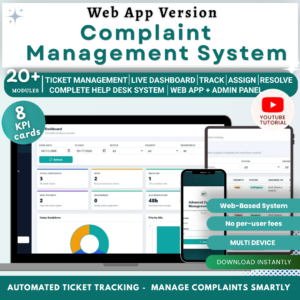
- Complaint Management System: Web App Version: a web app for managing complaints
Browse all Google Sheets trackers.
































Reviews
There are no reviews yet.