Legal Compliance Tracker in Google Sheets is essential for every organization, regardless of size or industry. Companies must adhere to laws, regulatory standards, internal policies, audits, and industry-specific requirements. But managing compliance manually—especially when tasks involve multiple owners, departments, and deadlines—quickly becomes overwhelming. A missed compliance date can lead to penalties, legal trouble, reputational damage, and operational risk. That’s why the Legal Compliance Tracker in Google Sheets is a game-changing tool for modern businesses.Legal Compliance Tracker in Google Sheets
This ready-to-use cloud-based tracker helps you record, monitor, and analyze all compliance tasks in one centralized location. It ensures teams stay aligned, high-risk tasks are addressed early, and compliance performance is always visible. Whether your organization handles regulatory inspections, HR audits, safety checks, financial compliance, or operational controls, this tracker gives you complete clarity and confidence.Legal Compliance Tracker in Google Sheets
With visual KPIs, automated charts, a built-in search system, and real-time collaboration features, the Legal Compliance Tracker makes compliance management simpler, faster, and audit-ready.Legal Compliance Tracker in Google Sheets
✨ Key Features of the Legal Compliance Tracker in Google Sheets
📊 1. Complete Compliance Dashboard
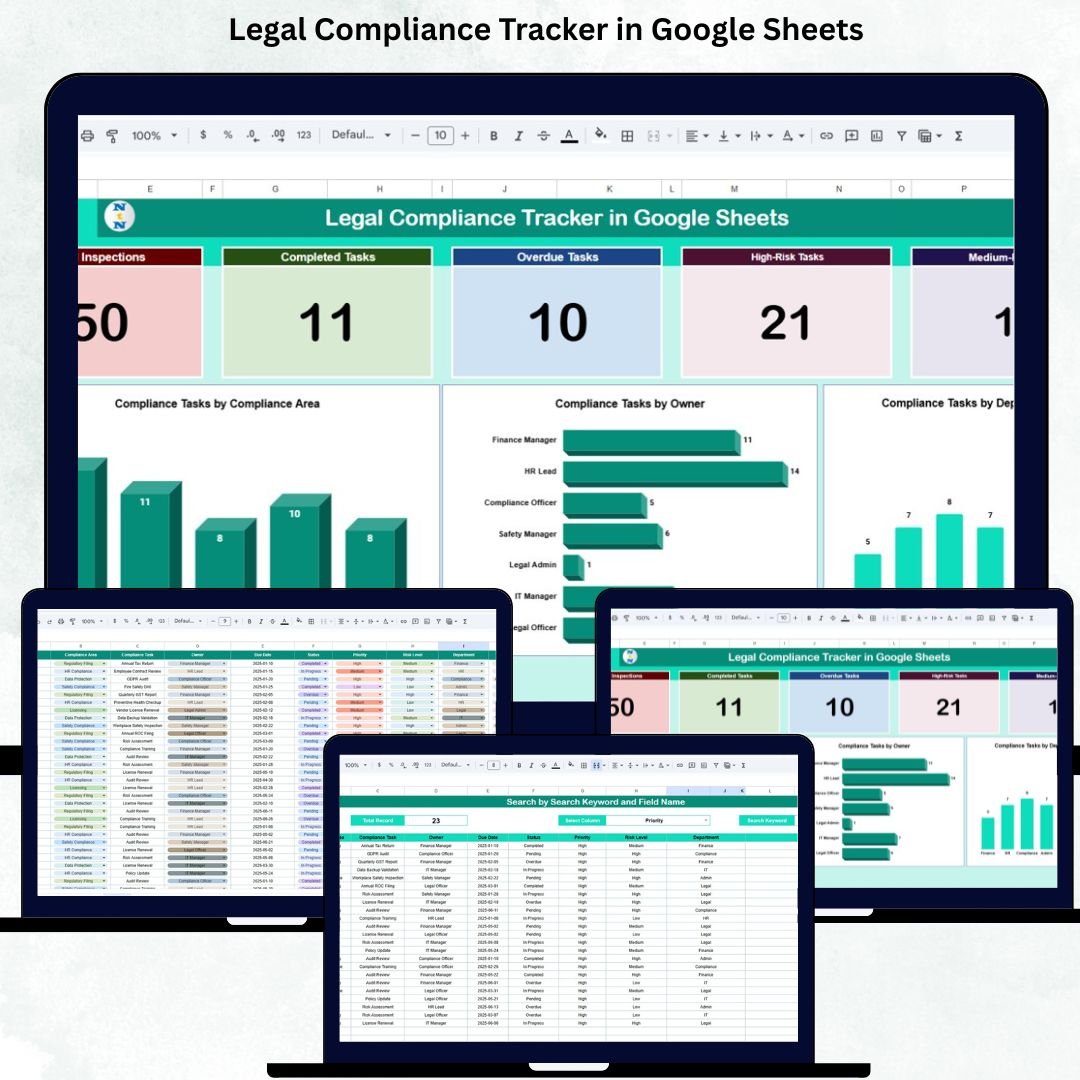
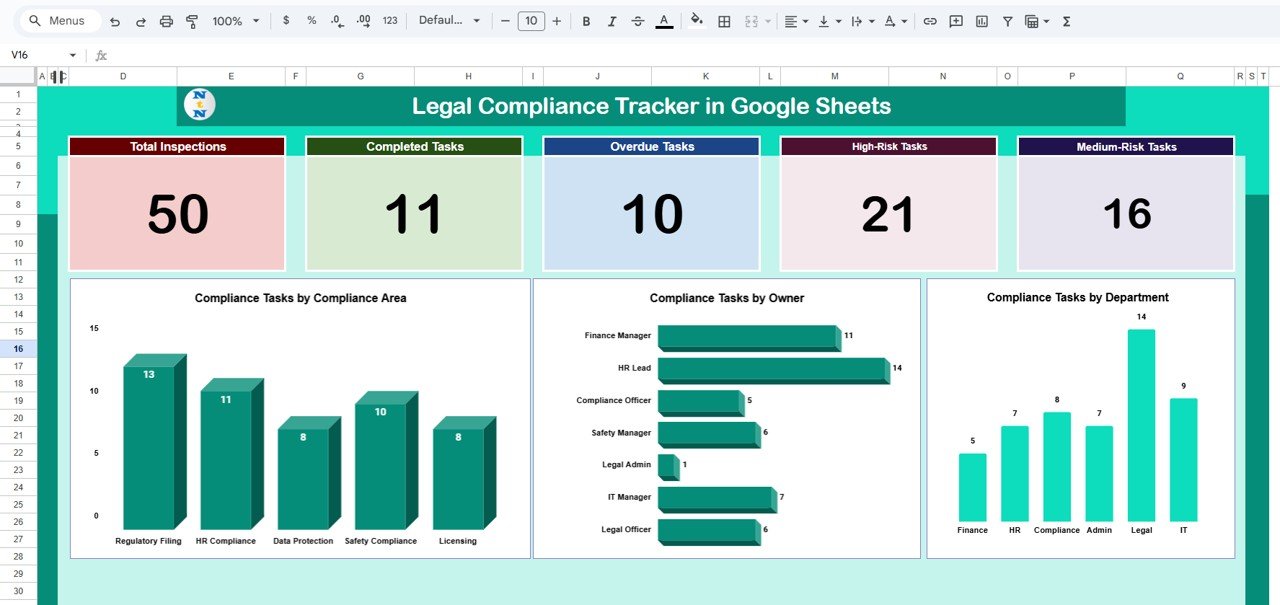
Get instant visibility into all compliance tasks using dynamic KPI cards that show:
Total Inspections
Completed Tasks
Overdue Tasks
High-Risk Tasks
Medium-Risk Tasks
These metrics help teams prioritize urgent issues and prevent compliance failures.
📈 2. Automated Charts for Insightful Decision-Making
The dashboard includes clean, professional charts that visualize:
Compliance Tasks by Area
Compliance Tasks by Department
Compliance Tasks by Owner
These visuals make it easy to identify bottlenecks, high-risk departments, and workload distribution among compliance owners.
🧭 3. Real-Time Collaboration
Because the tracker is built in Google Sheets, HR, Legal, Operations, and Audit teams can update and collaborate simultaneously—with no software installation or licensing fees.
📦 What’s Inside the Legal Compliance Tracker in Google Sheets
📍 1. Tracker Sheet – Visual Dashboard Overview
This is the main analytics page showing KPI cards and visual charts. It gives decision-makers an instant understanding of compliance performance across the organization.
You can quickly identify:
Which departments have overdue tasks
Which compliance areas carry the highest risk
Which owners need support
How many tasks are pending, completed, or requiring urgent action
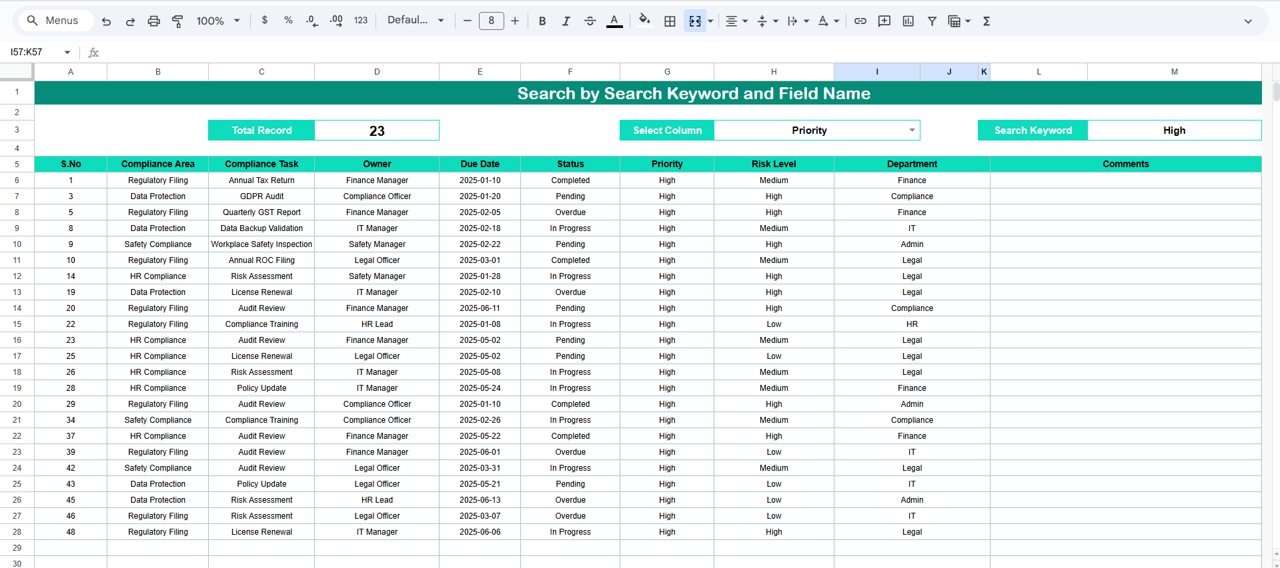
🔍 2. Search Sheet – Fast Task Lookup
Simply search by keyword or choose a specific field such as:Legal Compliance Tracker in Google Sheets
Task Name
Compliance Area
Owner
Department
Risk Level
Status
This feature saves hours, especially during audits, reporting cycles, or compliance reviews.
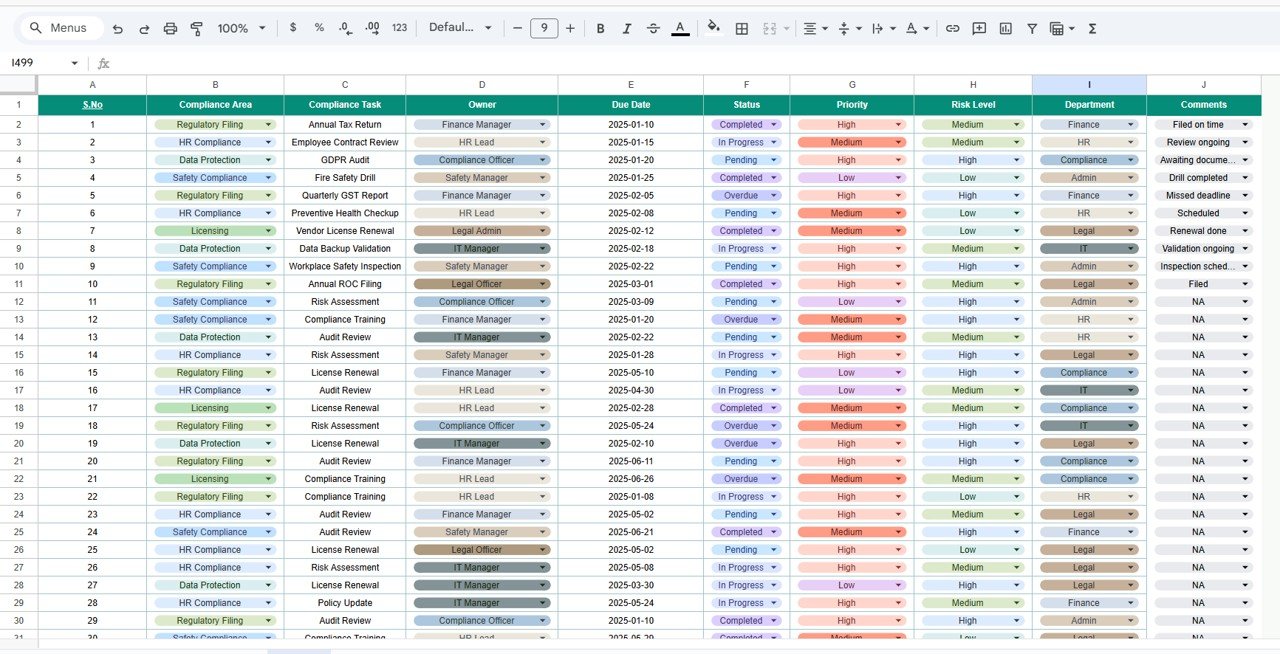
📄 3. Data Sheet – Centralized Compliance Repository
This sheet stores every compliance detail, including:
Task ID
Task Name
Compliance Area
Assigned Owner
Department
Due Date
Completion Status
Risk Level
Compliance Type
Inspection Date
Notes
The dashboard pulls all metrics directly from this sheet, ensuring accuracy and automation.
🎯 Who Can Benefit from the Legal Compliance Tracker in Google Sheets
👨⚖️ Legal Teams
Ensure regulatory requirements are met and reduce legal exposure.
🏢 HR Departments
Track HR compliance tasks such as policy updates, audits, and employee documentation.
📊 Internal Audit Teams
Monitor inspection schedules, risk categories, and overdue tasks.
⚙️ Operations Managers
Oversee safety checks, facility compliance, and operational controls.
📈 Senior Leadership
Gain clear, real-time insight into compliance performance across the company.
Click here to read the Detailed blog post
Watch the step-by-step video Demo: