

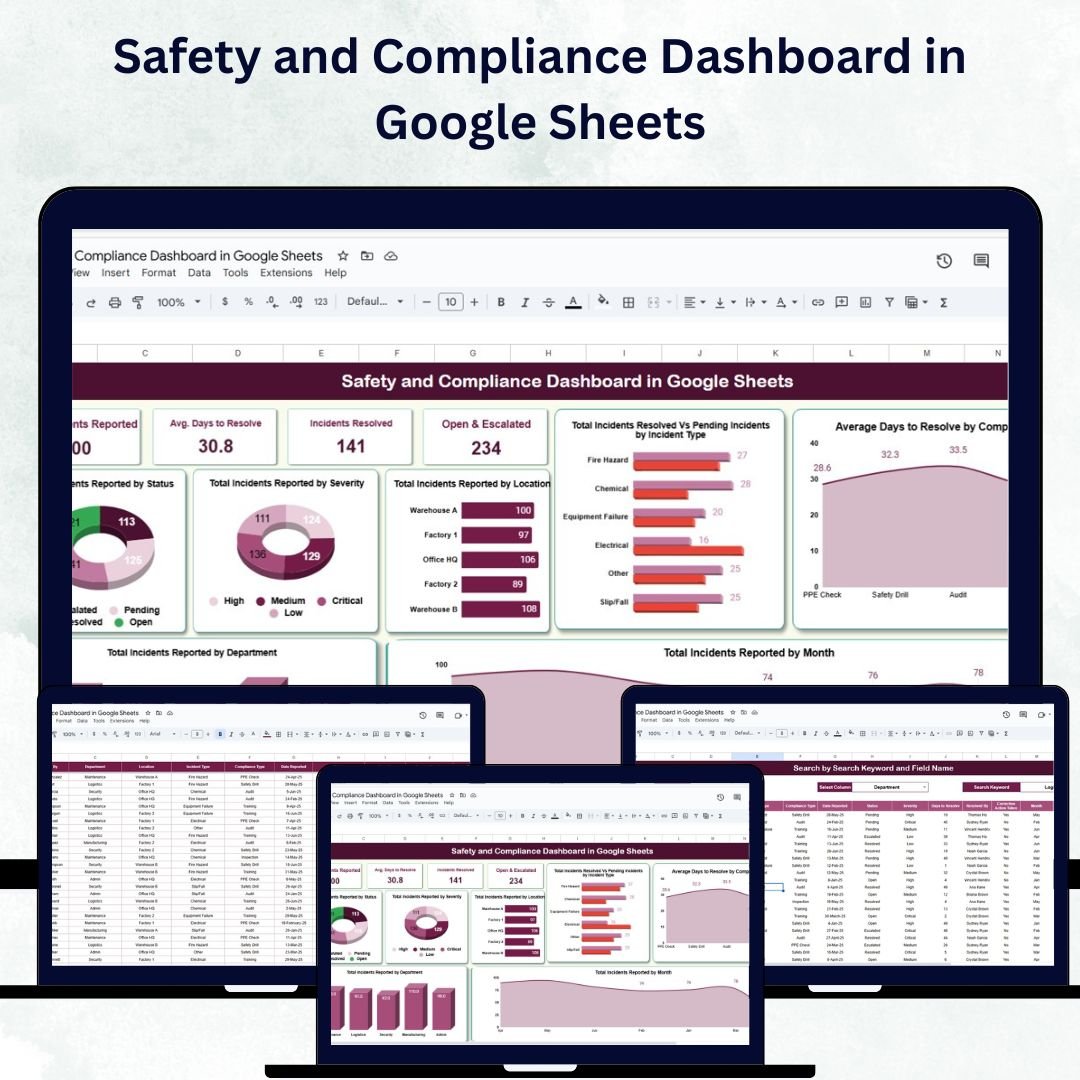

Workplace safety and compliance are essential pillars of every successful organization. The Safety and Compliance Dashboard in Google Sheets is a ready-to-use, data-driven solution designed to help organizations monitor safety incidents, track resolutions, and ensure adherence to compliance standards — all in one centralized platform. ⚙️📈
Built for HR, operations, and compliance teams, this interactive dashboard transforms raw incident data into clear visual insights, enabling managers to identify high-risk areas, analyze resolution efficiency, and maintain a culture of safety and accountability.
🔑 Key Features of the Safety and Compliance Dashboard in Google Sheets
📊 Dashboard Sheet Tab
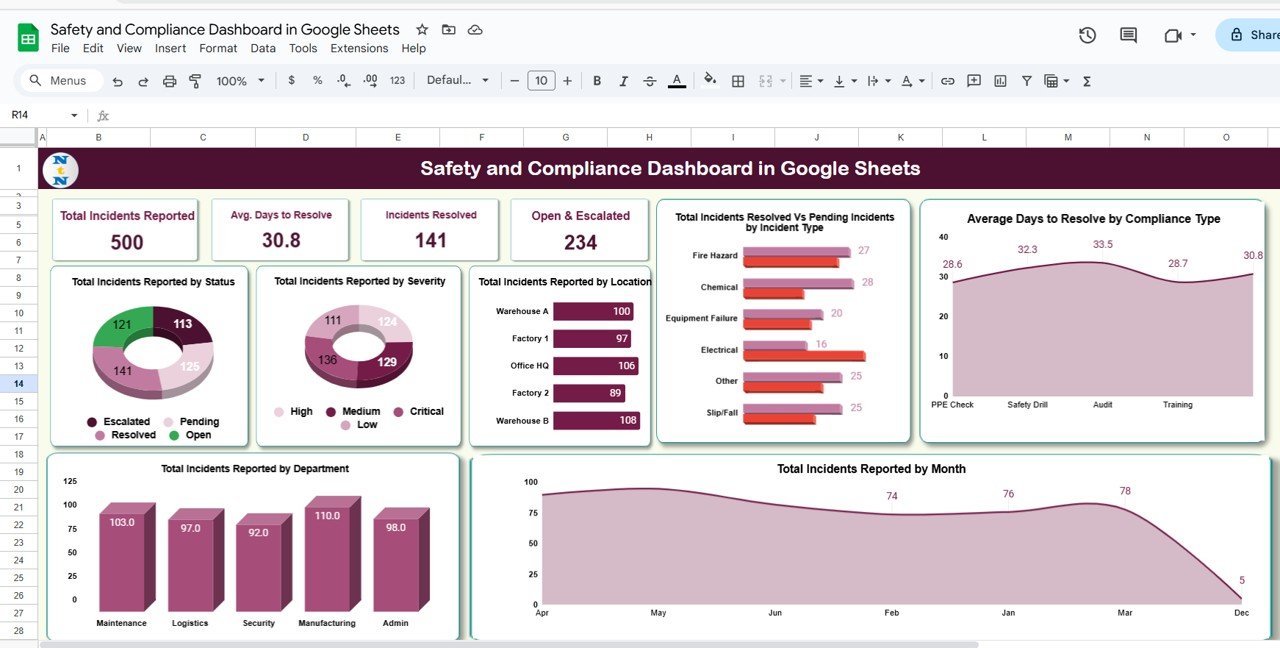
The main dashboard sheet delivers a powerful visual summary of key safety and compliance metrics through interactive cards and charts:
Cards Section:
Total Incidents Reported 🚨 – Count of all reported incidents
Avg. Days to Resolve ⏱️ – Average resolution time across all cases
Incidents Resolved ✅ – Total number of closed or completed cases
Open & Escalated ⚠️ – Ongoing or escalated incidents needing attention
Charts Section:
Total Incidents by Status – Compare open, closed, and escalated incidents
Incidents by Severity – Identify the proportion of low, medium, and high-severity cases
Incidents by Location – Spot safety hotspots across offices or sites
Resolved vs Pending by Type – Measure closure efficiency by incident type
Avg. Days to Resolve by Compliance Type – Evaluate response performance by category
Total Incidents by Month – Monitor monthly reporting trends
Incidents by Department – Highlight departments needing safety improvement
This dashboard gives you a complete safety performance snapshot at a glance.
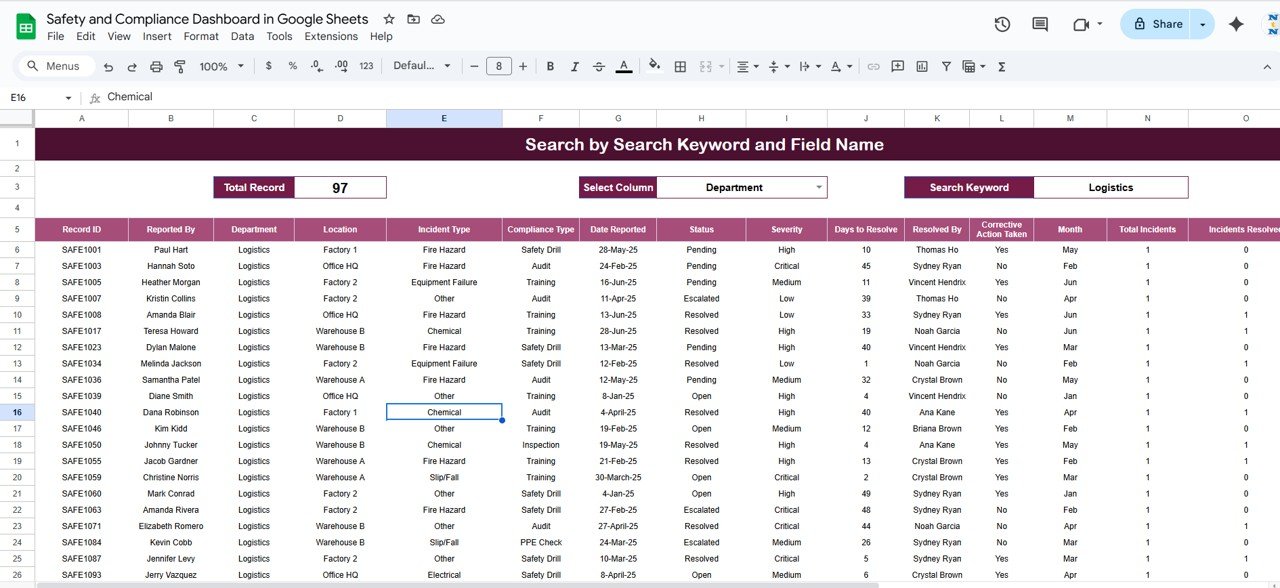
🔍 Search Sheet Tab
Easily retrieve any record within seconds using the built-in search functionality:
Search by keyword (e.g., location, department, or severity)
Choose a specific field name to filter relevant results
This ensures faster analysis, reporting, and decision-making.
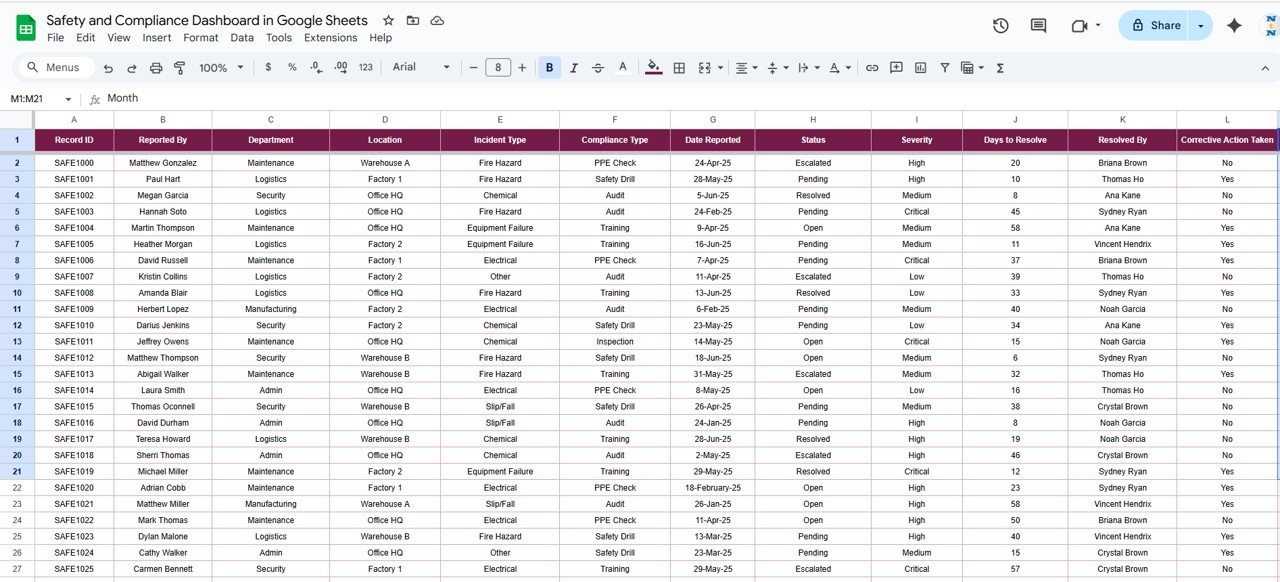
🧾 Data Sheet Tab
The data entry hub for logging every incident and compliance case:
Includes fields for Incident ID, Date, Type, Severity, Department, Status, Resolution Time, and Location
Automatically feeds real-time updates into the dashboard
This structured data approach guarantees accuracy, transparency, and consistency.
📦 What’s Inside the Safety and Compliance Dashboard?
✅ Dashboard Sheet – Interactive visuals and key metrics
✅ Search Sheet – Quick filtering and retrieval of incidents
✅ Data Sheet – Centralized entry table for all safety records
✅ Automated Charts & KPIs – Instantly updated visuals
✅ Sample Data – Preloaded dataset for quick understanding
✅ Customization Ready – Add fields, charts, or categories effortlessly
This plug-and-play tool requires no coding or formula setup — just input your data and start analyzing safety performance right away! 🚀
🧑💼 Who Can Benefit from This Dashboard?
🏢 Operations Managers – Monitor workplace incidents across departments
👩💼 HR & Compliance Teams – Ensure regulatory standards and audit readiness
🧰 Safety Officers – Track high-risk activities and implement corrective actions
📊 Executives – Review compliance performance at an organizational level
This tool fits perfectly for manufacturing plants, corporate offices, healthcare institutions, logistics firms, and more.
🧪 How to Use the Safety and Compliance Dashboard
Enter Incident Data – Log all cases in the Data Sheet.
View Dashboard Metrics – Get real-time KPIs and charts automatically.
Use Search Tab – Filter by department, location, or severity for quick insights.
Monitor Monthly Trends – Identify recurring issues and prevent future risks.
Review Escalations – Take proactive measures for pending or critical cases.
The dashboard’s simplicity and automation make it ideal for non-technical users and busy managers alike. ✅
🌟 Why Choose This Dashboard?
Centralized tracking for all safety and compliance incidents
Real-time performance analytics and charts
Built-in search for instant data retrieval
Google Sheets-based for easy sharing and collaboration
Fully customizable to your organization’s reporting structure
Reduces incident response time and ensures better compliance control
With the Safety and Compliance Dashboard in Google Sheets, you can move from reactive problem-solving to proactive safety management — building a safer, compliant, and more efficient workplace. 🦺🌍
🔗 Click here to read the Detailed blog post
Watch the step-by-step video Demo:
🔗 Visit our YouTube channel to learn step-by-step video tutorials
Compatibility and Requirements
- Needs a free Google account and a web browser. No software to install.
- The charts are standard Google Sheets charts. Google explains them in Add & edit a chart or graph.
Frequently Asked Questions
Which cards are on the dashboard?
Total Incidents Reported, Avg. Days to Resolve, Incidents Resolved, and Open and Escalated incidents.
How do I find a single incident?
Use the Search sheet. Type a keyword such as a location, department or severity, and choose the field to search in.
Which fields does the Data sheet hold?
Incident ID, Date, Type, Severity, Department, Status, Resolution Time and Location.
Does it come with sample data?
Yes. A preloaded dataset shows how the dashboard works before you add your own records.
Can my team work in it together?
Yes. It is a Google Sheets file, so you can share it with your team and update it together.
Related Safety and Compliance Templates
- Safety and Compliance Dashboard in Excel: the same topic for Excel users
- Safety and Compliance Dashboard in Power BI: the same topic for Power BI users
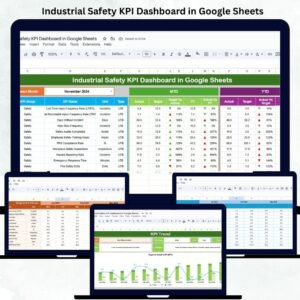
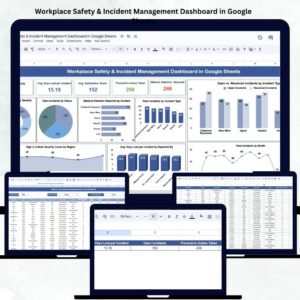
- Workplace Safety & Incident Management Dashboard in Google Sheets: incident management in Google Sheets
- Incident Report Tracker in Google Sheets: logs each incident report
- Employee Health and Safety Dashboard in Google Sheets: employee health and safety KPIs
Browse all Google Sheets dashboards or the Google Sheets trackers.





Reviews
There are no reviews yet.