



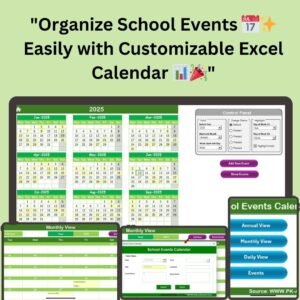
The School Events Calendar in Excel is a ready-made, user-friendly and customizable Excel calendar template that helps school administrators, teachers and event organizers plan and track every school activity in one place. With Annual, Monthly and Daily views, a dynamic control panel and a central events database, it keeps your school year organized, from annual celebrations to day-to-day activities and monthly meetings.

Key Features of the School Events Calendar in Excel
Multiple Views for Easy Access
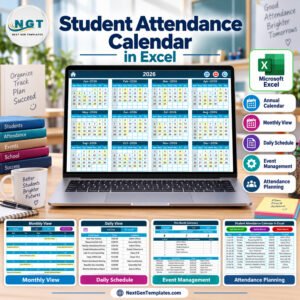
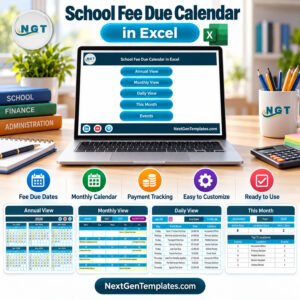
- Annual View: See the whole year’s calendar at a glance. This gives you an overview of all planned events so you can plan the school year effectively.
- Monthly View: Break the year down into months and zoom in on the events for each month. It is useful for keeping track of recurring and special events.
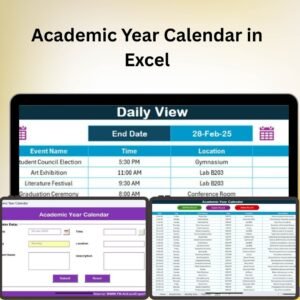
- Daily View: Manage and track events day by day. Quickly check what is happening on a specific day and make adjustments in real time.
Dynamic Control Panel
- Customizable settings: Adjust the year, month and starting day of the week with just a few clicks, so you can switch between years and months without hassle.
- Color theme options: Choose from five pre-designed themes to match your school’s color preferences and keep a uniform, visually appealing look across the calendar.
Simple School Event Management
- Event input: Add new events with the Add New Event button available across various tabs. Whether you are scheduling a school play, a field trip or a staff meeting, you can enter the event name, date, time, location and a detailed description.
- Event overview: Click any date in the calendar to quickly review its events. Each event shows a concise description with its details.
Comprehensive Events Database
- Record keeping: Keep a detailed log of all events in the Events Sheet tab, your central hub for event name, date, time, location and description.
- Update or delete events: If an event is rescheduled or cancelled, you can update or delete it easily to keep your calendar up to date.
What’s Inside the Template
| Sheet / Area | What It Does |
|---|---|
| Annual View | Full-year overview of all planned school events |
| Monthly View | Month-by-month calendar for recurring and special events |
| Daily View | Day-level list of events with details |
| Dynamic Control Panel | Select year, month, starting day of the week and one of five color themes |
| Events Sheet tab | Central database of event name, date, time, location and description, with update and delete options |
Why Choose This Excel Calendar Template?
- User-friendly: Designed for users of all technical backgrounds, intuitive and easy to navigate.
- Customizable: Color themes and an adaptable control panel let you personalize the calendar to suit your school’s needs.
- Efficient management: From single-day events to year-round scheduling, it helps you track all activities seamlessly.
- Reliable event tracker for school: Clear, structured event tracking helps keep your school’s schedule accurate and accessible to staff and students.
- Excel-based: Compatible with standard versions of Microsoft Excel, making it accessible for schools that already use Excel for other tasks.
Who It’s For
- School administrators: Organize and track school-wide events such as fundraisers, school trips, sports meets and annual functions.
- Teachers: Keep track of class events, parent-teacher meetings and other educational activities.
- Event organizers: Manage multiple school events with time, location and descriptions, all in one place.
How to Use the School Calendar in Excel
- Download and open: Unzip the file, open it in Excel on your computer and make sure macros are enabled.
- Select year and month: Use the dynamic control panel to choose the year, month and starting day of the week.
- Add events: Click a date in the calendar and use the Add New Event button to enter event details.
- View events: Switch between Annual, Monthly or Daily View to manage events your way.
- Maintain records: Update or delete events and review the full log in the Events Sheet tab.
After downloading and unzipping this file, ensure that macros are enabled before use. Refer to our tutorial for step-by-step instructions on enabling macros in Excel: https://www.pk-anexcelexpert.com/4-easy-ways-to-enable-macros-in-excel-vba/
Click here to read the detailed blog post
Watch the step-by-step video tutorial:
Visit our YouTube channel to learn from step-by-step video tutorials: Youtube.com/@PKAnExcelExpert
Frequently Asked Questions
What views does the School Events Calendar in Excel offer?
It includes an Annual View for the whole year, a Monthly View for each month and a Daily View for day-to-day event tracking.
Can I change the year, month and start day of the week?
Yes. The dynamic control panel lets you adjust the year, month and starting day of the week with just a few clicks.
What details can I record for each event?
You can enter the event name, date, time, location and a detailed description. All events are stored in the Events Sheet tab.
Can I edit or remove events later?
Yes. Events can be updated if rescheduled or deleted if cancelled, keeping your calendar current.
Do I need to enable macros?
Yes. After downloading and unzipping the file, enable macros before use. The tutorial link above explains how.
Can I match the calendar to my school’s colors?
Yes. You can choose from five pre-designed color themes to suit your school’s color preferences.
Also check our Public Relation Outreach Calendar
Last updated: October 2026
Compatibility and Requirements
- Needs Microsoft Excel desktop on Windows with macros enabled. Excel for the web, Google Sheets and the mobile apps do not run the macros.
- Microsoft explains how to turn macros on in Enable or disable macros in Microsoft 365 files.
Related School Calendar Templates
- School Event Checklist in Excel: prepare each school event step by step
- Academic Year Calendar in Excel: plan the full academic year
- Academic Year Calendar in Google Sheets: a shared academic calendar online
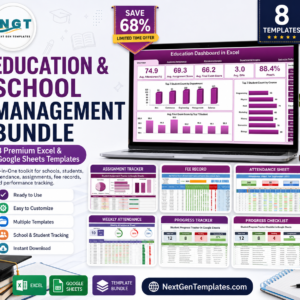
- Education & School Management Bundle: 8 school templates in one download
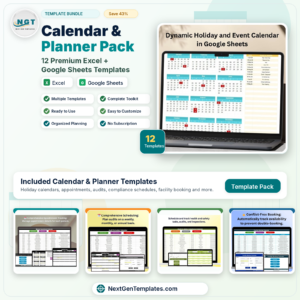
- Calendar & Planner Pack: 12 calendar and planner templates in one download
Browse all Excel calendars or the Excel education templates.






Reviews
There are no reviews yet.