

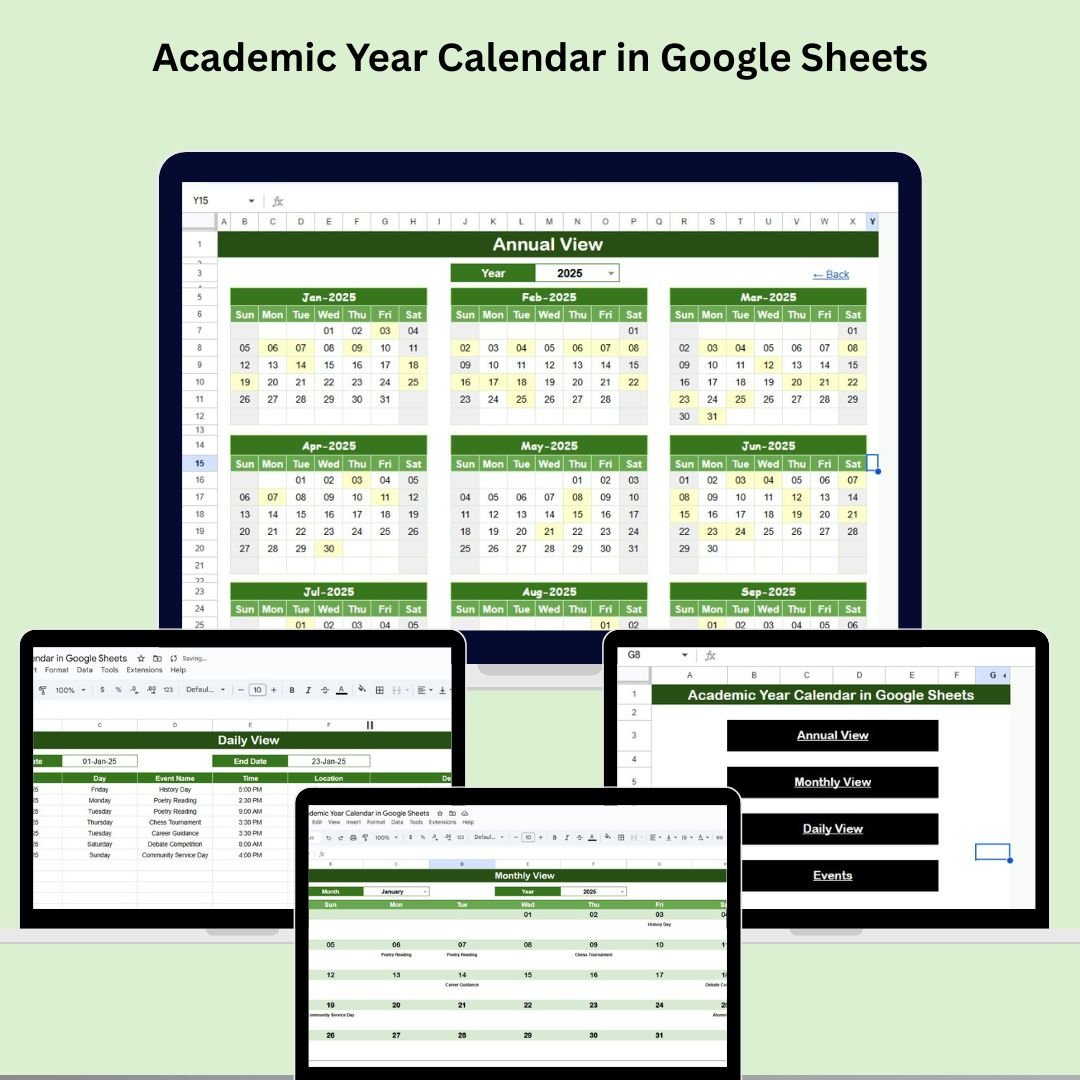

Keeping track of academic schedules, events, and deadlines can be overwhelming for students, teachers, and school administrators alike. The Academic Year Calendar in Google Sheets is the ultimate tool to simplify your school year planning. Whether you’re tracking exams, holidays, classes, meetings, or assignment deadlines, this all-in-one, customizable calendar will keep everything at your fingertips.
Designed for flexibility and ease of use, this ready-to-use template features multiple viewing options (annual, monthly, and daily) and an event management sheet to make academic planning both efficient and collaborative.
✨ Key Features of the Academic Year Calendar Template
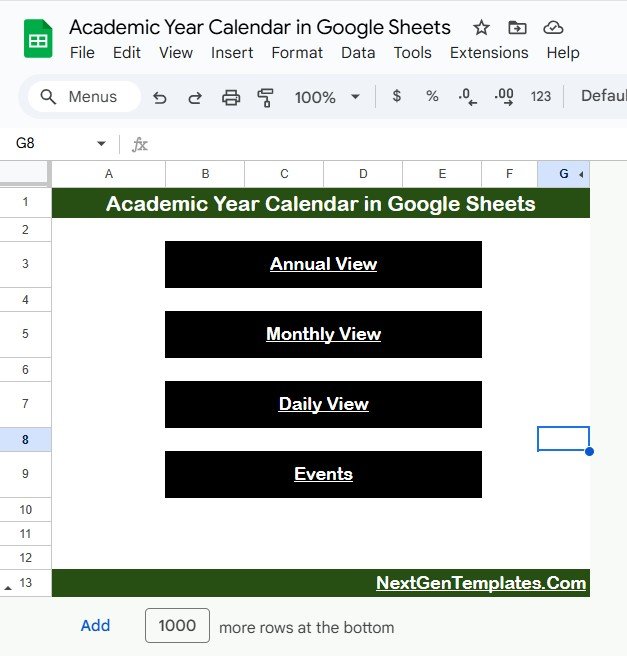
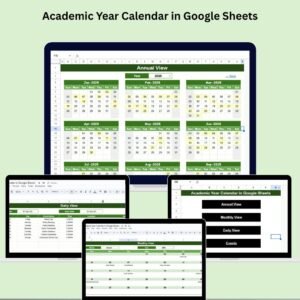
🏠 1. Home Sheet – Your Navigation Hub
Quickly jump to any view with just a click:
📅 Annual View
🗓 Monthly View
📖 Daily View
📌 Events Log
This user-friendly menu gives you central access to all sheets in one place.
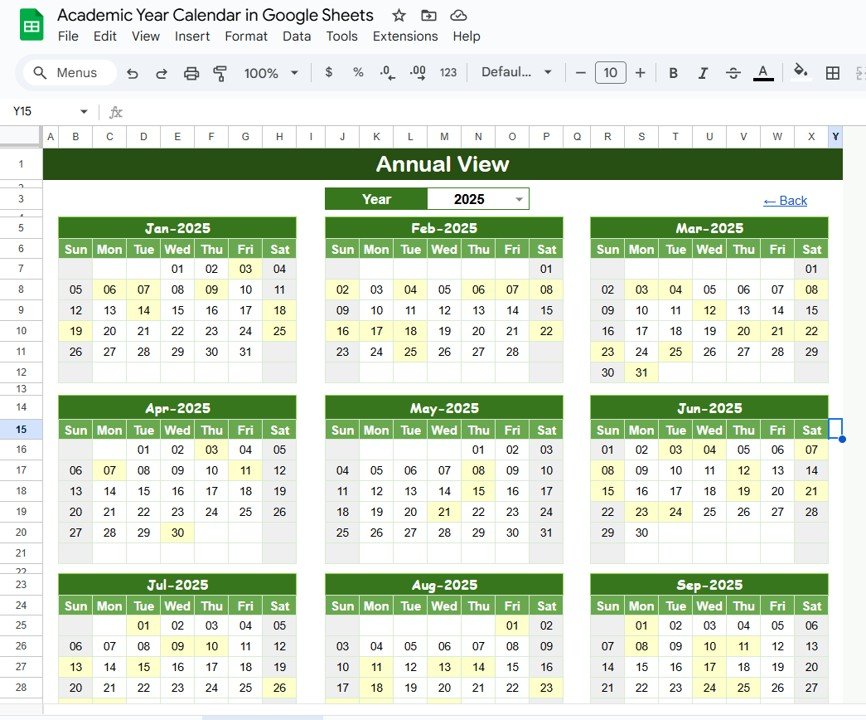
📆 2. Annual View Sheet – Plan the Whole Year
View all 12 months at a glance. This sheet helps you:
Choose any academic year
Customize the starting month and first day of the week
Preview your entire academic timeline
Ideal for long-term academic planning and holiday tracking.
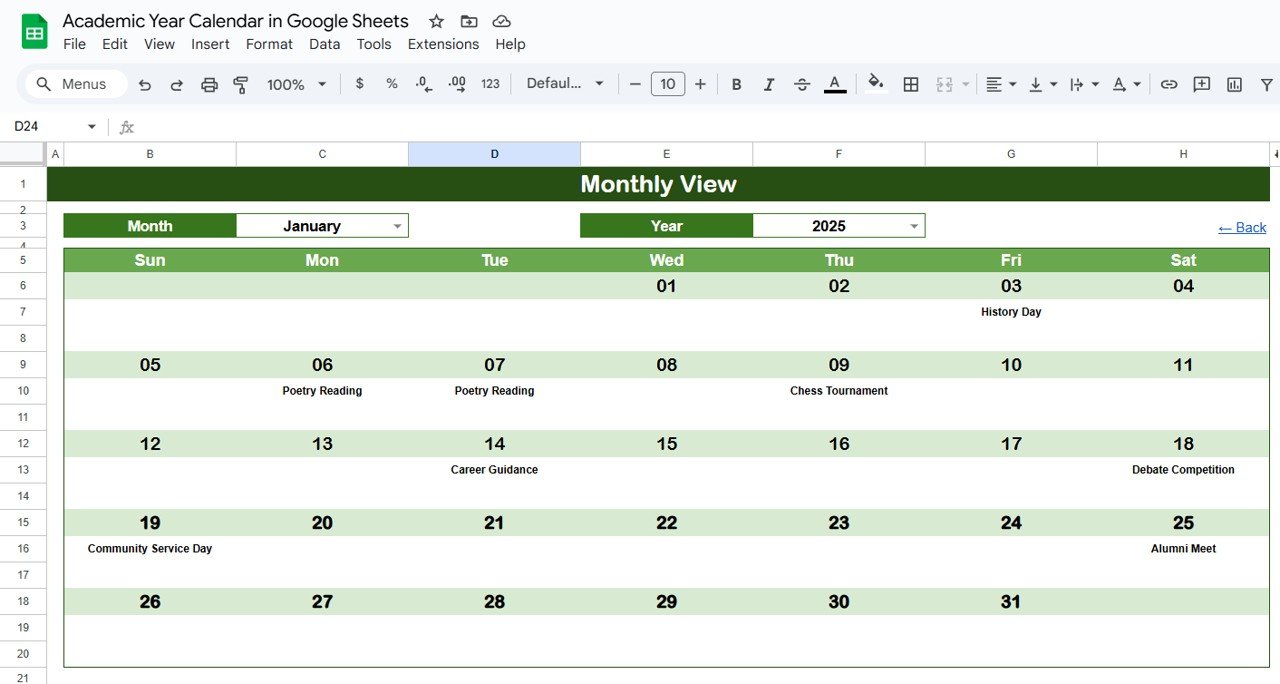
🗓 3. Monthly View Sheet – Zoom in by Month
Get a detailed view of a specific month:
Displays single events clearly by date
Shows “More than 1…” for multiple events on the same day
Dynamic dropdown for selecting month and year
Perfect for planning monthly lessons, assessments, and school activities.
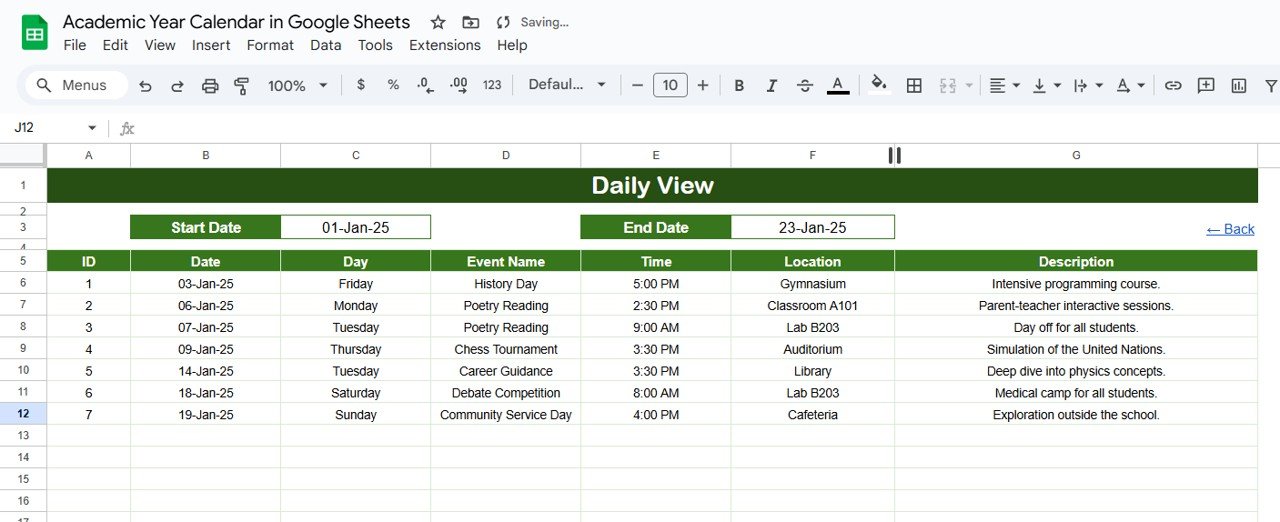
📖 4. Daily View Sheet – Event Details Made Simple
Dive into a specific timeframe:
Enter a Start Date and End Date
Automatically filters and lists all events within that range
Built-in calendar icon for easy date selection
This is the best sheet for tracking daily class schedules, meetings, and submission dates.
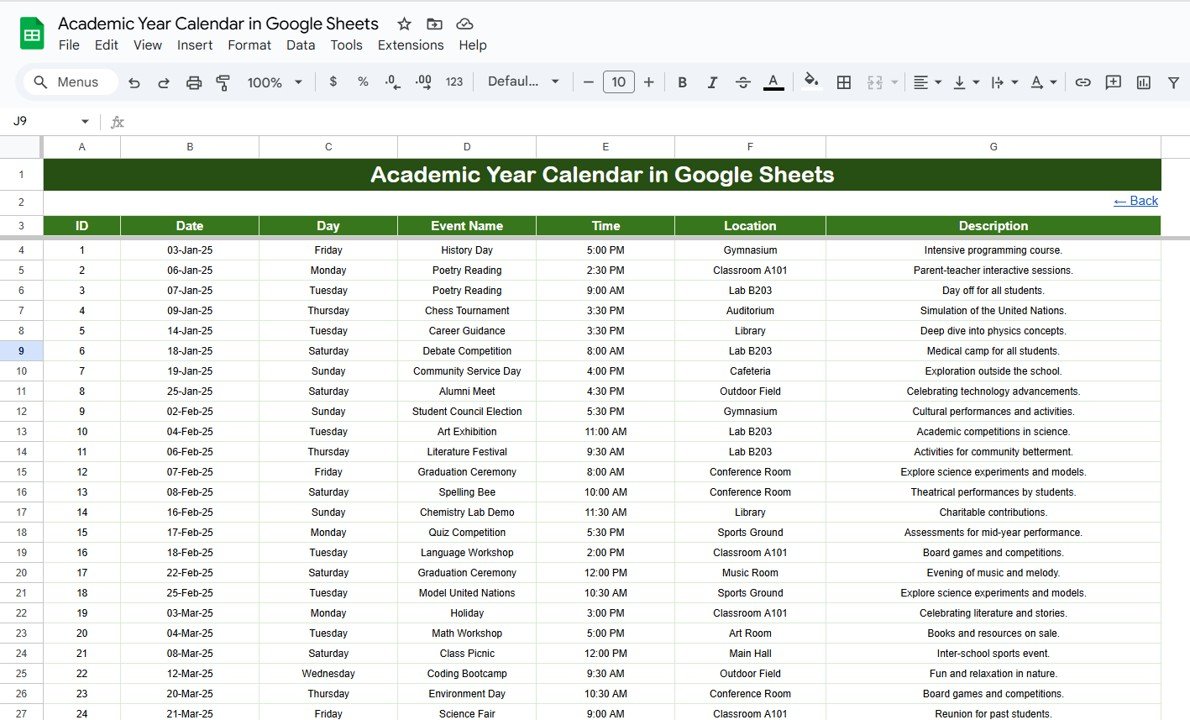
📌 5. Events Sheet – Your Event Database
Log and manage every important event in one structured table:
ID – Unique identifier
Date & Day – When the event happens
Event Name – Title of the event
Time – Scheduled time
Location – Where it’s happening
Description – Brief notes or info
All views pull data directly from this central sheet. Update once—see it everywhere!
🎯 Why Use the Academic Year Calendar in Google Sheets?
This calendar system is built to provide full control over your academic schedule. It’s:
📌 Fully customizable
📊 Easy to navigate
🔁 Automatically updated
👥 Perfect for collaboration
Whether you’re planning coursework, managing classes, or preparing for final exams, this calendar adapts to your academic workflow.
🧠 Best Practices for Using This Template
✅ Update regularly – Log new events as they come
✅ Use color codes – Differentiate event types easily
✅ Check monthly & daily views – Never miss a deadline
✅ Collaborate with your team/class – Share the sheet
✅ Customize it for your needs – Change headers or structure as needed
👥 Who Can Use This Academic Year Calendar?
🎓 Students – Plan classes, deadlines, and study sessions
🧑🏫 Teachers – Track lessons, meetings, and academic milestones
🏫 Administrators – Organize school events, holidays, and schedules
👨👩👧👦 Parents – Stay updated on your child’s academic calendar
🧑💼 Tutors & Educators – Coordinate multiple student plans
🚀 Benefits at a Glance
✅ All-in-One Academic Calendar – View year, month, or daily events
✅ Fully Editable Template – Tailor to your school or institution
✅ Google Sheets Based – No software installs, real-time access
✅ Collaboration Friendly – Share and plan together
✅ Automatic Updates – Central database syncs to all views
✅ Print Ready – Easily export views for offline reference
📚 Click here to read the Detailed blog post
Watch the step-by-step video Demo:
📺 Watch the step-by-step demo on our YouTube channel:
👉 youtube.com/@NeotechNavigators
Compatibility and Requirements
- Works in Google Sheets with a free Google account and a web browser.
- Month and year are picked from dropdowns, and every view reads from the Events sheet.
- Need help with dropdowns? Google explains them in Create an in-cell dropdown list.
Frequently Asked Questions
Which views does the Academic Year Calendar include?
A Home sheet for navigation, an Annual View, a Monthly View, a Daily View and an Events sheet.
Can the year start in a month other than January?
Yes. In the Annual View you choose the academic year, the starting month and the first day of the week.
What happens when two events fall on the same day?
The Monthly View shows single events by date and shows “More than 1…” when a day has several events.
Where do I enter events?
In the Events sheet, with ID, Date and Day, Event Name, Time, Location and Description. All views update from there.
Can teachers and students share it?
Yes. It is a Google Sheet, so you can share it with your class or team.
Related Academic and Calendar Templates
- Academic Year Calendar in Excel: the Excel edition of this calendar
- School Events Calendar in Excel: plan school events in Excel
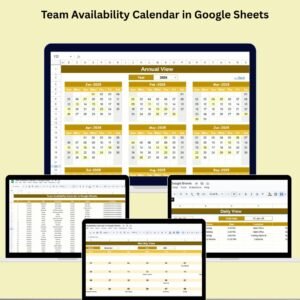
- Dynamic Holiday and Event Calendar in Google Sheets: holidays and events in one sheet
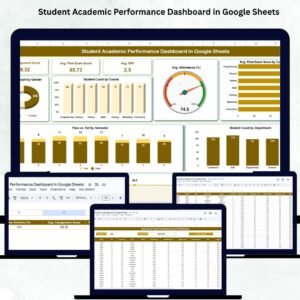
- Student Academic Performance Dashboard in Google Sheets: track student results
- Education & School Management Bundle: 8 school templates in one bundle
Browse all Google Sheets calendars or the Excel education templates.








Reviews
There are no reviews yet.