



The Public Relations Outreach Calendar in Excel is a ready-made, automated calendar for PR professionals, marketers and event coordinators who need to plan, track and manage outreach activities in one place. Use it to organise press conferences, media briefings, influencer collaborations and product launches across annual, monthly and daily views. The result is a clear, up-to-date PR schedule without building anything from scratch.
With automated event management, flexible scheduling views and easy customisation, this PR outreach calendar helps you stay on top of media and outreach campaigns. It is Excel-based and needs no additional software.
Key Features
- Instant download: Get started right away.
- Comprehensive PR calendar: Plan annual, monthly and daily activities.
- Automated scheduling: Add, update or delete events with one click.
- Customisable themes and settings: Choose from five themes, set the year, starting month and first day of the week.
- Highlighting: Mark specific days of the week, such as weekends, holidays or key PR dates, and highlight events in yellow.
- Central event database: Every PR event is stored with an auto-generated ID, date, day, name, time, location and description.
- User-friendly interface: No complex formulas or coding required. Just plug and play.
What’s Inside: Five Worksheets
This Public Relations Outreach Calendar consists of five well-structured worksheets, each designed to make PR event planning and tracking simpler.
1. Home Sheet: The Central Hub

The Home Sheet is the navigation panel. Its quick navigation buttons give one-click access to every section:
- Annual View: A year-long perspective on PR activities.
- Monthly View: Plan outreach efforts month by month.
- Daily View: Track detailed events for a specific day or date range.
- Events: A comprehensive database of all scheduled PR events.
2. Annual View Sheet: Yearly Event Planning
The Annual View Sheet shows a 12-month calendar layout, giving you a bird’s-eye view of your PR outreach activities so you can plan long-term strategies.
- Control panel for quick settings: Select the year to update the annual calendar automatically, choose the starting month and the first day of the week, and apply one of five themes to personalise the layout.
- Highlighting features: Mark specific days of the week, such as weekends, holidays or key PR dates, and highlight events in yellow for better visibility.
3. Monthly View Sheet: Detailed Monthly Planning
This sheet gives a month-wise breakdown of PR events, helping you manage campaign launches, press briefings and media collaborations.
- Select the month and year to filter events dynamically.
- See the primary event for each day. If a day has multiple events, it shows “more than 1…”.
- Events update automatically when added through the event management form.
- Add New Event: Select a date and enter event details.
- Show Event: View all events scheduled for a selected day.
4. Daily View Sheet: Focused Event Tracking
The Daily View Sheet is built for detailed scheduling of events over a date range you choose. It works as a practical media event tracker for day-to-day PR work.
- Filter events by selecting start and end dates.
- Use the Refresh button to display the latest event data.
- Add, edit or remove events using the event input form.
- Track daily PR activities such as media engagements and influencer collaborations.
- Spot and avoid scheduling conflicts and overlaps.
5. Events Sheet: Your PR Activity Database
This sheet is a centralised database that stores all your outreach activities. It captures the following information:
| Field | What it stores |
|---|---|
| ID | Auto-generated event number |
| Date & Day | Event schedule details |
| Event Name | Title of the PR event |
| Time & Location | Scheduled event time and venue |
| Description | Brief summary of the event purpose |
- Add New Record: Enter a new event with complete details.
- Update Existing Record: Change event details in one click.
- Delete Record: Remove outdated or incorrect events.
Over time, this builds a well-organised history of your PR activities.
Why Choose This PR Outreach Calendar?
- Streamlined event management: Track everything in one place instead of juggling multiple tools.
- Automated Excel calendar: Less manual work and more time for outreach.
- Interactive and customisable: Adjust themes, highlight key dates and personalise the layout.
- Better team coordination: Keep media teams, influencers and stakeholders aligned.
- Flexible use: Works as a press release schedule, media event tracker or influencer campaign planner.
Take control of your PR outreach and media campaigns with this ready-made Excel calendar.
Who It’s For
- PR and marketing agencies
- Corporate communications teams
- Social media managers
- Event and outreach coordinators
- Influencer and media relations professionals
How to Use It
- Download the file and open it in Microsoft Excel.
- On the Annual View, select the year, starting month, first day of the week and a theme.
- Add events with the event form, entering the date, name, time, location and description.
- Review your plan in the Annual, Monthly or Daily View, using start and end dates and the Refresh button in the Daily View.
- Update or delete records in the Events sheet as plans change.
Frequently Asked Questions
What is the Public Relations Outreach Calendar in Excel?
It is a ready-made Excel template with five worksheets (Home, Annual View, Monthly View, Daily View and Events) for planning, tracking and managing PR outreach activities such as press conferences, media briefings, influencer collaborations and product launches.
Do I need any extra software?
No. The calendar is Excel-based and needs no additional software. No complex formulas or coding are required.
Can I customise the look of the calendar?
Yes. You can apply one of five themes, choose the starting month and first day of the week, mark specific days such as weekends or holidays, and highlight events in yellow.
What happens if a day has more than one event?
The Monthly View shows the primary event for each day and displays “more than 1…” when several events share a date. Use Show Event to see every event for that day.
Can I use it as an influencer campaign planner?
Yes. You can schedule and track influencer collaborations alongside media engagements and other events, and the Daily View helps you avoid scheduling conflicts and overlaps.
Where can I learn more about how it works?
Read the detailed blog post and watch the step-by-step video tutorials linked below.
Get Your Copy Now
The Public Relations (PR) Outreach Calendar in Excel is an essential tool for PR event planning, helping you streamline scheduling, track outreach activities and improve campaign efficiency.
Click here to read the detailed blog post
Visit our YouTube channel to learn from step-by-step video tutorials.
Last updated: October 2026
Compatibility and Requirements
- Works in Microsoft Excel desktop (Excel 2016 or later, or Microsoft 365).
- Events are entered through the event form, and the calendar views update from the Events sheet. Microsoft explains printing a worksheet in Print a worksheet or workbook.
Related PR and Calendar Templates
- Public Relations (PR) Outreach Calendar in Google Sheets: the same calendar for Google Sheets
- Social Media Influencer Outreach Calendar in Excel: a calendar focused on influencer outreach
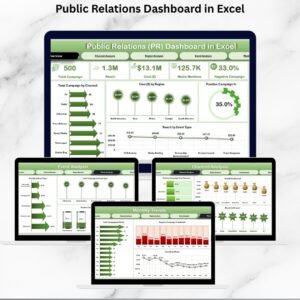
- Public Relations KPI Dashboard in Excel: track your PR results in Excel
- Public Relations (PR) Report in Excel: a report layout for PR activity
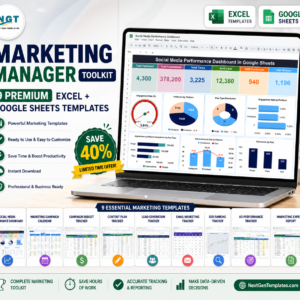
- Marketing Manager Toolkit: 9 marketing templates in one download
Browse all Excel calendar templates.











Reviews
There are no reviews yet.