

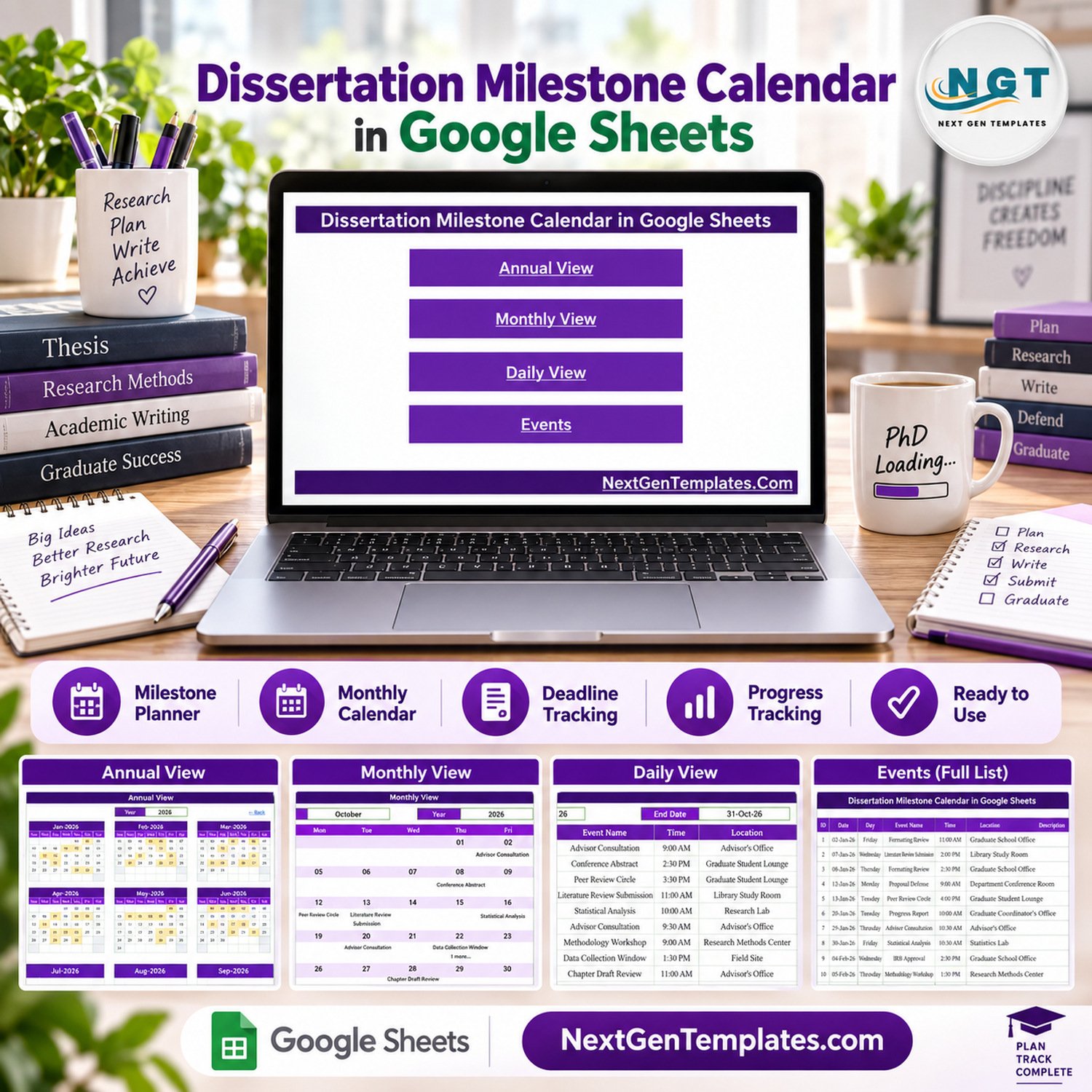
Dissertation Milestone Calendar in Google Sheets is a ready-to-use academic calendar for recording the key dates of a doctoral or master’s research journey and reviewing them in annual, monthly, daily and full event-list views. It replaces scattered emails, sticky notes and supervisor reminders with one structured schedule for proposal defenses, IRB approval deadlines, literature review submissions, data collection windows, chapter draft reviews, committee meetings and the final defense.
Dissertation Milestone Calendar in Google Sheets Overview
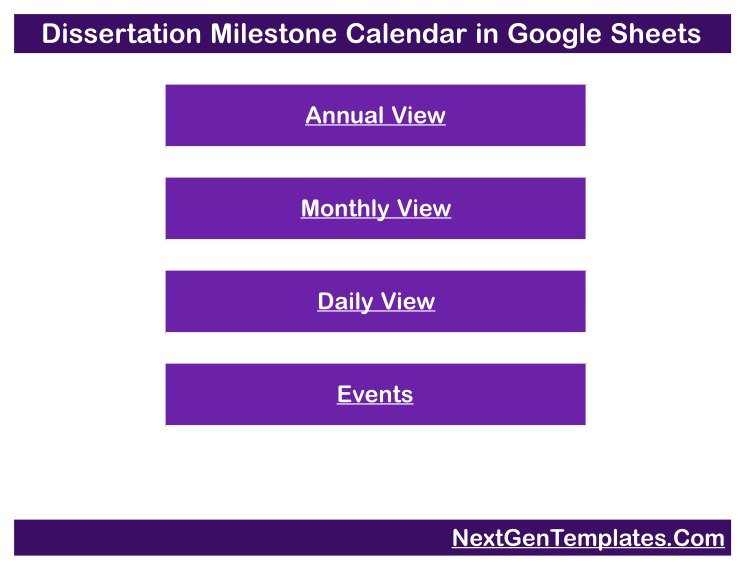
This thesis timeline planner is built around one clean Events table and formula-driven calendar views. Enter the date, weekday, milestone name, time, location and a short description, and the Annual, Monthly and Daily views show where each deadline falls across the year. A Home page with four navigation buttons takes you to each view, and every view has a Back link. Explore more Google Sheets templates for related planning work.
Key Features
- Home page navigation: four buttons open the Annual View, Monthly View, Daily View and Events pages.
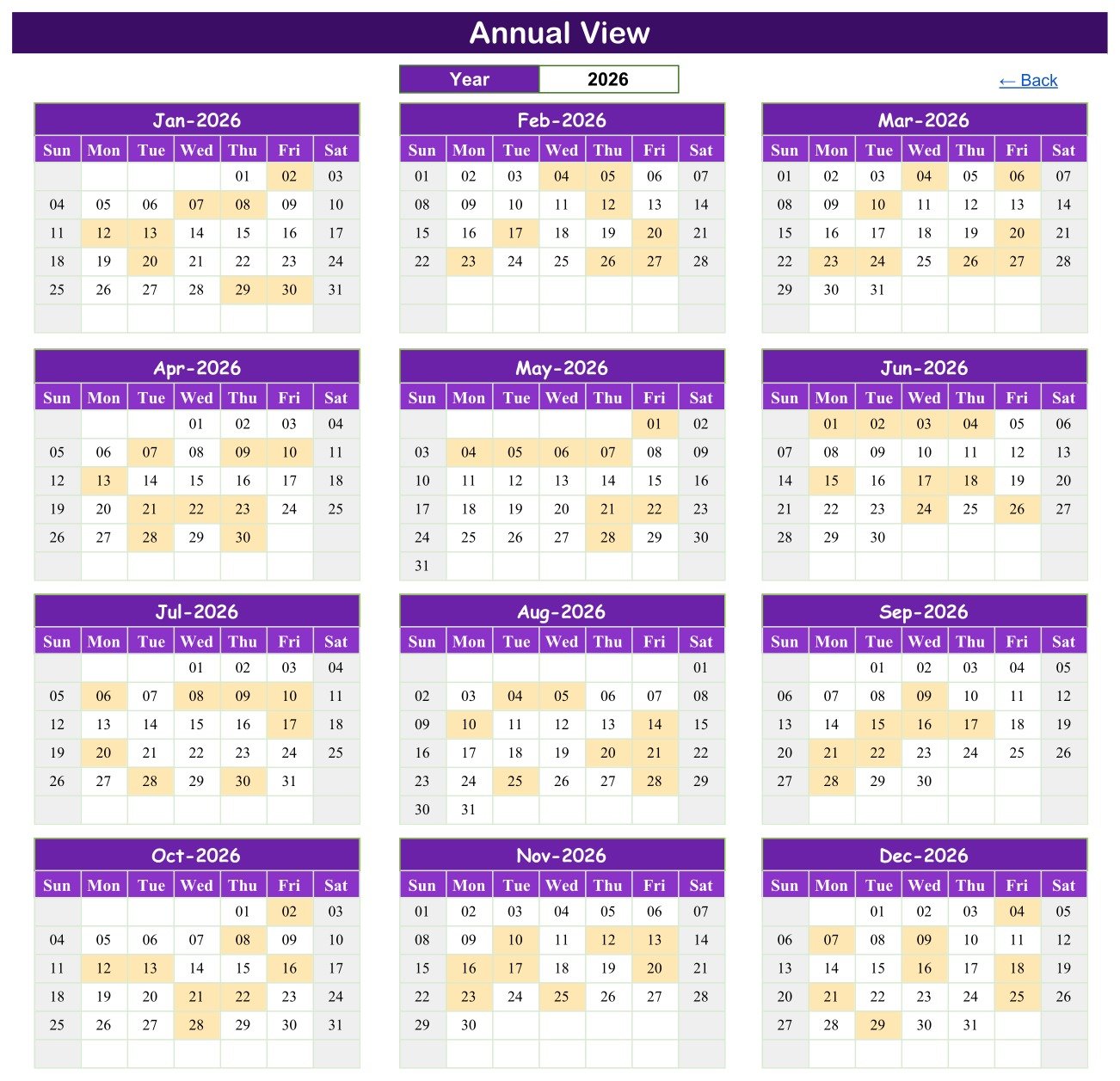
- Annual View: all twelve months of the selected year on one page, with every milestone date highlighted.
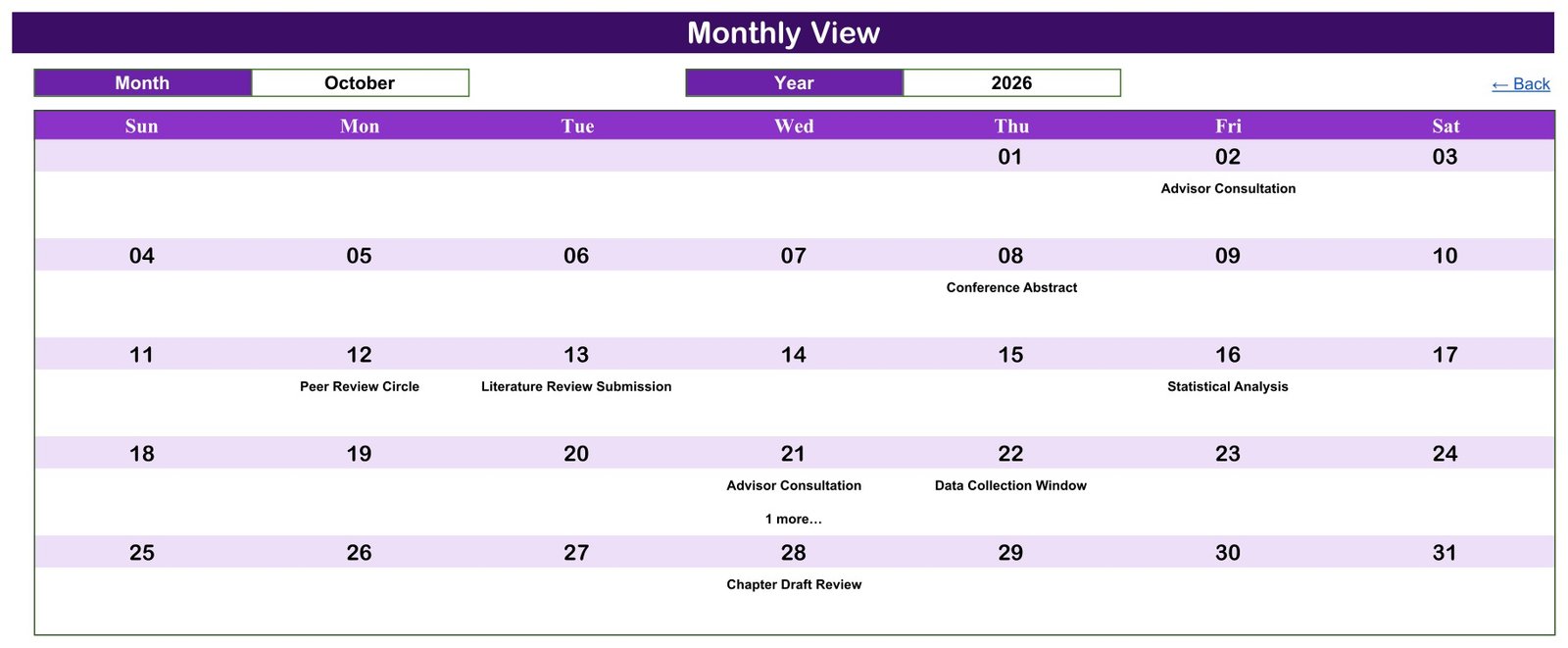
- Monthly View: choose a month and a year from the dropdowns to see milestones placed in a Sunday-to-Saturday calendar grid.
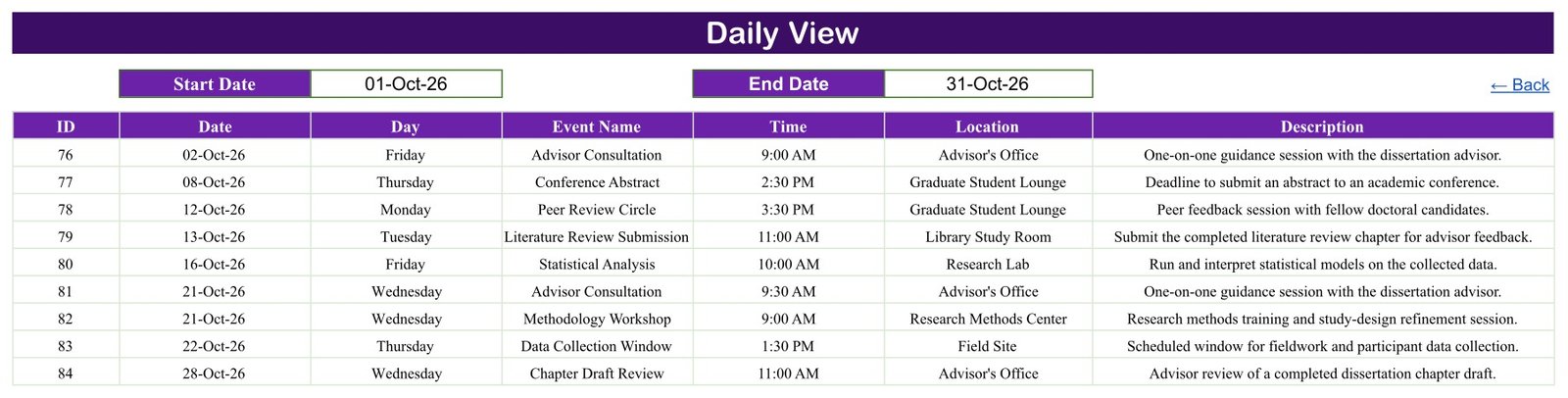
- Daily View: enter a start date and an end date to list every matching milestone with its time, location and description.
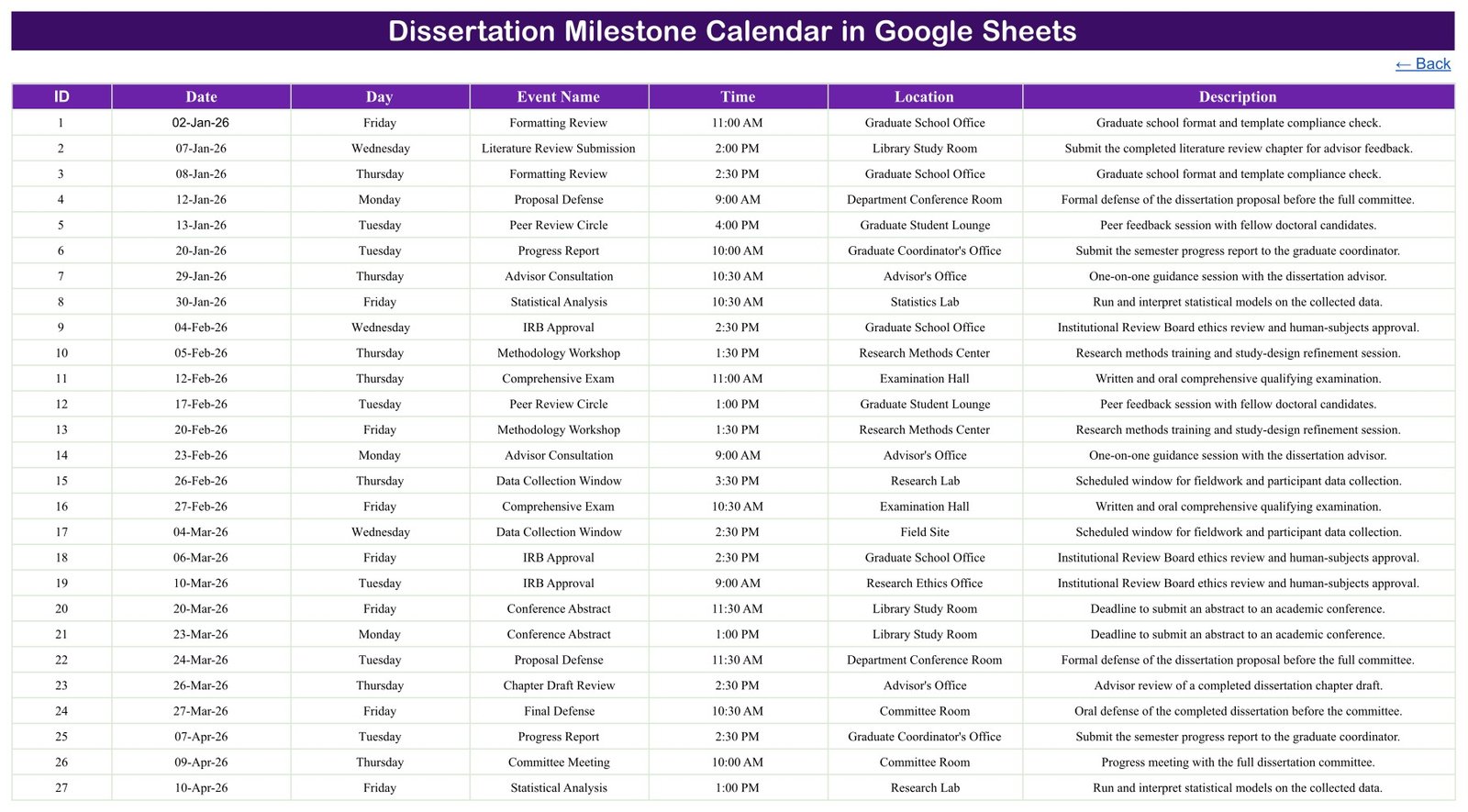
- Events register: the seven-column source table (ID, Date, Day, Event Name, Time, Location, Description) that drives every view.
- Research-focused sample data: 100 example milestones such as Proposal Defense, IRB Approval, Methodology Workshop, Comprehensive Exam, Statistical Analysis, Chapter Draft Review, Graduate School Submission and Final Defense.
- Google Sheets delivery: you receive a PDF that carries the Make-a-copy link to your own editable sheet.
- No macros or add-ons: it works in any browser with a free Google account.
What the Template Tracks
| Field | Purpose |
|---|---|
| ID | A simple reference number for each milestone entry |
| Date | Places the milestone in the annual, monthly and daily views |
| Day | The written weekday shown beside each record (typed text, not a formula) |
| Event Name | The milestone or activity, such as Proposal Defense or Chapter Draft Review |
| Time | The planned start time |
| Location | The office, room, lab or field site where it happens |
| Description | A short note explaining the milestone |
How to Use the Thesis Timeline Planner
- Open the delivered PDF and use its Make-a-copy link to create your own Google Sheets file.
- Replace the sample rows on the Events page with your own milestones, dates, times, locations and descriptions.
- Keep each ID unique and type the correct weekday in the Day column, because it does not update itself when you change a date.
- Open the Annual View and pick your year for a full-year Google Sheets academic calendar.
- Use the Monthly View to focus on one month. On a date with several milestones it shows the first one plus a counter such as “1 more…”.
- Use the Daily View to list every milestone in a chosen date range, for example the next two weeks before a submission.
- Share the file only with the people who need it, such as your advisor or a writing partner.
Verified Sample Calendar
The demonstration sheet was checked before this listing was written. It holds exactly 100 milestone records dated from 2 January to 29 December 2026, with 8 or 9 entries in every month. It uses 17 milestone types and 13 locations, including the Advisor’s Office, Committee Room, Graduate School Office, Library Study Room, Research Lab and Field Site. All 100 written weekdays match their 2026 dates, and every entry falls on a weekday. Three dates (28 August, 9 September and 21 October) carry two milestones each, which shows how the Monthly View counter and the Daily View handle a busy day.
The sample spreads every milestone type across the whole year so each view has something to show. It is demonstration data, not a recommended order for one candidate’s programme; replace it with your own sequence.
Who This Calendar Is For
The template suits PhD and doctoral candidates, master’s thesis students, research supervisors who want a shared view of a student’s key dates, graduate coordinators and writing-group organisers. Anyone who needs a simple phd milestone tracker without learning a project-management tool can start with it in minutes.
Template vs Scattered Reminders
| Need | This Template | Scattered Reminders |
|---|---|---|
| Year overview | Twelve months on one page | Separate lists and emails |
| Monthly planning | Calendar grid by month and year | Rewritten each month |
| Date-range detail | Daily View by start and end date | Manual searching |
| Source record | One structured Events table | Inconsistent notes |
| Sharing with an advisor | Google Sheets sharing | Multiple copies |
Important Limitations
- This is a planning calendar, not a university records system or a full project-management tool. It has no progress percentages, Gantt chart, task dependencies or charts.
- It does not send reminders or notifications, prevent two milestones on the same date, or connect to a university portal.
- The Day column is typed text. If you change a date, update the weekday yourself.
- The Monthly View shows the first milestone on a shared date plus a counter such as “1 more…”; use the Daily View or Events page to see every row.
- It does not manage ethics or IRB applications or confirm that any deadline meets your institution’s rules. Always check official dates with your graduate school and advisor.
- The sample Events table has no student name, student ID, advisor name or contact field. If a supervisor tracks several students, use a short code rather than a name and keep sharing restricted.
- Google account access, sharing settings and Google service availability are the buyer’s responsibility.
Frequently Asked Questions
Can I change the year?
Yes. The Annual View and Monthly View both have a year selector. When you reuse the file for another year, replace the Events rows and check the weekday text.
Can two milestones fall on the same date?
Yes. The Events page and Daily View keep every row. The Monthly View shows the first milestone and a counter for the rest.
Does it remind me before a deadline?
No. There are no email or phone alerts. Use the Daily View to review the coming days, or add the key dates to your own calendar app.
Can I rename the milestone types and locations?
Yes. Type your own milestone names and locations into the Events table and the views pick them up.
Do I need Excel?
No. This dissertation milestone calendar runs in Google Sheets. The PDF download carries the Make-a-copy link.
What do I receive?
A downloadable PDF with the link to copy the editable Google Sheets file into your own Google Drive.
You Might Also Like
- Grant Proposal Submission Calendar in Google Sheets for research funding deadlines.
- Scholarship Deadline Calendar in Google Sheets for application and funding dates.
- Exam Timetable Calendar in Google Sheets for examination schedules.
- Research Project Checklist in Excel for step-by-step research tasks.
Keep Your Research on Schedule
The Dissertation Milestone Calendar in Google Sheets brings every proposal, approval, review and defense date into one clear view. Use it as a practical thesis timeline planner, share it with your advisor, and read the full guide on NeoTechNavigators.






























Reviews
There are no reviews yet.