

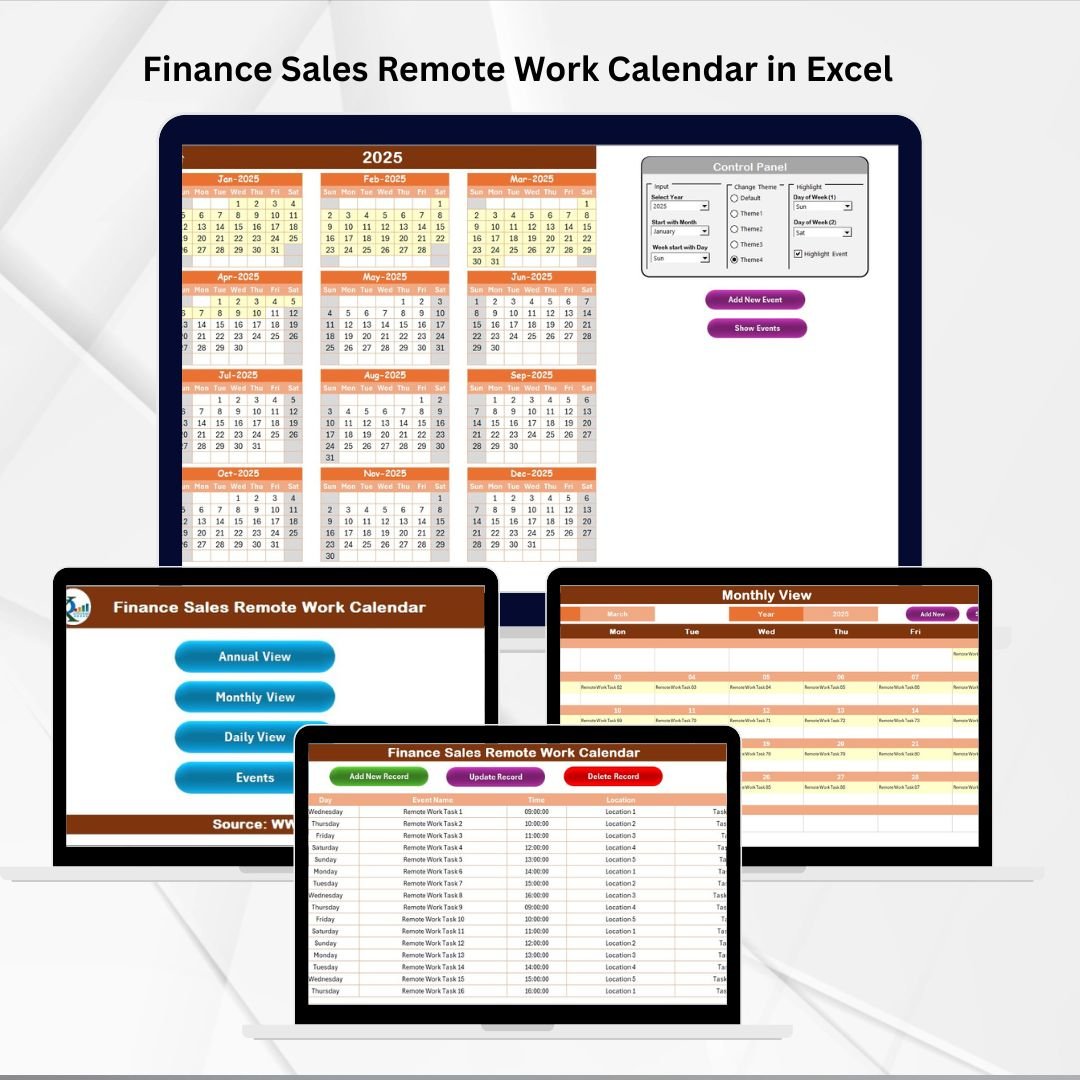
Key Features of Finance Sales Remote Work Calendar in Excel ✨
Managing remote sales teams in finance requires more than just a simple planner—it demands a system that aligns schedules, tracks events, and ensures smooth collaboration. The Finance Sales Remote Work Calendar in Excel is a ready-to-use solution that brings structure and efficiency to your remote operations.
This template is designed for finance managers, sales representatives, and distributed teams who need an easy way to plan, monitor, and manage their work calendars. Built entirely in Excel, it eliminates the need for complex or costly platforms.
Key highlights include:
📅 Annual, Monthly & Daily Views – Manage schedules across different time frames.
✅ Event Management Forms – Add, update, or delete records with one click.
🎨 Customizable Themes – Choose from five built-in designs.
📊 Highlight Options – Mark weekends or events for clarity.
📂 Centralized Database – Store all tasks, meetings, and deadlines in one file.
🚀 Easy to Use – No advanced Excel skills needed.
With this template, finance sales teams can stay on top of deadlines, client meetings, compliance dates, and internal tasks without missing a beat.
What’s Inside the Finance Sales Remote Work Calendar 📂
The template is structured with five powerful worksheets:
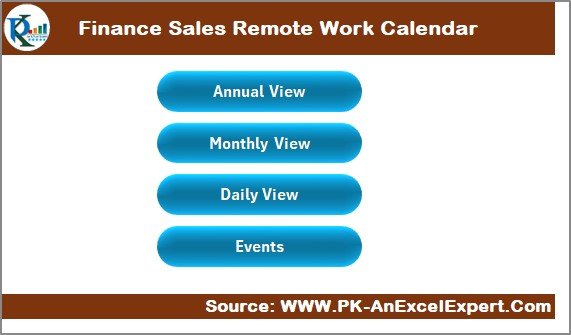
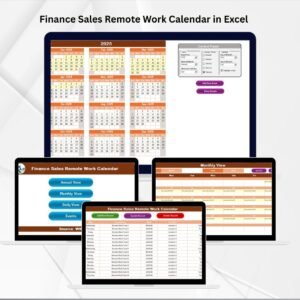
Home Sheet Tab
Acts as the index page.
Navigation buttons to Annual View, Monthly View, Daily View, and Events.
Saves time by letting users jump directly to the required section.
Annual View Sheet Tab
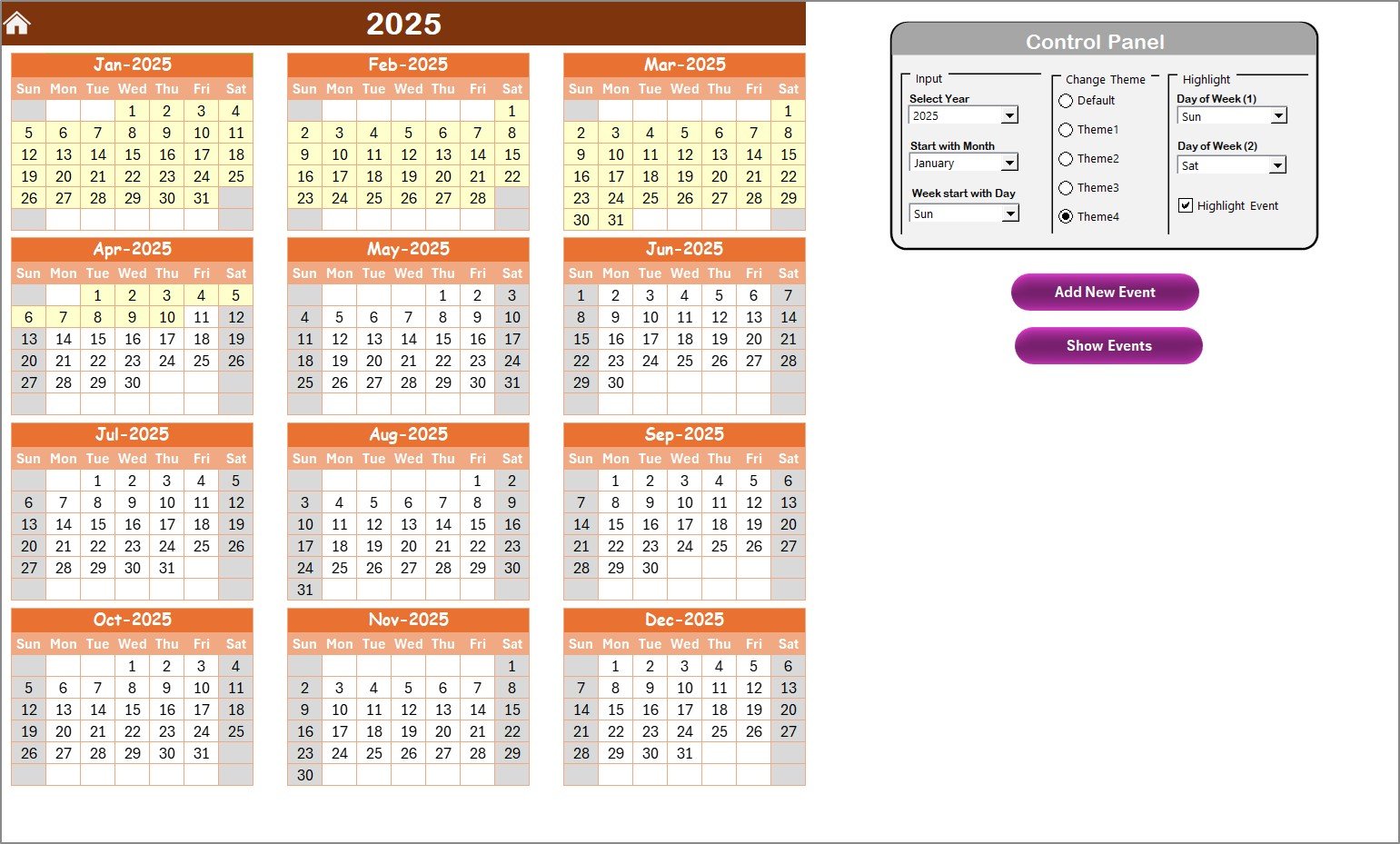
Displays all 12 months at once.
Control Panel with:
Input Group – Select year, start month, and week start day.
Change Theme Group – Apply one of five color themes.
Highlight Group – Highlight weekends (e.g., Saturday and Sunday) and events.
Add Event Button – Add new events directly.
Show Event Button – Display all tasks/events for a selected date.
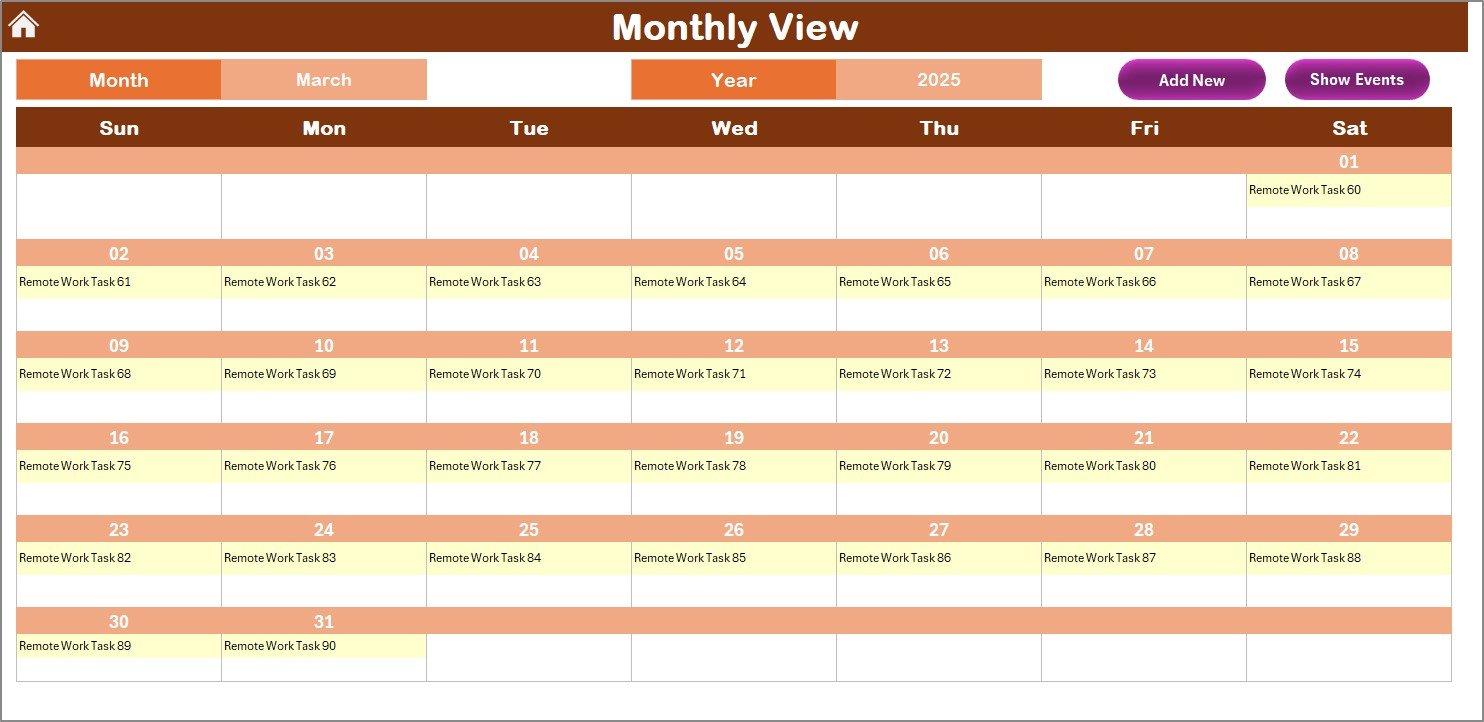
Monthly View Sheet Tab
Focused view for a specific month and year.
Displays one event per date, with “more than 1…” if multiple tasks exist.
Action buttons: Add New Event and Show Event.
Ideal for short-term planning like sales targets, client calls, or reporting.
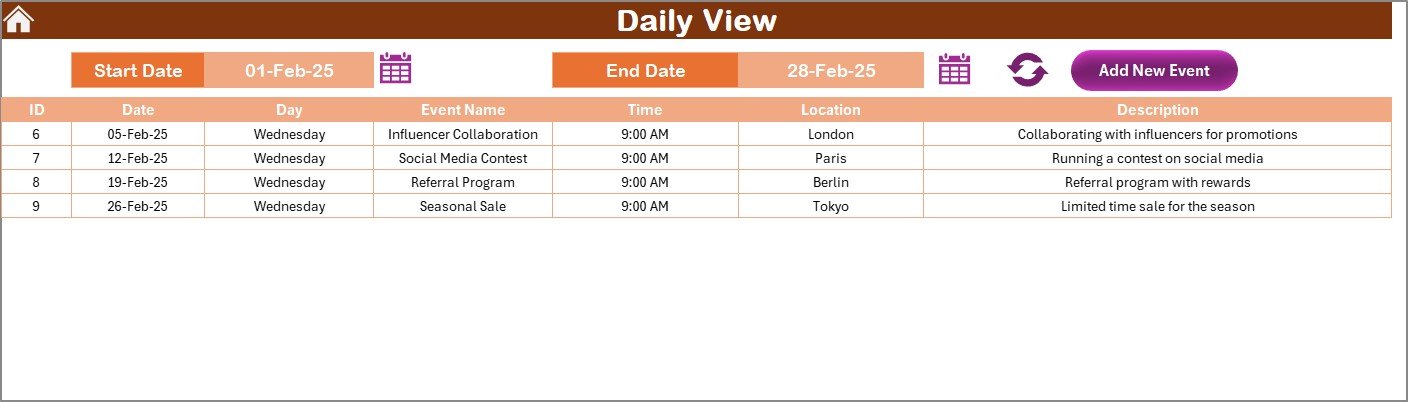
Daily View Sheet Tab
Provides a detailed breakdown for a selected date range.
Features a calendar picker, Refresh button, and Add New Event button.
Useful for day-to-day tracking of sales activities and client commitments.
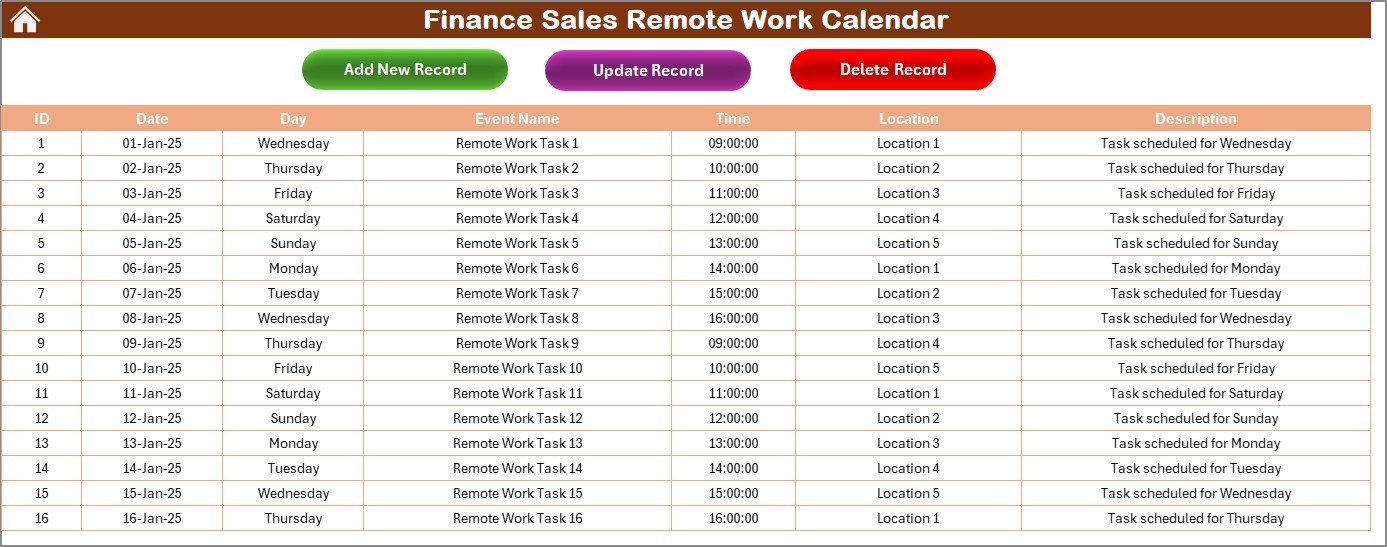
Events Sheet Tab
Database of all entries.
Fields include ID, Date, Day, Event Name, Time, Location, and Description.
Action buttons: Add Record, Update Record, Delete Record.
Serves as the central hub of the calendar.
How to Use the Finance Sales Remote Work Calendar 🛠️
Download & Open – Start at the Home sheet.
Annual Planning – Input yearly finance sales milestones and compliance dates.
Monthly Tracking – Add recurring tasks like training, client calls, and reporting deadlines.
Daily Execution – Use the Daily View for detailed tracking.
Database Management – Maintain records in the Events tab.
Stay Updated – Refresh regularly to keep data current.
The template is plug-and-play, making adoption quick and easy.
Who Can Benefit from This Calendar 👥
This template is ideal for:
💼 Finance Managers – Track sales deadlines and compliance tasks.
👨💻 Sales Representatives – Organize daily activities and client meetings.
🏢 Organizations – Manage remote teams across multiple locations.
📊 Project Managers – Oversee finance sales timelines.
🧑🏫 Team Leads – Monitor sales activities and deadlines for accountability.
If you manage a finance sales team, this template ensures alignment, productivity, and better customer interactions.
Opportunities for Improvement & Best Practices 💡
Potential enhancements:
🔔 Automated Reminders via Outlook/Teams.
📱 Mobile Compatibility for on-the-go access.
🔁 Recurring Events for weekly/monthly meetings.
🌐 Cloud Collaboration for real-time updates.
📊 Analytics Dashboard for performance insights.
Best practices include:
Update tasks regularly.
Use descriptive event titles.
Highlight deadlines and key meetings.
Review daily tasks every morning.
Back up data weekly.
Share with teams via OneDrive or SharePoint.
✅ Click here to read the Detailed blog post
📺 Visit our YouTube channel to learn step-by-step video tutorials
Watch the step-by-step video tutorial:
Compatibility and Requirements
- Works in Microsoft Excel desktop (Excel 2016 or later, or Microsoft 365).
- The Add Record, Update Record, Delete Record, Add Event and Show Event buttons are Excel buttons, so open the file in desktop Excel rather than a browser or phone app.
- Microsoft’s guide to Excel for Windows training covers the basics if you are new to Excel.
Frequently Asked Questions
Which sheets does this calendar include?
Five sheets: Home, Annual View, Monthly View, Daily View and Events. The Home sheet has buttons that take you to the other views.
Where are my events stored?
On the Events sheet, which holds ID, Date, Day, Event Name, Time, Location and Description. You can add, update or delete a record with the buttons on that sheet.
Can I highlight weekends and events?
Yes. The Highlight Group on the Annual View sheet marks weekends such as Saturday and Sunday, and it can also mark dates that have events.
Can I change the year, start month or first day of the week?
Yes. The Input Group on the Annual View sheet lets you select the year, the start month and the week start day. You can also apply one of five color themes.
What happens when a date has more than one event?
The Monthly View shows one event for that date with a “more than 1…” note. Use the Show Event button to see every event for the date.
Is there a version for a different team?
Yes. See the Sales Remote Work Calendar in Excel and the Finance Marketing Remote Work Calendar in Excel.
Related Remote Work Calendar Templates
- Sales Remote Work Calendar in Excel: the same calendar for a sales team
- Finance Marketing Remote Work Calendar in Excel: for finance and marketing teams
- Finance Operations Remote Work Calendar in Excel: for finance and operations teams
- Monthly Sales Goals Calendar in Excel: a calendar built around monthly sales goals
- Remote Work KPI Dashboard in Google Sheets: a Google Sheets dashboard for remote work
Browse all Excel calendar templates.









Reviews
There are no reviews yet.