


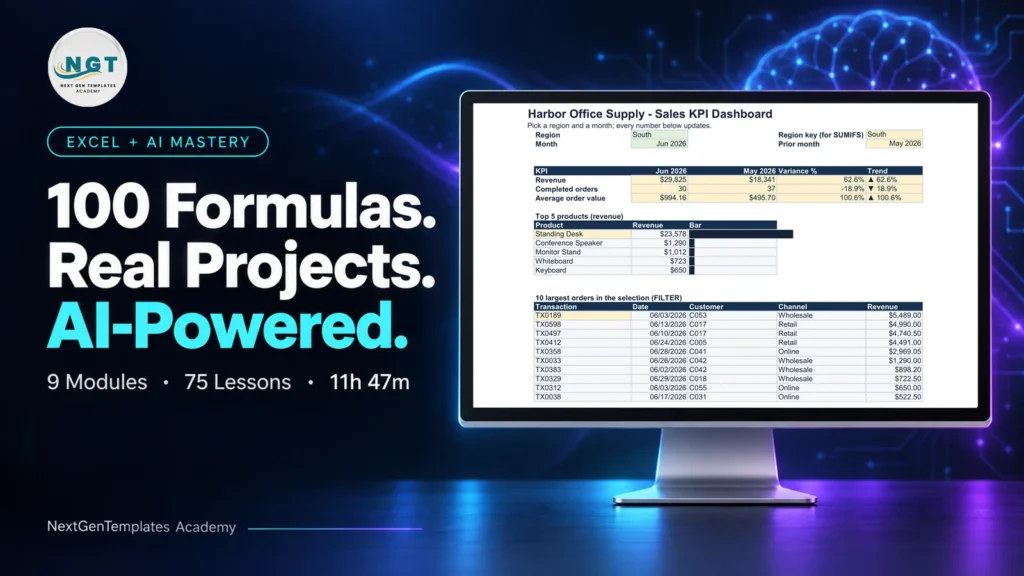
The Monthly Sales Goals Calendar in Excel is an essential tool designed for sales teams, managers, and business owners to set, track, and monitor sales goals on a monthly basis. This Excel-based calendar allows you to organize sales targets, track progress, and ensure that your team stays focused on achieving key business objectives.
With this tool, you can set clear monthly sales goals, track individual and team performance, and adjust strategies as needed. Whether you’re managing a small team or running a large sales operation, the Monthly Sales Goals Calendar helps you stay on top of your sales pipeline and ensures that you’re always moving toward your business targets.
Key Features of the Monthly Sales Goals Calendar in Excel
📅 Monthly Goal Setting & Tracking
Set clear, actionable sales goals for each month. Track progress throughout the month to ensure you stay on target and adjust strategies when needed.
📊 Individual & Team Performance Monitoring
Monitor both individual and team sales performance. The calendar lets you track sales results across multiple metrics, such as total sales, sales targets, and performance against goals.
🎯 Goal Progress Visuals
Stay motivated with easy-to-understand visual progress indicators. Track the percentage of sales completed versus the target, so you always know where you stand.
📈 Performance Metrics Breakdown
Analyze sales performance by product, region, or salesperson. Break down performance metrics to uncover areas of improvement and identify top performers.
📝 Sales Strategy Adjustment
Use real-time data to adjust sales strategies. Whether it’s adjusting quotas or reassigning resources, make informed decisions based on the data.
⚙️ Customizable & Scalable
Adapt the calendar to fit your specific sales goals, business needs, or industry requirements. Add custom fields, goals, and sales metrics that align with your business objectives.
Why You’ll Love the Monthly Sales Goals Calendar in Excel

✅ Stay Organized & On Track
Easily track your monthly sales targets and ensure that all sales activities are aligned with your goals. Keep every team member focused on achieving their objectives.
✅ Boost Team Accountability & Performance
By monitoring individual and team progress, this tool helps increase accountability and drives better sales performance across the team.
✅ Real-Time Adjustments
Make real-time adjustments to your sales strategies based on the performance data, ensuring that your team stays agile and focused on meeting their targets.
✅ Increased Visibility into Sales Progress
Gain a clear overview of your sales progress with easy-to-read visuals and breakdowns of performance, allowing you to identify and address any issues promptly.
✅ Customizable & Scalable for Any Business
Whether you’re a small business or a large enterprise, the Monthly Sales Goals Calendar is fully customizable to match your sales goals and structure.
What’s Inside the Monthly Sales Goals Calendar in Excel?
Monthly Goal Setting: Set clear sales goals for each month and track progress.
Individual & Team Performance Tracking: Monitor both individual and team performance.
Goal Progress Visuals: Visual indicators to show sales goal completion percentages.
Performance Metrics Breakdown: Analyze sales performance by product, region, or salesperson.
Sales Strategy Adjustment: Real-time data to adjust your sales strategies.
Customizable Fields: Tailor the calendar to fit your business needs and goals.
How to Use the Monthly Sales Goals Calendar in Excel
1️⃣ Download the Template: Get access to the Monthly Sales Goals Calendar in Excel instantly.
2️⃣ Set Sales Goals for the Month: Define your sales targets for each month and input them into the calendar.
3️⃣ Track Sales Performance: Monitor individual and team progress against set targets.
4️⃣ Visualize Goal Progress: Use visual progress bars to track completed sales versus targets.
5️⃣ Make Strategic Adjustments: Adjust your sales strategies based on real-time data to stay on track.
Who Can Benefit from the Monthly Sales Goals Calendar in Excel?
🔹 Sales Teams & Managers
🔹 Business Owners & Entrepreneurs
🔹 Sales Analysts & Performance Tracking Professionals
🔹 Large Enterprises with Sales Divisions
🔹 Small & Medium Businesses (SMBs)
🔹 Startups Looking to Scale Sales Operations
Ensure your sales team stays on track and focused on achieving targets with the Monthly Sales Goals Calendar in Excel. Monitor performance, make adjustments, and achieve consistent sales growth.
Click here to read the Detailed blog post
Visit our YouTube channel to learn step-by-step video tutorials
Youtube.com/@PKAnExcelExpert
Compatibility and Requirements
- Works in Microsoft Excel desktop (Excel 2016 or later, or Microsoft 365).
- New to Excel? Microsoft’s Excel for Windows training covers the basics.
Frequently Asked Questions
What can I plan with this calendar?
You set sales goals for each month and track progress against them through the month.
Does it track individuals and the team?
Yes. It monitors individual and team sales performance against the targets you set.
Can I break results down?
Yes. You can analyze sales performance by product, region or salesperson.
How is progress shown?
Visual progress indicators show the percentage of sales completed against the target.
Is there a Google Sheets version?
Yes. The Monthly Sales Goals Calendar in Google Sheets covers the same job online.
Related Sales Target Templates
- Monthly Sales Goals Calendar in Google Sheets: the same calendar in Google Sheets
- Sales Target Dashboard in Excel: target versus actual on a dashboard
- Sales Target Report in Excel: a printable target report
- Sales Target Dashboard in Power BI: sales targets in Power BI
- Calendar & Planner Pack: 12 calendar and planner templates in one download
Browse all Excel calendars or the Excel sales and marketing templates.









Reviews
There are no reviews yet.