



The Vendor Registration Tracker in Excel is a comprehensive and efficient tool designed to help businesses track and manage their vendor registration process. This Excel-based tracker ensures that you stay on top of vendor details, contract statuses, documentation, and other essential information throughout the vendor onboarding process.
From initial vendor inquiry to full registration, the tracker helps you streamline the entire process, minimize errors, and ensure that all required documentation is submitted and reviewed. The easy-to-use interface, combined with powerful tracking features, makes it easier for procurement teams, supply chain managers, and business owners to manage vendors efficiently.

Key Features of the Vendor Registration Tracker in Excel
📋 Vendor Information Management
Store and organize essential vendor details such as company name, contact information, registration dates, and business type. Keep all vendor information in one place for easy access.
📝 Documentation Tracking
Track all the necessary documents required for vendor registration. This includes licenses, certifications, insurance, and other legal documents. Ensure that each document is submitted, verified, and updated.
📅 Registration Status Monitoring
Track the status of vendor registration from initial inquiry to final approval. Monitor progress at every stage and ensure that no vendor is overlooked or delayed in the process.
🔄 Automated Notifications & Alerts
Set reminders for document expirations, registration deadlines, and pending approvals. Automated notifications ensure that you never miss a critical step in the vendor registration process.
📈 Reporting & Data Analysis
Generate reports and track key metrics such as the number of vendors registered, pending registrations, and completed documentation. Analyze data to identify bottlenecks and improve the efficiency of the vendor onboarding process.
⚙️ Customizable Tracker
Customize the tracker to suit your organization’s specific needs. Add additional fields, update status categories, and modify document requirements as needed.
Why You’ll Love the Vendor Registration Tracker in Excel
✅ Centralized Vendor Information
All vendor details and documentation are stored in one organized place, making it easy to access and update vendor information.
✅ Streamline Vendor Onboarding
Track each step of the registration process and ensure that all documentation is complete and up to date, speeding up the onboarding process.
✅ Ensure Compliance & Reduce Errors
Keep track of required documents, ensure compliance with legal requirements, and avoid missing or expired paperwork that could delay registration.
✅ Increase Efficiency with Notifications
Set automated reminders for deadlines, document expirations, and approval processes to keep everything on track and avoid delays.
✅ Customizable & Scalable
The tracker is fully customizable to meet your organization’s specific needs. It can scale from small businesses to large enterprises with complex vendor registration requirements.
What’s Inside the Vendor Registration Tracker in Excel?
- Vendor Information Management: Store all key vendor details in one place.
- Document Tracking: Track documents required for registration and ensure they are up to date.
- Registration Status Monitoring: Monitor the status of vendor registration at each stage.
- Automated Notifications & Alerts: Get reminders for deadlines and document expirations.
- Reporting & Analytics: Track key metrics and generate useful reports.
- Customizable Fields: Tailor the tracker to fit your vendor management needs.
How to Use the Vendor Registration Tracker in Excel
1️⃣ Download the Template: Access the Vendor Registration Tracker in Excel instantly.
2️⃣ Input Vendor Information: Add details such as vendor name, contact info, and registration status.
3️⃣ Track Documentation: Monitor the submission and verification of required vendor documents.
4️⃣ Monitor Registration Progress: Use the status tracking feature to ensure vendors are progressing through the registration process.
5️⃣ Generate Reports & Analyze Data: Use the reporting tools to gain insights into your vendor onboarding process and improve efficiency.
Who Can Benefit from the Vendor Registration Tracker in Excel?
🔹 Procurement Teams
🔹 Supply Chain Managers
🔹 Business Owners & Founders
🔹 Compliance & Legal Departments
🔹 Small & Medium Enterprises (SMBs)
🔹 Large Corporations with Vendor Management Departments
🔹 Vendors and Suppliers
Ensure a smooth and efficient vendor registration process with the Vendor Registration Tracker in Excel. Track vendor information, manage documentation, and monitor registration progress, all from one easy-to-use dashboard.
Click here to read the Detailed blog post
Visit our YouTube channel to learn step-by-step video tutorials
Youtube.com/@PKAnExcelExpert
Compatibility and Requirements
- Works in Microsoft Excel desktop (Excel 2016 or later, or Microsoft 365).
Frequently Asked Questions
What vendor details can I store?
You can store company name, contact information, registration dates and business type for each vendor.
Can I track vendor documents?
Yes. You can track licenses, certifications, insurance and other documents, and mark each one as submitted, verified or updated.
How do I follow a registration?
The status tracking shows where each vendor is, from the first inquiry to final approval.
Can I add my own fields?
Yes. You can add fields, change the status categories and edit the document requirements.
Related Vendor Management Templates
- Vendor Registration Tracker in Google Sheets: the same tracker for Google Sheets
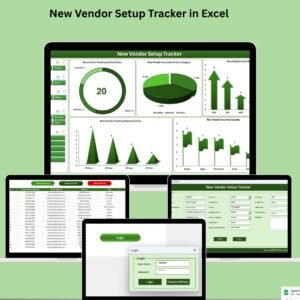
- New Vendor Setup Tracker in Excel: records vendor setup with forms and a dashboard
- Vendor rating Tracker in Excel: rates vendors once they are registered
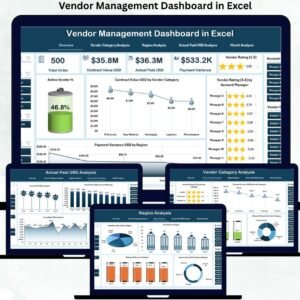
- Vendor Management Dashboard in Excel: charts for your whole vendor base
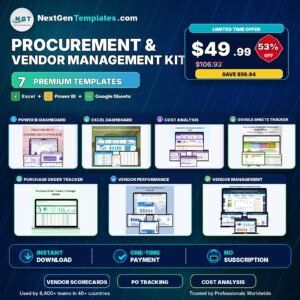
- Procurement and Vendor Management Kit: 7 procurement and vendor templates in one bundle
Browse all Excel trackers or the MS Excel templates.











Reviews
There are no reviews yet.