

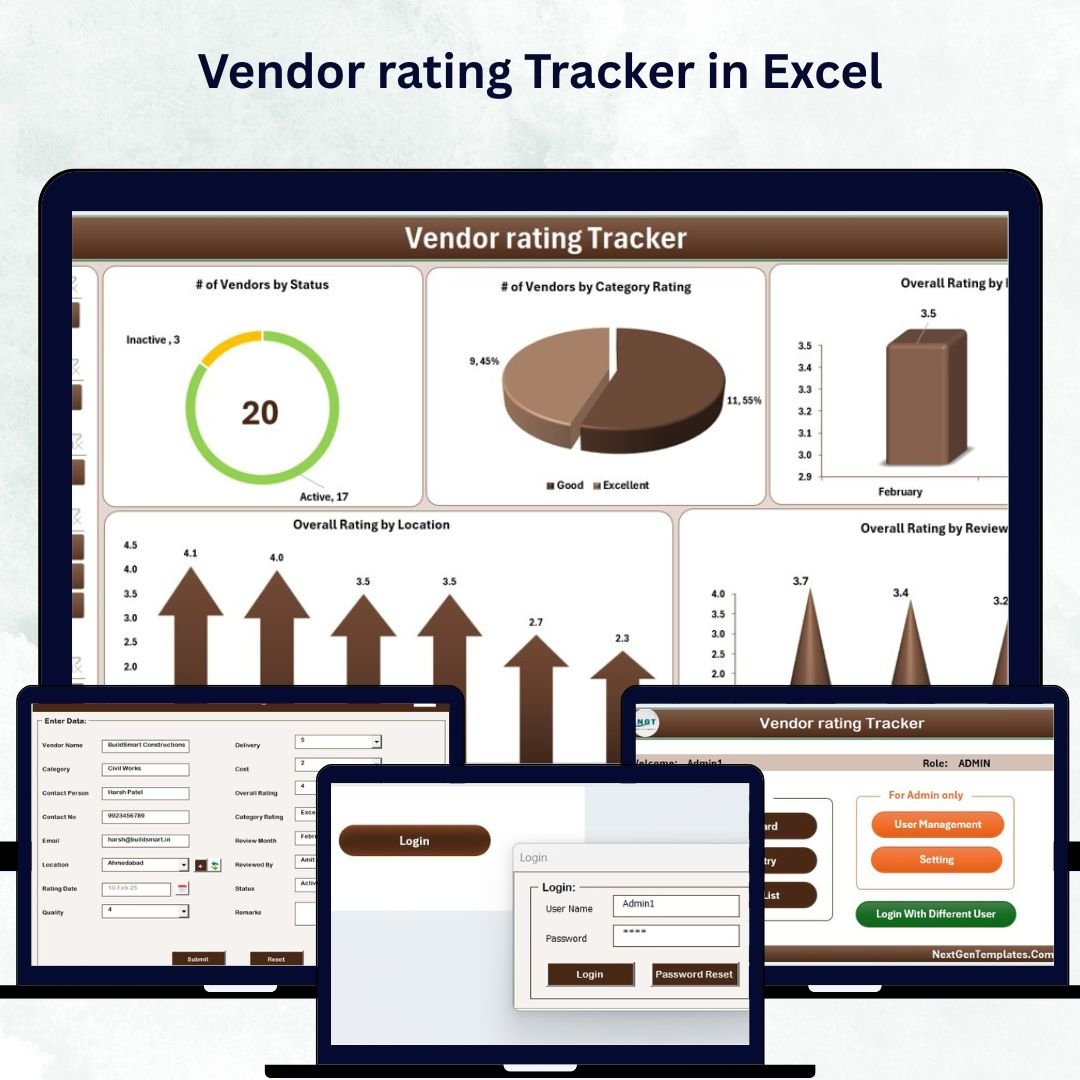

Managing vendors efficiently is the backbone of a successful business — but doing it manually can be messy, time-consuming, and error-prone. That’s where the Vendor Rating Tracker in Excel comes in — a powerful, automated, and ready-to-use tool that simplifies vendor evaluation and helps you make smarter sourcing decisions.
This Excel-based tracker, built with advanced VBA automation and dynamic dashboards, provides everything you need to rate vendors, track performance, and visualize insights — all in one place. Whether you’re a small retailer, manufacturer, or corporate procurement team, this tool ensures you stay in full control of your vendor relationships.
⚙️ Key Features of Vendor Rating Tracker in Excel
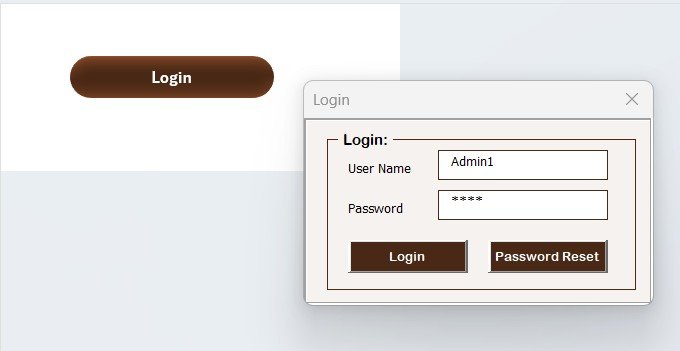
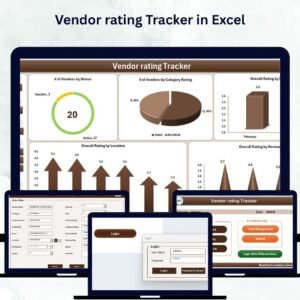
✅ 🔒 Secure Login System – Start with a professional login form that ensures only authorized users can access your data. The built-in credentials make it easy to get started, and you can create new users anytime.
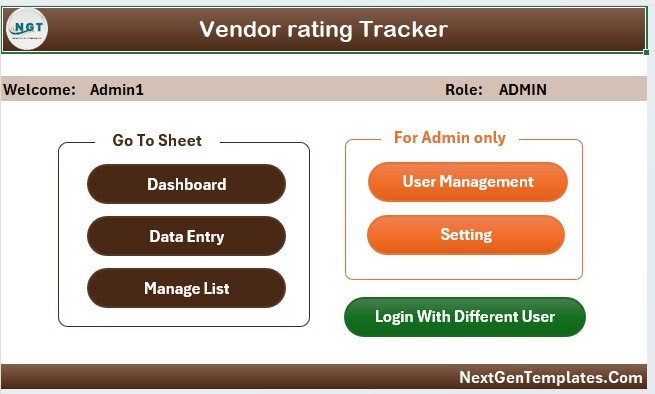
✅ 🧭 Main Control Form – Once logged in, access all functions from the main form — add or update vendors, manage users, or open the dashboard. The simple interface is perfect for both beginners and professionals.
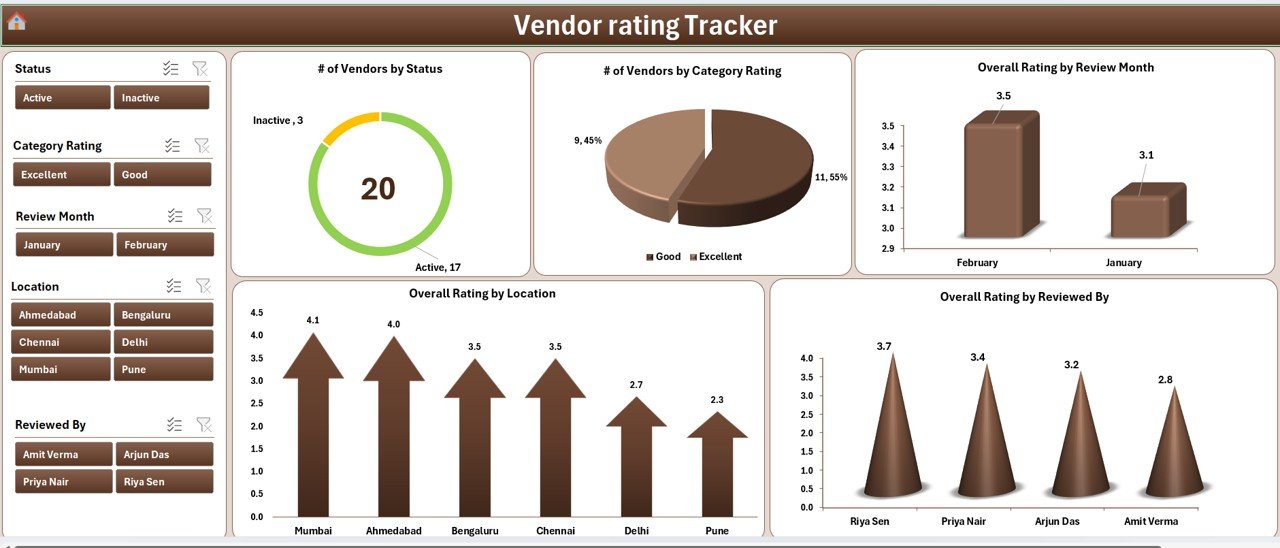
✅ 📊 Interactive Dashboard – Visualize vendor performance using five dynamic charts and slicers. Instantly view:
• Number of Vendors by Status
• Number of Vendors by Category Rating
• Overall Rating by Review Month, Location, and Reviewer
Data refreshes automatically after each entry.
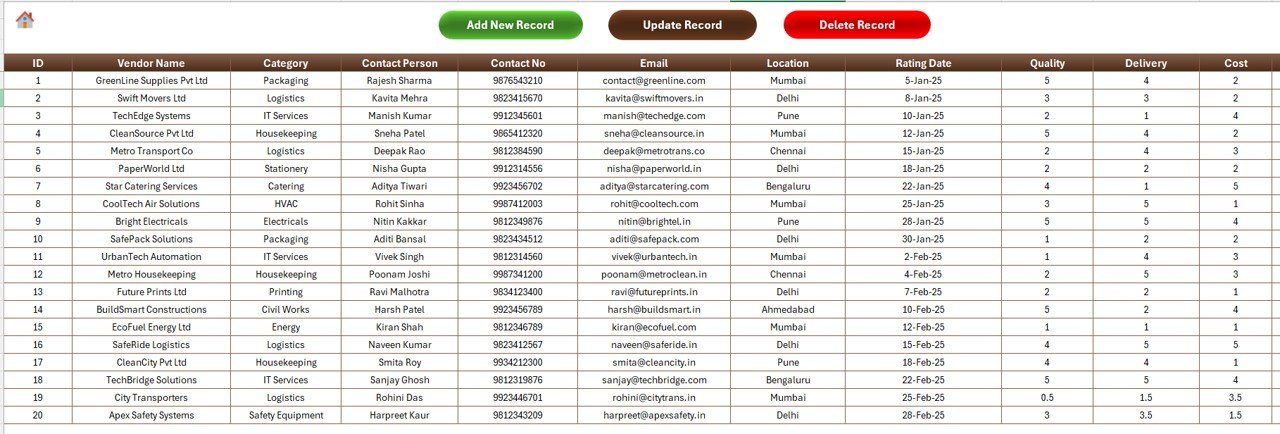
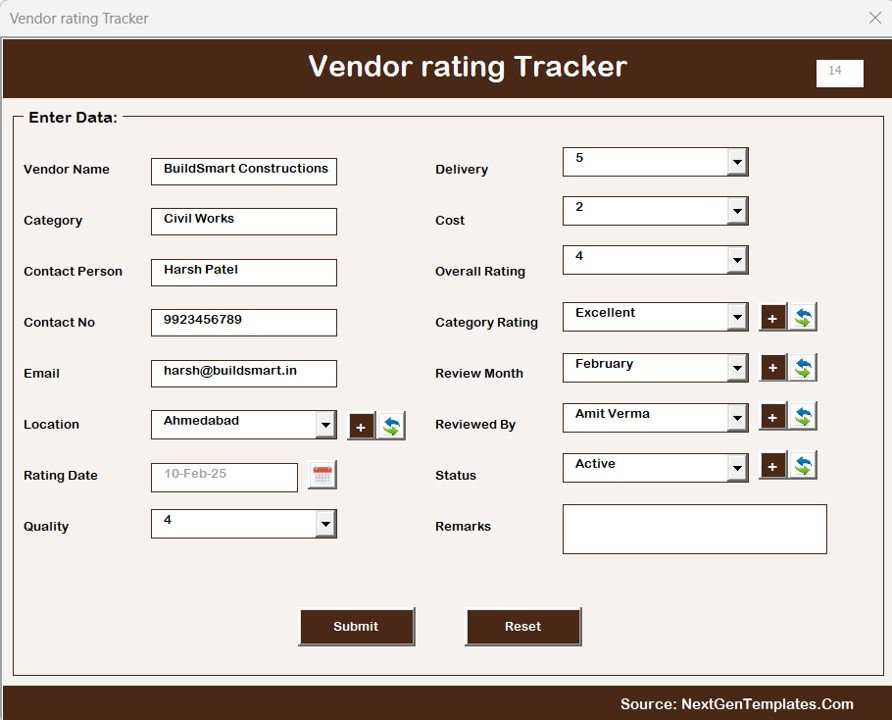
✅ 📝 Automated Data Entry Form – Add, update, or delete records with a single click. Forget manual typing — use clean forms that store and update data automatically.
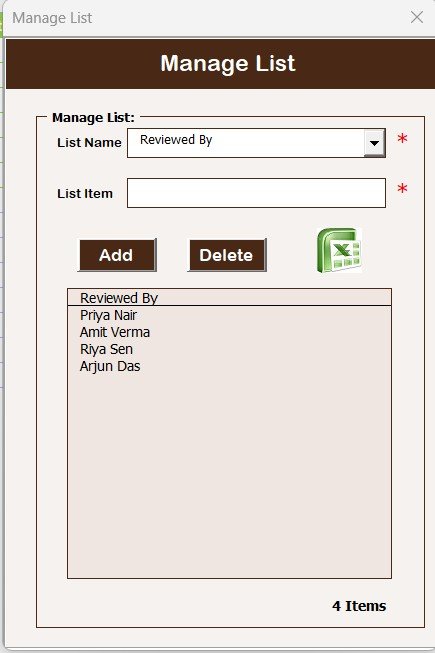
✅ 📋 Manage List Tab – Customize dropdowns like Category, Location, or Rating Criteria. The system updates all dependent fields instantly.
✅ 🧮 Support Sheet Automation – Hidden backend calculations and pivot tables drive your dashboard without manual setup.
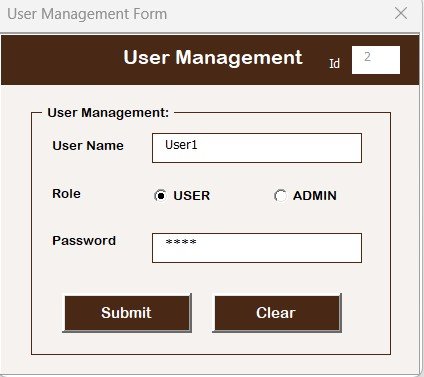
✅ 👥 User Management Module – Add or remove users, reset passwords, and manage access. Perfect for multi-user or departmental environments.
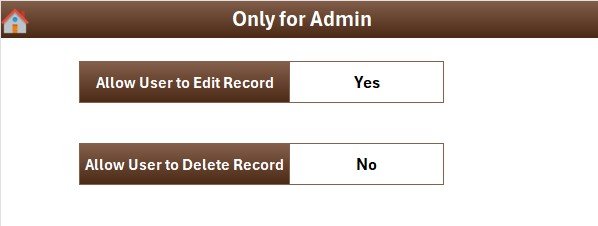
✅ ⚙️ Settings Sheet – Configure refresh modes, themes, and access levels to match your company’s internal process.
✅ 👩💻 Multi-User Login – Supports multiple users with separate credentials for controlled data access.
✅ 📈 Auto-Refreshing Reports – The dashboard updates instantly when you submit or edit any record.
📂 What’s Inside the Vendor Rating Tracker in Excel
Inside the file, you’ll find a complete vendor-management ecosystem built for performance and ease:
📁 Login Form – Secure gateway to access the system.
📁 Main Dashboard Sheet – Real-time KPIs and visual analytics.
📁 Data Entry Sheet – All vendor information, fully automated.
📁 Manage List Sheet – Master data for dropdowns and rating categories.
📁 Support Sheet – Backend logic and pivot tables.
📁 User Management Form – Add, update, or delete users easily.
📁 Settings Tab – Customize the look, feel, and behavior of your tracker.
Everything is pre-built — just open the file, log in, and start tracking vendors instantly!
🧭 How to Use the Vendor Rating Tracker in Excel
1️⃣ Login: Enter your credentials to unlock the main dashboard.
2️⃣ Add Data: Use the Data Entry Form to record vendor details like name, category, location, rating, and reviewer.
3️⃣ Auto Refresh: Charts and KPIs update instantly in the Dashboard.
4️⃣ Filter & Analyze: Use slicers to view performance by month, reviewer, or location.
5️⃣ User Control: Add team members through the User Management module.
6️⃣ Customize: Adjust dropdowns, add new fields, or modify dashboard themes in Settings.
Within minutes, you’ll have a live, interactive vendor performance dashboard ready for analysis and reporting.
👨💼 Who Can Benefit from This Vendor Rating Tracker
💡 Procurement Teams – Evaluate vendors consistently and ensure compliance with quality standards.
🏭 Manufacturing Units – Track supplier delivery, quality, and reliability over time.
🛒 Retail Businesses – Compare vendors by product category, region, or rating.
🏗️ Construction Companies – Assess subcontractors based on project performance.
🏥 Healthcare Organizations – Maintain reliable supplier data for medical equipment and services.
🏫 Educational Institutions – Monitor vendor contracts for logistics and facilities.
🚀 Startups & SMEs – Streamline vendor evaluation without complex software.
Whether you manage five suppliers or five hundred, this Excel-based tracker will help you save time, enhance transparency, and improve decision-making across all procurement operations.
🔗 Click here to read the Detailed blog post
📺 Visit our YouTube channel to learn step-by-step video tutorials
👉 YouTube.com/@PKAnExcelExpert
Watch the step-by-step video tutorial:
Compatibility and Requirements
- Needs Microsoft Excel desktop on Windows with macros enabled. Microsoft shows how in Enable or disable macros in Microsoft 365 files.
- It does not run in Excel for the web, Google Sheets or the Excel mobile apps.
- The login, data entry form and user management run on Excel VBA, so keep the file as a macro-enabled workbook.
Frequently Asked Questions
Does it support more than one user?
Yes. It has a multi-user login, and the User Management module lets you add or remove users and reset passwords.
How do I add or update a vendor?
Use the automated Data Entry Form to add, update or delete records with one click.
Can I change the categories and locations?
Yes. Edit the Manage List tab to change dropdowns such as Category, Location or Rating Criteria.
What does the dashboard show?
Five charts with slicers: vendors by status, vendors by category rating, and overall rating by review month, location and reviewer.
Do I need to refresh the dashboard by hand?
No. The dashboard refreshes after each entry or edit.
Related Vendor Management Templates
- Vendor Performance Dashboard in Excel: a full vendor performance dashboard
- Vendor Management KPI Dashboard in Excel: tracks vendor KPIs
- Supplier Performance KPI Dashboard in Excel: supplier KPIs month by month
- Supplier Feedback Tracker in Google Sheets: records supplier feedback in Google Sheets
- Procurement and Vendor Management Kit: 7 premium procurement templates in one bundle
Browse all Excel trackers or the Excel VBA tools.






























Reviews
There are no reviews yet.