

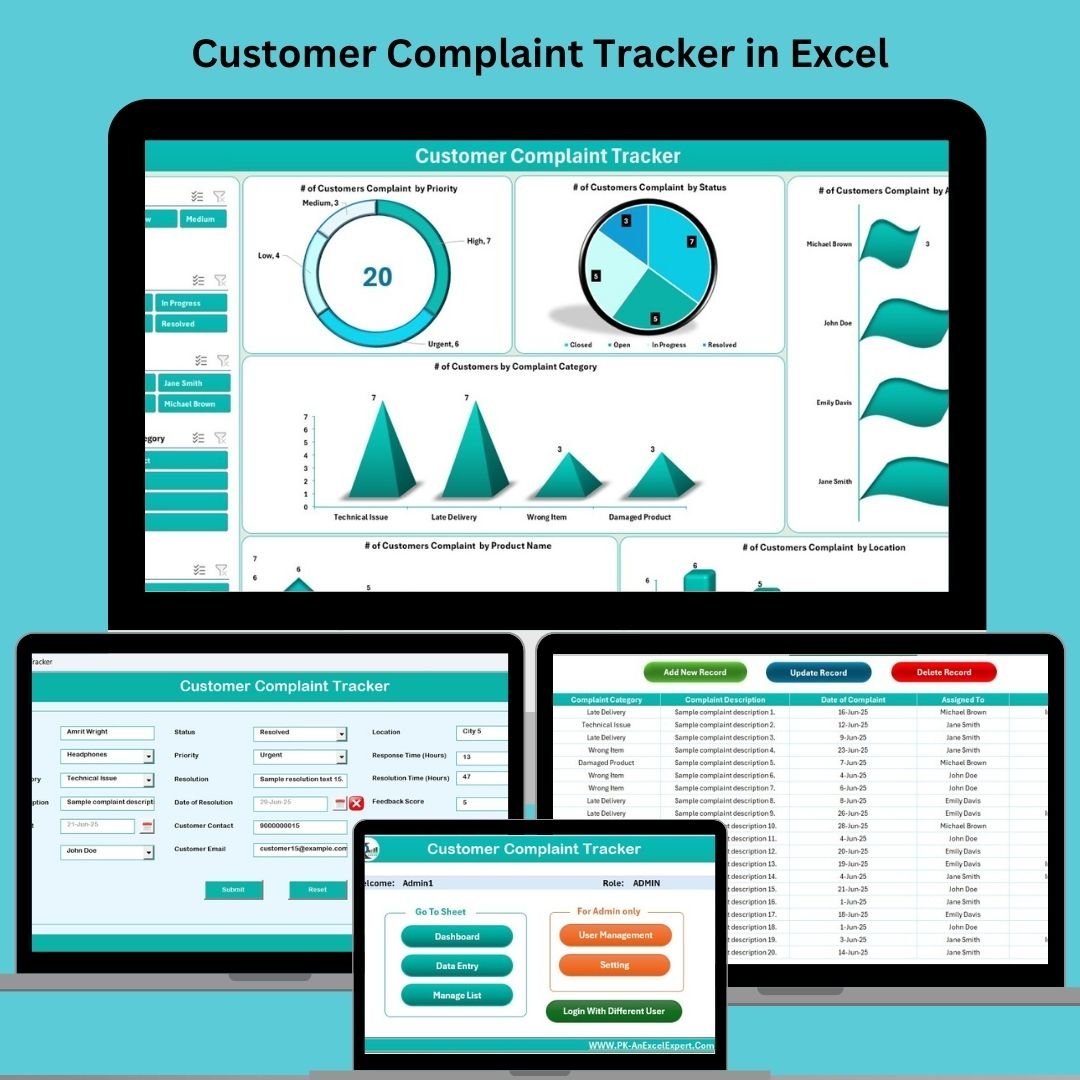

Managing customer complaints can feel like chaos—unless you have a system that turns feedback into action. The Customer Complaint Tracker in Excel is a powerful, VBA-enabled solution that gives you total control over complaint handling, team accountability, and service improvement—all in a user-friendly spreadsheet.
This ready-to-use tool is perfect for tracking, resolving, and analyzing complaints across products, locations, and departments. With interactive dashboards, dropdown-powered forms, and multi-user access, it’s your all-in-one command center for improving customer satisfaction and operational efficiency.
🔑 Key Features of the Customer Complaint Tracker in Excel
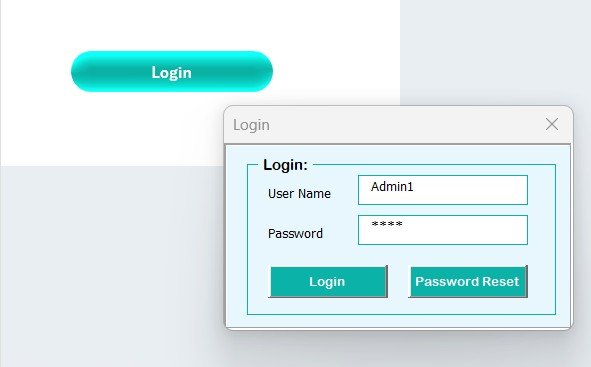
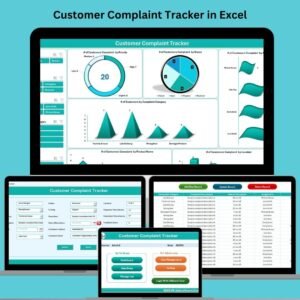
🔐 Login Form with User Access Control
Start with a secure login to prevent unauthorized access. Admins can manage users, reset passwords, and assign roles for accountability.
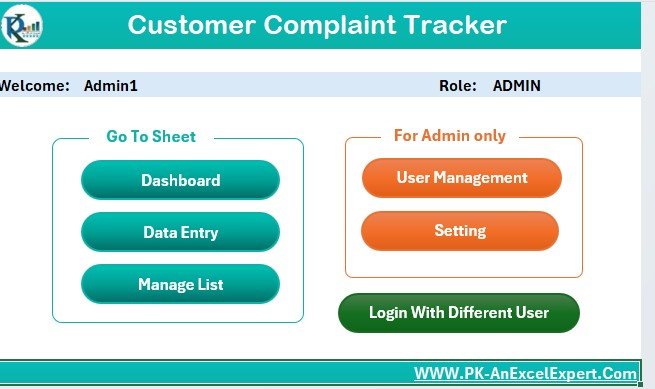
🧭 Main Form Dashboard Navigation
After login, land on the main form—your hub to:
Add new complaints
View or update records
Navigate to dashboard and management tools
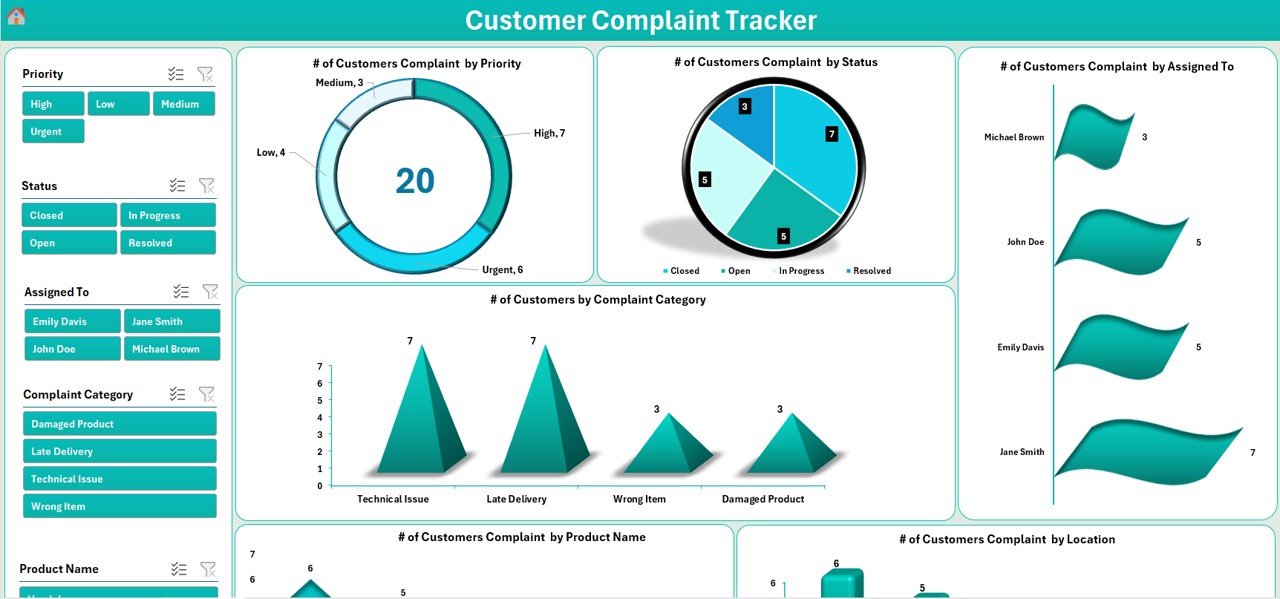
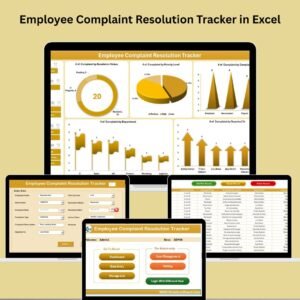
📊 Interactive Dashboard Sheet
Analyze your complaint data in real time with:
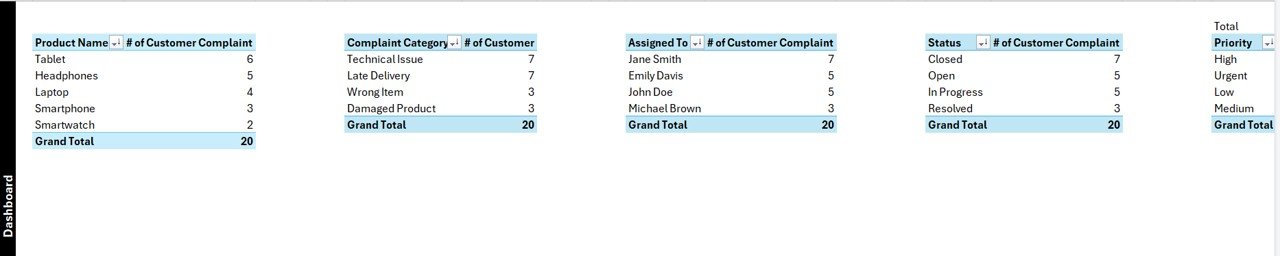
6 dynamic charts (Priority, Status, Product, Location, Assigned Staff, Category)
5 slicers for smart filtering by status, staff, priority, etc.
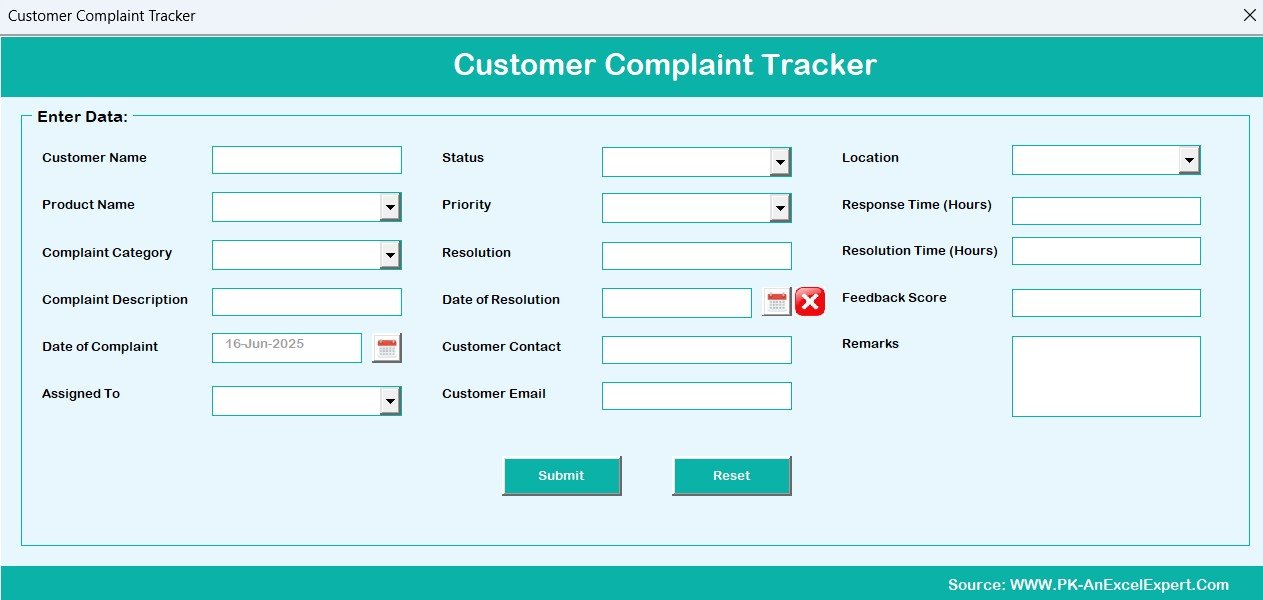
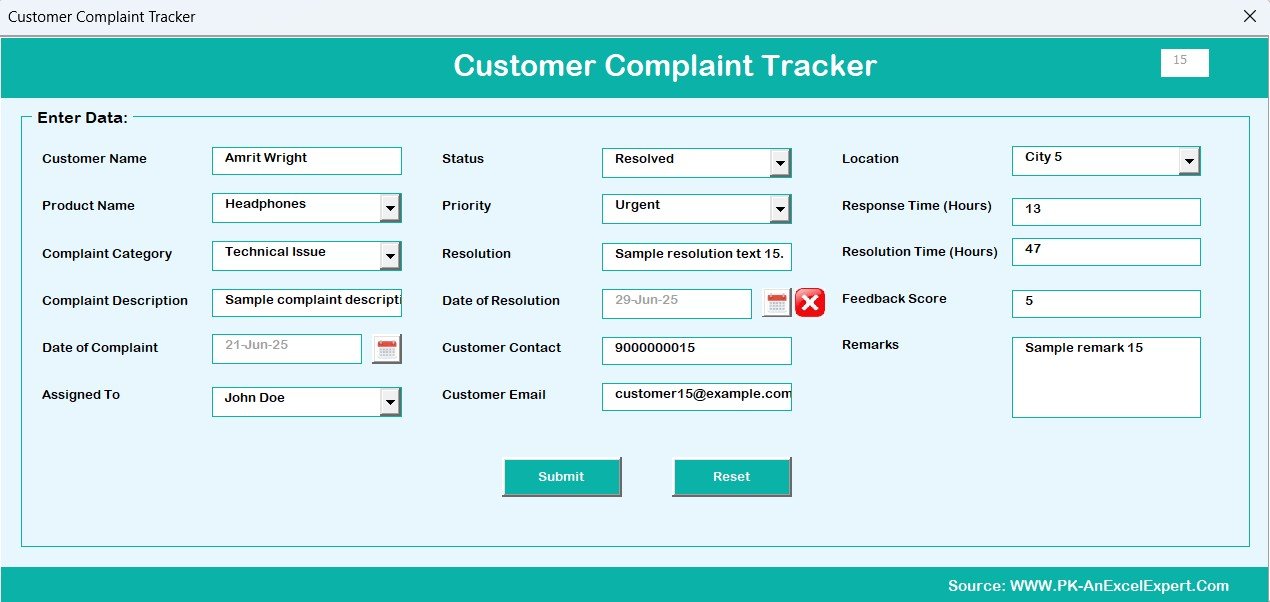
✍️ Automated Data Entry Form
Log complaints without typing into raw cells:
Auto-generates IDs and timestamps
Editable fields with dropdowns for consistency
One-click Add, Update, Delete functions
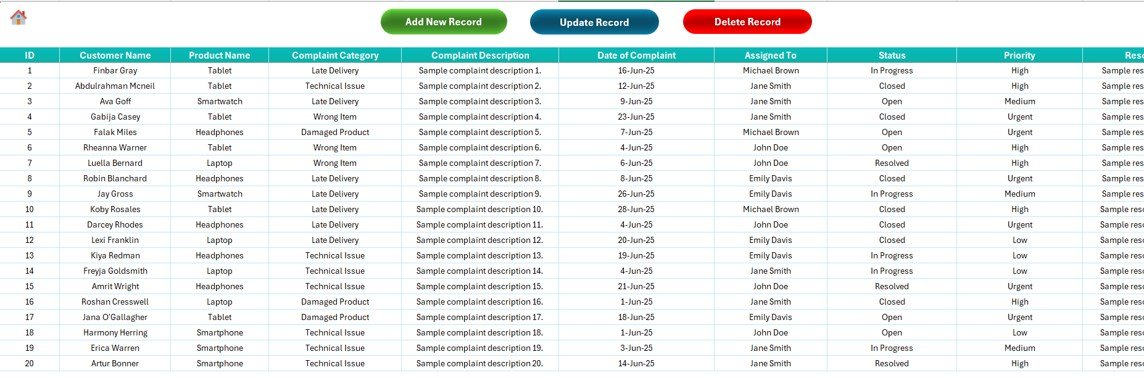
📋 Data Entry Sheet
All complaint data is stored in a structured table with fields like:
Product Name, Category, Description
Assigned To, Priority, Status
Resolution Details, Contact Info, Feedback Score
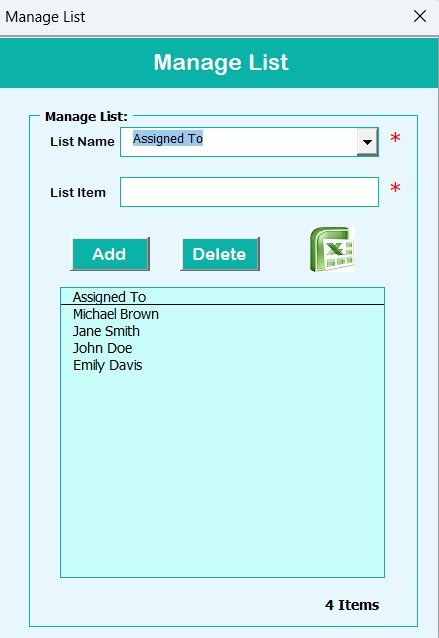
📁 Manage List Sheet
Control dropdowns with clean, editable lists:
Products, Priorities, Statuses, Locations, Staff
Easily update to reflect organizational changes
📈 Support Sheet (Hidden)
Feeds pivot charts—no edits required. Just keep your data updated and the dashboard takes care of itself.
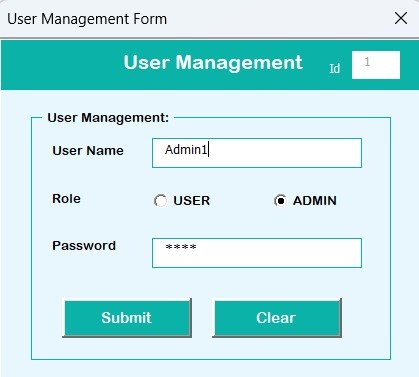
👥 User Management Panel
Admins can:
Add/delete users
Change passwords
Assign user roles
Gives full access control in a multi-user environment.
📦 What’s Inside the Tracker?
The Excel file includes 7 fully functional tabs:
Login Form
Main Menu Form
Dashboard Sheet
Data Entry Sheet
Manage List Sheet
Support Sheet (for dashboards)
User Management Sheet
Everything is powered by VBA, so you don’t need any technical skills to operate it.
🧩 How to Use the Complaint Tracker
✅ Step 1: Log in using your user ID and password
✅ Step 2: Navigate through the main form to access data entry or dashboard
✅ Step 3: Use the Data Entry Form to log or update complaints
✅ Step 4: Monitor key trends via the Dashboard Sheet
✅ Step 5: Update user access or dropdown lists as needed
✅ Step 6: Backup your Excel file weekly for historical tracking
It’s simple, efficient, and ready to use out of the box.
👤 Who Can Use This Tracker?
📦 Retail & E-commerce – Track returns, refunds, and service issues
🏥 Healthcare – Log patient feedback and resolution
🎓 Education – Handle parent/student complaints
💻 Software & IT – Manage bug reports and user issues
🚚 Logistics – Track delivery delays or service complaints
🧾 Finance/Banking – Log and respond to customer concerns efficiently
If you deal with customers, this tracker is for you.
🔗 Click here to read the Detailed blog post
🔗 Visit our YouTube channel to learn step-by-step video tutorials
Watch the step-by-step video tutorial:
Frequently Asked Questions
What tabs does the Customer Complaint Tracker include?
Seven: Login Form, Main Menu Form, Dashboard Sheet, Data Entry Sheet, Manage List Sheet, Support Sheet and User Management Sheet.
Which charts are on the dashboard?
Six charts for priority, status, product, location, assigned staff and category, with five slicers to filter them.
Can more than one person use it?
Yes. Admins can add or delete users, change passwords and assign roles, and each person logs in with their own user ID.
Can I change the dropdown values?
Yes. The Manage List Sheet holds the products, priorities, statuses, locations and staff names used in the form.
Compatibility and Requirements
- Needs Microsoft Excel desktop on Windows with macros enabled. The login, forms and buttons run on VBA, so the file does not work in Excel for the web, Google Sheets or the Excel mobile apps.
- Microsoft explains how to turn macros on in Enable or disable macros in Microsoft 365 files.
Related Complaint and Customer Service Templates
- Customer Complaint Tracker in Google Sheets: a browser-based version without macros
- Complaint Management System V1.0 in Excel: a larger complaint system in Excel
- Complaint Management System: Web App Version
- Customer Service Dashboard in Excel: report on service performance
- Customer Complaint Resolution KPI Dashboard in Power BI
Browse all Excel trackers or the Excel VBA tools.













Reviews
There are no reviews yet.